
Micro Mid: Lian Li Vector V100R Mini Case Review
Lian Li beats the expanding height of mid-tower cases not by ignoring newer features like top-mounted radiators or under slot graphics card clearance, but by reducing an unused portion of the motherboard space: Its V100 Mini series is Micro ATX. The challenge isn’t technical, as most builds have only a single graphics card and one to three M.2 drives. Instead, it’s to overcome a market that typically ignores Micro ATX while considering whether it’s worthwhile to jump all the way down from full ATX to Mini ITX (it usually isn’t).
For our part, we’ll use the same platform to compare the V100R Mini to both micro and full-ATX rivals.
| Lian Li Vector V100R Mini | |||
| Type | Mid Tower | Included Fans | (3) 120mm Side, (1) 120mm Rear |
| Motherboard Support | Micro ATX, Mini ITX | Front Fan Mounts | X |
| Dimensions (HxWxD) | 17.5″ x 8.75″ x 17.75″ (44.5 x 22.2 x 45.0 cm) | Rear Fan Mounts | (1) 120mm |
| Weight | 16.0 lbs (7.26 kg) | Top Fan Mounts | (3) 120mm or (2) 140mm |
| Max Motherboard Depth | 9.6″ (24.4cm) | Bottom Fan Mounts | (2) 120mm |
| Card Length | 415mm | Side Fan Mounts | (3) 120mm |
| Power Supply Format | PS/2: Max 150/170/200mm (depends on drives) | Top Rad. Clearance | 45mm vertical, 45mm horizontal (max) |
| Air Cooler Clearance | 163.5mm | Front Rad. Clearance | X |
| External Bays | X | Front Filter | X |
| Internal Bays | (1) 3.5″, (3) 2.5″ (one shared) | Top Filter | Nylon mesh (fixed) |
| Card Slots | 5 | Bottom Filter | Nylon mesh (slide-out) |
| Ports/Jacks | (1) Gen2 Type-C, (2) Gen1 Type A, Headset Combo | Damping | None |
| Other | Integrated ARGB strip | Price | $80 |
Find it at Amazon

(click for availability)
Does The R Mean Reverse?
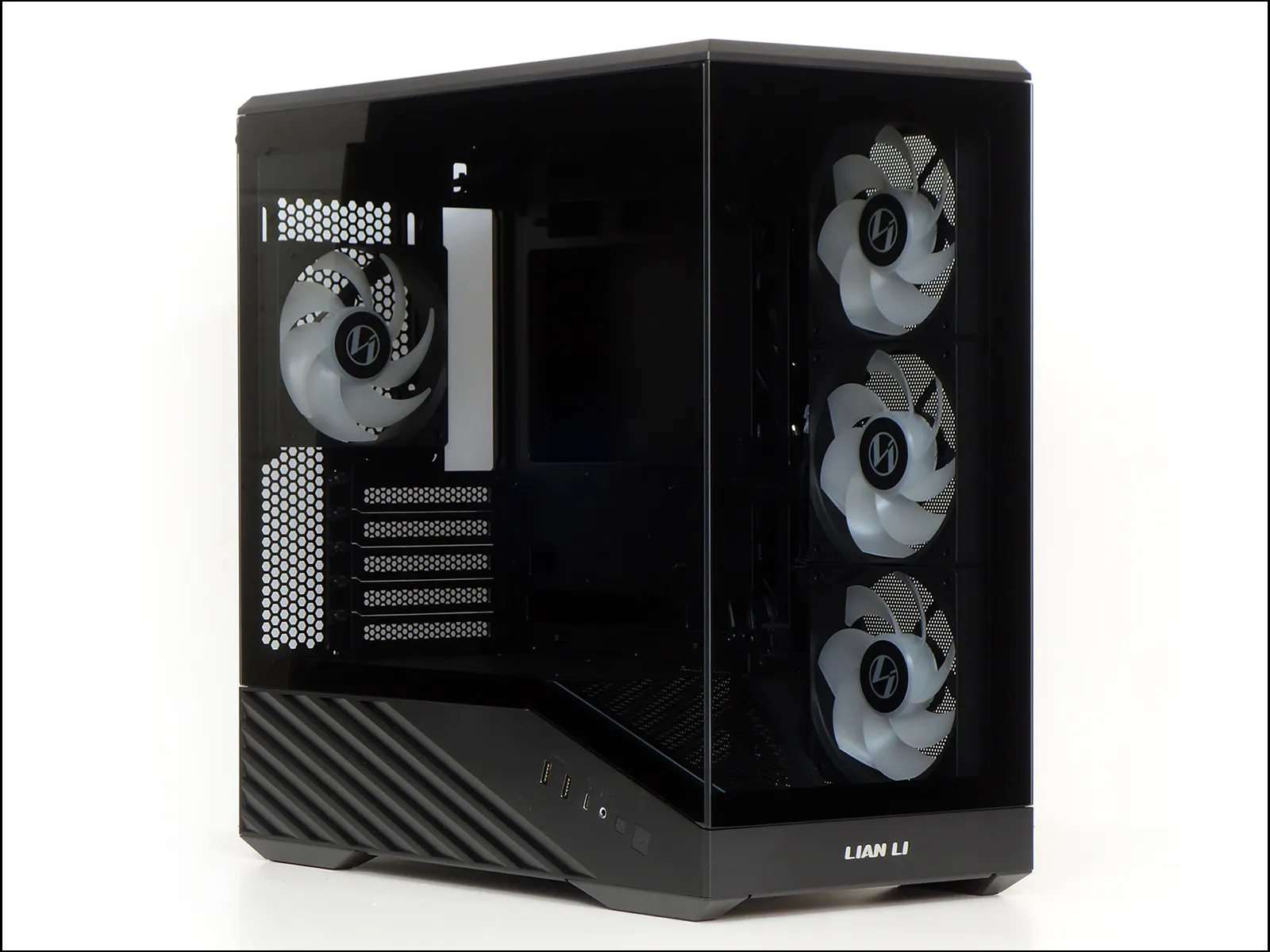
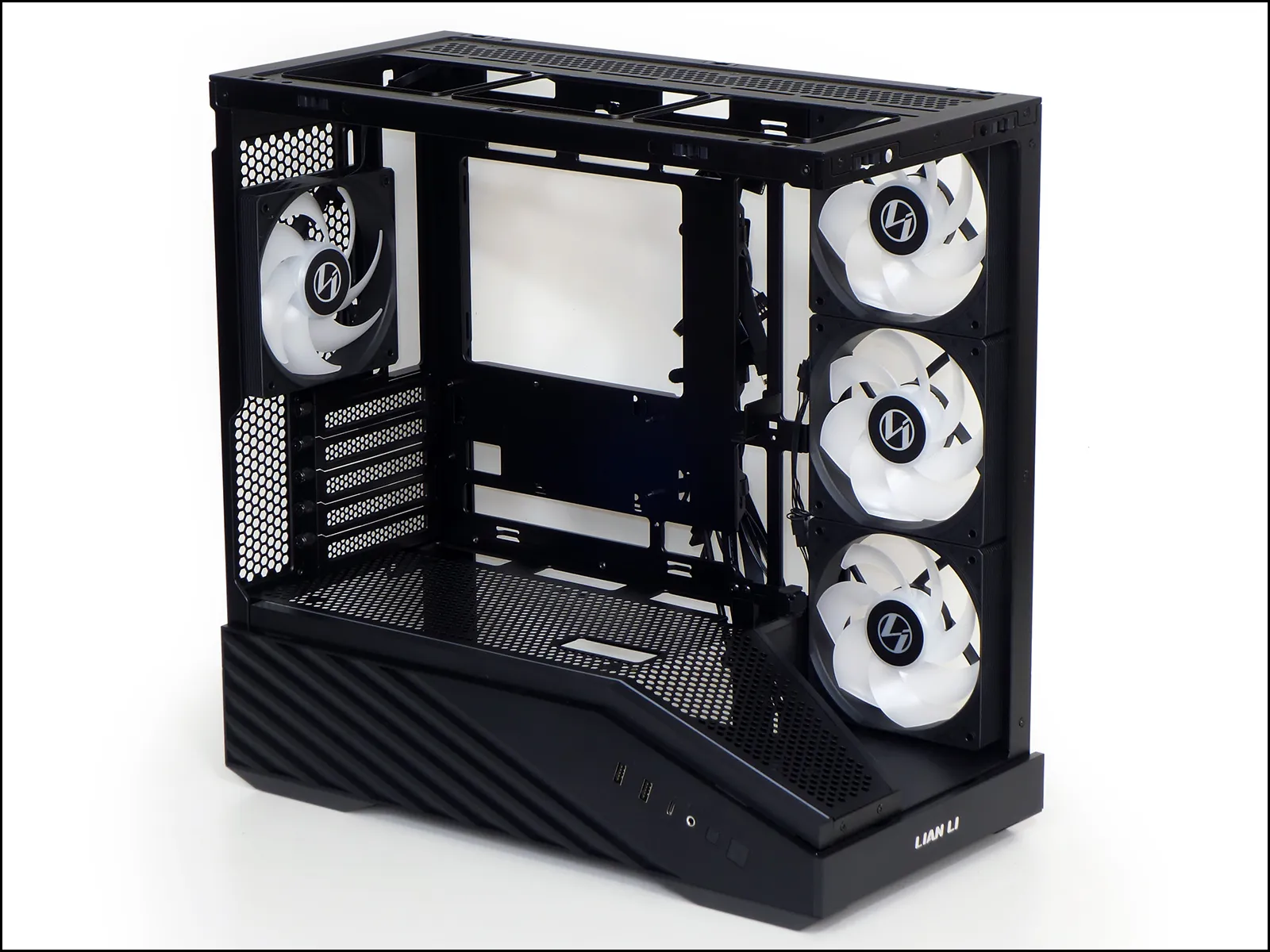
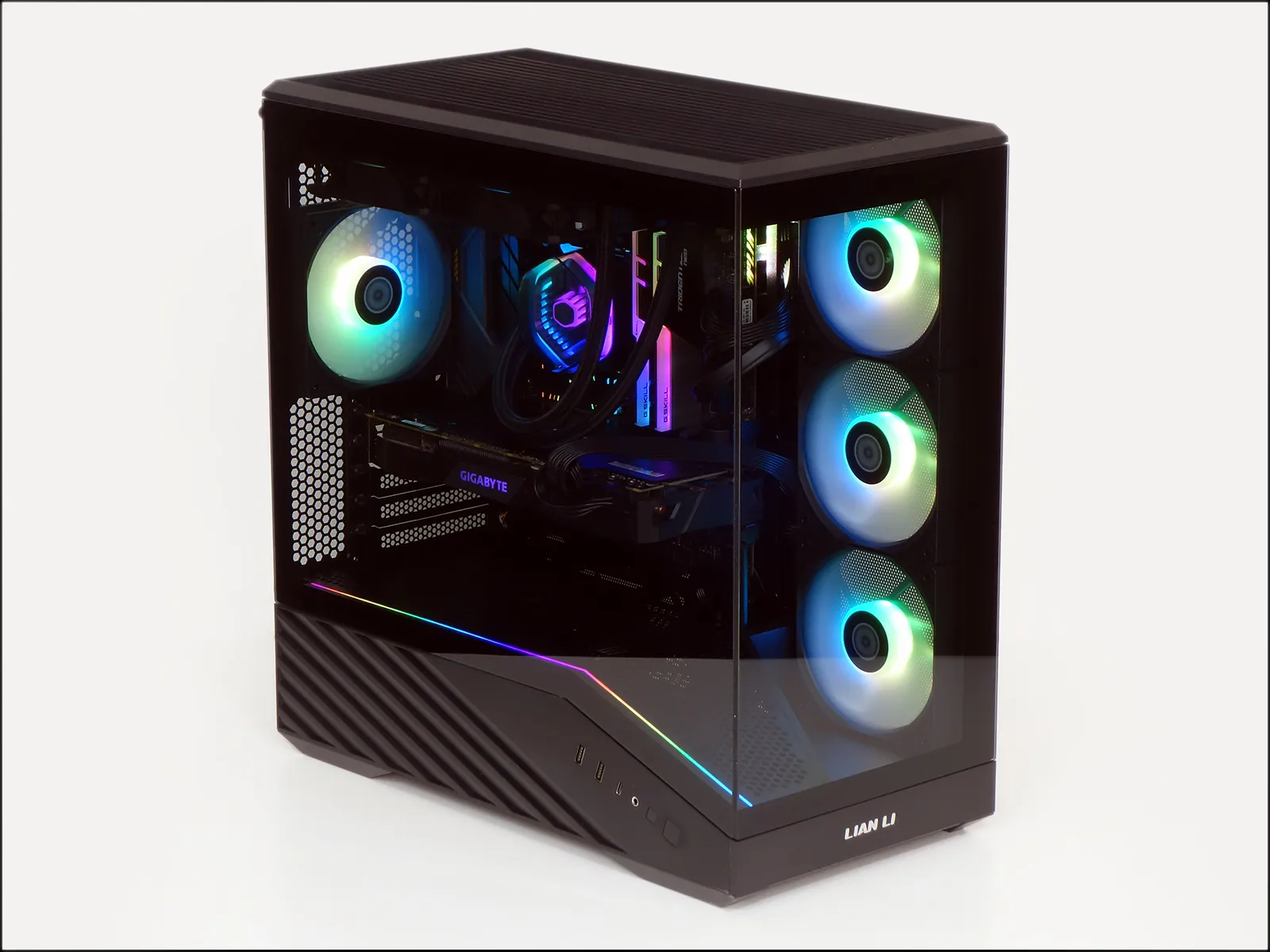
While the Micro ATX motherboard market probably peaked a decade ago with SLI gaming cubes, we won’t be reverting to complex graphics arrays: Instead, the “R” of the fan-packed V100R Mini probably refers to the three reverse-flow fans on its right side. The reversed curvature of its fan blades causes air to blow air out the face rather than the frame, giving buyers an unobstructed ARGB view while maintaining the desired front-to-back airflow.
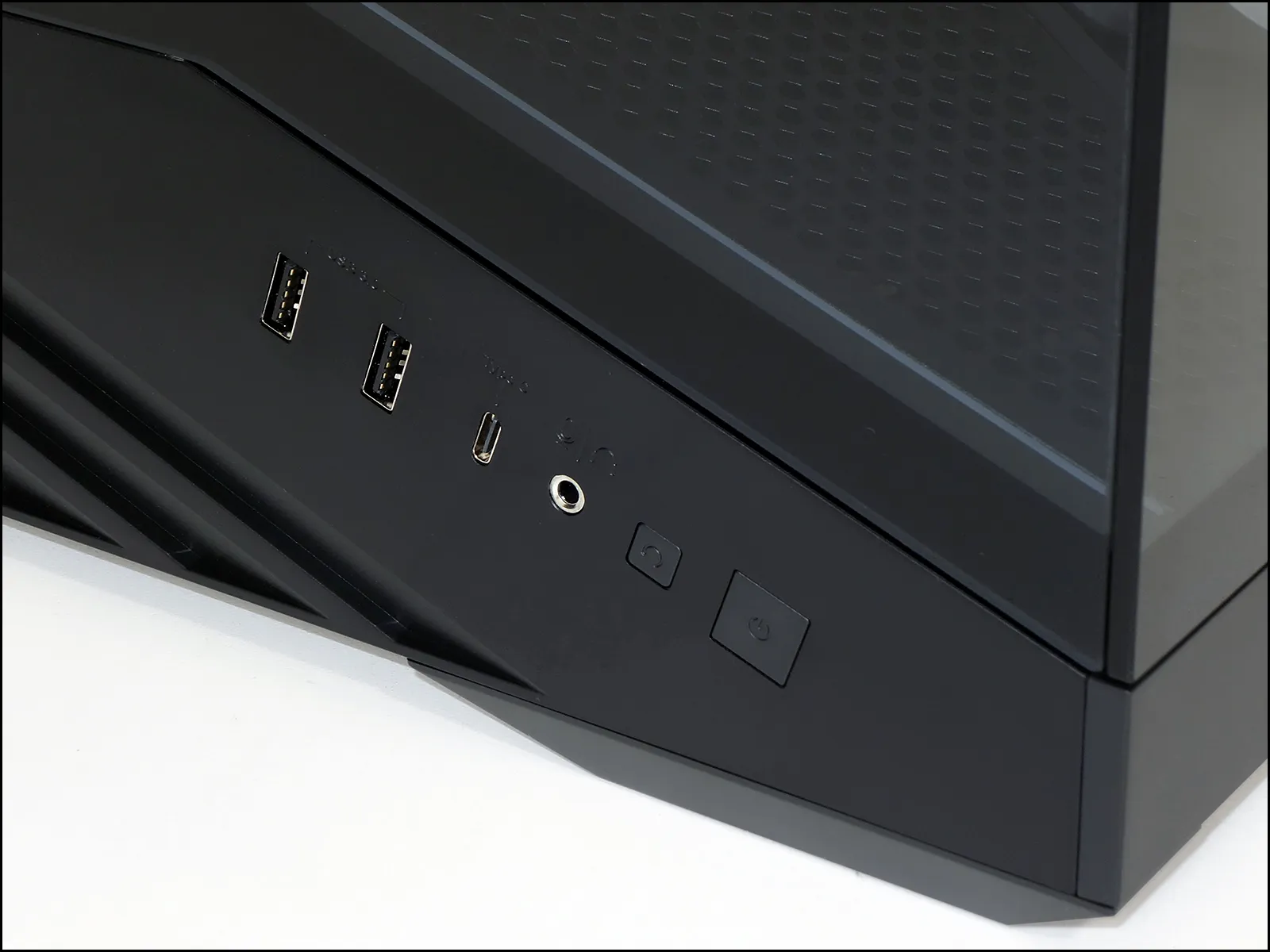
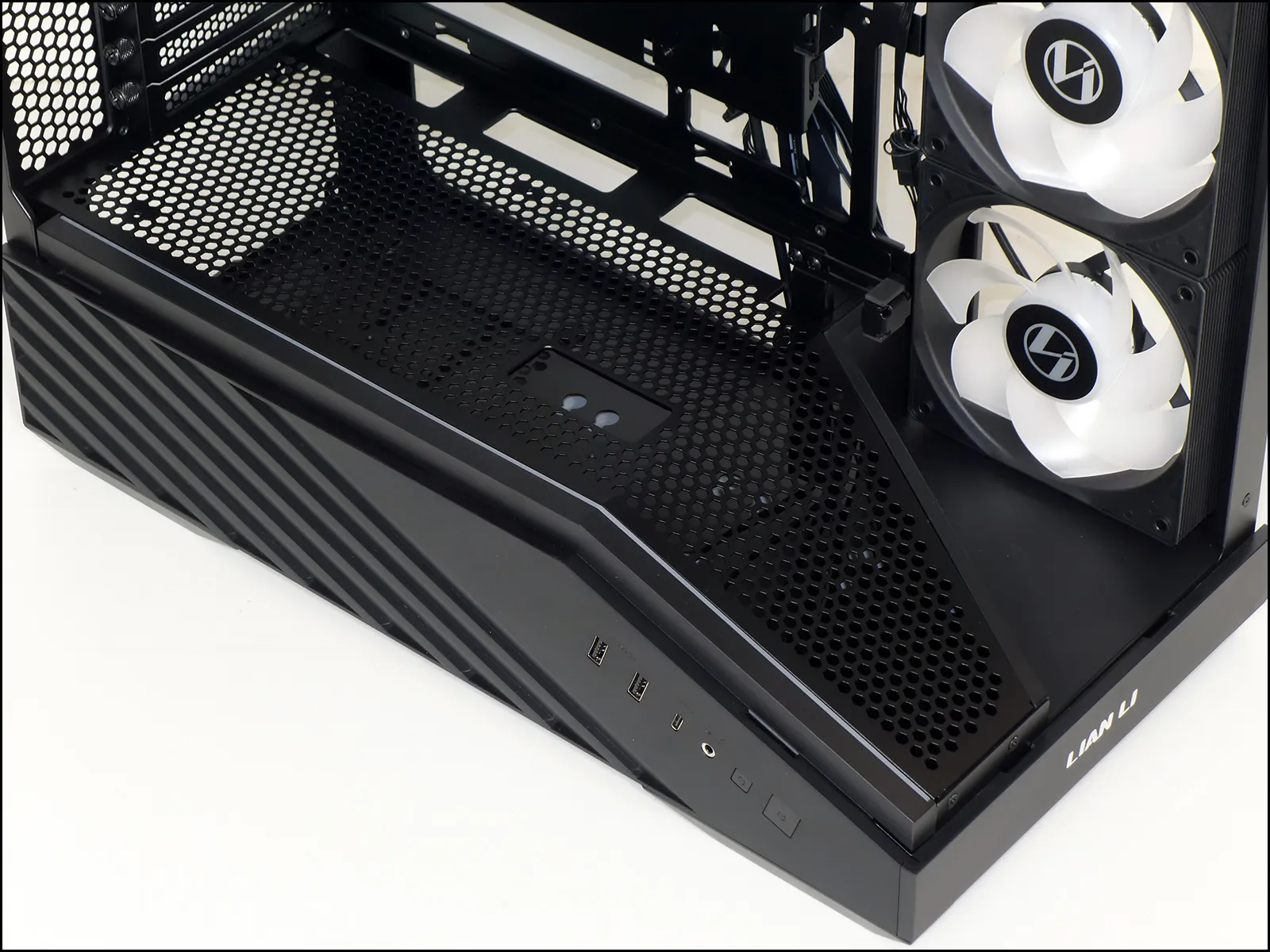
Front panel connectors are on the forward section of the lower left side, where we find two USB3 Type A ports connected to a Gen1 interface cable, a Type-C port connected for a Gen2x2 interface, and a headset combo jack that pairs stereo headphone output with monaural microphone input. For those unfamiliar, the microphone’s extra contact is located on a portion of the headphone’s ground barrel, so that the case’s jack can work with stereo headphones as well as headsets and headphone/microphone splitter cables.
We found that the smallish reset button that sits next to the big power button is still large enough to be pressed accidentally. Oops!
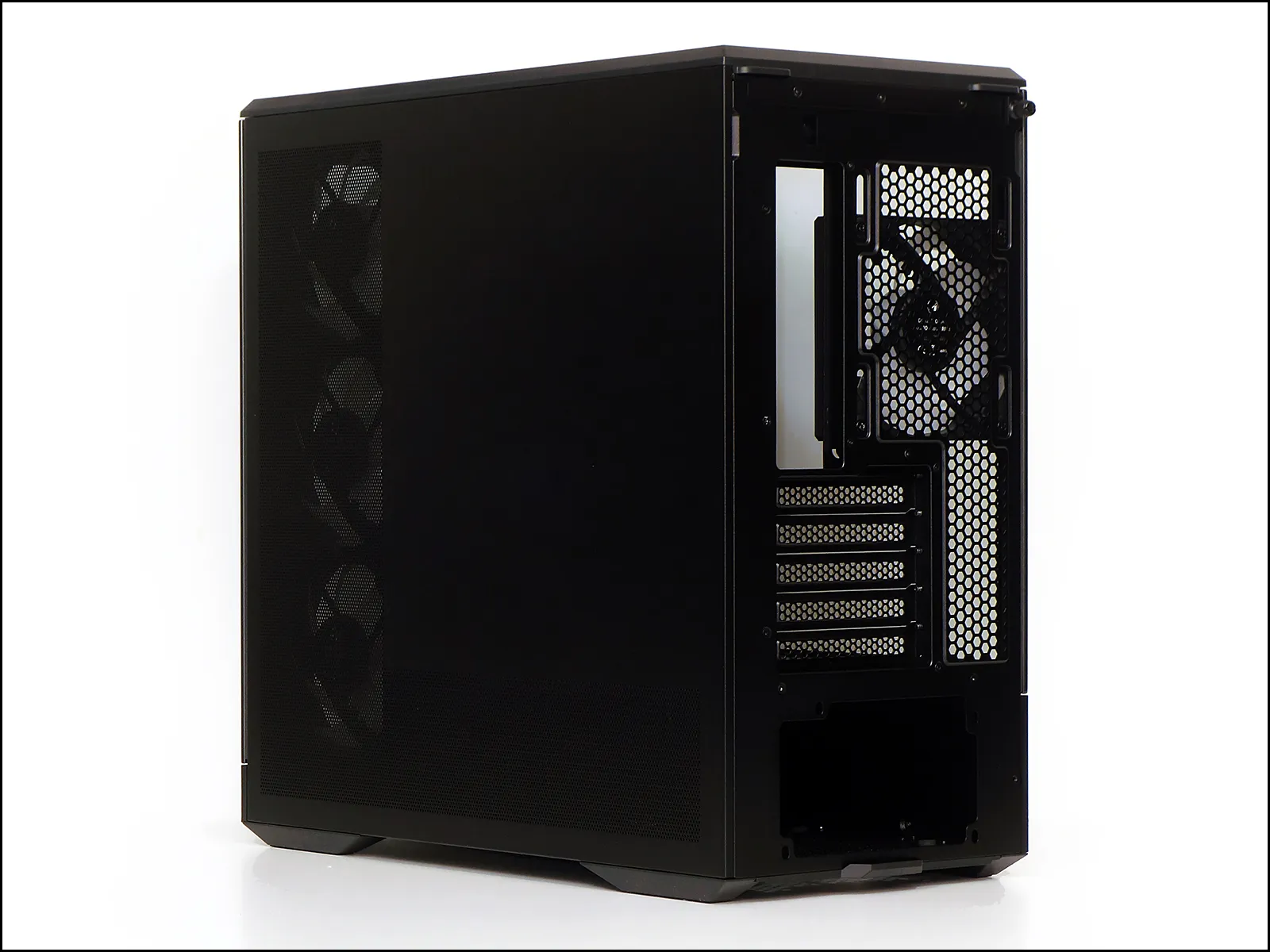
Around back are five expansion slots rather than the standard four of Micro ATX, as Lian Li wanted the case to support four slot graphics coolers regardless of whether the expansion slot was in the top position (which applies to most Micro ATX and all Mini ITX boards) or the second position (as designed into a few Micro ATX boards such as ASRock’s B860M Lightning WiFi).
Screw slots for the 120mm rear exhaust fan provide around 30mm of vertical adjustment so that builders can align it properly with their top-mounted radiator, or make clearance for a rear-mounted 120mm-format radiator.
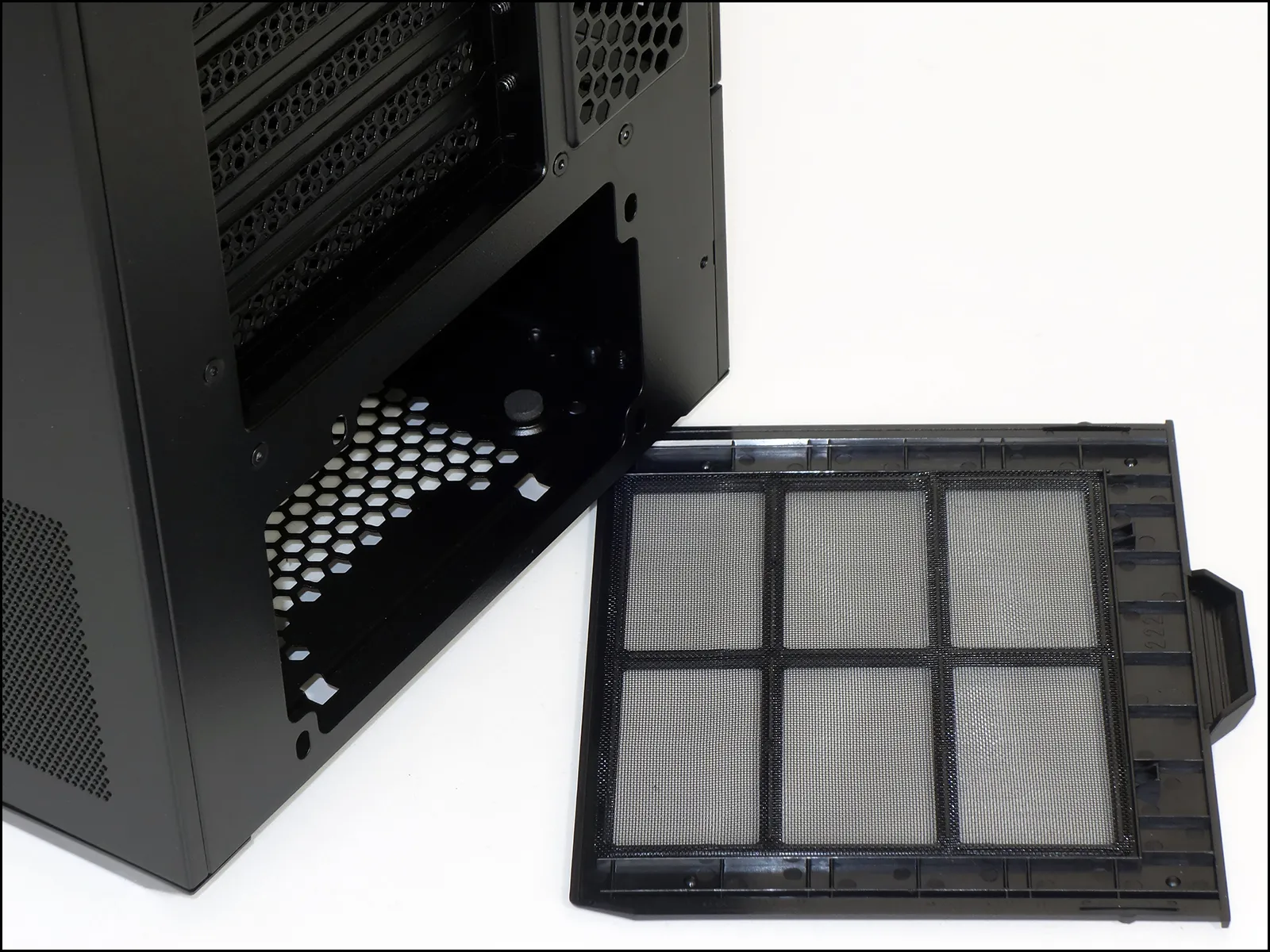
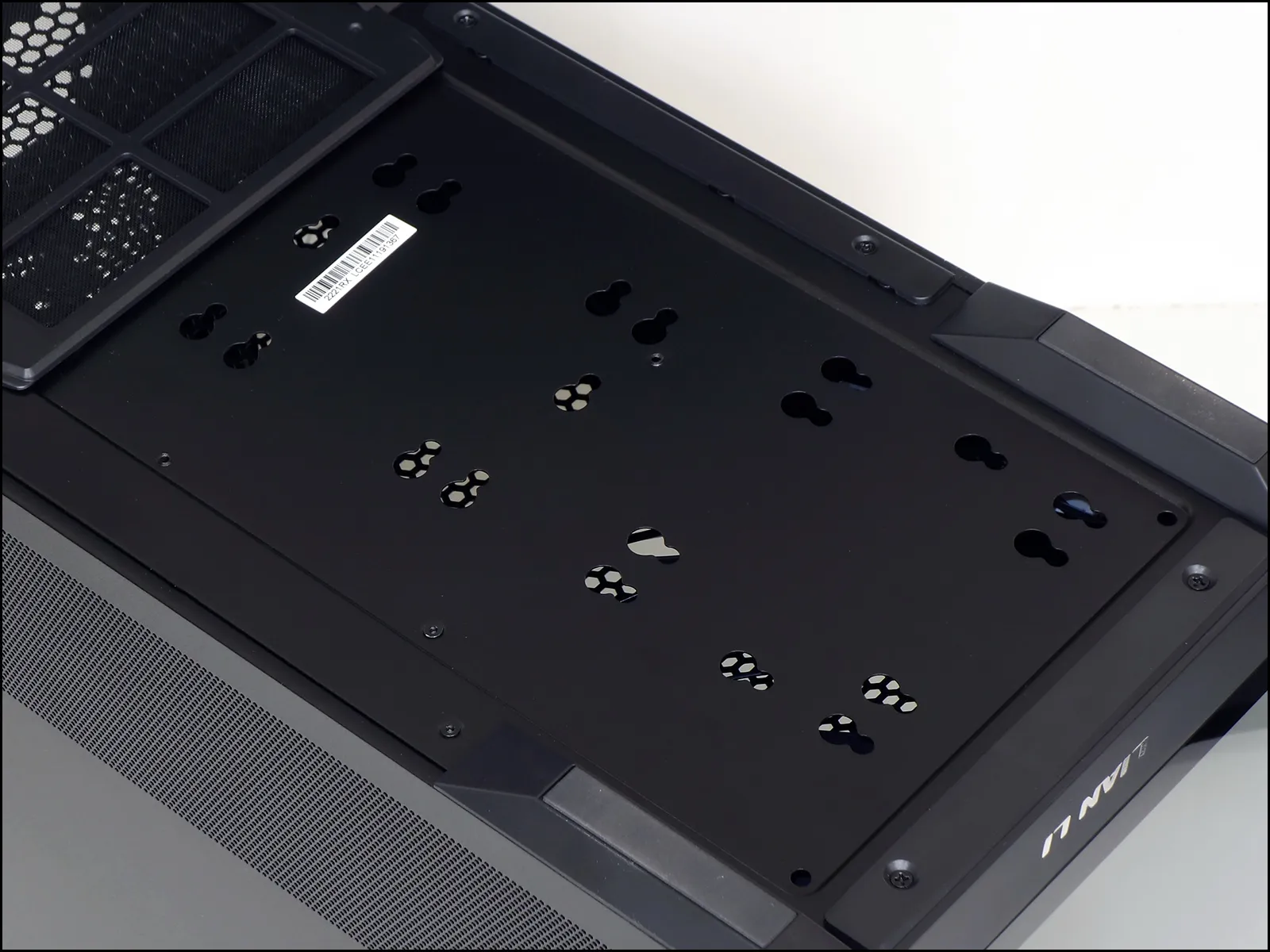
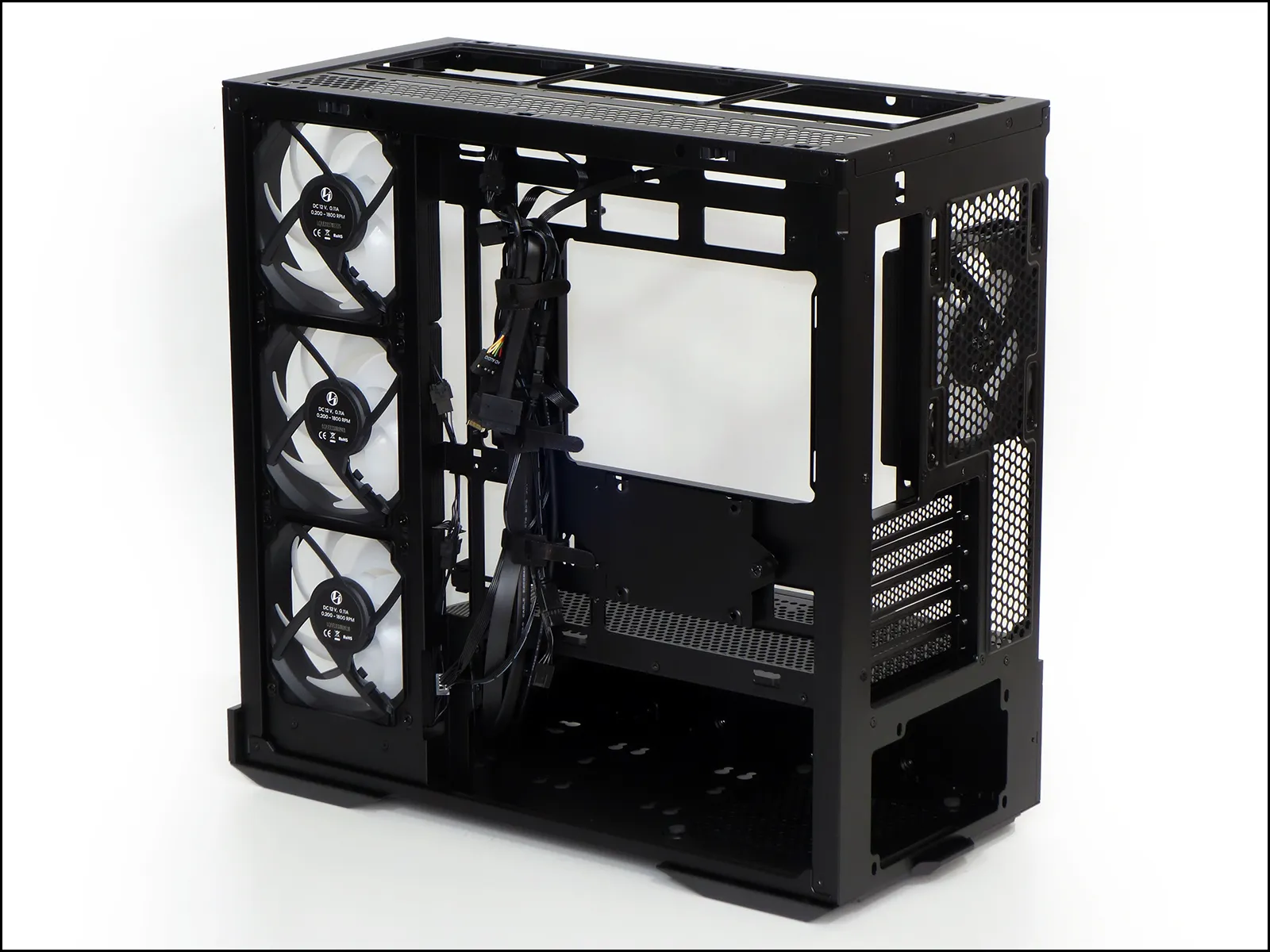
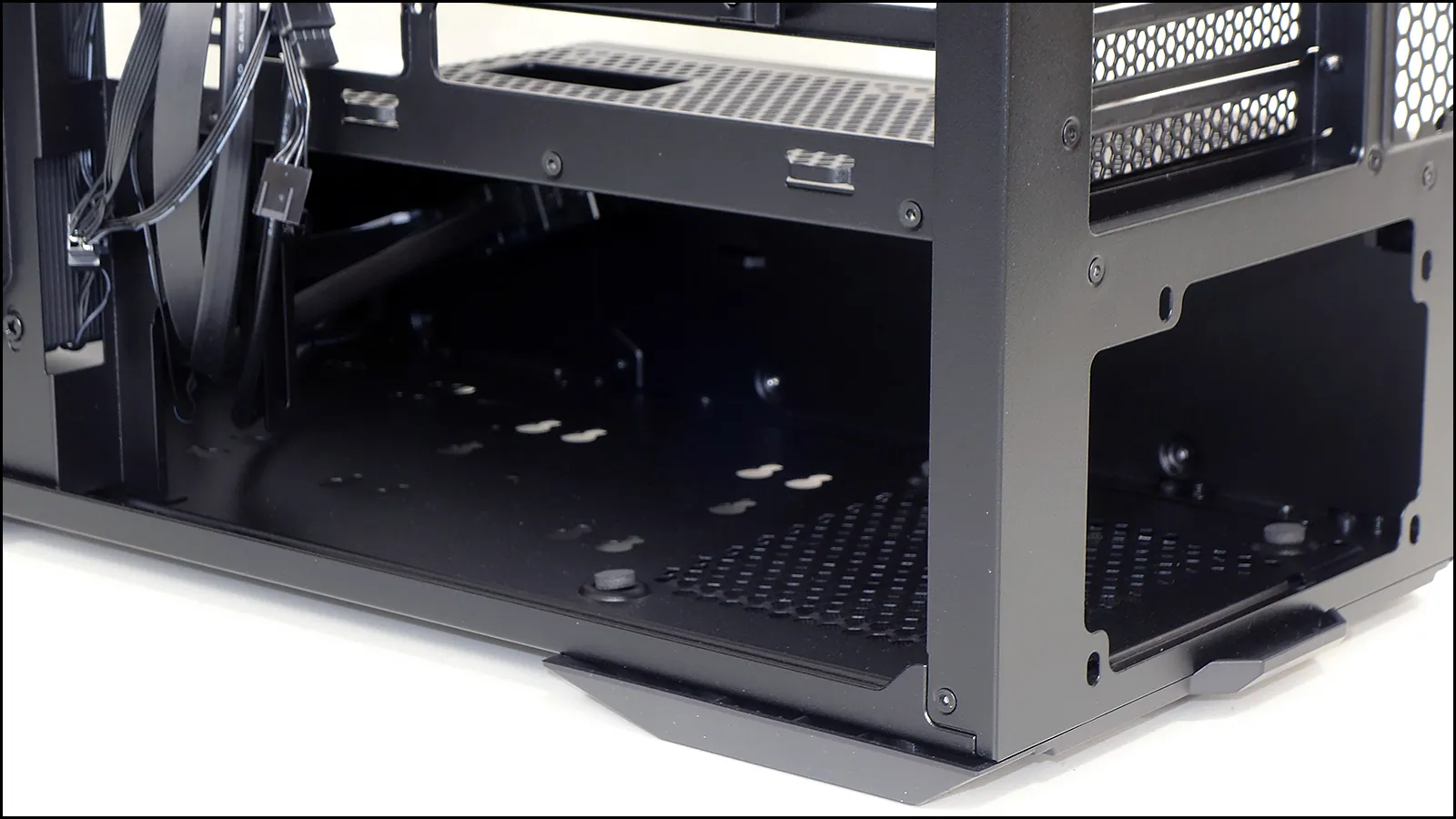
The bottom panel has a slide out dust filter that’s barely large enough to cover the power supply air inlet, and flipping the case reveals why: The rest of the bottom panel is covered with two sets of keyholes to allow drives to be mounted internally using rubber grommets and shoulder screws.
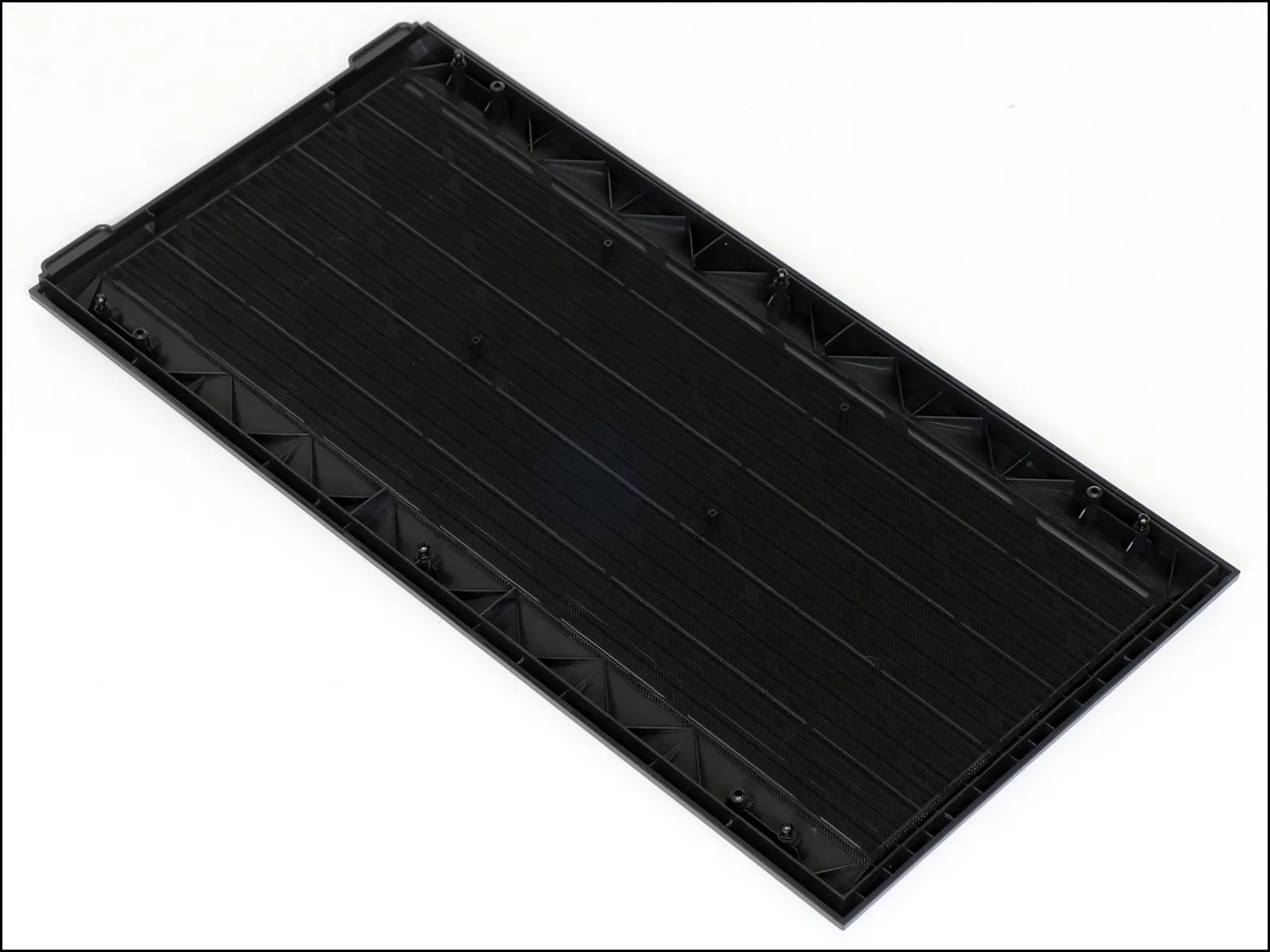
The rigid plastic top’s six fasteners snap away from the metal chassis top to reveal a glued-on mesh sheet. That sheet should probably be treated as a barrier that prevents small objects accidentally falling through the top grill bars rather than a filter, since it receives air from the side intake fans.
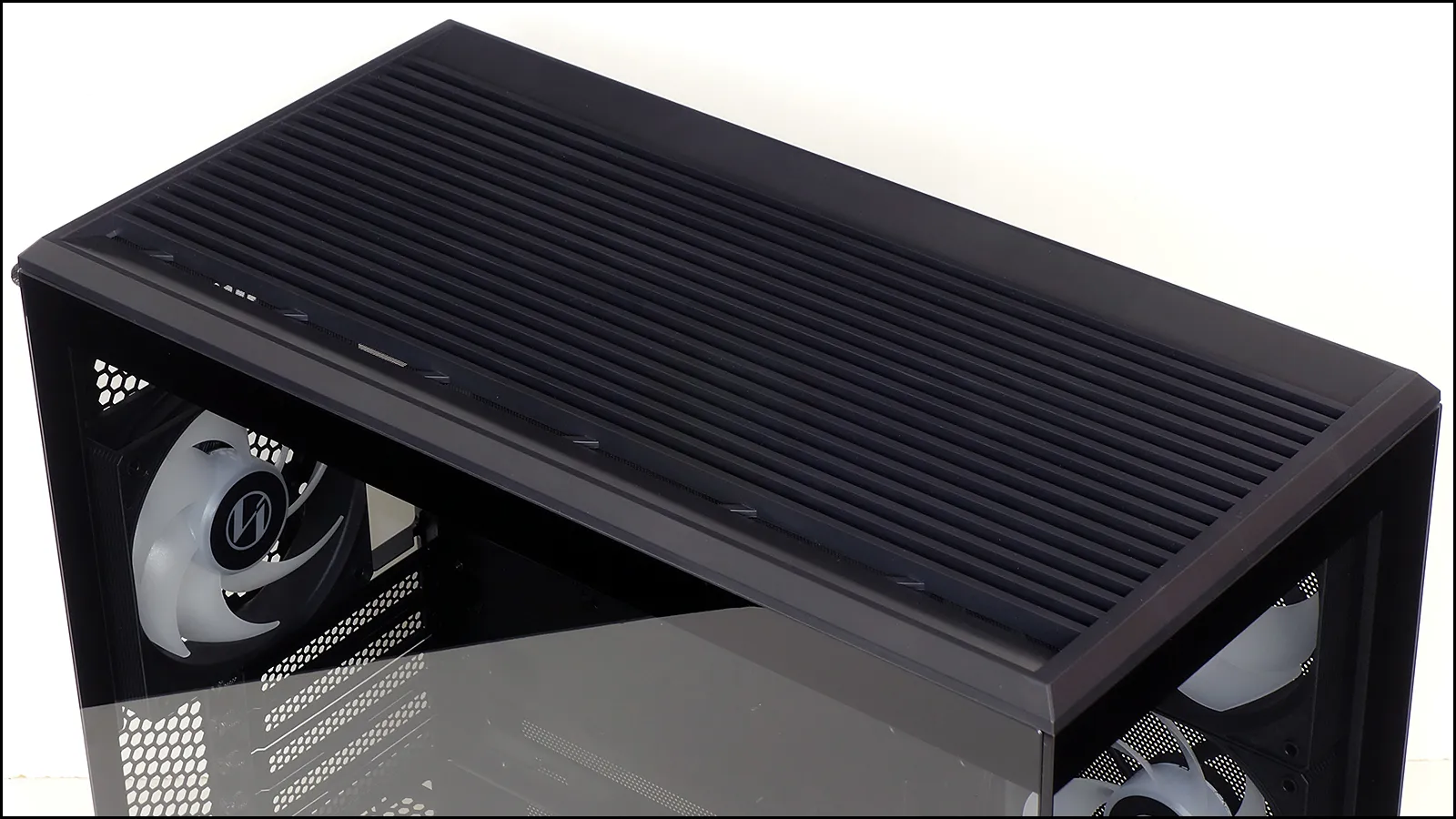
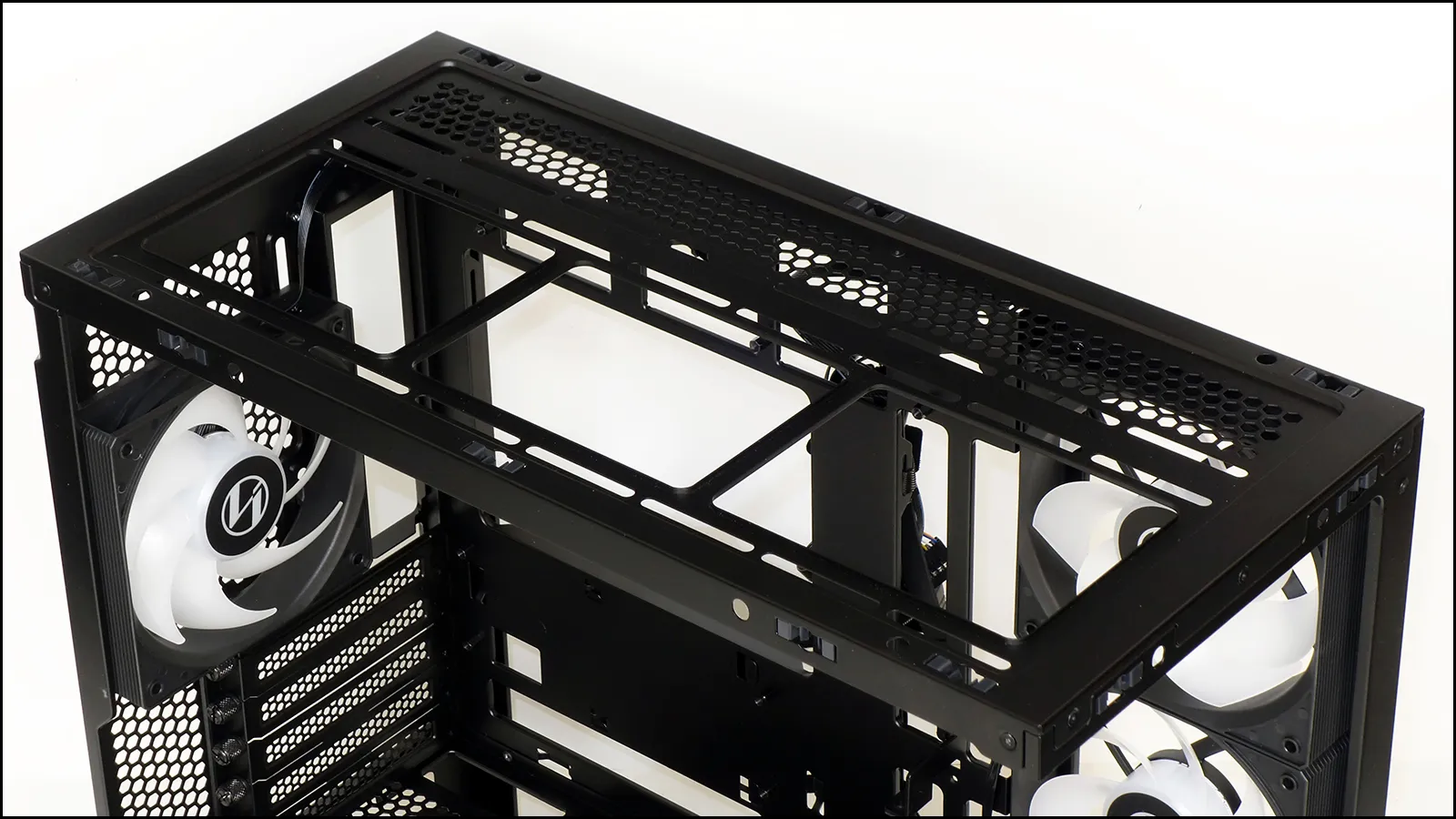
Though it supports both 120mm and 140mm fans, the top panel is only long enough to fit two of the larger ones. It’s still long enough to hold a 360mm-format radiator (including its end caps), but since it sits only 45mm above the motherboard you’ll probably be counting on its 45mm of horizontal distance from the motherboard’s surface in order to clear things like the ATX12V/EPS12V connectors near the motherboard’s top edge.
Of course you could try to put a radiator on the side mount, but you’ll notice that there’s no room for the end caps at either the top or bottom of that space. That is to say, the area is single purposed as an air intake.
Other important features include the cable passages on the top of the power supply shroud and the rear-facing connector holes that surround the perimeter of the motherboard area: Asus calls its rear-facing connectors “BTF” and MSI calls it “Project Zero”, but we’ve also seen the design without such branding on a few Asia-market motherboard models.
In addition to its cable passages, the top of the power supply shroud offers eight threaded holes for adding two 120mm fans: Since fan blades tend to make a bunch of noise when passing nearby vent holes, we’d suggest only using these mounts with the fan’s frame on the underside (even if you have to buy more reverse-flow fans to get the direction you want).
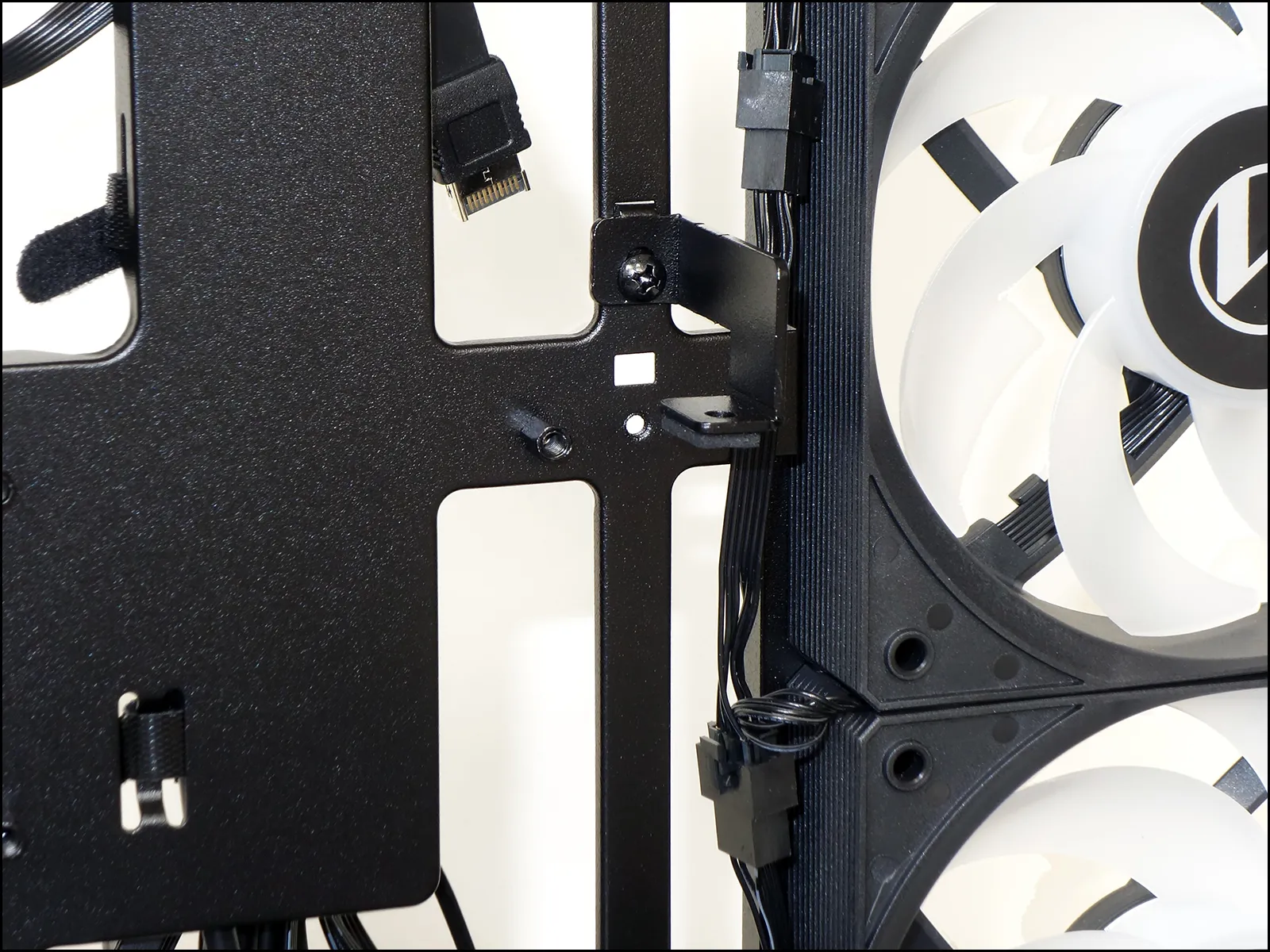
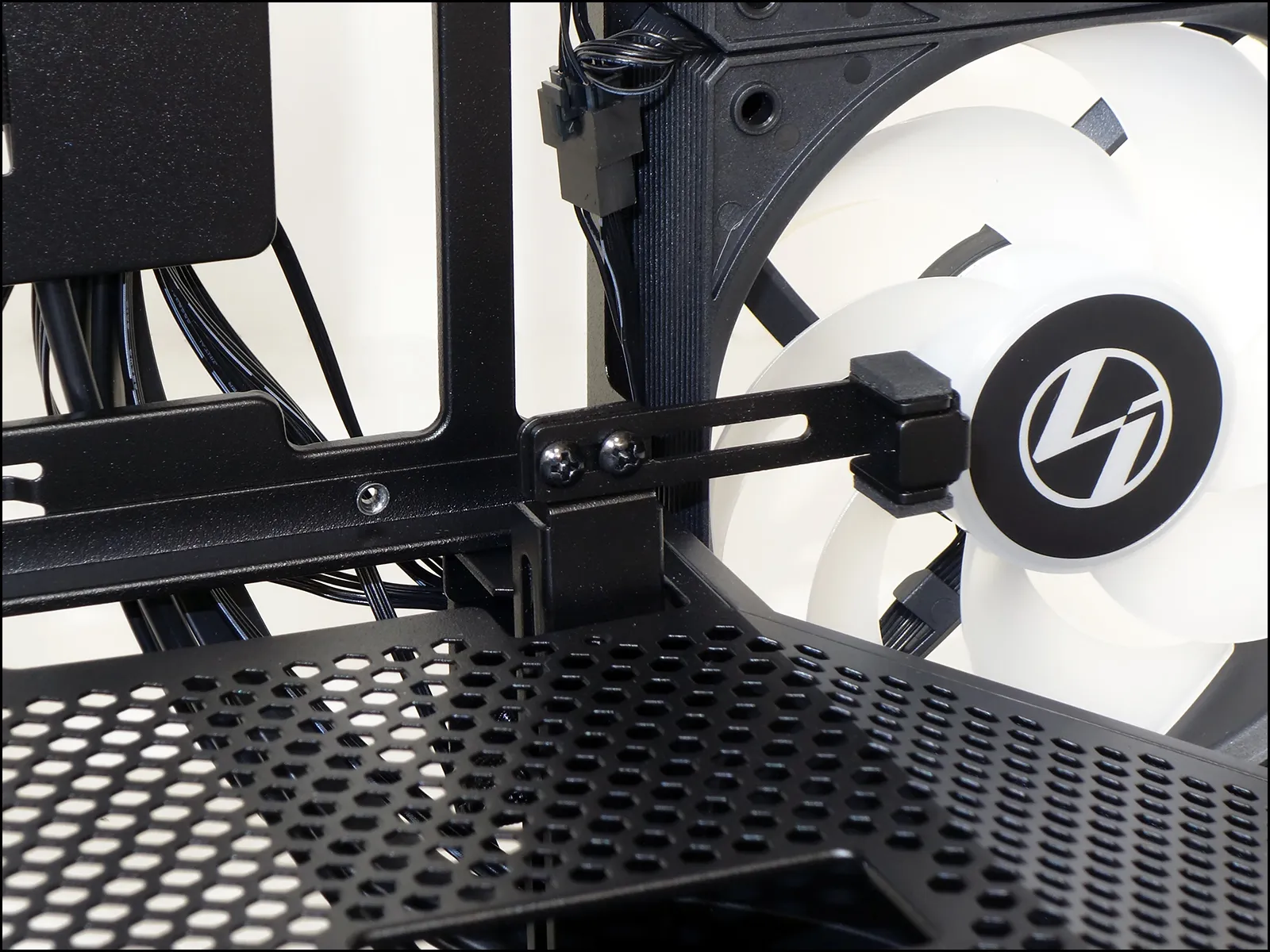
While many cases include a single adjustable tab to keep your graphics card from drooping, the V100R Mini adds an upper bracket that pinches the card from both sides to keep it located while moving your system around. A second set of holes allows the upper tab to be moved down one slot position to work with boards that have the slot one space lower, as seen here. The lower brace adjusts fore and back aft via two standard screws shown below, while the knurled screw that holds its vertical position its located inside the power supply chamber.
A single 2.5” drive tray resides between the motherboard tray’s lower cable connector holes and its central CPU cooler hardware access hole. The bottom panel’s drive mounts are also visible—barely—in the photo below.
The bottom panel’s rear 3.5” drive mount is so close to its front 3.5” mount that no room remains between for the front drive’s cable connectors, which in turn limits the bottom panel to two 2.5” drives or one 3.5” and one 2.5” drive. Filling the rear 3.5″ drive mount also limits the power supply depth to 150mm, so we’d like to suggest builders ignore it and treat the entire panel as if it supports only the front drive.
Building With The V100R Mini
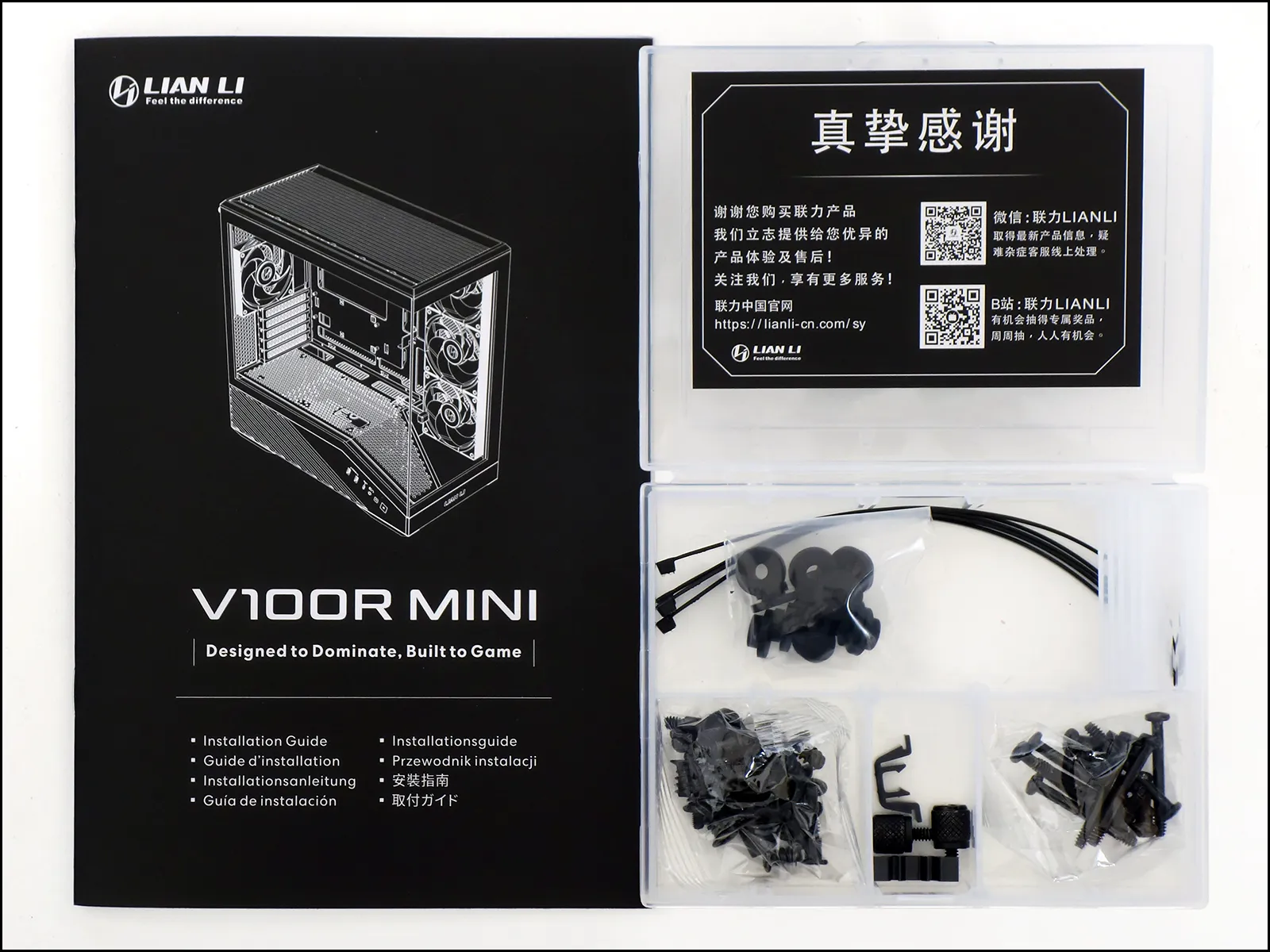
Boxed in a handy compartment tray, the V100R Mini’s installation kit contains five zip ties, eight grommets for installing drives to its bottom panel mounts, six #6-32 and eight M3 shoulder screws to match the mounting grommets, four #6-32 power supply mounting screws, twelve M3 flange head screws for installing the motherboard and 2.5” drive behind it, a standoff socket with #2 Phillips drive, sixteen coarse thread screws for fan mounting, two replacement snaps for the top panel and/or top edges of the side panels, two knurled screws and eight long-shaft screws for mounting two 120mm fans to the top of the power supply shroud.
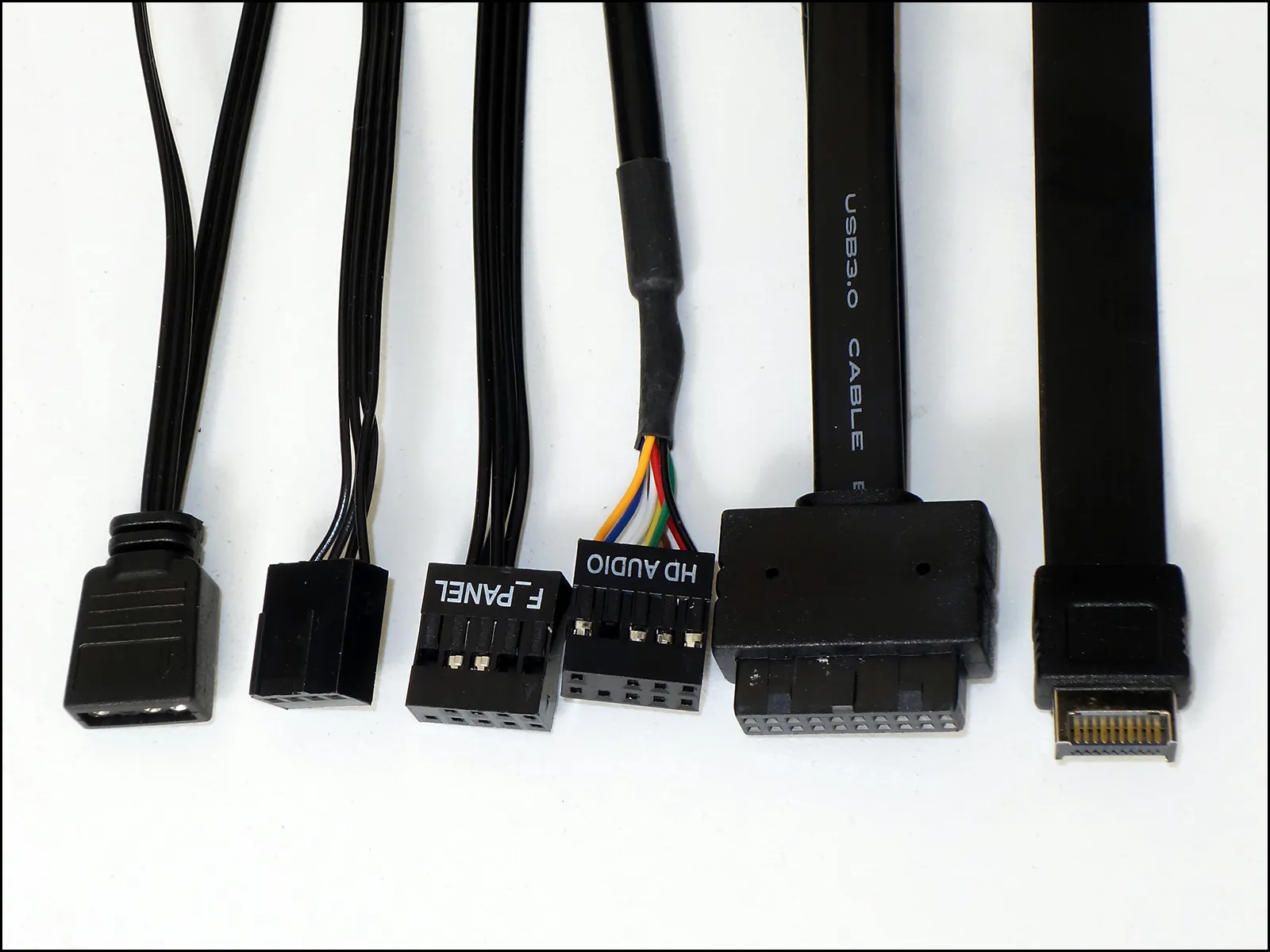
Because it’s fans and light bar have pass-through connections, the V100R Mini’s fans and lighting are able to connect to motherboard headers via a single ARGB and single PWM fan cable. A combined F-Panel block connects its power and reset buttons, an HD-Audio interface its headset combo jack, a 19-pin USB 3.x plug its two Type A ports and a Gen2x2 cable its Type-C port.
A straight-on look shows just how far we pushed the card brace up from its hole in the power supply tunnel just to reach the bottom of our 2-slot graphics card: Its knurled nut made it easy for us to lock in that adjustment. If we were picking our components based on the appearance of power, we’d probably want a longer 3-slot card to fill in a bunch of the empty space at the front of the case.
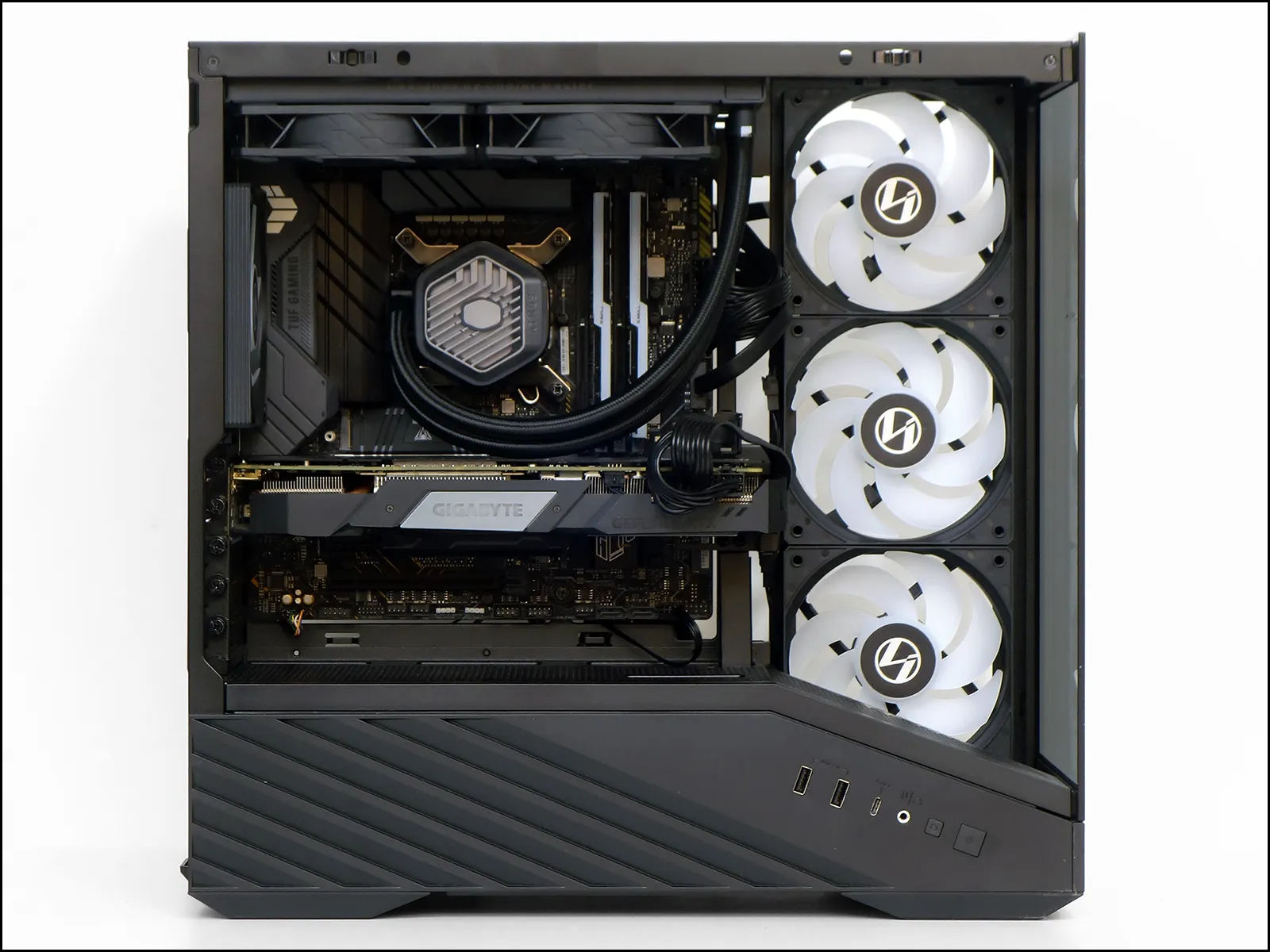
On the other hand, using a graphics card this small did give us a clear view of all three intake fans. With the system running, we can finally see the ARGB stripe that follows the left side of its power supply shroud.
Testing The Vector V100R Mini
We’ve only generated performance data on two other Micro ATX cases thus far, but the full-sized CPU area of Micro ATX motherboards has also made it a viable form factor for testing ATX cases as well. So, we’ll fill today’s charts with cases in both form factors.
| System Configuration | |
| CPU | Intel Core i9-12900KF: 16C/24T, 3.2-5.2 GHz, 30 MB L3 Cache, LGA 1700 Fixed at 4.9GHz (P-cores, 3.7GHz E-cores) and 1.30V |
| CPU Cooler | Cooler Master MasterLiquid 240 Atmos closed-loop |
| Motherboard | Asus B660M Plus WiFi D4, BIOS 2402 (04/20/2023) |
| RAM | G.Skill TridentZ Neo DDR4-3600 C16, 2x 8GB |
| Graphics | Gigabyte GeForce RTX 2070 Gaming OC 8G: GeForce RTX 2070 1815 MHz GPU, GDDR6-14000, Maximum Fan |
| Hard Drives | Patriot Viper VPR400 1.0 TB M.2 SSD |
| Power | Cooler Master XG 750 Plus Platinum: Fully modular, 80Plus Platinum |
| Test Configuration | |
| Load Software | AIDA 64 Engineer Version 6.88.640, Stress CPU, FPU, Cache, GPU |
| H/W Monitoring | HWiNFO64 v7.42-5030 |
| SPL Monitoring | Galaxy CM-140 SPL Meter: Tested at 1/4 m, corrected to 1 m (-12 dB) |
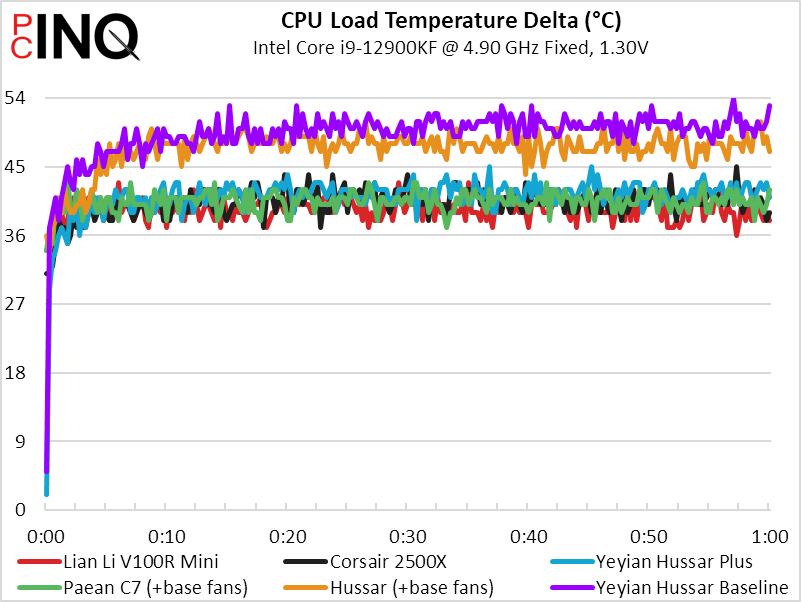
The V100R Mini surprised us by posting the lowest CPU temperature, which probably means that it’s triple intake fans are pushing a bunch of air to our top-mounted, exhaust-oriented closed-loop CPU cooler.
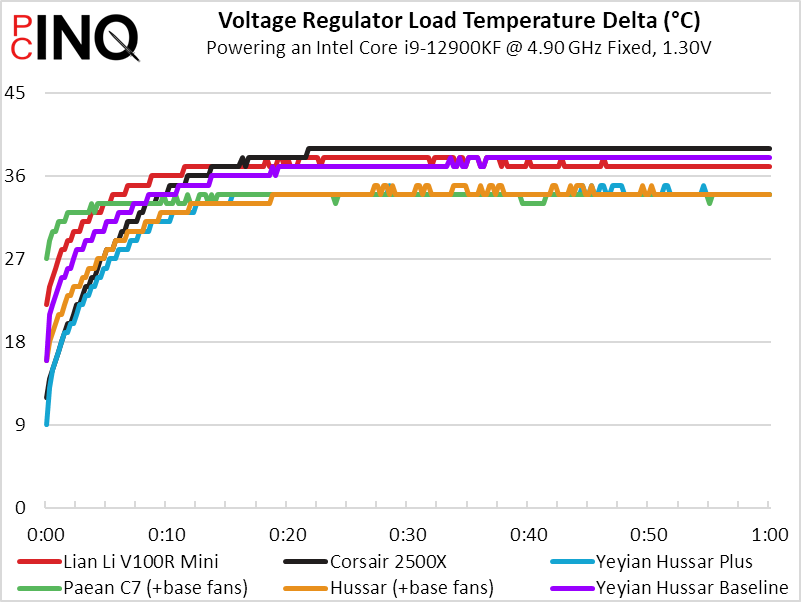
Things started to get toasty, but the V100R Mini finished in third place for voltage regulator temperature. This temperature is mostly affected by radiator and rear panel fan proximity.
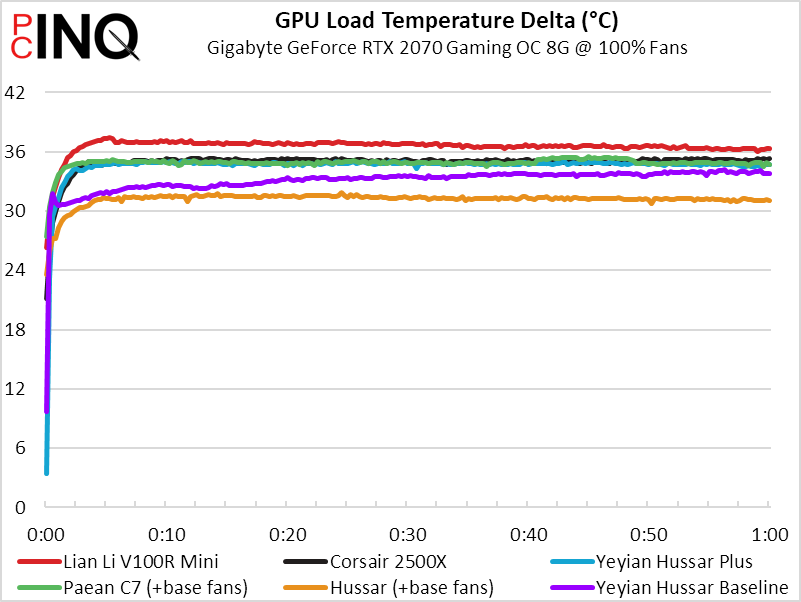
We were surprised to see our graphics card temperature climb and then level off, since we had used MSI Afterburner to set its maximum RPM. Though it only lost by a couple degrees, the V100R Mini still lost in this metric.
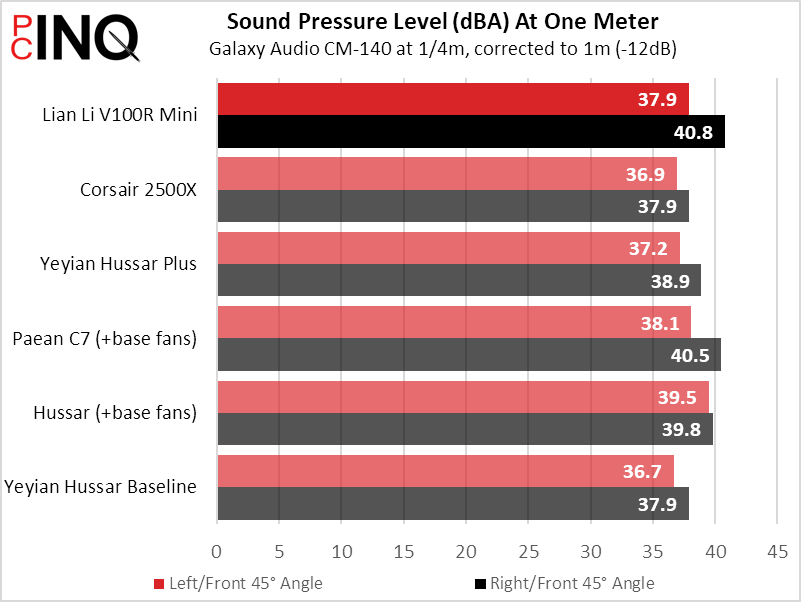
Noise measured from the right/front corner pushes the V100R to the second-worst average noise score.
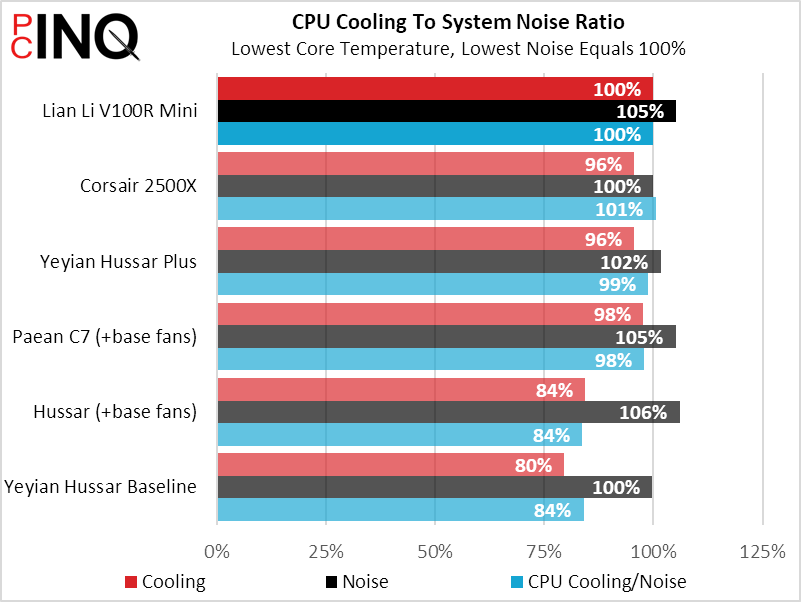
The V100R Mini’s low CPU temperature is its saving grace in overall performance, placing it second behind the pricier (and harder-to-find) 2500X.
The word “mini” is not among the nicer things we could say about the Vector V100R Mini: Instead, we find a mid-tower case without the modern sprawl that often accompanies its full-ATX rivals.
| Lian Li Vector V100R Mini | |
| Pros: | Cons: |
| Classic mid-tower dimensions Filled with beautiful reveresed ARGB fans Room for giant graphics cards | No dust filtration for intake fans Limited space for drive mounting No space for full ATX motherboards |
| The Verdict: | |
| The V100R Mini isn’t mini, but it does give Micro ATX builders plenty of card and cooling space without exceeding traditional Mid-Tower proportions. | |
Find it at Amazon
(click for availability)


