
Corsair iCue Link Titan 360 RX LCD Review
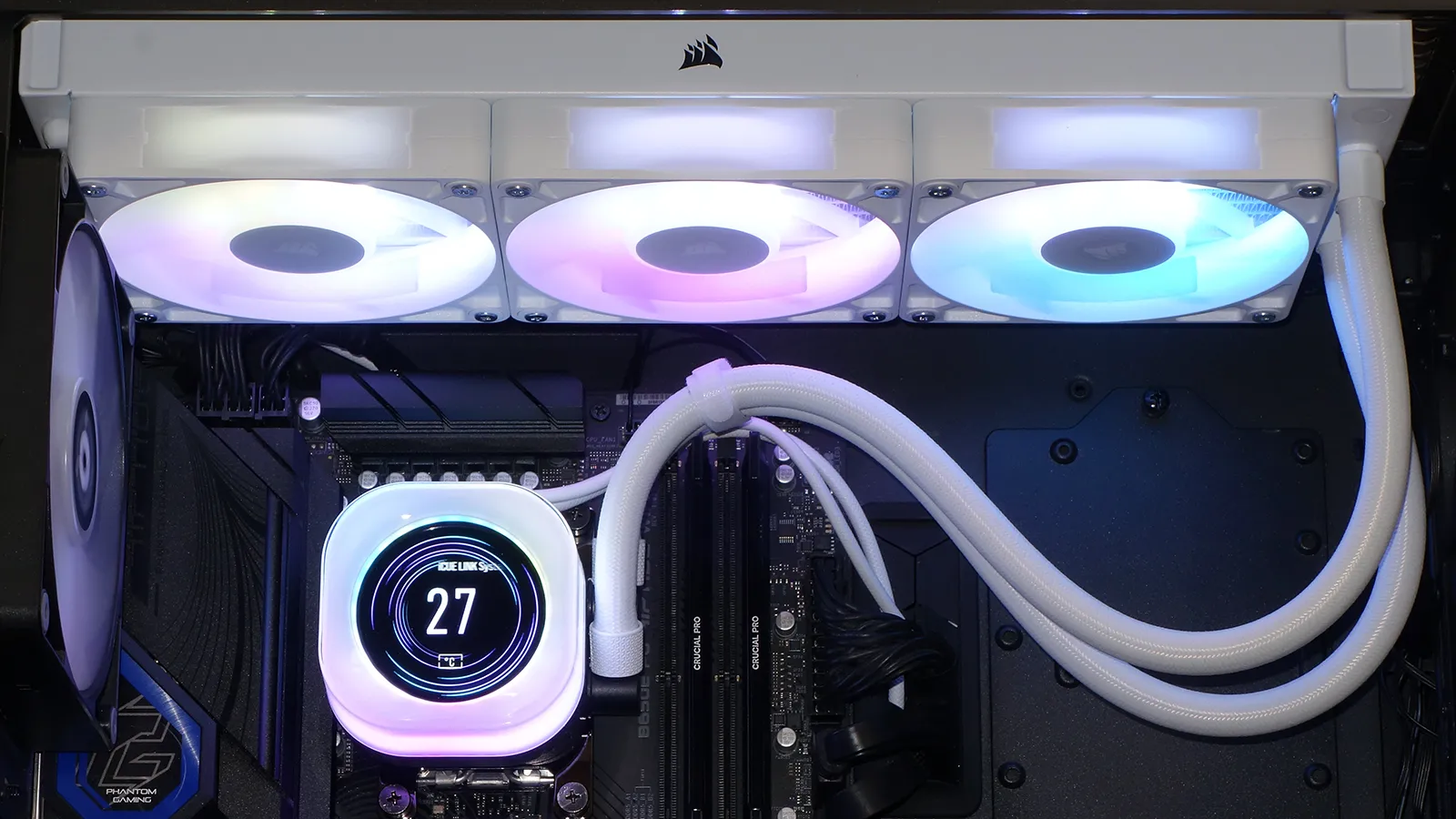
Following up on its delivery of our first cooler to have an integrated LCD pump cover and the first to use cable-free connectors to link a radiator’s three fans, today we get to experience both technologies together in its iCue Link Titan 360 RX LCD. Today we examine a few of its advanced features before asking the most importation question: With the added cost of its LCD panel pushing it into a different price class from most of our recent 360mm-format CPU coolers, can this new model still beat them in cooling or noise control?
| Corsair iCue Link Titan 360 RX LCD (CW-9061026-WW) | |
| Thickness | 28mm (54mm w/fans) |
| Width | 125mm (4.92″) |
| Depth | 397mm (15.63″) |
| Block Height | 74mm (2.91″) |
| Speed Controller | USB (software) |
| Cooling Fans | (3) 120 x 26mm |
| Connectors | (1) 4-pin PWM, (2) USB, (1) 6-pin PCIe |
| Weight | 1728g (61oz) |
| Intel Sockets | LGA 1851, 1700 |
| AMD Sockets | AM5/AM4 |
| Warranty | 6-Years |
| Web Price | $220 |
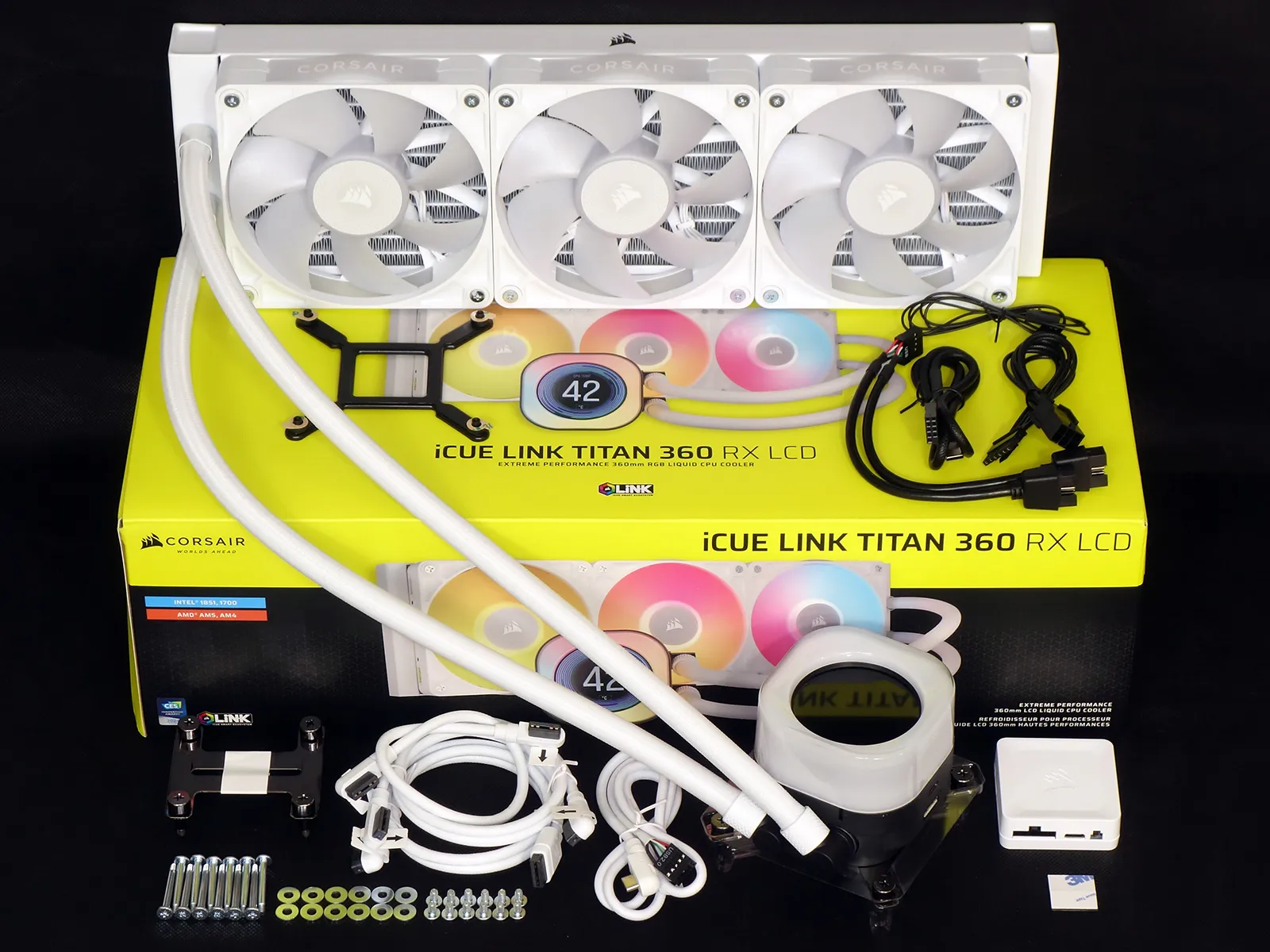
The one competitive standout from recent reviews, ASRock’s Phantom Gaming 360 LCD costs only $30 less and bundles all three of its fans into a single 120x360mm frame, so Corsair’s higher price at least gives users the option of replacing its fans one at a time: Depending on how you’re planning to install it, the more common design might be a benefit there as well. Corsair’s installation kit also includes more cables, though some of those are designed to lock builders into its iCue ecosystem.
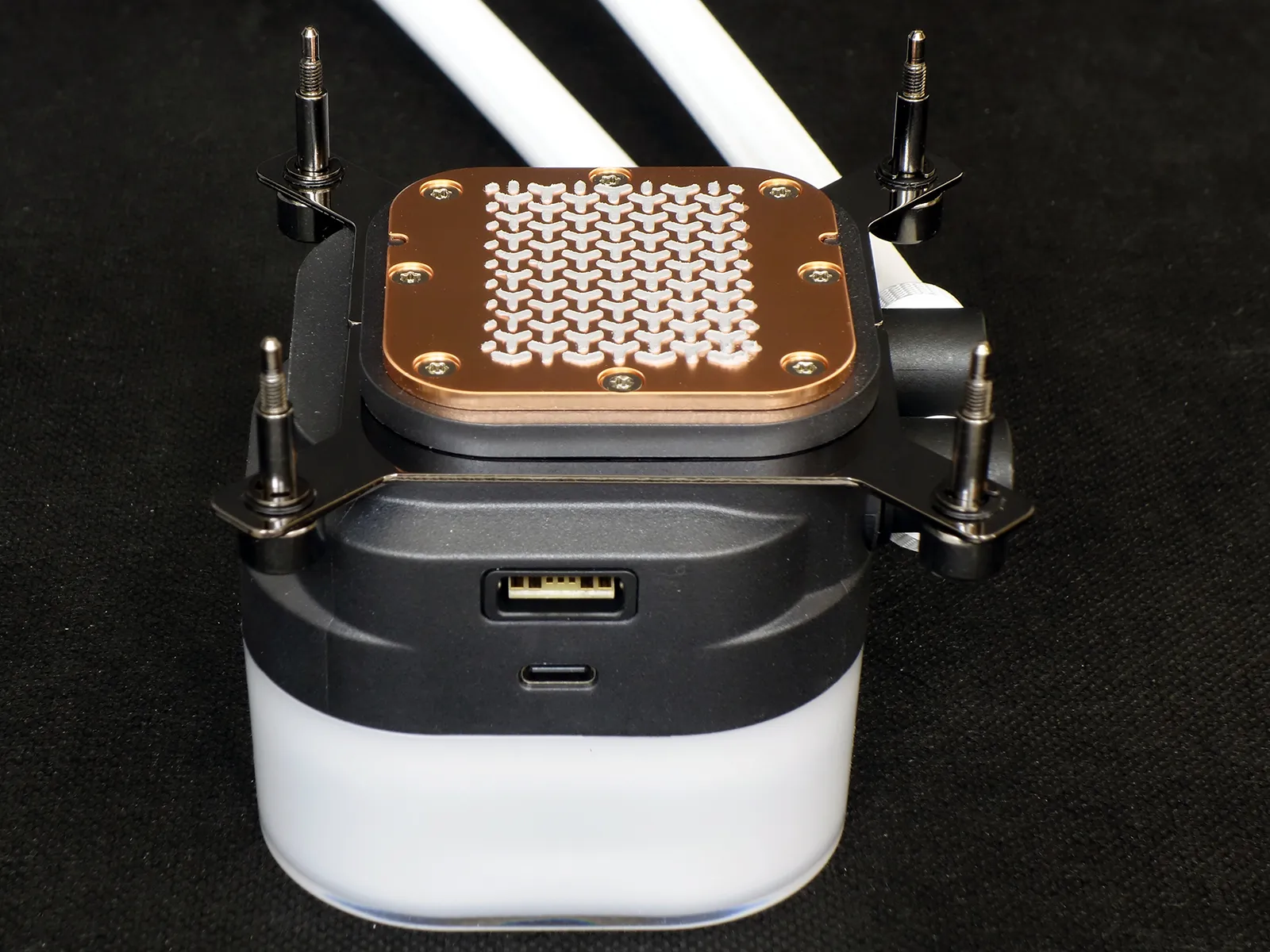
A solid copper cold plate with factory-applied thermal compound is rigidly mounted under the pump. When viewed from this angle, the factory-installed Intel brackets slide into groves on the pump body from behind and in front of the cold plate.
The pump’s power and lighting cable plug into the large connector, while its data cable plugs into the smaller connector that face our camera.
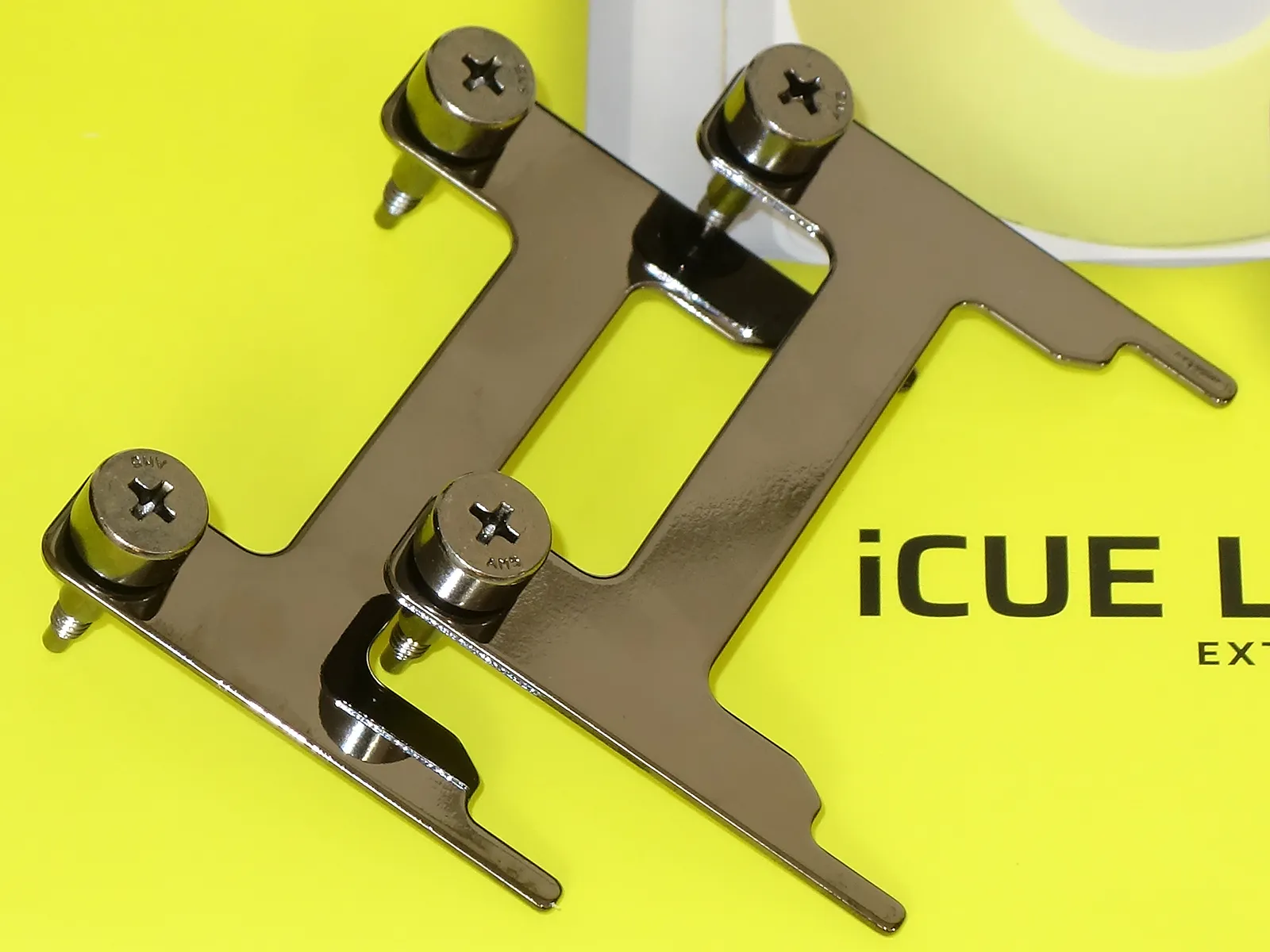
The included AMD socket AM5/AM4 brackets shown below replace the factory-installed Intel brackets by sliding one set out and the other into the groves described above.
Ports on both sides of the included Corsair iCue Link System Hub feed power and lighting signals to the pump and fans, while ports on the bottom connect a motherboard fan header (for RPM signal), a motherboard USB header (for control signal), and an included power supply adapter. An internal magnet holds the unit fast against the back of a steel motherboard tray or other convenient steel sheet.
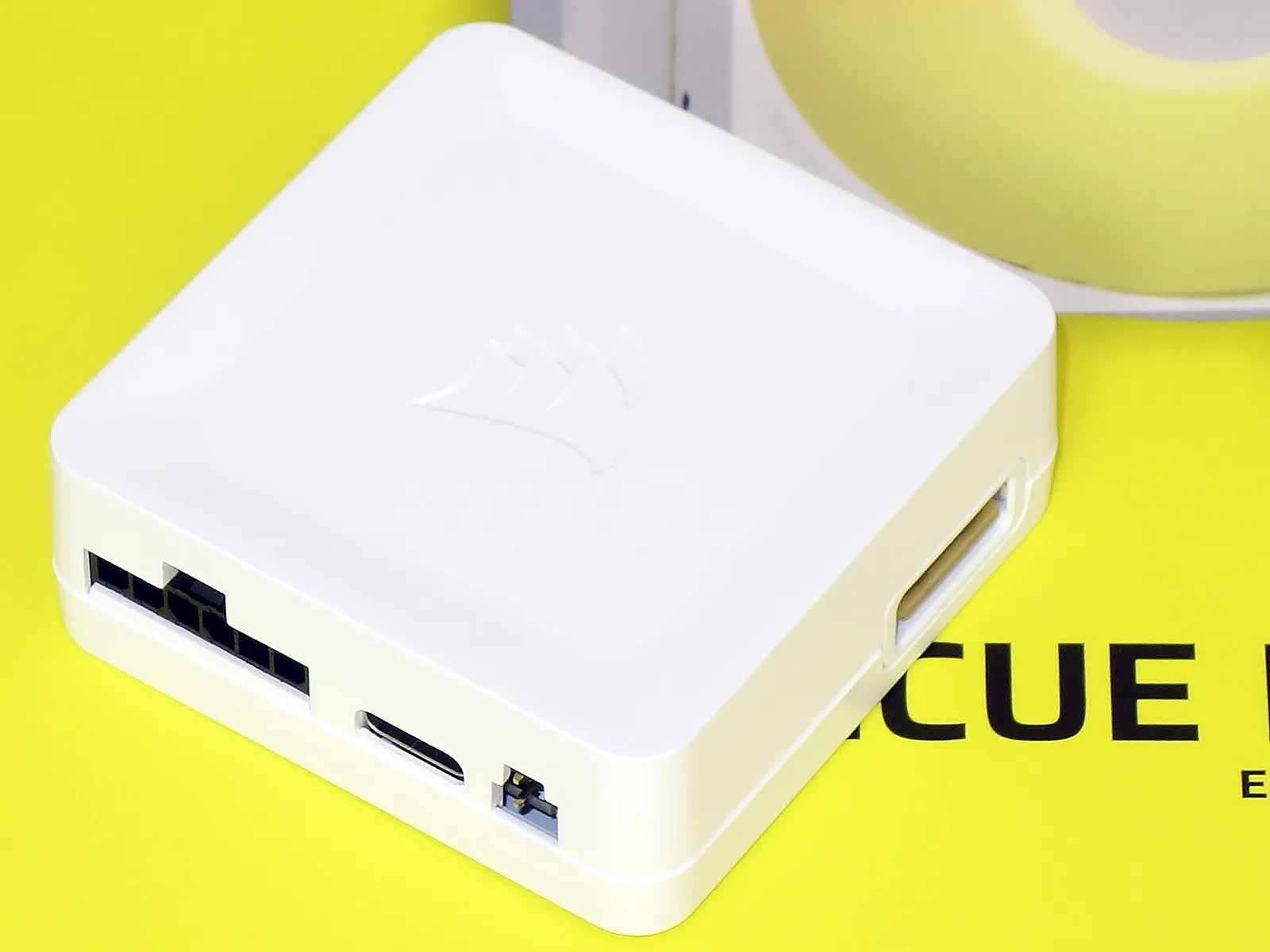
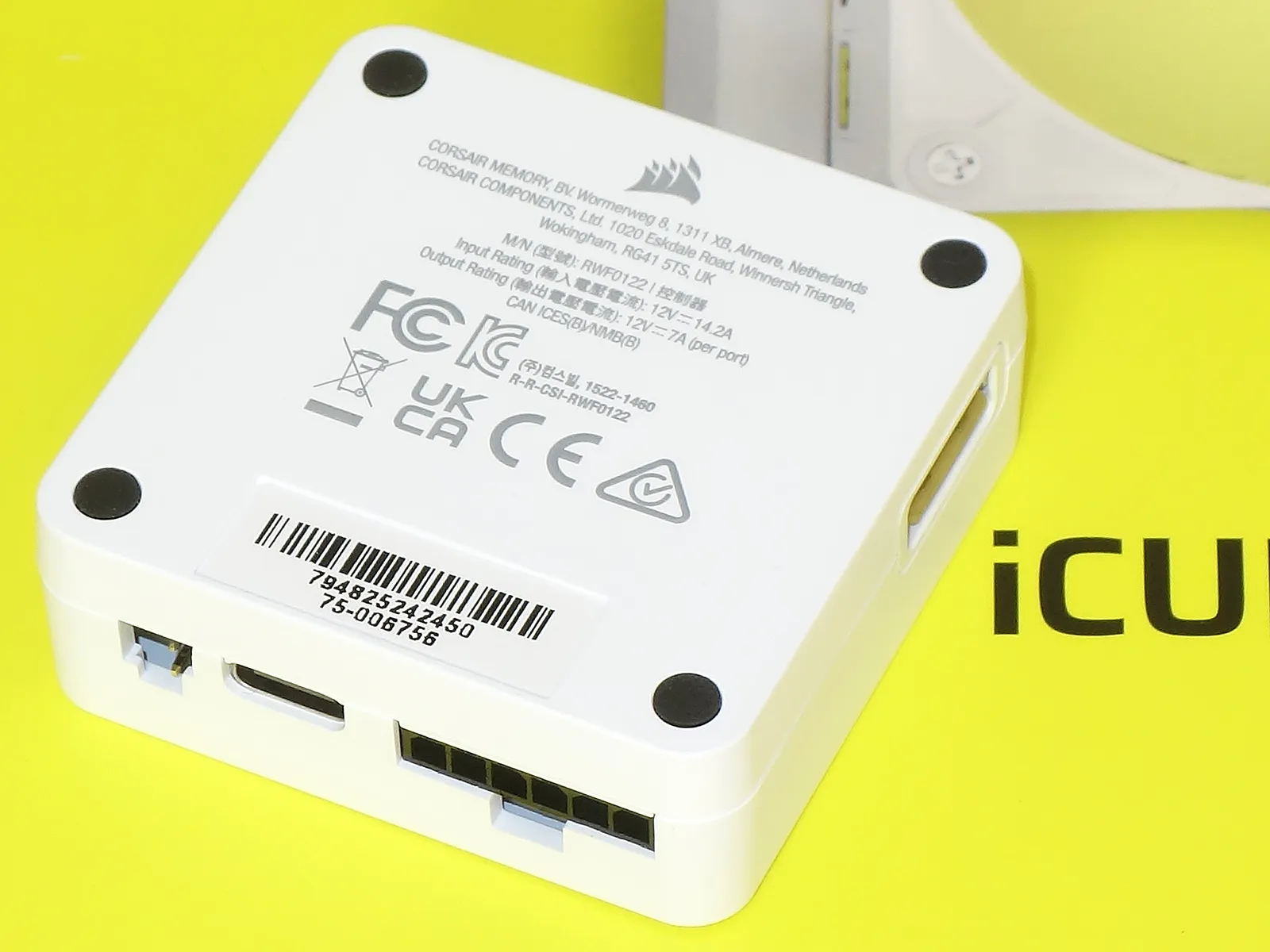
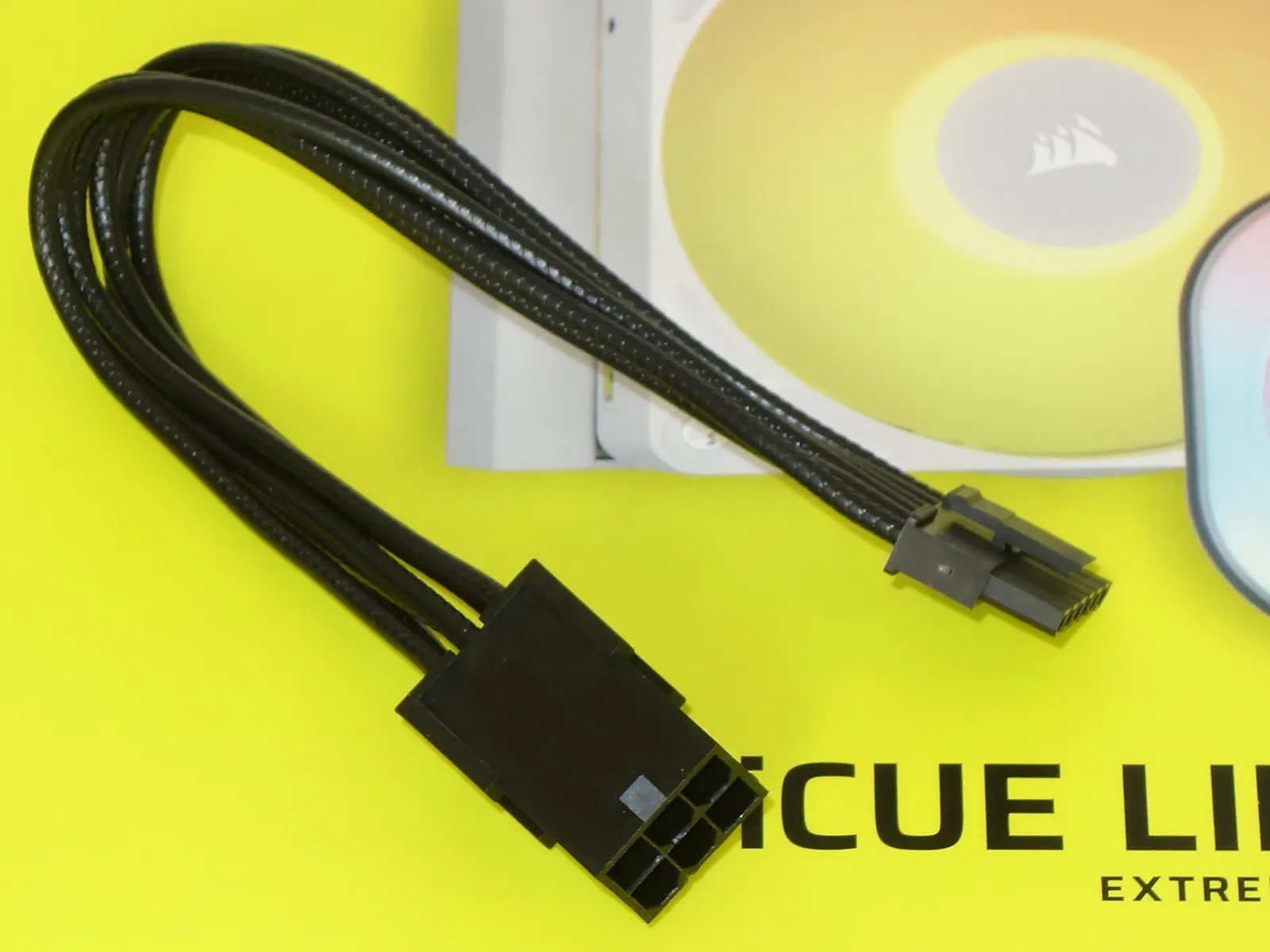
The included power supply adapter accepts the same type of 6-pin PCIe supplemental power cable that would normally supply a lower-mainstream graphics card: Corsair has evidently given up on using old-fashioned hard drive power cables for its controllers.
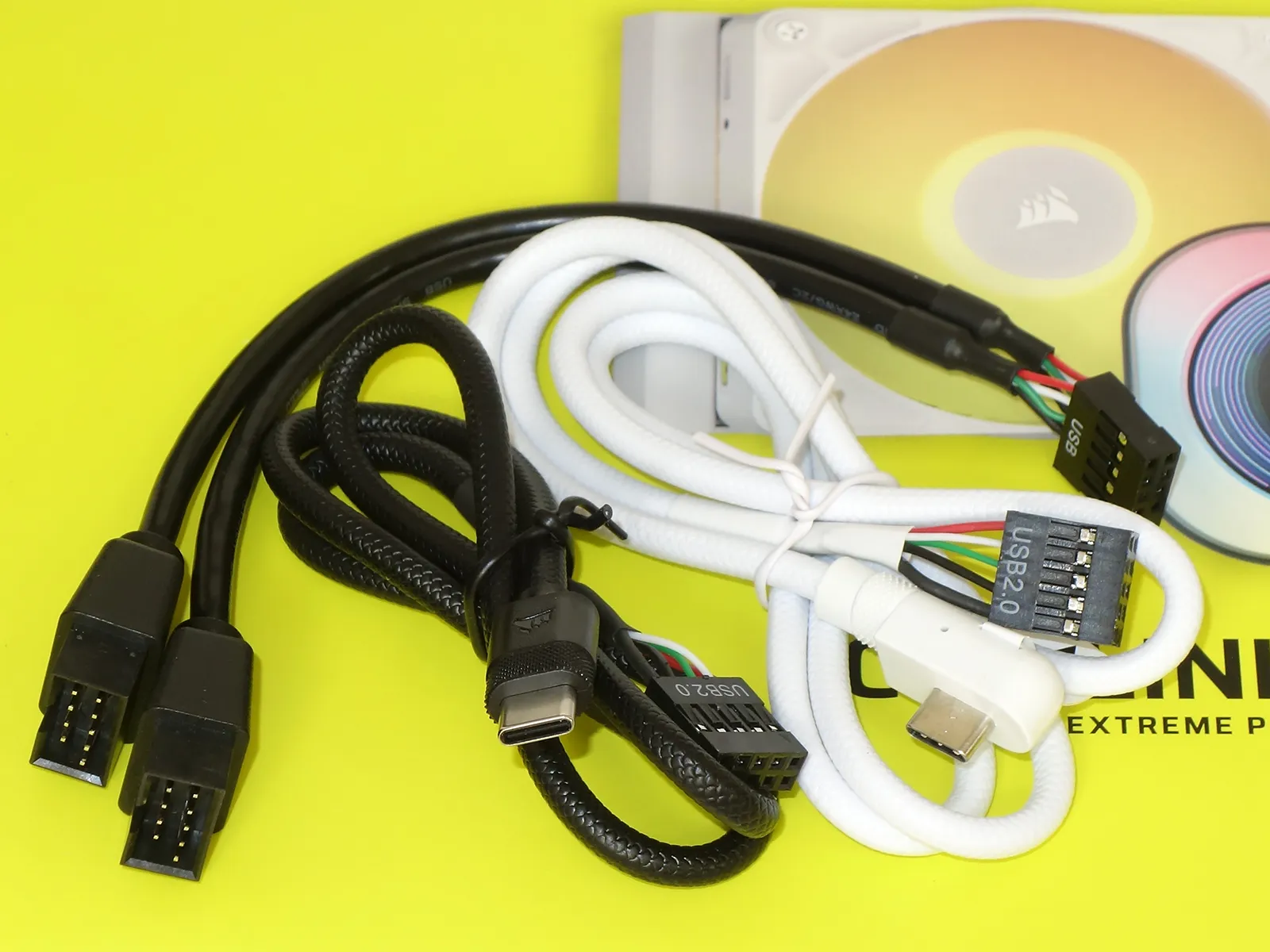
Corsair’s attempt to color code its entire devices to match your white case and motherboard fails when you’re forced to use a black splitter cable to reach your pump and lighting controllers. The splitter allows the black and white USB cables to feed those two devices from a single USB 2.0 9-pin motherboard header.
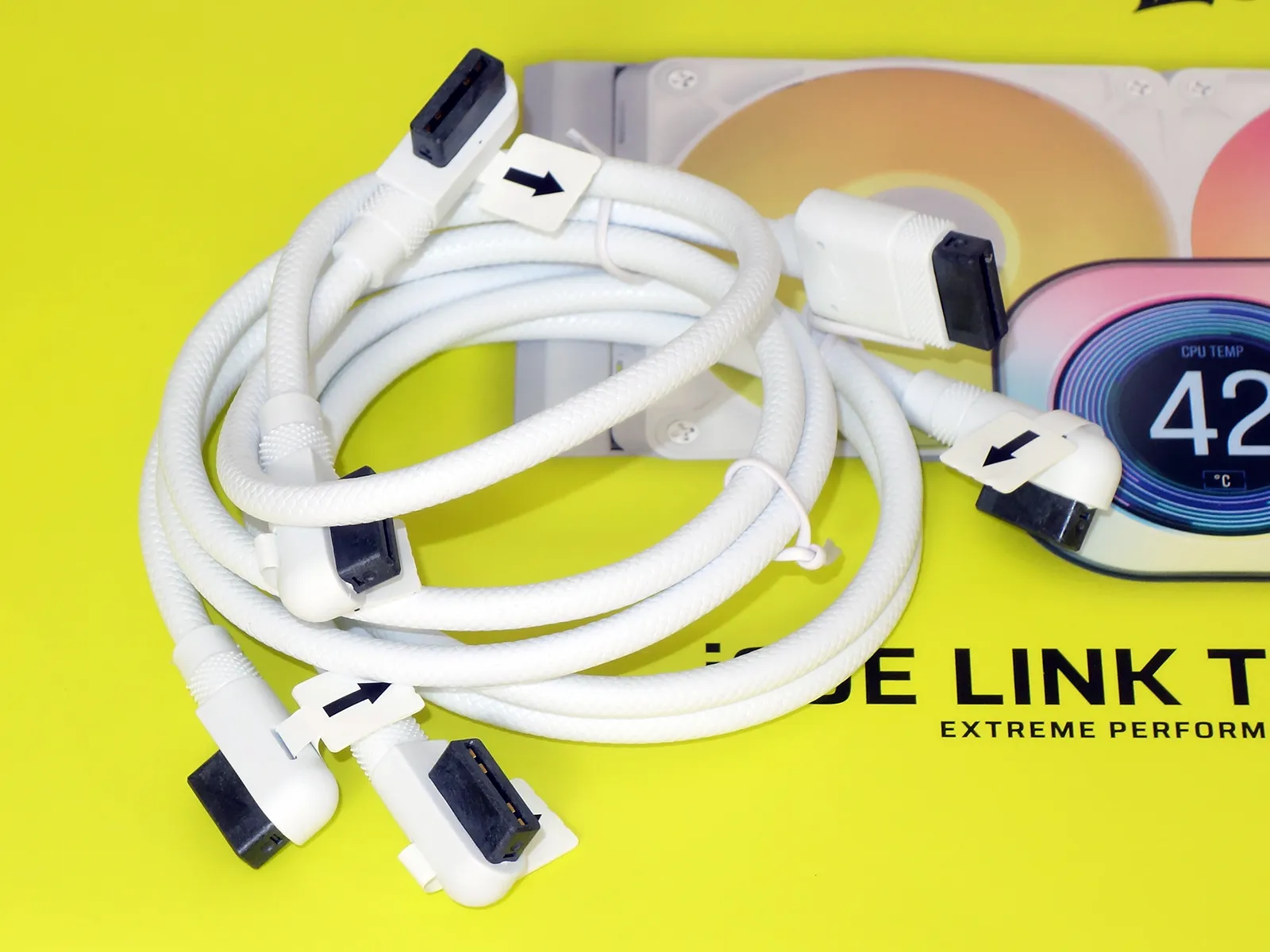
You’ll only need all three of the included iCue Link cables if you’re adding another iCue link device: The pump and the fan controller each need one.
Installing The iCue Link Titan 360 RX LCD
The iCue Link Titan 360 RX LCD’s AMD mounting kit threads directly into an AM5 or AM4 socket’s included support plate, and getting to those threaded holes requires removing the motherboard’s original clip-on cooler brackets. Since Intel motherboards have no support plate with threaded holes, Cosair’s cooler includes one that its users can add to the back of their LGA 1851/1700 socket.
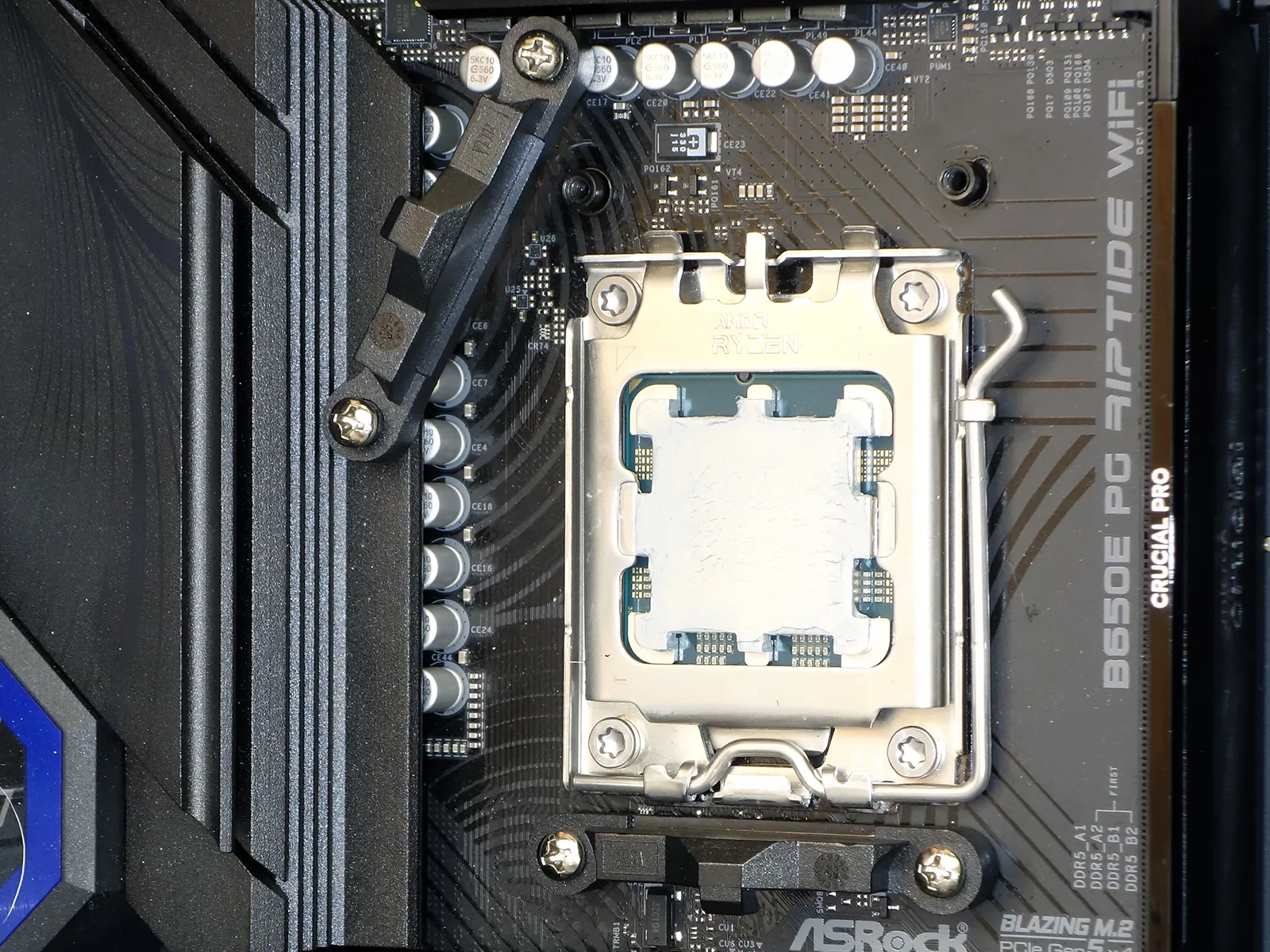
Regardless of whether you’re relying on an AMD motherboard’s factory support plate or the Corsair support plate for Intel motherboards, captured screws on the coolers water block/pump brackets screw into that support plate’s threaded holes. With that part finishes, builders can then connect the big-connector iCue Link cable to the included hub and one of the included USB cables to the motherboard through the also-included USB splitter cable.
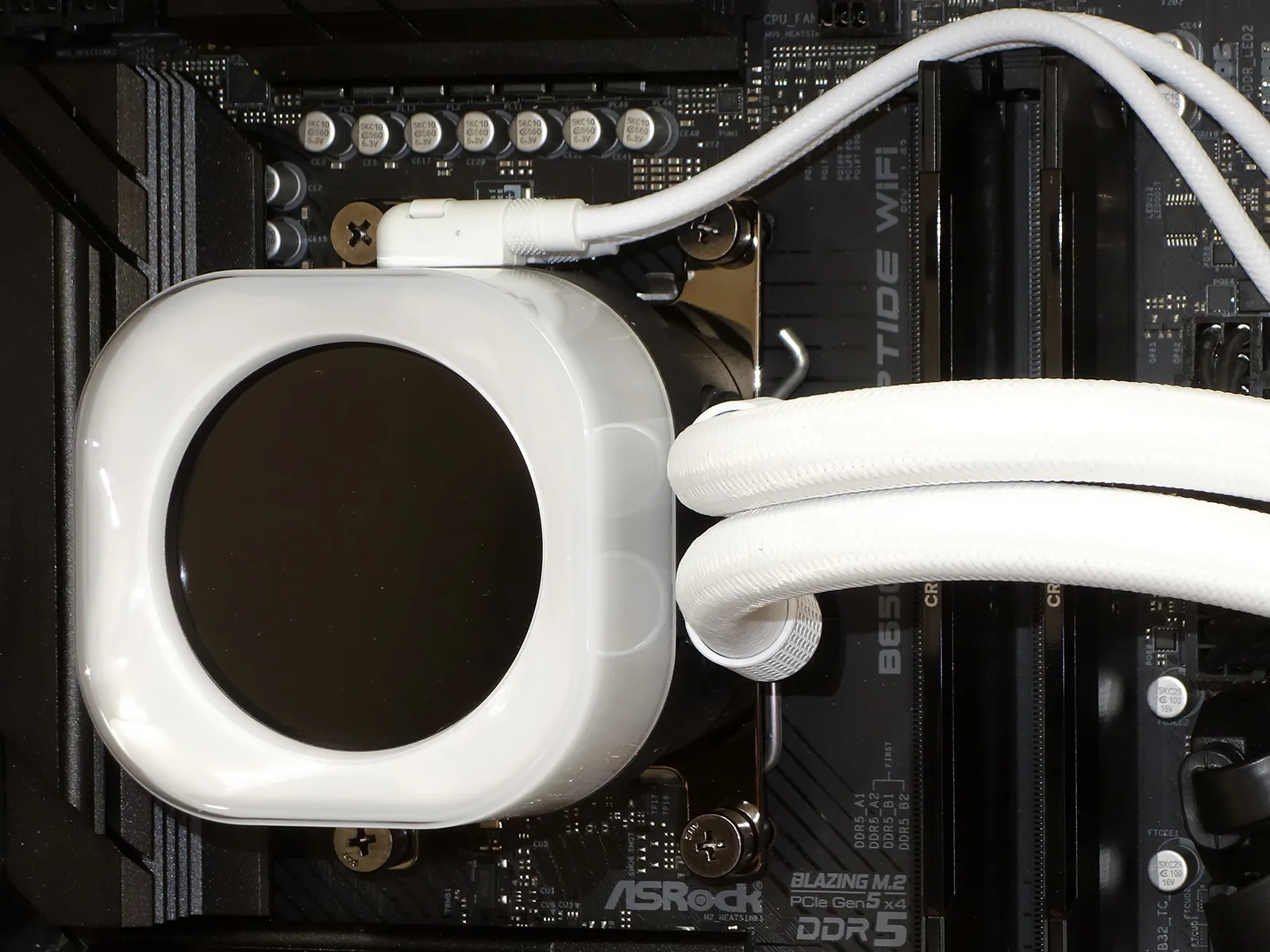
The iCue Link cable that’s plugged into the cooler’s fan chain is barely visible on the left side of this photo, as we prefer to keep our cables hidden when possible. It’s also connected to the iCue Link system hub, and the hub is connected to both our motherboard USB header and one of our power supply’s six-pin supplemental PCIe power cables.
iCue Link Software
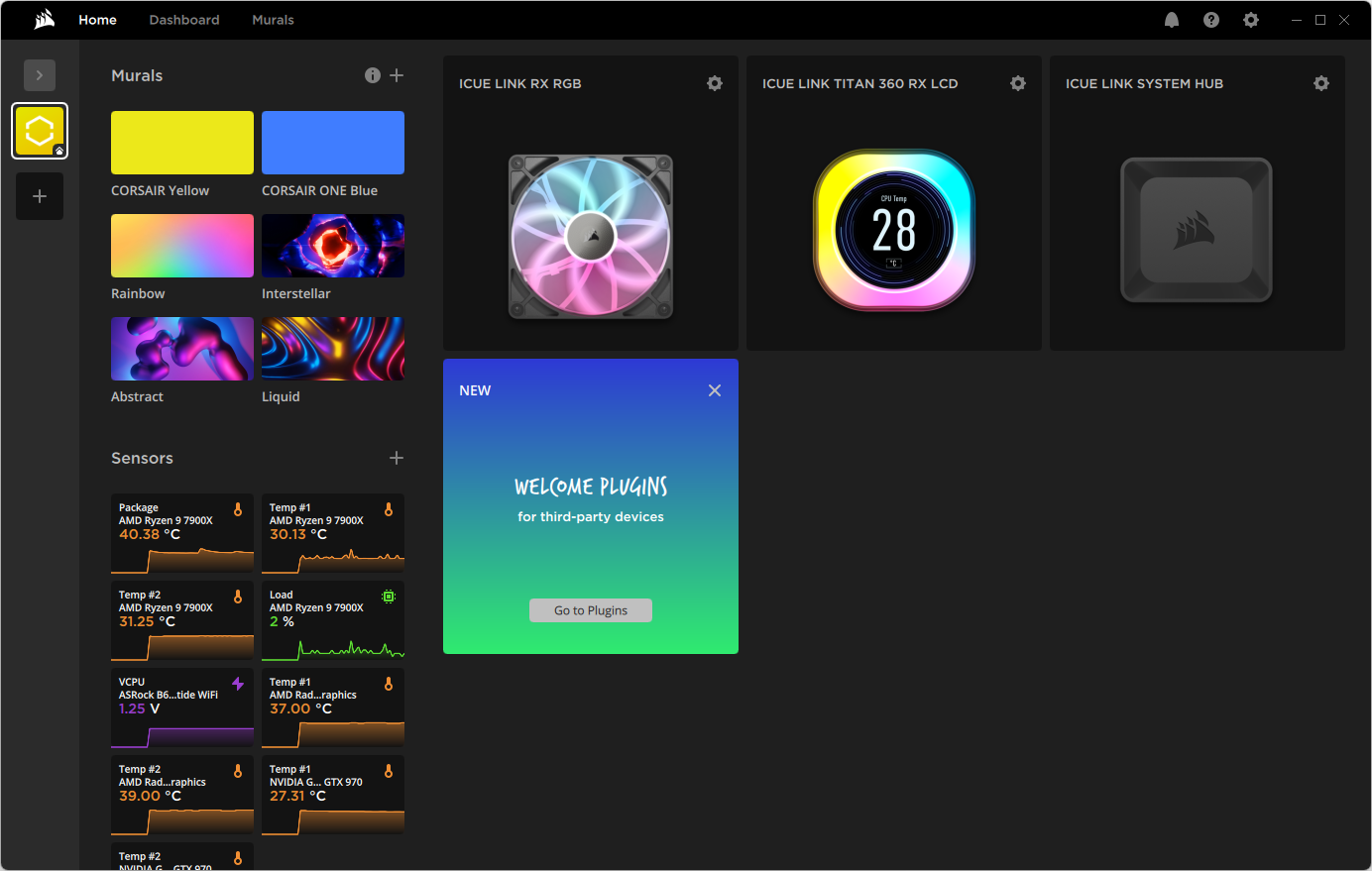
Corsair’s software interface provides a flurry of features and sensor readings, but after playing with a few settings we decided that the only thing we really needed to do was to set its fans and pump to full speed: Setting fans to full speed required us to create a new fan profile where we could choose a fixed RPM or PWM level, but we couldn’t even do that with the pump. We ended up using the pump’s highest variable profile, “Extreme mode”, instead.
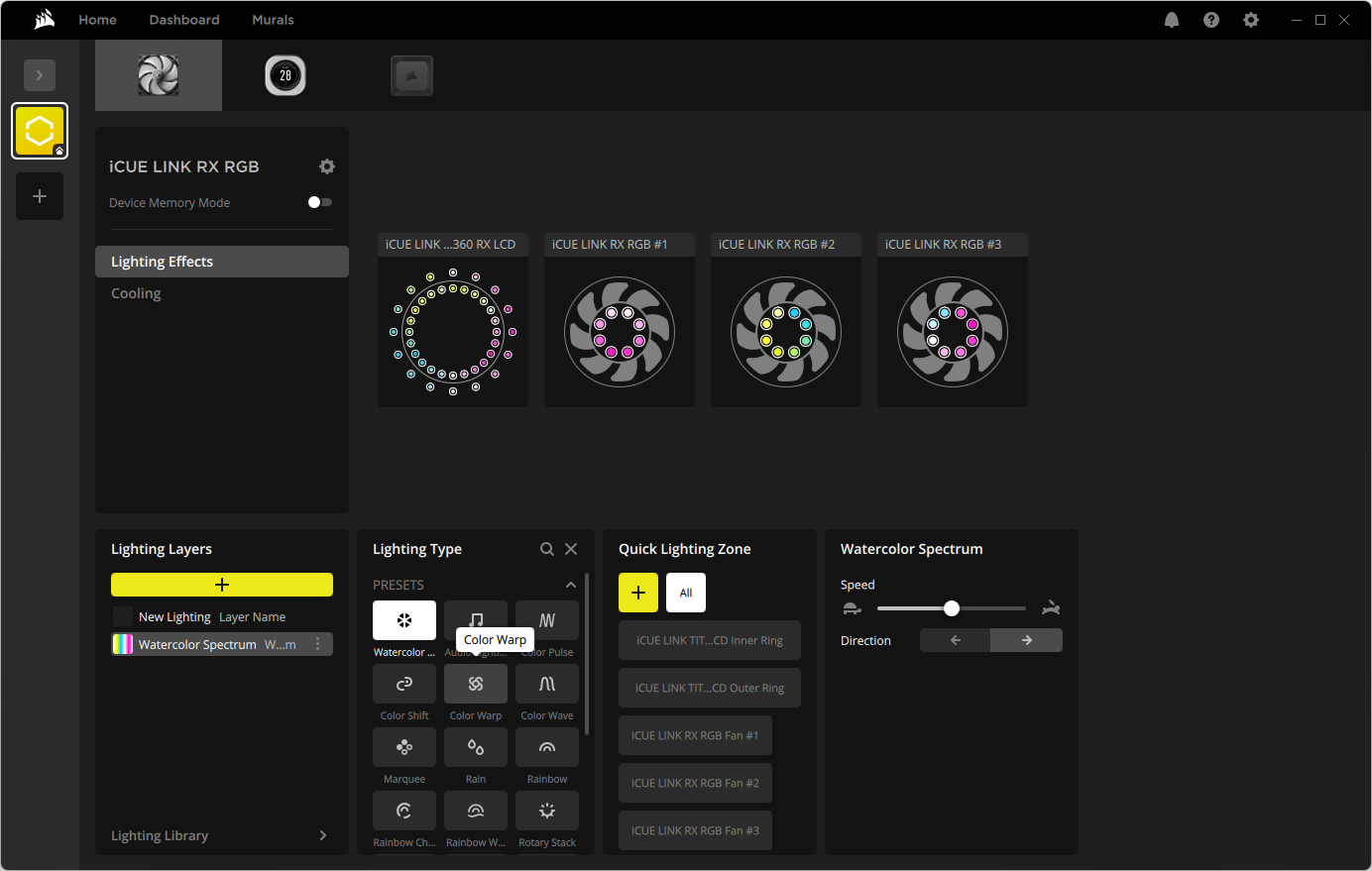
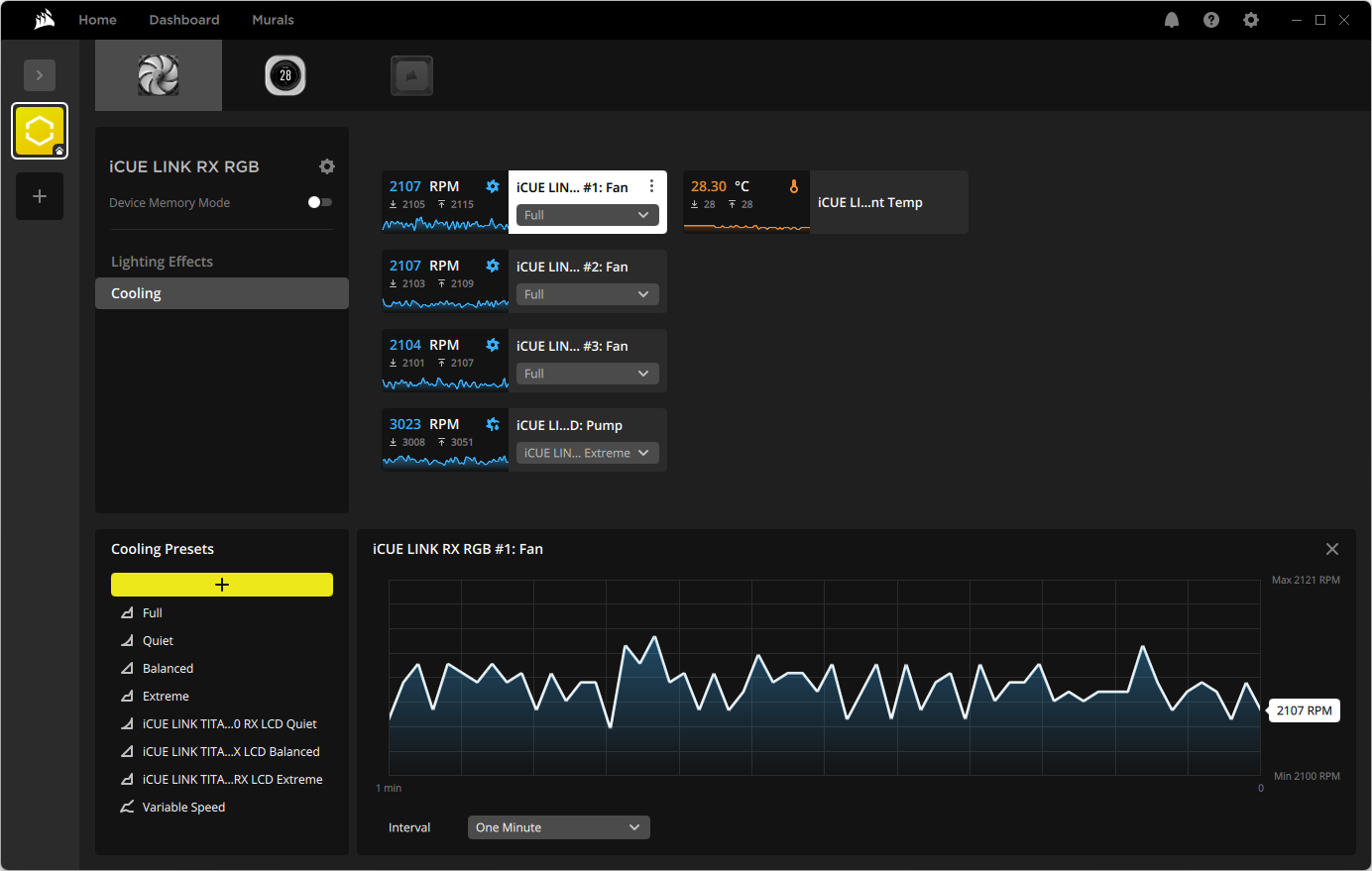
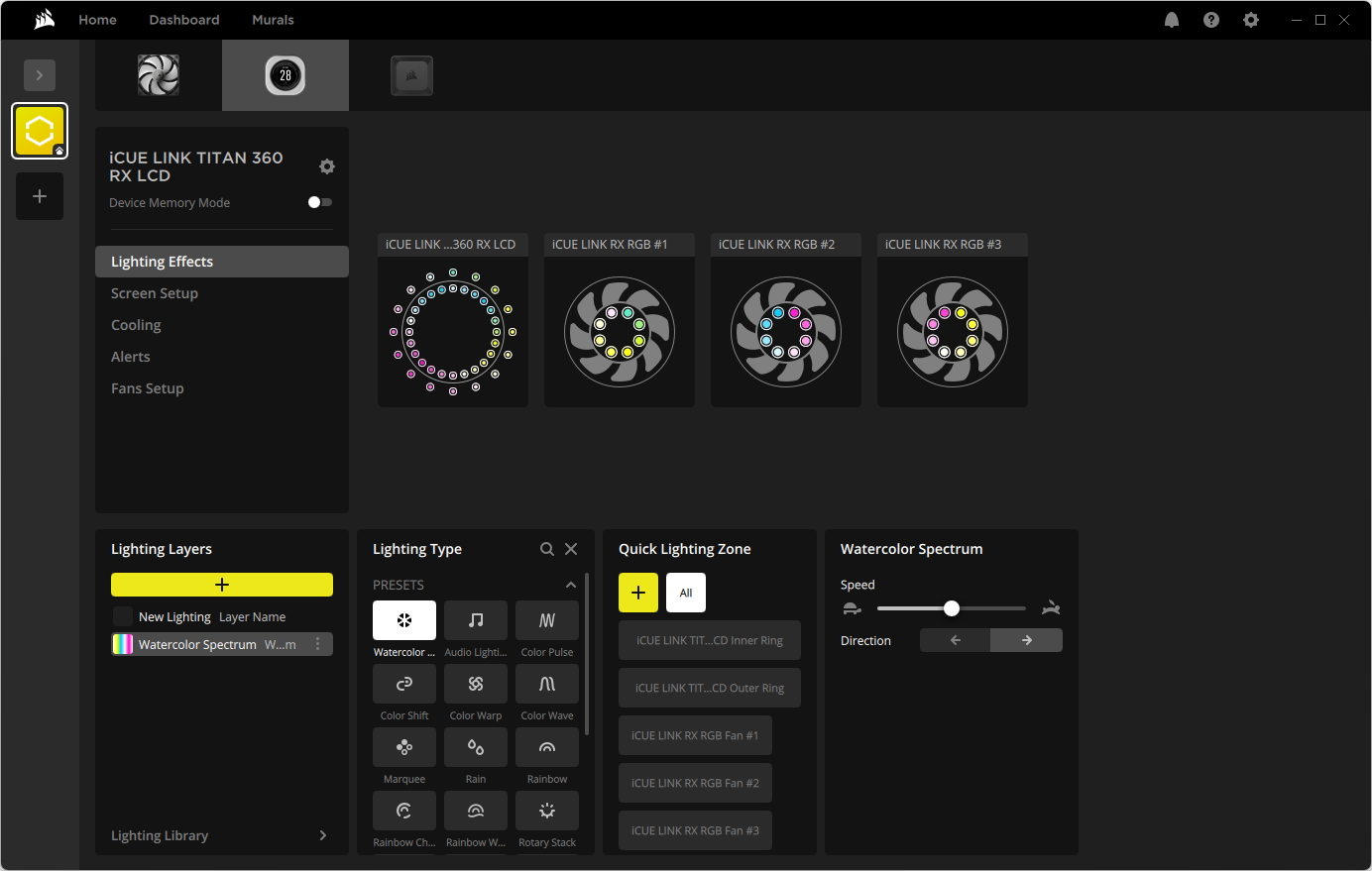
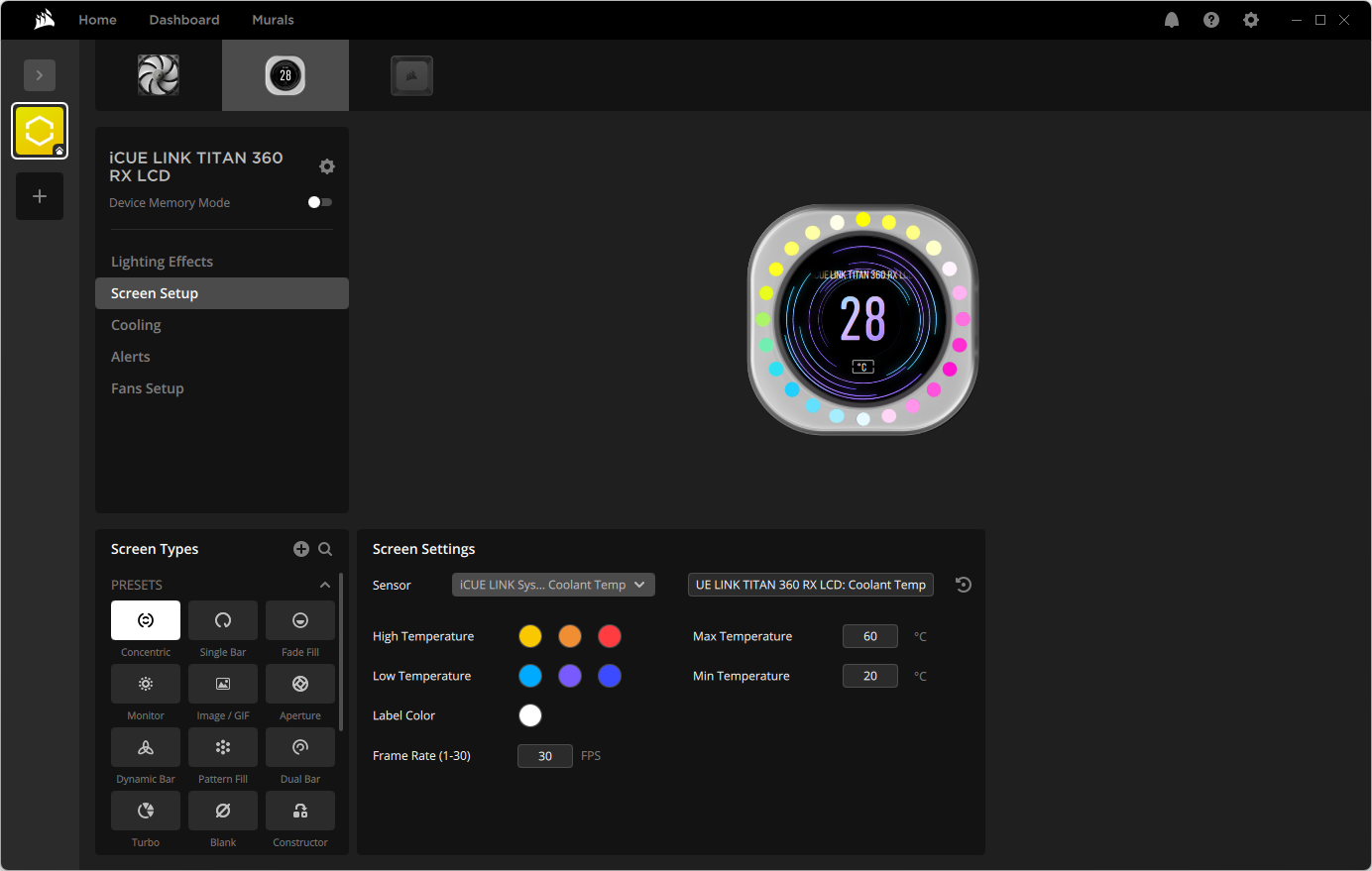
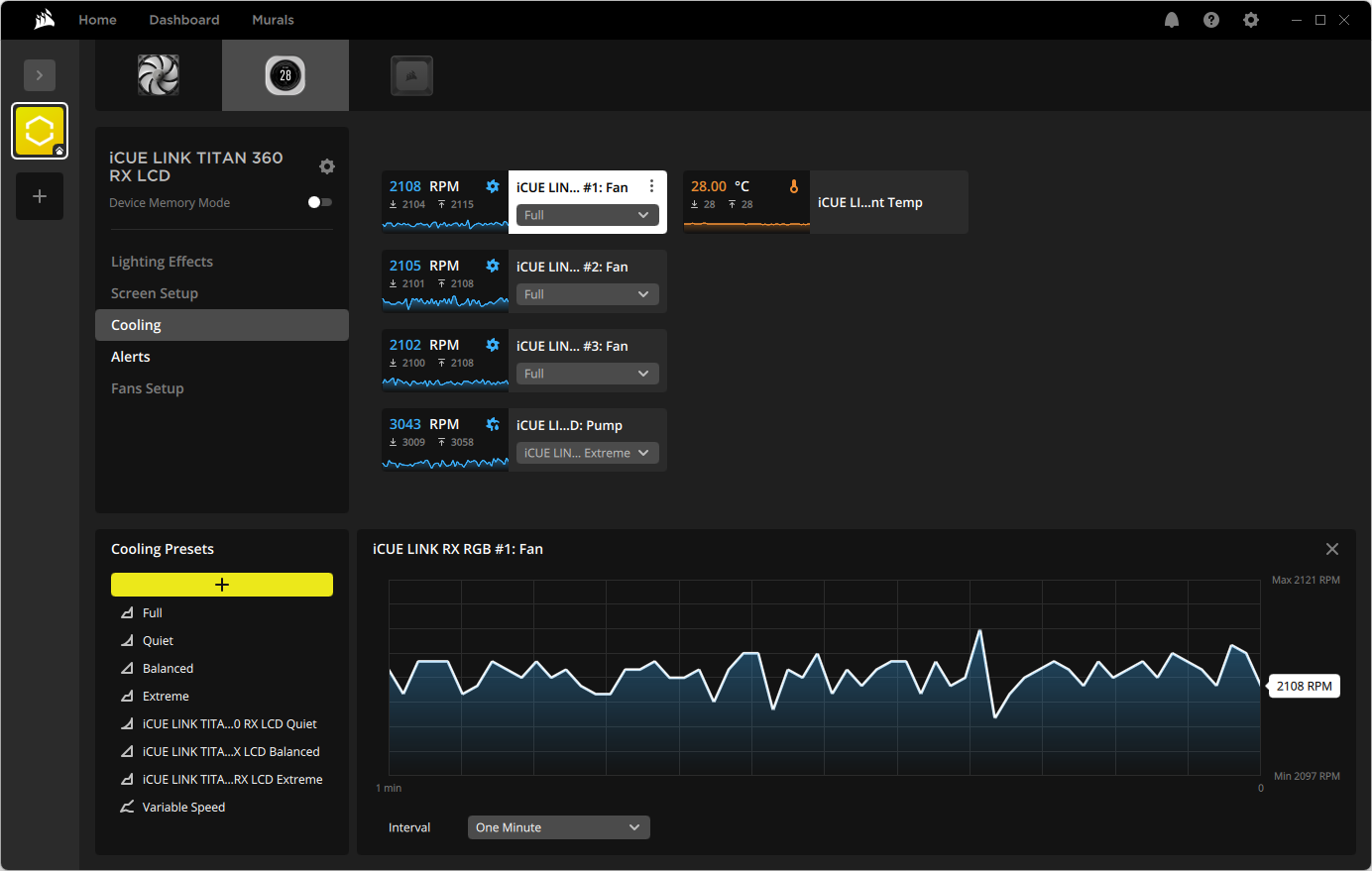
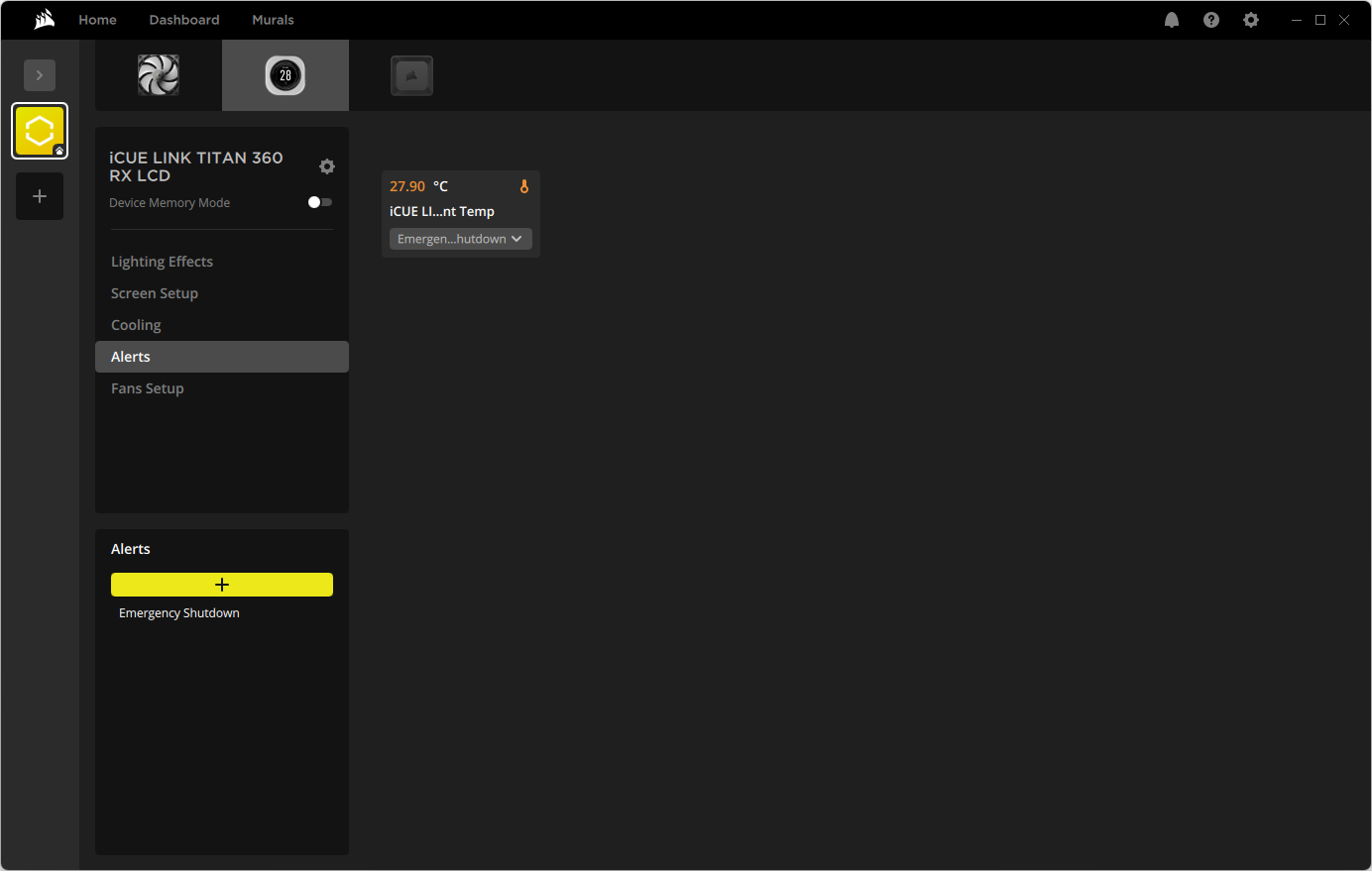
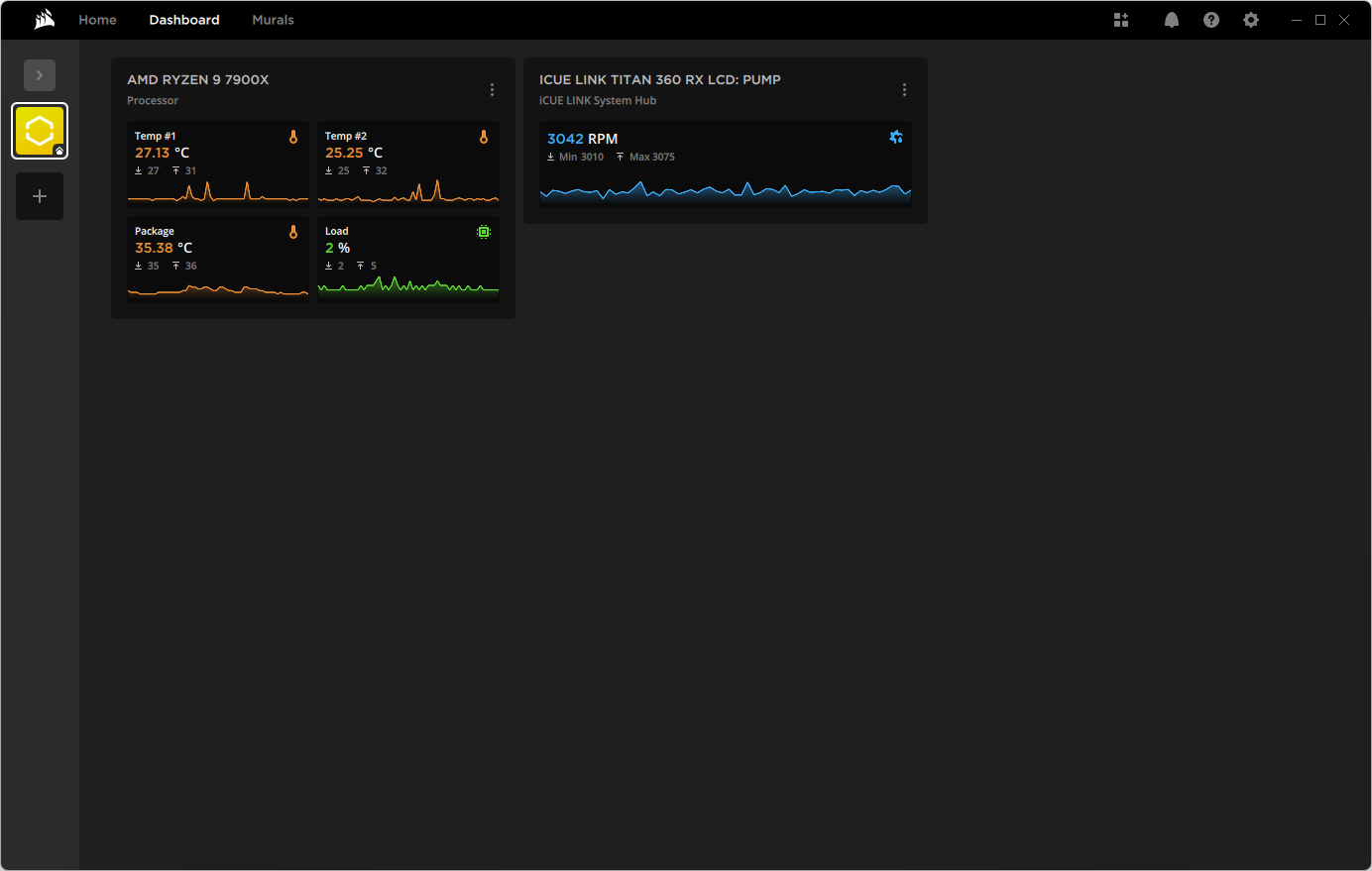
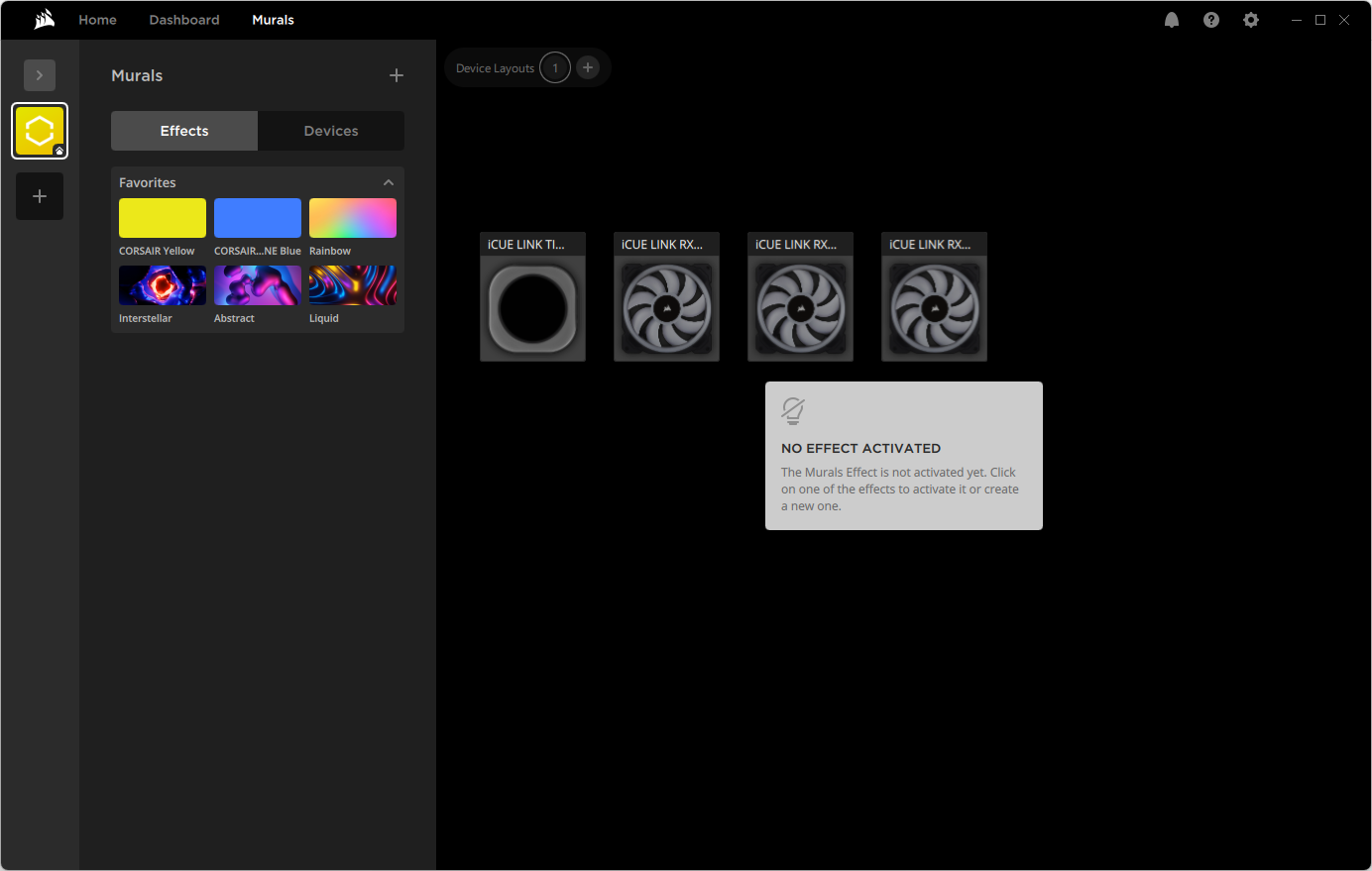
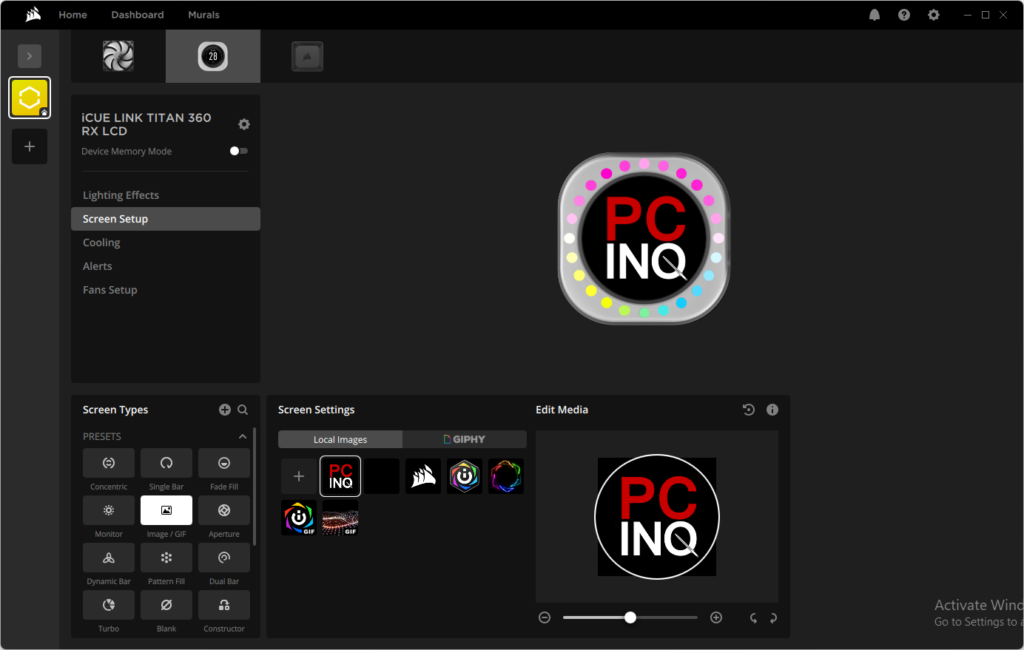
Corsair iCue offers several designs with single or dual status readings for the pump cover LCD, but users are also welcomed to add their own. For this article’s cover photo, we simply replaced the default “Concentric” pattern with a compact version of our site logo.
Because it’s hot and durable, we’re using a Ryzen 7900 at fixed voltage and frequency to evaluated the comparative cooling prowess of the iCue Link Titan 360 RX LCD and recent competitors.
| System Configuration | |
| Case | Thermaltake Ceres 500 TG ARGB |
| CPU | AMD Ryzen 9 7900X: 12 cores/ 24 threads, 64MB L3 Cache O/C to 5.00 GHz at 1.25 V Core |
| Motherboard | ASRock B650E PG Riptide WiFi, BIOS 1.18 |
| RAM | Sabrent Rocket SB-DR5U-32GX2 64GB DDR5-4800 |
| System Drive | HP SSD FX900 M.2 1TB NVMe SSD |
iCue Link Titan 360 RX LCD Test Results
The iCue Link Titan 360 RX LCD finishes our cooling tests in a four-way tie, with two coolers trailing behind.
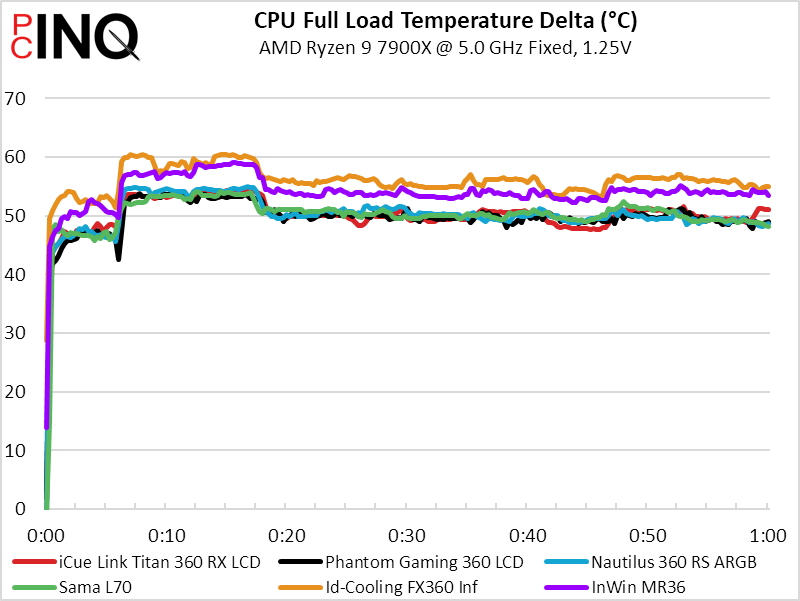
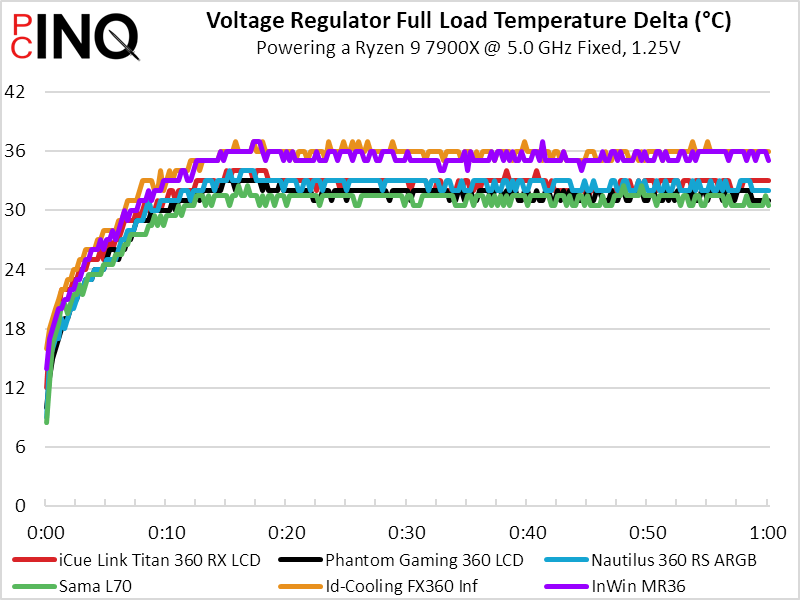
The two coolers that trailed behind in cooling also made less noise, so they both ended up with a positive cooling-to-noise ratio: iCue Link Titan 360 RX LCD’s relatively high noise put it at a slight cooling-to-noise disadvantage to competitors like the Phantom Gaming 360 LCD.
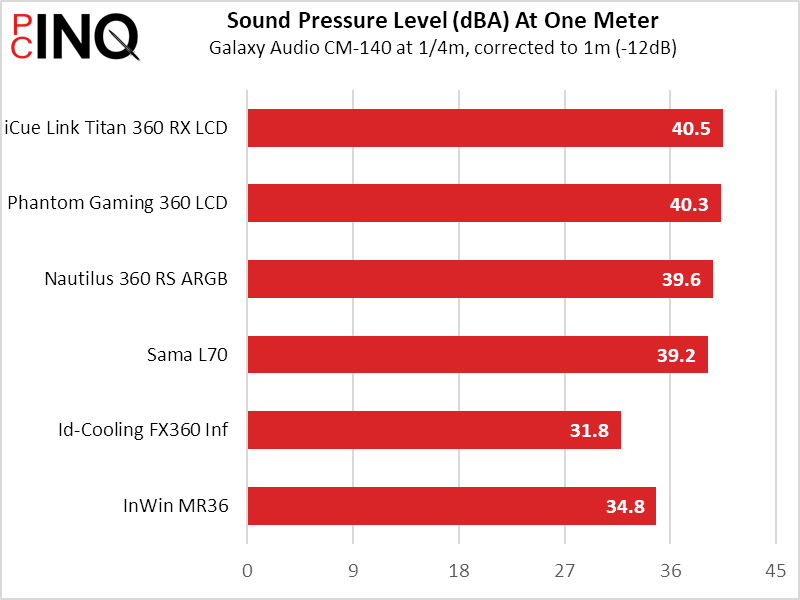
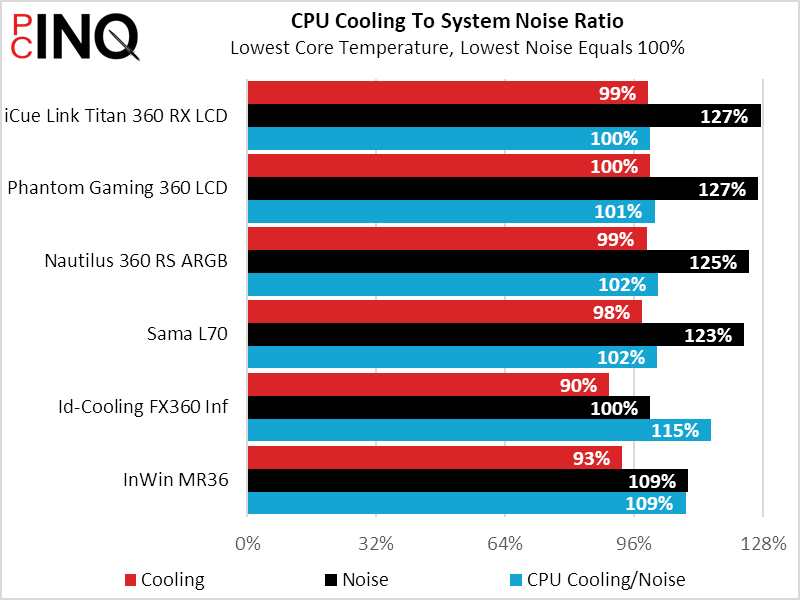
We’re not sure whether we’d pay the extra $30 to get Corsair over its closest competitor, but were we to expand our love for iCue…the price difference would have less influence.
| Corsair iCue Link Titan 360 RX LCD (CW-9061026-WW) | |
| Pros: | Cons: |
| Corsair iCue with reduced cable clutter Includes excellent management software Bright 480×480 programable LCD | Mediocre acoustic performance Thermal management requires software Some builds won’t have spare PCIe power cable |
| The Verdict: | |
| While we prefer Corsair’s separable fans to the combined fan of its closest competitor, those locked into its iCue ecosystem will find even greater justification for its 16% higher price. | |
Find it at Amazon

(click for availability)


