
Upstaging The Rest? Gamdias Atlas P6 CG Review
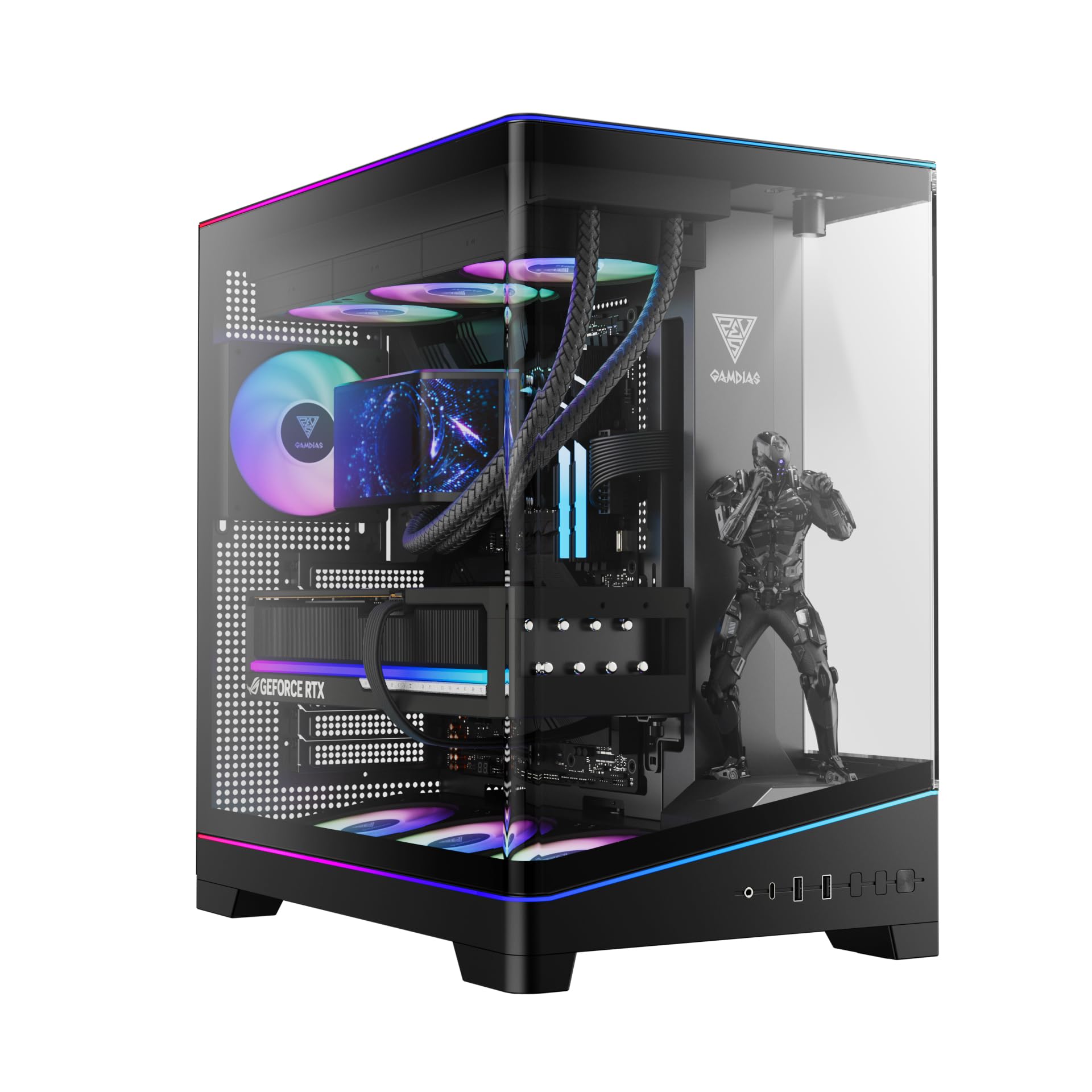
The bombshell dropped in its introduction of the Atlas P6 CG isn’t necessarily the $25 price increase, as buyers probably expect to pay a bit more to get a diversity of advanced features: Cases priced at $125 are still within the same target market as $100 models. Everyone who likes to look at their internal components should be able to appreciate the extra effort Gamdias put in to deliver that Curved Glass panel, and the RGB system is far advanced from earlier models like the $100 M4.
| Gamdias Atlas P6 CG | |||
| Type | Mid Tower | Included Fans | (3) 120mm Bottom, (1) 120mm Rear |
| Motherboard Support | ATX, Micro ATX, Mini ITX | Front Fan Mounts | X |
| Dimensions (HxWxD) | 18.38″ x 11.25″ x 17.50″ (46.6 x 28.5 x 44.5 cm) | Rear Fan Mounts | (1) 120mm |
| Weight | 22.4lbs (10.16kg) | Top Fan Mounts | (3) 120mm or (2) 140mm |
| Max Motherboard Depth | 10.75″ (27.3cm) | Bottom Fan Mounts | (3) 120mm |
| Card Length | 406mm | Side Fan Mounts | X |
| Power Supply Format | PS/2: Rated 200mm max (280mm measured) | Top Rad. Clearance | 60mm vertical, 25mm horizontal (approx.) |
| Air Cooler Clearance | 165mm (rated) | Front Rad. Clearance | X |
| External Bays | X | Front Filter | X |
| Internal Bays | (2) 3.5″, (2) 2.5″ (one shared) | Top Filter | Perforated Sheet (mag. strips) |
| Card Slots | 7 | Bottom Filter | Nylon mesh (snap-in frame) |
| Ports/Jacks | (1) Gen2 Type-C, (2) Gen1 Type A, Headset Combo | Damping | None |
| Other | Integrated ARGB strip, ARGB controller/fan hub, stage light | Price | $125 |
Find it at Amazon
(click for availability)
A decorative cap still covers the power supply chamber, but the new Atlas P6 CG’s design places it behind front-panel glass rather than adjacent to it: This is how the designer opened up space at the front of the case for a wraparound-glass view deck. That’s right, the area in front of the power supply chamber has been converted into a tiny stages upon which you can display your favorite (appropriately sized) collectible.
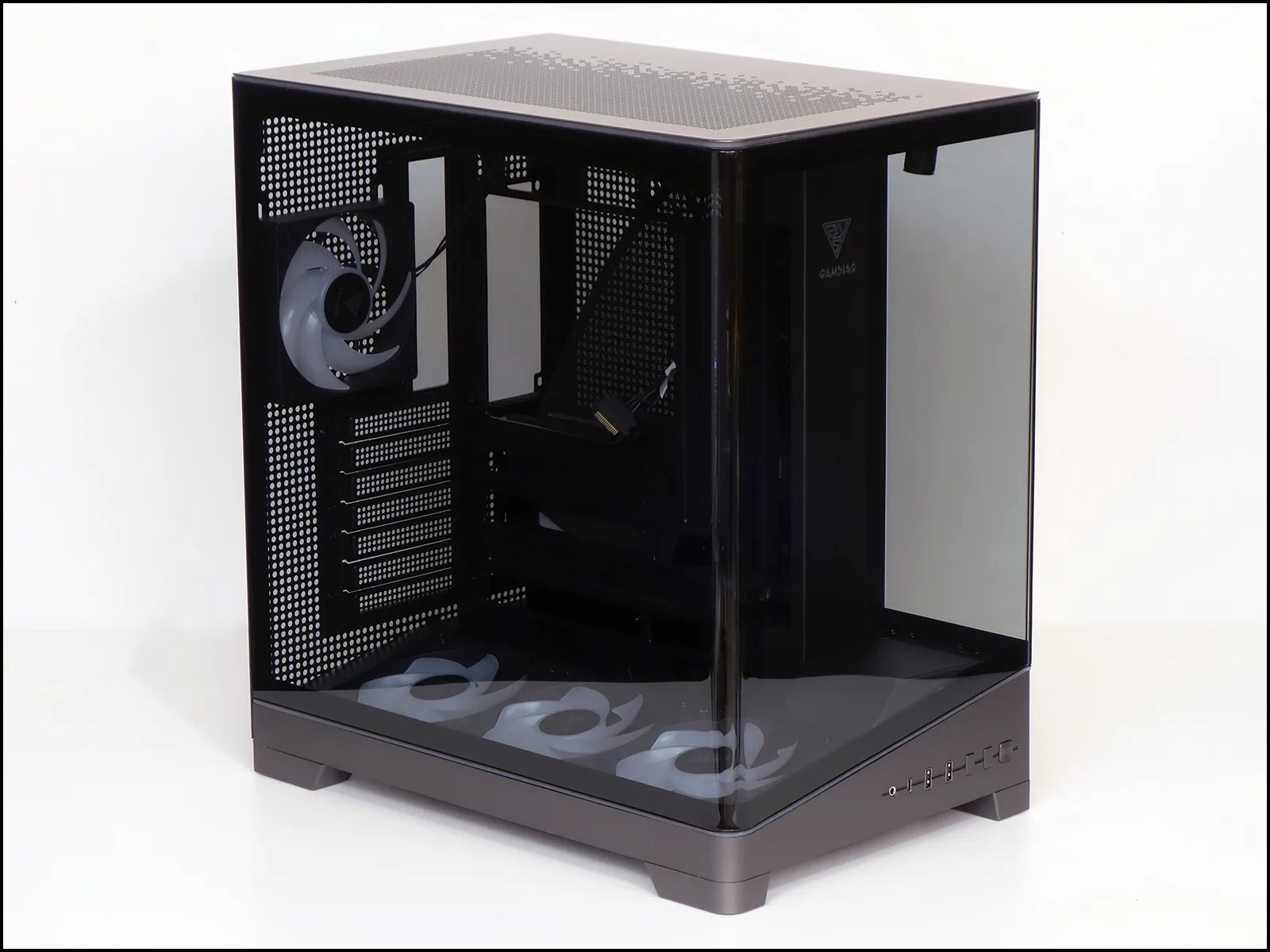
The wedged shape of the Atlas P6 CG’s lower fan duct follows through to the exterior port panel, where we find a four-pole headset combo jack, a USB 3.2 Type-C port with Gen2x2 cable, two Type A ports on a Gen1 cable and three buttons to activate the stage light, integrated ARGB controller and system power. As the microphone pole of a headset combo is part of the ground barrel of a standard headphone plug, this type of connector works with both headphones and microphone-integrated headsets.
We’ll be upfront about that ARGB controller: ARGB-off is one of its 30 available lighting modes, and holding the button in for a few seconds
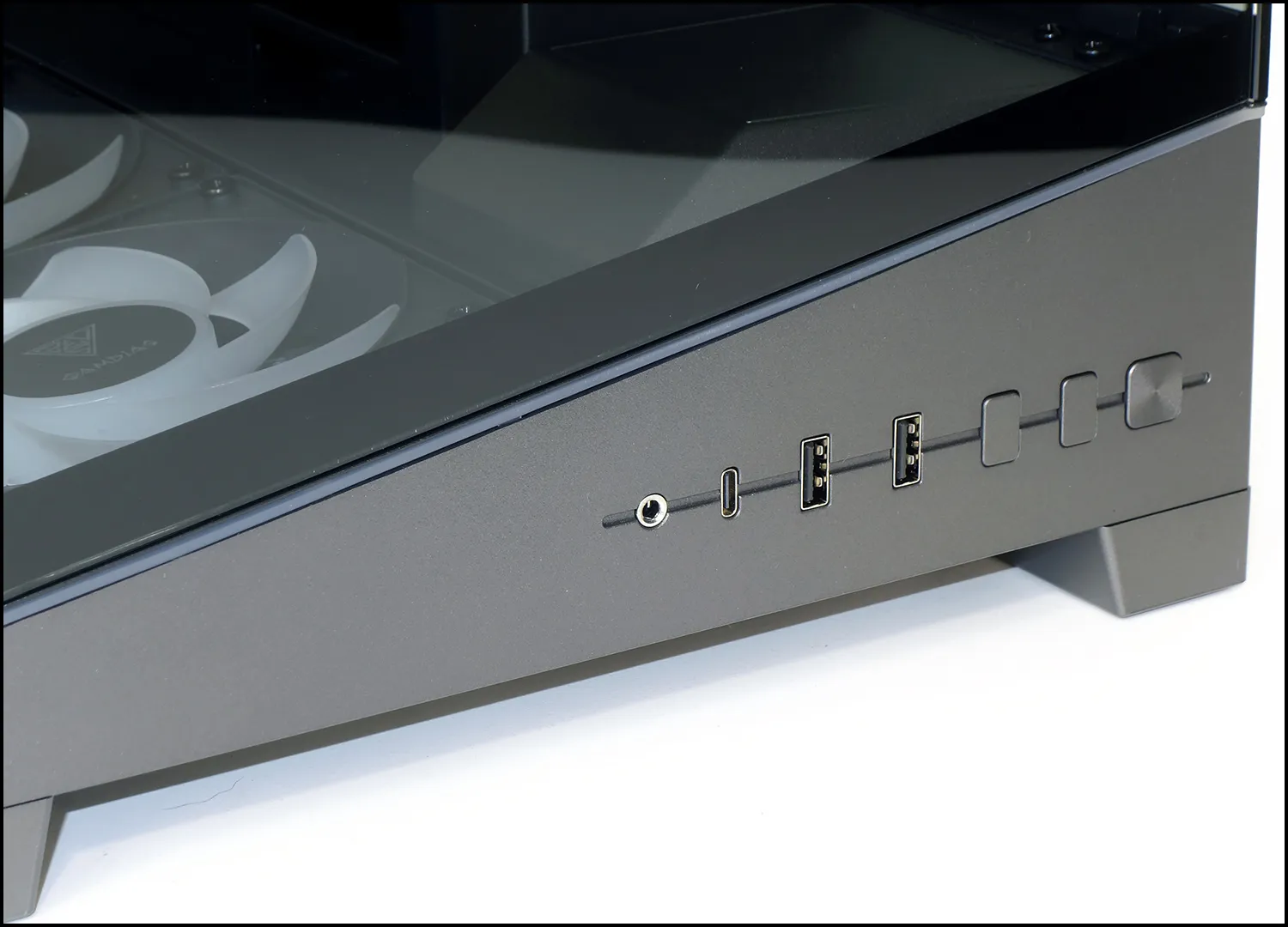
The first big surprise on the rear panel is that Gamdias completely ditched the cost-cutting external card bracket of its M4 to instead use the higher-quality (and cost) boxed-in design: That means builders can drop their cards straight in rather than worry about trying to slide into back through a flange hole.
The bridgless slot panel makes room for adding a vertical card adapter bracket, if so desired, and the adjustable fan bracket lets builders make more space between any rear-mounted radiator and either the GPU (bottom) or top-mounted cooler.
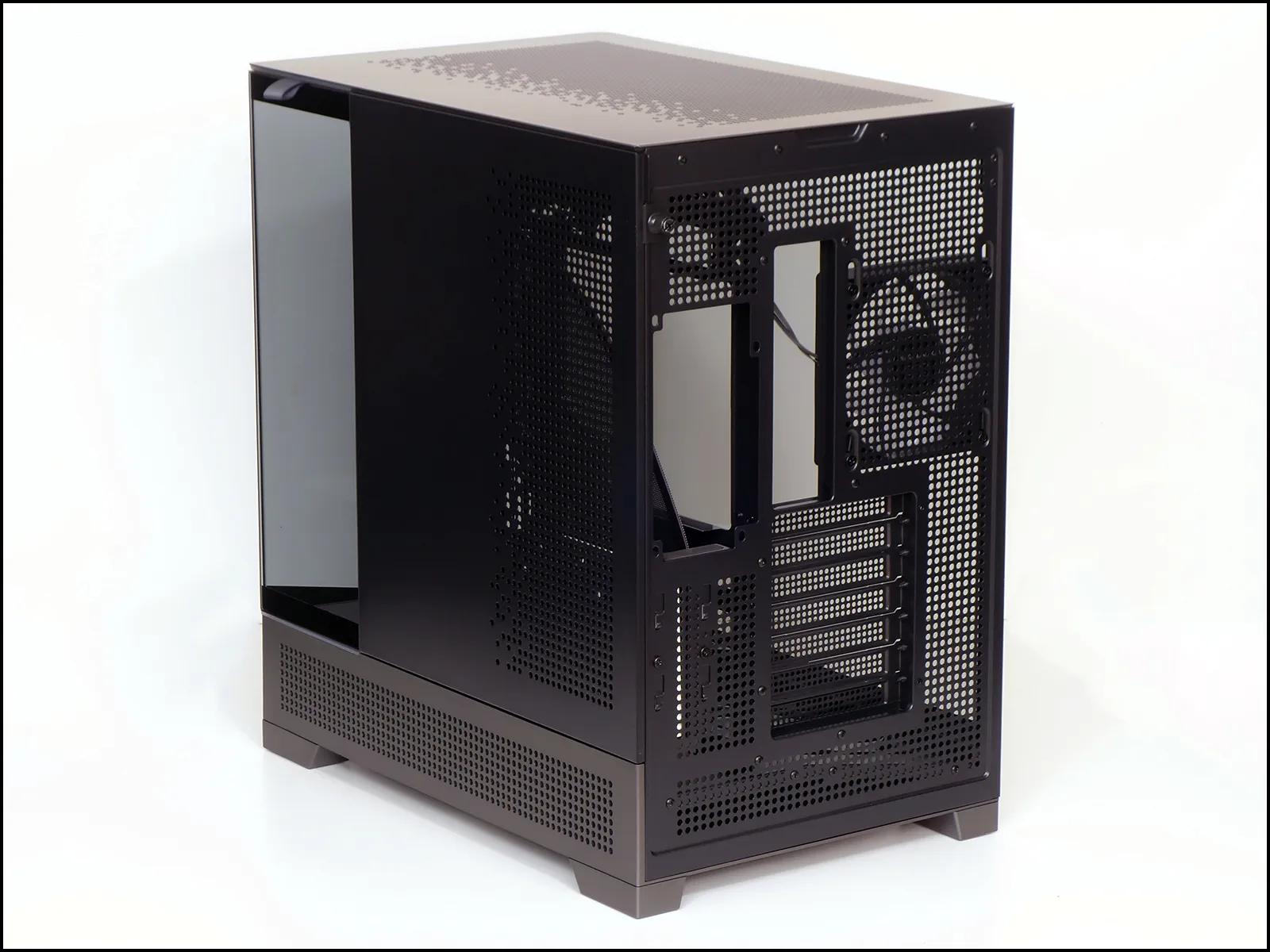
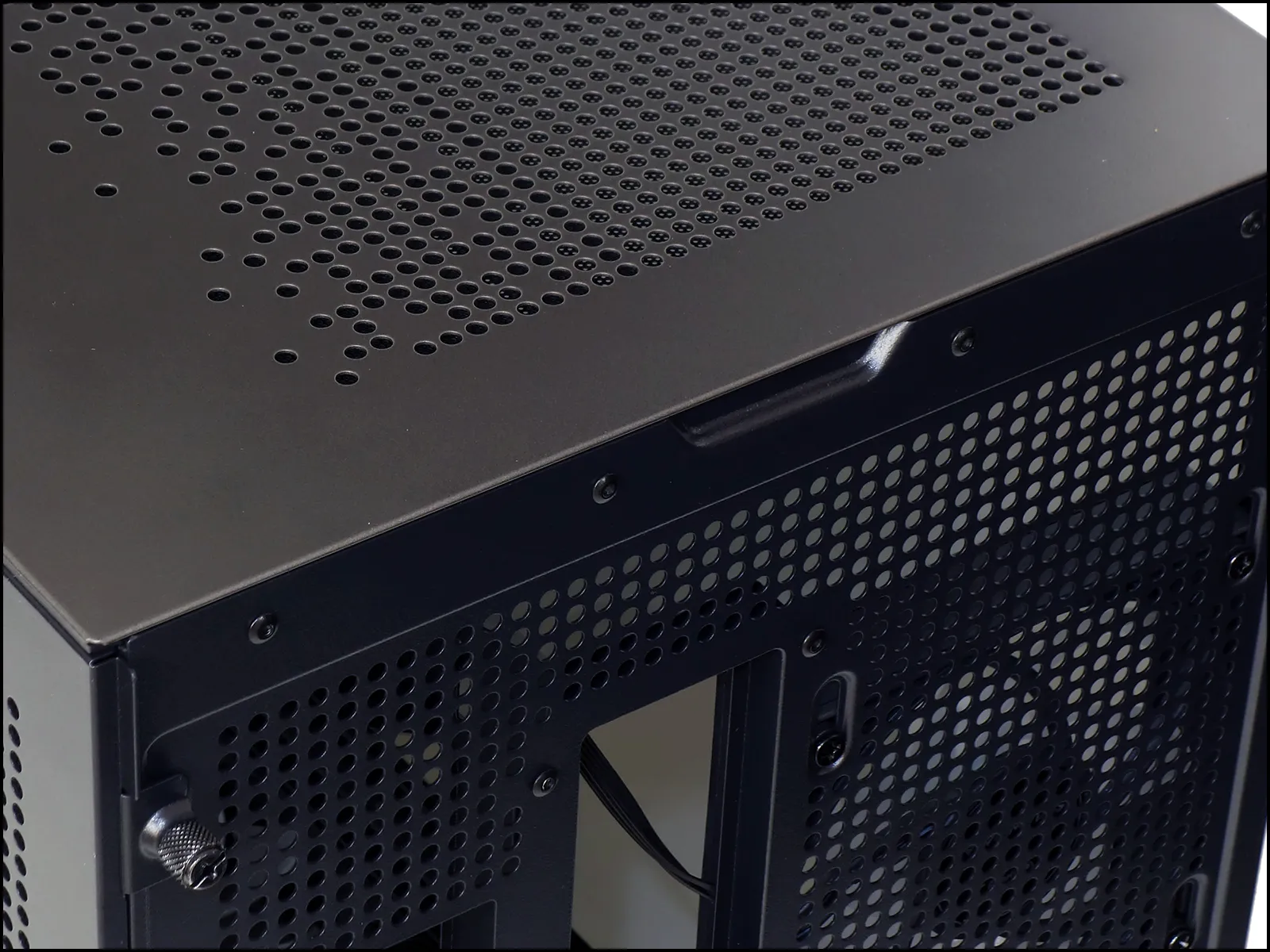
A finger groove at the top of the rear panel makes it easier to unsnap the top panel, and a thumb flange on the top of the right-side panel serves a similar function after unthreading the adjacent captive screw.
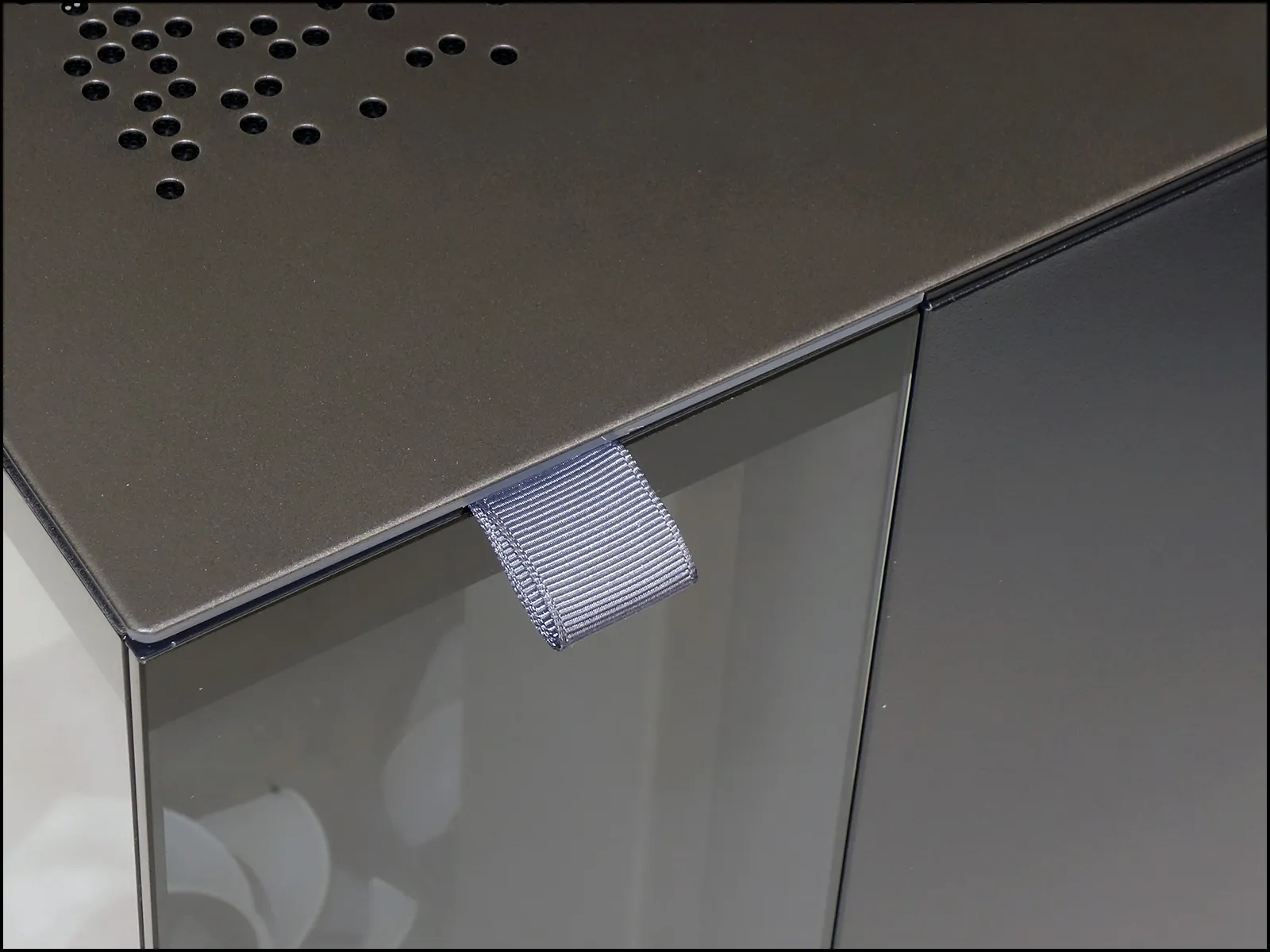
A nylon strap assists unsnapping the right side’s glass from the top of the chassis, providing convenient access to the tiny display stage behind it.
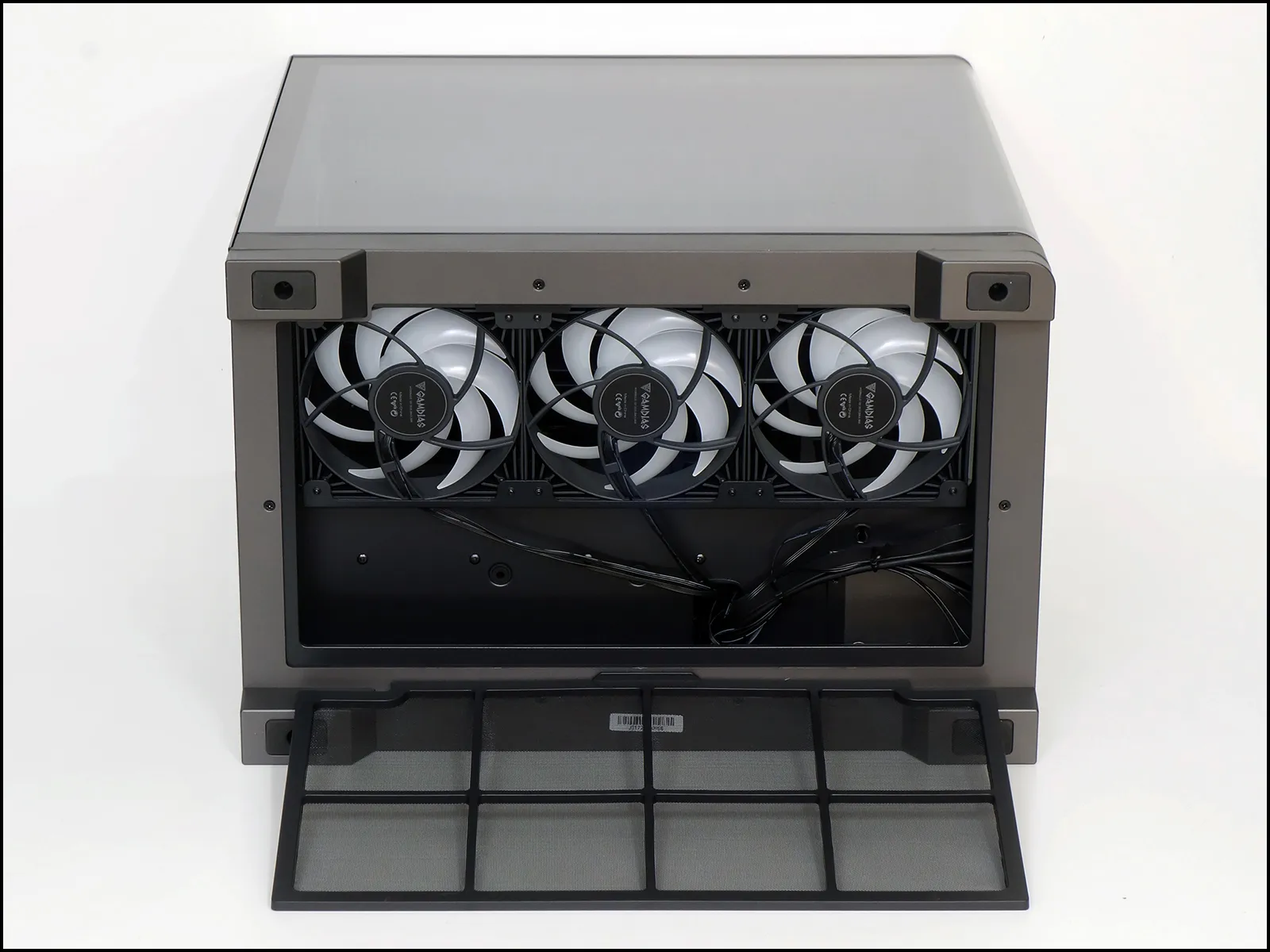
Gamdias ditched the basket of its M4’s adjustable bottom fans to instead add the convenience of a pull-away dust filter. Sized to serve as an access panel for routing the ARGB and PWM cables of its three Notus M1 ARGB (Amazon) fans, four tiny ring magnets in the corners of its rigid frame hold the filter in place.
Three bonded-on screw tabs around the inner perimeter of its curved tempered glass panel pull upward against the Atlas P6 CG’s inner top panel, removing the need for a corner brace to prevent its radiator mount from sagging. Removing the panel is as easy as taking those three screws out, tipping it slightly to the left and lifting it off.
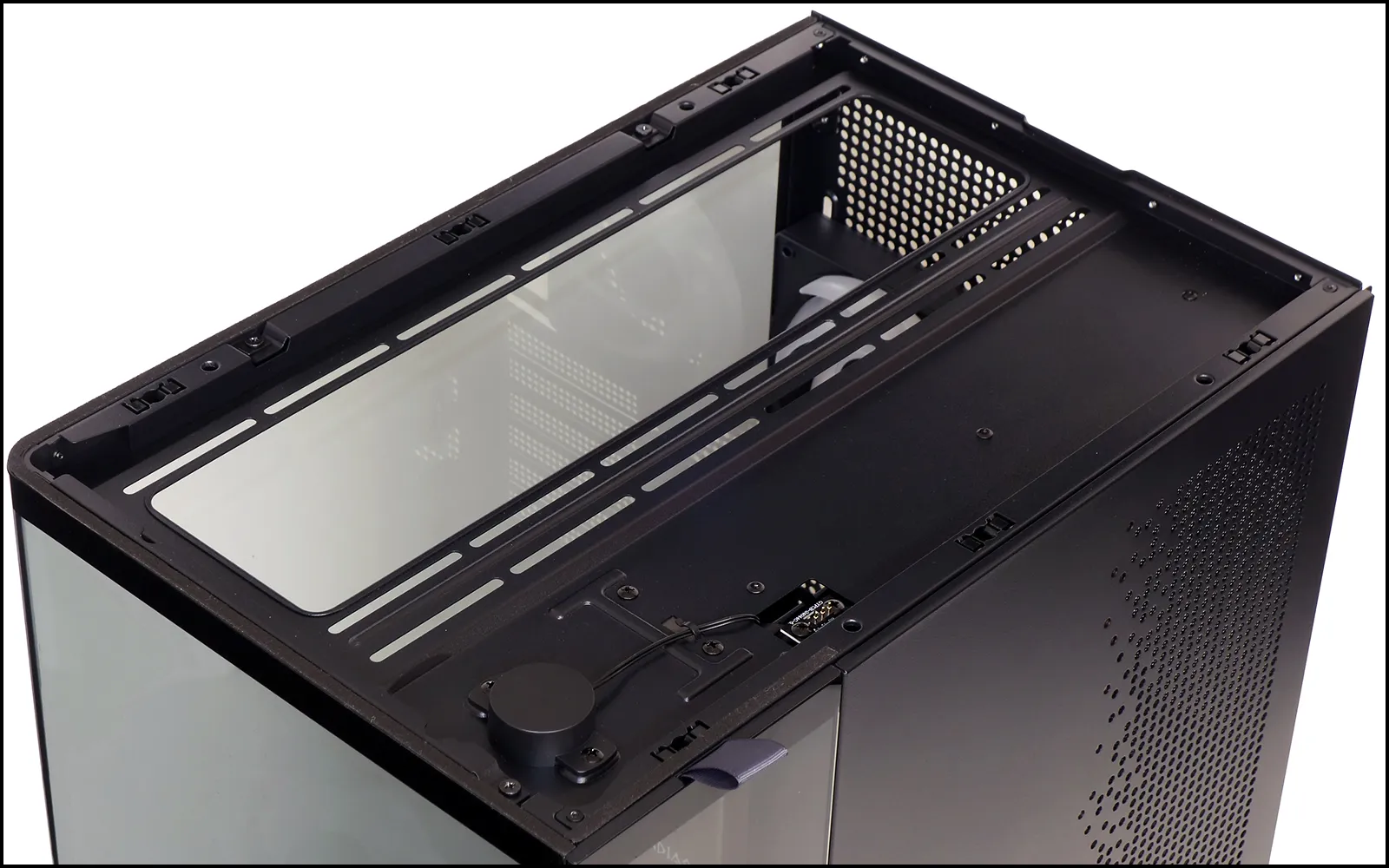
Three spring-loaded telescopic pin carry ARGB signals to the outer top panel (right): The top of the nearby stage light appears to its left.
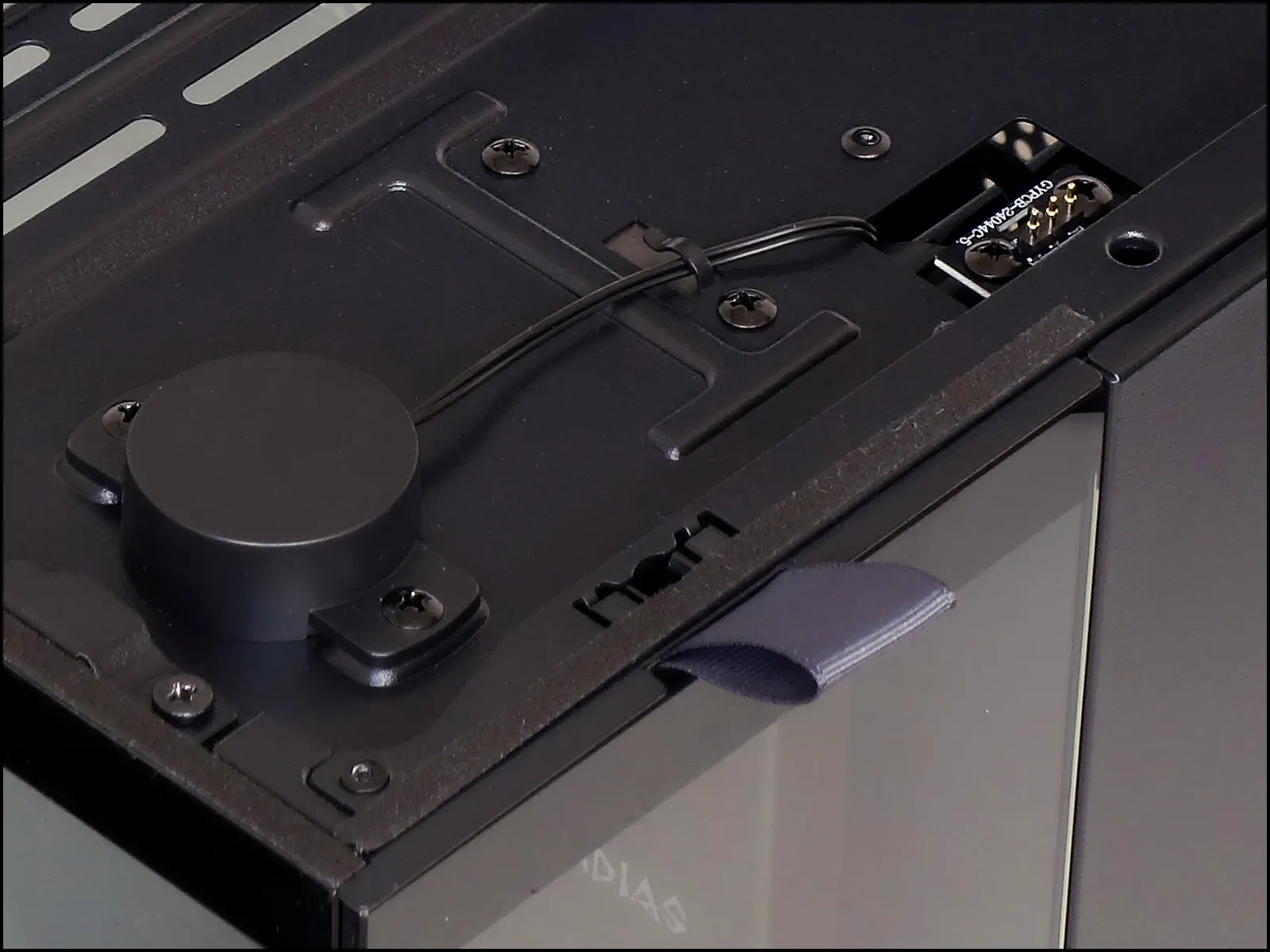
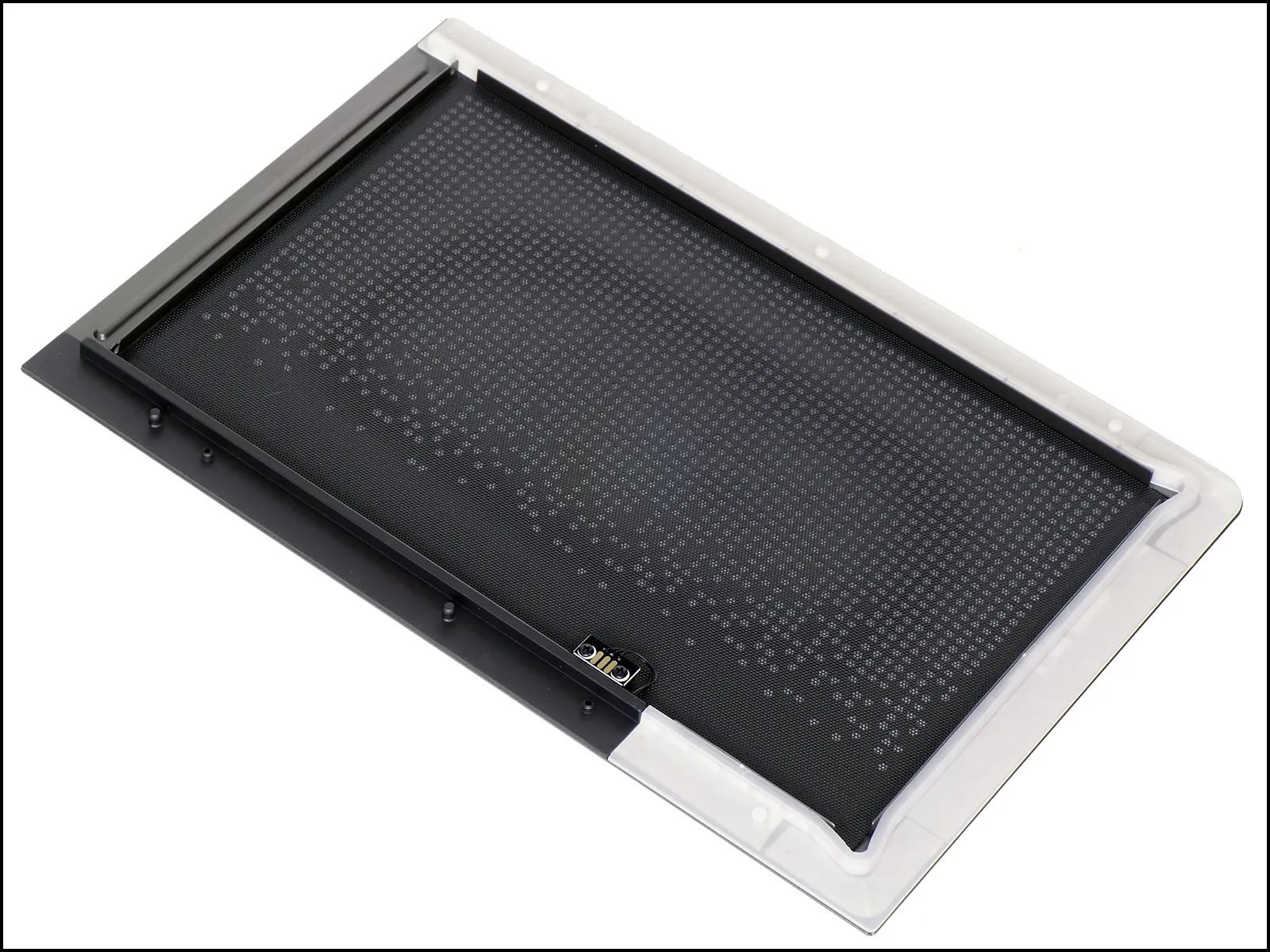
An ARGB strip surrounds about 2/3 of the top panel’s periphery to carry signals from the above-mentioned pins through the below-shown 3-pin connector strip. A dust filter sheet in the middle is secured via magnetic strips.
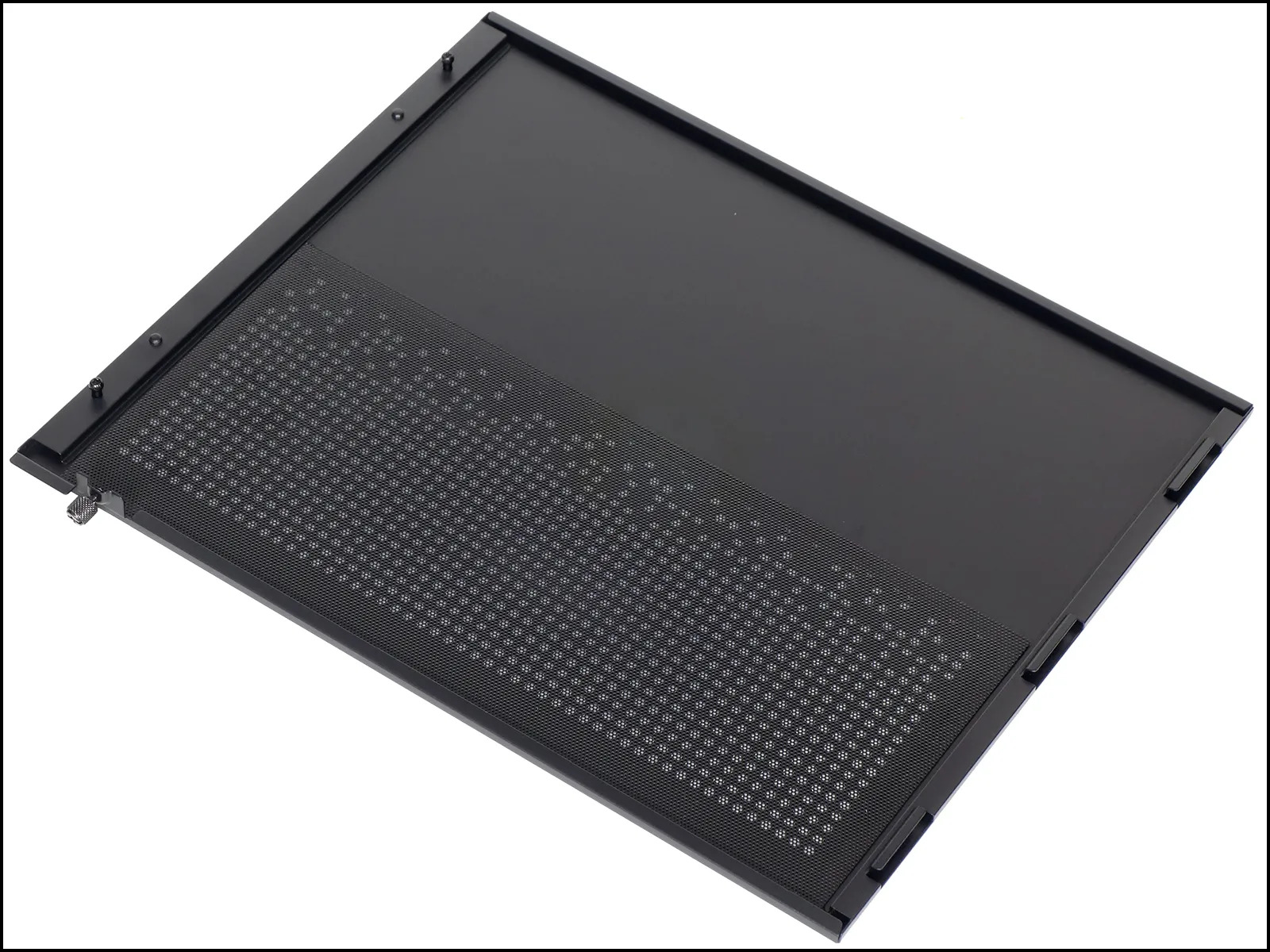
A second perforated sheet dust filter covers the vents at the back of the right side, again held by magnetic strips around its edge.
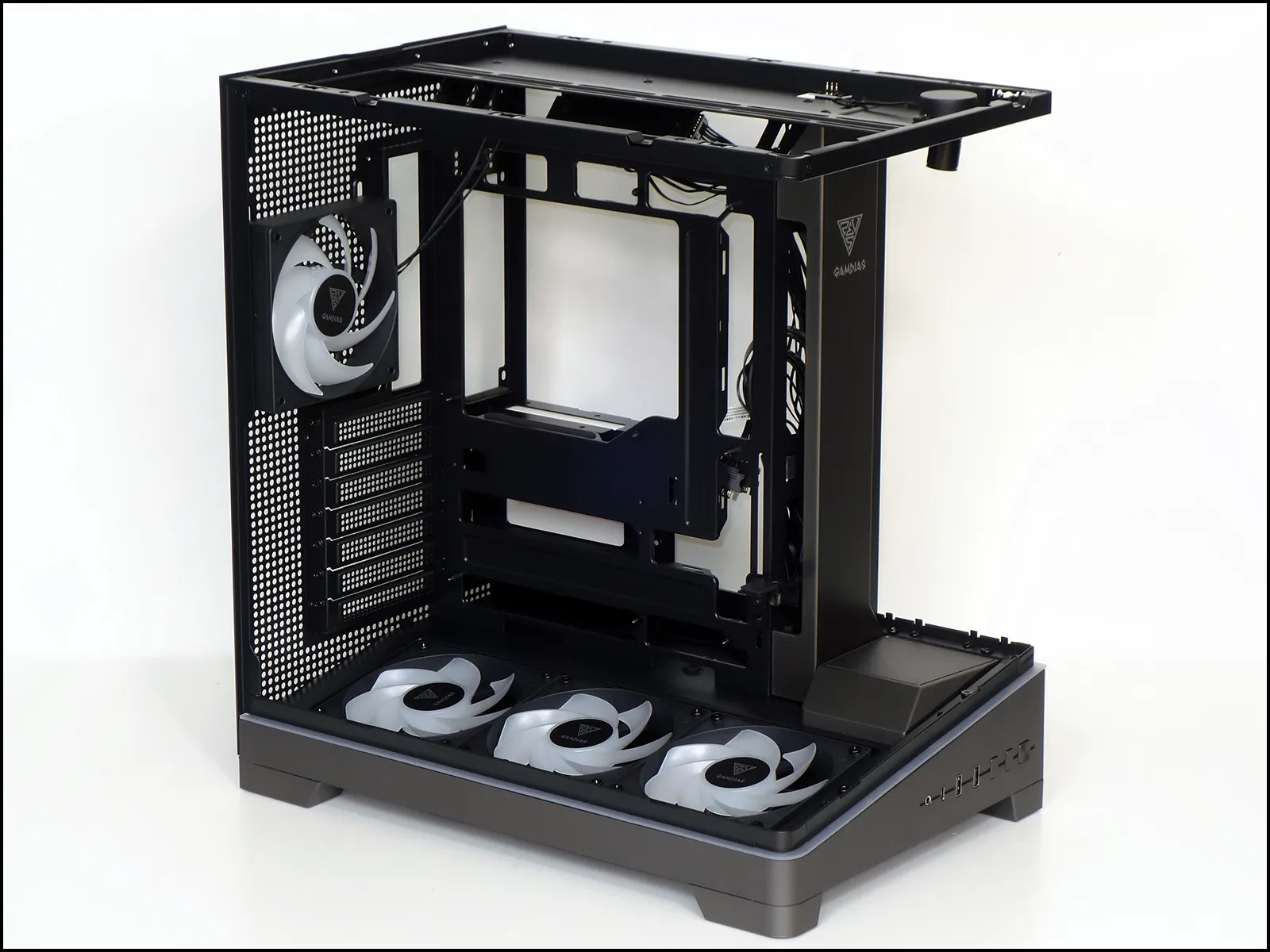
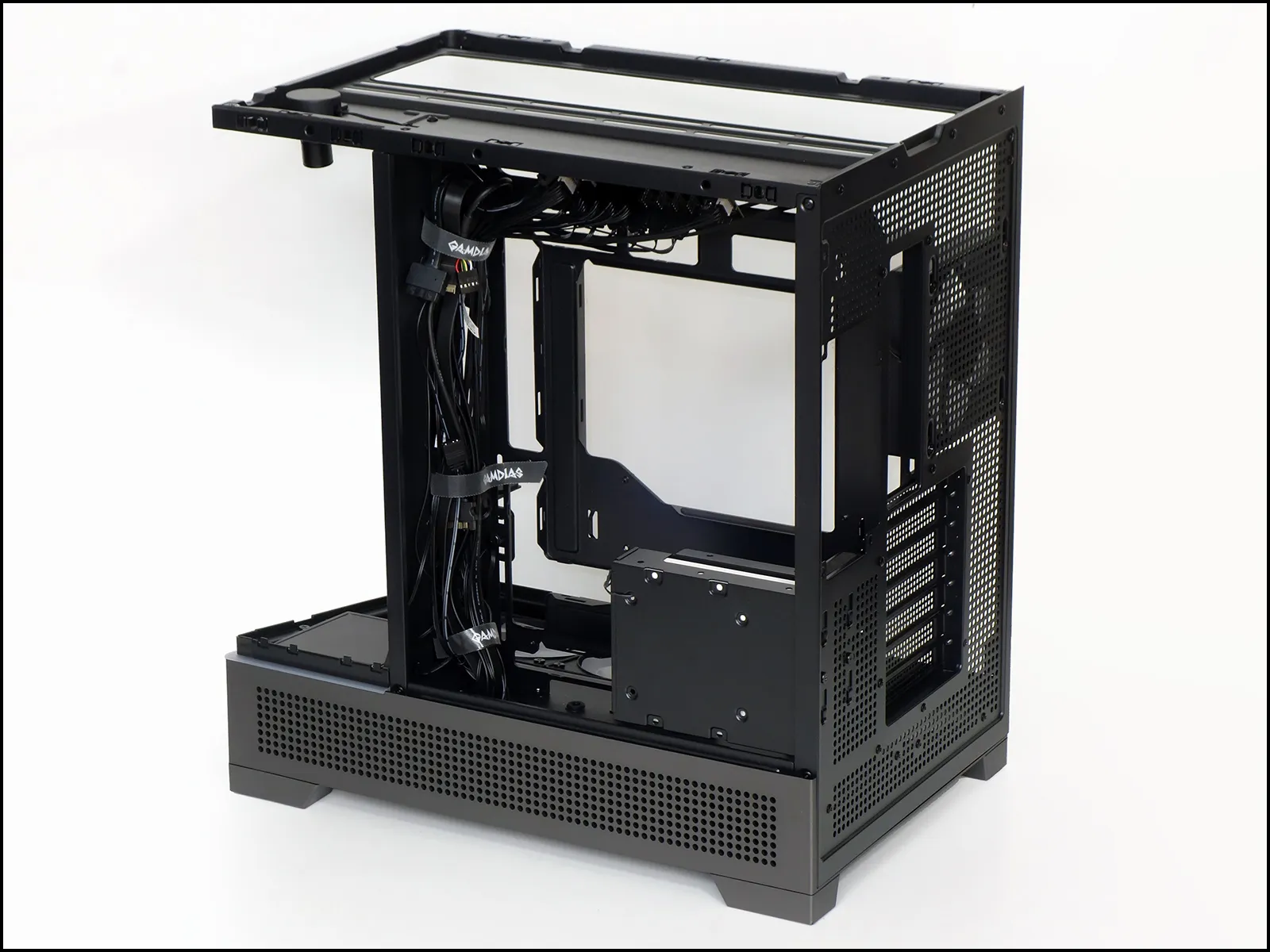
With its skin off we can better see how the Atlas P6 CG is designed to fit rear-connector motherboards in both ATX and Micro ATX formats, that its bottom fans use reverse curved blades to hide the frames while still acting as intakes, and that the tiny stage behind those fans is only three by three and half inches. With a little over four inches of space between the front glass and the logo-emblazoned riser, one could obviously stage things that are slightly larger than the stage itself.
A tiny swivel mount allows users to point the stage light to optimize the appearance of whatever has been placed beneath.
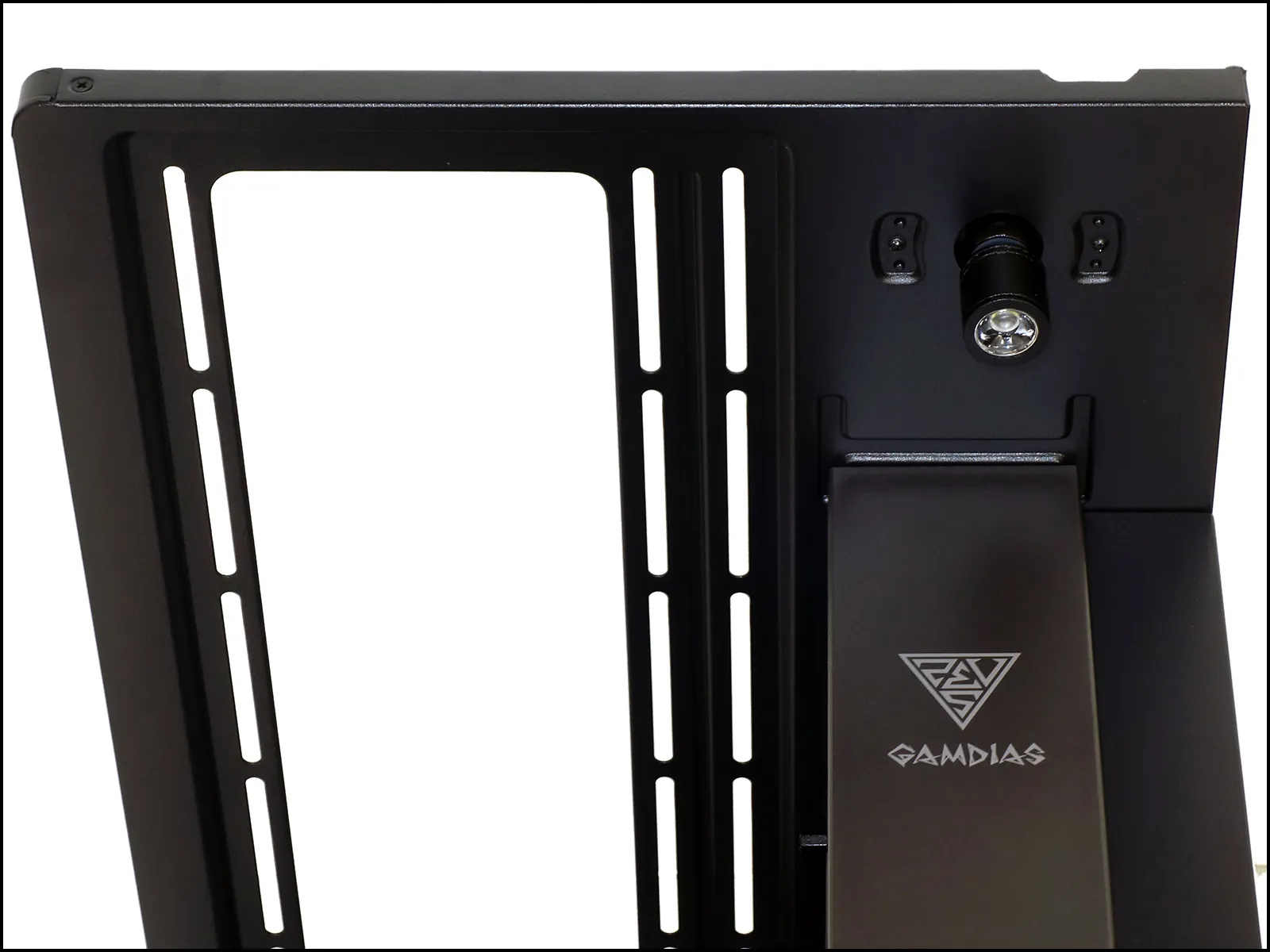
Positioned 10 ¾” ahead of the slot panel and secured via a single screw from behind the motherboard tray, the Atlas P6 CG’s card brace features a padded swivel top and enough adjustment to fit cards at nearly any height within the card range. This is the part we used to define the case’s maximum motherboard mounting depth, which means that this “ATX” case has enough room to fit most enthusiast-class EATX motherboards.
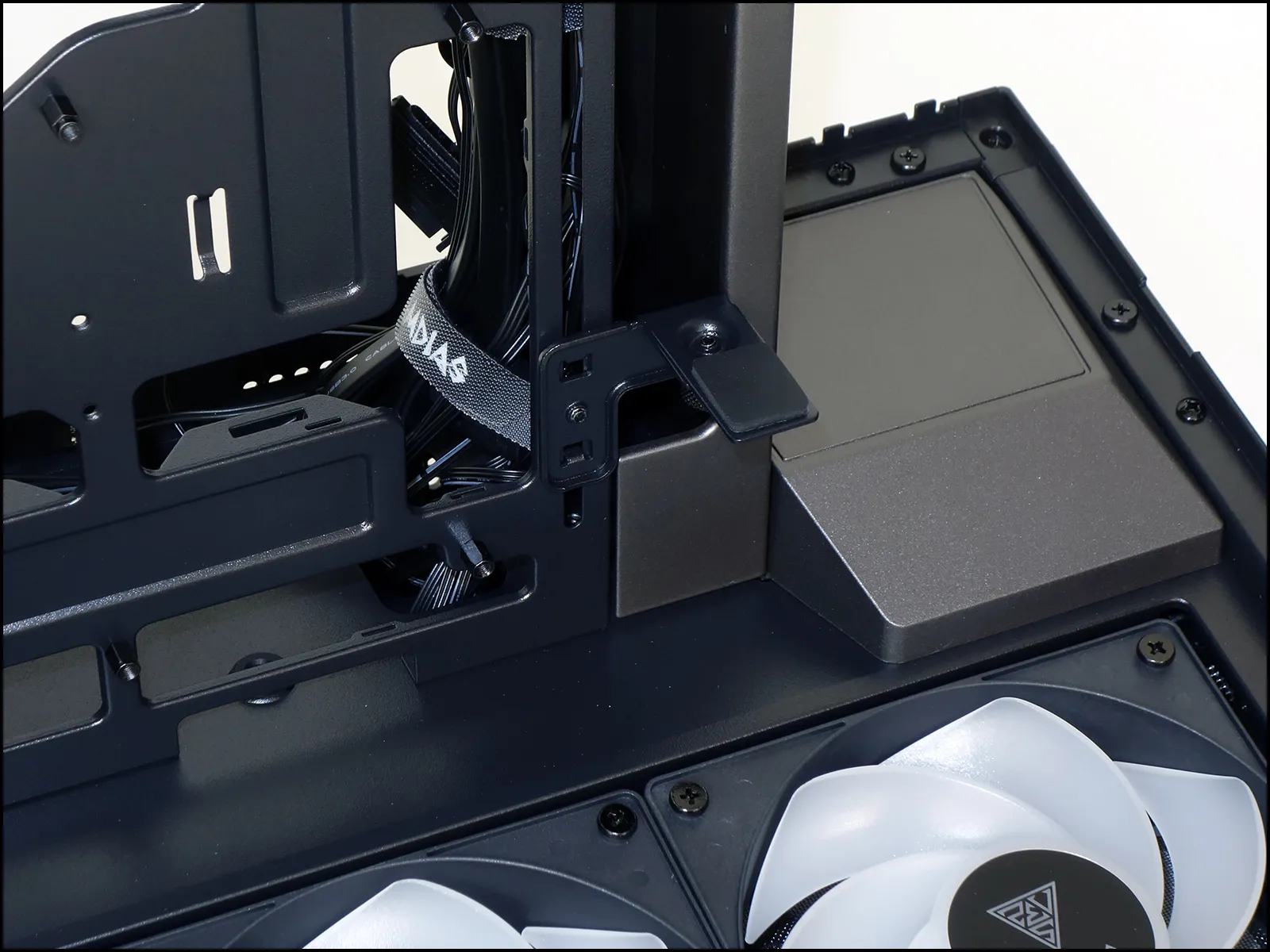
Though we measured around 280mm of power supply mounting space, Gamdias rates it at only 200mm and going by their recommendations should surely be your safest bet. Having the side panel off also allows us to see the drive cage, which is secured to the back of the case via two screws and four sliding tabs.
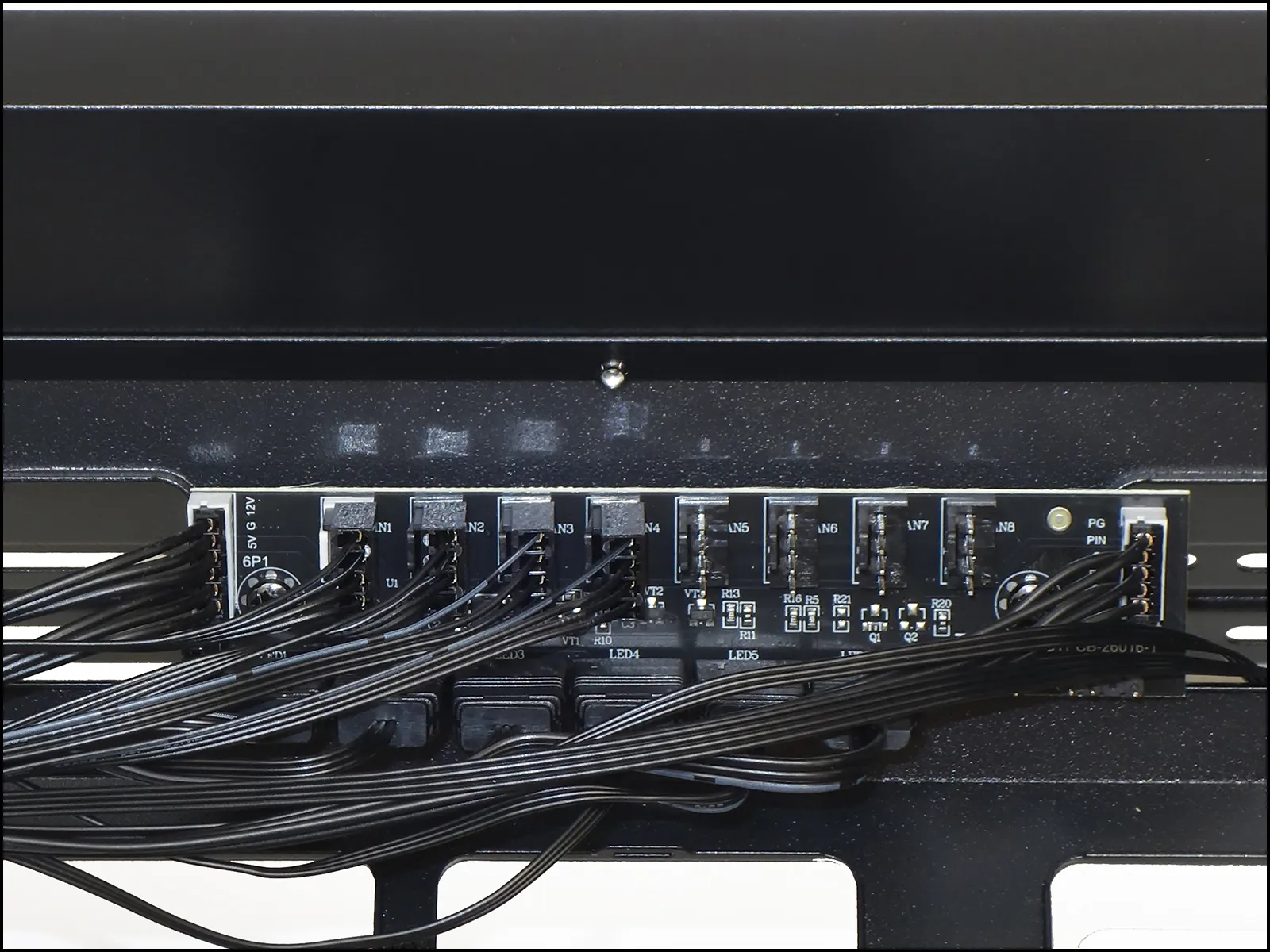
The top of the power supply chamber is filled with an eight-fan, eight-ARGB hub. As previously discussed, this part also features an ARGB controller of its own that has 30 settings including off-mode, and acts as a passive hub for an external ARGB input only after holding its function button (on the case’s face) for a few seconds.
The factory fills four fan and six ARGB headers with included devices, leaving only four fan and two ARGB headers available to additional components.
Factory filled with a white cardboard box to hold the case’s screw pack, the Atlas P6 CG’s drive cage is designed to hold either a 2.5” or 3.5” drive internally and a second 3.5” drive externally.
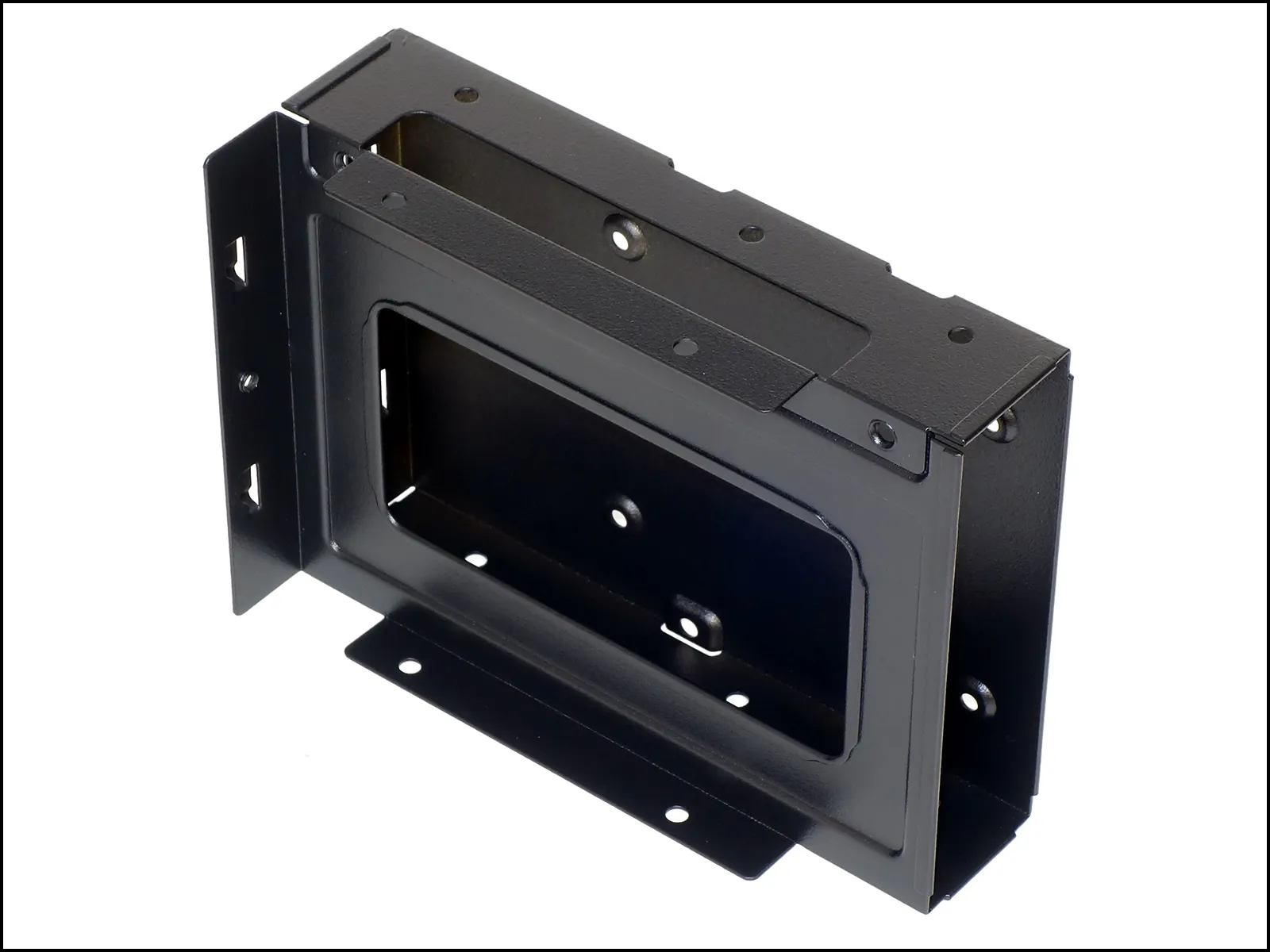
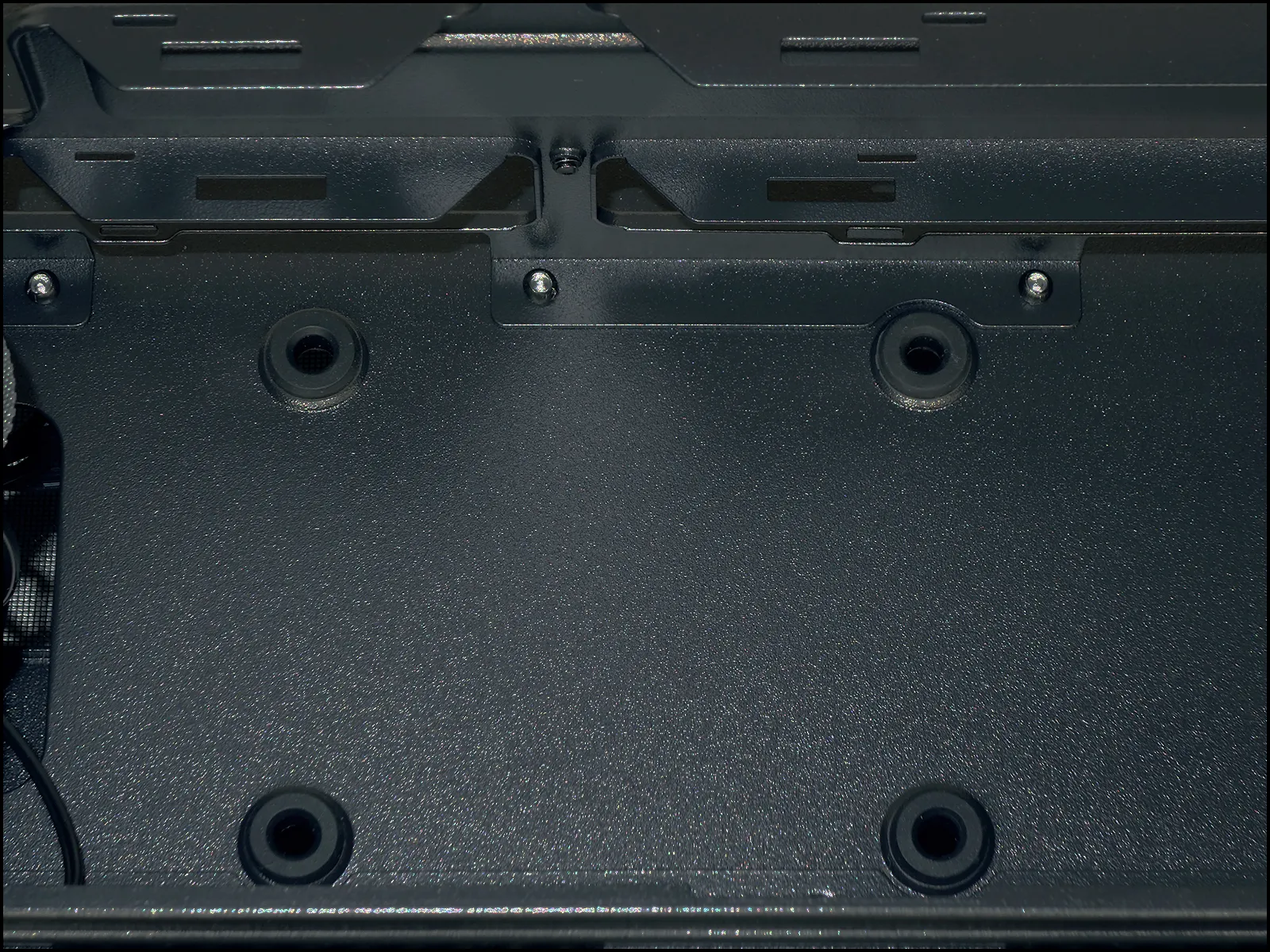
Should you need a second 2.5” drive mount, the Atlas P6 CG provides it at the bottom of the power supply chamber. You’d obviously need straight power and data cables to reach that drive, however.
Building With The Atlas P6 CG
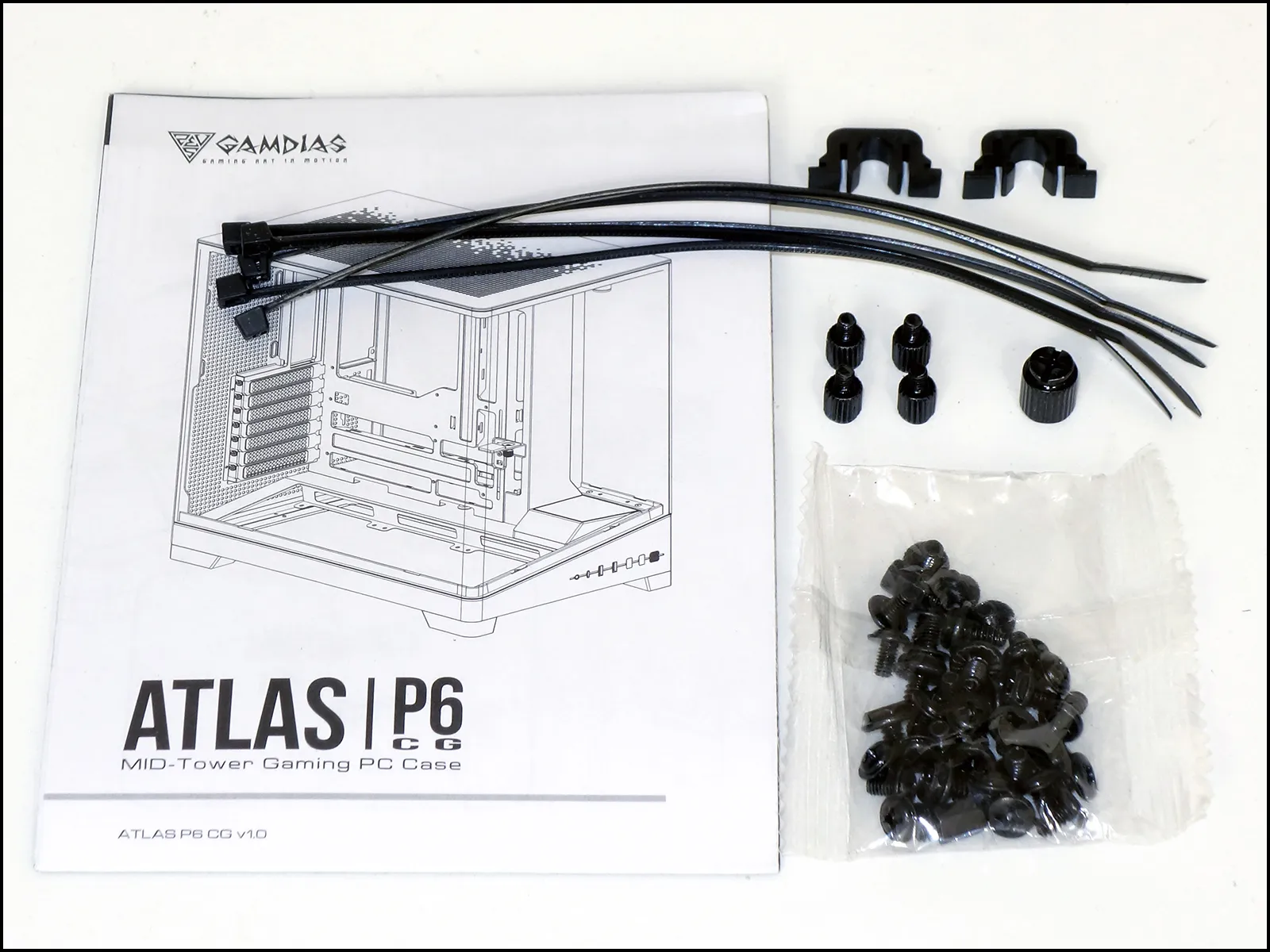
Inside the previously described box are two replacement panel snaps, five zip ties, four dowel-head screws for the bottom panel 2.5” drive mount, a Phillips-drive standoff socket and a bag containing three additional motherboard standoffs, eight combo-head power supply screws, eight 3.5” drive screws, 12 extra-long machine screws for affixing fans to threaded panel holes and 22 M3 screws for attaching the motherboard and a cage-mounted 2.5” drive.
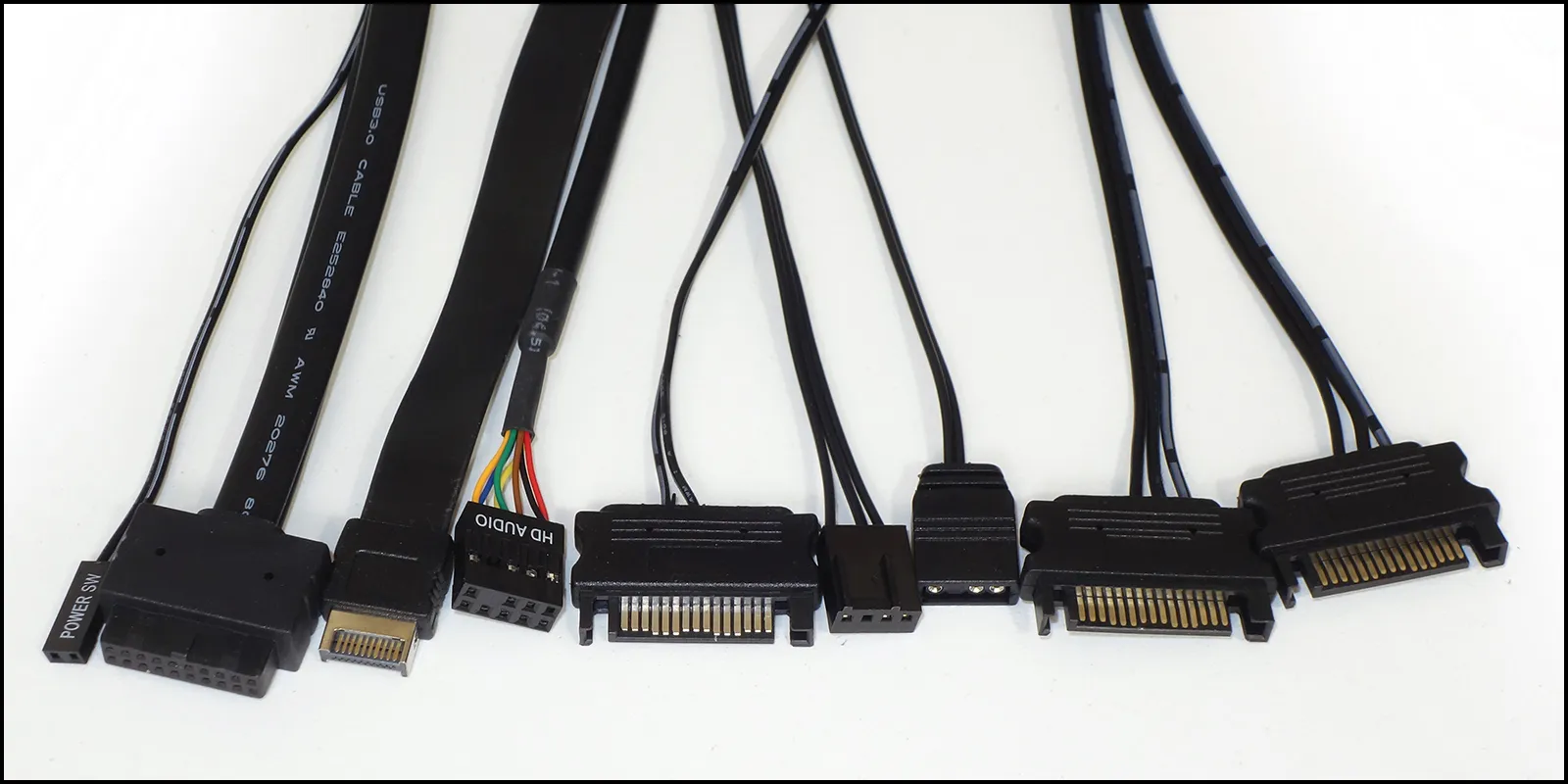
Connecting the Atlas P6 CG front panel to our motherboard are a power button lead, a first-generation USB 3.x cable for its two Type A ports and a Gen2x2 cable for its Type-C port and an HD Audio connector for its headset combo jack. One of our power supply’s SATA leads feeds its stage light and two more the ARGB / fan hub. That hub gets its data from a pair of our motherboard’s ARGB and PWM fan headers.
Our test build uses a Micro ATX board to make test data comparable across more systems, but viewers can see where the bottom of an ATX motherboard would be. Moving the card brace up its mounting slot revealed that it wasn’t too far forward to match our card (good) even though it is forward enough to clear most enthusiast-class EATX boards (better).
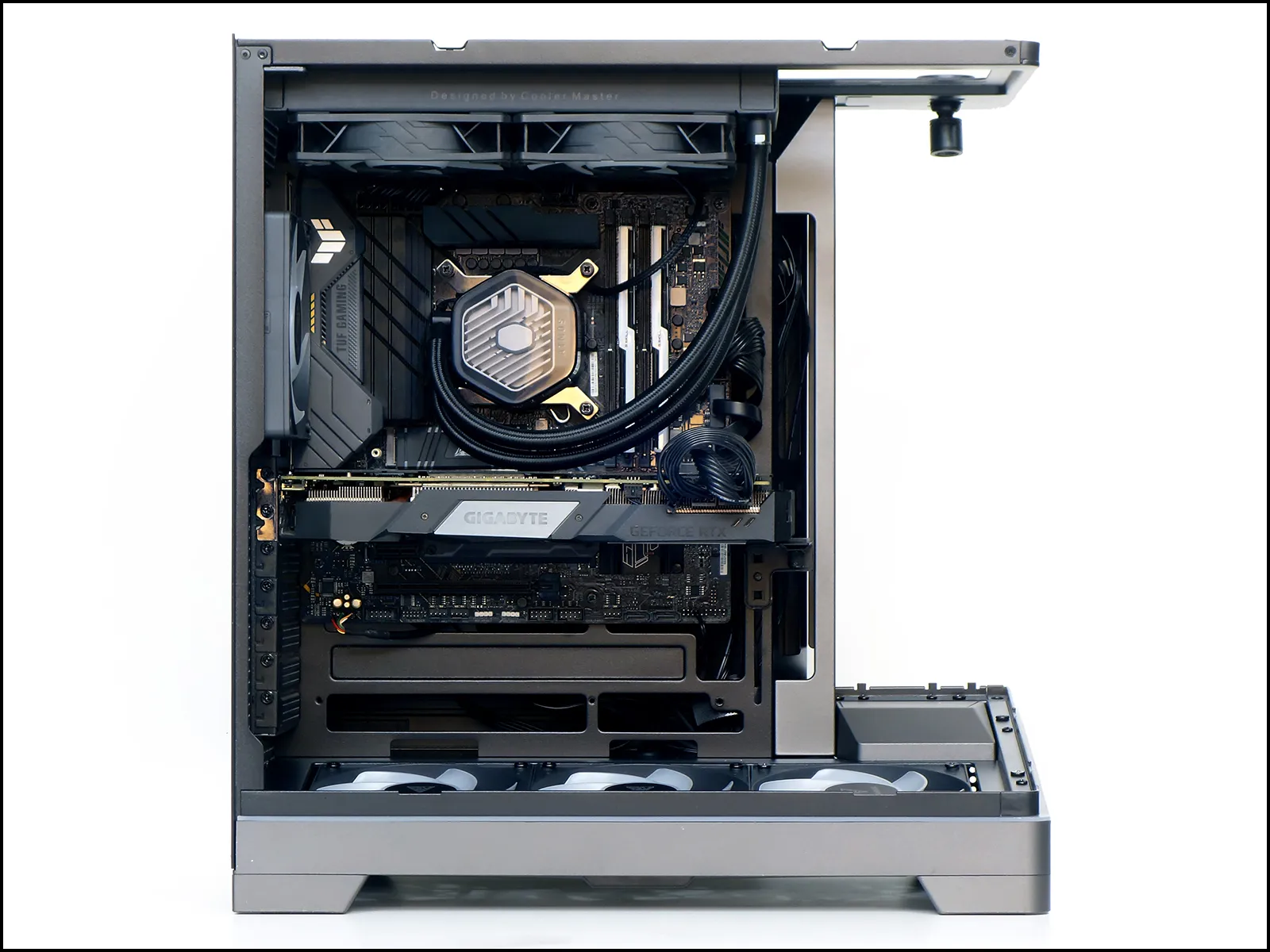
Those interested in how a 280mm-format (dual 140mm) radiator might fit should take a closer look at the above photo to see that the rear fan of our 240mm unit is shoved snuggly against our build’s EPS12V cables as they pass over the motherboard. Since those same cables would prevent a wider fan from fitting the same location, any 280mm cooler would need to be mounted 75mm further forward than our 240mm unit. Because of the need to move a wider cooler forward, the visual intrusion of a 280mm cooler upon the case’s staging area would be similar to that of a 360mm cooler.
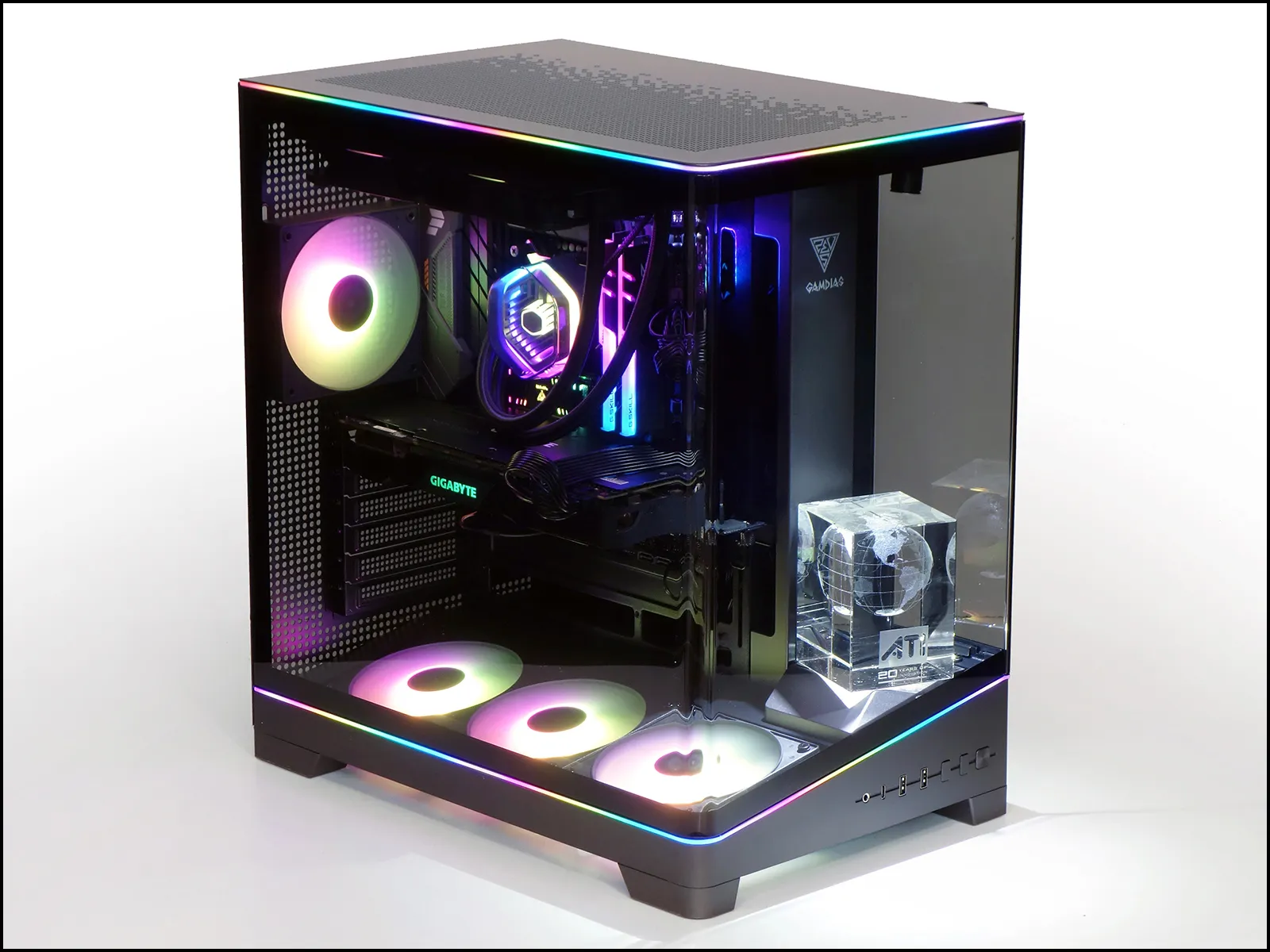
We placed upon the display stage a trinket of past reviews from a little Canadian company that got gobbled up some 20 years ago.
Testing The Atlas P6 CG
Defining competitors by shape and flow paths, we used the five most-recent direct competitors to gauge Atlas P6 CG heat removal and noise containment with the following hardware.
| System Configuration | |
| CPU | Intel Core i9-12900KF: 16C/24T, 3.2-5.2 GHz, 30 MB L3 Cache, LGA 1700 Fixed at 4.9GHz (P-cores, 3.7GHz E-cores) and 1.30V |
| CPU Cooler | Cooler Master MasterLiquid 240 Atmos closed-loop |
| Motherboard | Asus B660M Plus WiFi D4, BIOS 2402 (04/20/2023) |
| RAM | G.Skill TridentZ Neo DDR4-3600 C16, 2x 8GB |
| Graphics | Gigabyte GeForce RTX 2070 Gaming OC 8G: GeForce RTX 2070 1815 MHz GPU, GDDR6-14000, Maximum Fan |
| Hard Drives | Patriot Viper VPR400 1.0 TB M.2 SSD |
| Power | Cooler Master XG 750 Plus Platinum: Fully modular, 80Plus Platinum |
| Sound | Integrated HD Audio |
| Network | Integrated Gigabit Networking |
Though Gamdias’s more recently-tested Atlas M4 has the same fan layout, Sama’s previously reviewed V62 has a closer shape as well as a curved side panel. They both appear in today’s charts.
Results
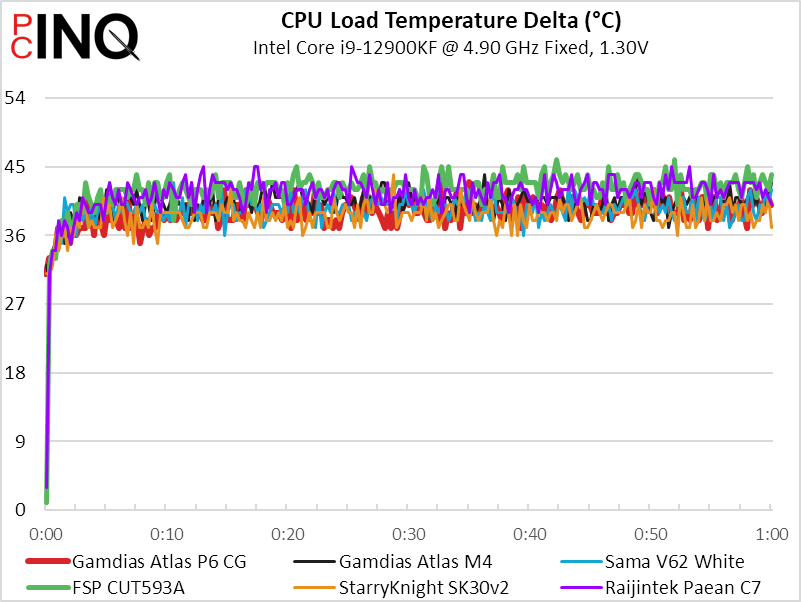
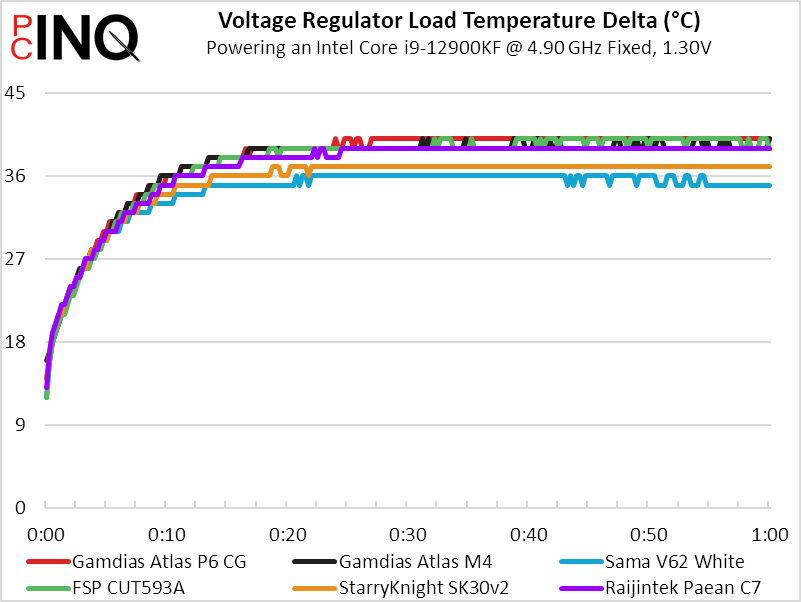
The Atlas P6 CG achieved the second lowest CPU, second-highest VR MOS, and lowest of all GPU temperatures in our test. Though sliding the rear fan to the top of its mount might have achieved a slightly lower VR MOS temperature, the benefit of its angled fans blowing over our GPU is by far the case’s most significant data point.
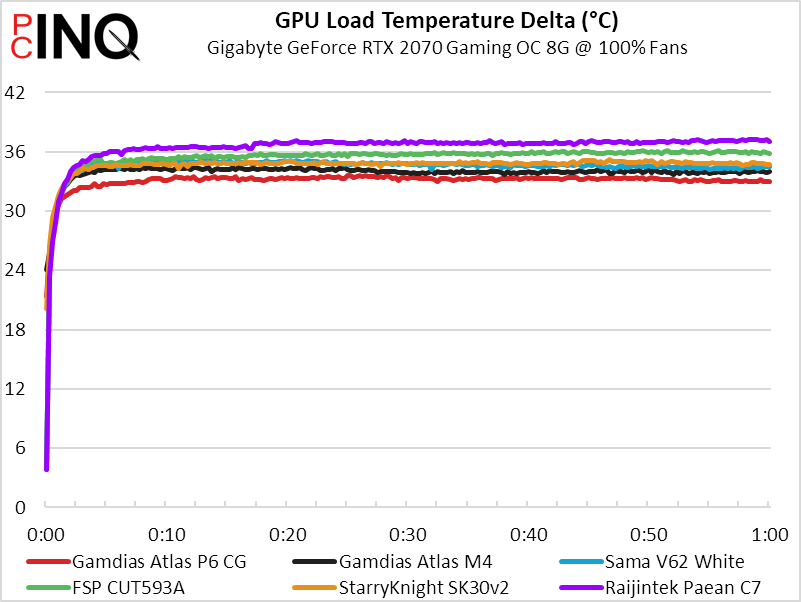
Unfortunately, some of that extra cooling appears to come at a cost in noise: It’s the loudest of the compared cases by about three to four decibels.
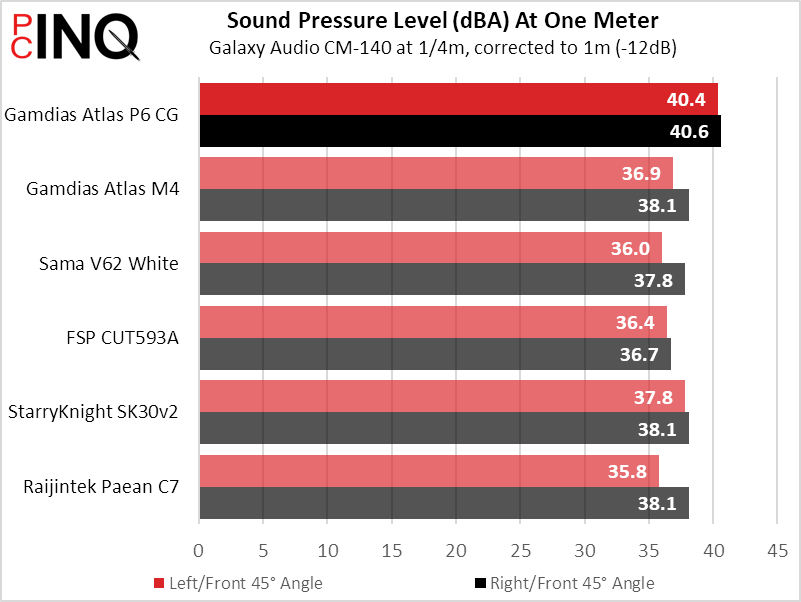
And so, the Atlas P6 CG cools a little better, muffles a little worse, and looks spectacular compared to previously tested models. Places where it outshines competitors, such as the sheet metal top panel were competitors typically have a plastic sheet, don’t show in the charts. And while it’s not the cheapest case we’ve tested to have a boxed-in slot panel that allows builders to drop their cards straight in, it is the only similarly shaped case we’ve seen to have this one-standard feature rather than the cheap and nasty folded-out tab.
And if those quality advancements aren’t enough to win you over, it even has a place to show off your knick-knacks.
| Gamdias Atlas P6 CG | |
| Pros: | Cons: |
| Front stage designed for showmanship ARGB everywhere, including its four fans Improved-quality dust filter covers bottom panel Inset expansion panel eases PCIe card insertion | Case must be flipped to access bottom filter Slightly noisier than compared cases |
| The Verdict: | |
| The Atlas P6 CG hooks buyers with vibrant lighting and reels them in with clever, enthusiast-friendly details. | |
Find it at Amazon
(click for availability)


