
ASRock B860 Challenger WiFi Review
Builders aren’t the only ones hurt by rising memory prices: Component makers are scrambling to maintain sales volume even as their potential customers have been driven away. A broader effort to pull any remaining potential builders off the sidelines has emerged as multiple venders slap entry-level prices on mainstream hardware, and ASRock even developed a brand for that: We welcome the Challenger series and today, its B860 WiFi motherboard.
| ASRock B860 Challenger WiFi | |||
| Socket | LGA 1851 | Form Factor | ATX |
| Chipset | Intel B860 PCH | Voltage Regulator | 14 (10+1+1+1+1) Phases |
| Rear I/O | |||
| Video Ports | (1) HDMI 2.1 (4k/120Hz Max) | Audio Jacks | (3) Analog |
| Rear USB 4.x/3.x | (1) 5Gb/s Type-C, (4) 5Gb/s Type A | Legacy Ports/Jacks | (2) USB 2.0 |
| Network Jacks | (1) 2.5GbE, (2) Wi-Fi Antenna | I/O Panel Extras | BIOS Flashback |
| Internal Interface | |||
| PCIe x16 | (1) v5.0 x16, (1) v4.0 x4 | SATA Ports | (4) 6Gb/s |
| PCIe x8 | ✗ | USB Headers | (1) Type-E @Gen1x1 (10Gb/s), (1) v3.x Gen1, (2) v2.0 |
| PCIe x4 | ✗ | Fan Headers | (7) 4-Pin |
| PCIe x1 | ✗ | Legacy Interfaces | UART (3-pin), System (Beep-code) Speaker |
| CrossFire/SLI | ✗ / ✗ | Other Interfaces | FP-Audio, RGB LED, (3) ARGB LED, Thermistor, SPI-TPM |
| DIMM slots | (4) DDR5 | Diagnostics Panel | ✗(four indicator LEDs) |
| M.2 slots | (1) PCIe 5.0 x4, (2) PCIe 4.0 x4, (1) Key-E / CNVi2 | Internal Button/Switch | ✗ / ✗ |
| Controllers | |||
| SATA Controllers | Integrated only | HD Audio Codec | Realtek ALC897 |
| Ethernet Controllers | RTL8125BG 2.5Gb/s PCIe | DDL/DTS Connect | ✗ |
| Wi-Fi / Bluetooth | Realtek 8922AE WiFi 7 (2.4GHz/5GHz/6GHz) / BT 5.4 Combo | Warranty | 3 Years |
| USB Controllers | (2) ASM1543 MUX, ASM1074 Hub | Price When Tested | 130 |

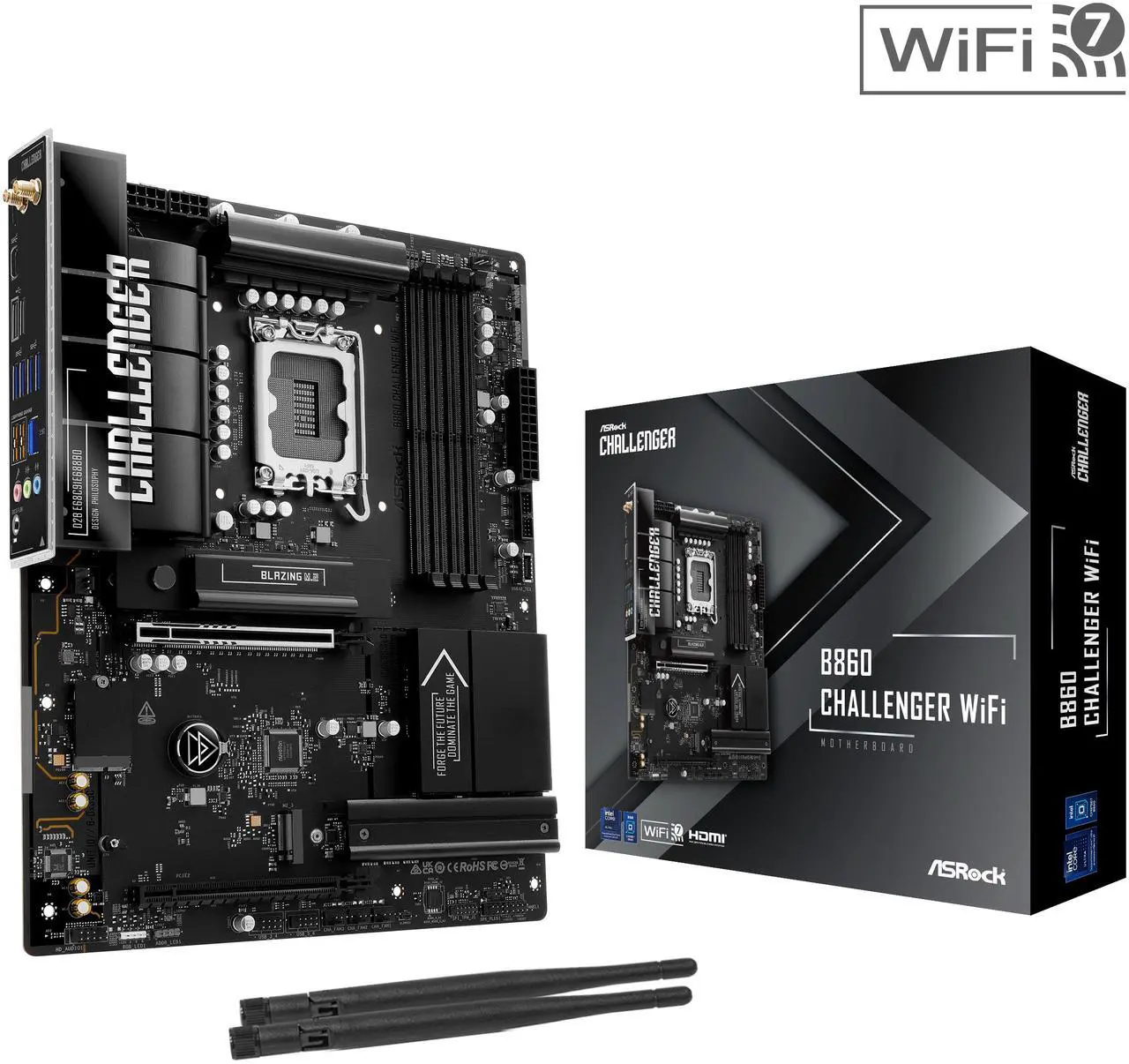
The missing feature doesn’t stand out visually, but a quick scan of its features table shows that ASRock completely removed USB 3.2 Gen2 from it B860 Challenger WiFi to target vender pricing under $140 despite its upgraded network adapters. Every single USB3 port is 5Gbps, even the Type-C connector on the back and the Type-E internal interface that feeds the Type-C front-panel port of most modern cases. And it’s not even Gen1x2, as ASRock added a pair of ASM1543 MUX just to make those ports work at the lower speed.
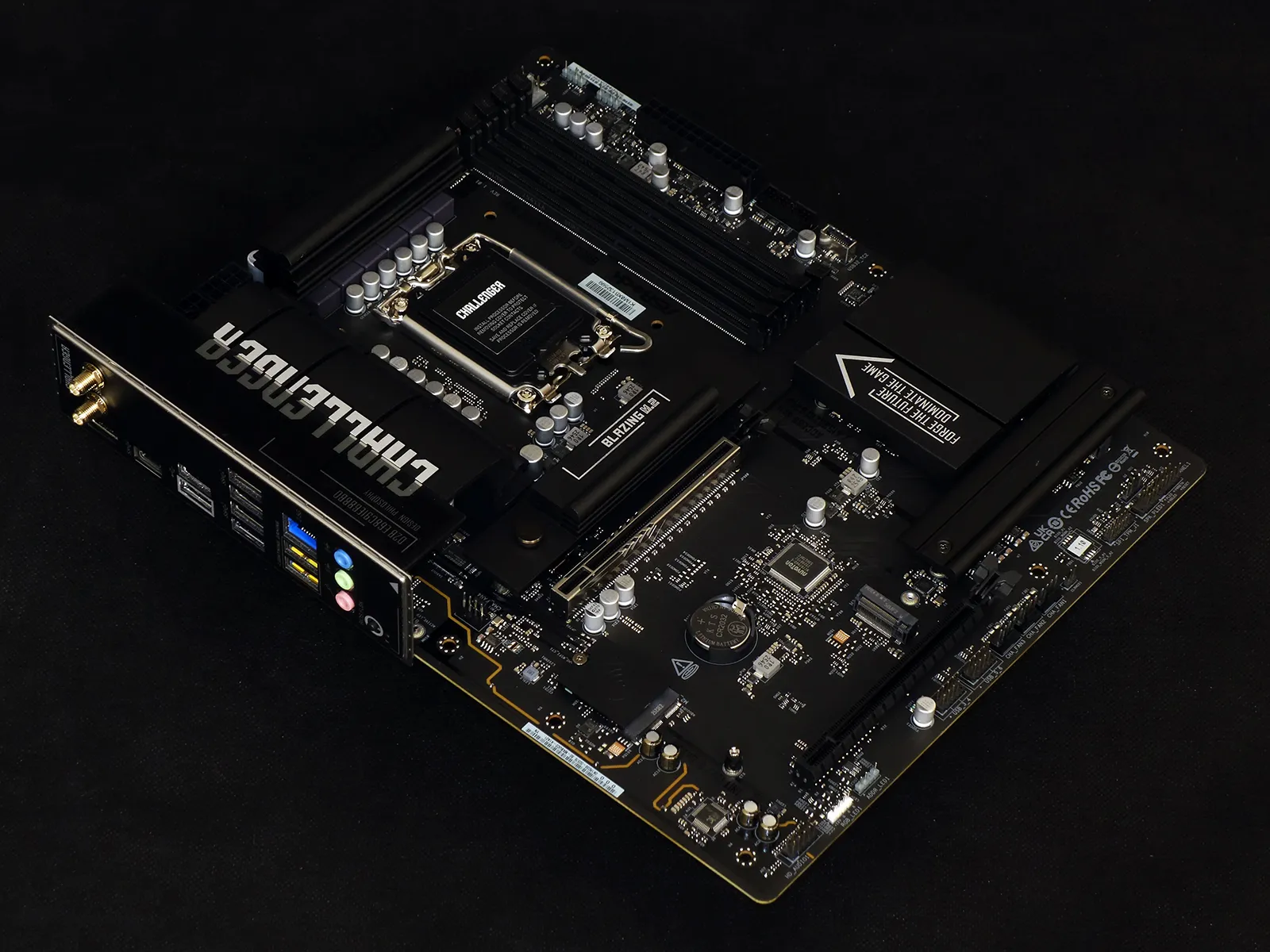
A quick look at the back panel brings clarity to the tradeoff: USB 3.2 splits into one Type-C and six Type A ports that are all Gen1 at 5Gbps, as ASRock puts the cost saved by forgoing Gen2 redrivers and multiplexers towards at least one of the two high-bandwidth network interfaces. As the typical price of a non-WiFi board with basic Gigabit Ethernet and the chipset’s full USB 3.2 capabilities exposed is around $120, and as adding a USB 4.0 host controller usually drives the price by another $10 to $20, we really are looking at trading USB for network bandwidth within a very narrow and targeted range of price.
Other connections include a single HDMI output for CPU-integrated graphics, a pair of USB 2.0 suitable for most keyboards and mice, the previously mentioned WiFi 7 antenna and 2.5GbE ports and three analog audio jacks. USB BIOS Flashback is retained for this low-cost model, even though the feature adds some cost to the bill.
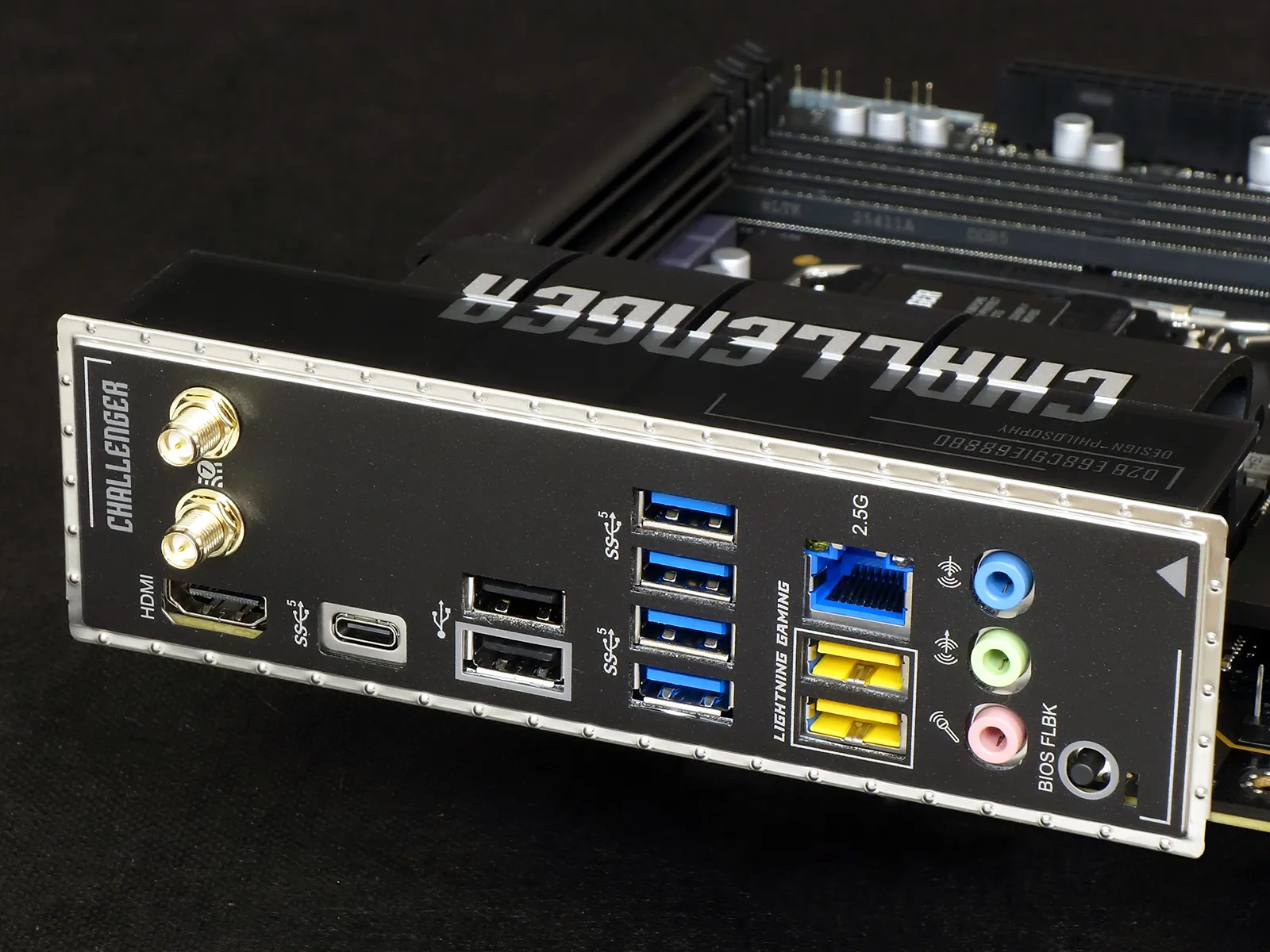
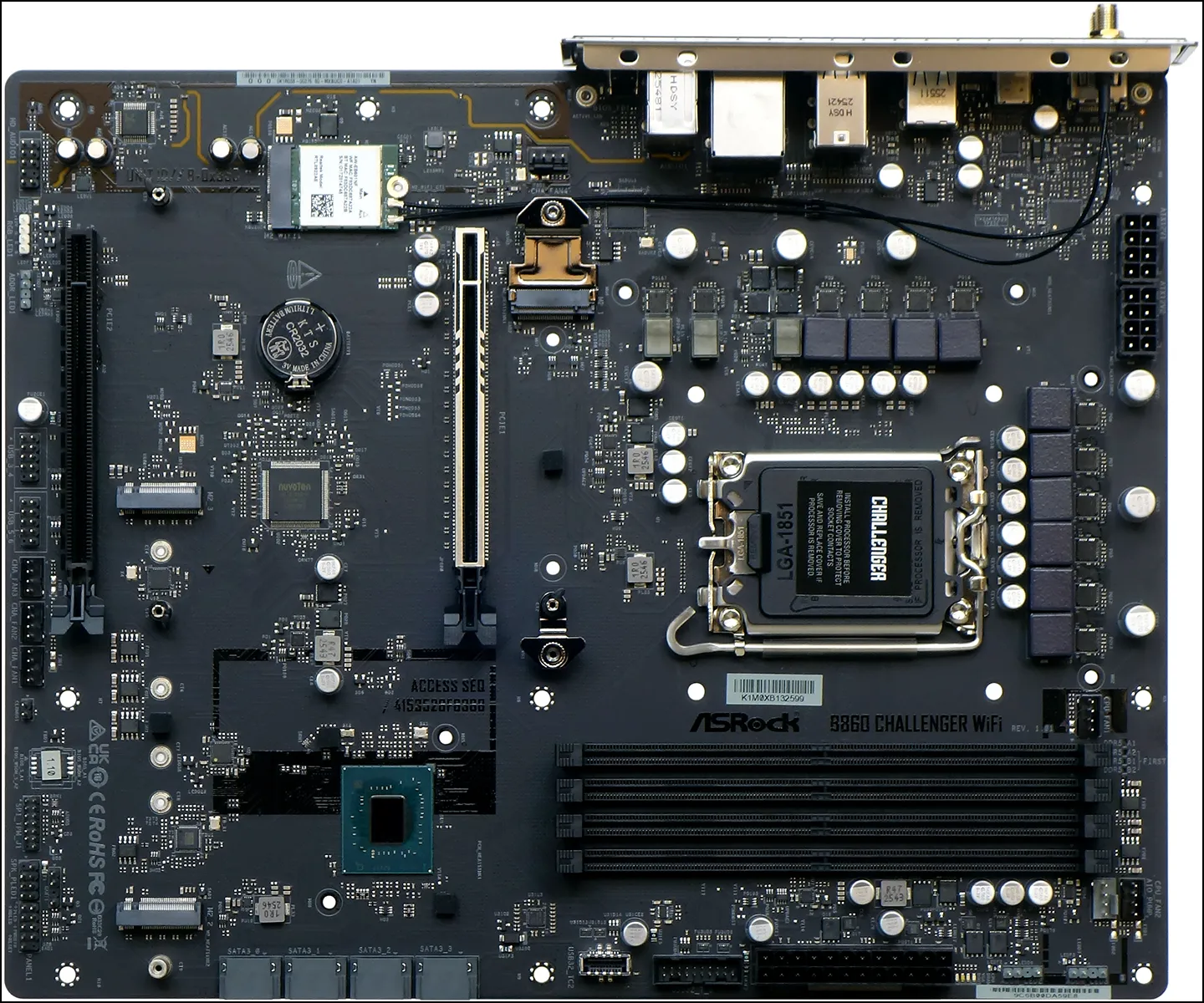
We see the two PCIe x16 slots we’d expect from a performance motherboard and note that the black one has only four lanes, the latter limitation being one of the B-series chipset as intel only enables CPU PCIe Bifurcation with Z-series boards. Yet even as most B-series boards crowd the space between the two PCIe card slots with three NVMe storage slots, the B860 Challenger WiFi places only two there.
The two storage slots in the middle are chipset-controlled at up to PCIe 4.0 x4, while the one above the upper expansion slot is CPU-fed at PCIe 5.0 x4: Builders looking to at least have access to the data of their old SATA-based M.2 drives should instead consider mounting it into a USB adapter, as all of the B860 Challenger WiFi’s M.2 slots are NVMe-only.
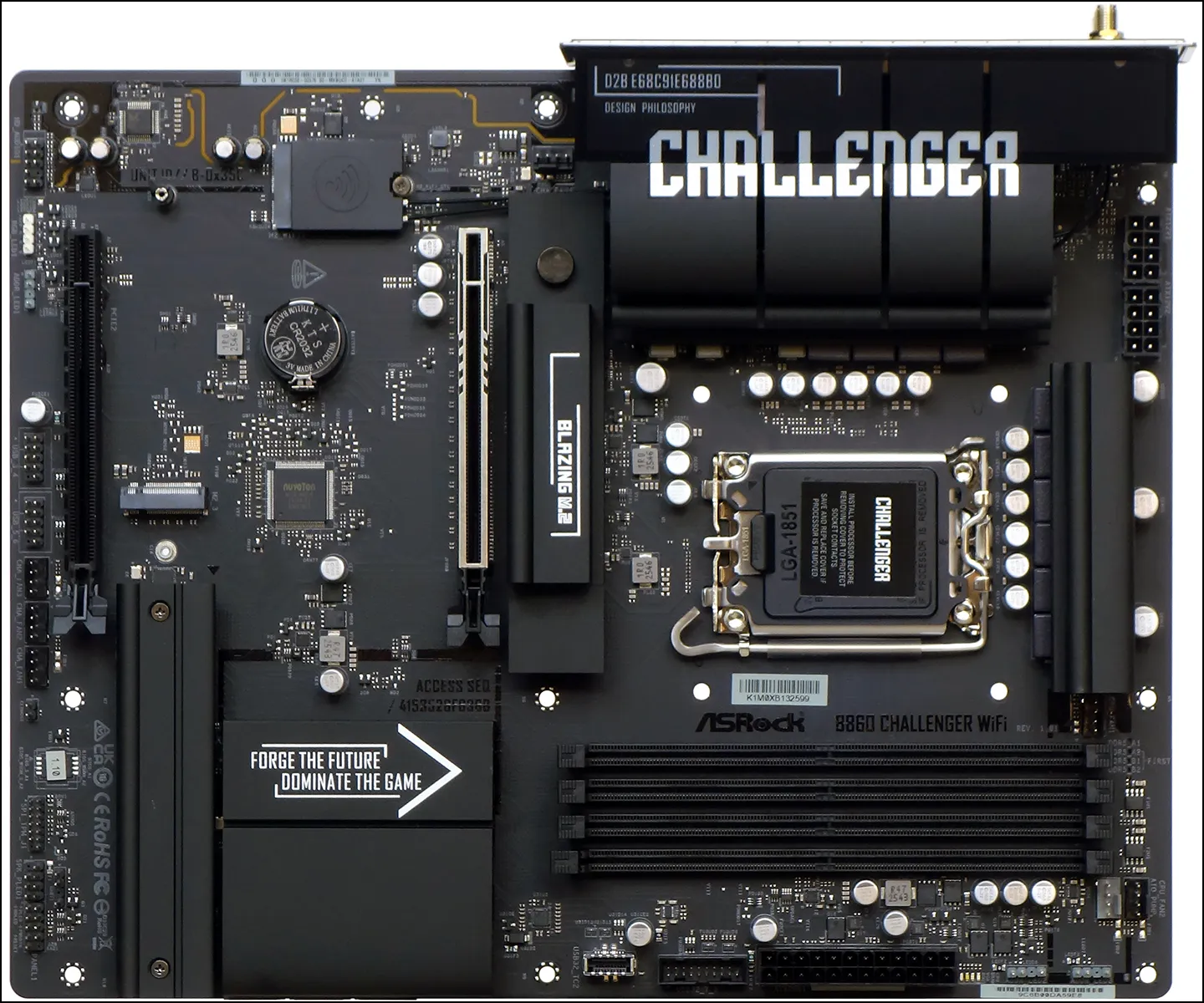
The faster PCIe 5.0 NVMe slot doesn’t have the rear heat spreader that’s often included with premium boards, but instead provides a rubber bumper to help the drive’s PCB resist bowing under the top heatsink.
Moving a bit lower, the B860 Challenger WiFi’s four forward-facing SATA ports were all hidden behind its oversized chipset heatsink.
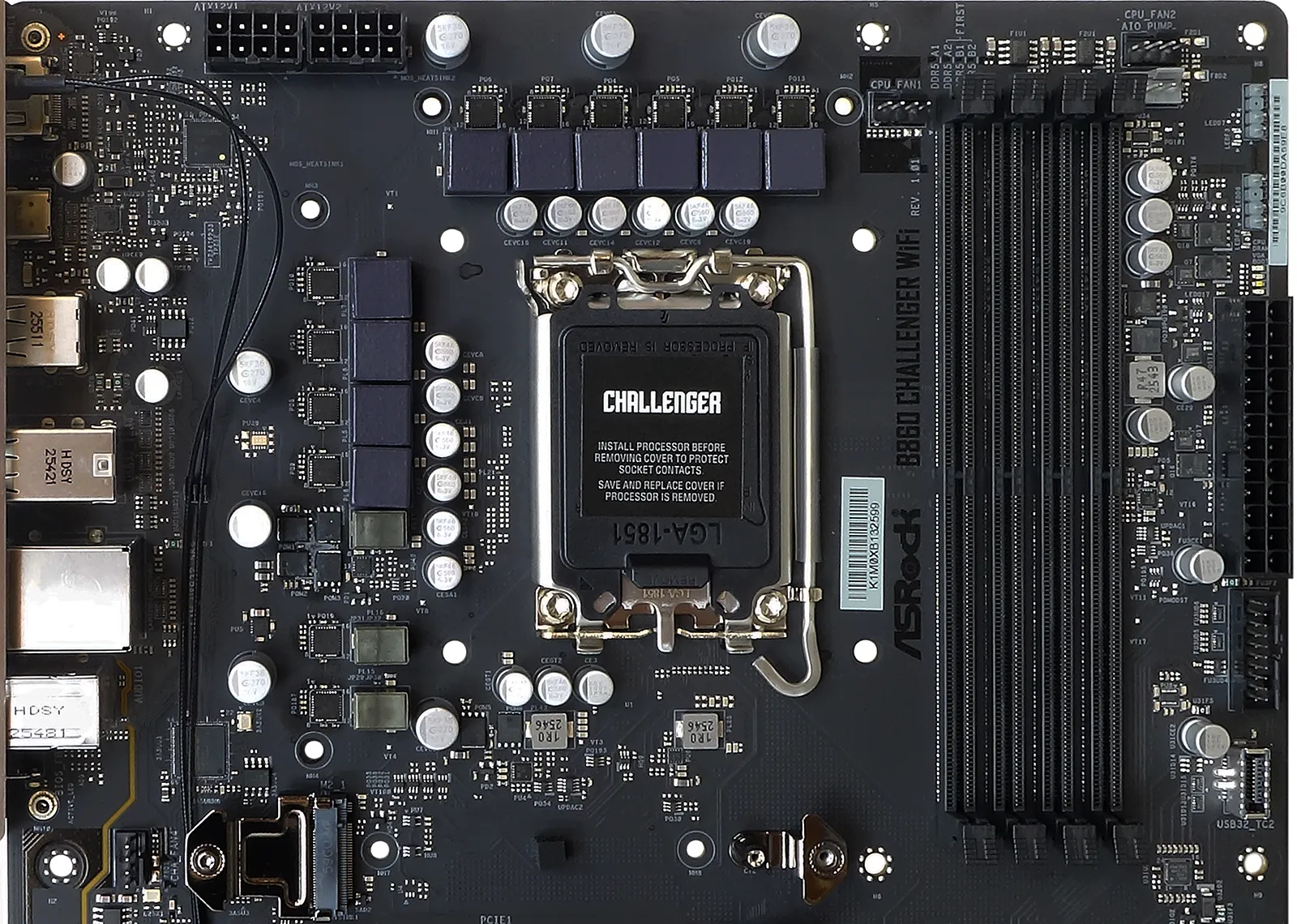
Encircling the B860 Challenger WiFi’s upper half are a PWM fan header (behind its Gen5 M.2 slot), two EPS12V (8-pin ATX12V) connectors at the rear of its top edge, three more PWM fan header around the top of its four DDR5 DIMM slots, two ARGB headers at the upper front edge, a 24-pin primary power connector, a nineteen-pin first-generation USB 3.x front-panel header, and a second gen Type-E front-panel header. Designed to support Gen2x2 signals for front-panel Type-C ports, the Type-E connector in this implementation is limited to Gen1x1 via ASRock’s use of a cost-efficient ASM1543 MUX.
A small group of four LEDs between the 24-pin connector and the pair of ARGB headers provide initialization status for the CPU, DRAM, VGA and BOOT device during the first few moments of startup.
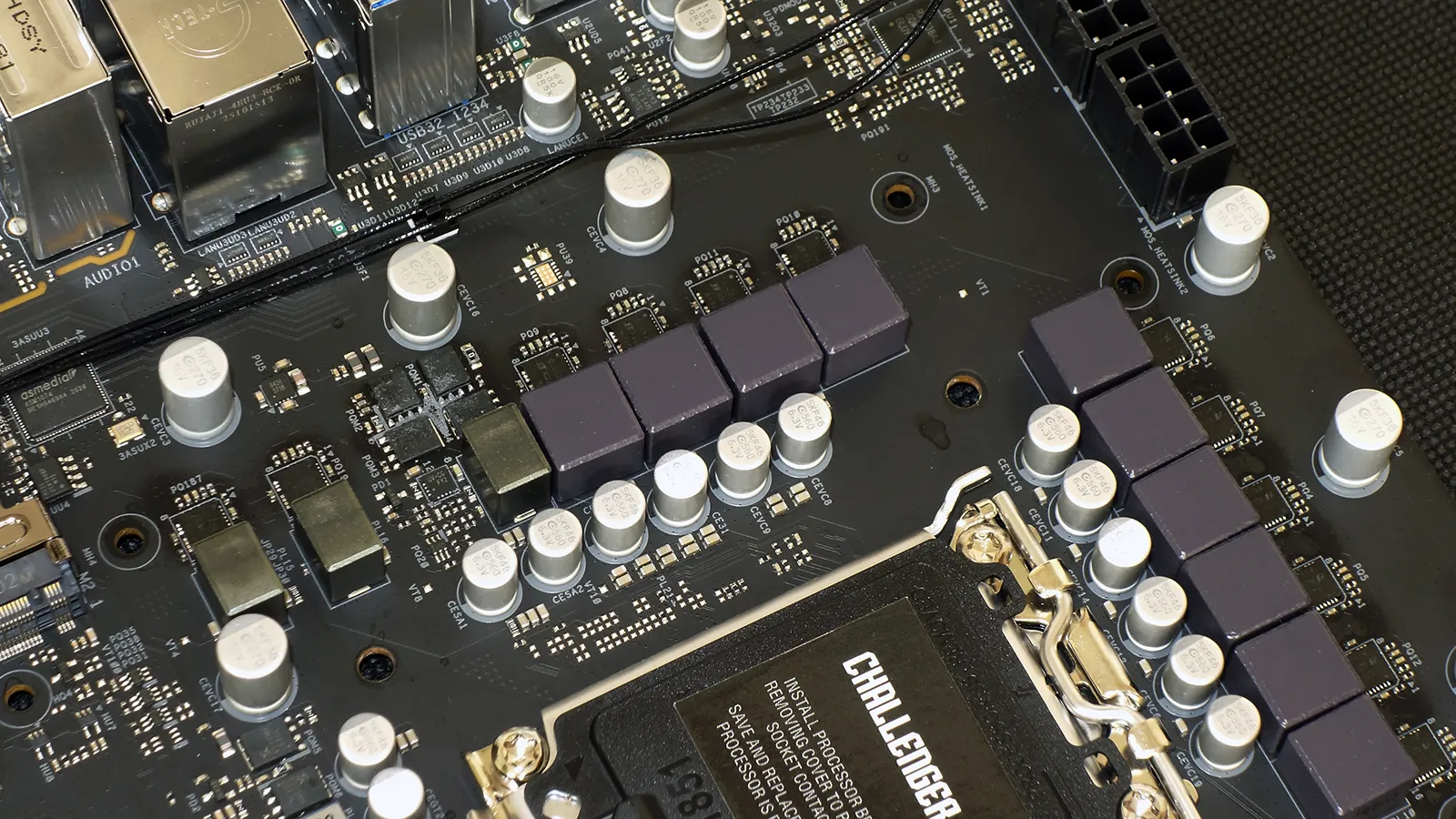
This time going counterclockwise, ten SiC623 (60A) integrated power stages that encircle the top and most of the back of the CPU socket supply the CPU core voltage rail, four SM4508 (48A) MOSFETs at the back appear to support VCCSA, two additional SiC623 the CPU’s iGPU, and two more SM4508 its VCC_AUX and VNNAON.
Around the rear and bottom of the B860 Challenger WiFi’s lower half are its AW-EB601NF (RTL8922AE) Wi-Fi / Bluetooth module, an ALC897 multichannel audio codec, HD-Audio front-panel audio, 12V RGB and 5V ARGB headers, a pair of dual-port USB 2.0 and three PWM-style fan headers, CLR-CMOS jumper pins, an SPI TPM header, a seven-pin header with four-pin PC (beep code) speaker and three-pin power LED pins, a standard nine-pin front-panel button/LED group and an undocumented UART header that looks strangely similar to ARGB (we won’t be placing any bets about what happens if someone mixes those two things up).
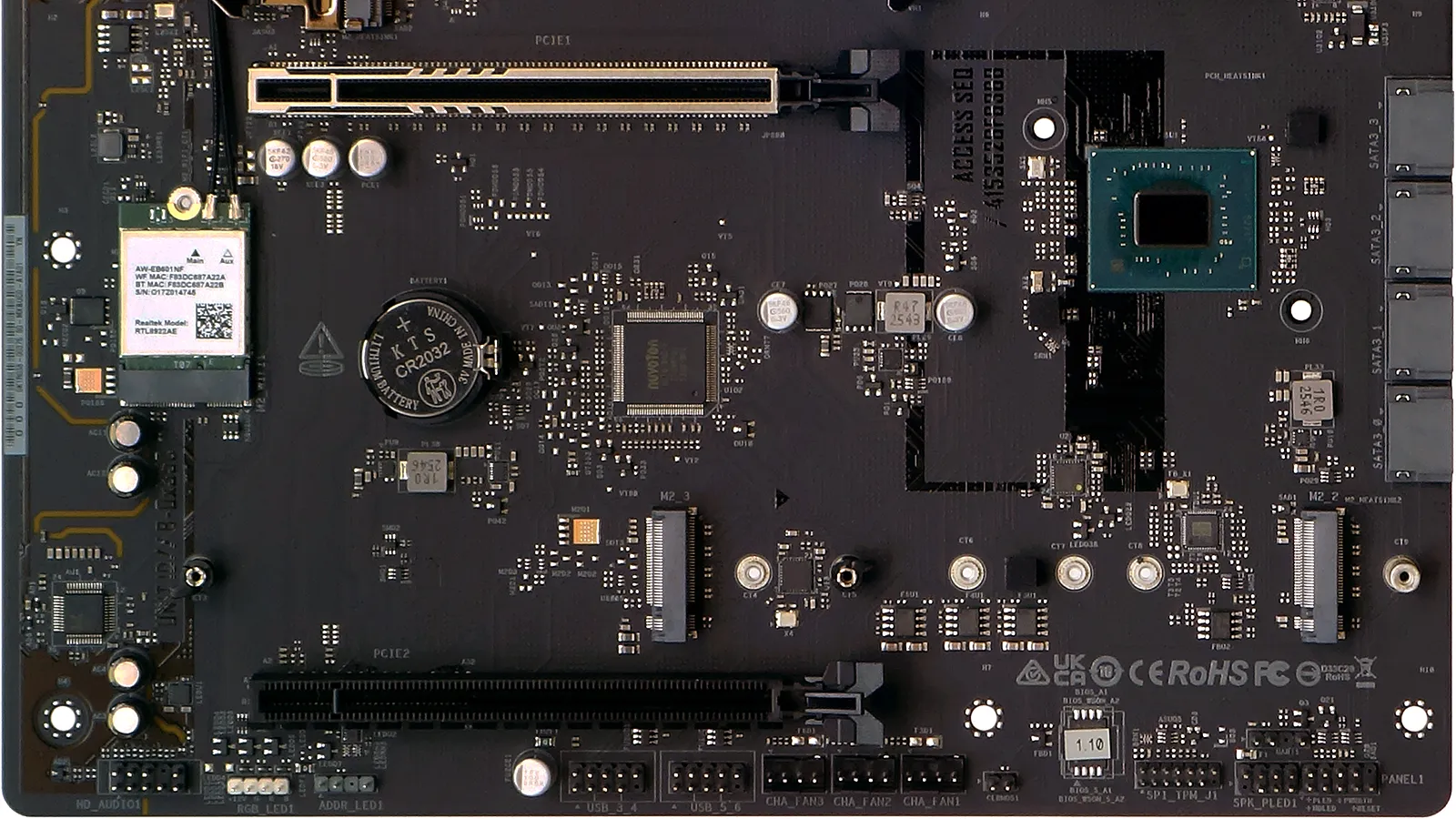
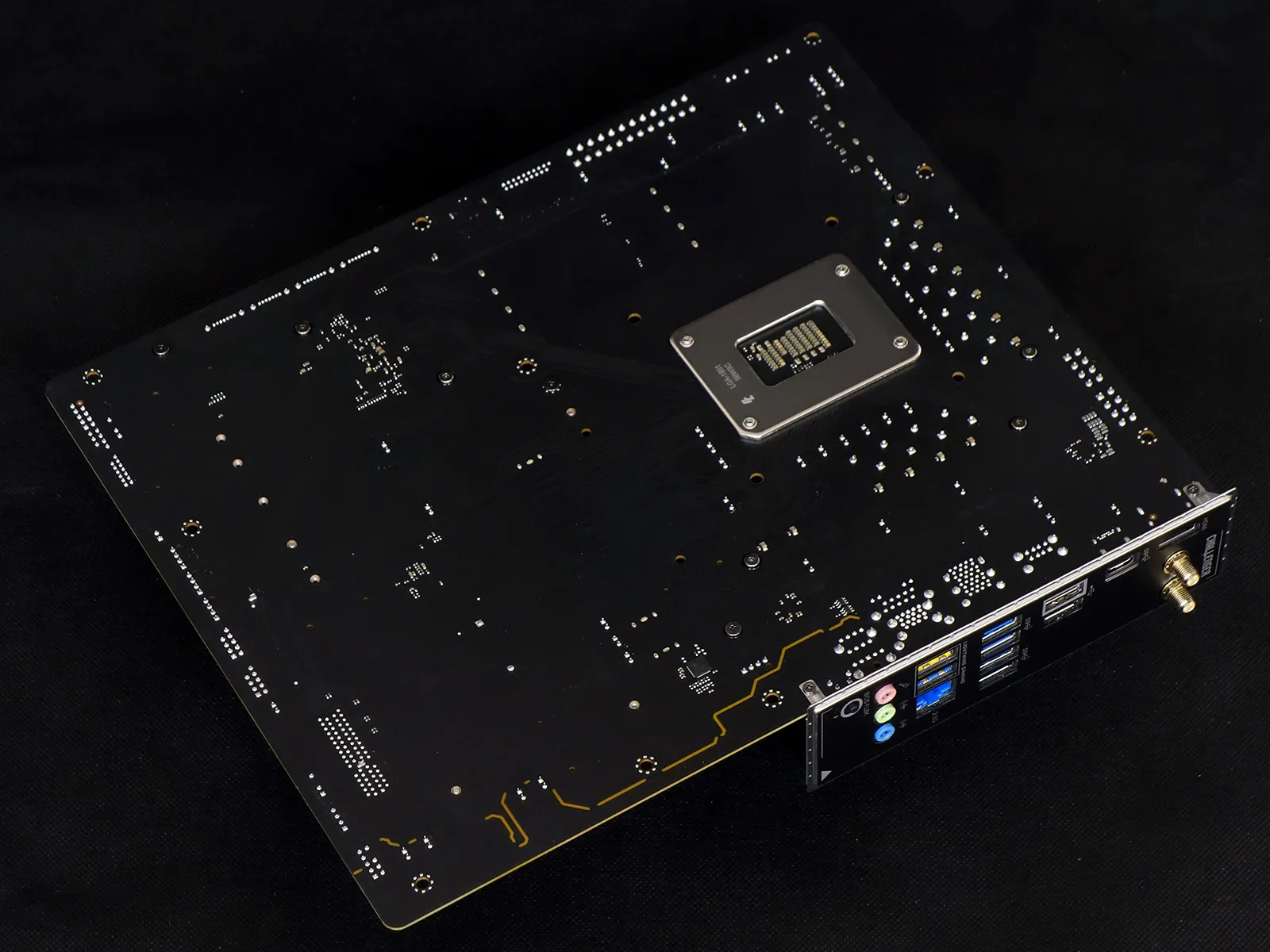
If you were zooming in to count chips and didn’t see the RTL8125BG (2.5GbE), that’s because it’s on the back of the B860 Challenger WiFi, opposite its main PCIe x16 slot.
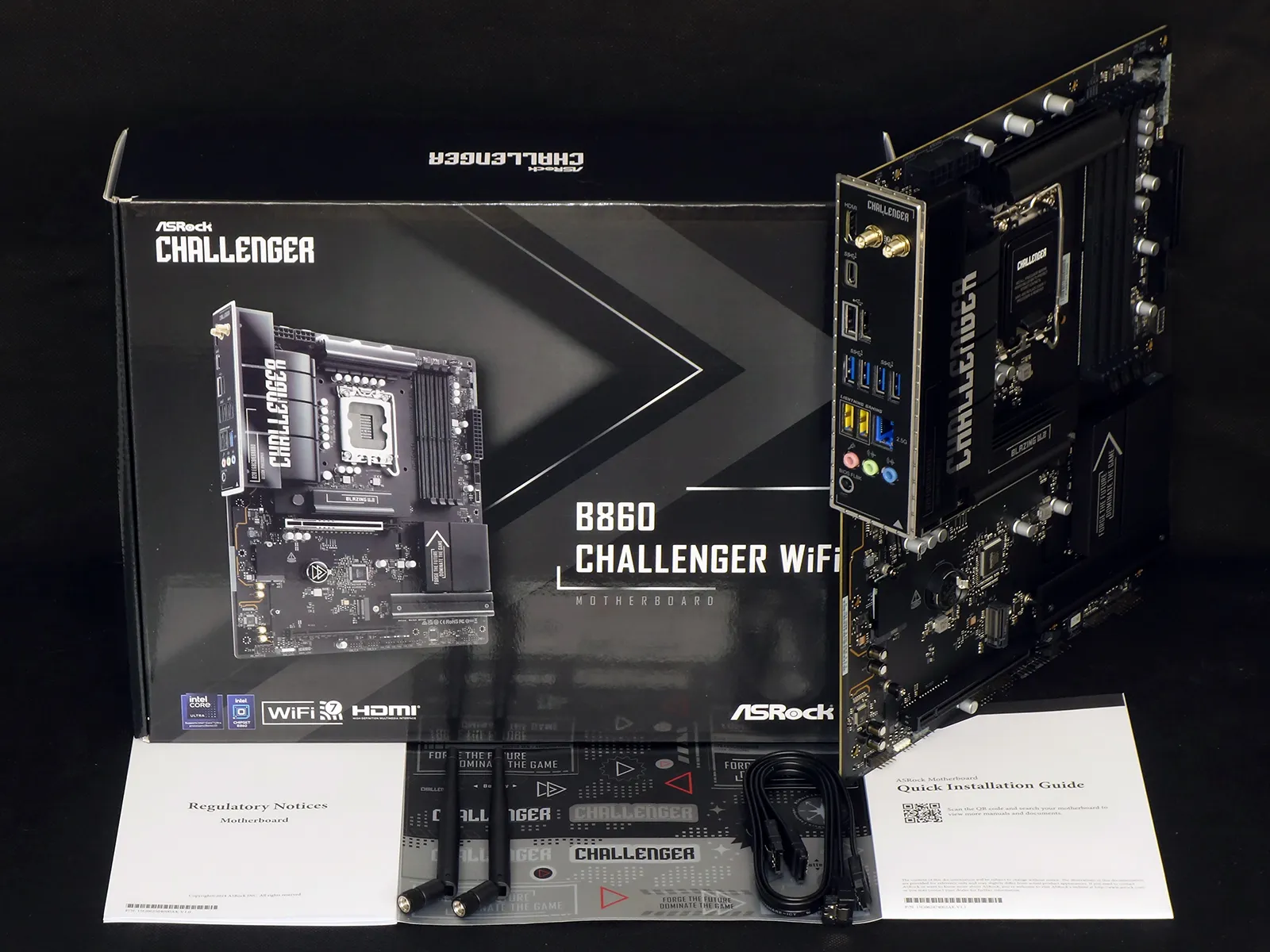
The B860 Challenger WiFi comes packed with a declaration of conformity, sticker pack, two Wi-Fi antennas, two SATA data cables, a quick installation guide and a case badge. Though the manual says that it may include a thermistor cable (optional), we found no header on the board to receive the signal of this supposedly optional part.
B860 Challenger WiFi BIOS
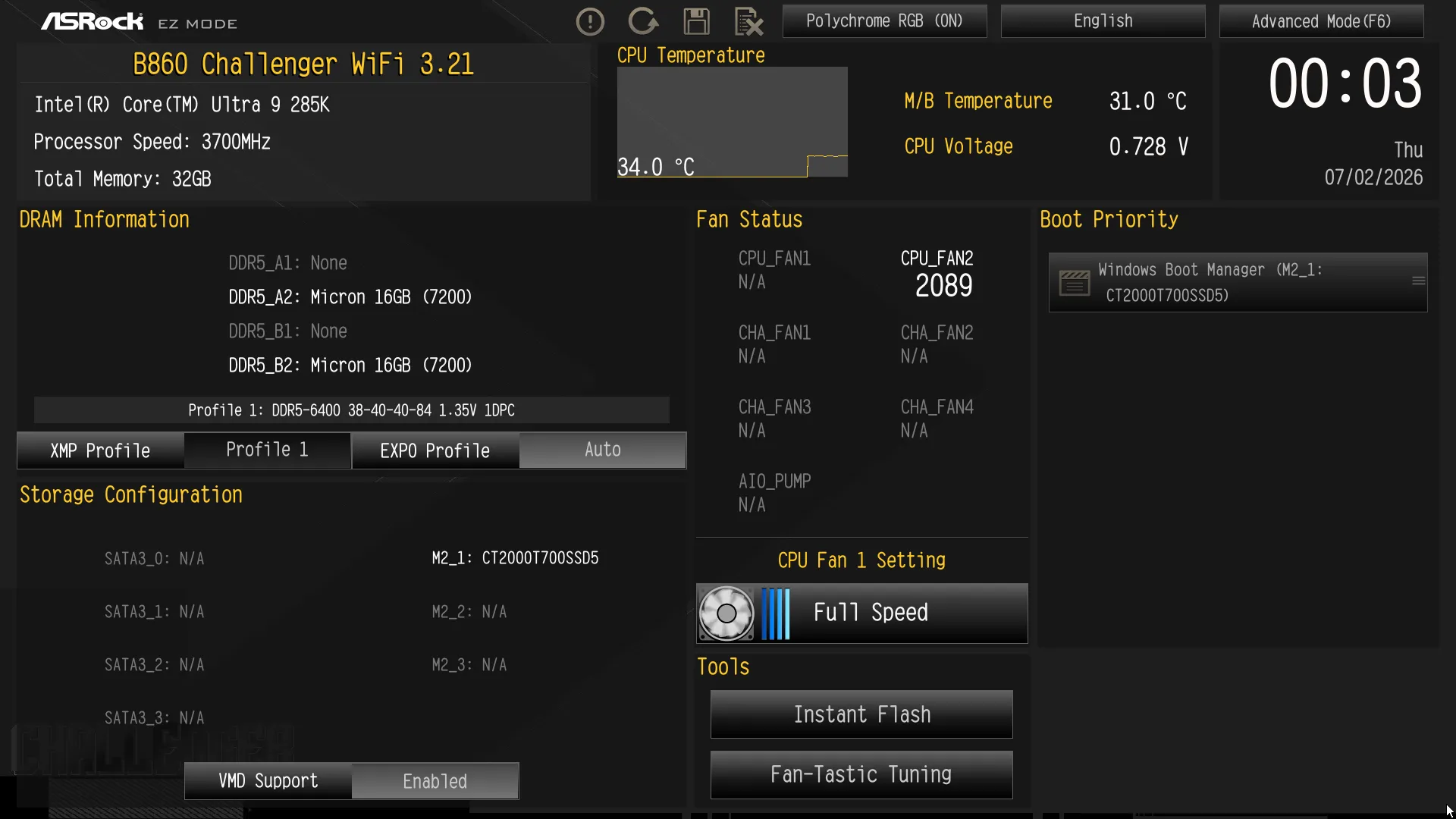
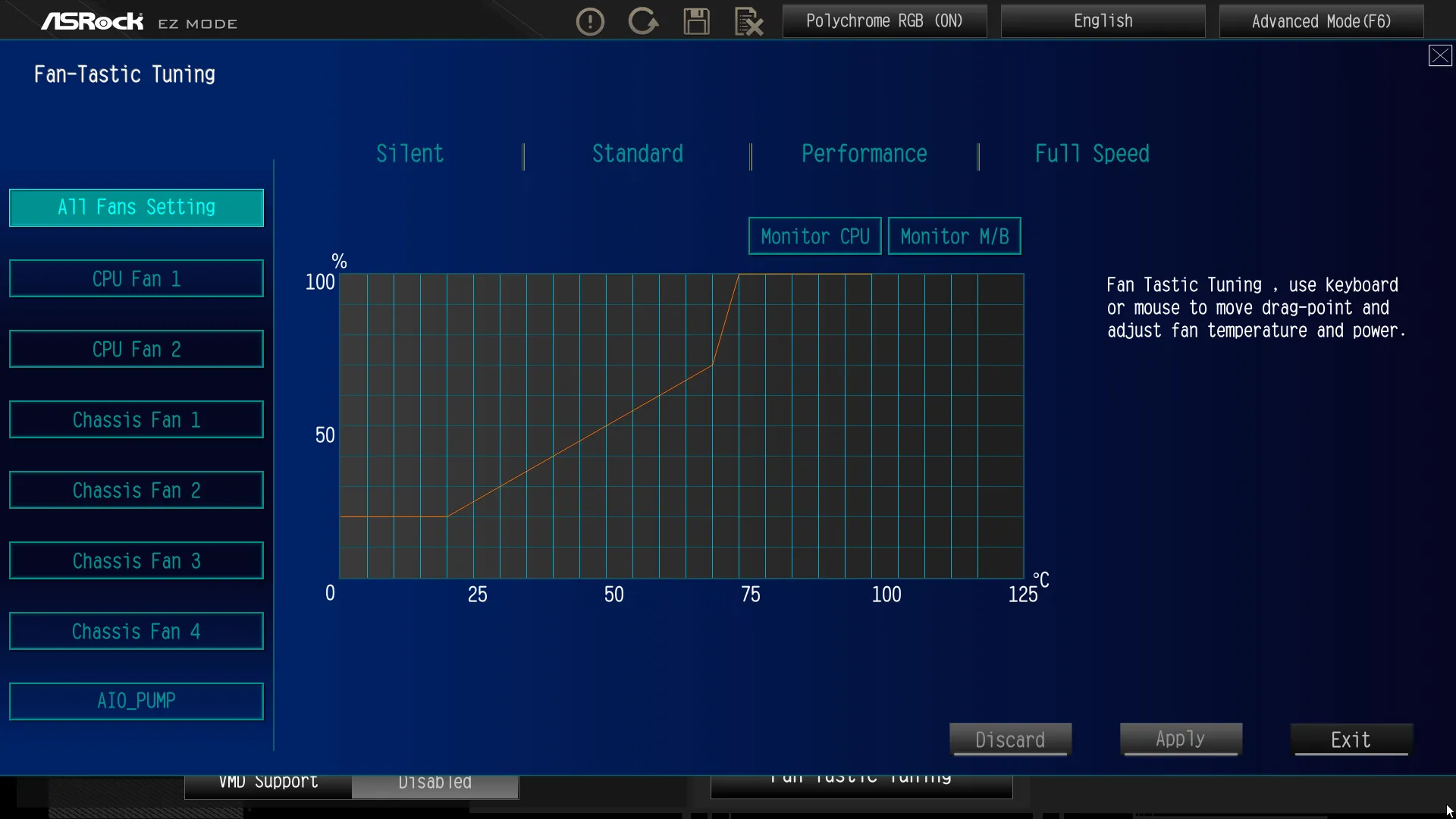
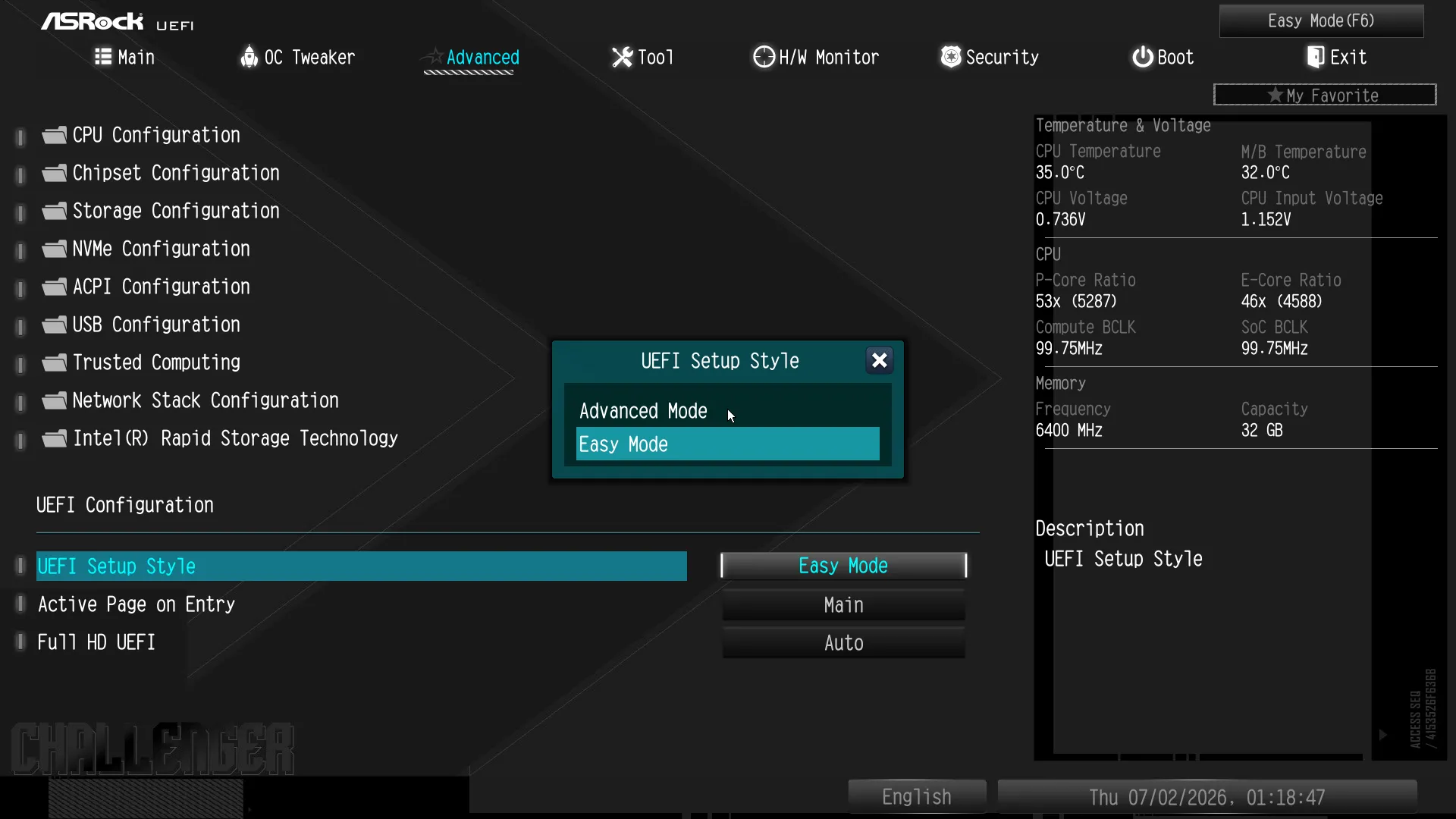
The B860 Challenger WiFi opens to ASRock’s EZ Mode firmware GUI by default, but the opening page can also be switched to Advanced mode from the Advanced menu of Advanced mode, simply by pressing the F6 key on your keyboard. Without doing that, users are still able to set their memory’s XMP (programmed overlock) mode, boot order and fan profiles, as well as open ASRock’s “Instant Flash” updater utility or program their own fan slopes via the Fan-Tastick Tuning popup menu.
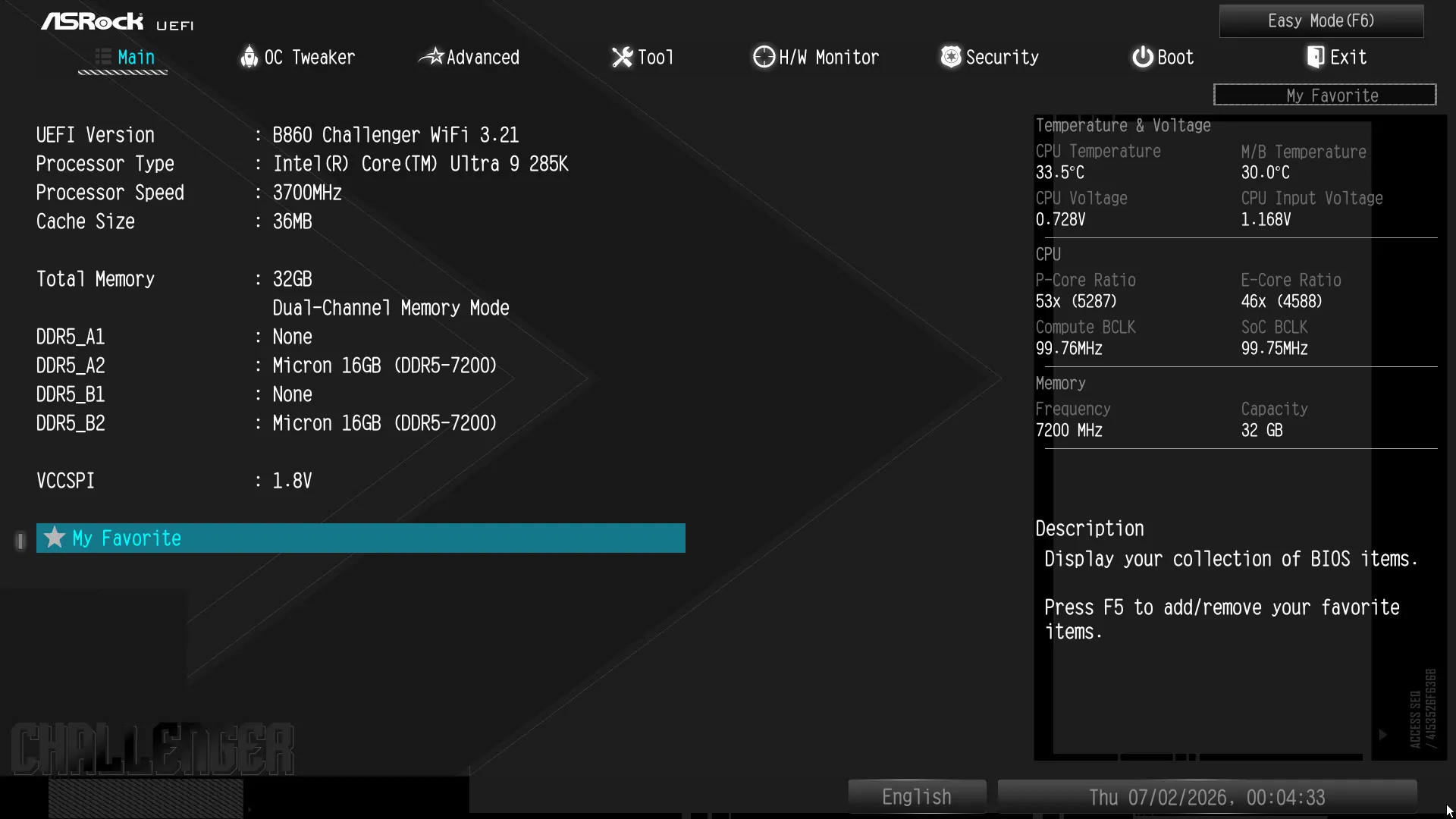
Pressing our F6 key to switch to ASRock’s Advanced GUI let us get to things like its OC Tweaker and Tool menu, but only after seeing its Main menu.
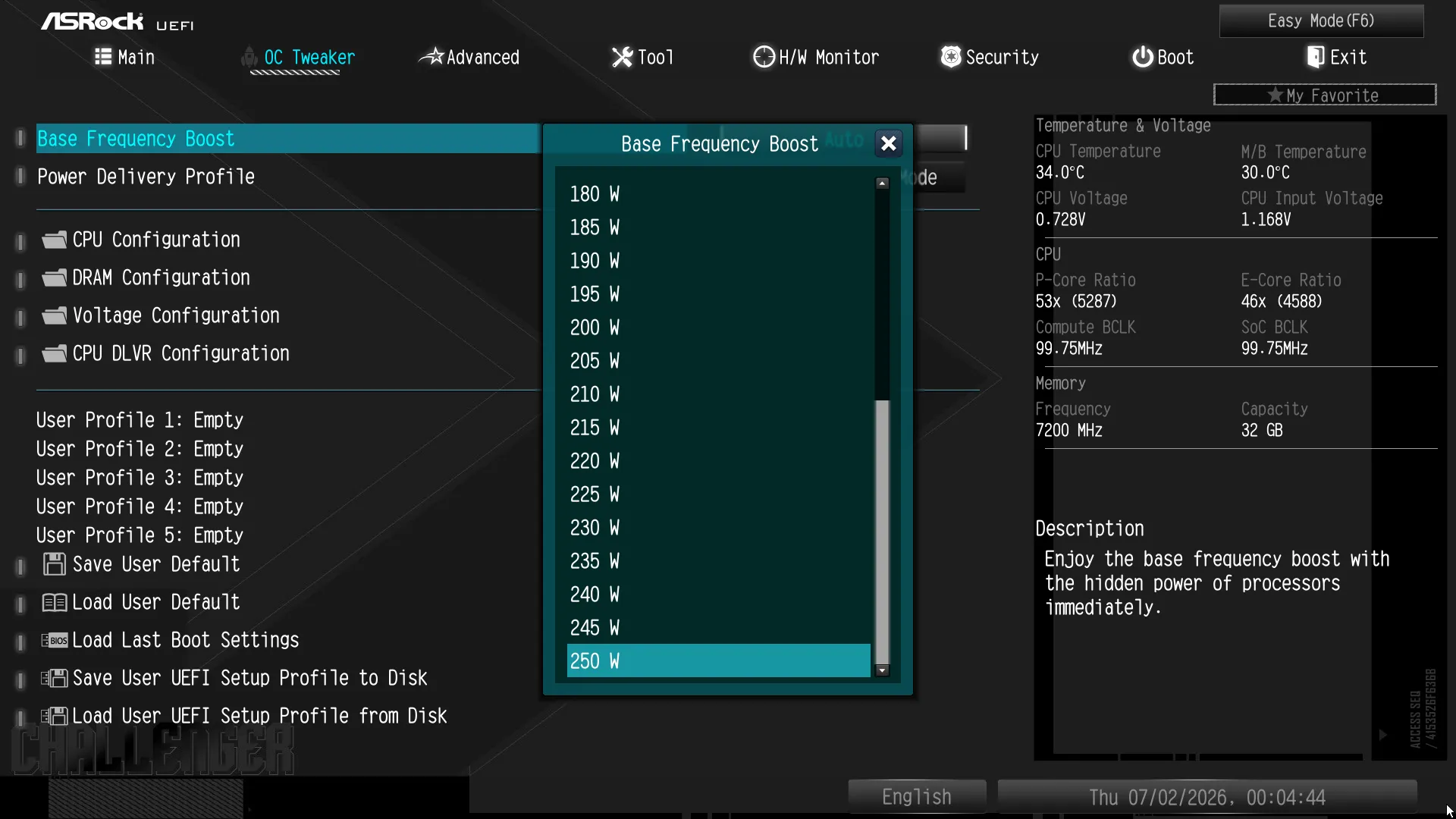
All of the most desirable desktop CPUs use automatic overclocking by default, and the top two features of the B860 Challenger WiFi’s OC Tweaker menu give users the option to control trigger points for power throttling. The same page offers several component tuning submenus as well as five storage registers for custom tuning profiles (labeled User Profiles). And, if that’s not enough, experienced tuners can even save their profiles to a thumb drive to share with friends.
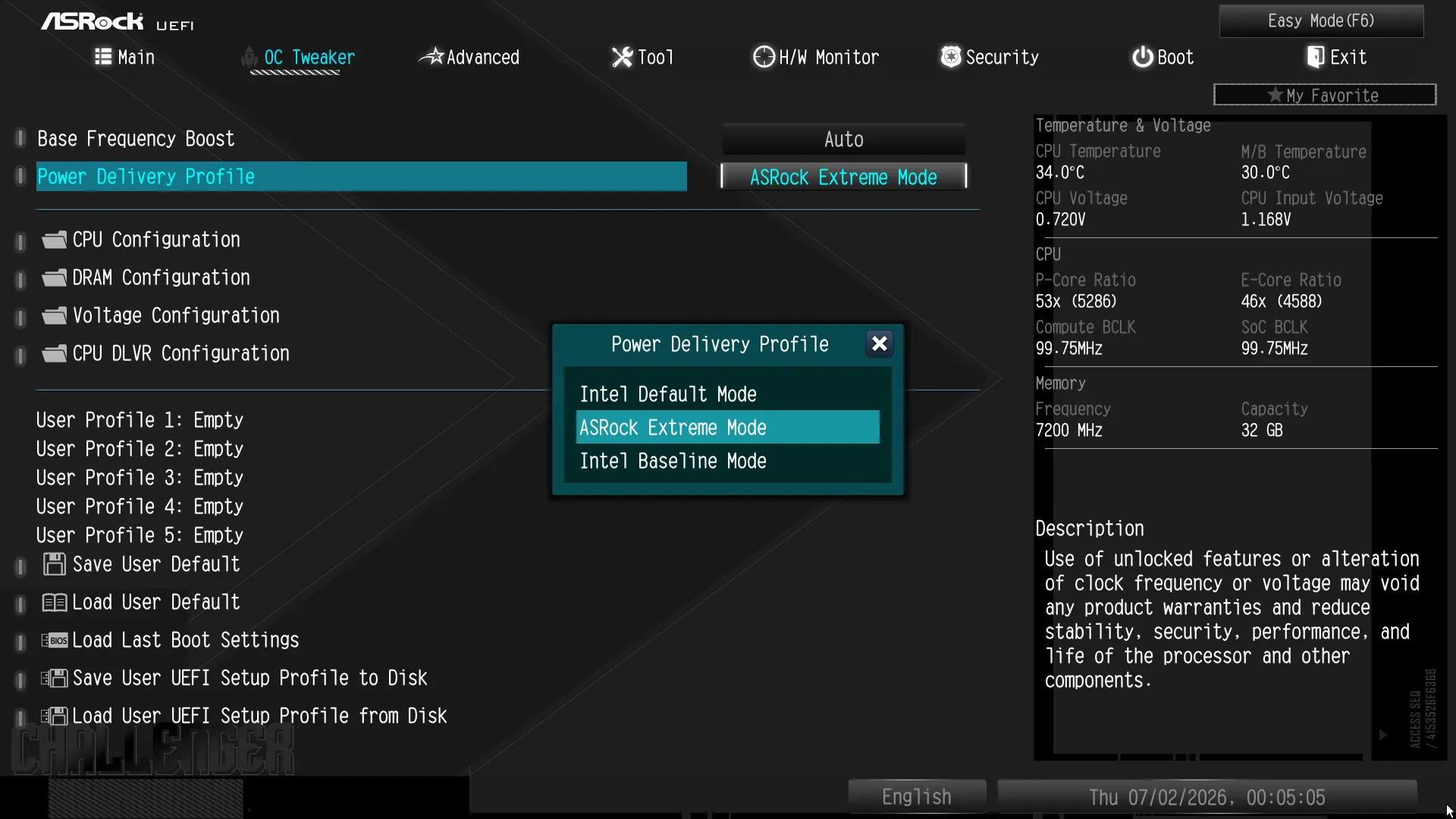
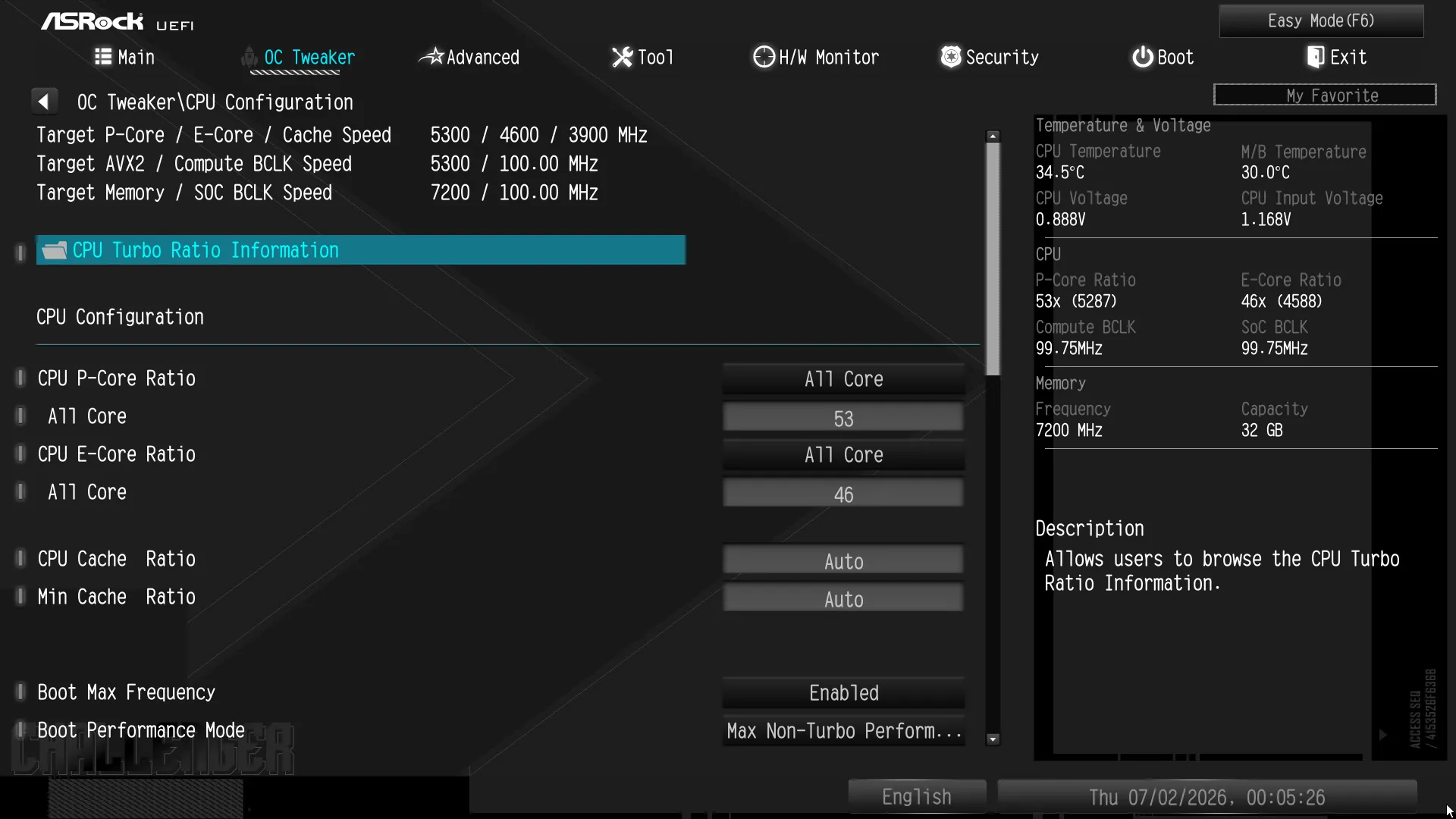
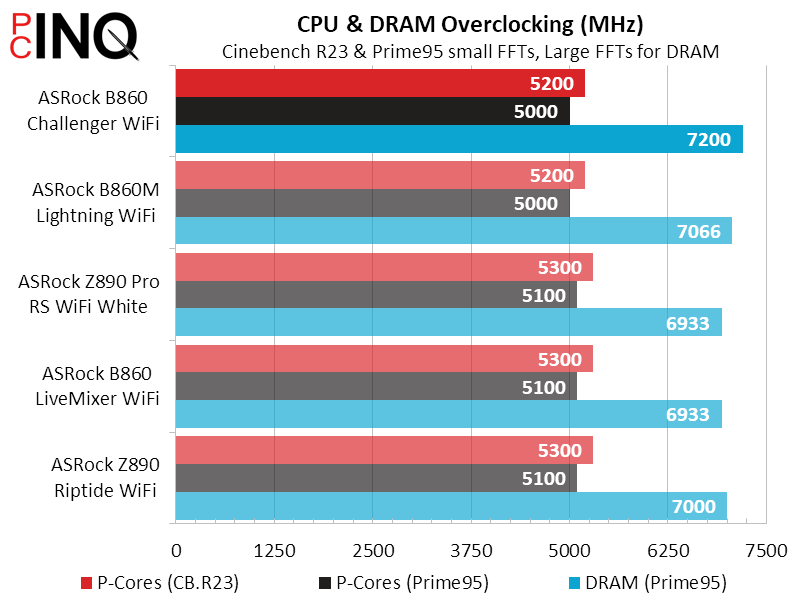
Getting a fixed frequency from a CPU that’s designed to overclock to its power limit is nigh impossible, though we did take a crack at it.
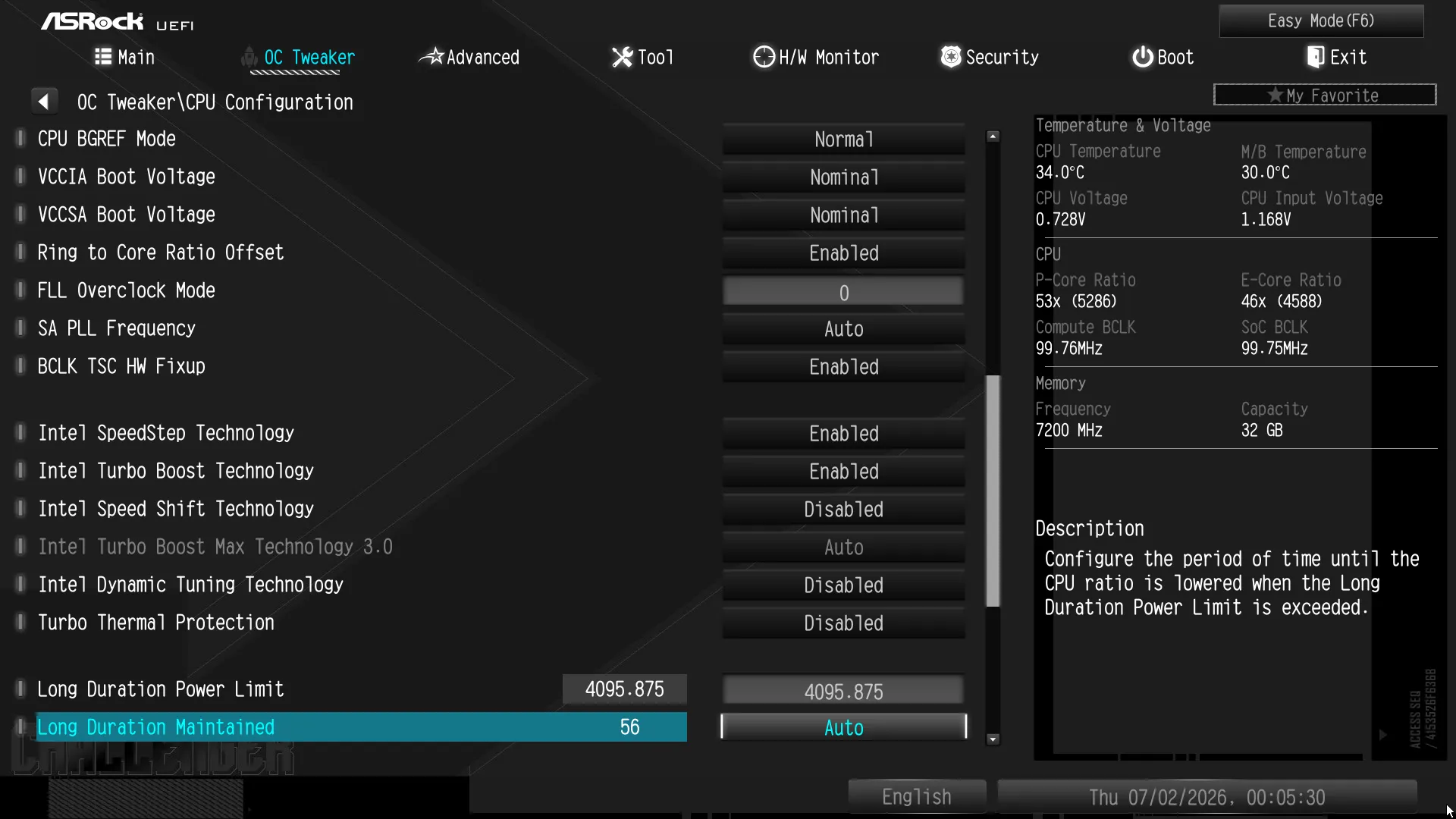
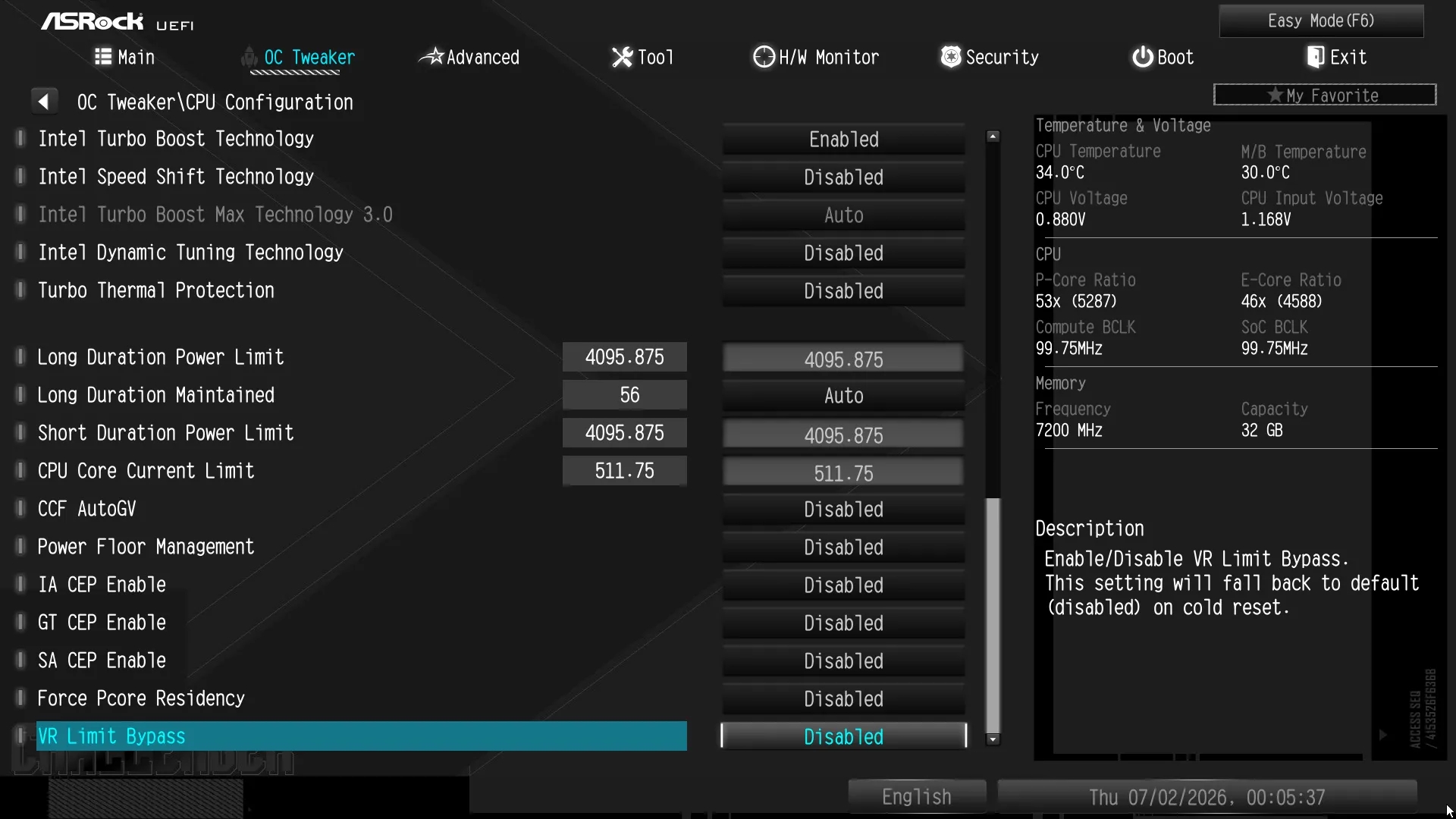
We had far better luck overclocking our memory: We reached DDR5-7200 at its basic XMP voltage simply by loosing its timings to CAS 42.
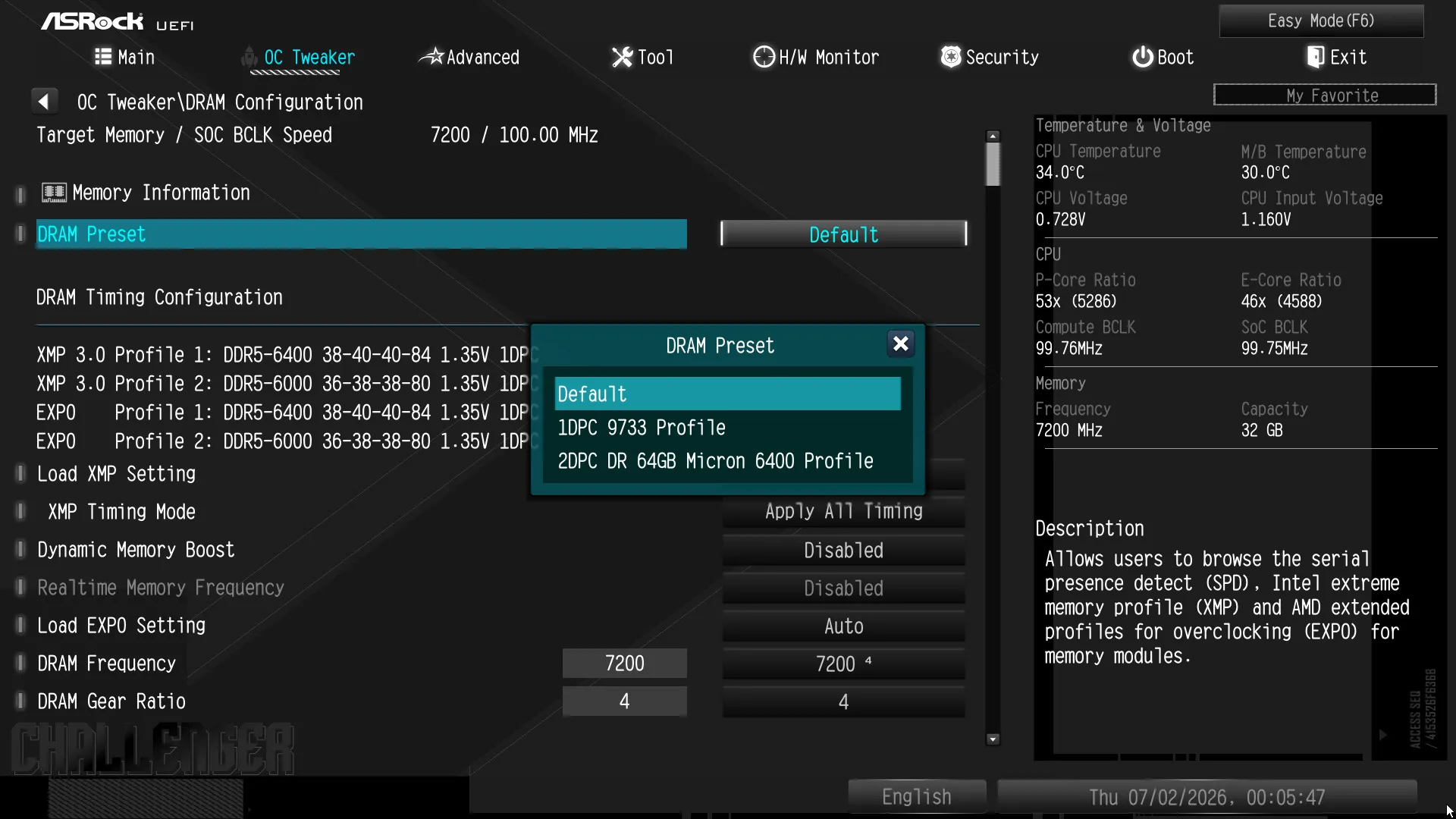
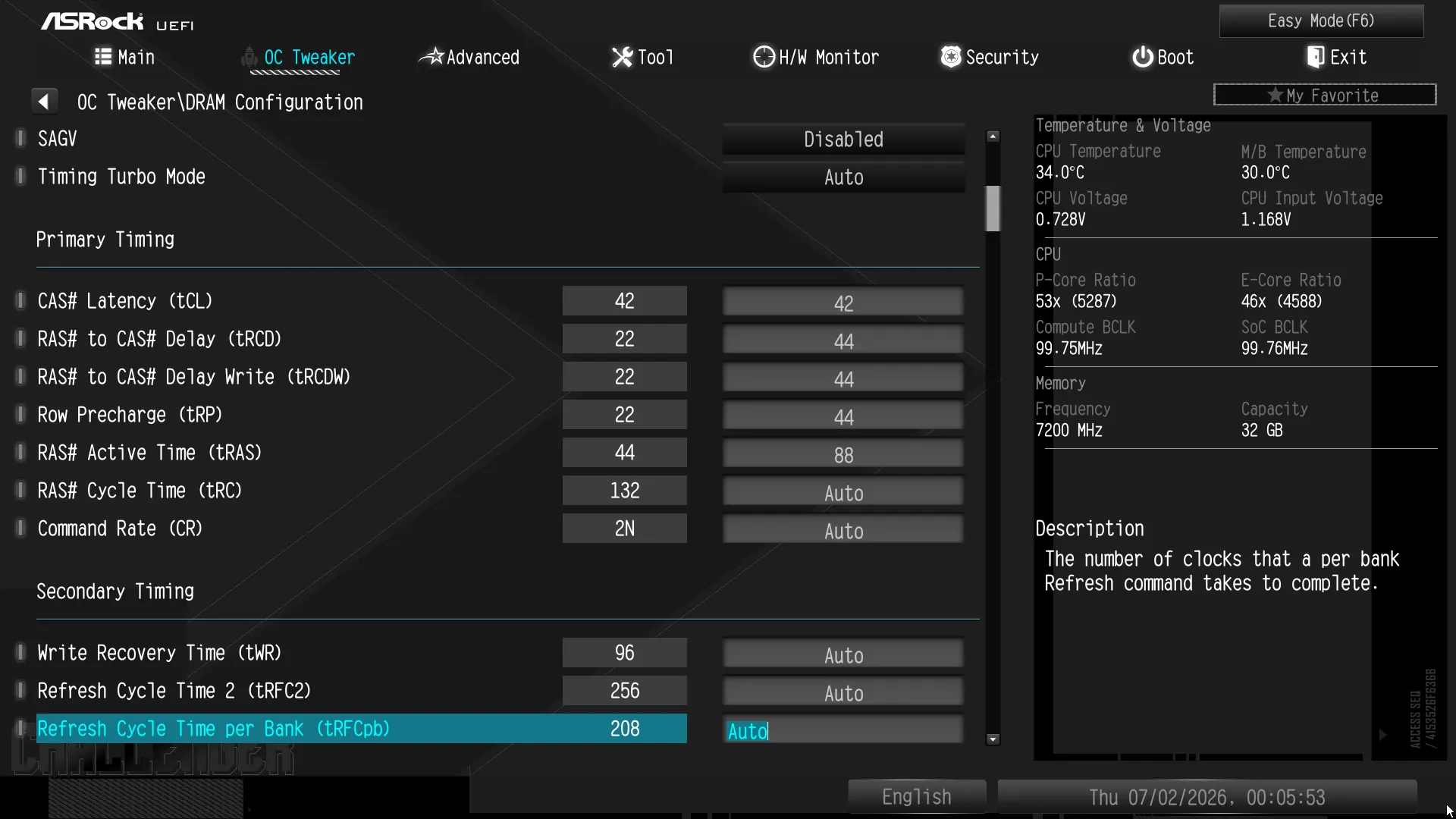
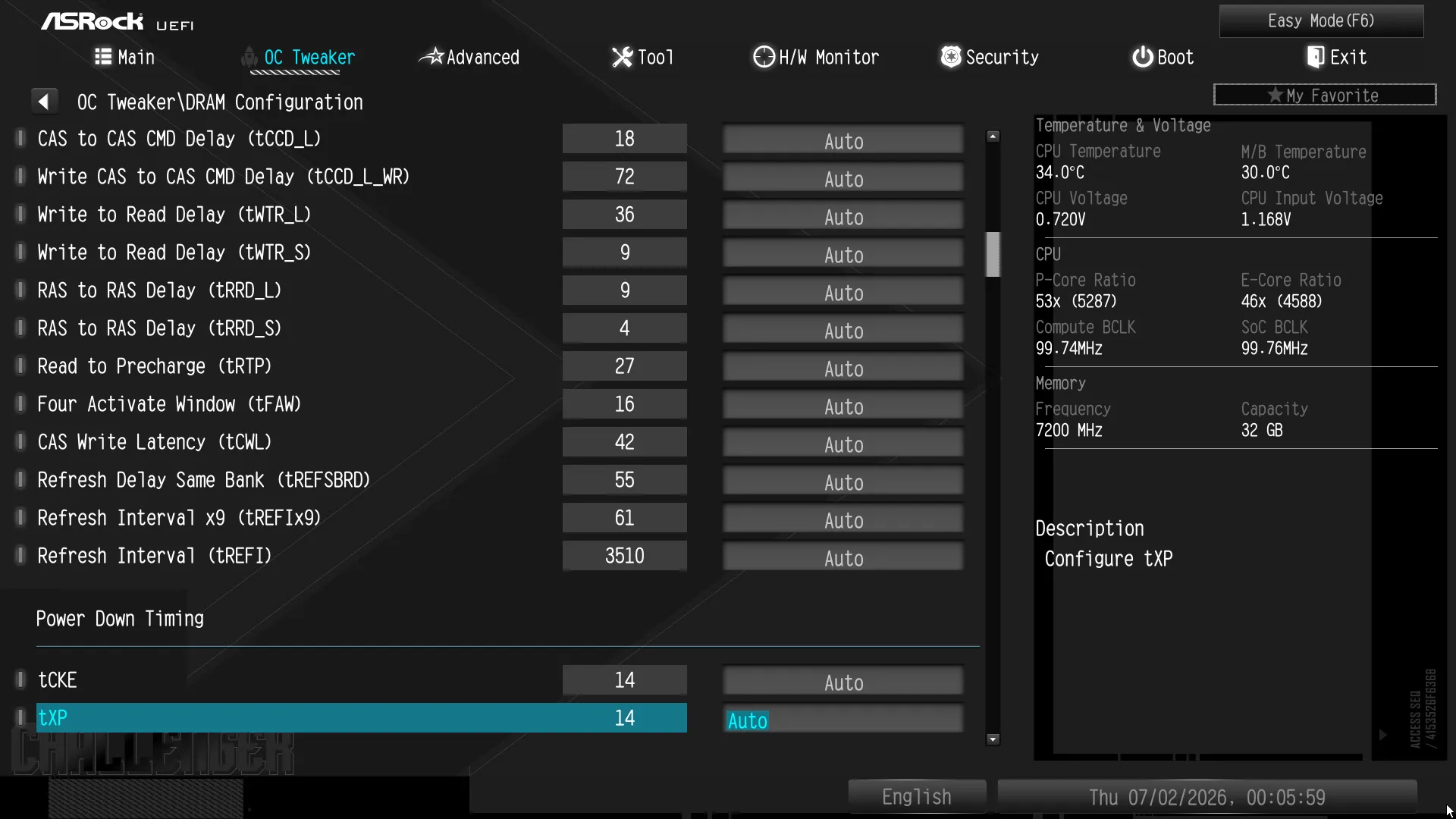
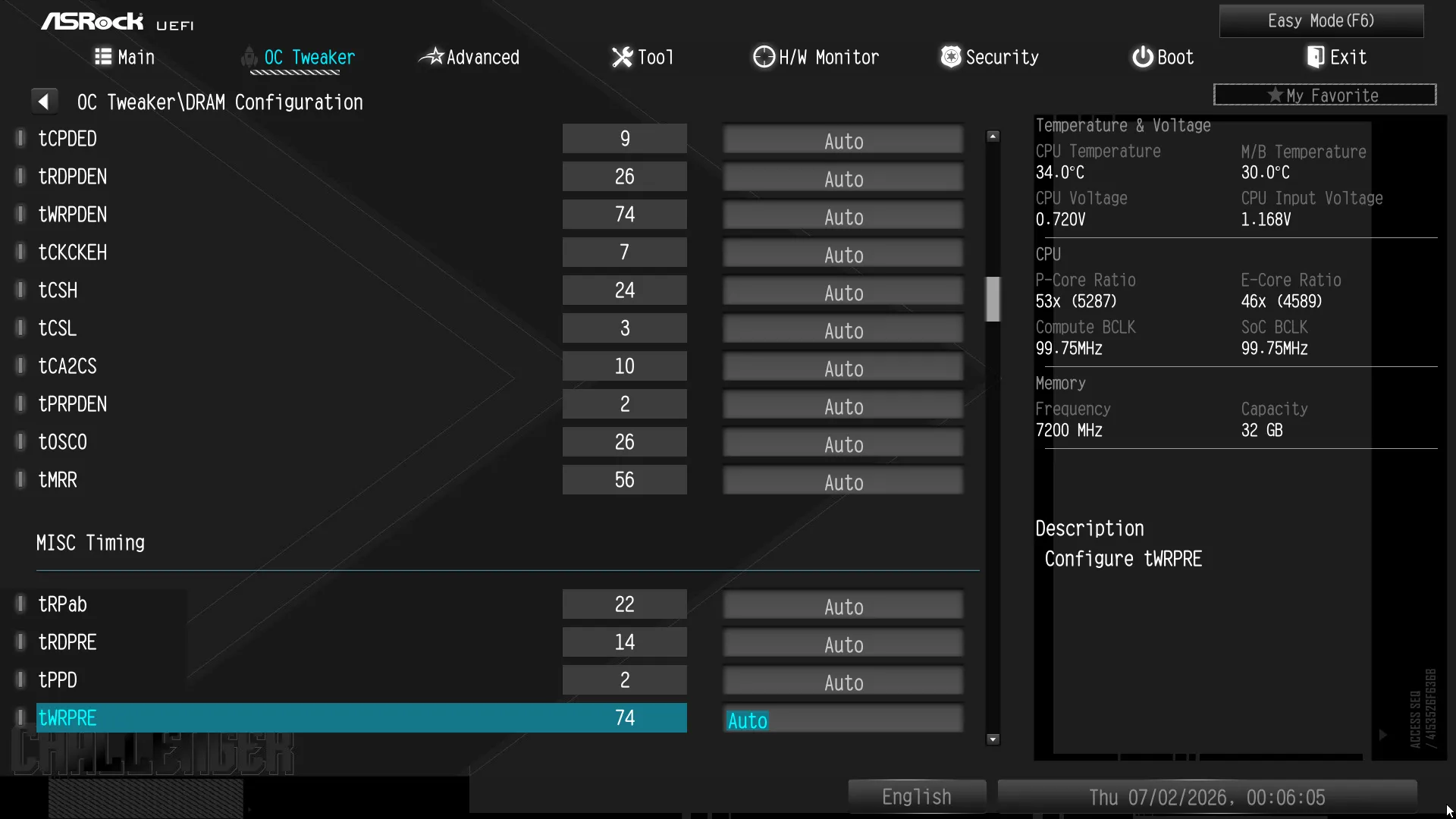
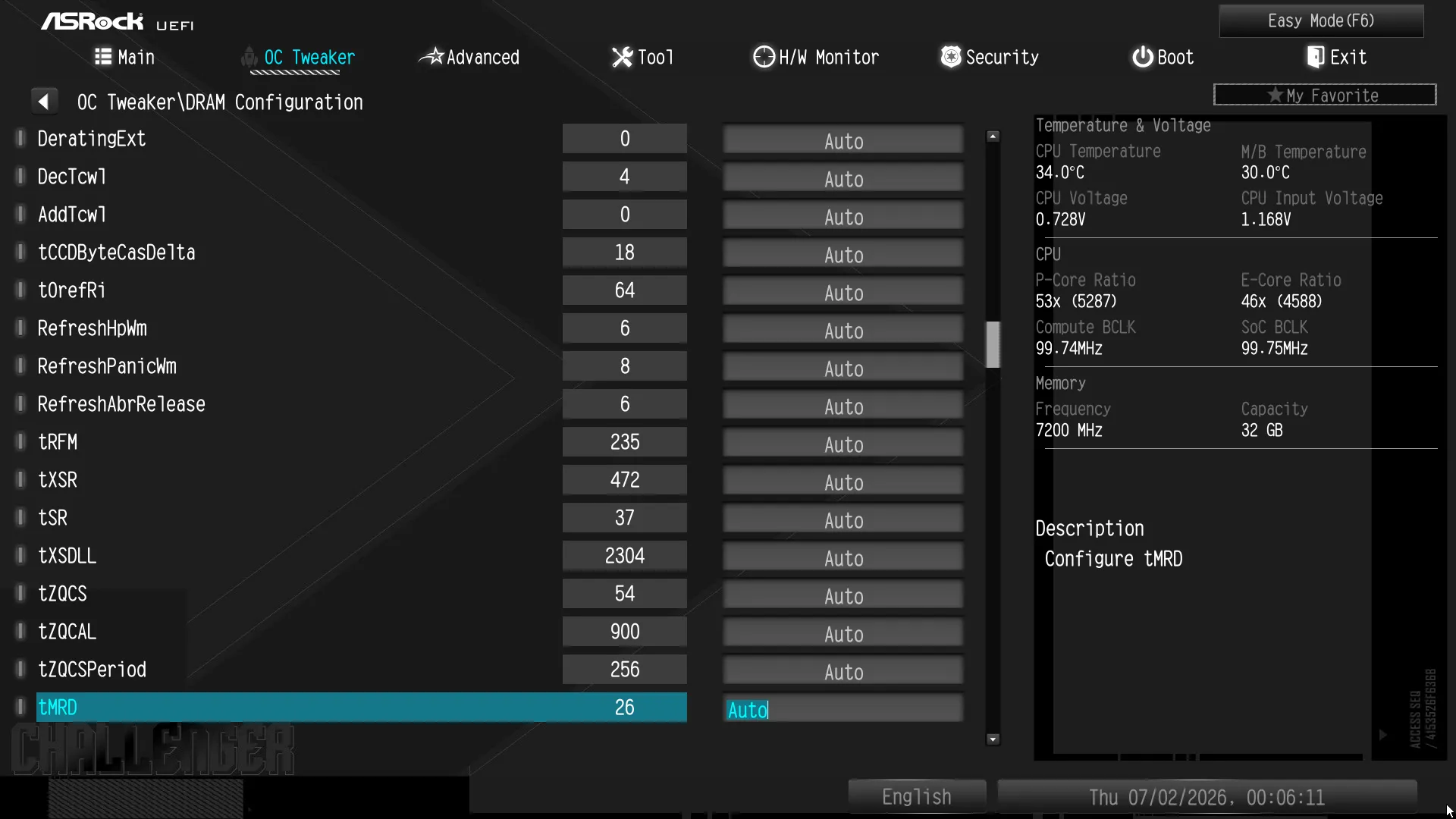
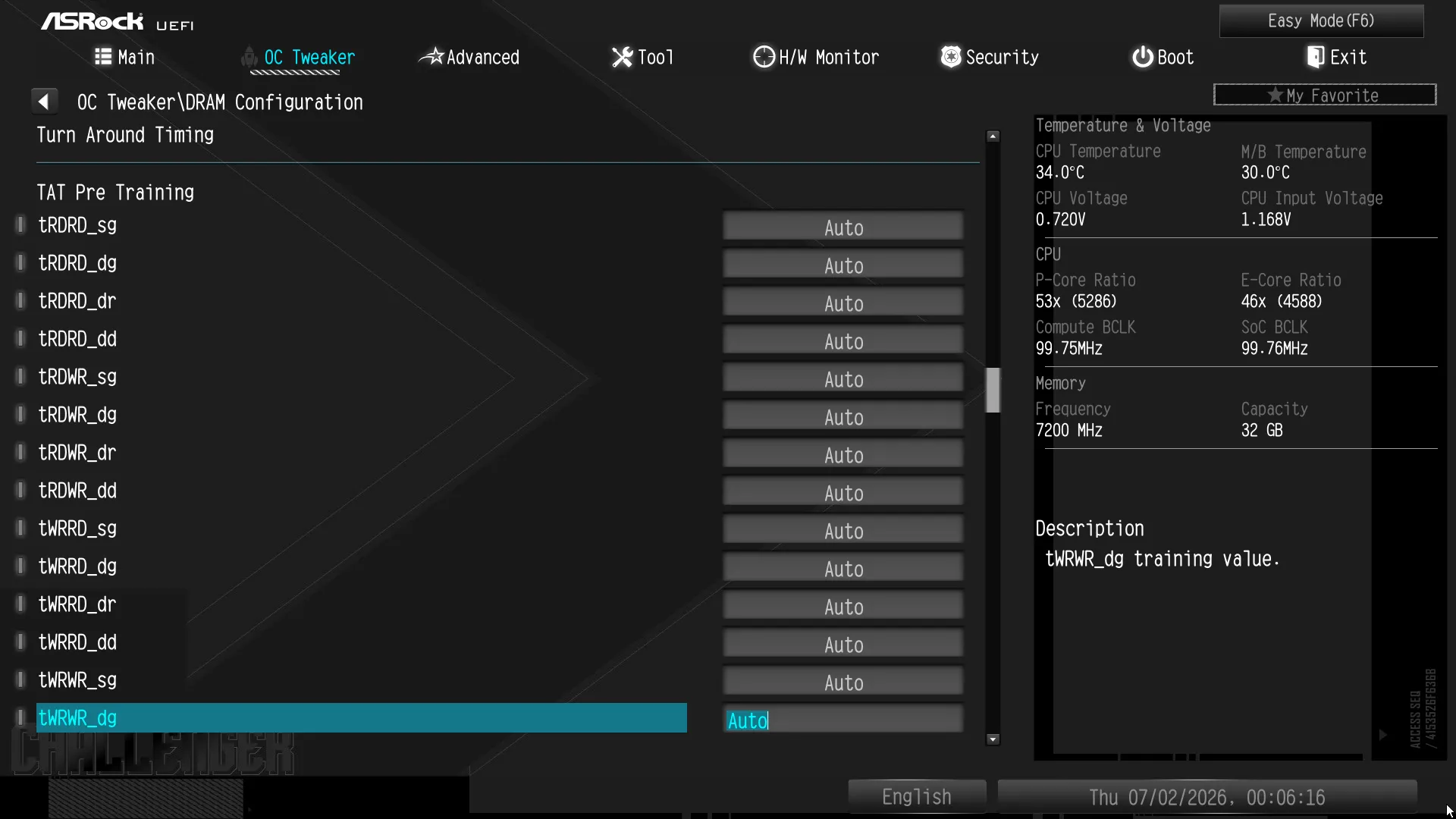
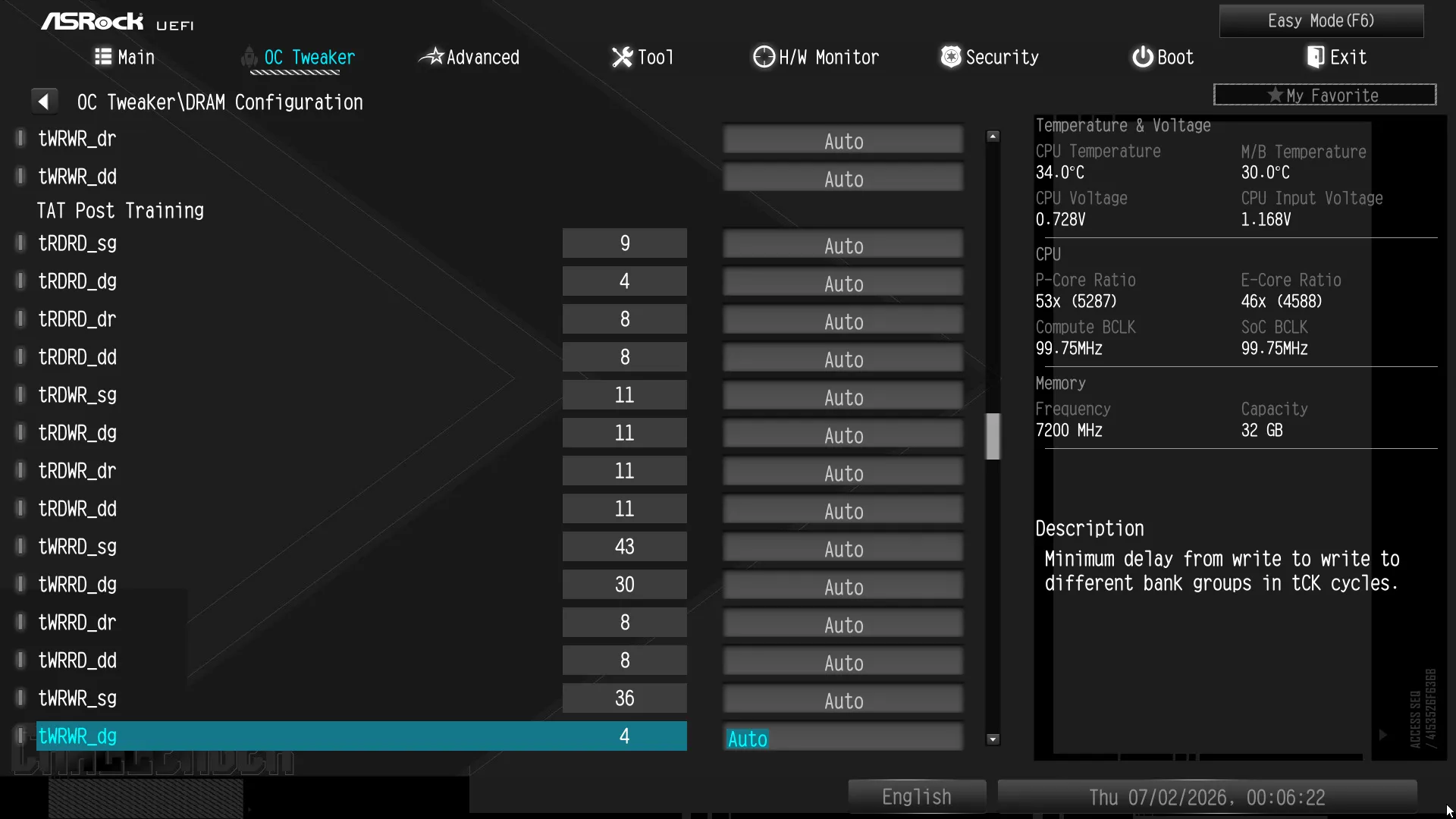
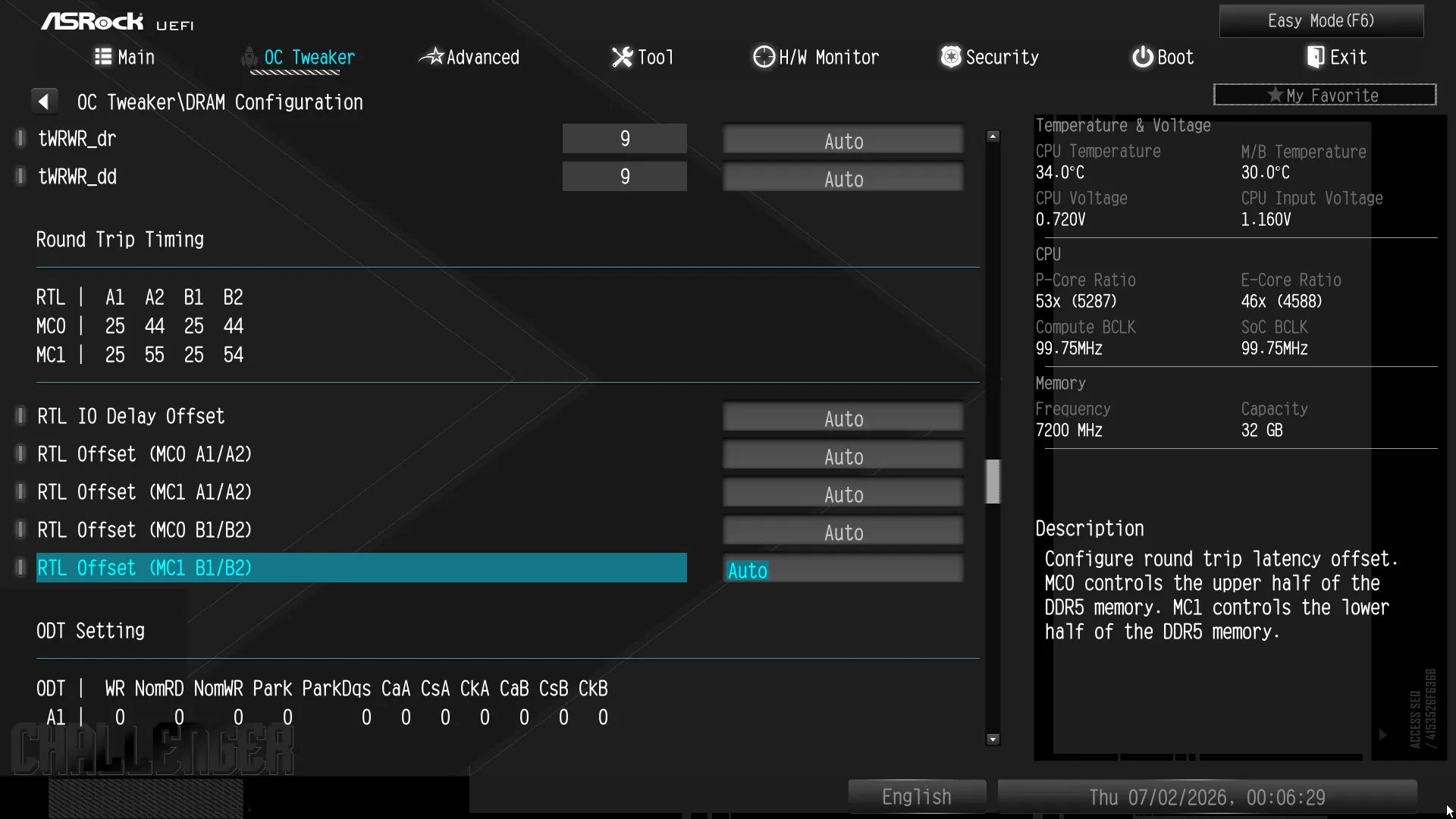
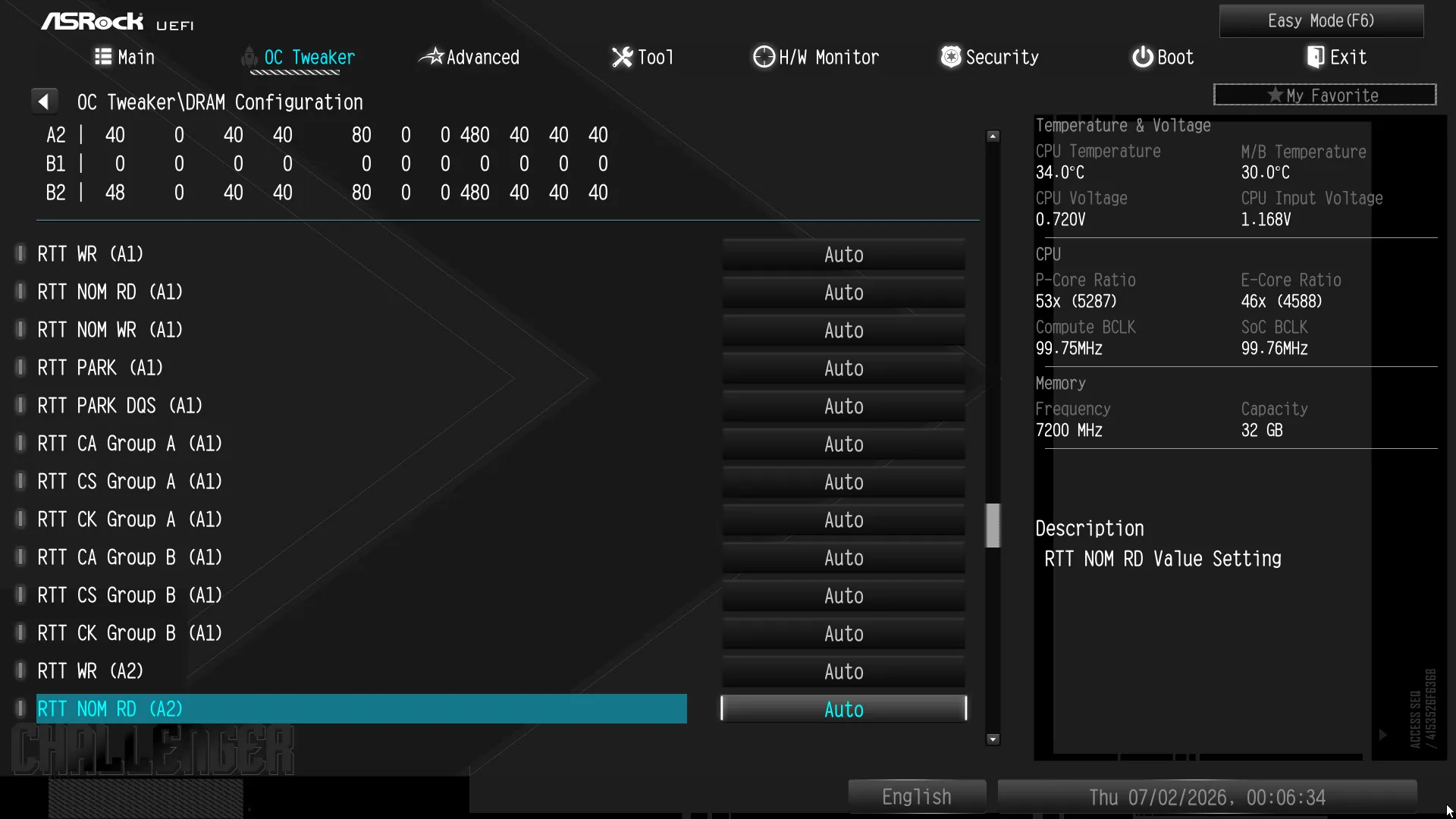
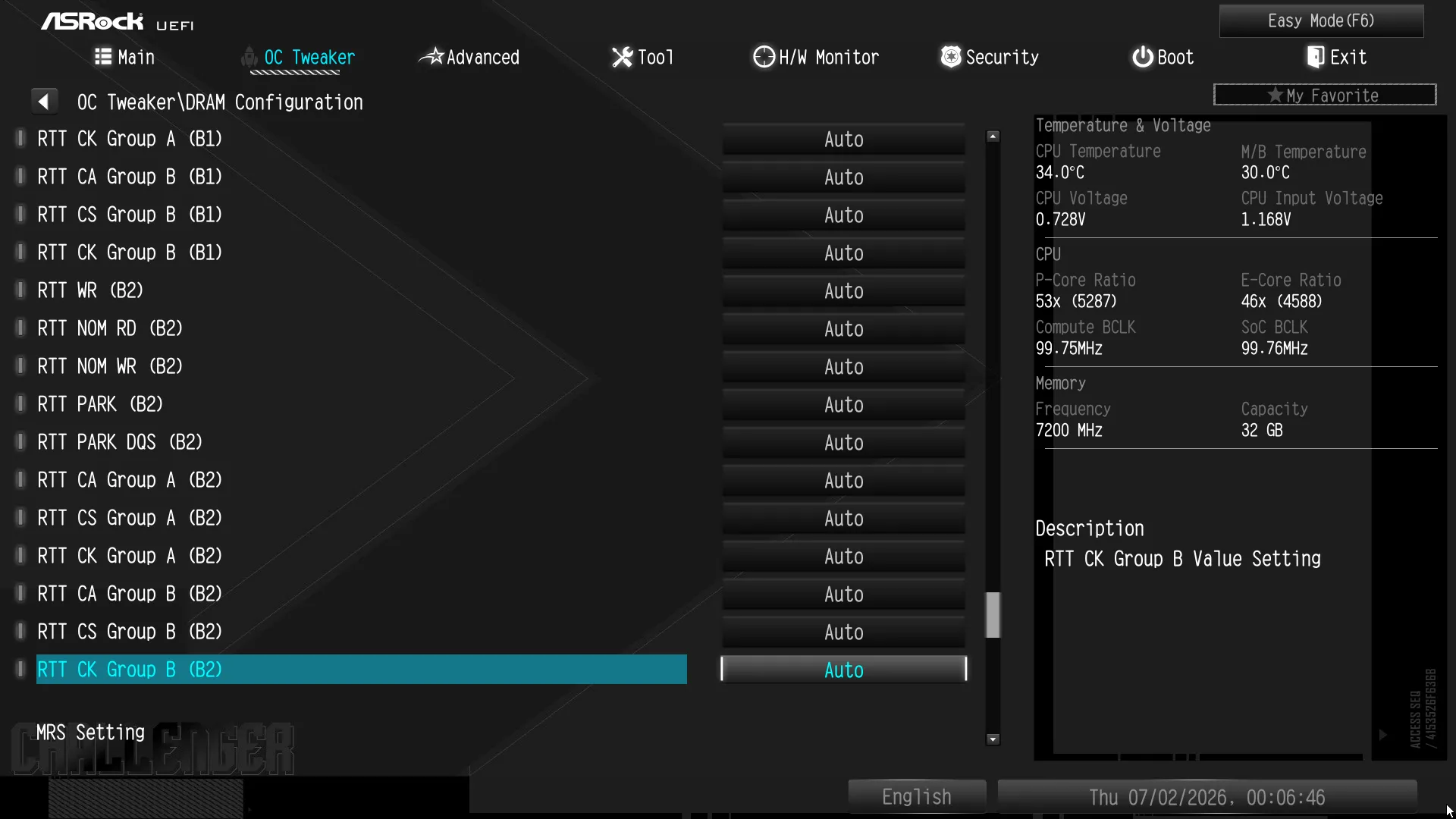
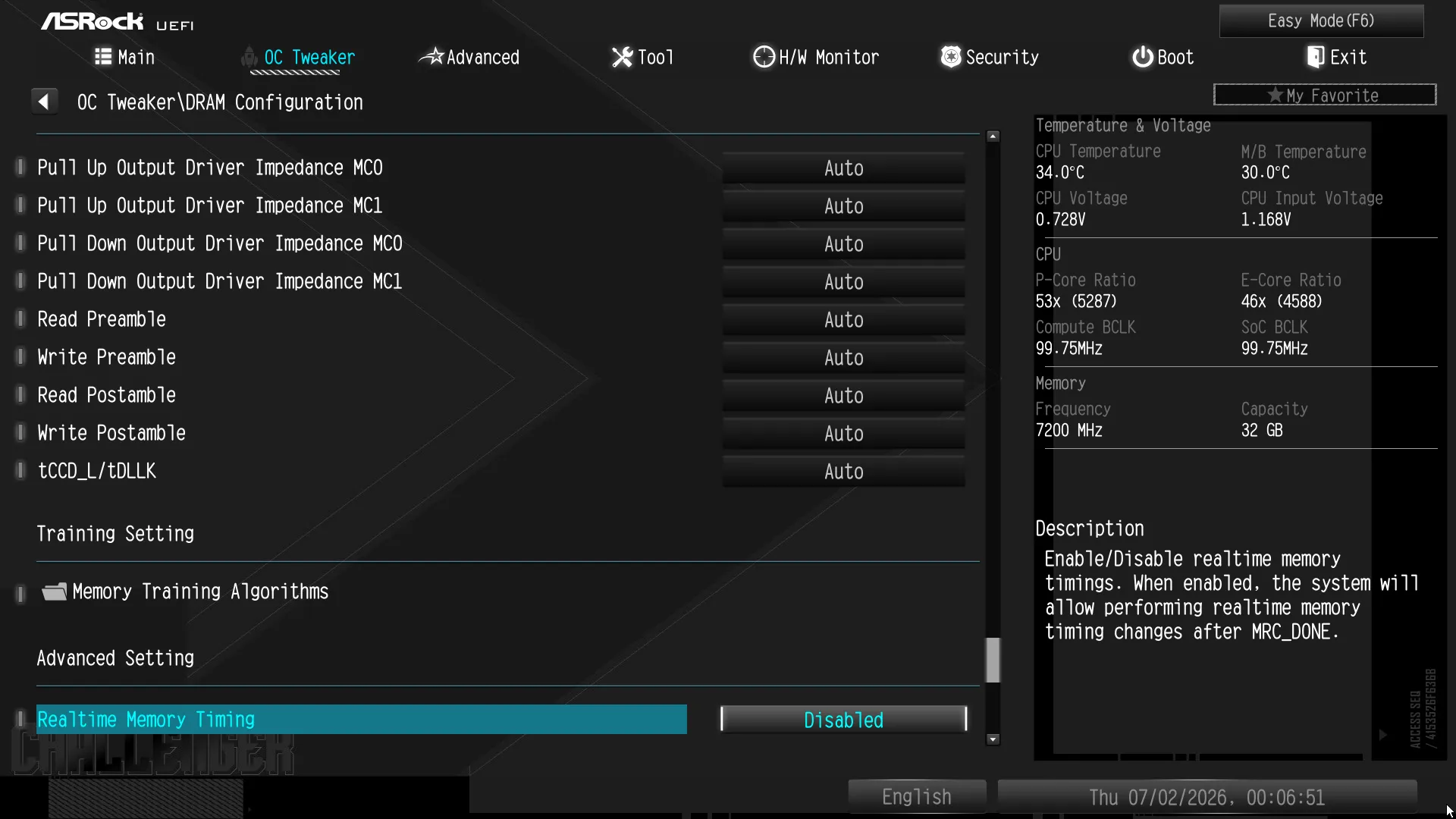
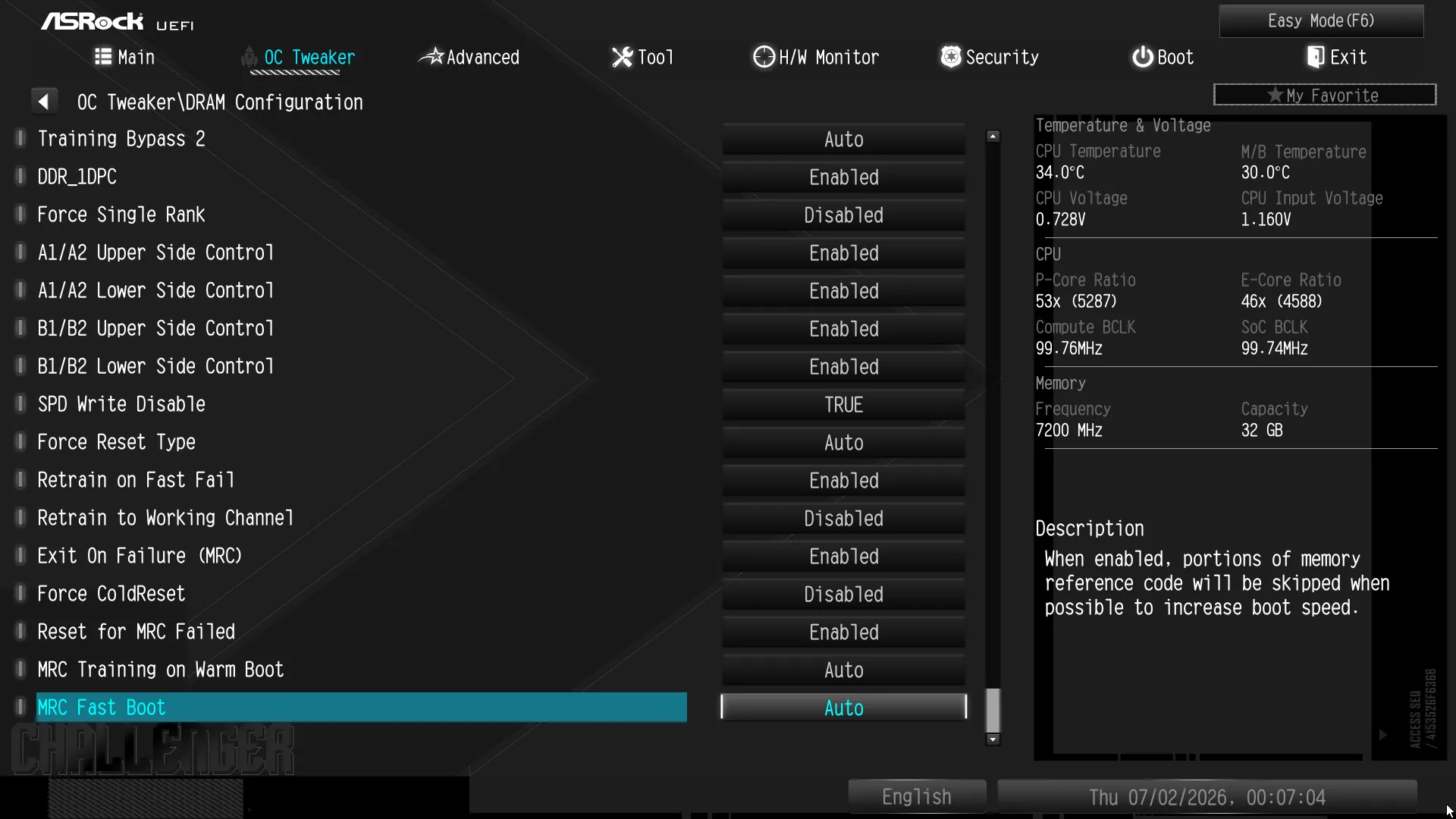
A Memory Information submenu offers information that could help with your overclock, and the Memory Training submenu provides options that could help advanced tuners improve memory stability.
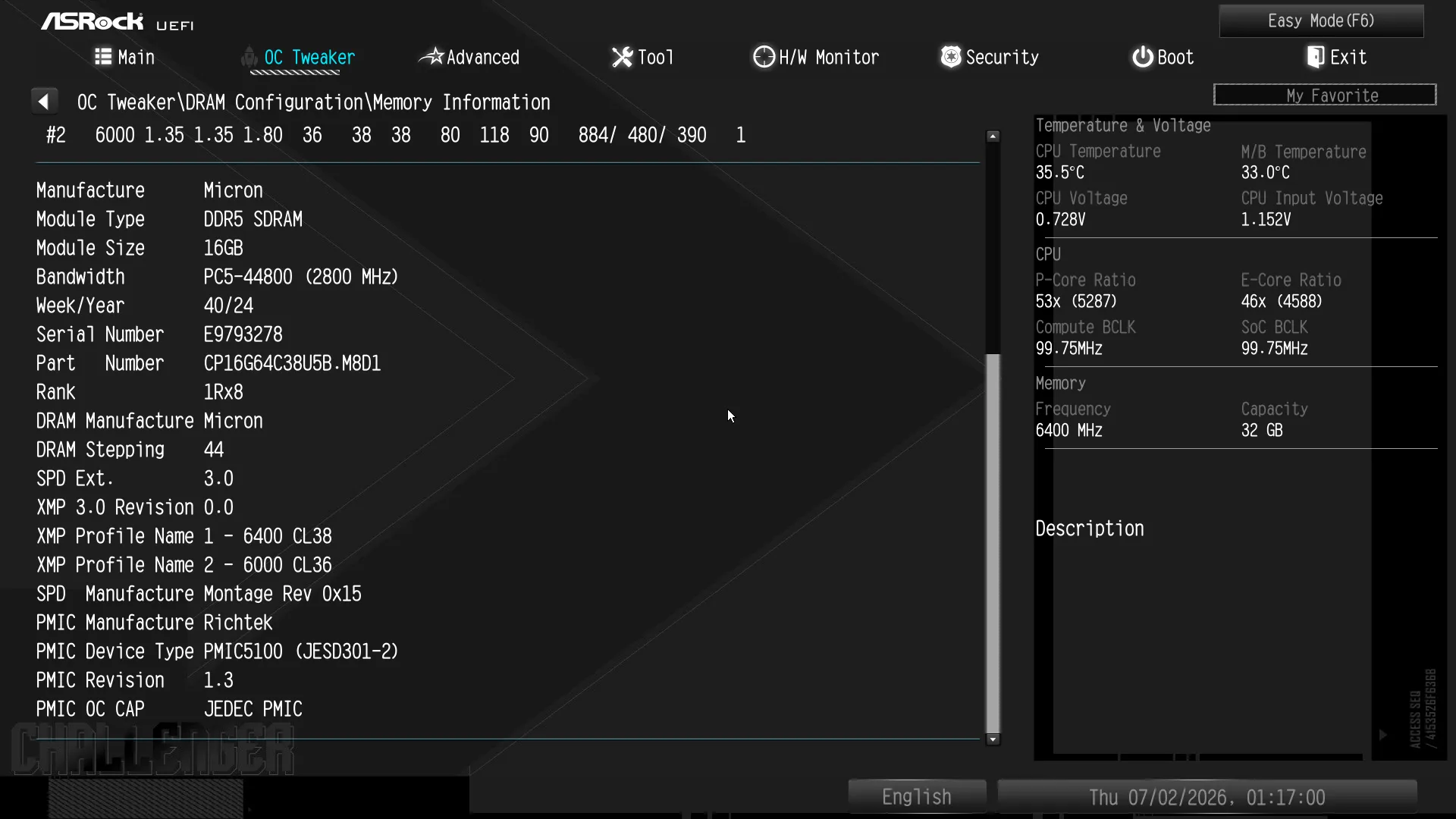
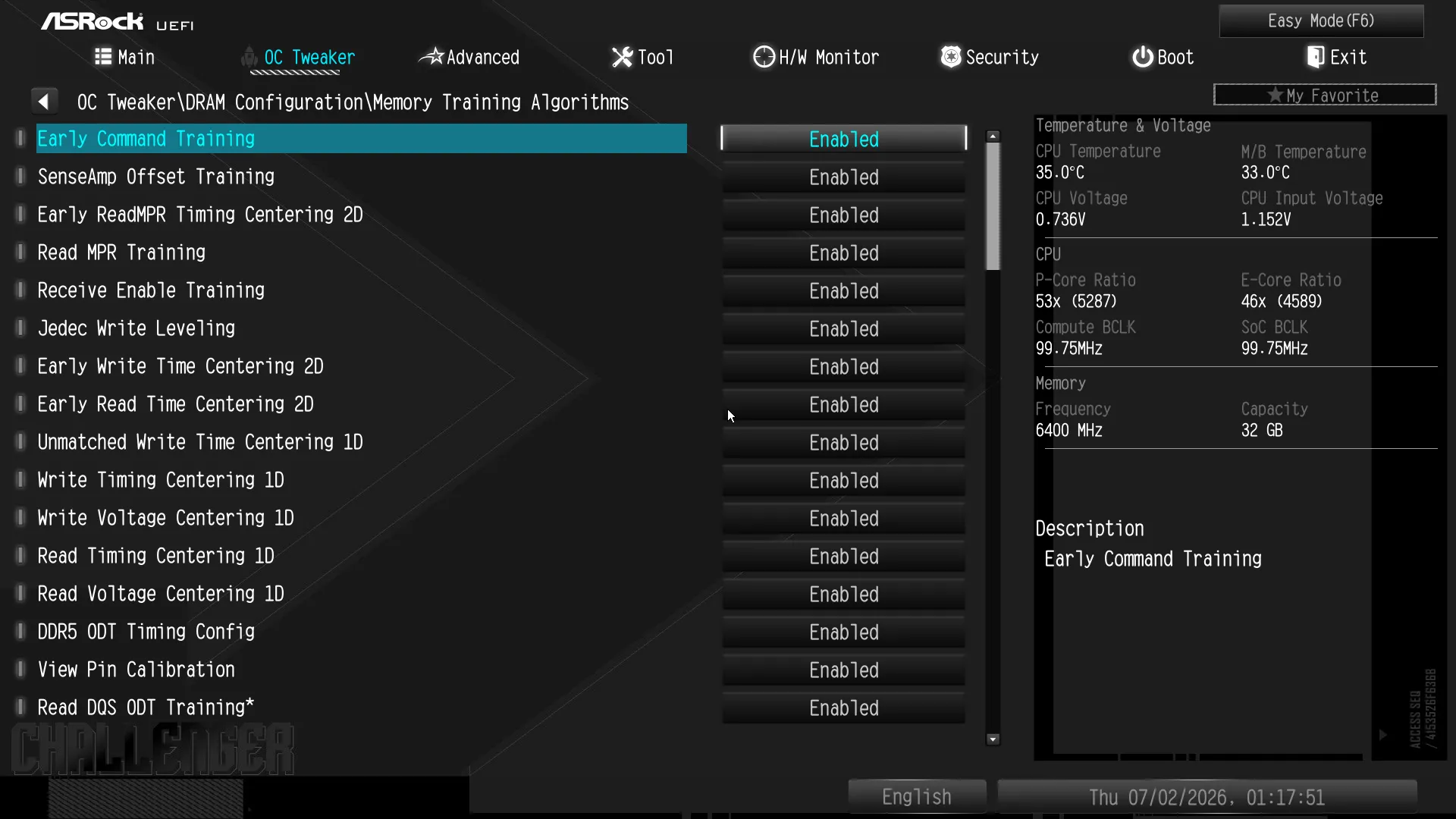
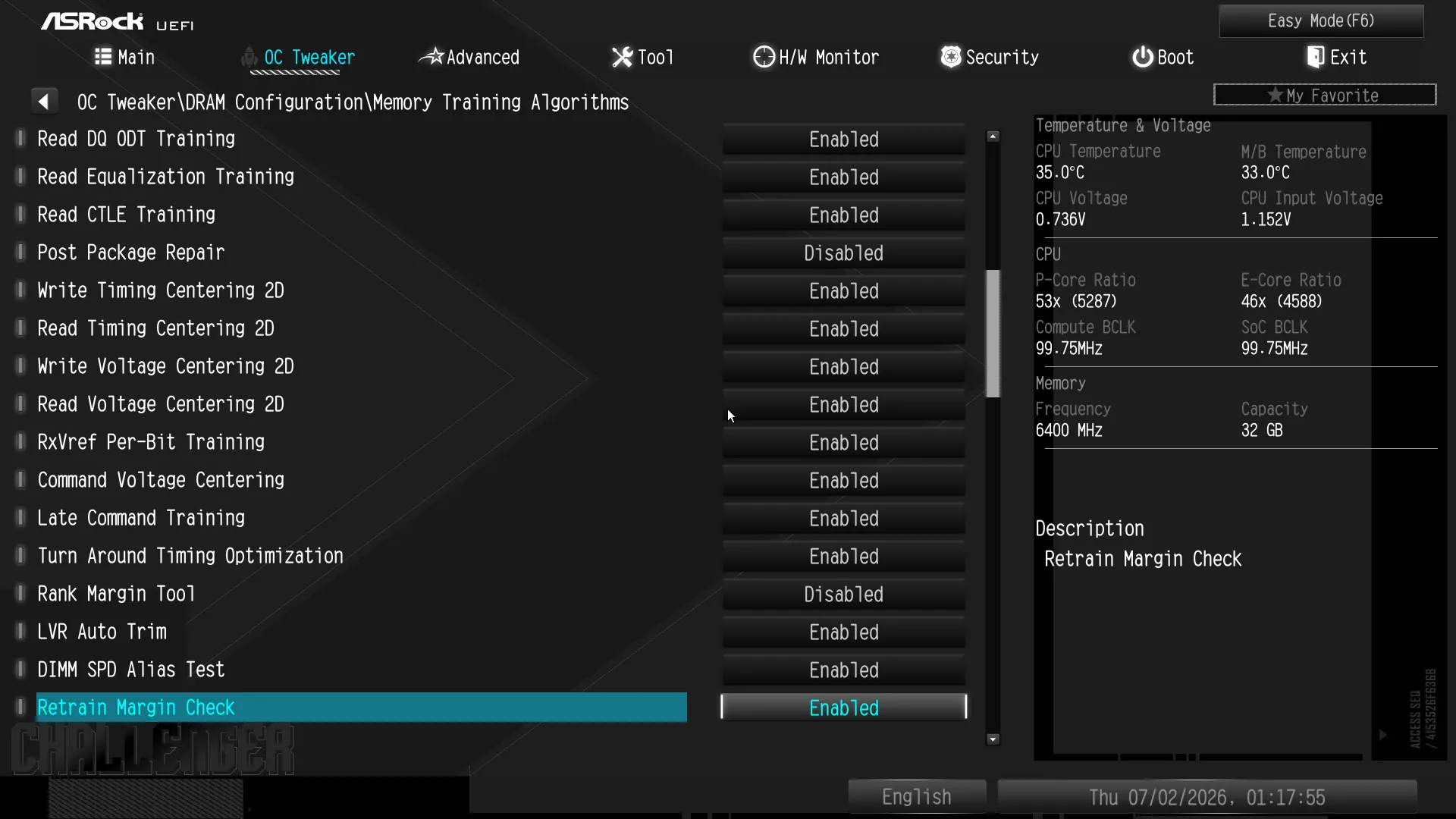
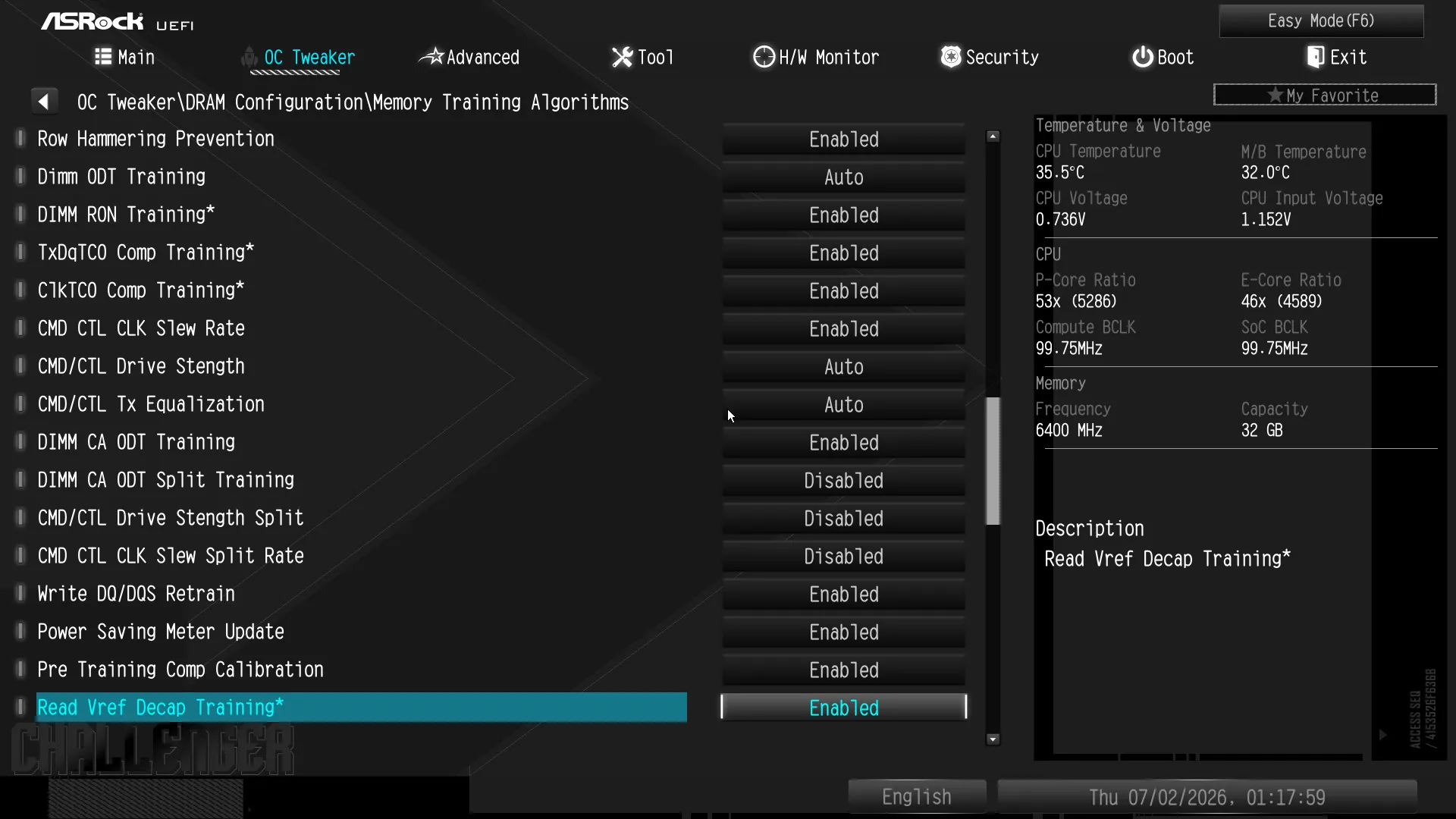
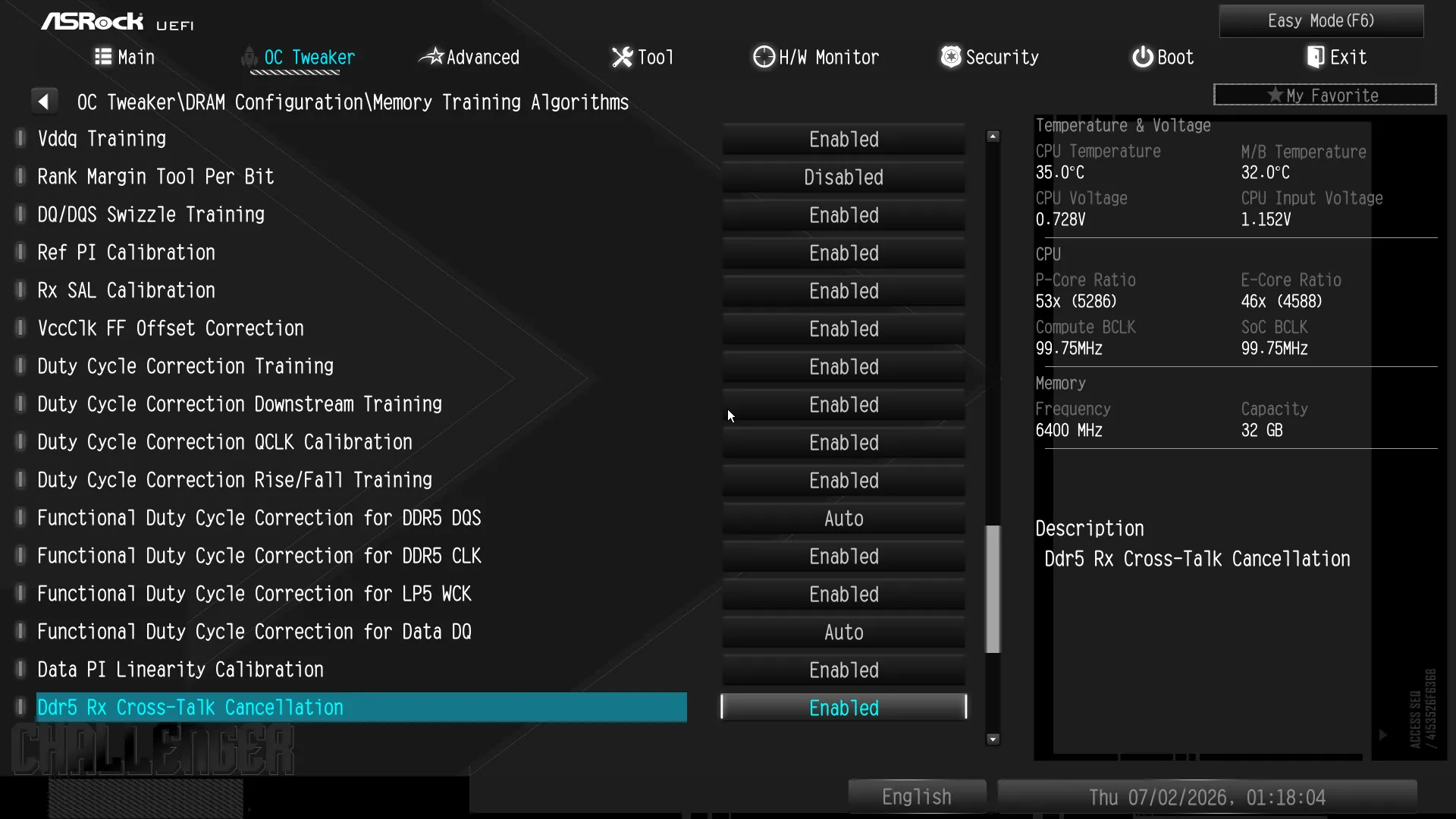
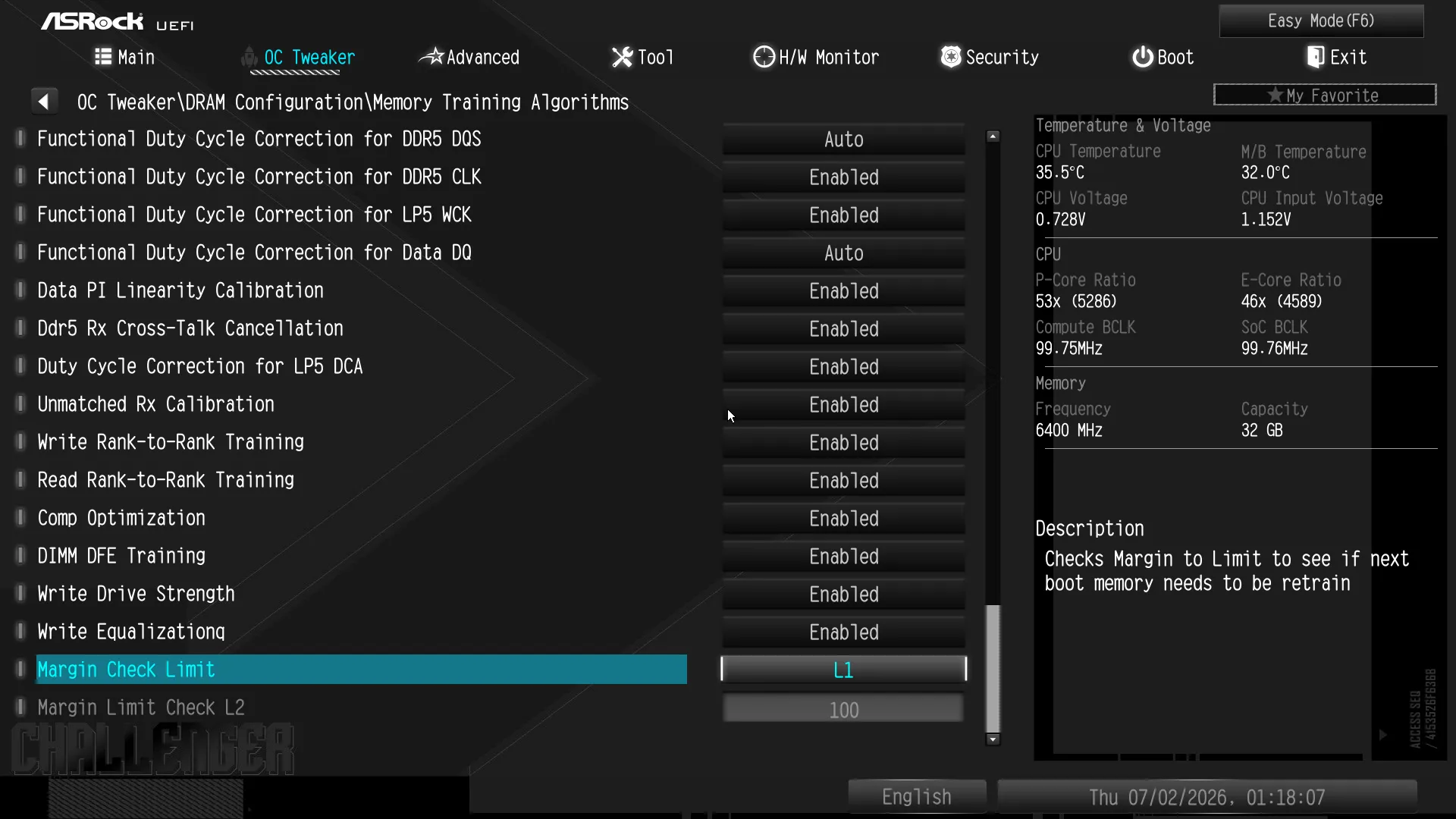
Our stability tests are so power hungry that we’re already up against the CPU’s power limit before we even overclock, and loosening the power limit pushes us up against its thermal limit so that the only way to get ahead is to reduce voltage slightly…to help the system to hold its stock overclock a little longer.
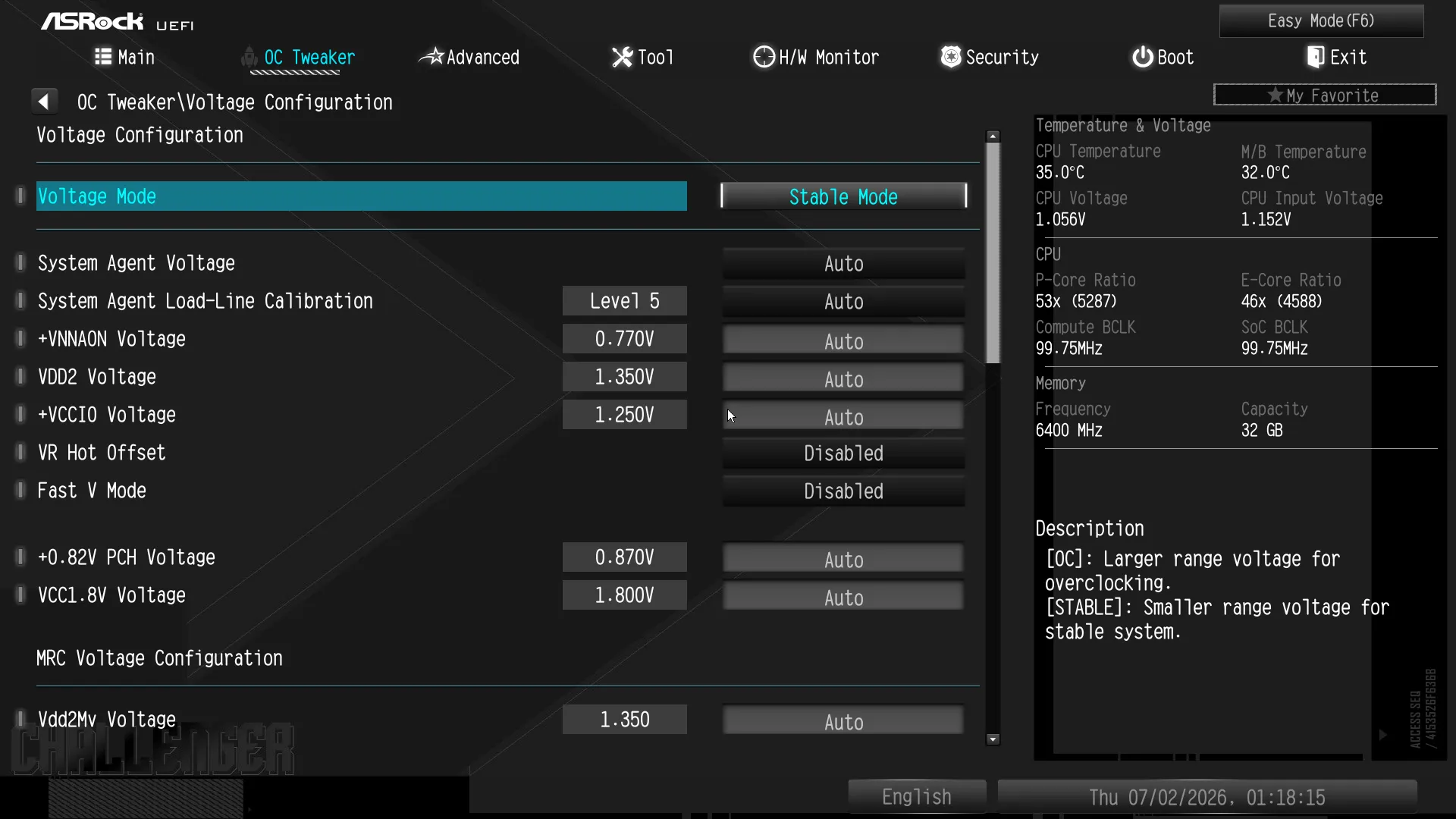
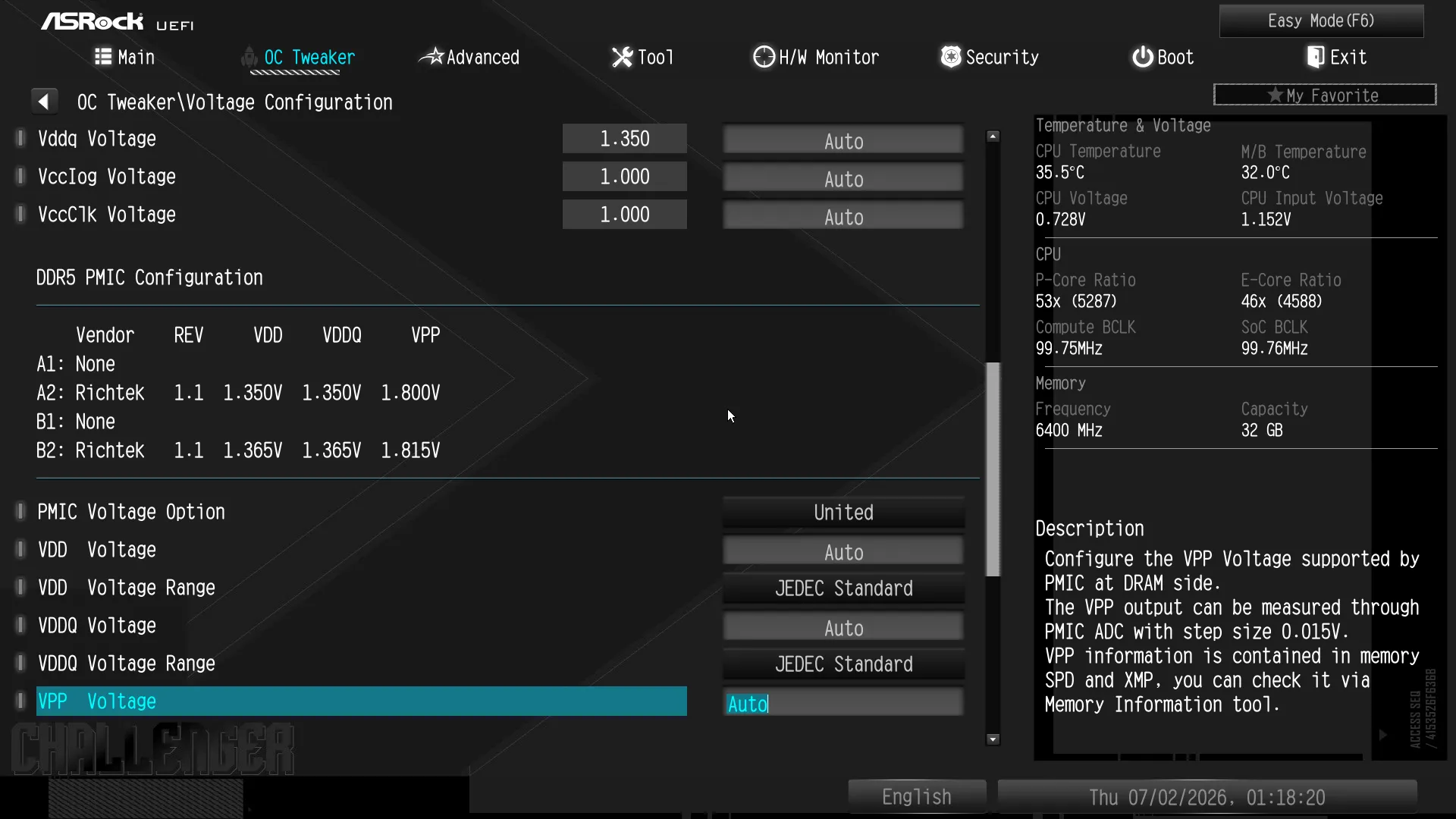
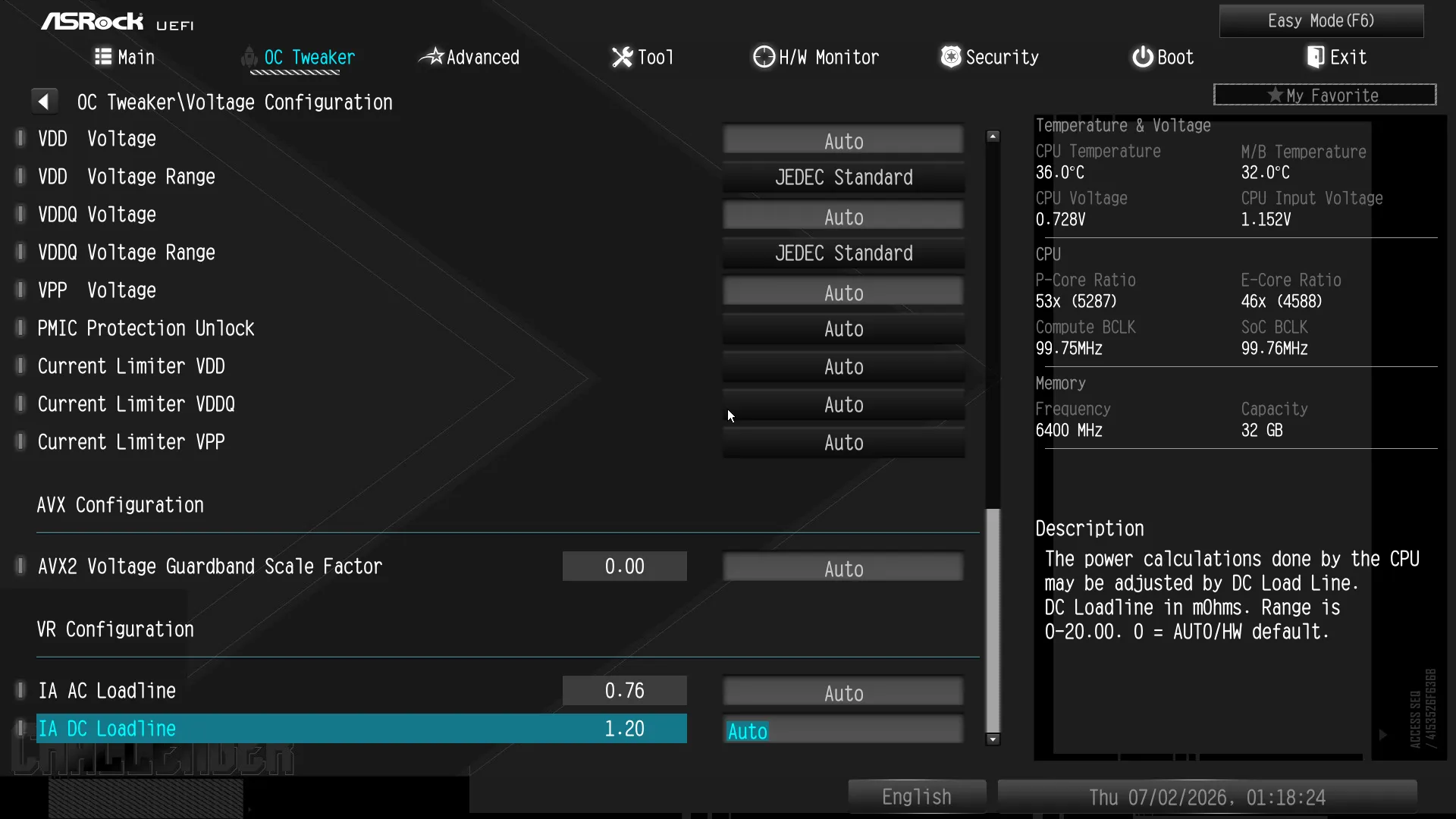
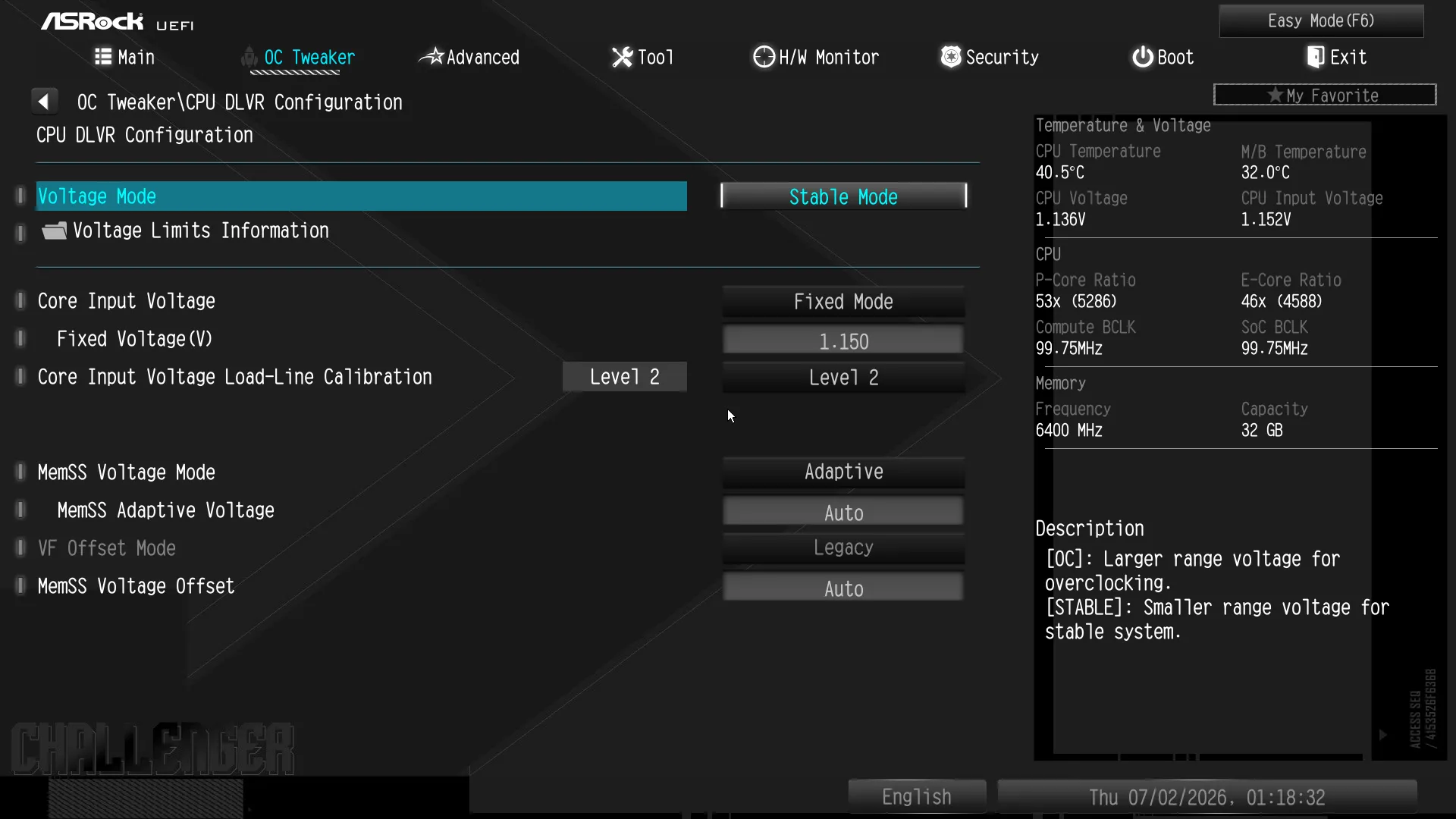
Here’s where we can set the board to use its Advanced GUI when entering firmware settings.
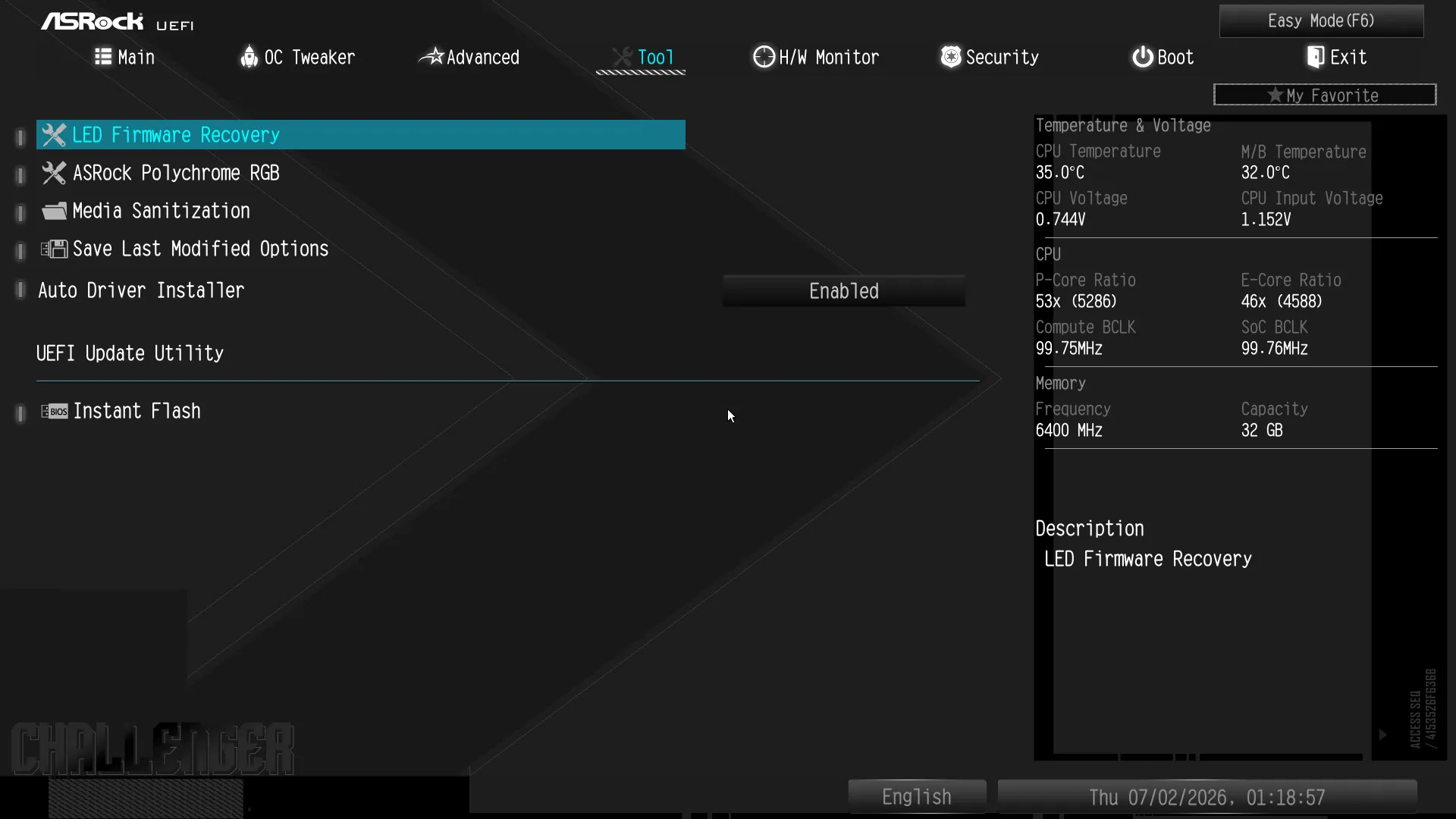
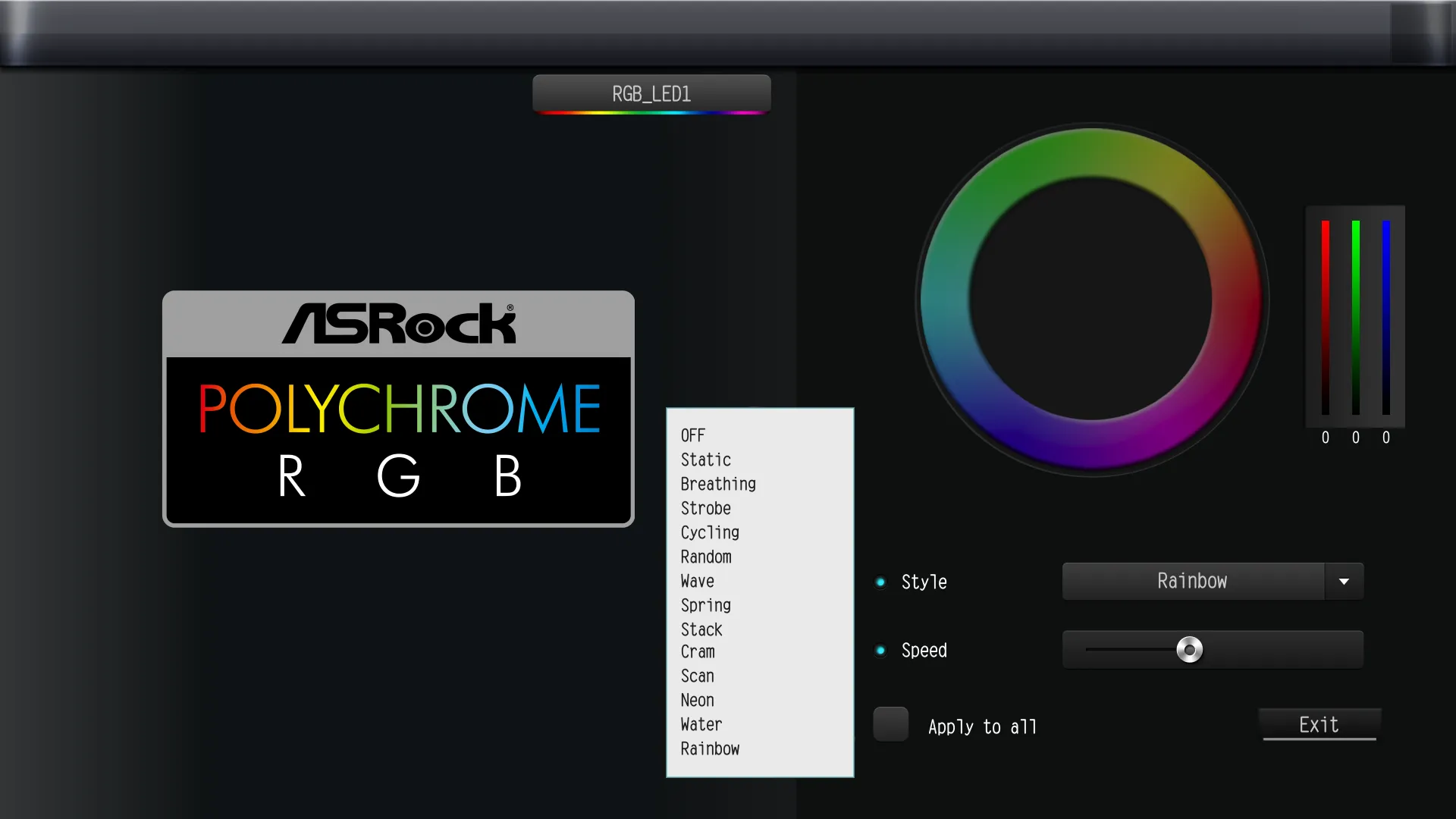
The B860 Challenger WiFi’s “Tool” menu let us set the patterns of its ARGB headers, though the board has no lighting of its own (beyond its four boot status LEDs). The other most-used feature here is its Instant Flash switch, which causes the board to enter firmware flashing mode.
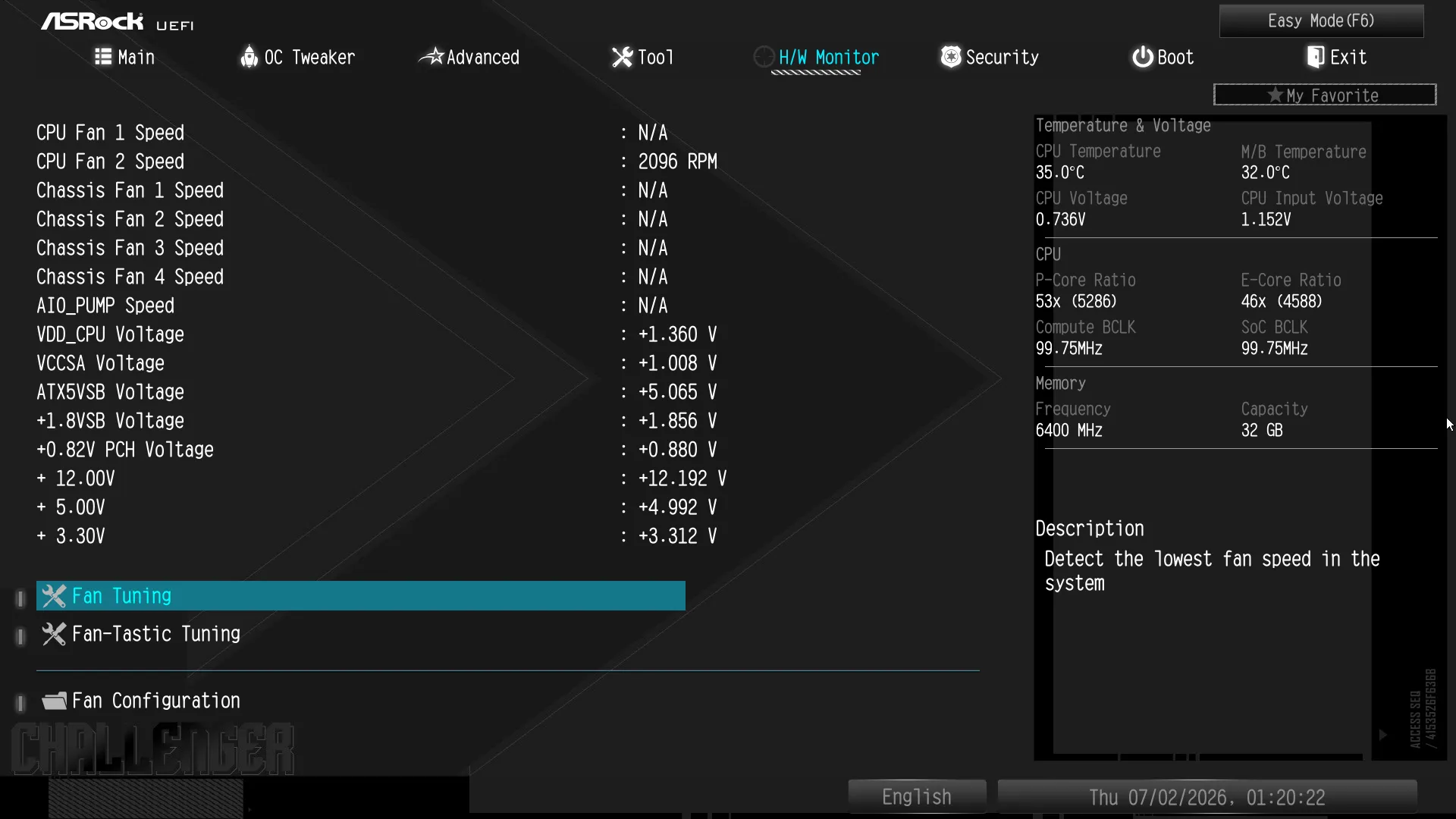
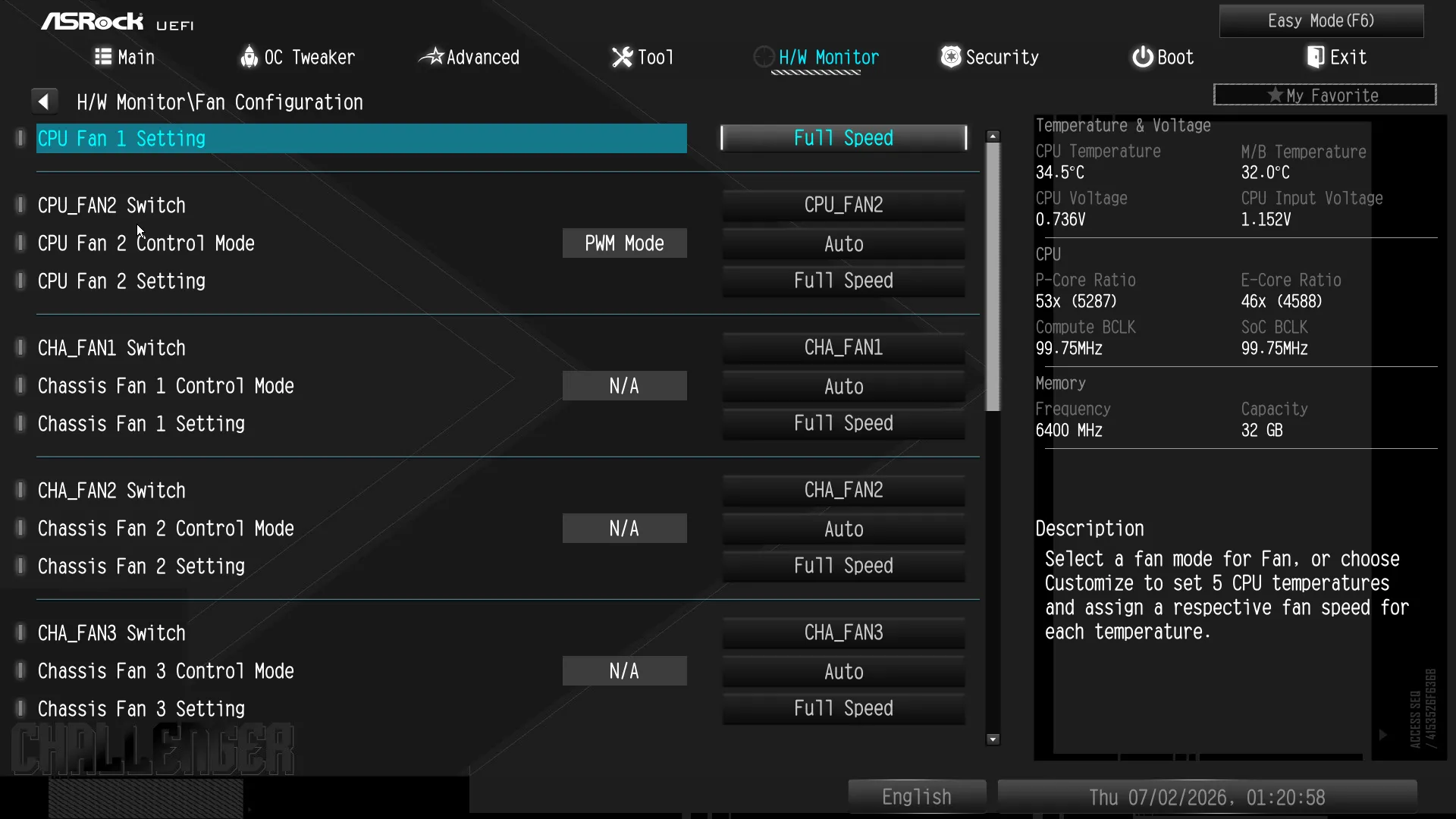
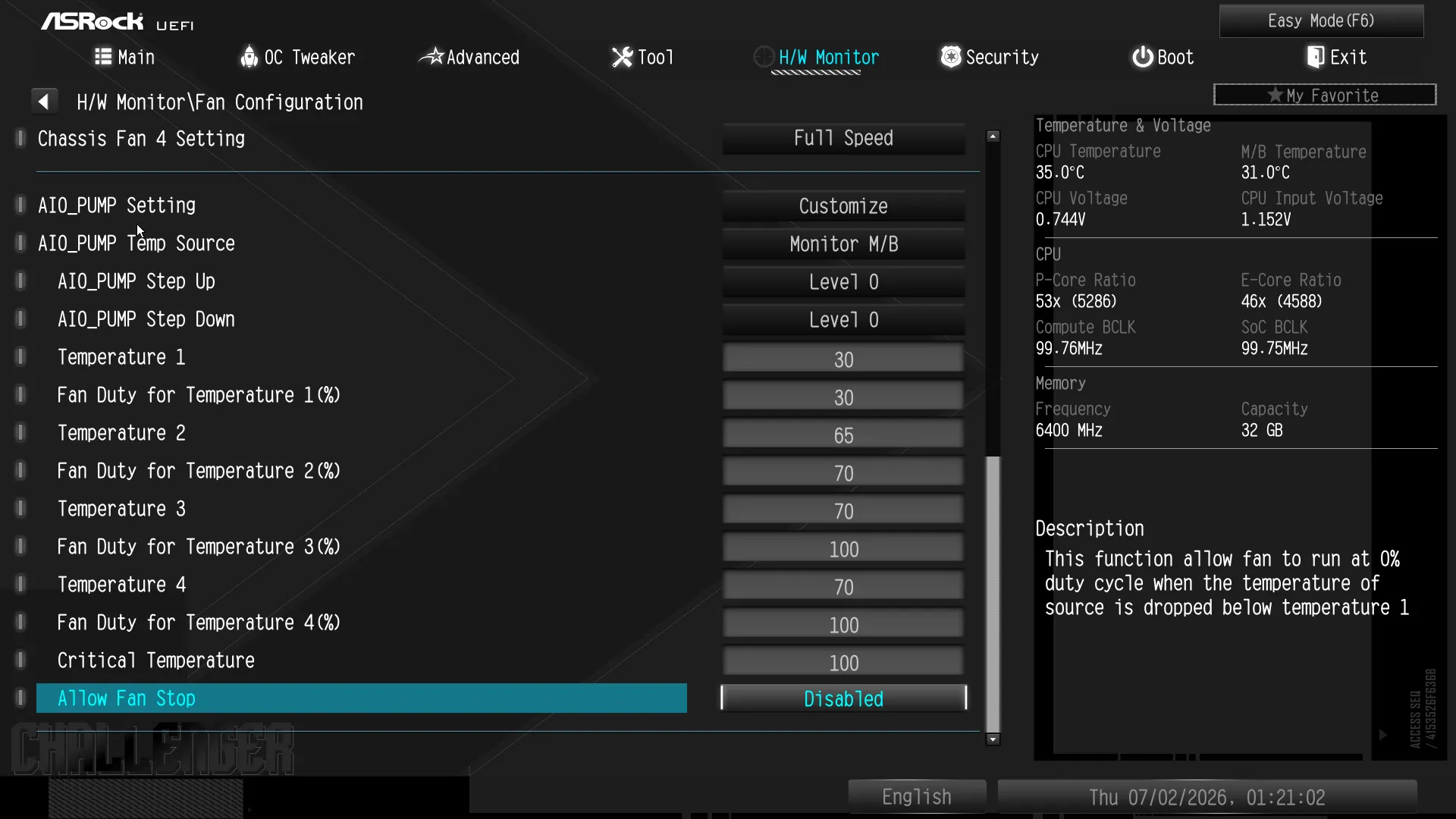
The board’s H/W Monitor tab does more than show readings: It offers multiple ways to control fan settings, including a Fan Tuning algorithm that remaps its standard maps to match the maximum and minimum speeds of your fans.
Testing The B860 Challenger WiFi
We’re comparing the B870 Challenger WiFi to our four most recently reviewed motherboard samples in the following hardware configuration:
| Test Hardware | |
| CPU | Intel Core Ultra 9 285K: 24 Cores, 36M Cache, 3.2- 5.70 GHz, LGA 1851 |
| CPU Cooler | Alphacool Core 1 Aurora CPU, Eisbecher D5 150mm, NexXxoS UT60 X-Flow 240mm |
| DRAM | Crucial Pro OC Gaming Edition DDR5-6400 32GB |
| Graphics Card | ASRock RX 7700 XT Phantom Gaming 12GB OC |
| Power | be quiet! Dark Power Pro 10 850W: ATX12V v2.3, EPS12V, 80 PLUS Platinum |
| Hard Drive | Crucial T700 Gen5 NVMe 2TB SSD |
| Sound | Integrated HD Audio |
| Network | Integrated Wi-Fi |
| Graphics Driver | AMD Adrenalin Edition 24.8.3 |
Benchmark Results
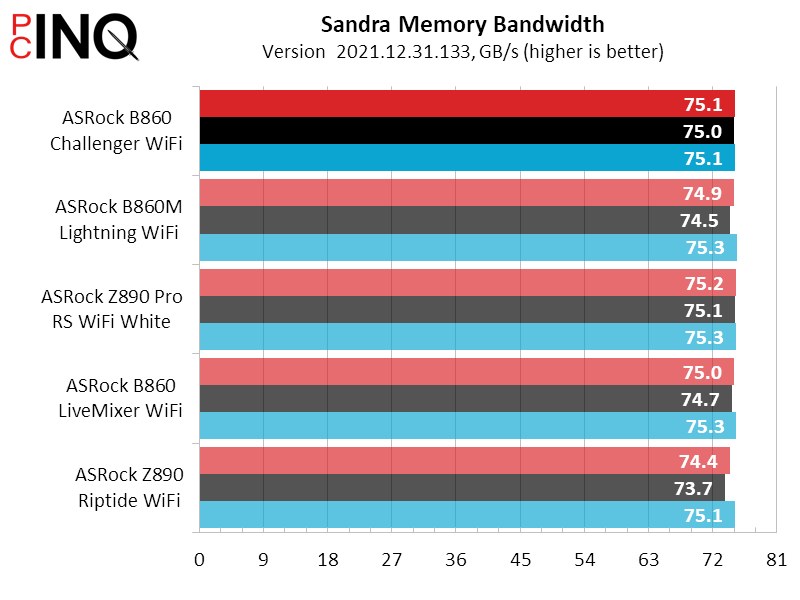
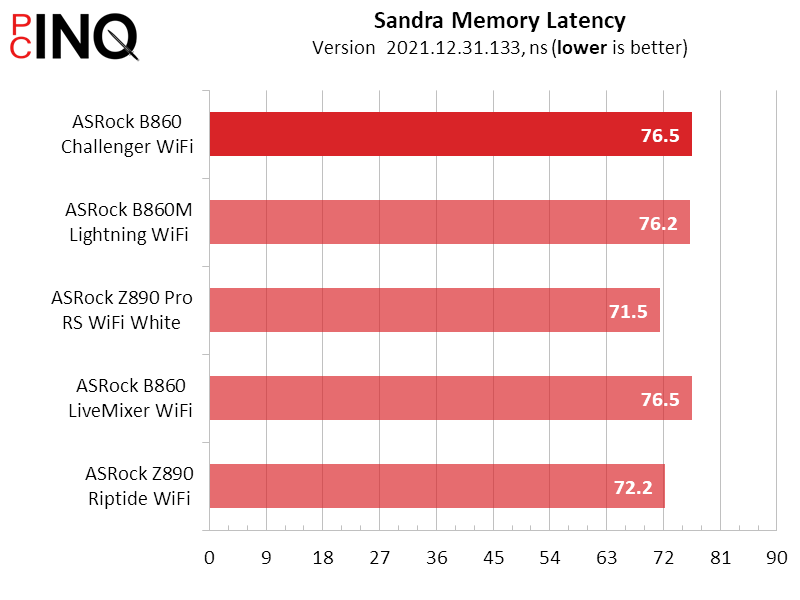
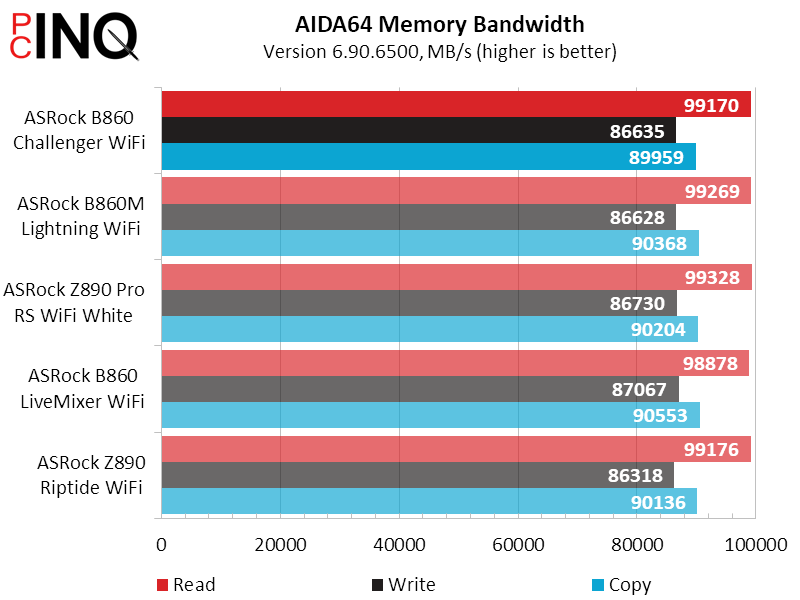
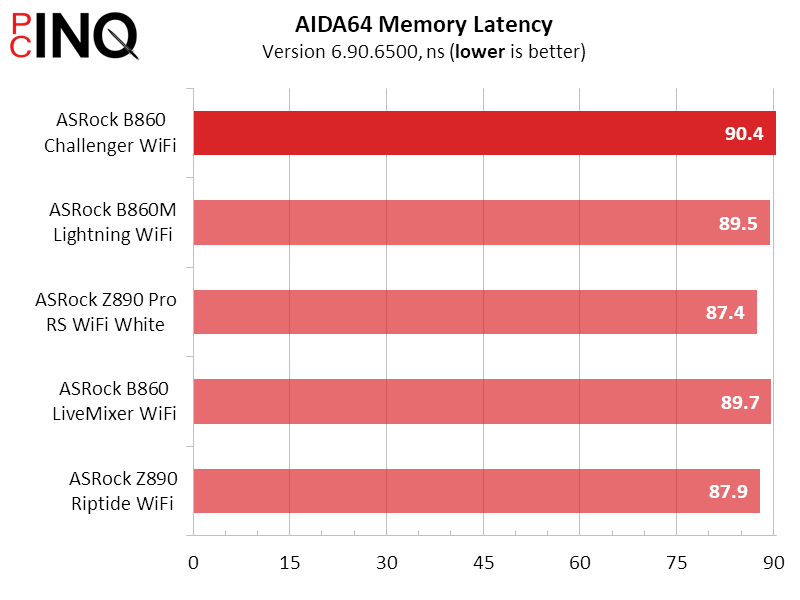
The good news is that we don’t have much to worry about regarding B860 Challenger WiFi memory access: The bad news is that the results tell us that there’s nothing to discuss (boredom is bad, no?)
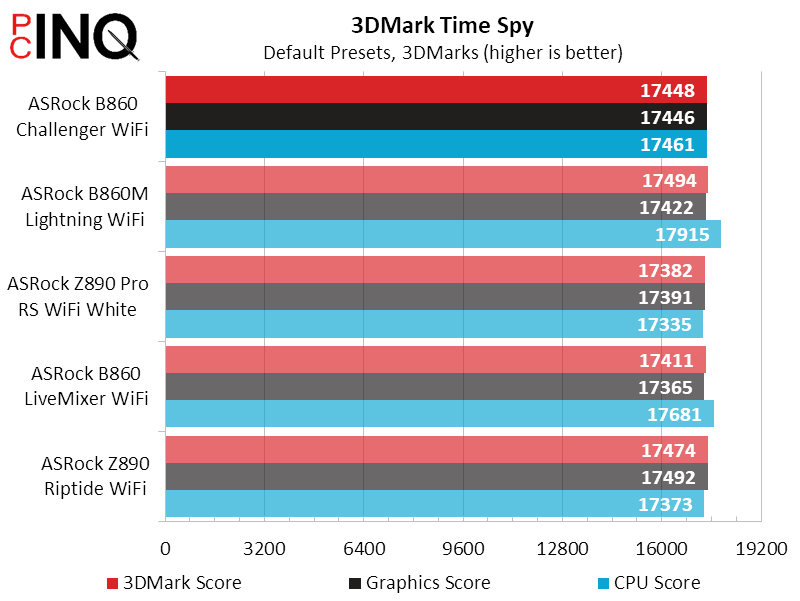
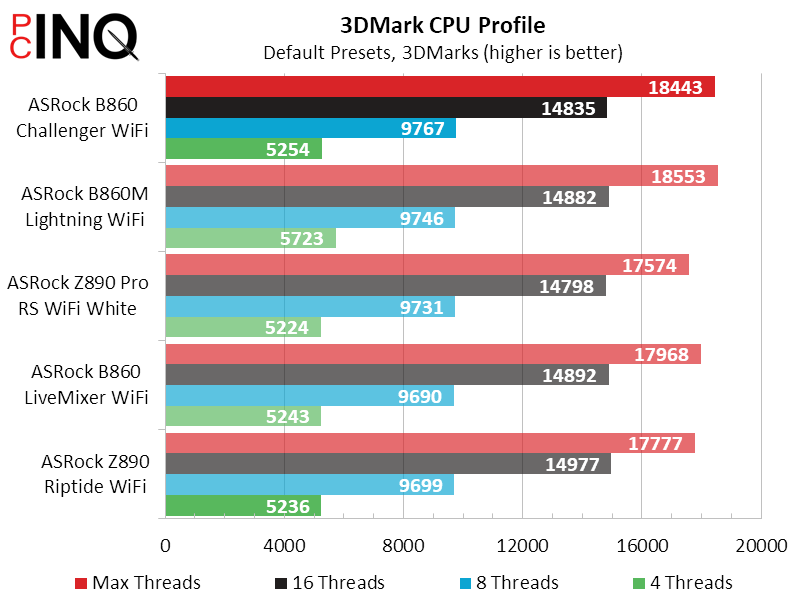
There must have been a change in the way 3DMark calculated CPU scores, because the two most-recent test subjects beat the other three boards here.
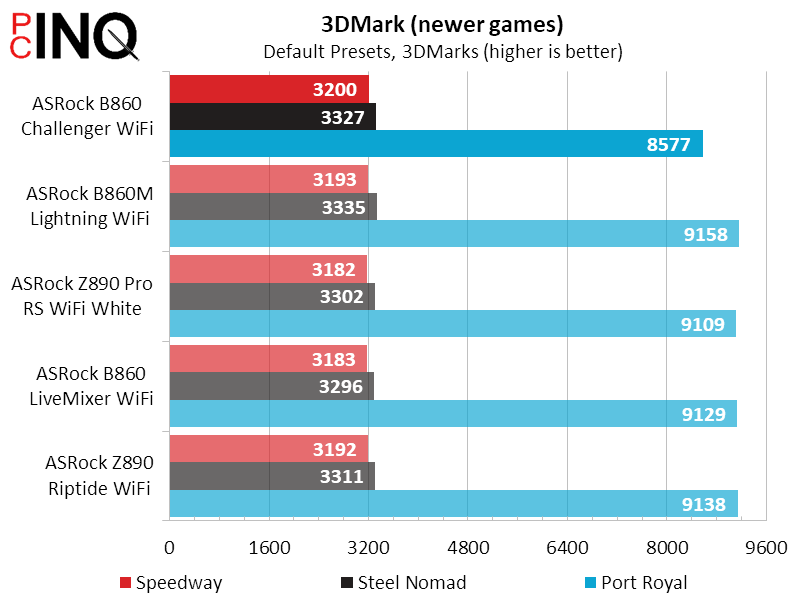
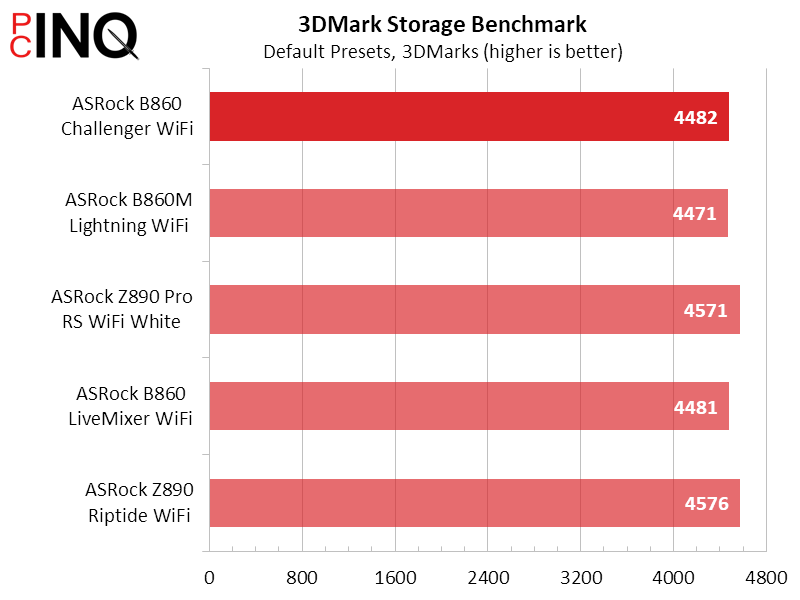
The gradual and consistent decline in PC Mark’s App Start-up score is a reminder to us that the benchmark is currently being replaced: We thought it an indication of drive aging until we looked at this drive’s performance everywhere else.
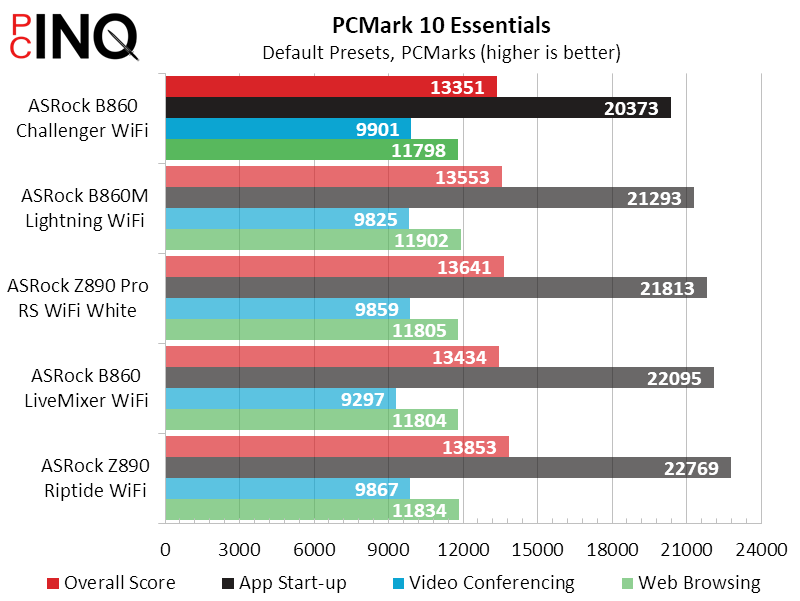
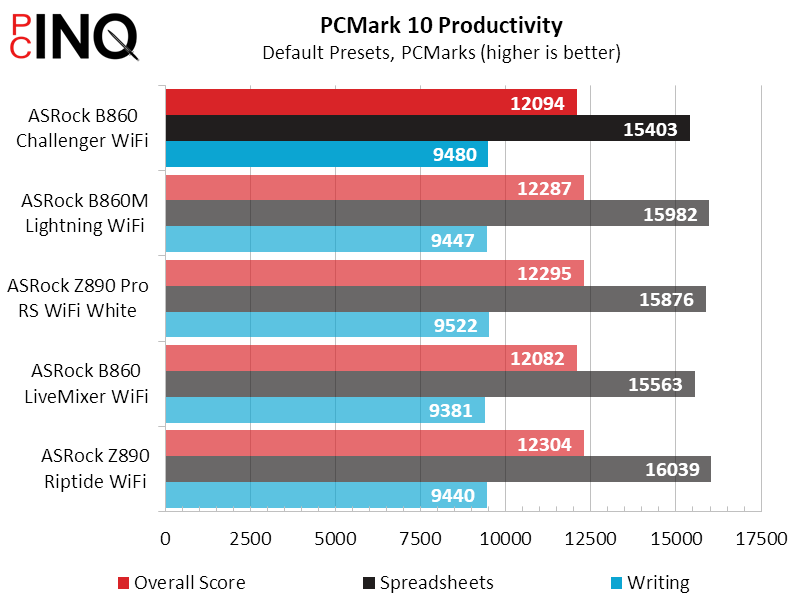
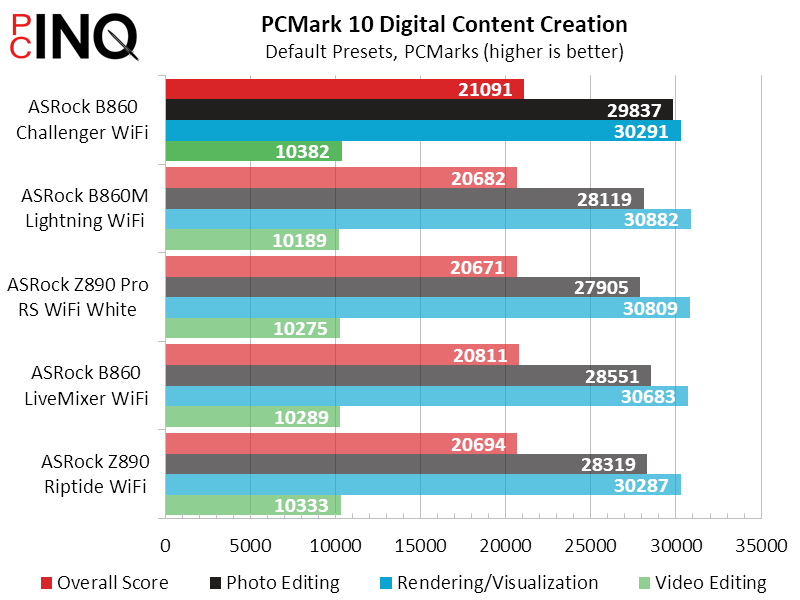
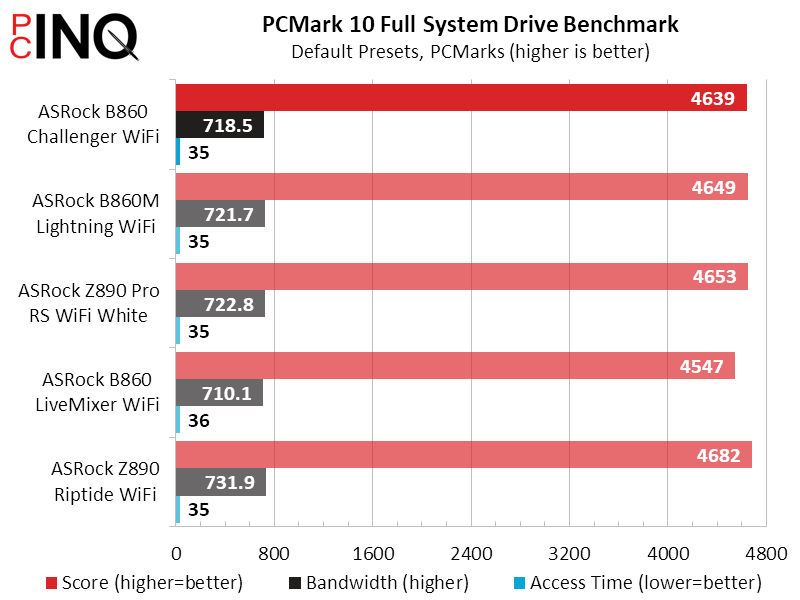
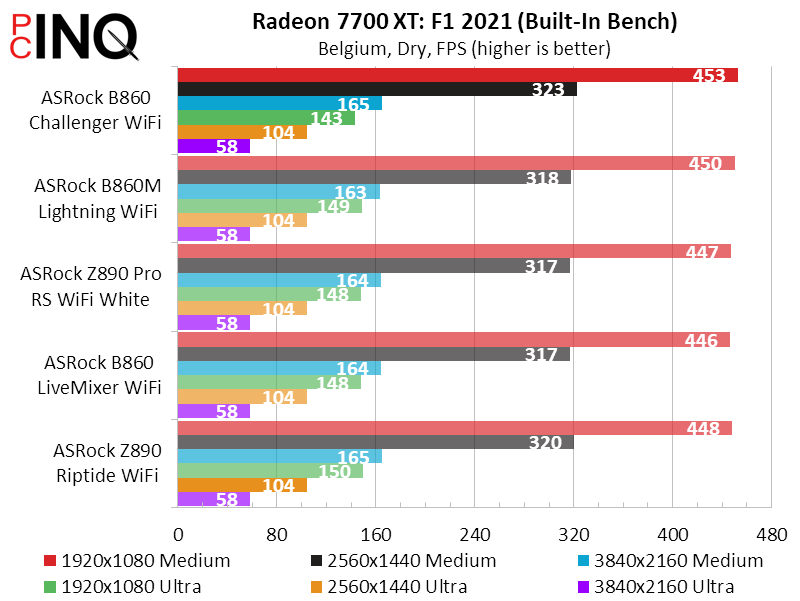
That performance hiccup we see in F1 2021 at 1080p Ultra High Quality was retested and is consistent to the B860 Challenger WiFi, but it leads the other machines at most other settings.
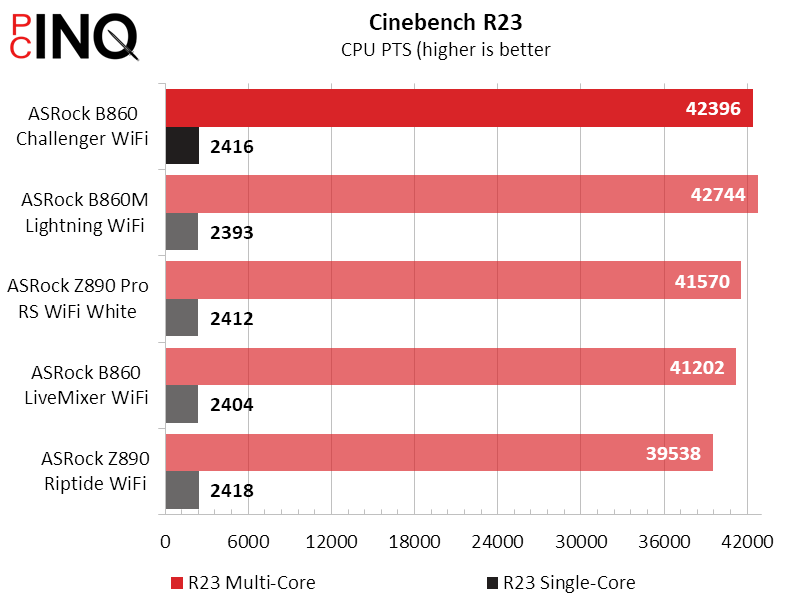
Remember the strange gains we saw in 3DMark CPU score? They reappear in Cinebench, which doesn’t count towards our totals, and Handbrake, which does.
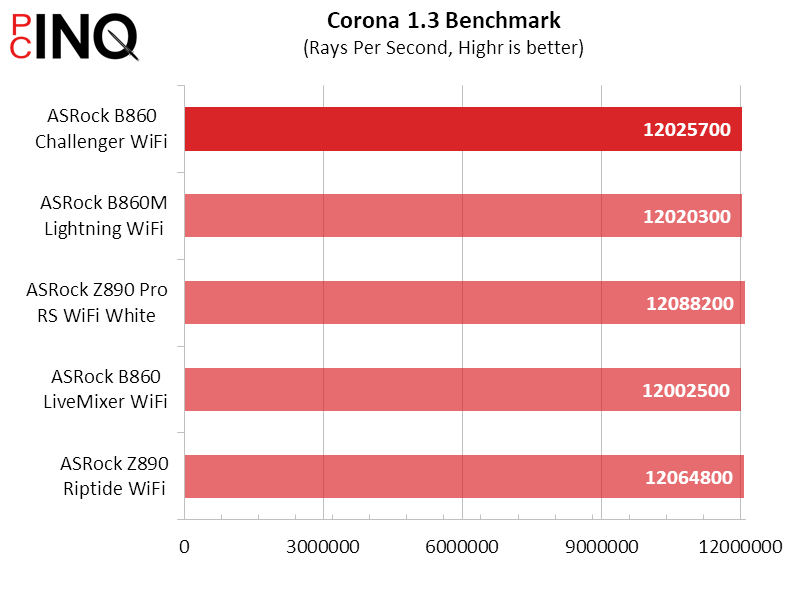
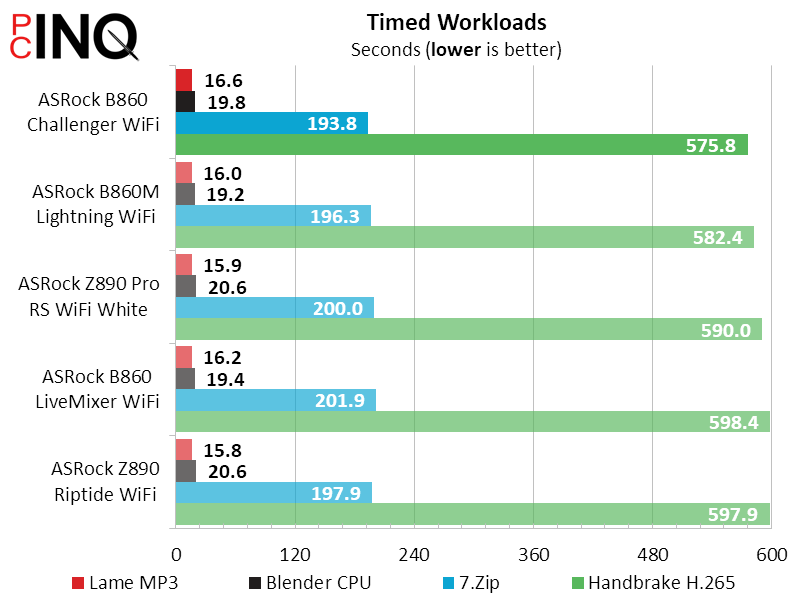
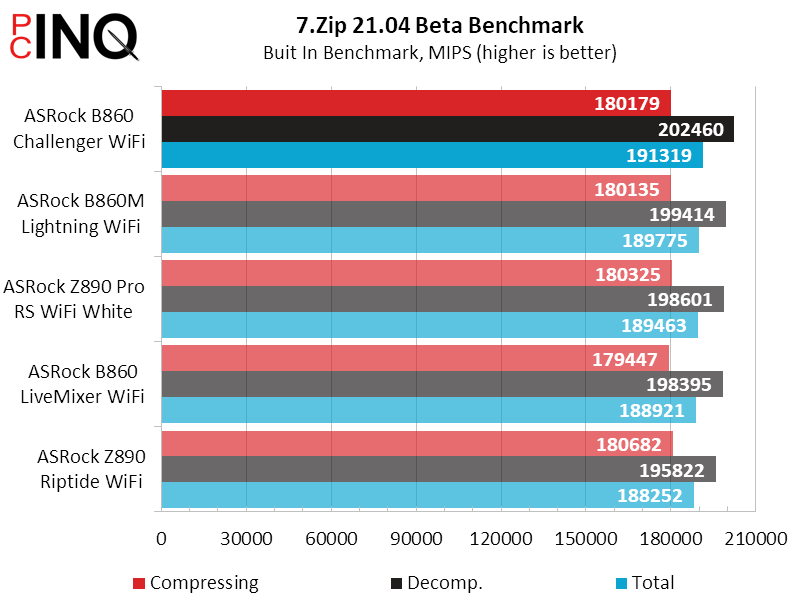
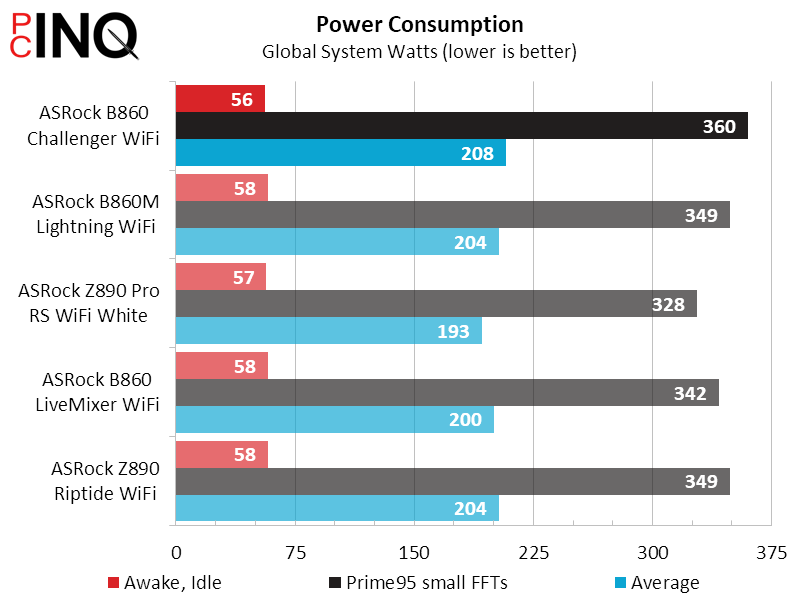
The B860 Challenger WiFi uses a little less power at idle and a little more at full load, finishing a few watts behind the pack in power consumption and a couple percent behind in efficiency.
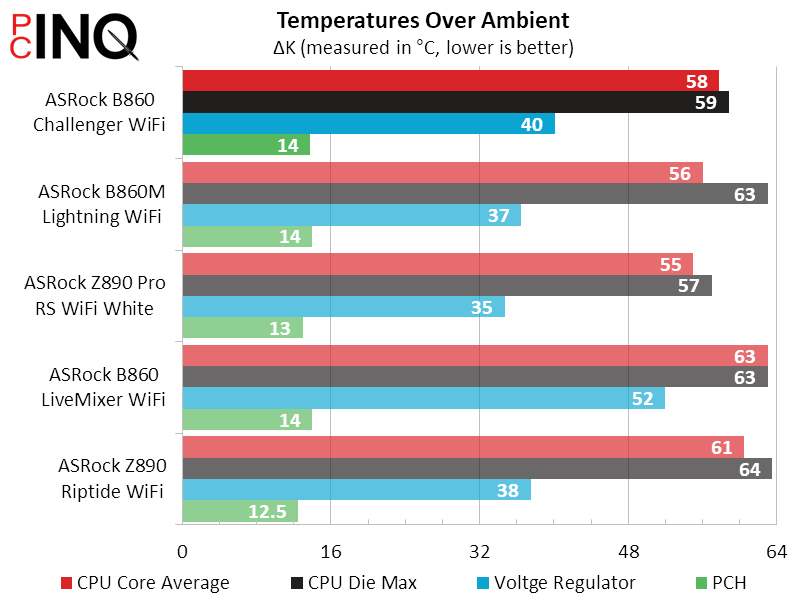
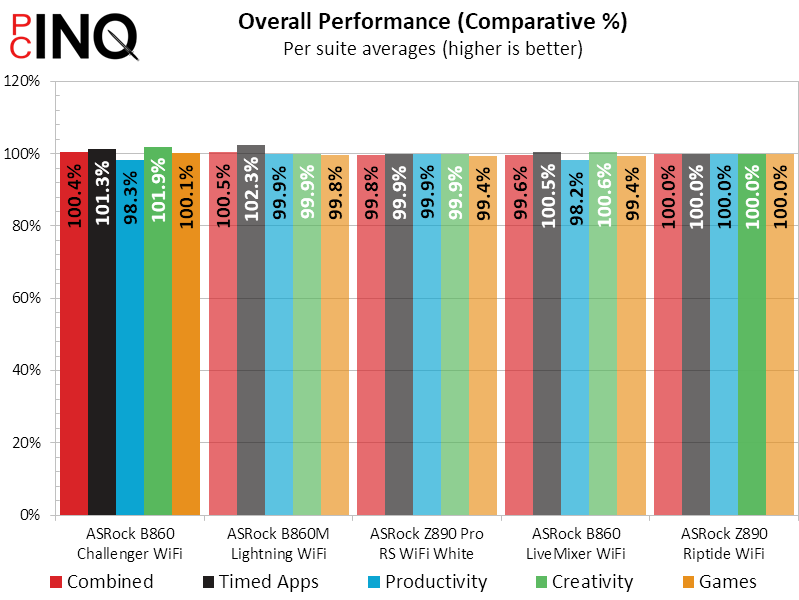
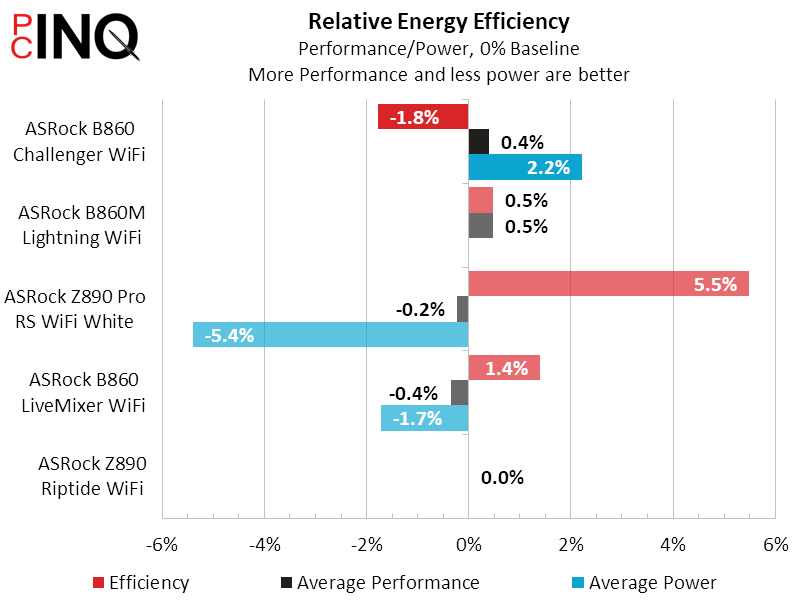
The B860 Challenger WiFi’s winning DRAM OC is nice to see, and the bandwidth improvement shows that it’s not due to performance-hampering timing manipulations.
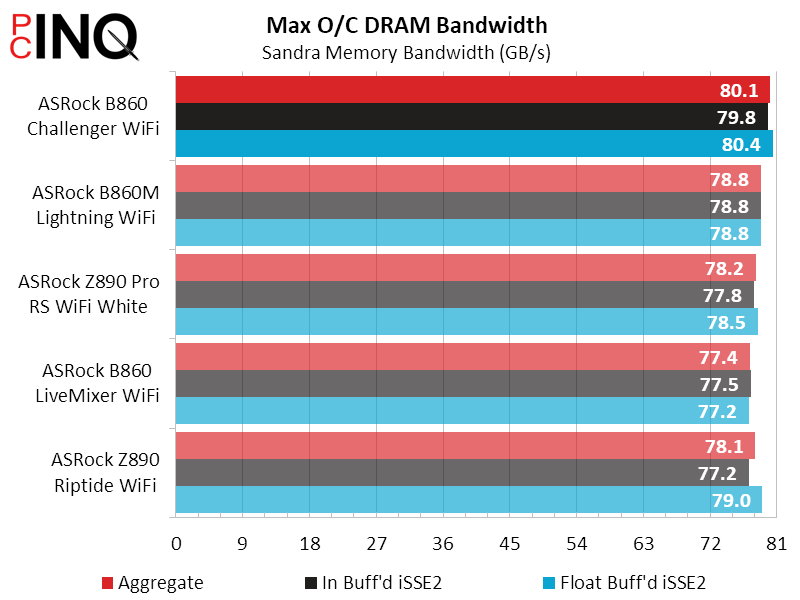
Finally there’s price: Nothing we’ve recently tested can match the B860 Challenger WiFi on price.
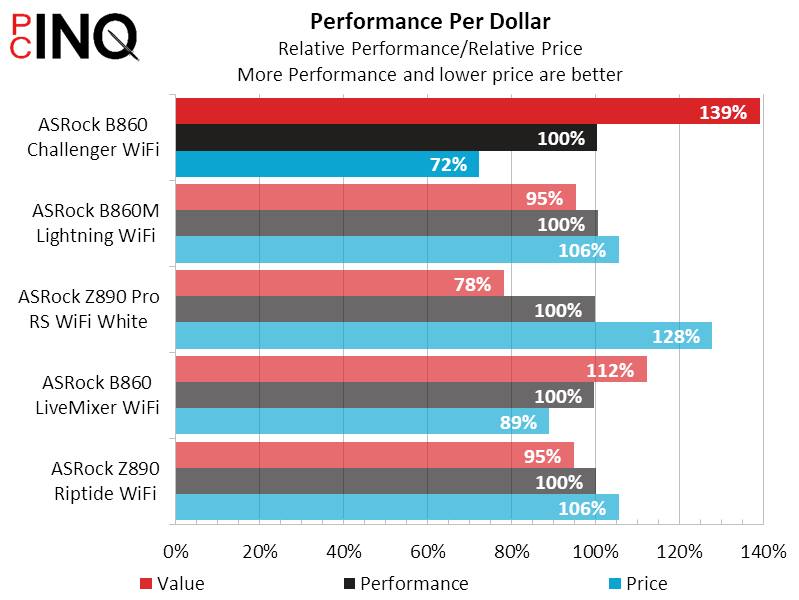
But that’s not to imply the B860 Challenger WiFi’s value impossible to match: We began this discussion by noting that an entry-level board with full USB 3.2 Gen2 access and basic internet would cost around $120, and that adding a USB4 controller would push such a board to $130-$140. That’s the range we’re seeing in today’s sample, forgoing added-on USB4 and integrated USB 3.2 Gen2 for Wi-Fi 7 and 2.5GbE.
| ASRock B860 Challenger WiFi | |
| Pros | Cons |
| Cheap way to fast Ethernet and WiFi | No USB 3.2 Gen2x2…or even single-lane Gen2 |
| The Verdict | |
| Builders who want super-fast networking and don’t care about USB bandwidth should be pleased to find the B860 Challenger WiFi a fast and cheap gaming-focused motherboard. | |


