
NZXT Kraken Elite 360 RGB (2026) Review
There’s no getting around its price: The $300 Kraken Elite 360 RGB costs more than even the Corsair-priced iCue Link Titan 360 RX but hey, at least it has a triple-fan frame that creates a continuous RGB strip its entire length. Then again, so does the $130 Phantom Gaming 360 LCD. Then again, maybe it’s just that much better a cooler than either of those competitors?
NZXT Kraken Elite 360 RGB (RL-KR36E-B2) | |
| Thickness | 54mm w/fans |
| Width | 120mm (4.7″) |
| Depth | 401mm (15.8″) |
| Block Height | 65mm (2.55″) |
| Speed Controller | USB (software) |
| Cooling Fans | 360 x 120 x 26mm triple-blade |
| Connectors | (1) 3-pin Fan, (1) SATA Power, (1) USB 2.0 |
| Weight | 1674g (59oz) |
| Intel Sockets | 1851/1700, 1200/115x |
| AMD Sockets | AM5/AM4 |
| Warranty | 6-Years |
| Web Price | $300 |


Special Features
The 2026 version of NZXT’s Kraken Elite covers its water block with a 2.72” 640×640 IPS display, vastly outclassing the 480×480 displays of its competitors while offering users the ability to show everything from system stats to motion GIFs and even YouTube videos.

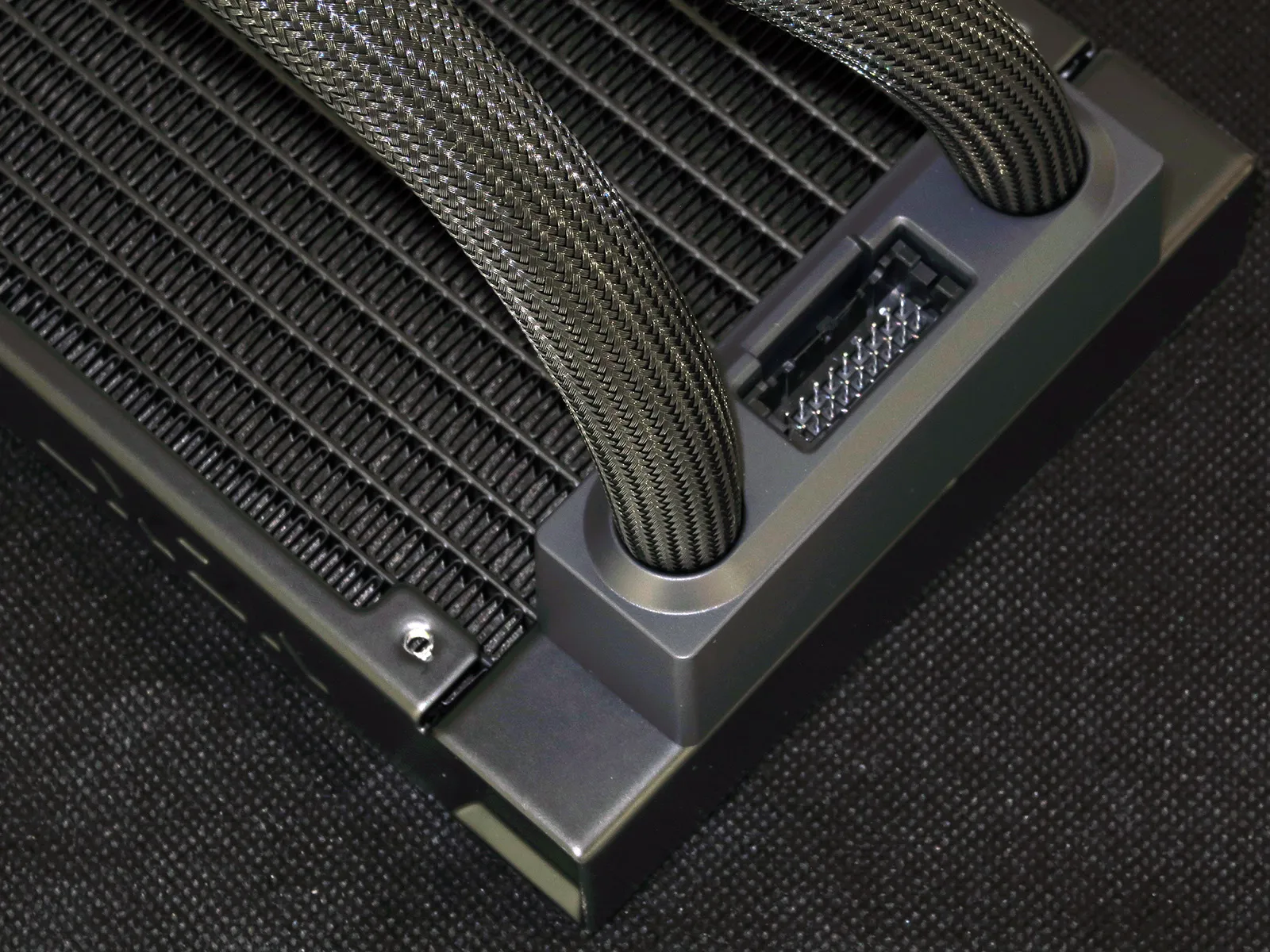
The wiring for that display, along with the pump under it, is hidden beneath the coolant line sleaves to exit conveniently between those coolant lines.
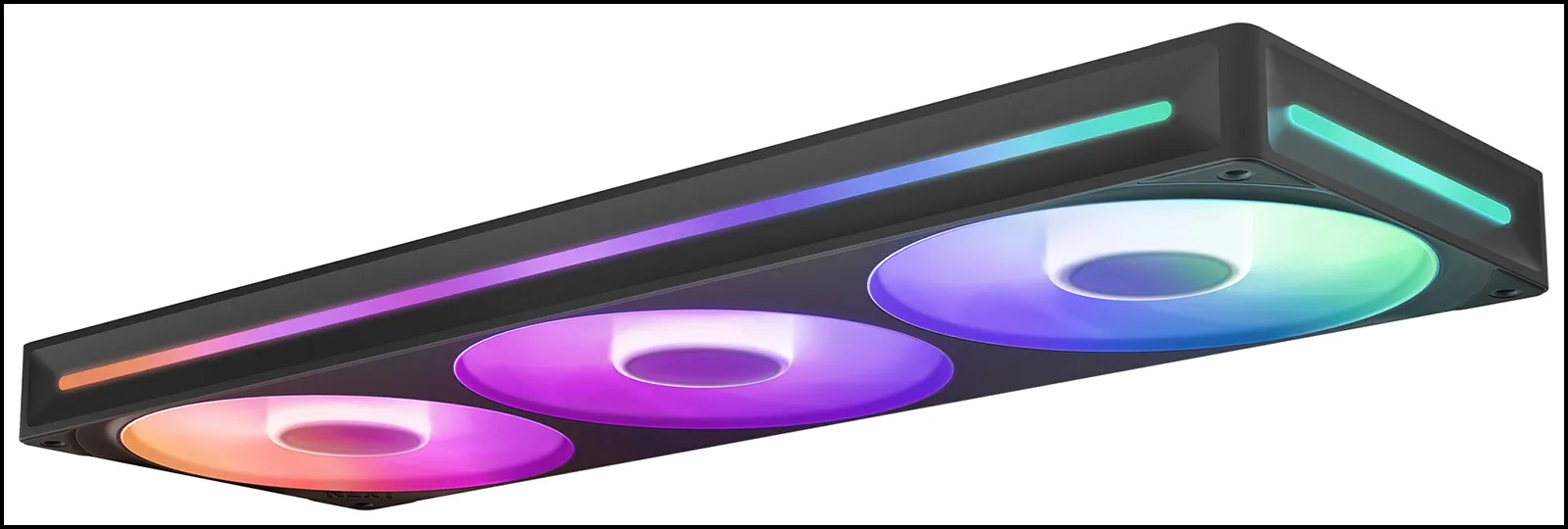
As noted, the continuous fan frame allows NZXT to run an RGB strip its length. Of course you’ll still be forced to replace the entire unit if a single fan dies, but NZXT attempts to assuage such fears with the Kraken Elite 6-year warranty.
Package Contents
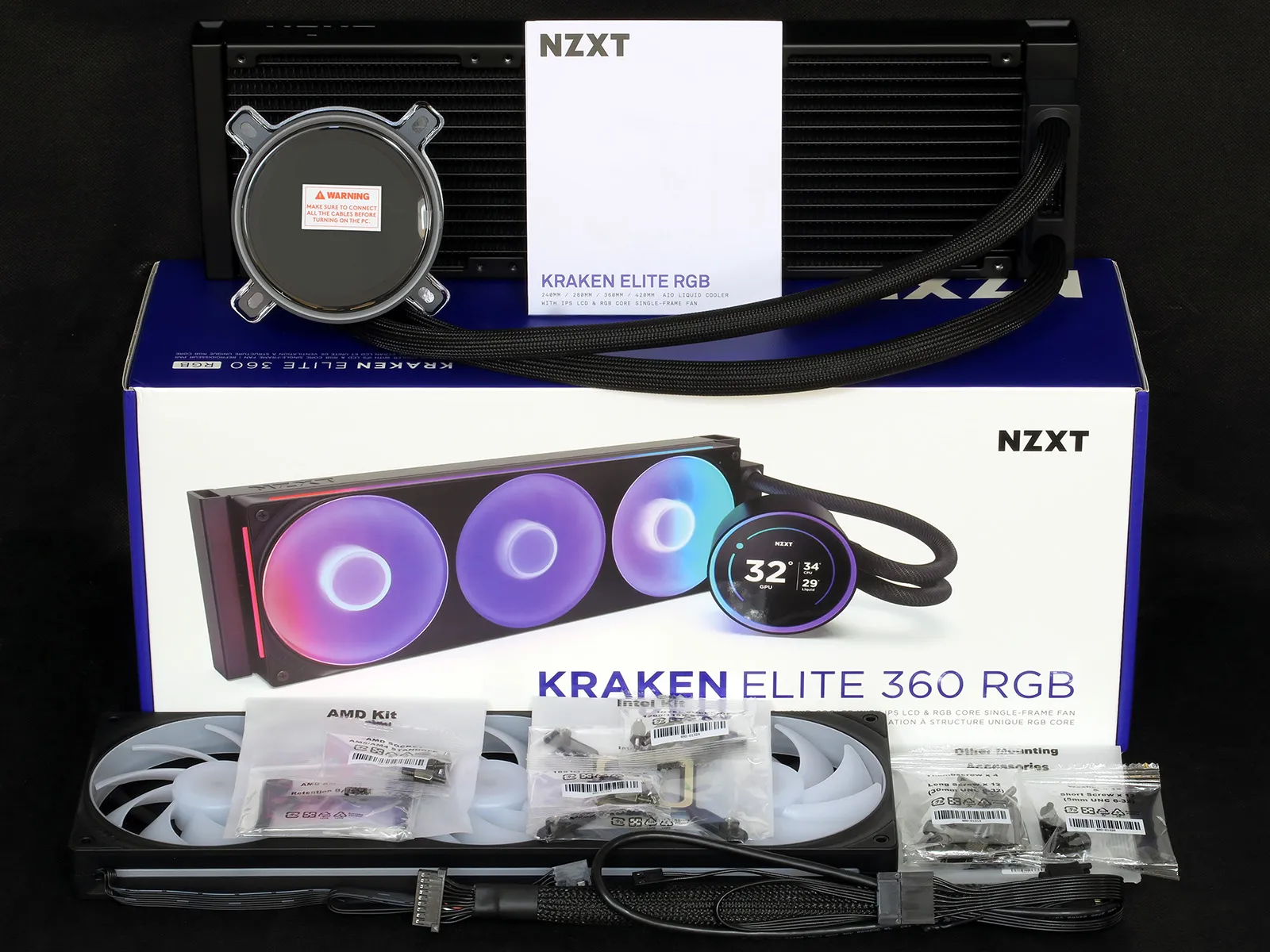
Available in both black and white versions, each Kraken Elite 360 RGB includes a pump/water block/radiator combo, a triple-blade 360x120x26mm fan, AMD and Intel installation kits, radiator and block installation hardware and a breakout cable to connect the previously mentioned cable interface between the fittings of the radiator. Other versions of the cooler include a twin-blade 240mm format as well as 280mm and 420mm formats based on dual and triple blades of 140mm fans, and all four sizes can be had for slightly less money sans fan lighting. That’s sixteen variations if we include both colors!
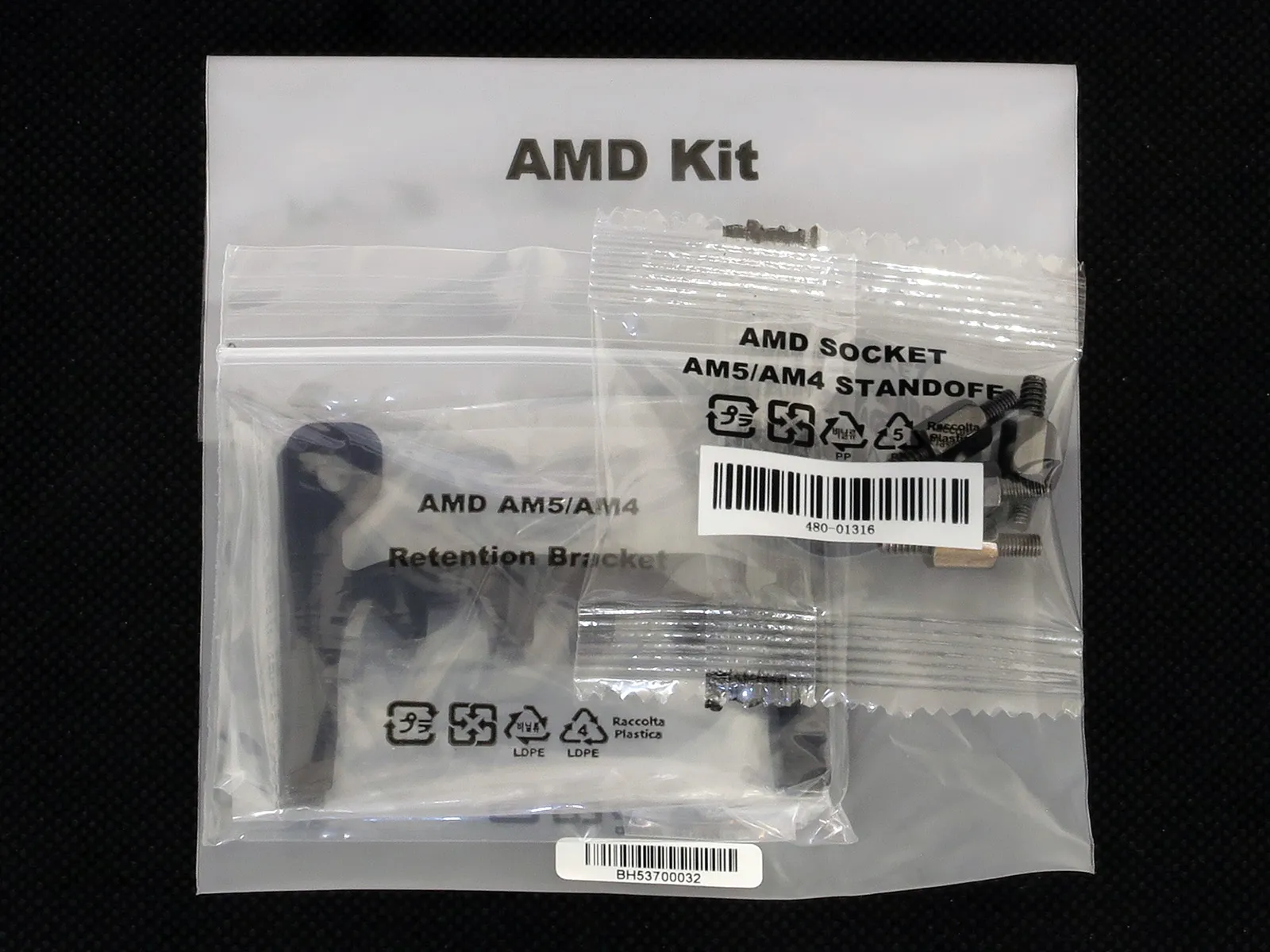
The AMD kit includes two replacement brackets for the base of the pump and four standoffs to replace the factory bracket clip screws of a Socket AM5 or AM4 motherboard.
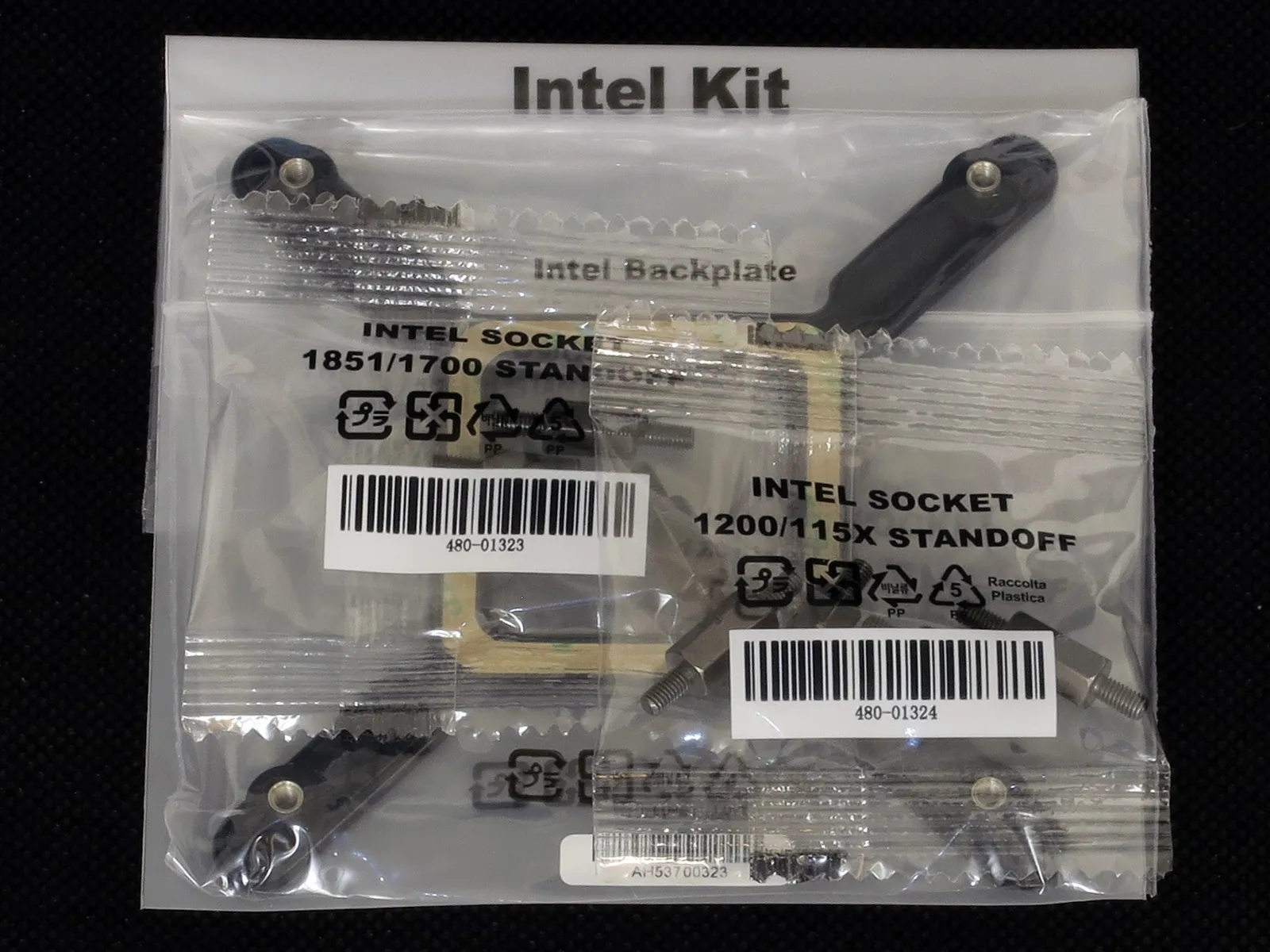
Since the unit is delivered with an Intel-pattern bracket already affixed, the Intel kit includes just a socket support plate for the back of the motherboard that adds the threaded mounting points to hold its included standoffs. The kit includes two sets of standoffs, one that fits LGA 1851 or 1700 package height and another that fits LGA 1150 through 1156 plus LGA 1200 package heights.
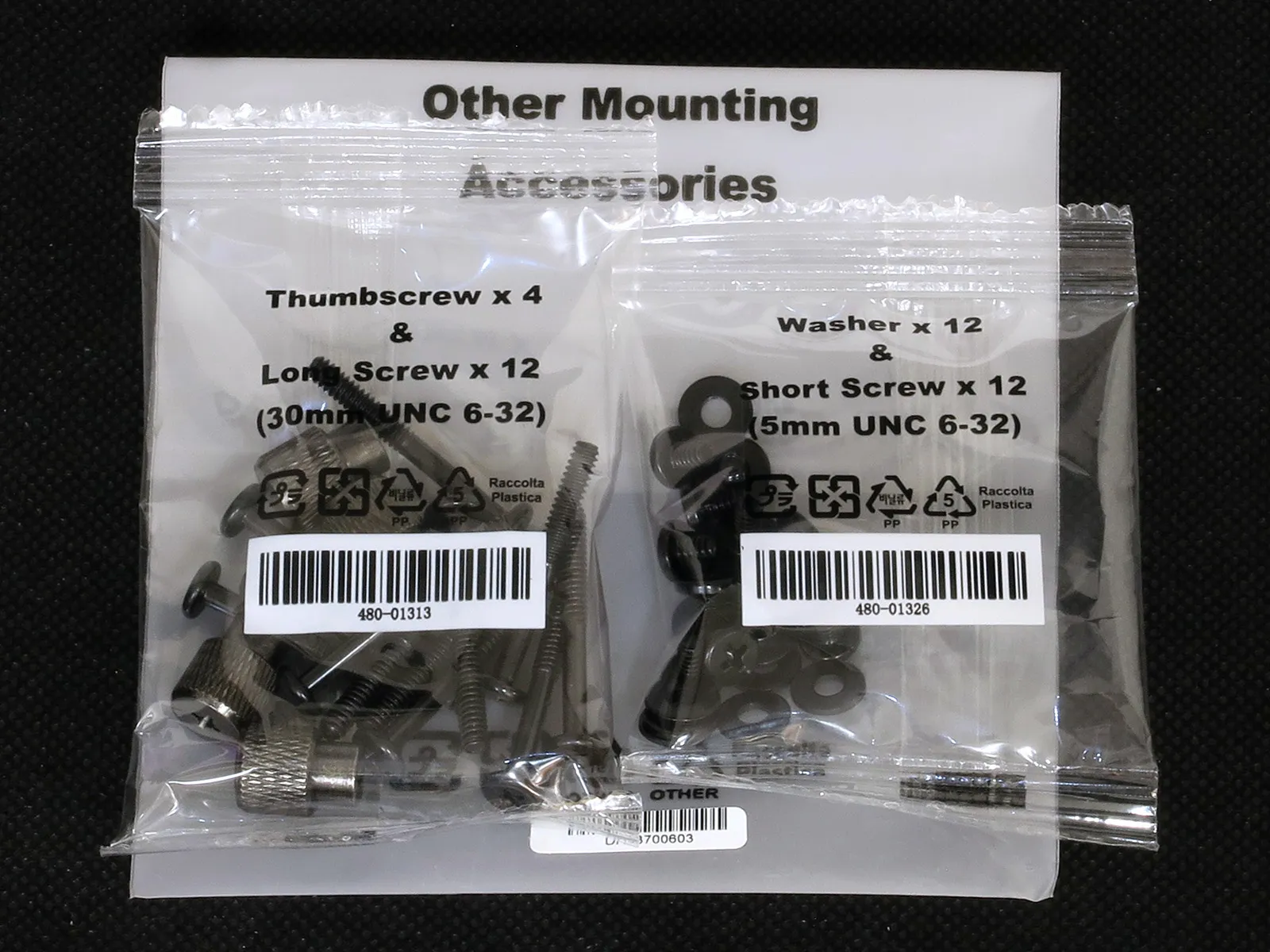
Other mounting hardware includes enough 30mm-long screws to attach three separate fans, four knurled nuts to secure the pump’s bracket to its included socket standoffs, twelve short screws to secure the radiator to a case, and twelve washers to bridge small gaps such as those frequently present on a case’s radiator mounts.
Component Design
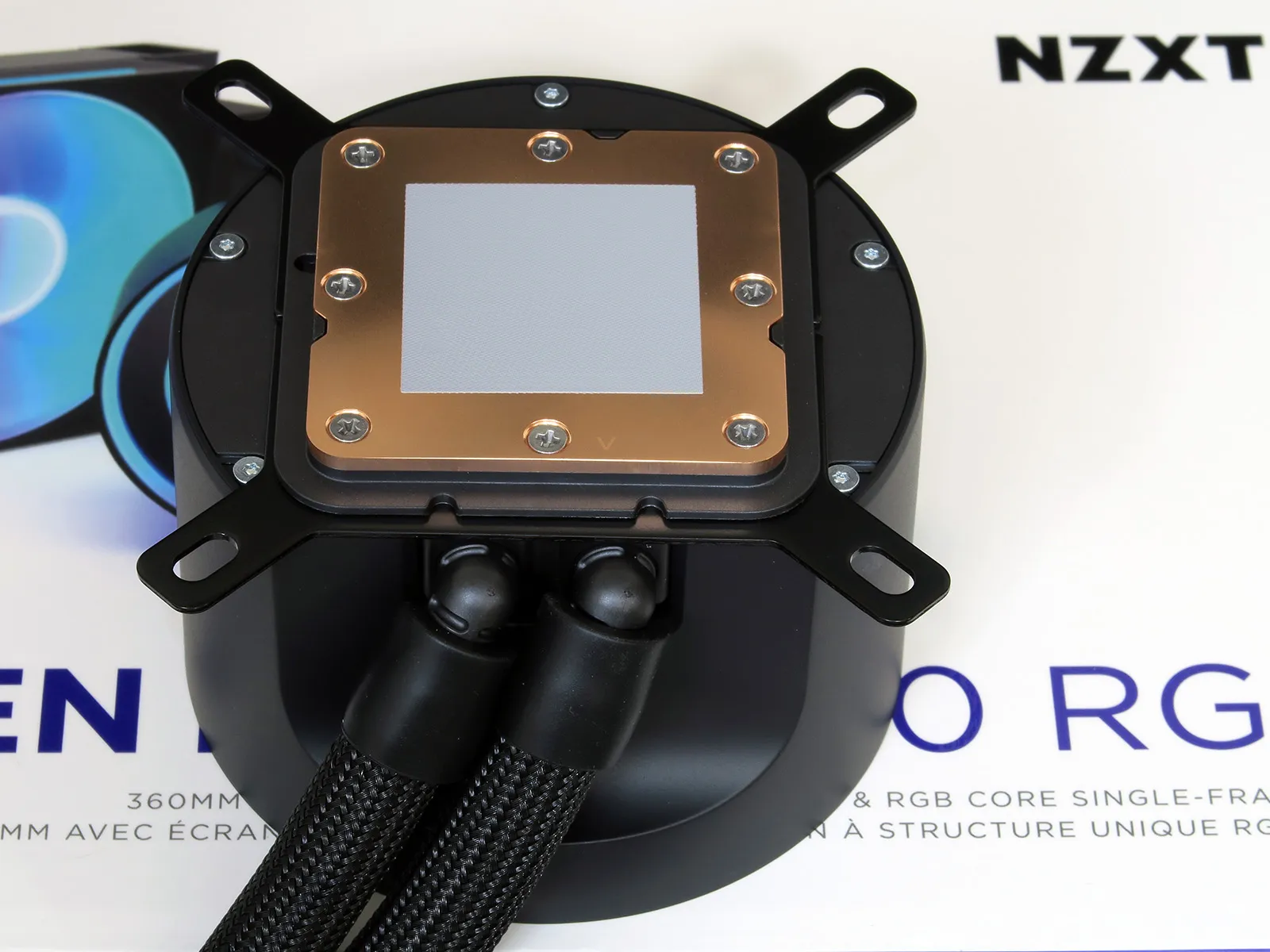
NZXT says that its latest Kraken Elite ‘cold plate’ (thermal transfer plate) has 170 skived fins on the inside: On the outside we can see where a blotch of T.I.M. (thermal interface material) that’s a bit gummier than familiar thermal pastes has been factory-applied to its finely finished copper surface. NZXT also says that redesigned ‘Turbine’ pump above it provides 10% better CPU cooling—rather than 10% better flow—compared to the Asetek-sourced parts of its predecessor. Grooves between the pump and water block portion of this combined part retain mounting brackets, so that changing out the mounting brackets is a simple matter of sliding out the factory-installed Intel-compatible pieces and sliding the AMD-compatible parts into their place.
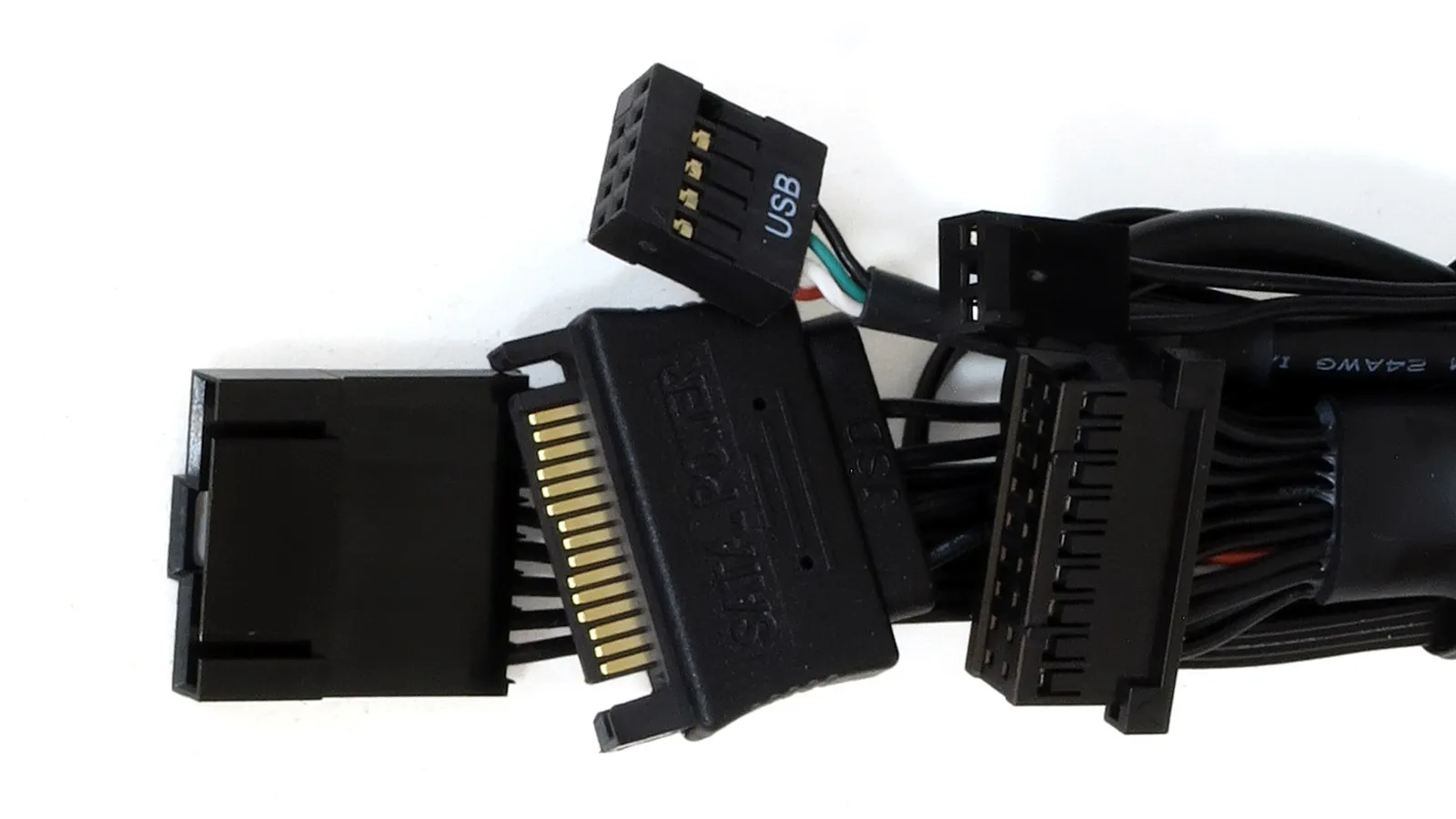
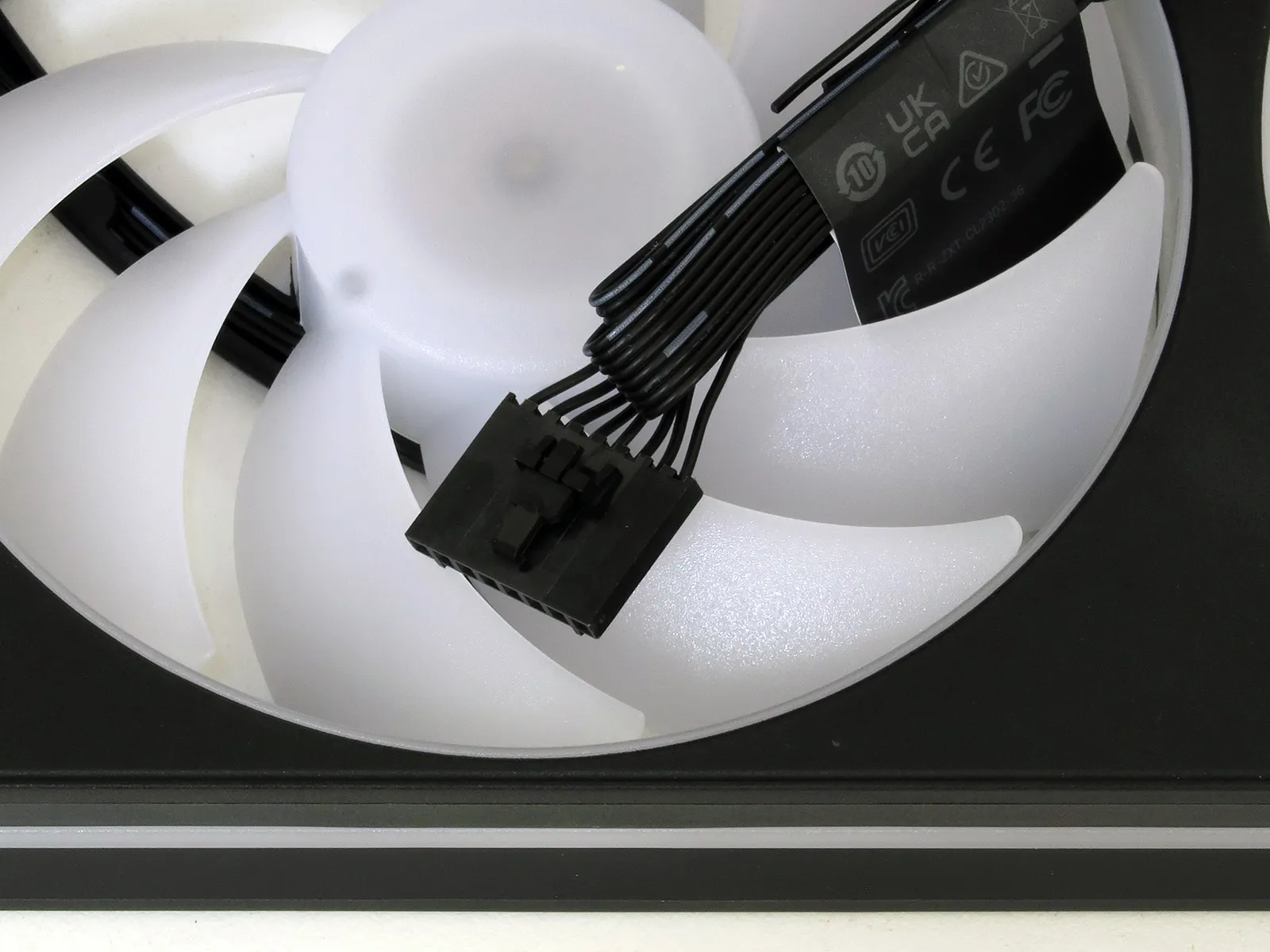
We led this coverage listing the pump’s concealed cables as a clutter-freeing feature, but the big single connector has to lead somewhere: It breaks out into a 3-pin fan cable for the sole purpose of sending a tachometer signal to the motherboard’s CPU fan header, a nine-pin USB 2.0 header cable that’s filled with only four wires (so that passive splitters could possibly be used to connect a second device), a SATA Drive power cable that feeds the unit directly from a system’s power supply and a proprietary 8-pin PWM/ARGB interface for the NZXT F360 RGB Core triple-blade fan.
The included F360 RGB Core fan is the same model that NZXT uses in its cases and its kits, using the same proprietary 8-pin connector as its Control Hub Lite.
Hardware Installation
AMD motherboards include a pair of plastic brackets that support clip-on coolers, and removing those brackets reveals the threaded, protruding nubs of a support plate that spans the back of the CPU socket. Removing the clip brackets and replacing their screws with the Kraken Elite’s AM5/AM4 standoffs presents us with the installation state shown below:
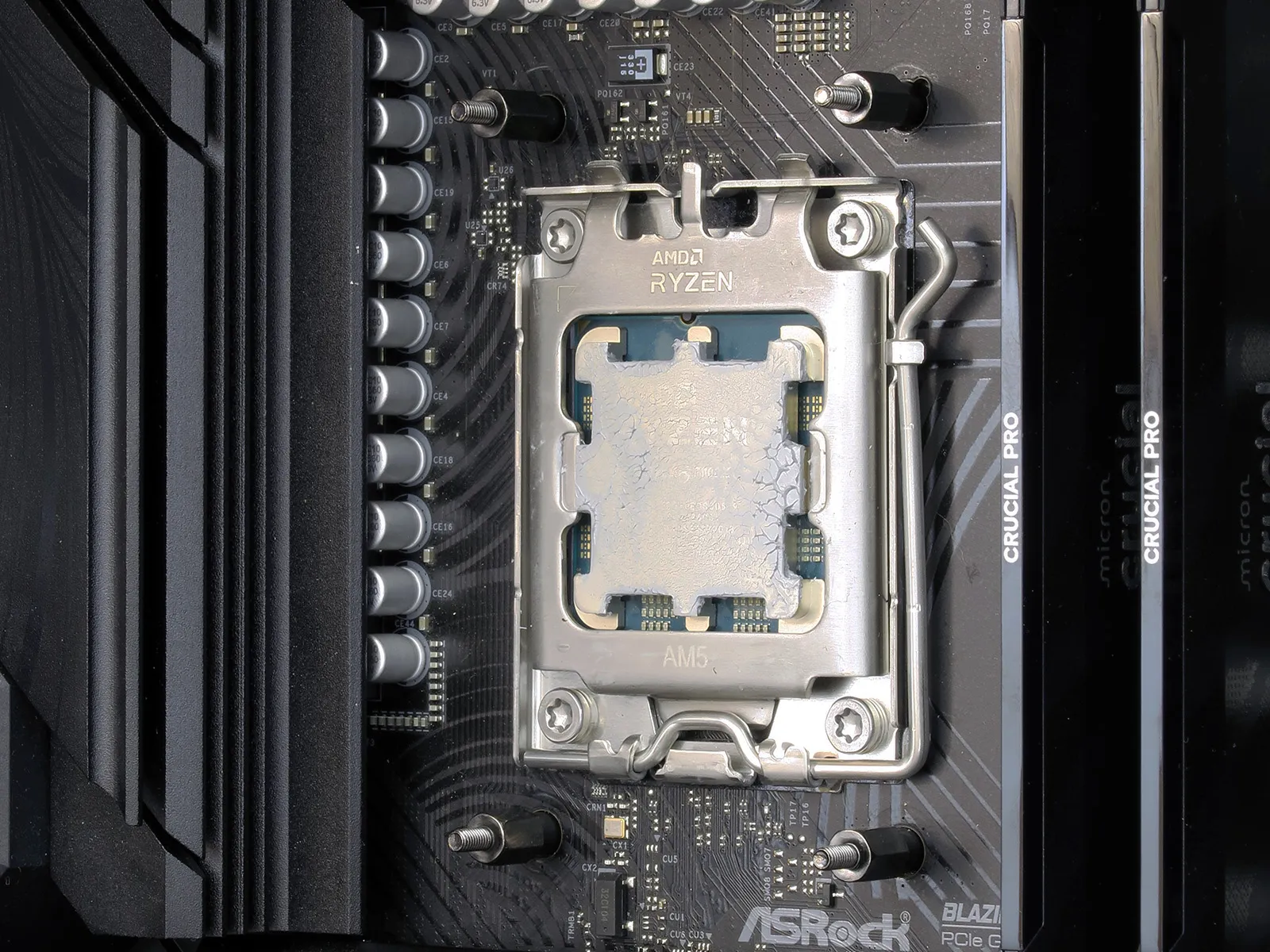
We slid the Intel brackets from the grooves of the cooler’s body and replaced them with the AMD brackets before positioning the holes of those brackets around the tops of the standoffs, and topping them with the included knurled nuts. Screwdriver recesses at the centers of those nuts allowed us to more easily finish the installation, after which we removed the pump cover’s protective plastic film.
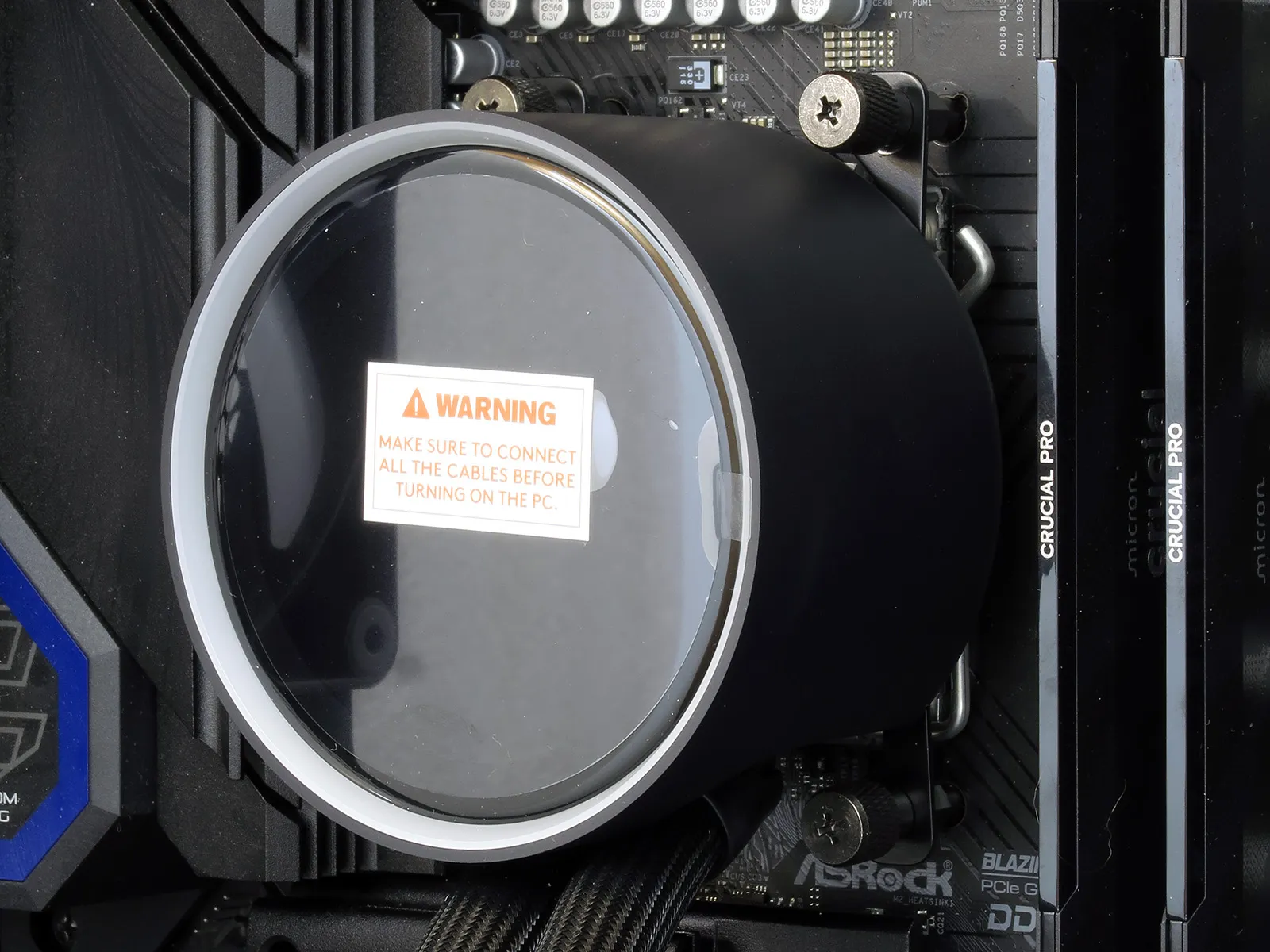
Four 30mm-long screws attach the 120x360mm triple-blade fan to the underside of the Kraken Elite 360 RGB’s radiator, while up to twelve of the shorter (5mm-long) version may be used to attach the other side of the radiator to the case’s radiator mount: Though the installation kit includes twelve screws of each size, we’ve no idea what to do with the eight leftover 30mm screws.
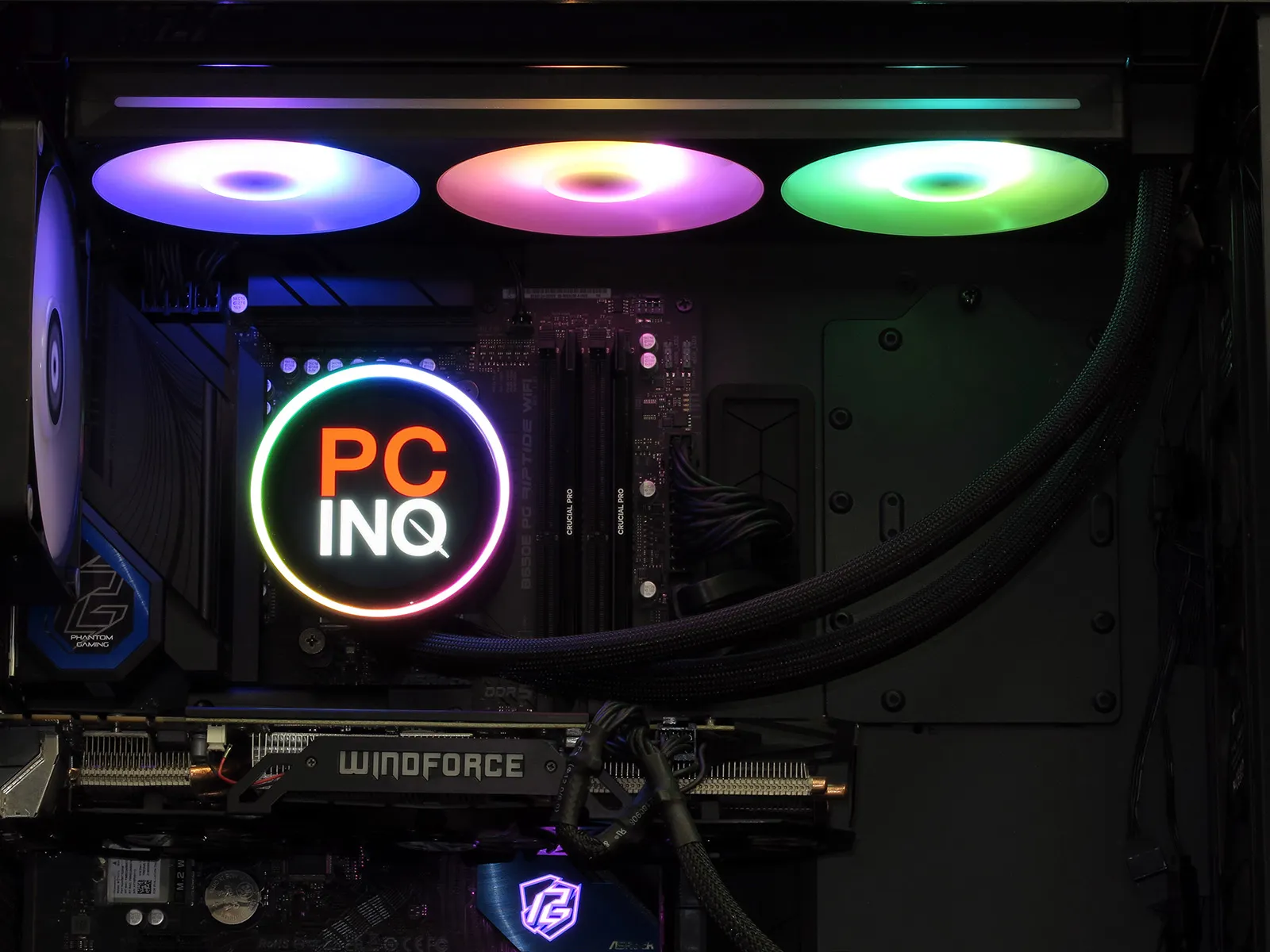
We chose “Spectrum Wave” to produce the color seen above, switched the LCD Display mode from Triple Infographic to Image mode to apply our logo to its screens, and set “Fixed” fan mode while adjusting the sliders to 100% (full fans). Users can alternatively show GIFs or video feeds on the 640×640 display, or even place an infographics atop their GIF if desired.
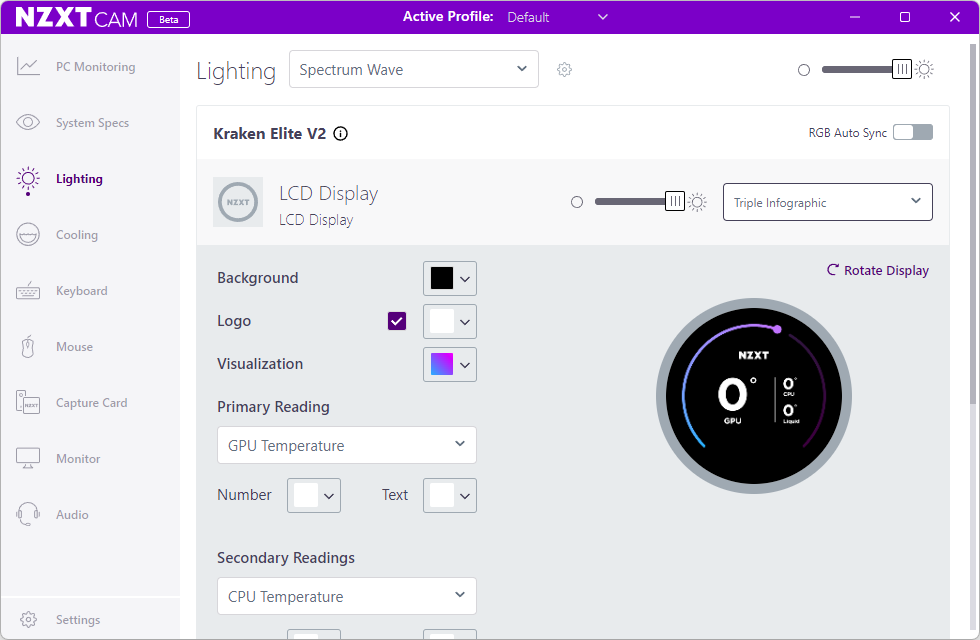
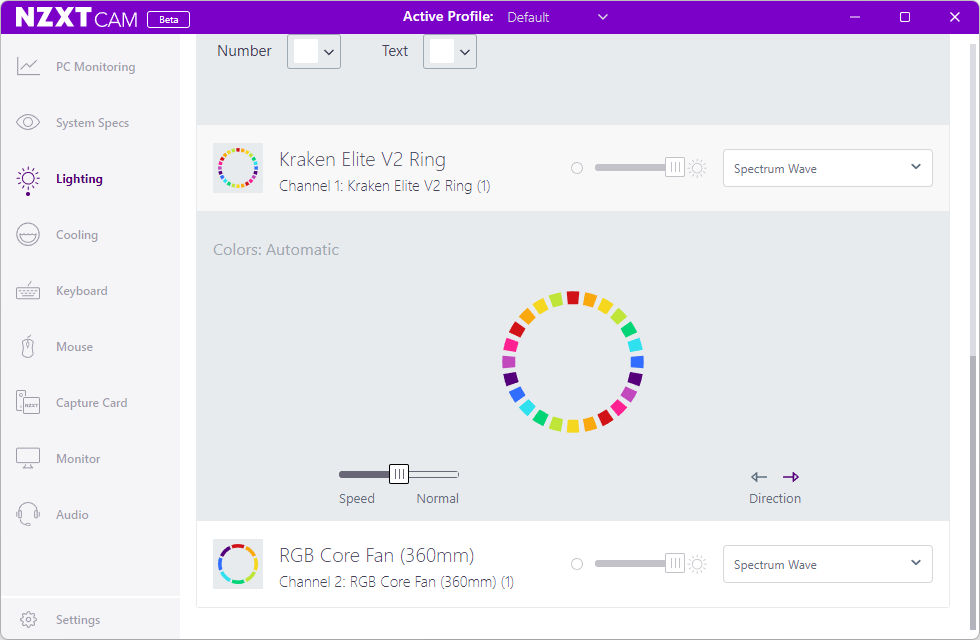
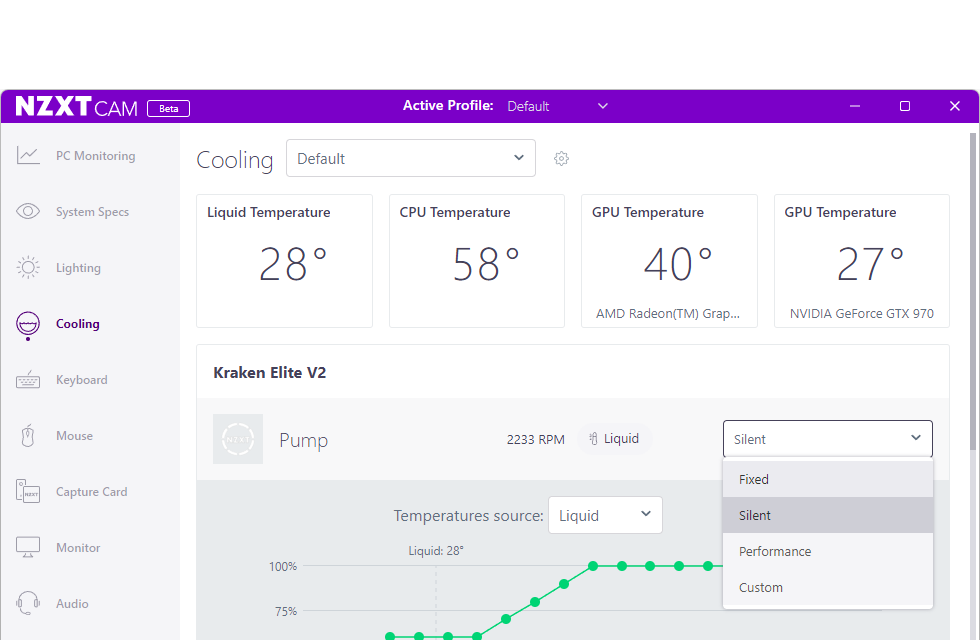
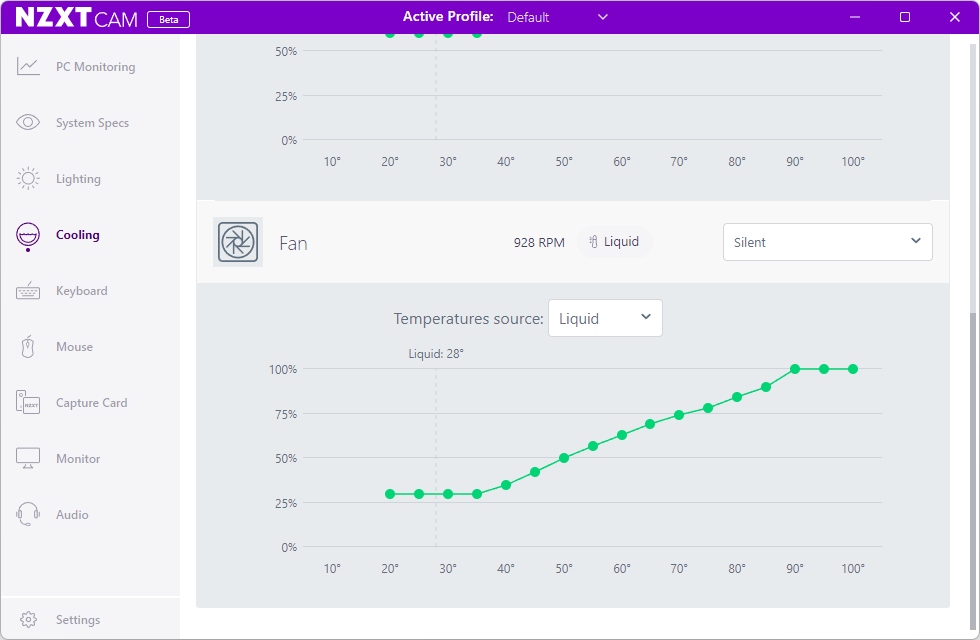
The same hardware installation and software configuration is available to Intel users, but those installations require the installation kit’s Intel-style socket support plate to hold the appropriate standoffs, since the mounting holes of compatible Intel motherboards are empty.
Testing The Kraken Elite 360 RGB
We’ll compare the Kraken Elite 360 RGB to the two most-recent LCD-topped coolers of the same format from our reviews, filling the remainder of the charts with non-LCD models to get a broader perspective on cooling and noise performance, using the following hardware:
| System Configuration | |
| Case | Thermaltake Ceres 500 TG ARGB |
| CPU | AMD Ryzen 9 7900X: 12 cores/ 24 threads, 64MB L3 Cache O/C to 5.00 GHz at 1.25 V Core |
| Motherboard | ASRock B650E PG Riptide WiFi, BIOS 1.18 |
| RAM | Sabrent Rocket SB-DR5U-32GX2 64GB DDR5-4800 |
| System Drive | HP SSD FX900 M.2 1TB NVMe SSD |
| Test Configuration | |
| Load Software | Prime95 Version 30.8 Torture Test, Small FFTs |
| H/W Monitoring | HWiNFO64 v7.42-5030 |
| SPL Monitoring | Galaxy CM-140 SPL Meter: Tested at 1/4 m, corrected to 1 m (-12 dB) |
Cooling Performance & Noise Measurements
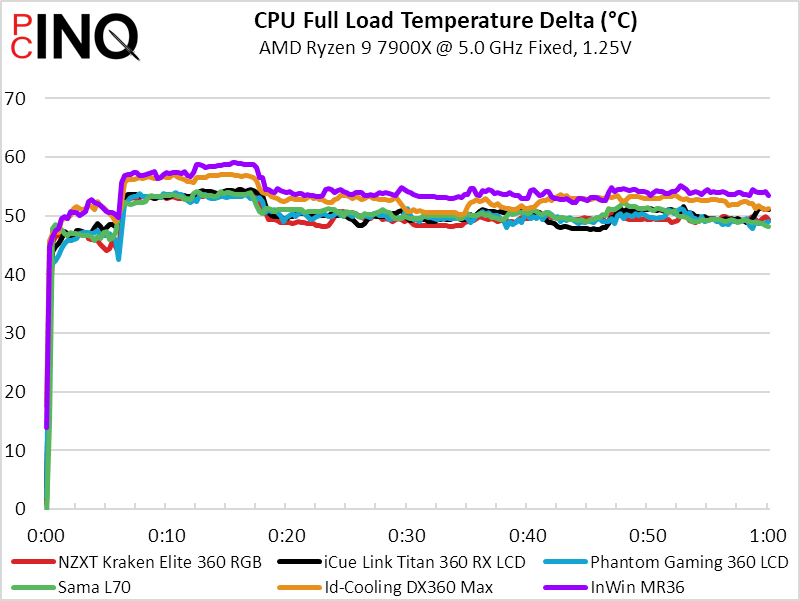
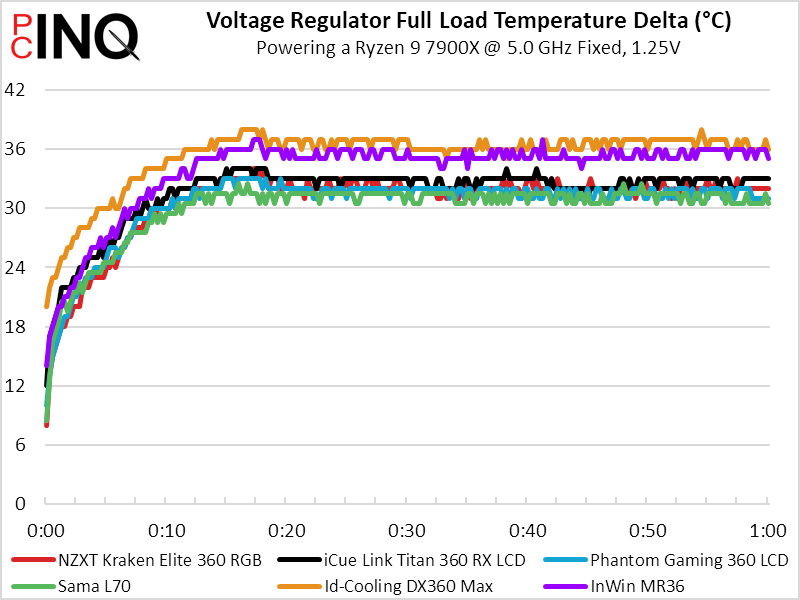
Lower is better, so it’s nice to see the two priciest cooler’s battle their way toward the lowest CPU temperature with a full Prime95 small FFTs load. The two slip to 3rd and 4th place in our voltage regulator temperature metric, but that one is more a test of sufficiency then efficiency.
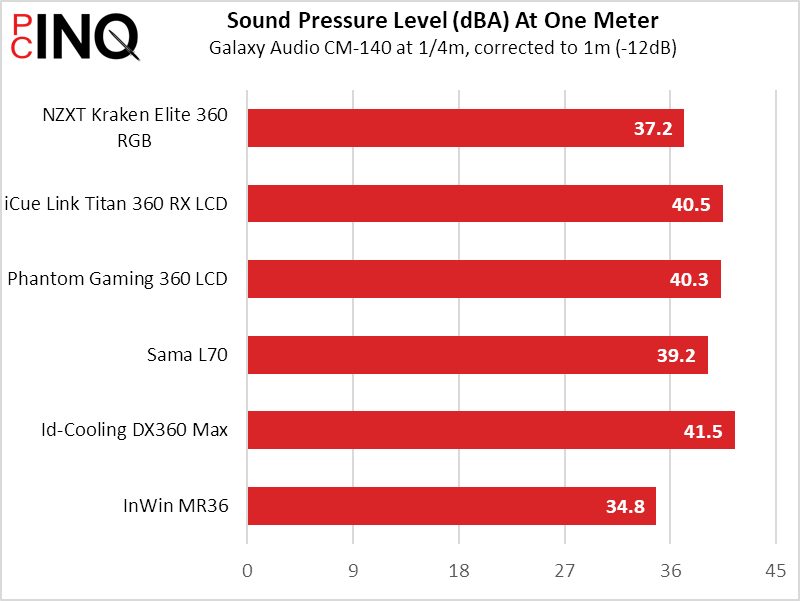
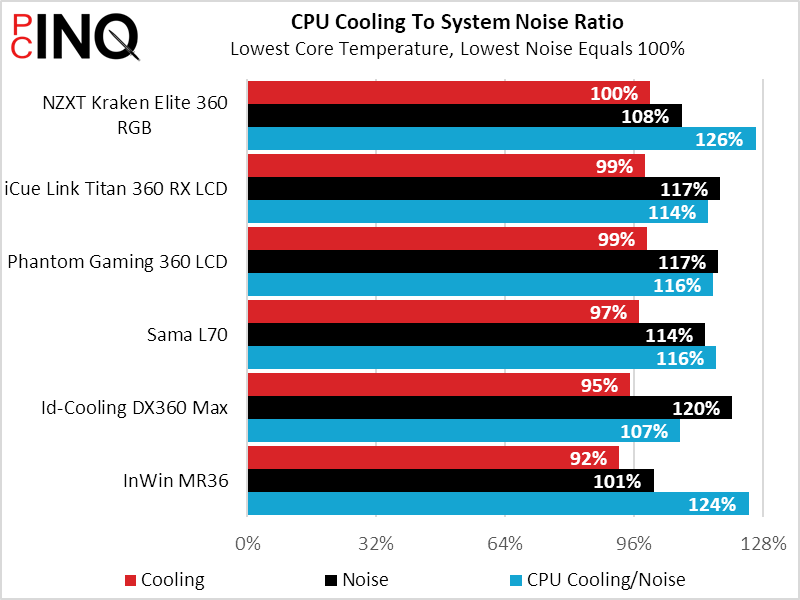
The Kraken Elite 360 RGB’s quietness speaks volumes (quiet volumes) of its design philosophy: It achieves the top score in cooling-to-noise.
Final Value Assessment
With a $300 MSRP and web prices exceeding that by around 10%, there’s no way for the Kraken Elite 360 RGB to stand against any other cooler in value. Even with the ‘iCue Link’ moniker pushing the competing Corsair sample to $220, the NZXT unit’s price is in a class of its own.
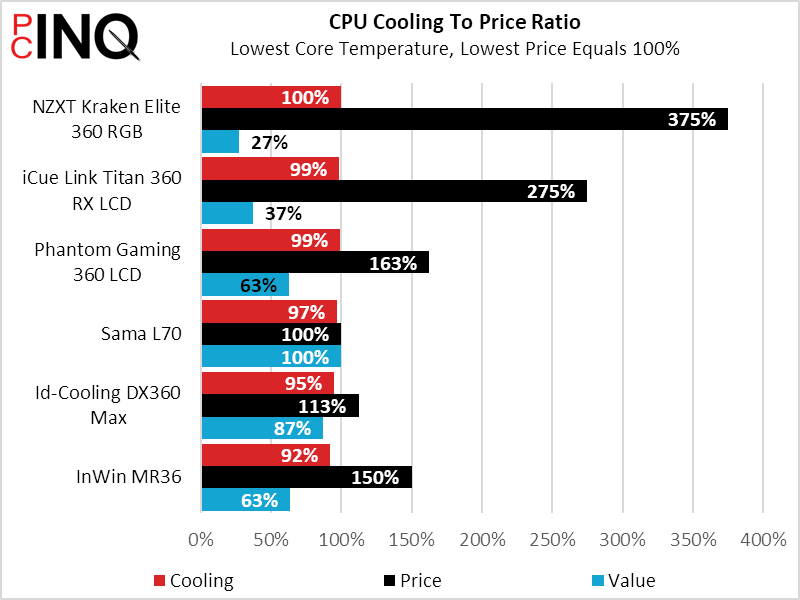
From a features standpoint there’ really one two competitors in the whole chart above, as the $300 Kraken Elite 360 RGB and the $130 Phantom Gaming 360 LCD have similar triple-blade fans. The ASRock model has more viewable area on its square screen than the round-screened NZXT, and ASRock adds a voltage regulator fan directly behind its LCD, but the Kraken Elite 350 RGB’s higher 640×640 pixel number tells of superior image quality while its lower noise is very noticeable.
| NZXT Kraken Elite 360 RGB (RL-KR36E-B2) | |
| Pros: | Cons: |
| Superior Noise Control Superior Pixel Density Top-tier CPU cooling Top-tier warranty | Exorbitant pricing |
| The Verdict: | |
| Barely the best 360mm-format closed-loop we’ve tested, the Kraken Elite 360 RGB also has the highest density display and a price that might make you cry. | |
On the other hand, one would have to step up to the $220 Corsair model to match NZXT’s 6-year warranty, and that might be the biggest factor in the price of either model. Regardless, the Kraken Elite 360 RGB’s lower noise and better screen combine with its top-level cooling performance and warranty to elicit an award that has nothing to do with value and everything to do with bestness: