
ASRock X870E Taichi OC Formula Review: E-Taichi Redux
The PCIe 5.0 promise of Zen 4’s 2022 launch extended beyond graphics, dedicating eight additional lanes to NVMe storage. But pre-launch expectations ran smack into post-launch realities as buyers soon found USB4 controller. After continuing down this path through last year’s Zen5 launch, 2025 finally brought a few boards with the initially promised pair of PCIe 5.0 NVMe slots. But how?
| ASRock X870E Taichi OCF | |||
| Socket | AM5 | Form Factor | ATX |
| Chipset | AMD X870E (dual X870) | Voltage Regulator | 25 (22+2+1) Phases |
| Rear I/O | |||
| Video Ports | HDMI 2.1 (4k/120Hz Max), 2x USB4 (8k/30Hz Max) | Audio Jacks | (2) Analog, (1) Digital Out |
| Rear USB 4.x/3.x | (2) 40Gb/s Type-C, (5) 10Gb/s Type A, (1) 10Gb/s Type-C | Legacy Ports/Jacks | (2) USB 2.0, (1) PS/2 Keyboard/Mouse |
| Network Jacks | (1) 5GbE, (2) Wi-Fi Antenna | I/O Panel Extras | ROM Selector Switch, BIOS Flash & CLR_CMOS Buttons |
| Internal Interface | |||
| PCIe x16 | (2) v5.0 (x16/x0 or x8/x8) | SATA Ports | (2) 6Gb/s |
| PCIe x8 | ✗ | USB Headers | (2) Type-E @Gen2x2 (20Gb/s), (1) 19-Pin dual-port, (3) v2.0 dual-port |
| PCIe x4 | (1) v4.0 (two lanes shared w/M.2) | Fan Headers | (7) 4-Pin |
| PCIe x1 | ✗ | Legacy Interfaces | UART (3-pin), System (Beep-code) Speaker |
| CrossFire/SLI | 2 / ✗ | Other Interfaces | FP-Audio, (1) RGB LED, (3) ARGB LED, (2) Thermistor |
| DIMM slots | (2) DDR5 | Diagnostics Panel | Numeric |
| M.2 slots | (2) PCIe 5.0 x4 (one shares x2 w/USB4), (2) PCIe 4.0 x4, (1) PCIe 4.0 x2, (1) PCIe 3.0 x4 , (1) Key-E / CNVi2 | Internal Button/Switch | Power, Reset, +-BCLK, OC1-2-3, Retry, Safe Boot / LN2 mode, Slow mode |
| Controllers | |||
| SATA Controllers | Integrated only | HD Audio Codec | Realtek ALC4082 USB audio w/ESS SABRE 9219C DAC |
| Ethernet Controllers | RTL8126 5Gbps PCIe 3.0 | DDL/DTS Connect | ✗ |
| Wi-Fi / Bluetooth | MediaTek RZ717 WiFi 7 (2.4GHz/5GHz/6GHz) / BT 5.4 Combo | Warranty | 3 Years |
| USB Controllers | ASM4242 USB4, GL9904/GL9950/BW9951E Gen2 redrivers | Price When Tested | $450 |
A quick look at the table’s “M.2 slots” reveals that one of the PCIe 5.0 NVMe shares two pathways with the USB4 controller, so there’s nothing revolutionary or even evolutionary in its inclusion: Builders who choose it must decide whether they want to sacrifice half its lanes to the ASM4242 controller (the default), or whether they’d rather disable both USB4 ports to get the drive’s full four lanes. There is no magic workaround: Even a Gen4 NVMe drive will also run at half its rated 64Gbps when connected through a pair of Gen5 lanes, as the higher Gen5 frequency can’t be applied to the slower Gen4 drive.
There may be no magic, but the X870E Taichi OCF (OC Formula) picks up a bevy of overclocking enhancements, all while pushing the X870E Taichi’s price from $440 down to $330 just in time for the holidays.
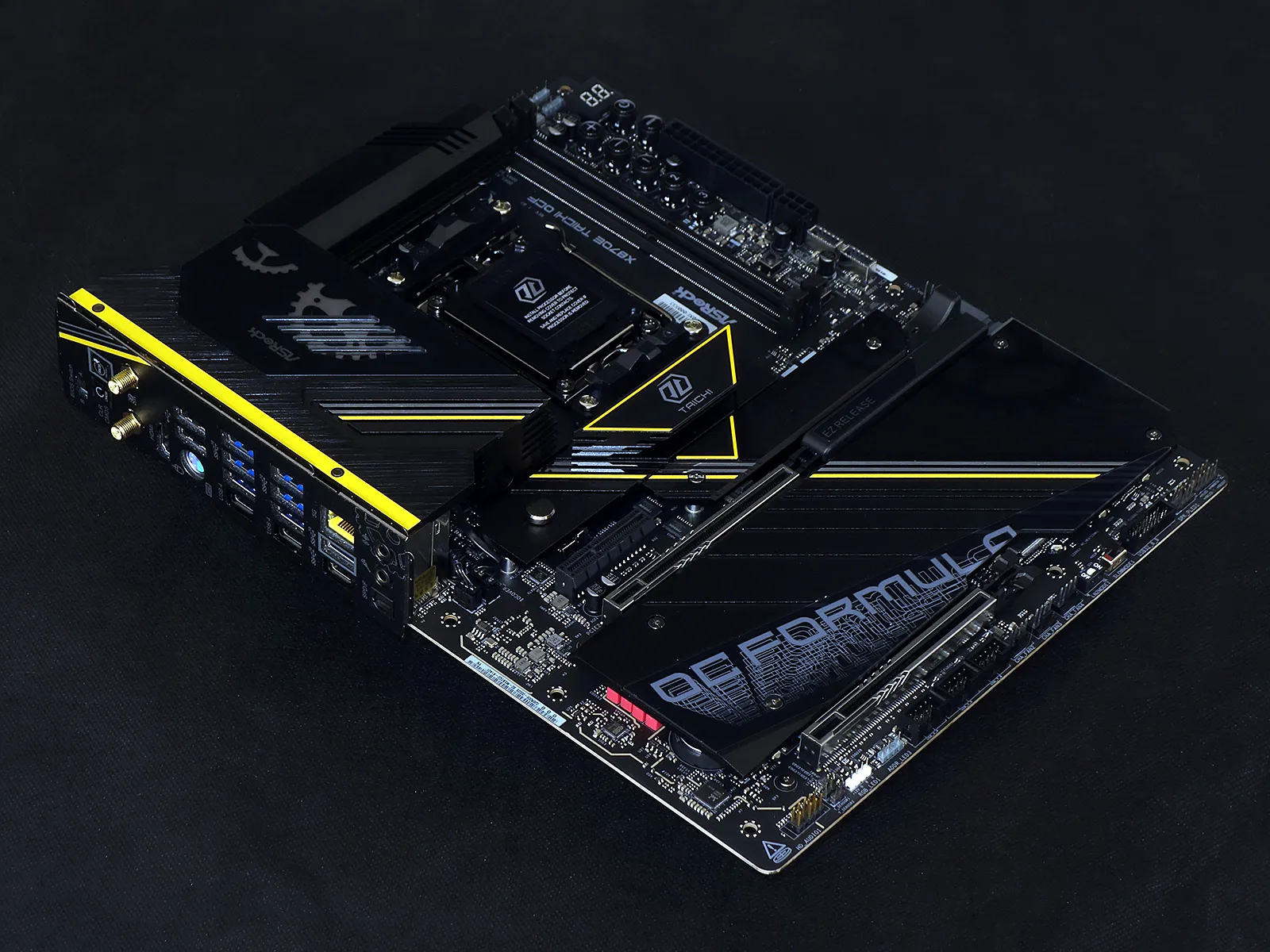
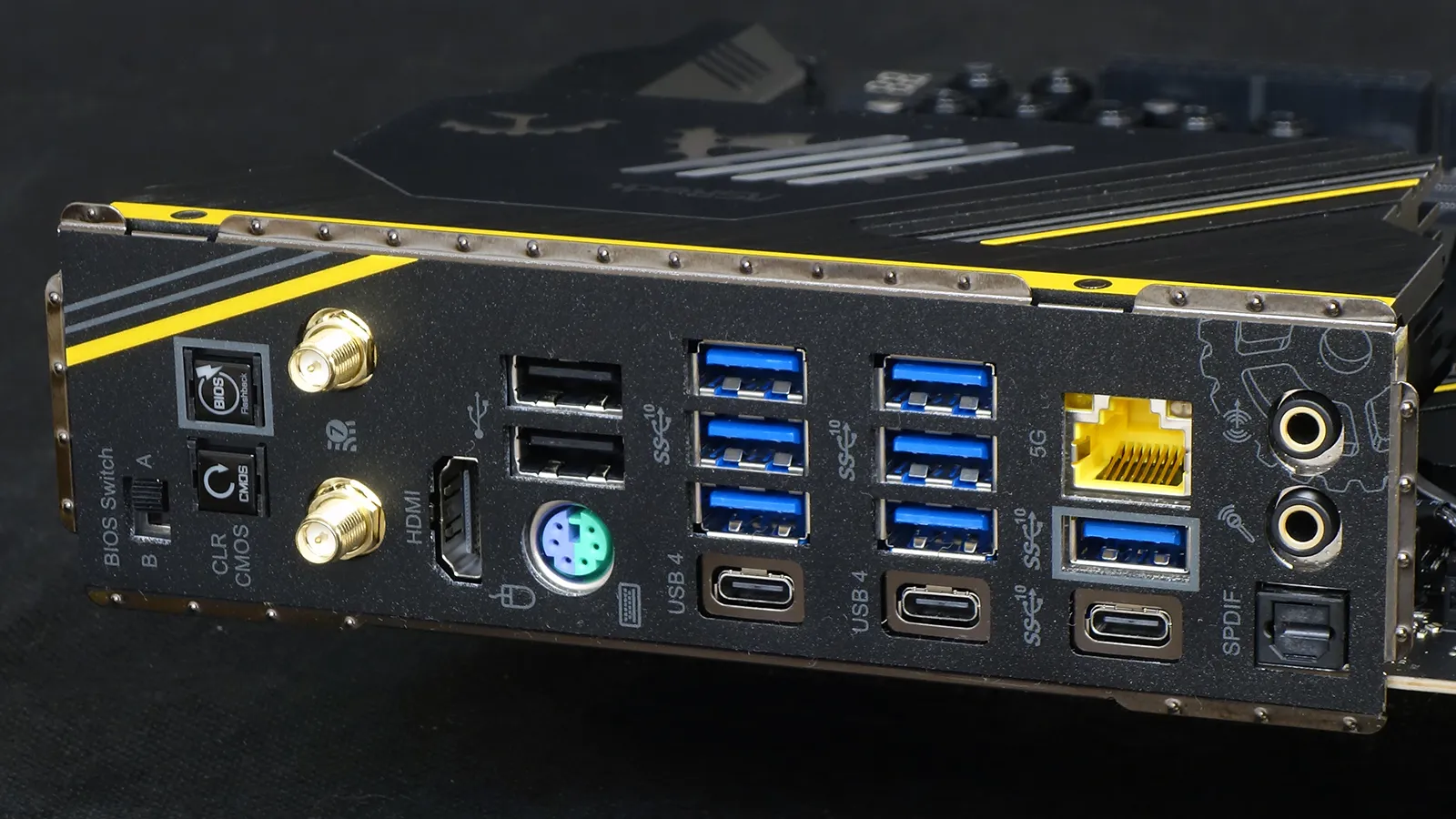
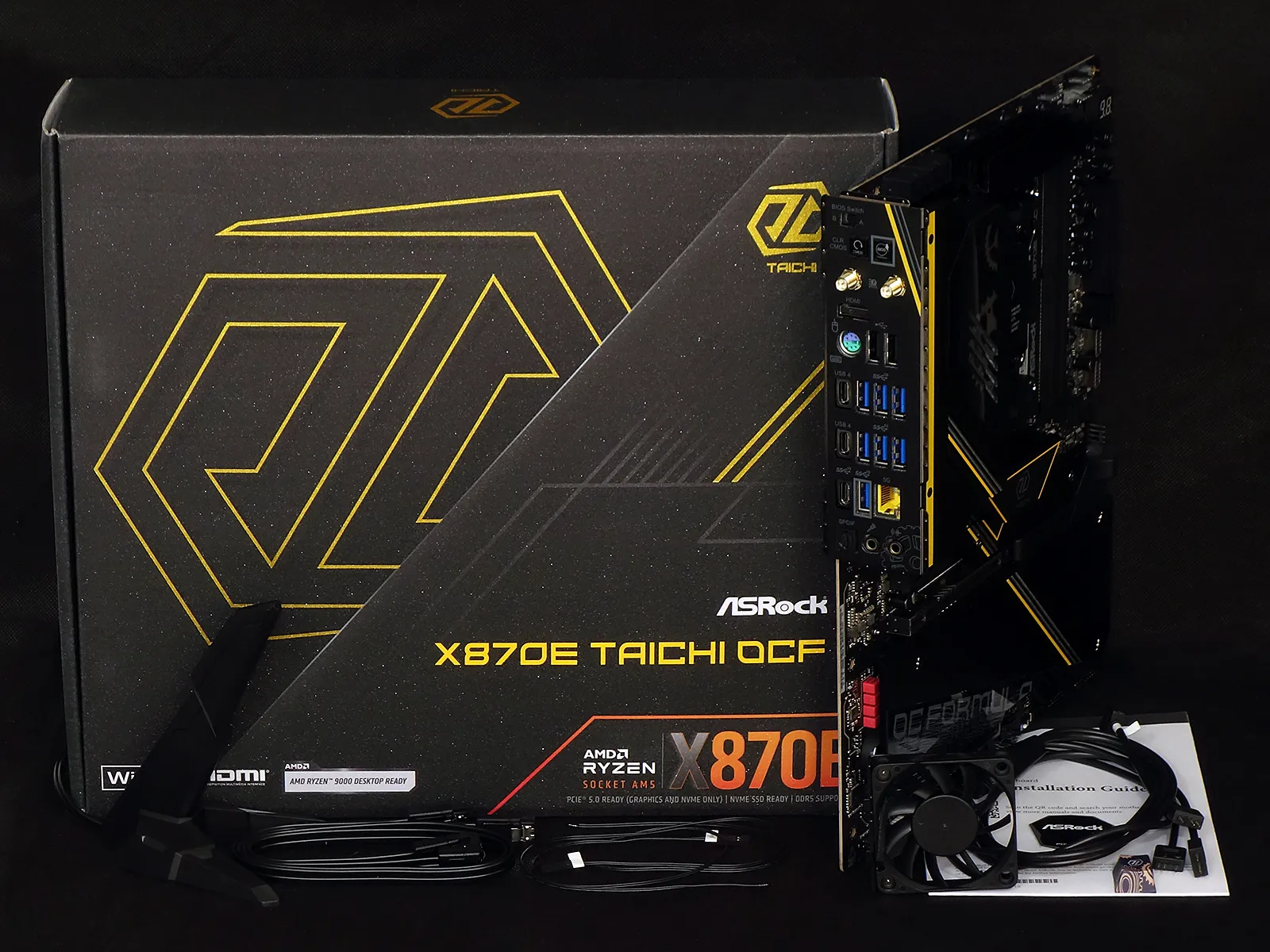
OCF features begin with the I/O panel’s BIOS Switch, which allows users to select between two firmware IC’s whenever the settings on one of these causes a boot failure (such as may happen when you’ve set your clocks too high in UEFI). Next to it are a BIOS Flash and CLR CMOS (clear custom settings) buttons, a pair of Wi-Fi 7 antenna jacks, a single HDMI port for CPU-integrated graphics, two USB 2.0 ports for your keyboard and mouse, an even more-legacy PS/2 port for your extremely old keyboard or mouse, five USB 3.2 Gen2 (10Gbps) Type A ports, two 40Gbps USB4 ports, a 5GbE network port, a sixth Gen2 (10Gbps) port with a Type-C connector, two analog audio jacks, and an optical audio output.
Like the HDMI port, the USB 4 ports also support video output from the iGPU.
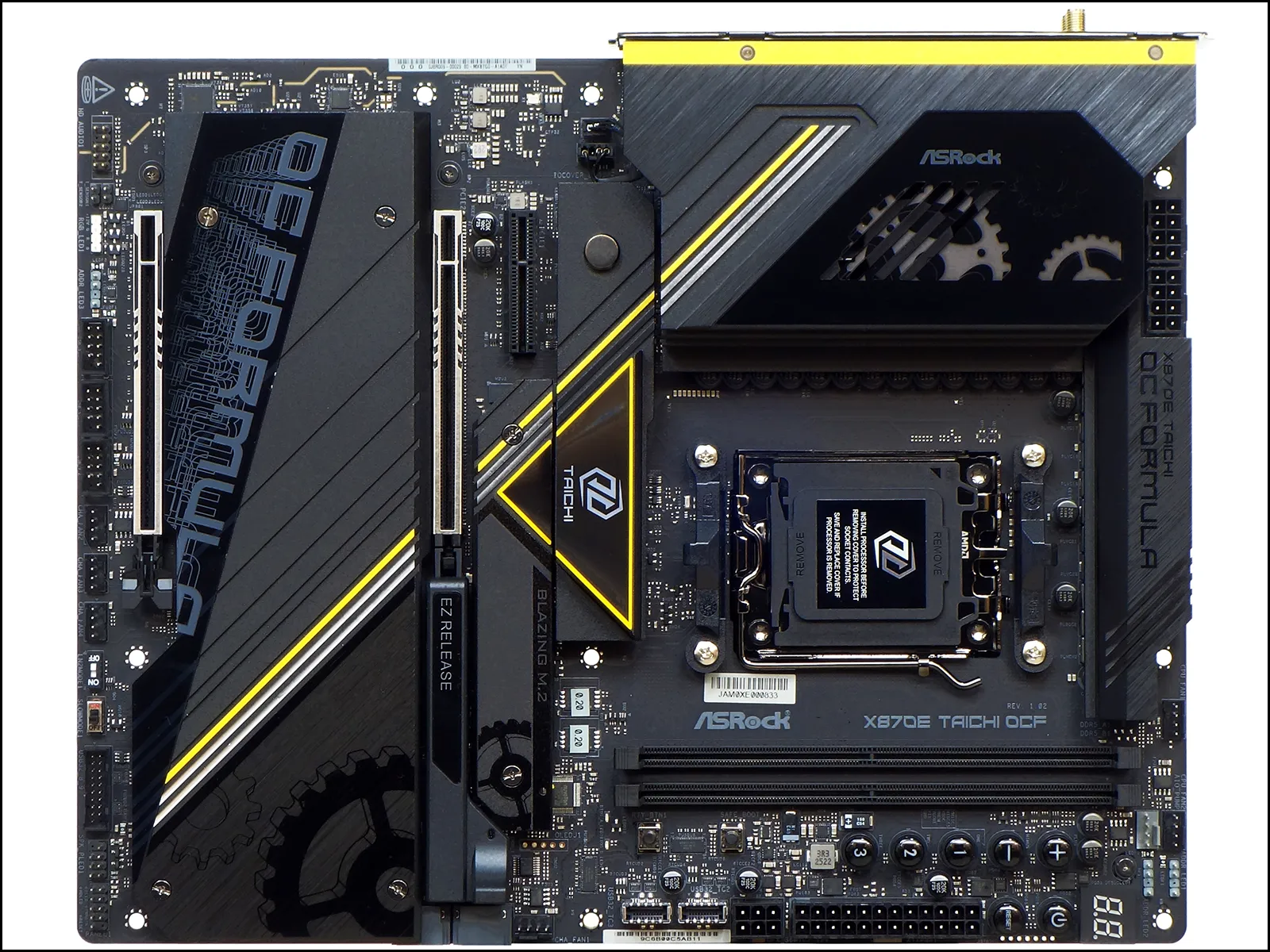
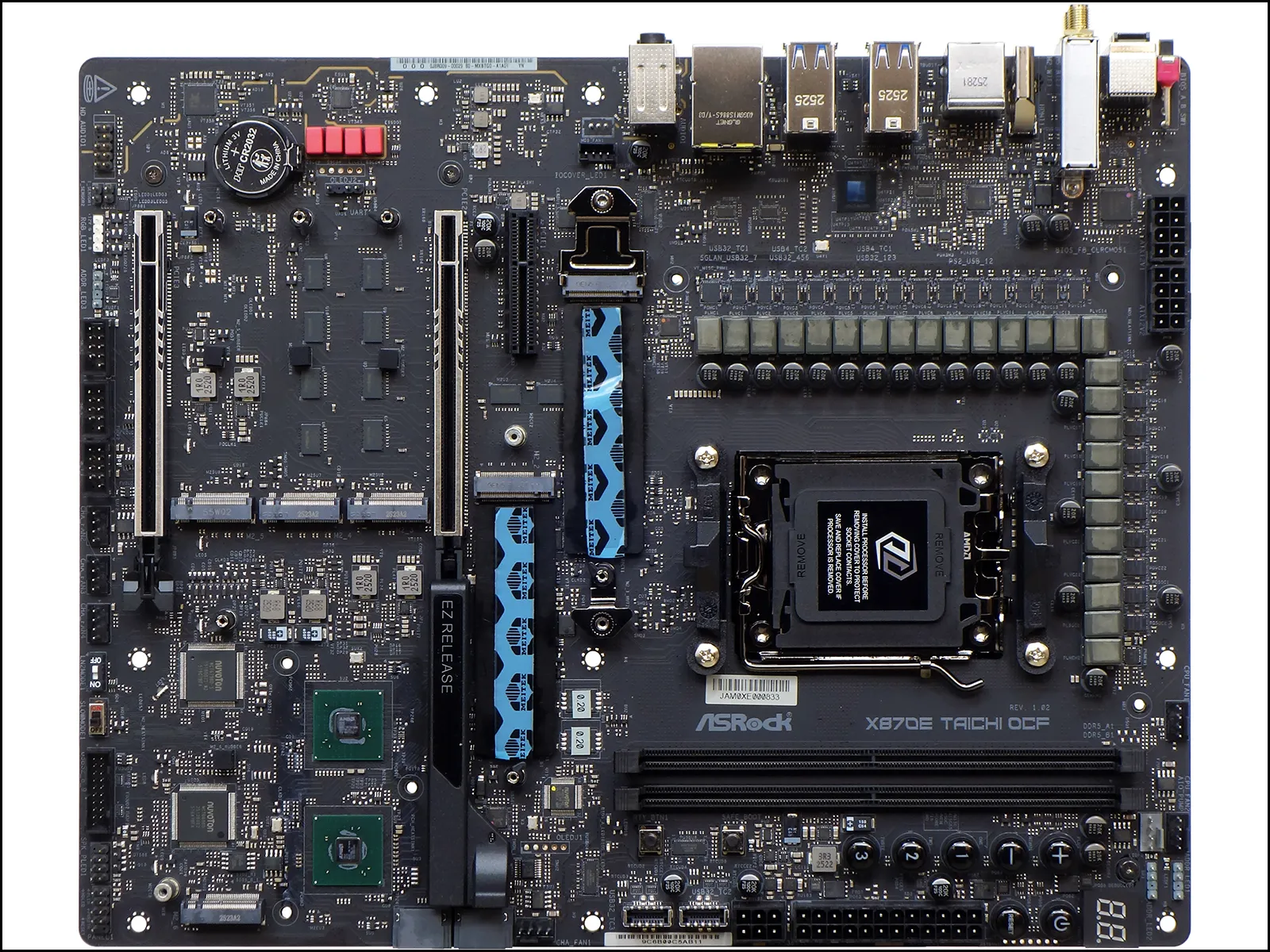
The PCIe x4 connector we mentioned is open ended, though we doubt that anything longer than an x4 card will fit with the second NVMe slot’s heat sink installed. The layout still seems adequate for placing two graphics cards and a PCIe x4 storage card into any case that has room for the second card’s thickness, and the upper x16 slot even brandishes an ‘EZ Release’ sliding latch mechanism.
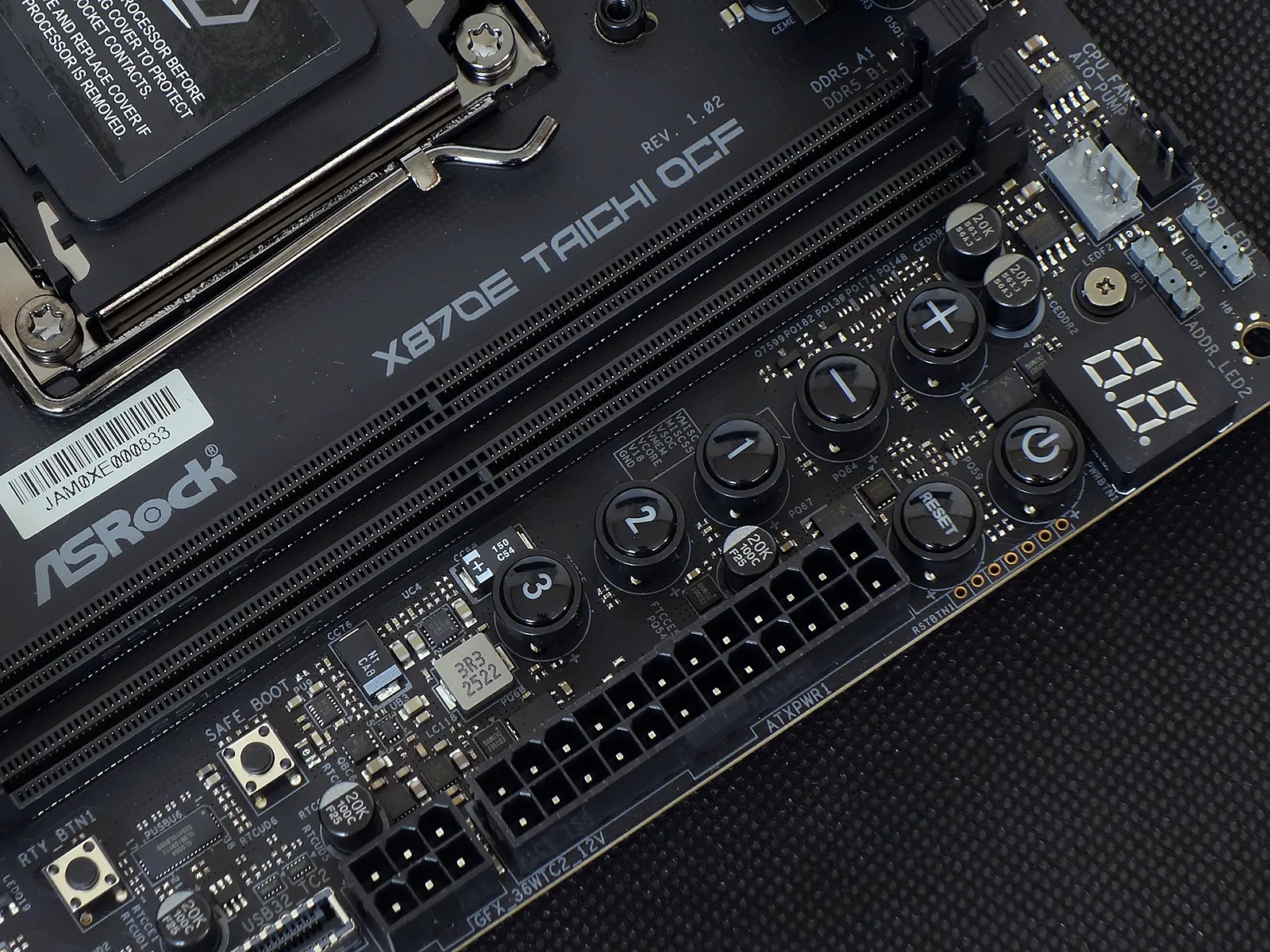
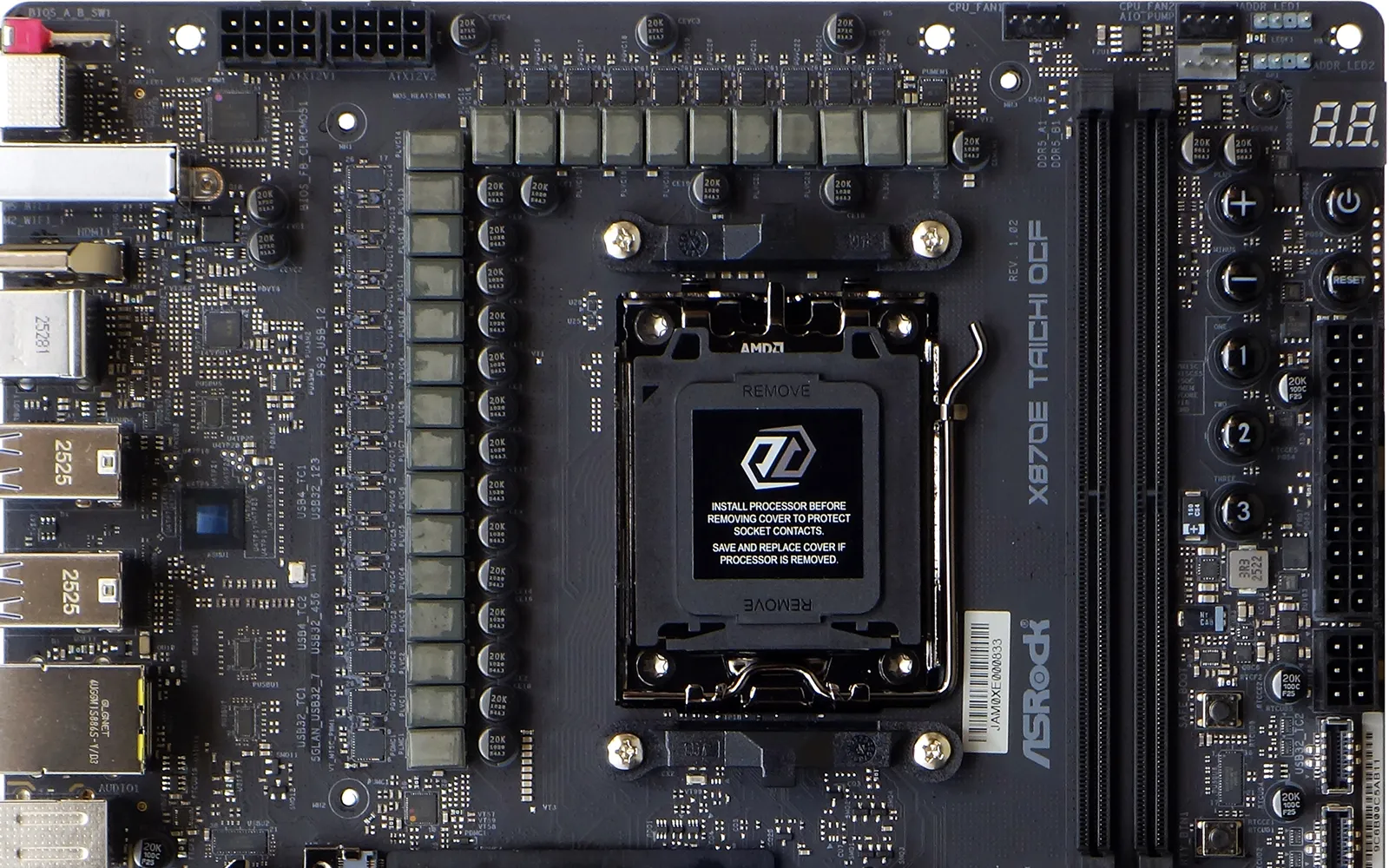
Most of the overclocking exclusive features are found in the X870E Taichi OCF’s front upper corner, the most significant being the barely noticeable line voltage measurement points found next to the internal power and reset buttons (the voltage check point labels are visible between the DIMM slots and buttons 1 and 2).
The plus and minus buttons allow overclockers to increase or decrease their BCLK in increments they’ve previously set in firmware, and the number buttons likewise access user-defined configurations. ‘Safe Boot’ allows users to boot into UEFI at default settings while keeping their original settings loaded in firmware (so that you can undo the last change that made your system unbootable), the Retry Button allows users to try booting again without changing any settings (a workaround for random boot hangs when overclocking), and a status code display above these features helps overclockers to determine which device has stopped responding during a failed bootup attempt.
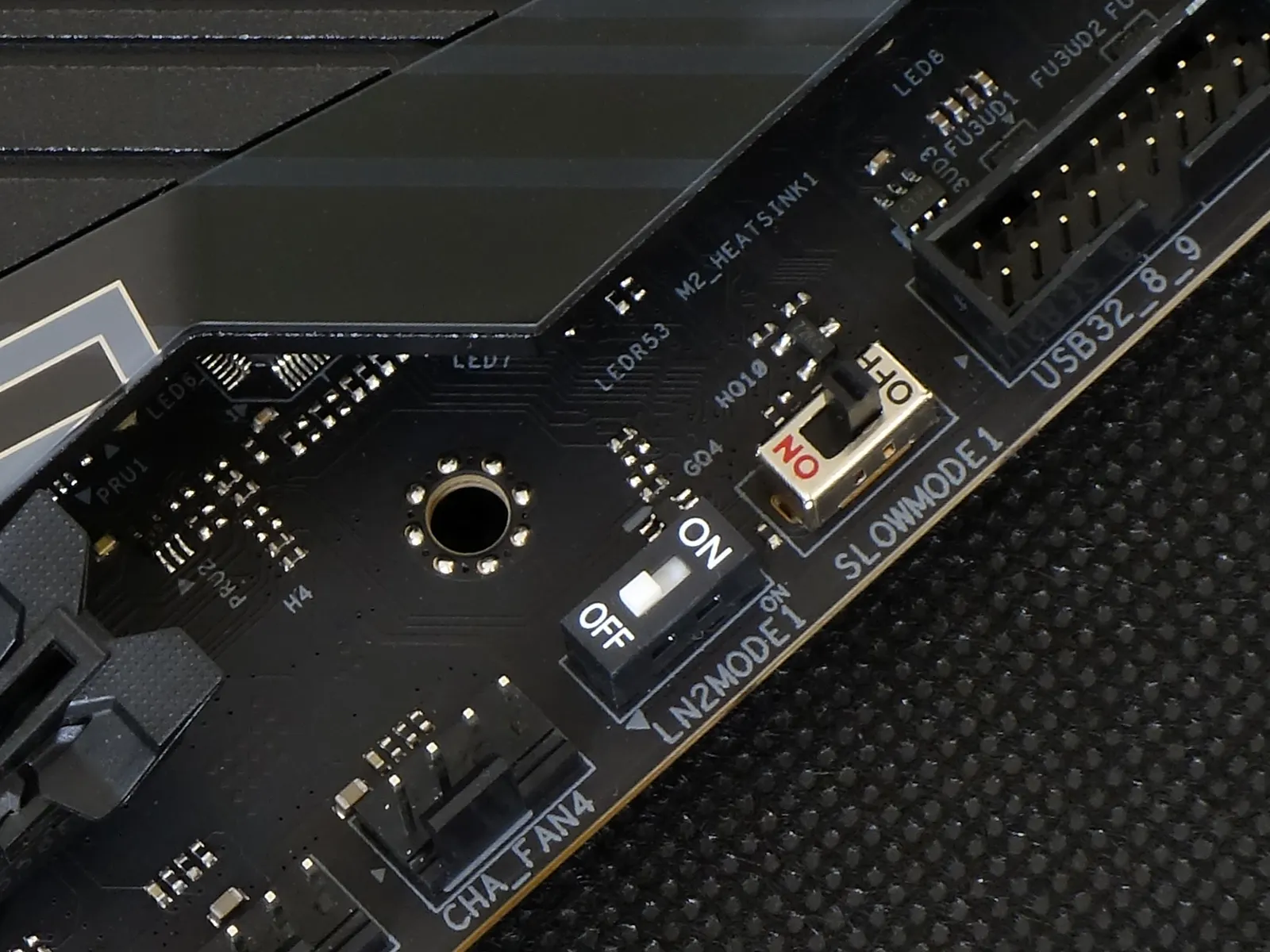
Two sliding switches at the bottom of the board allow users to select LN2 mode (a workaround for “cold bug” missed boots) and “slow mode” (a downclock to get a highly overclocked CPU past the board’s initialization) when overclocking competitively.
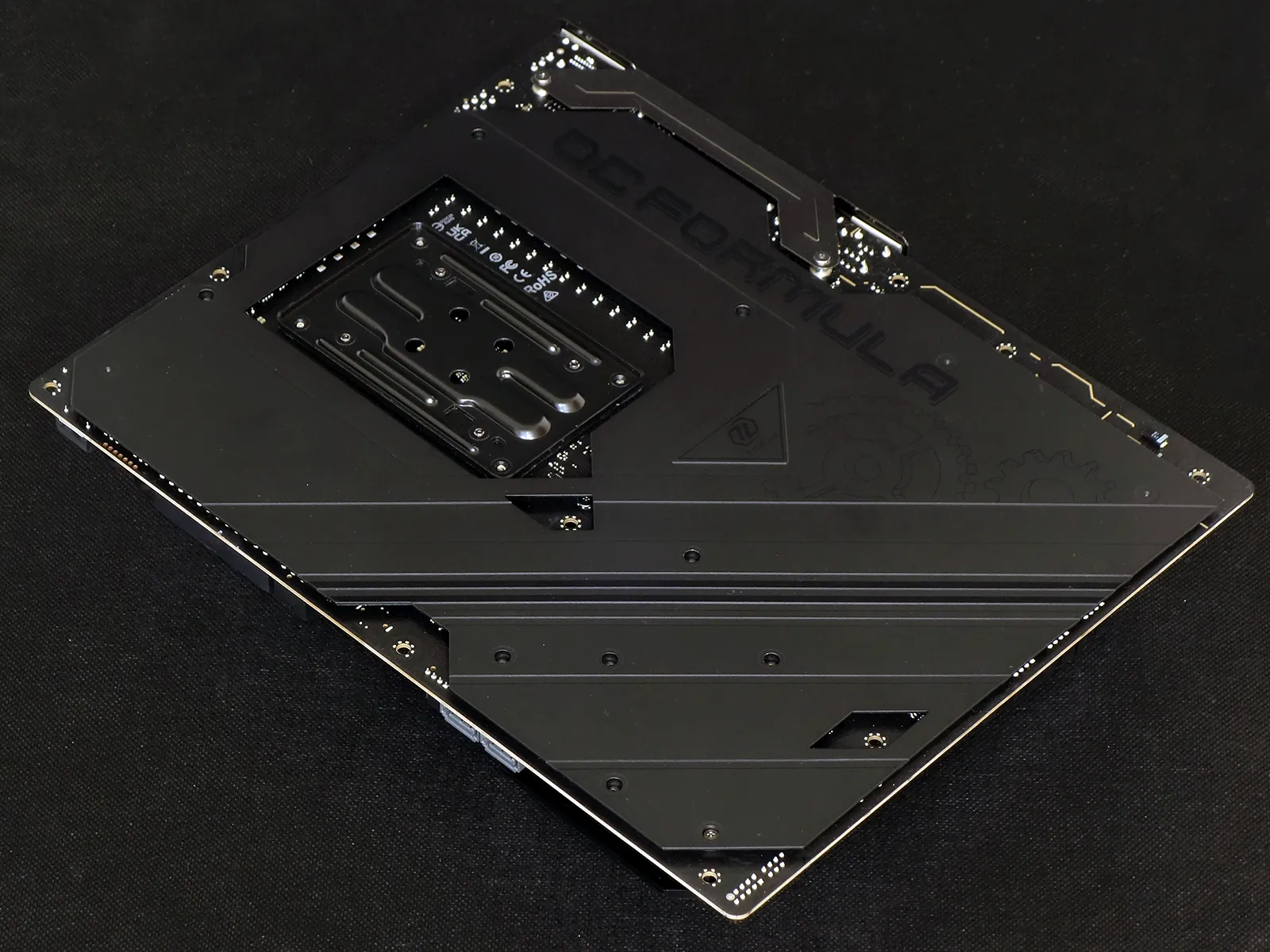
A relatively thick steel sheet covers the back of the board, giving users of open-design cases a better look, those with flexy cases a rigid brace and bench testers a smooth rear surface to lay upon their tables.
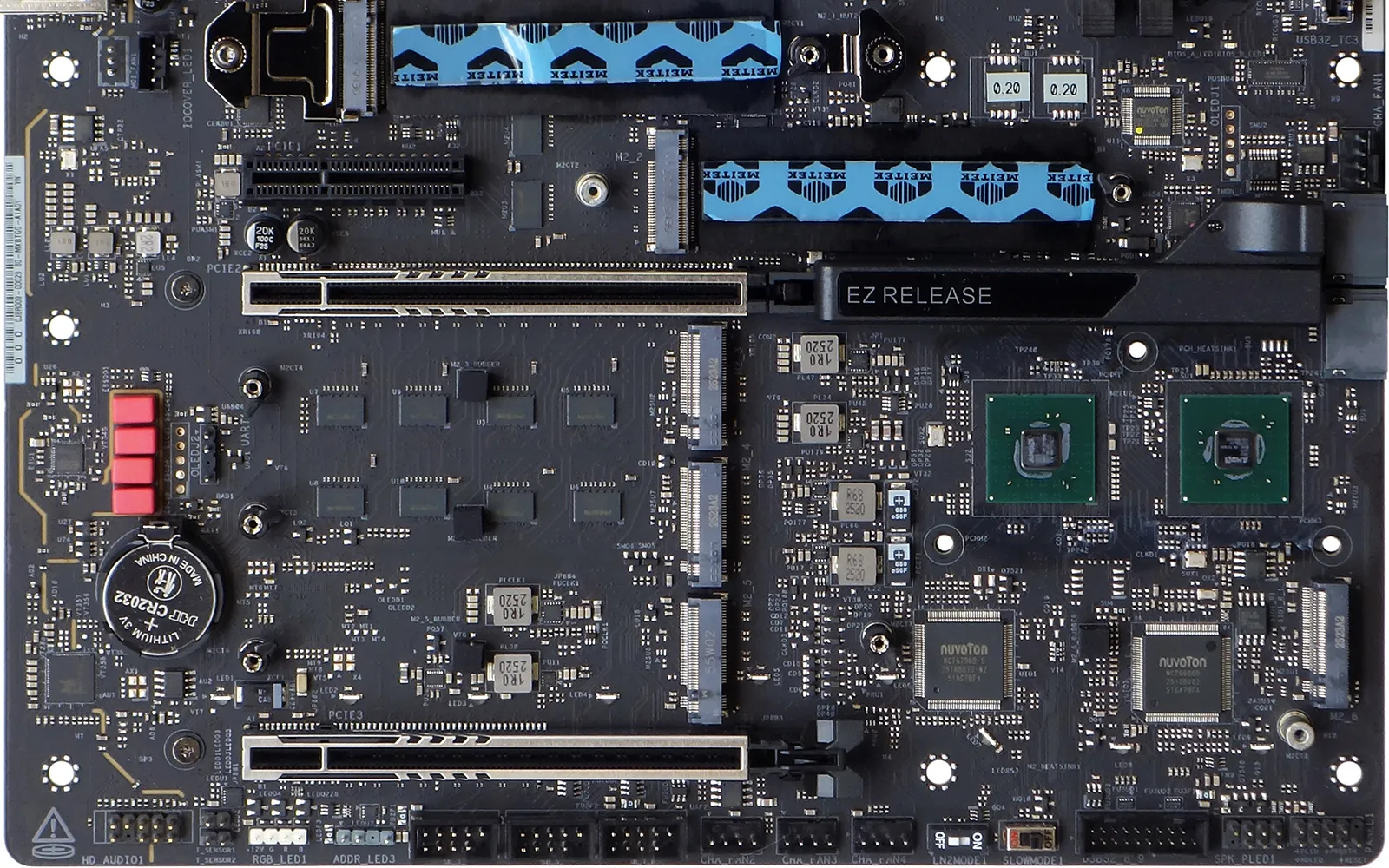
Removing all the heat sinks reveals the board’s six M.2 storage slots, all of which are NVMe (two PCIe 5.0, three PCIe 4.0, one PCIe 3.0), though the second PCIe 5.0 NVMe shares two lanes with the USB4 controller and the first PCIe 4.0 NVMe (below the upper x16 slot) shares two lanes with the PCIe x4 expansion card slot.
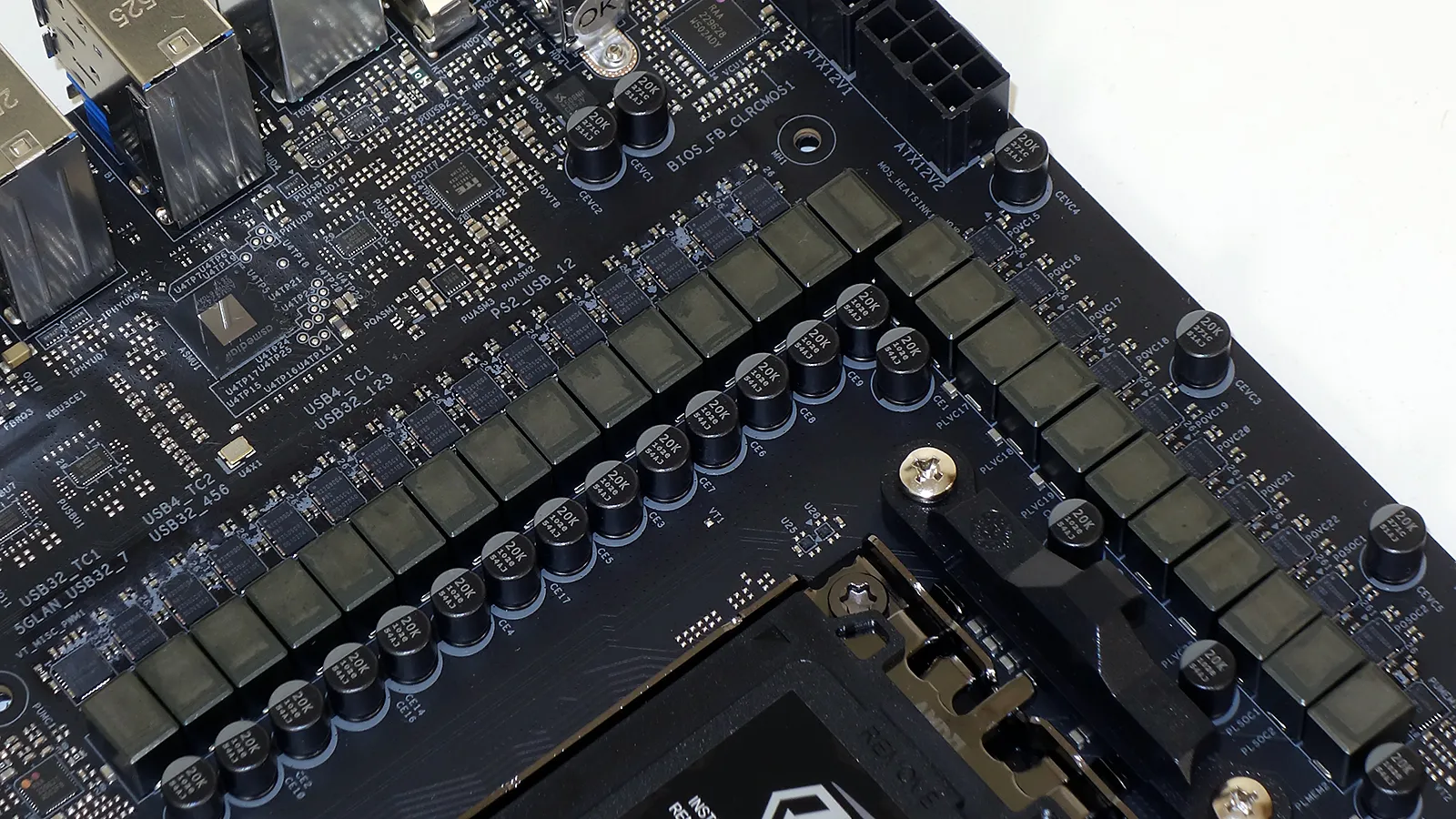
The X870E Taichi OCF’s RAA229628 controller sends power from 22 of its 24 R2209004 (110A) MOSFETs to CPU cores, the other two powering its SOC.
In search of a source for the single VDD_MISC phase, we found Renesas’ RAA229621 controller just below its single RAA 220075R0 75-amp smart power stage at the bottom of the board’s rear regulator bank.
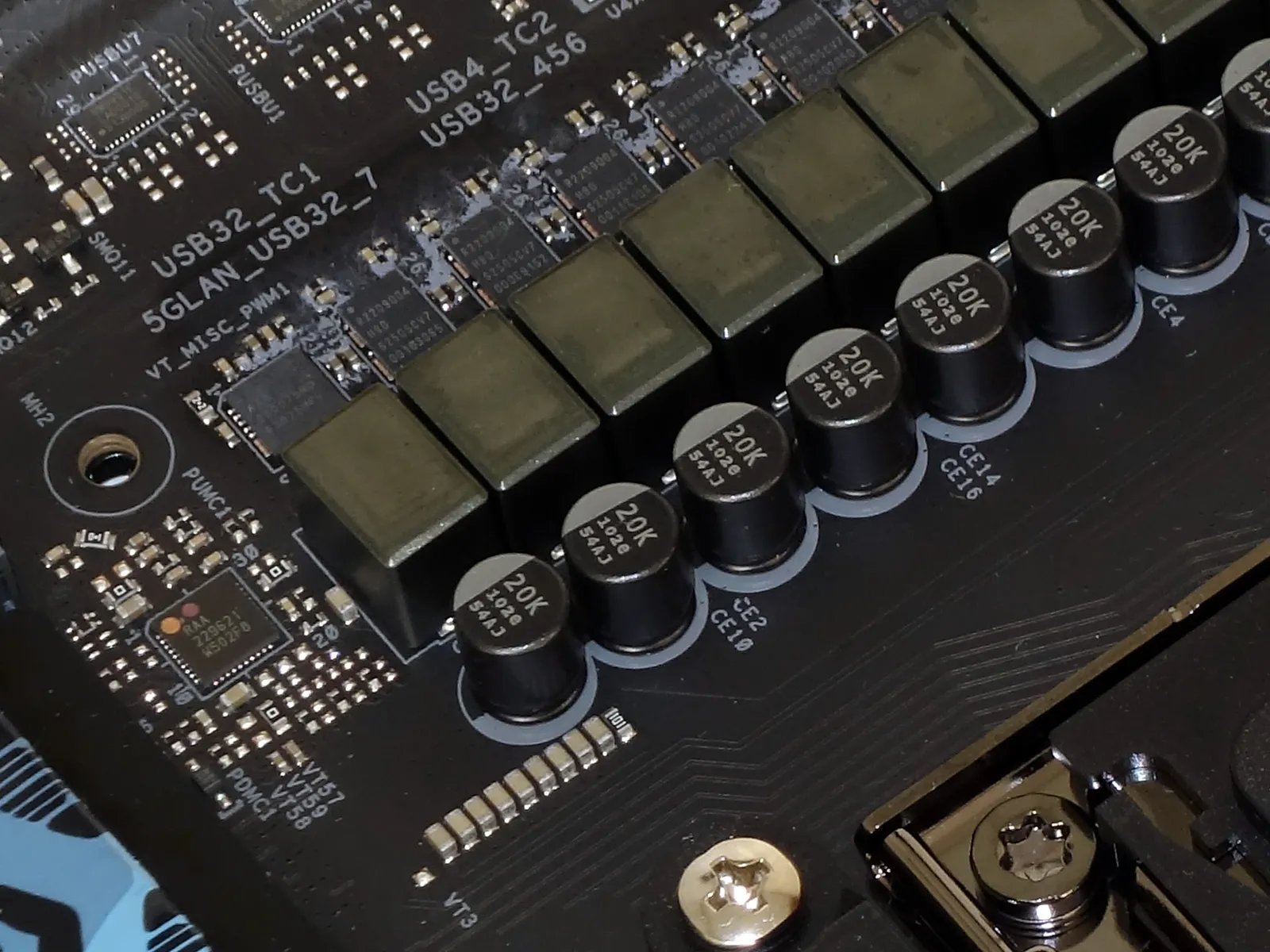
Depending on your case, the X870E Taichi OCF’s dual USB Type-E internal headers (for Gen2x2 Type-C front panel ports) could play a key role in motherboard selection, as the elder X870E Taichi had a single Type-E and two 19-pin connectors instead. We also see the board’s three upper fan and two upper ARGB headers surrounding the tops of its two DIMM slots.
We’ll take a moment to remind everyone that AMD calls the motherboard’s chipset component a “Promontory”, this generation being “Promontory 21”, where E-series boards have two Promontory 21 ICs as seen at the front of its lower portion. Two forward-facing SATA ports and a four-pin fan header are located above those as we go up the front edge, and the bottom edge is lined with HD Audio, twin thermal probe, single RGB LED and ARGB LED, three dual-port USB 2.0, four PWM fan, one 19-pin USB3, a Speaker/3-pin power LED, and a modern 9-pin combined front panel header.
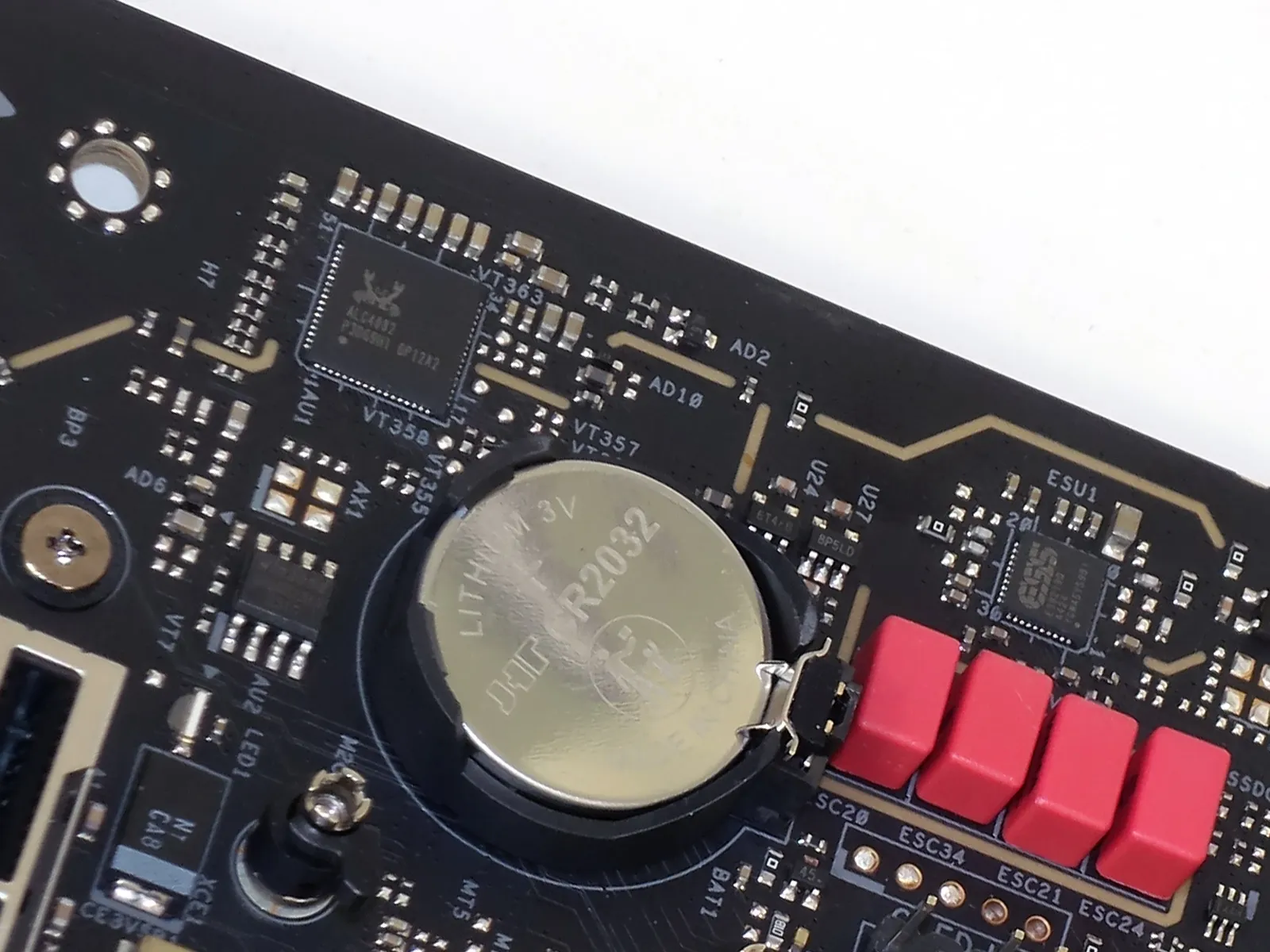
ASRock hopes to boost your rear panel audio connections with an ESS Sabre DAC, but we’re still not all that thrilled about the ALC4082 that feeds it. It’s not that there’s anything wrong with the USB-based 4082, it’s just that it makes no noteworthy advancements over legacy 7.1 codecs such as the ALC1220.
The X870E Taichi OCF includes a dual channel Wi-Fi antenna, two SATA and two Thermistor cables, an installation guide, memory fan, case badge, three-way ARGB splitter cable and custom keyboard cap.
X870E Taichi OCF Firmware
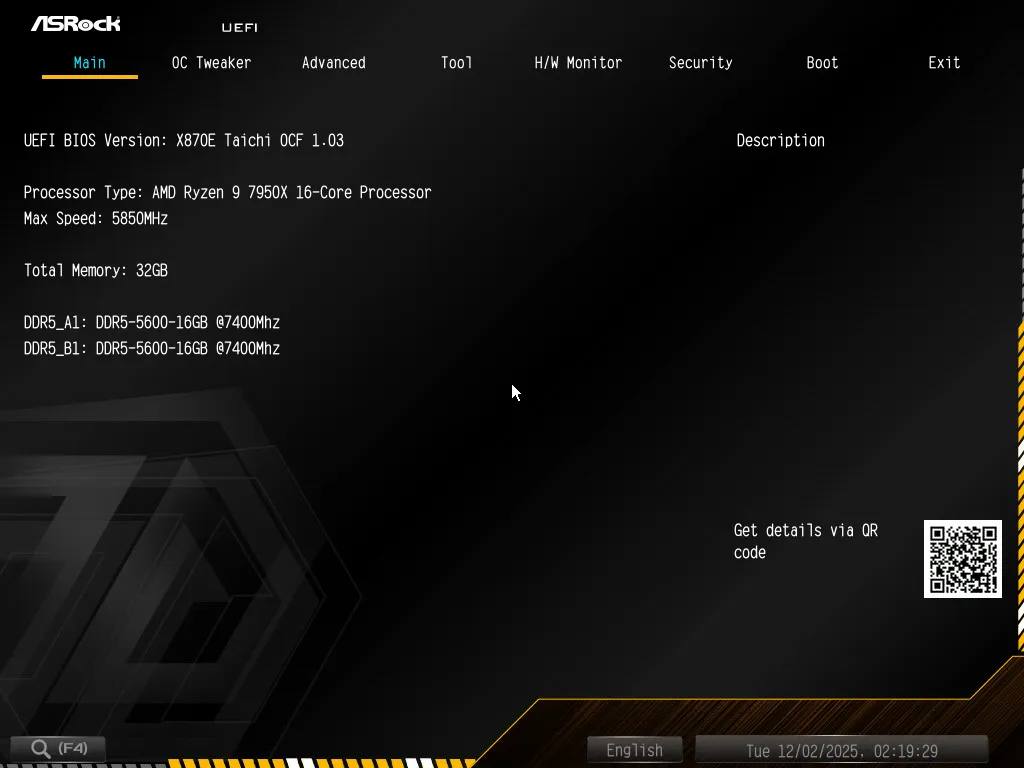
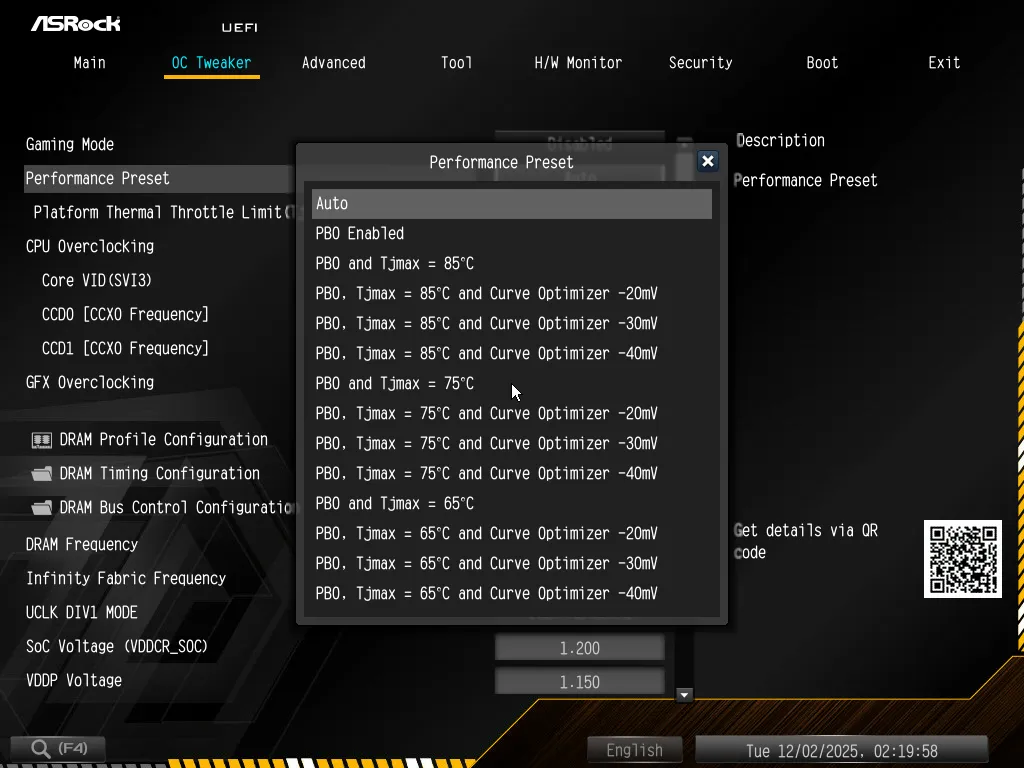
Designed for advanced overclockers, the X870E Taichi OCF doesn’t even have the Easy Mode GUI of most other ASRock models, opting instead for advanced mode exclusively. Main is the default entry menu, though it can be changed, where Overclockers will probably spend most of their firmware time in its OC Tweaker menu.
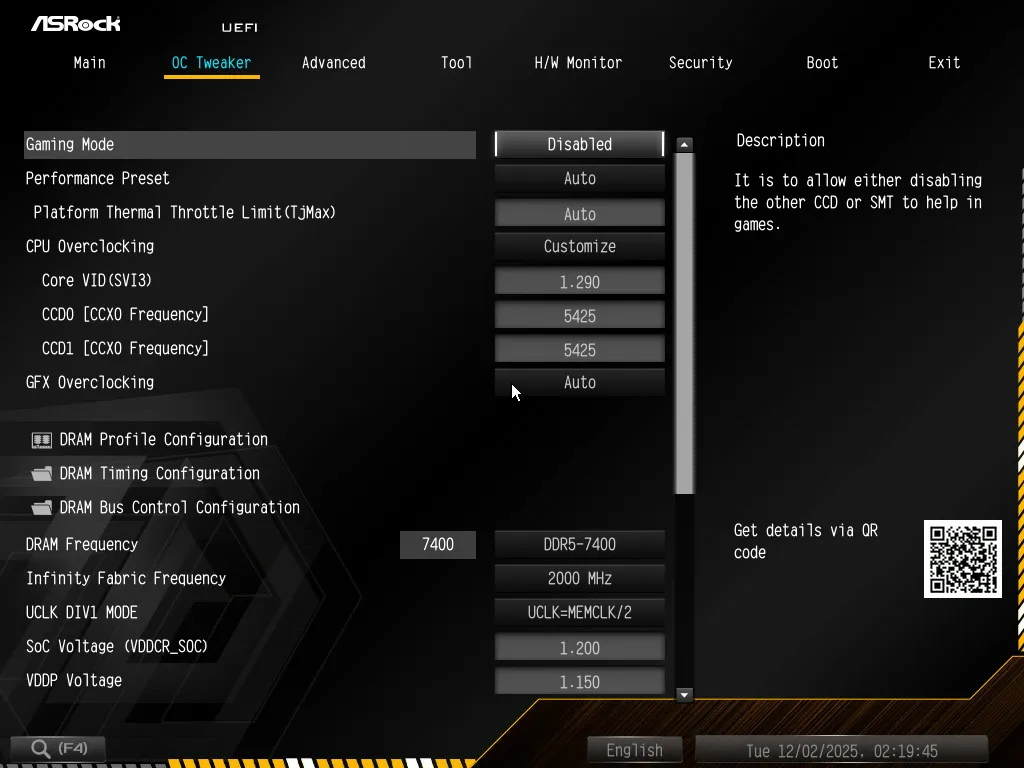
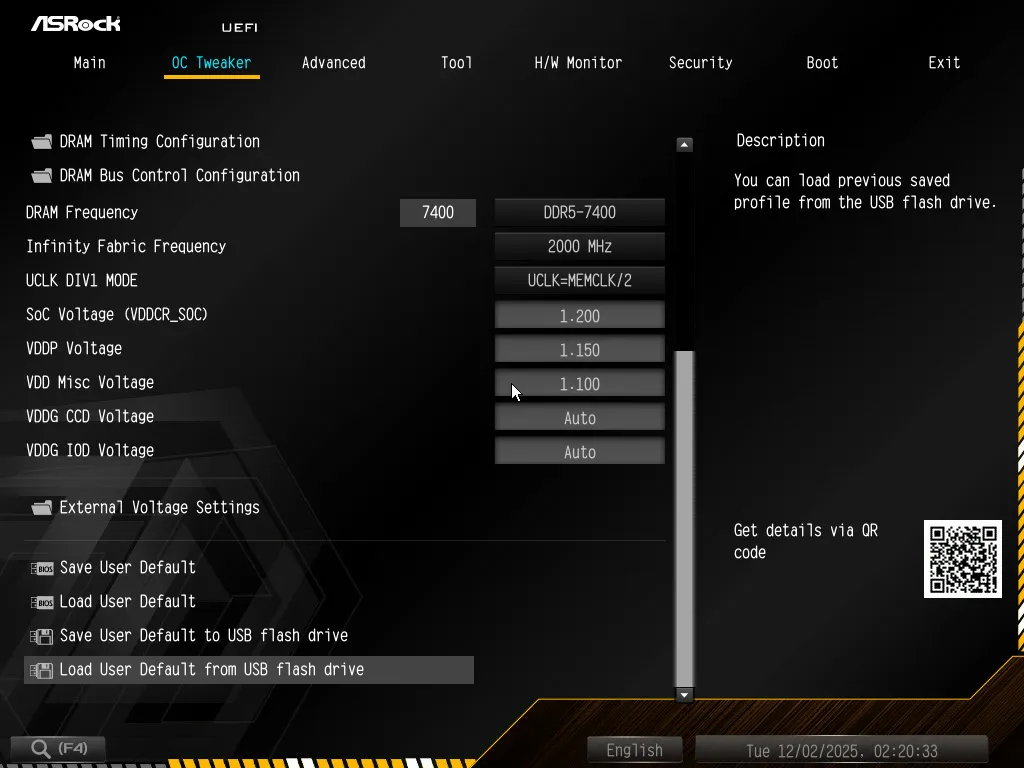
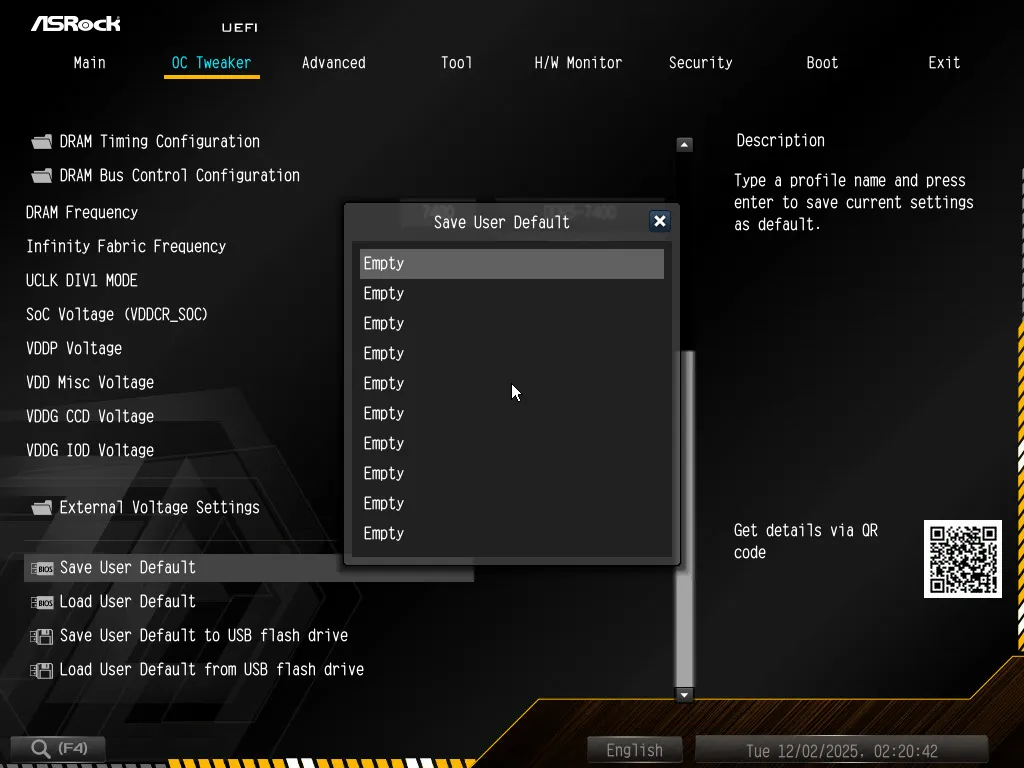
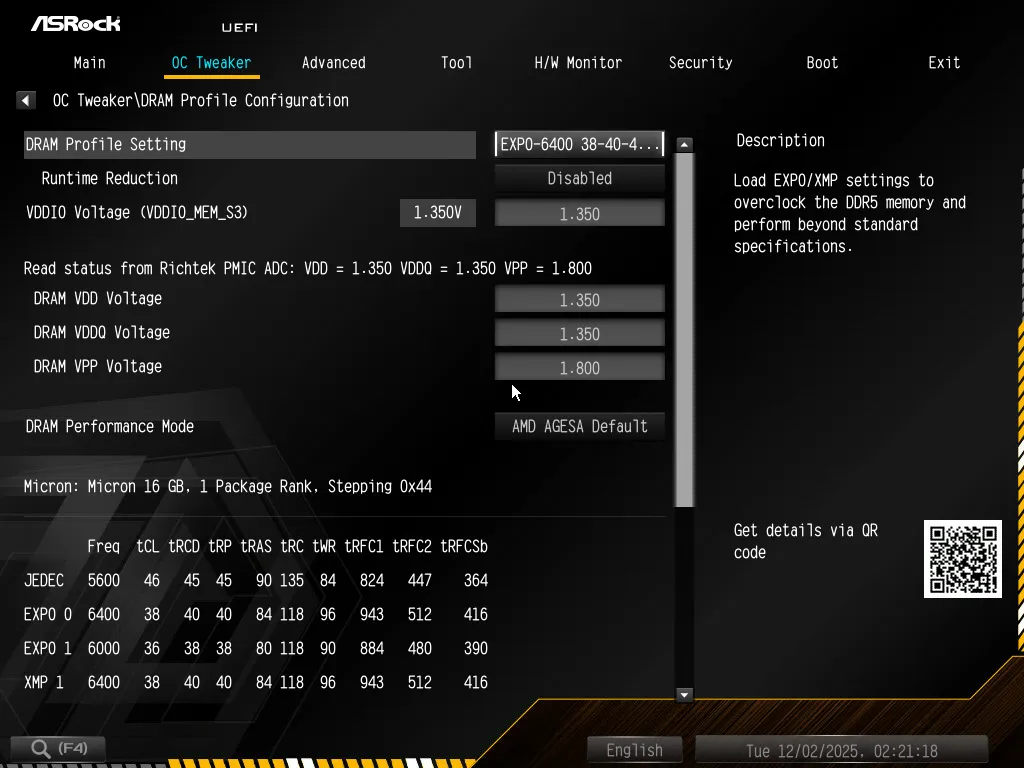
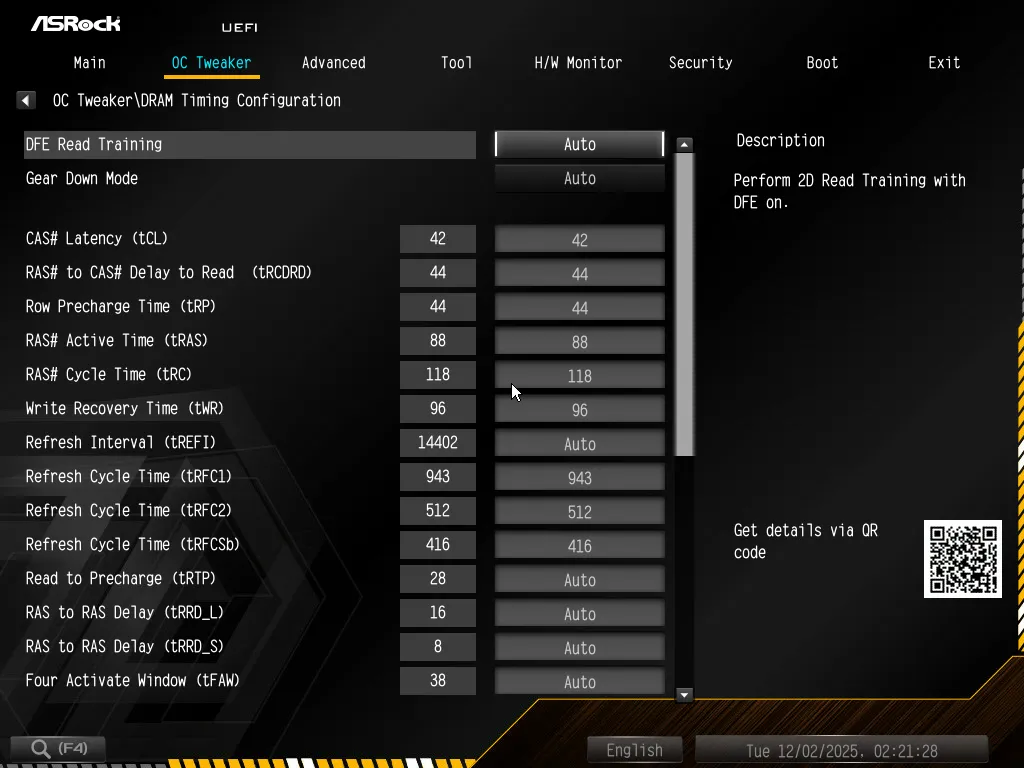
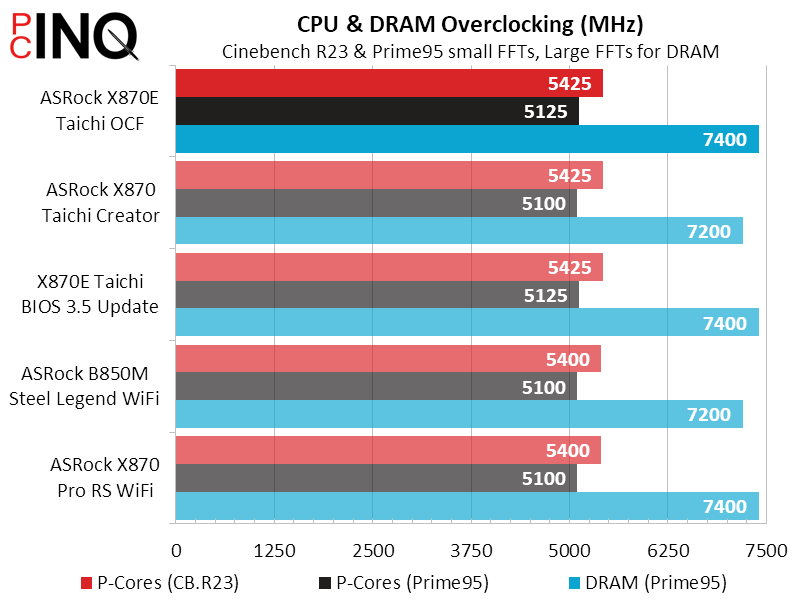
Though short term and lower-core-count overclocks will go far higher using automatic settings, we were able to get our Ryzen 9 7950X to stay at 5425MHz through extended testing with multi-core Cinebench, and our DDR5-6400 rated Micron based memory to DDR5-7400 at relatively low voltage. This is the point where most people would save their custom settings as a user profile at the bottom of the menu, and perhaps even send a copy of that saved profile to a USB flash drive.
Our memory overclock used EXPO-6400 default voltage levels, though we did loosen its timings to 42-44-44-88.
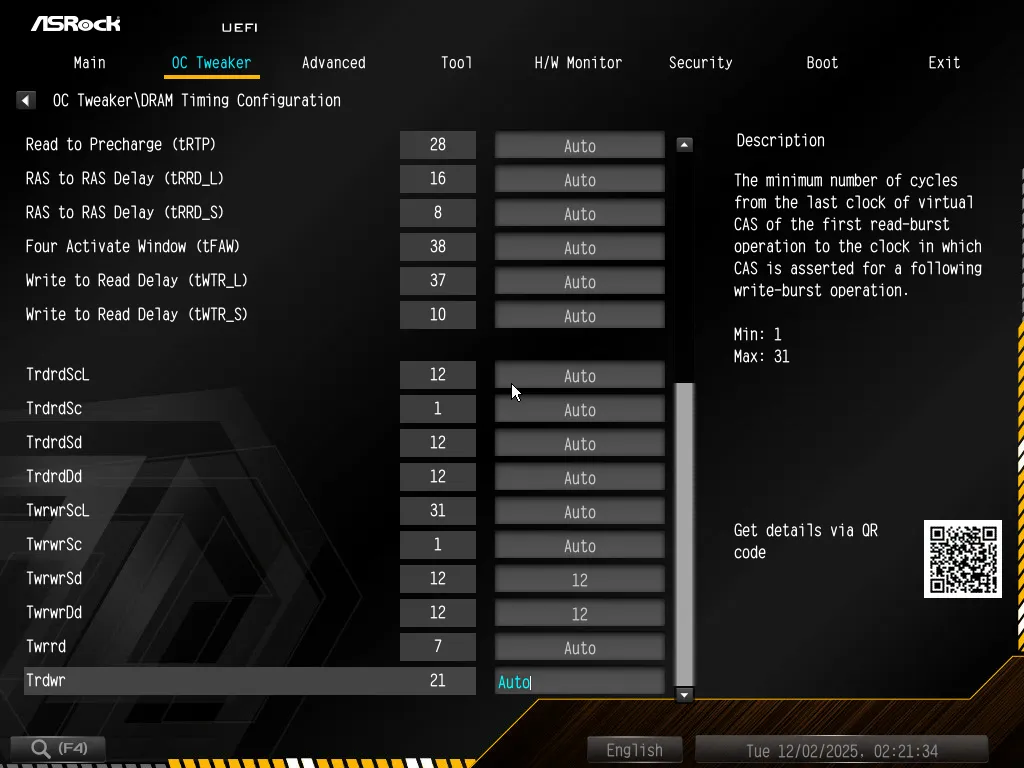
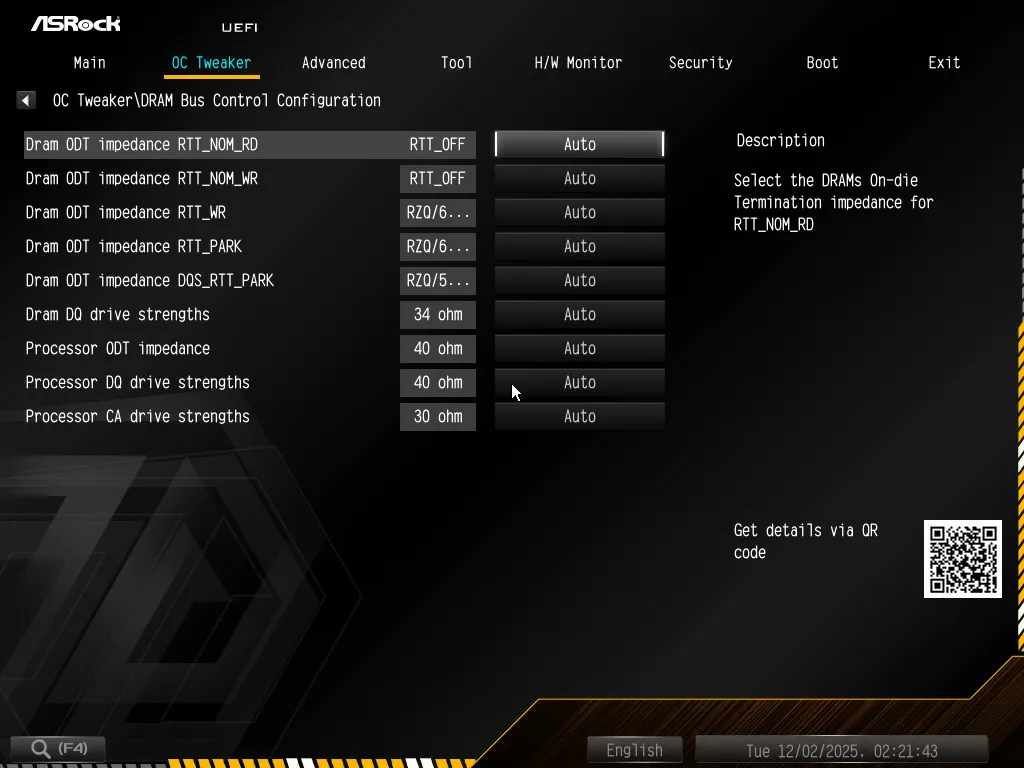
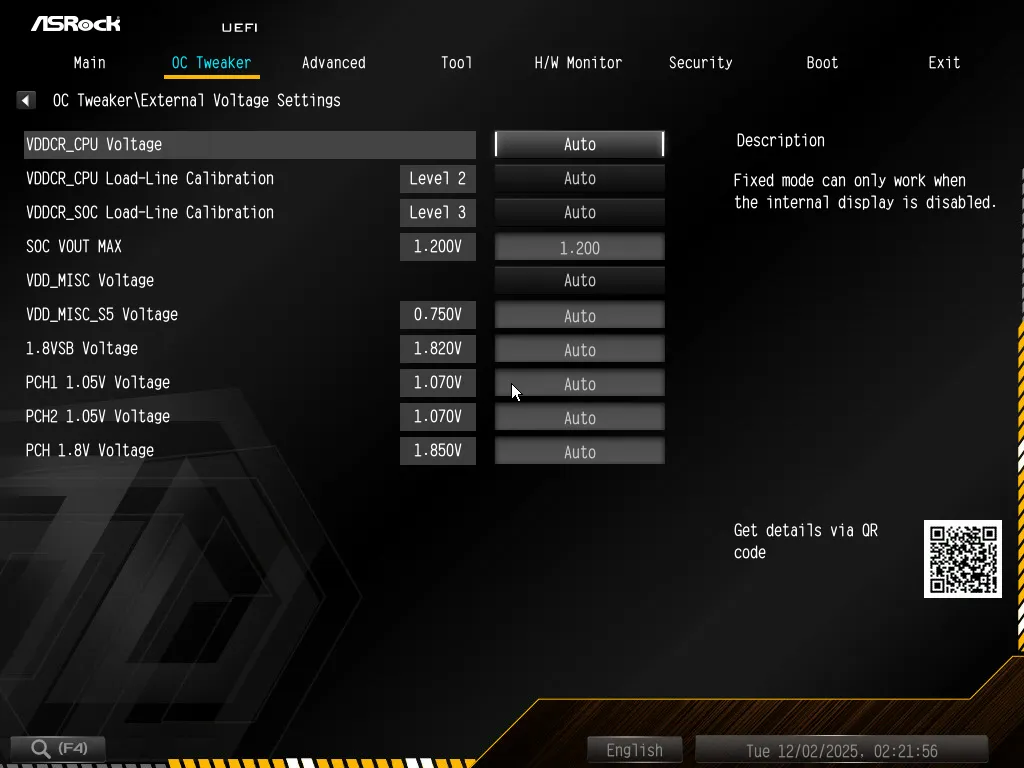
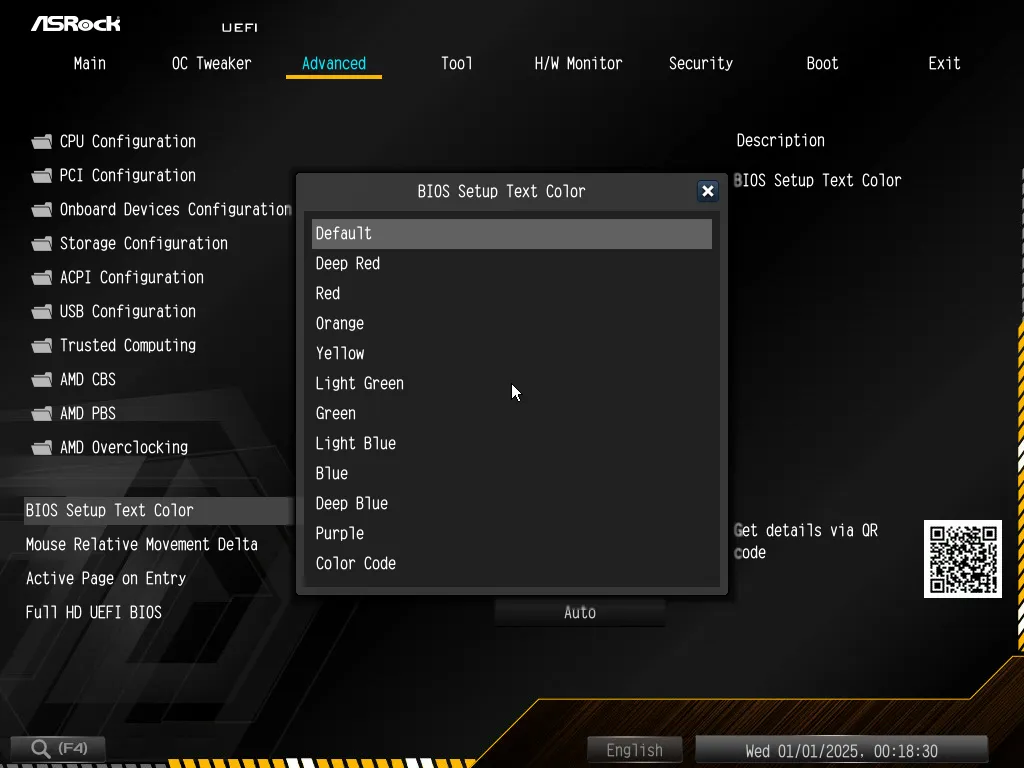
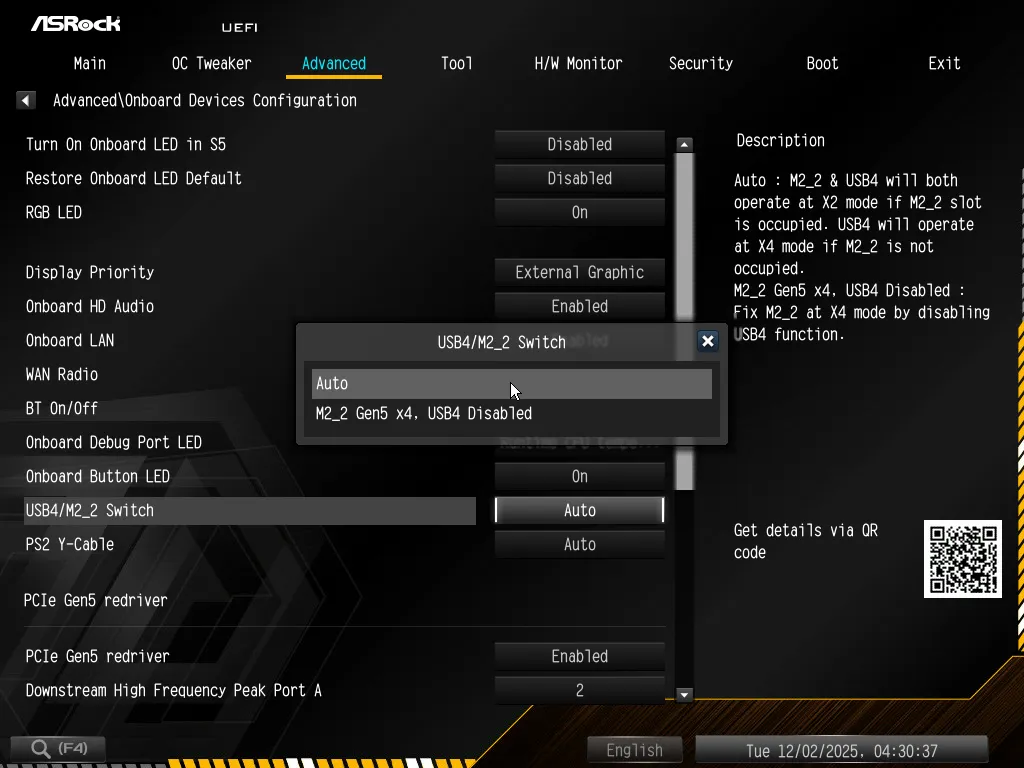
The “Advanced” menu is where you’ll find settings such as the default entry tab or even the color of the text you’re looking at, but it’s also home to advanced chipset and interface settings. For example, if you wanted to disable the USB4 controller to double the number of PCIe 5.0 lanes that go to its second M.2 interface, you’d find that setting under its “Onboard Devices Configuration” submenu.
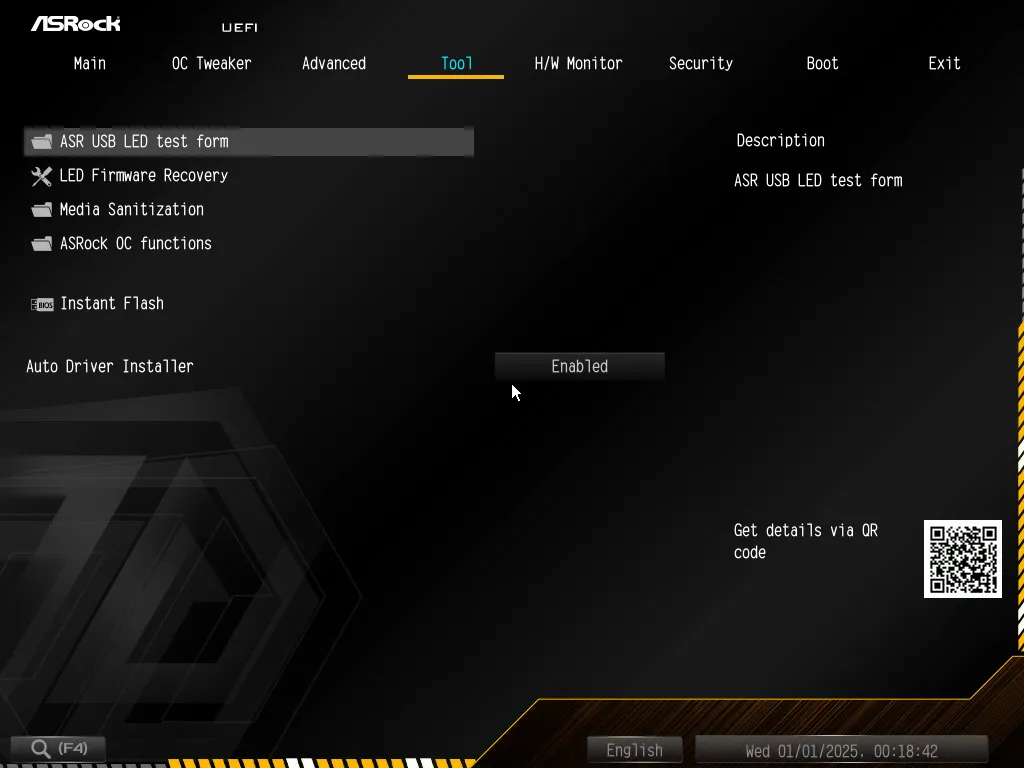
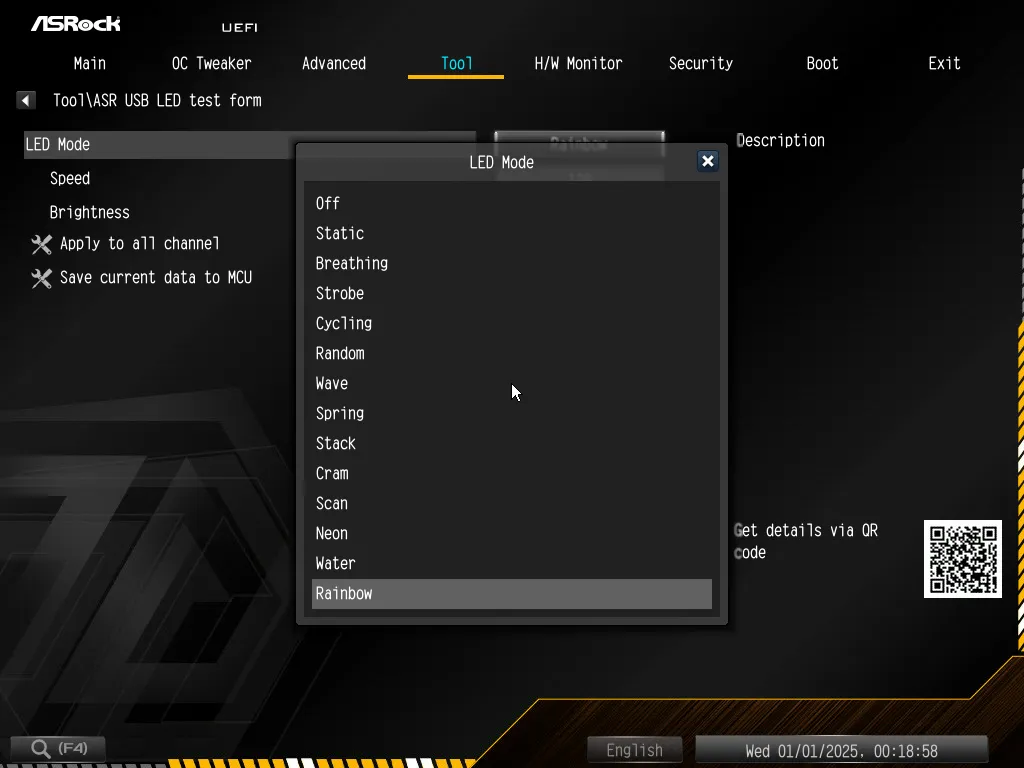
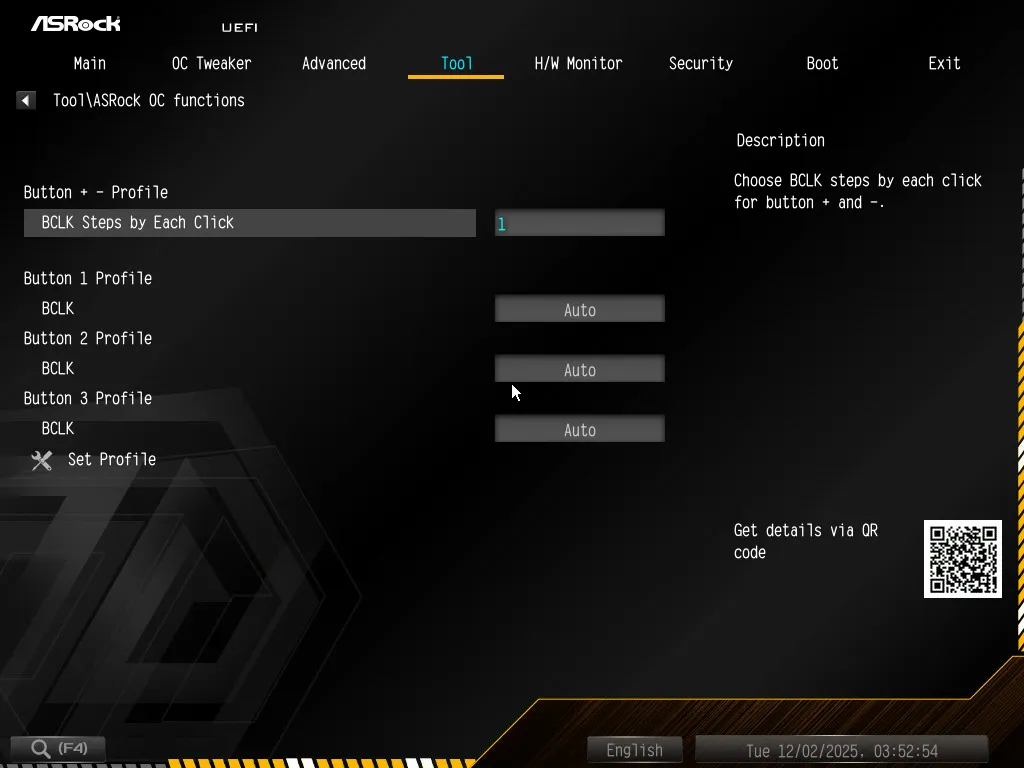
ASRock’s “Tool” menu provides the typical ARGB LED control submenu and shortcut to Instant Flash firmware flashing mode, but the Taichi OCF adds an OC Functions menu to control what its overclocking buttons do.
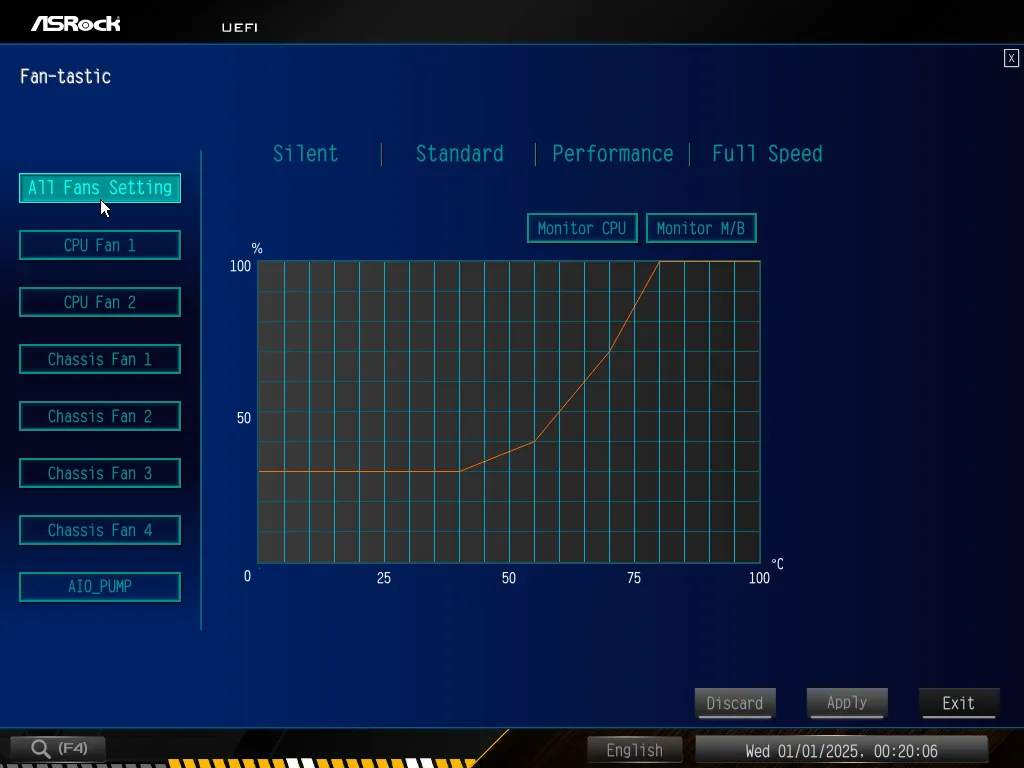
The H/W monitor mode lists a fairly long set of key voltage, thermal and fan readings at the top, and a full set of fan settings at the bottom. Users are welcomed to pick from among the board’s programed fan maps, key in their own numerically or create their own fan slopes using the Fan-Tastic graph. Should the factory-defined fan maps prove insufficient for your specific fans, ASRock’s FanTuning algorithm can test your fans and adjust the board’s slopes to match.
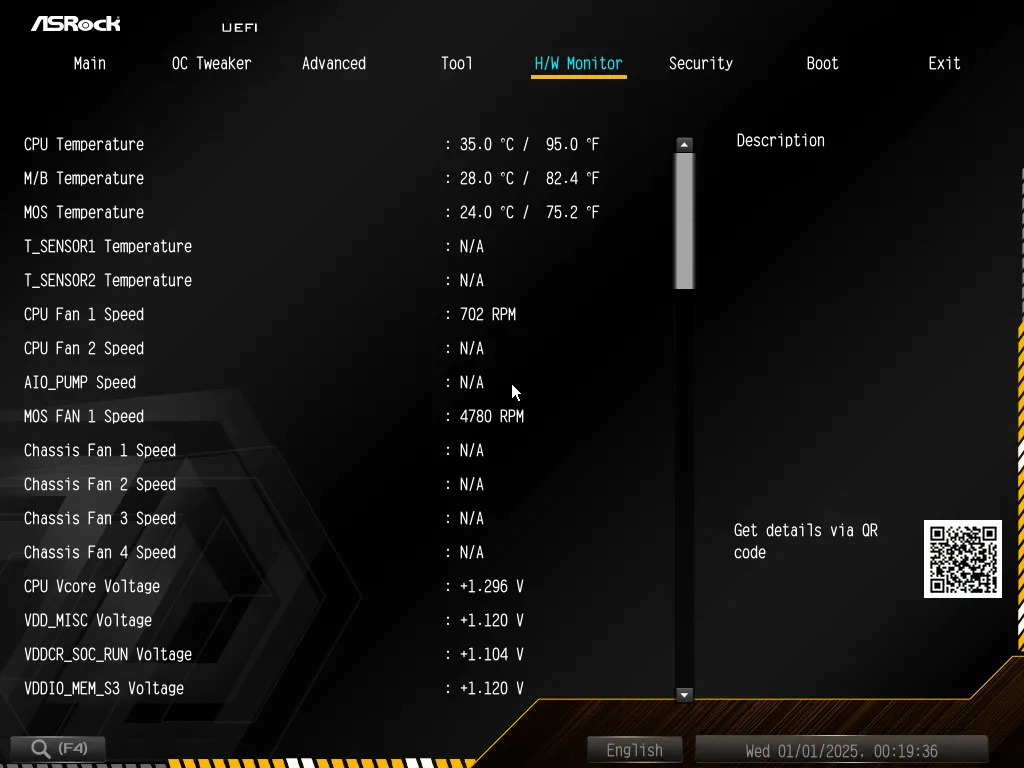
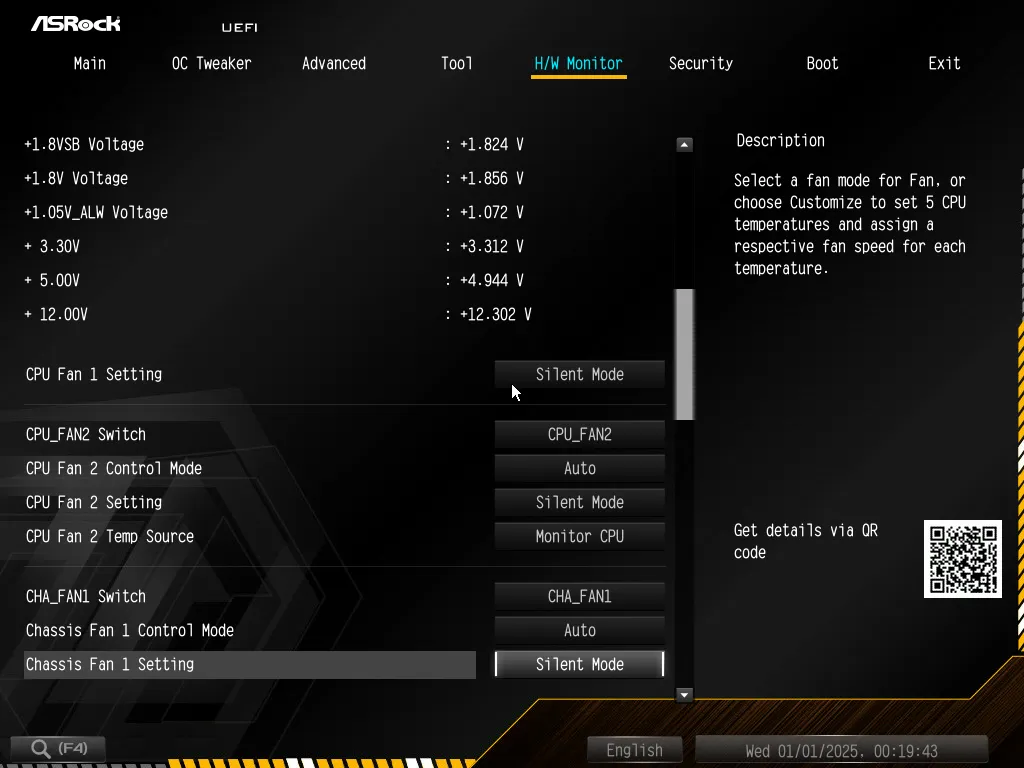
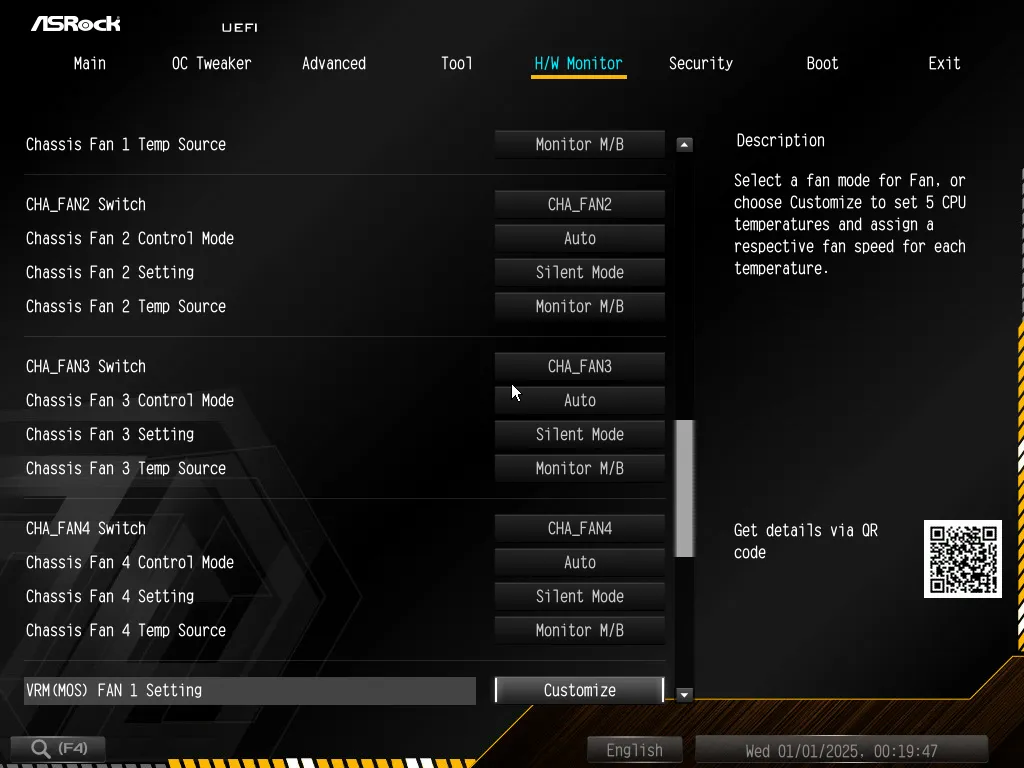
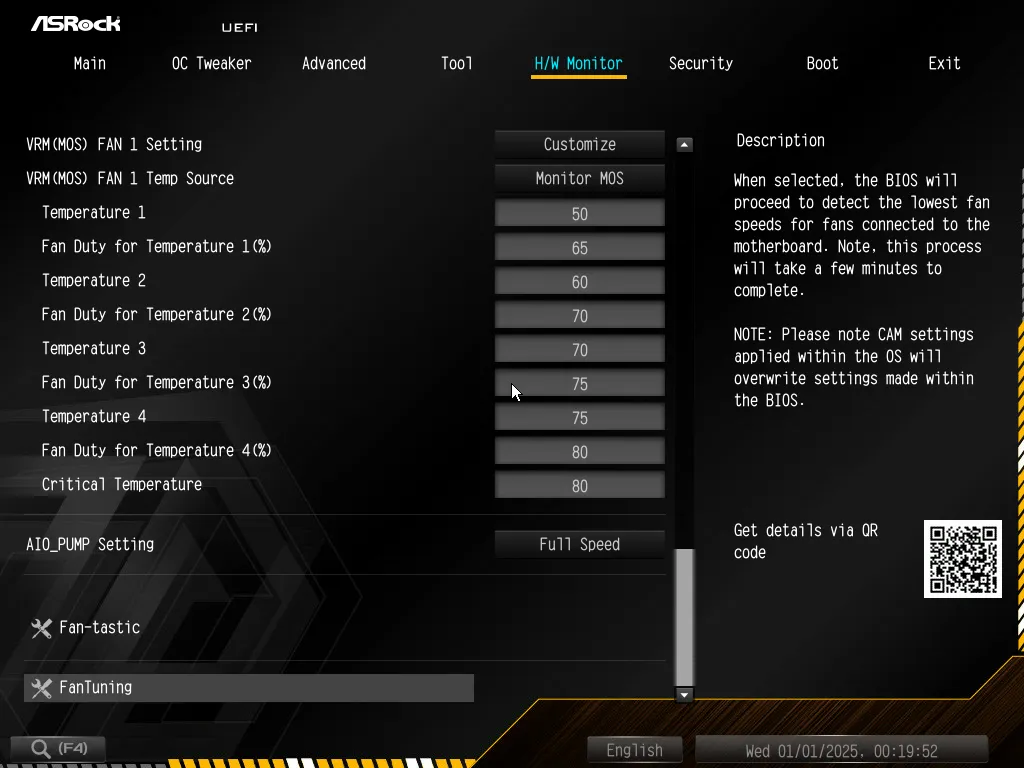
We used the below hardware to run all tests, including the above-detailed overclocks and the benchmarks that follow.
| Test Hardware | |
| CPU | AMD Ryzen 9 7950X: 16C/32T 4.5-5.7 GHz, 64MB L3 Cache, Socket AM5 |
| CPU Cooler | Alphacool Core 1 Aurora CPU, Eisbecher D5 150mm, NexXxoS UT60 X-Flow 240mm |
| DRAM | Crucial Pro OC Gaming Edition DDR5-6400 32GB Kit |
| Graphics Card | ASRock RX 7700 XT Phantom Gaming 12GB OC PCIe 4.0 x16 |
| Power | be quiet! Dark Power Pro 10 850W: ATX12V v2.3, EPS12V, 80 PLUS Platinum |
| Hard Drive | Crucial T700 Gen5 NVMe 2TB SSD |
| Graphics Driver | AMD Adrenalin Edition 24.8.3 |
X870E Taichi OCF Benchmark Results
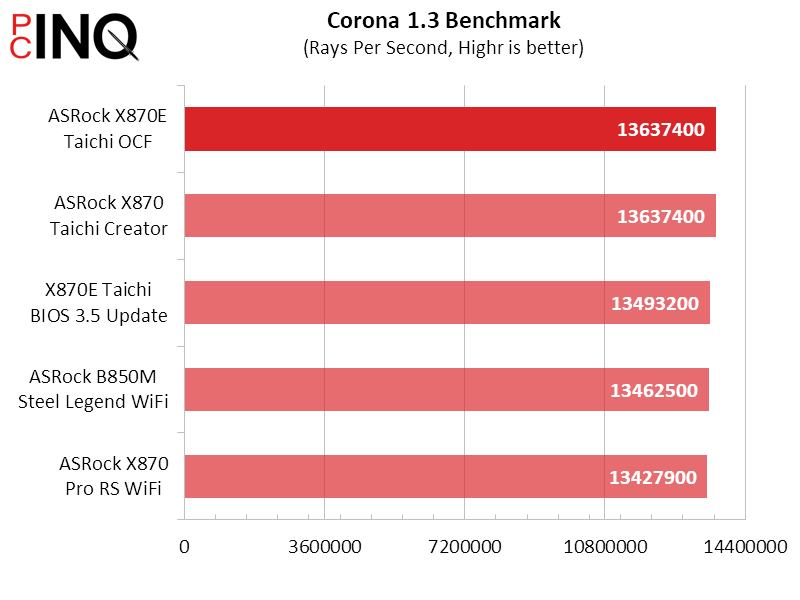
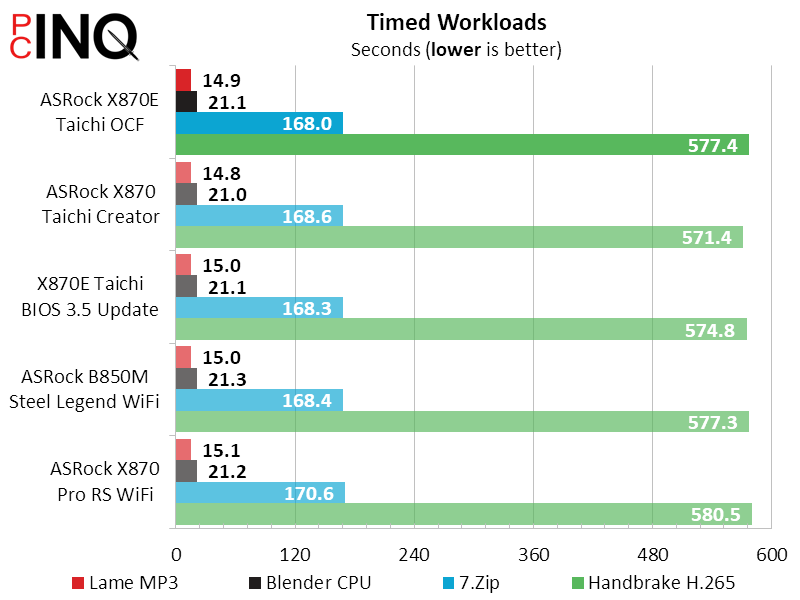
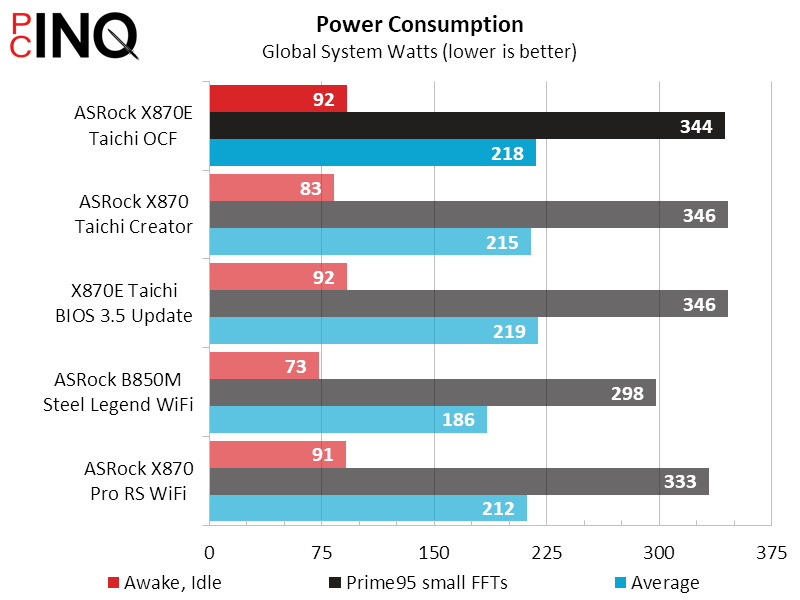
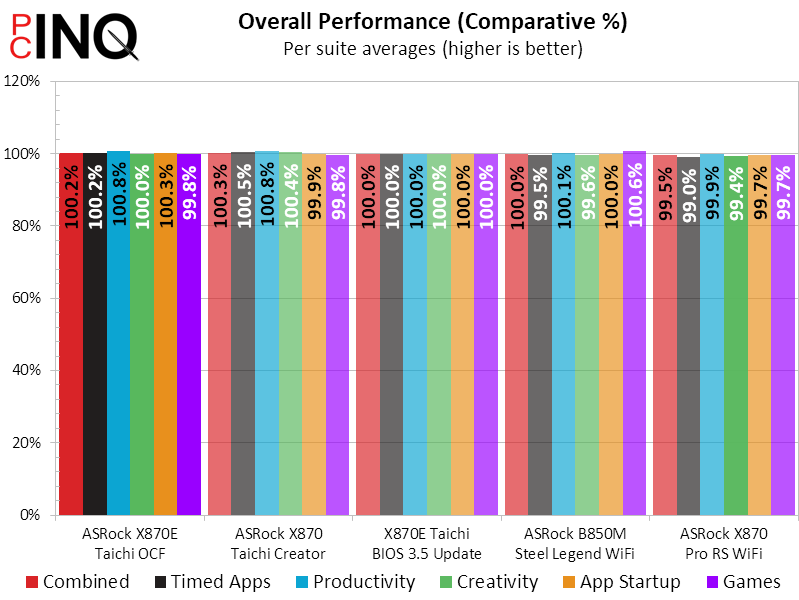
We went through our entire benchmark suite just to verify that the X870E Taichi OCF would perform almost identically to the X870E Taichi when both are equipped with the most-recent firmware and service patches. Feel free to click on any of the charts to bring up (enlarge) individual results.
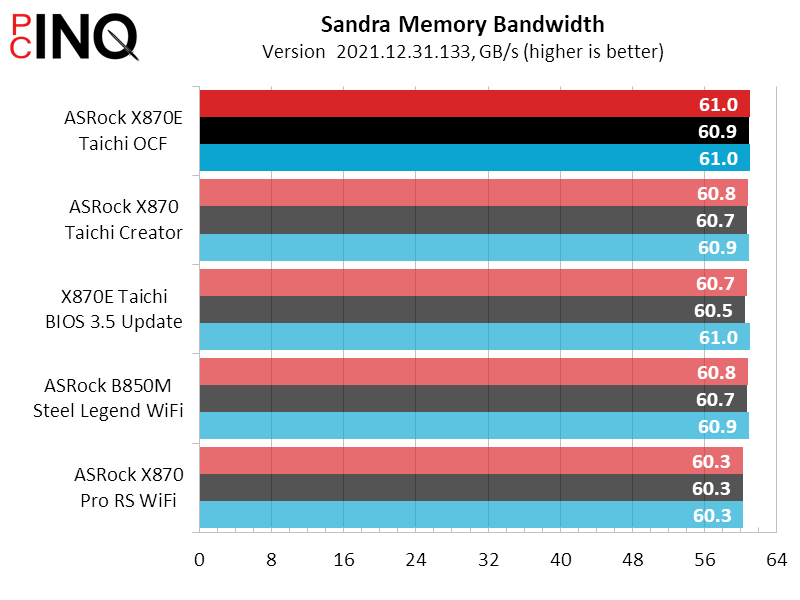
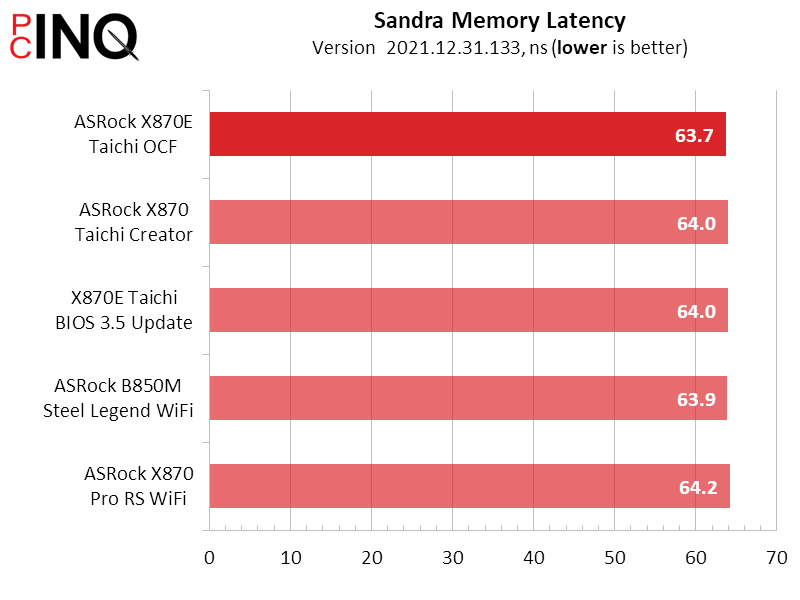
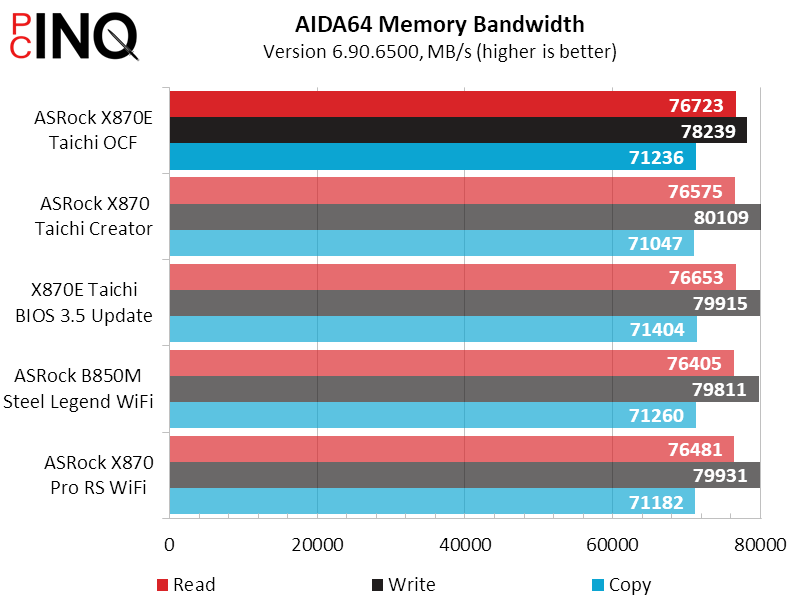
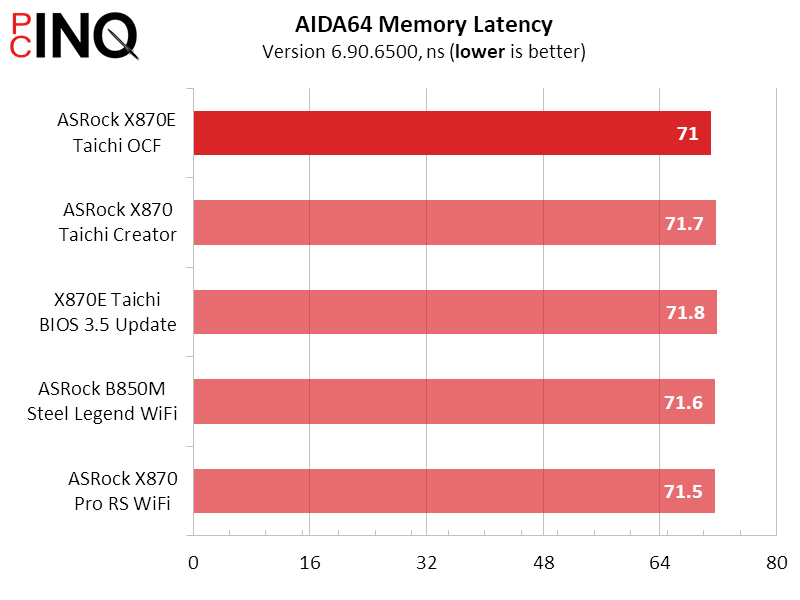
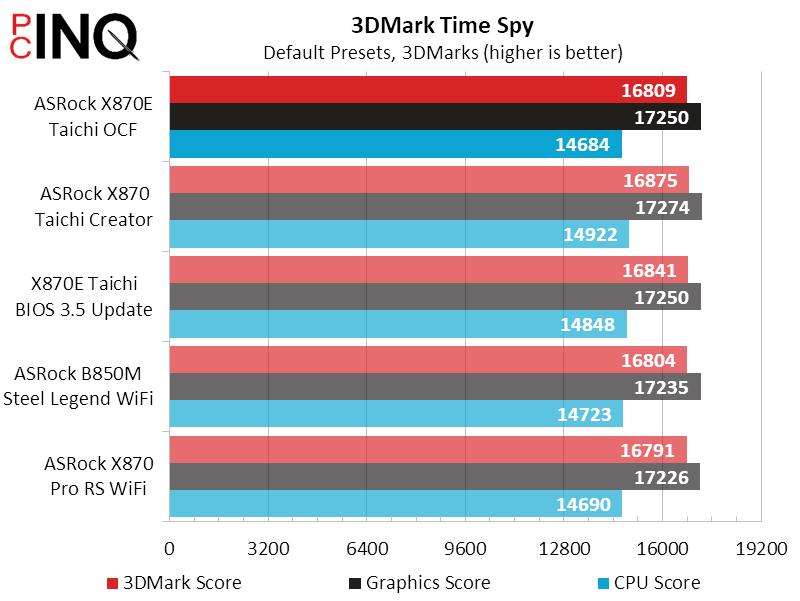
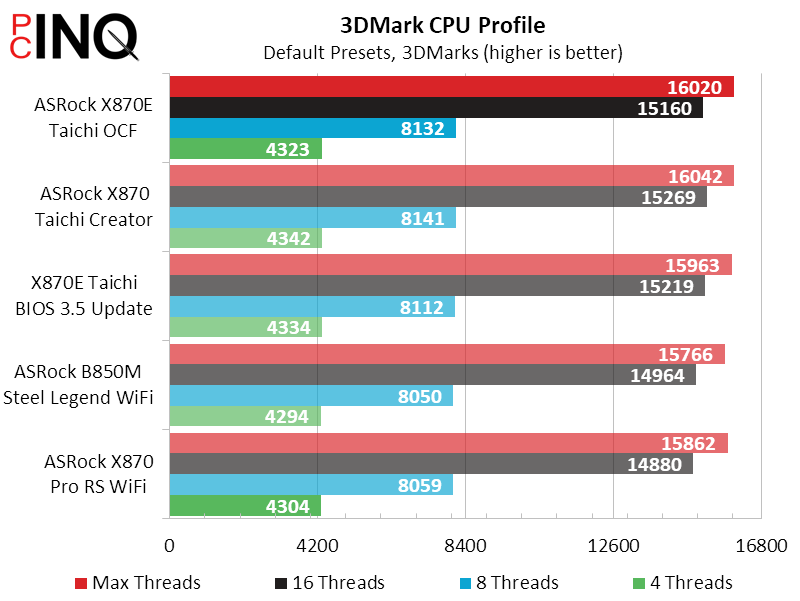
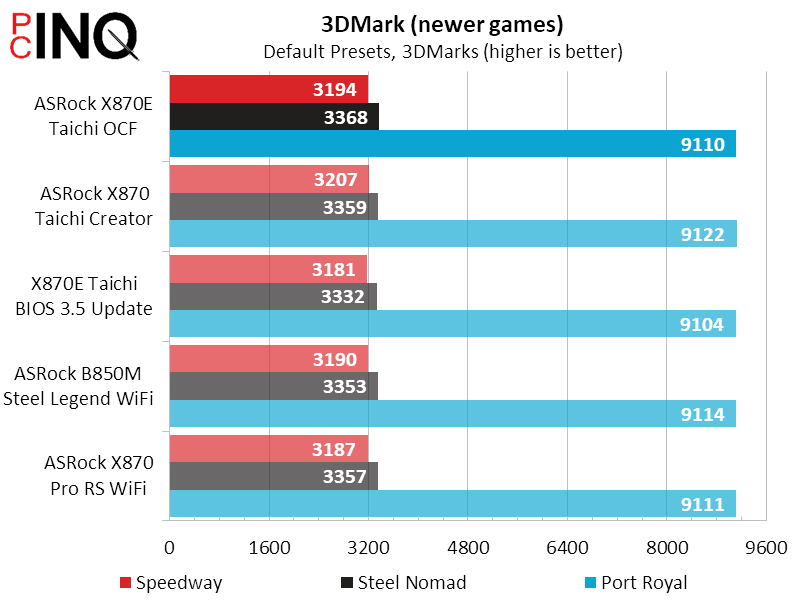
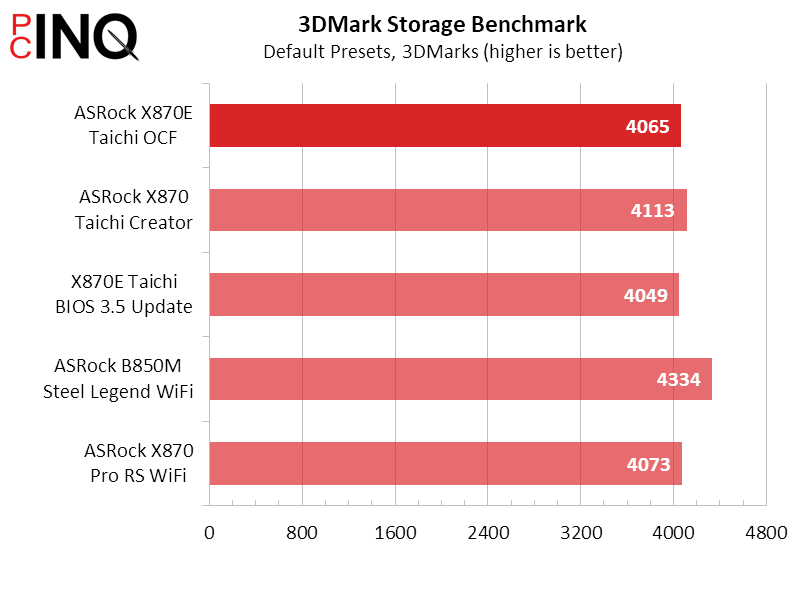
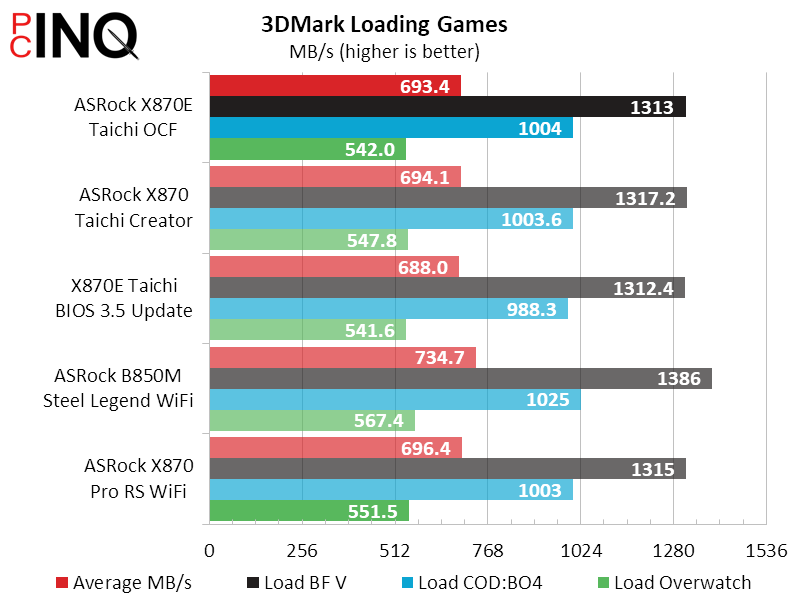
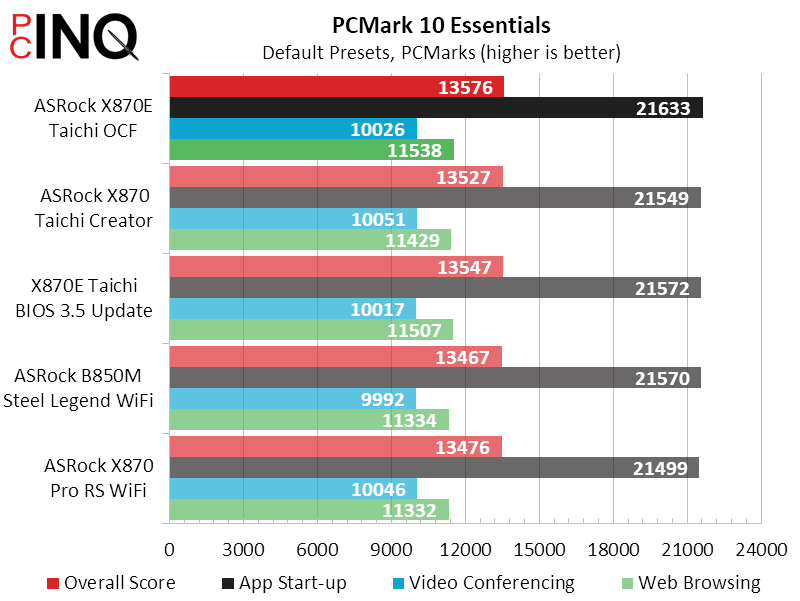
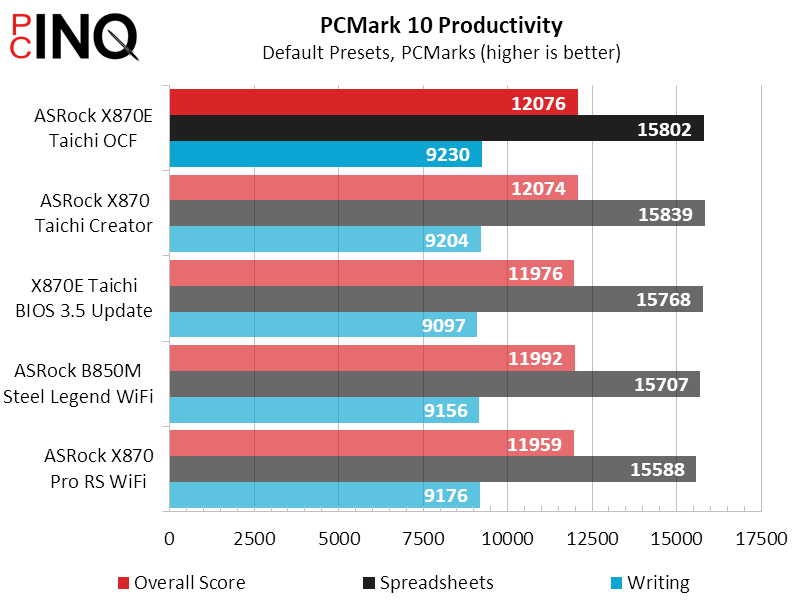
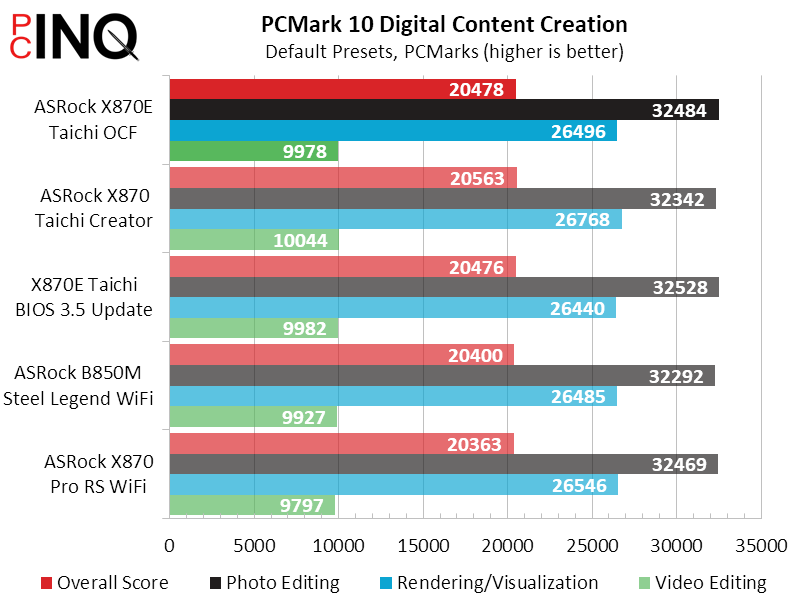
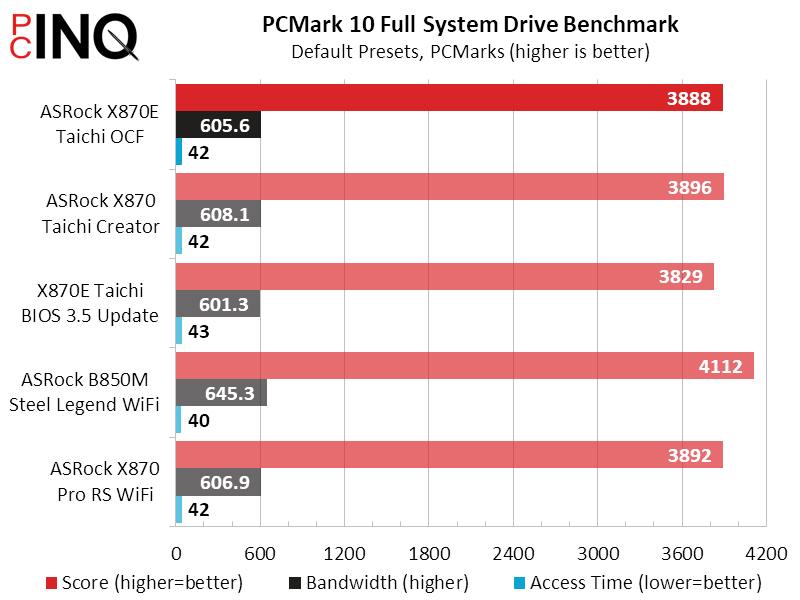
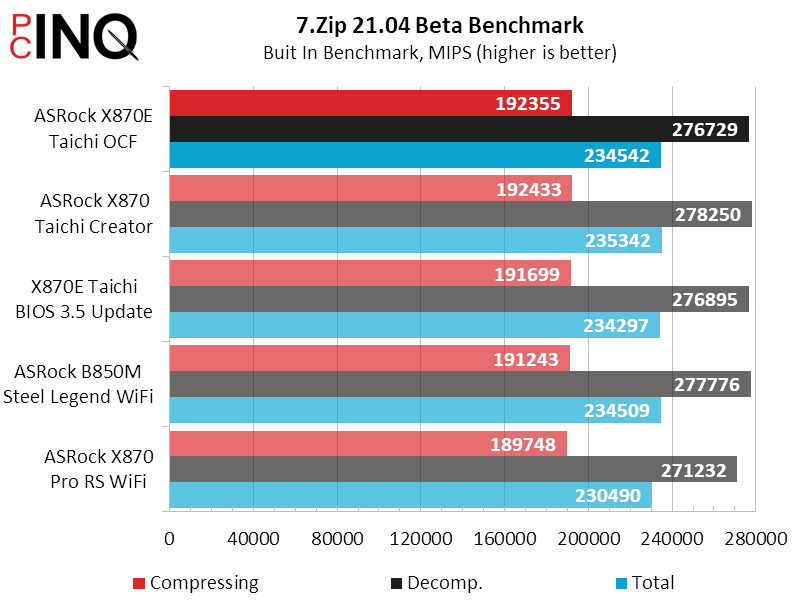
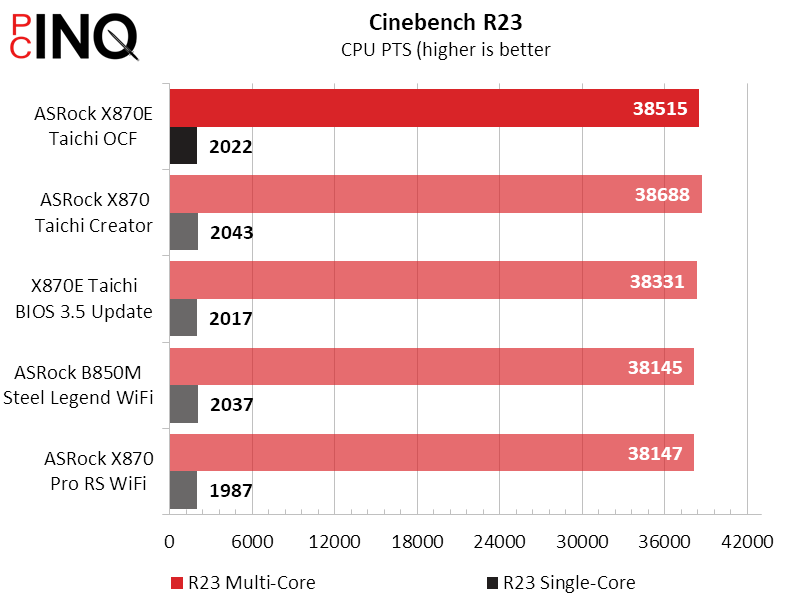
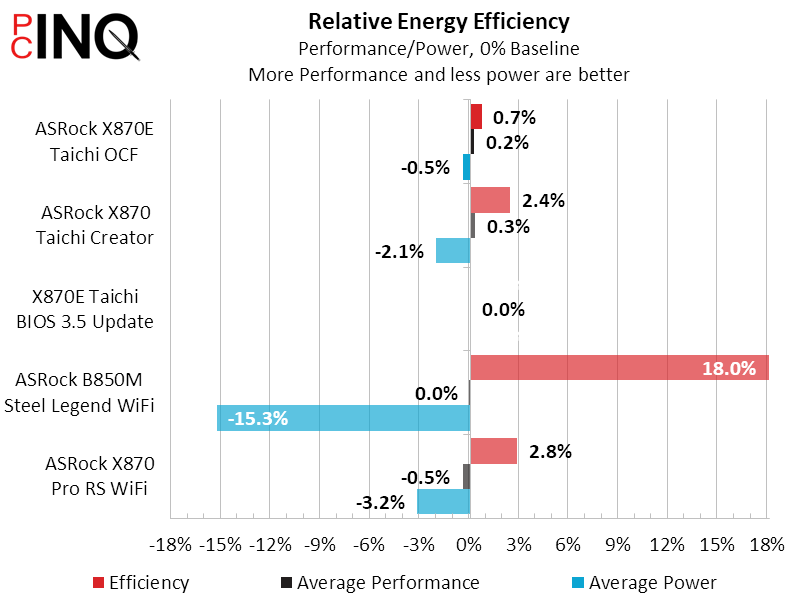
Even power consumption is par, with the new board’s full/no load average at 218W compared to the old board’s 219W. Though it’s hardly going to change any minds, the 1W difference gives the new board a 0.7% efficiency advantage.
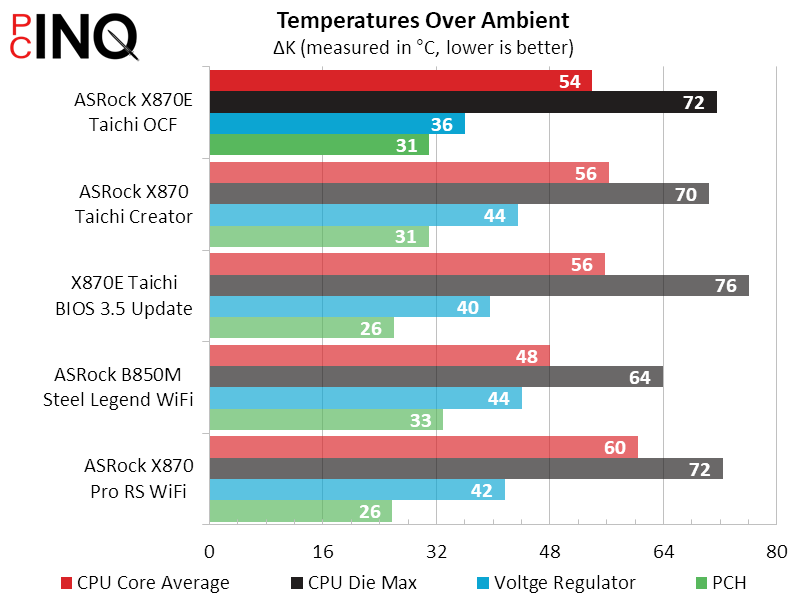
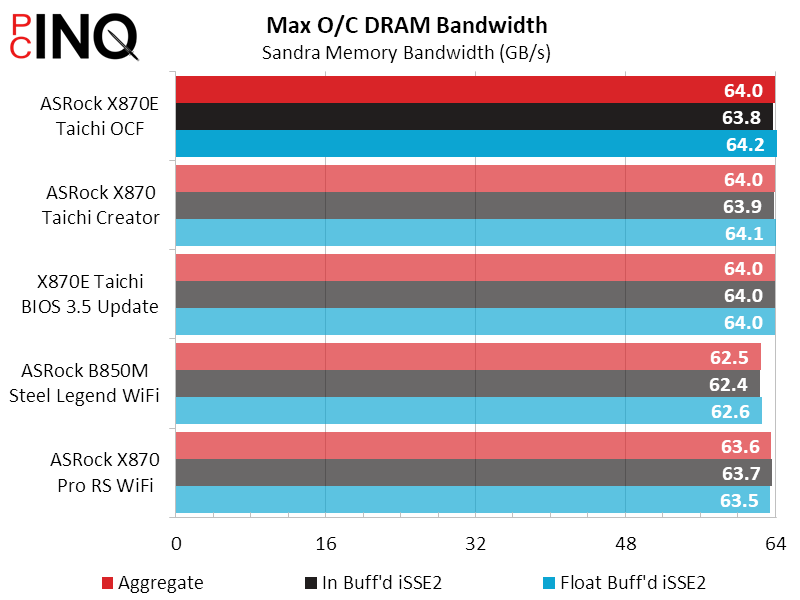
Our CPU overclocking limits are with power and heat, where adding power causes the CPU to overheat and reducing power limits its maximum stable clock, so that the advanced OCF overclocking features aren’t very useful in our configuration. We could have pushed a different memory kit a bit farther, but keeping it in the perspective of boards we’ve already tested meant keeping the memory that those boards were tested with.
The X870E Taichi OCF’s feature set looks a lot like the X870E Taichi that came before it, but a quick scan of the board itself proves to us that it’s a completely new design. That the new ATX board is smaller than the 10.5”-deep board it replaces means it will fit more cases, and its dual Gen2x2 front-panel cable headers likewise supports newer case designs. All of the X870E Taichi OCF’s extra overclocking buttons consume space that was originally dedicated to the second M.2 slot on the earlier board, and its troublesome lane share only affect added interfaces that the older board didn’t have.
Increased flexibility allows the X870E Taichi OCF to fit into more places and more things to fit into the X870E Taichi OCF. Whether that makes it a more valuable product than the older X870E Taichi is for you to decide.
| ASRock X870E Taichi OCF | |
| Pros | Cons |
| Packed with OC-exclusive features Added NVMe and PCIe x4 Includes second USB3 Gen2x2 header Standard ATX size fits more cases | Fewer DIMM slots Extra interfaces use shared PCIe pathways Loses second USB3 Gen1 internal header |
| The Verdict | |
| The X870E Taichi OCF beats the original Taichi with a more flexible size and interface set, but the value of that flexibility will depend heavily on builder preferences. | |


