
Gamdias Atlas M4 ATX Mid-Tower Case Review
Mid-towers started as full-sized horizontal PCs that were flipped onto one side, with ATX versions having just enough space to hold a 12” board above or below a full-sized power supply. These grew from around 17″ to well past 20″ as high-end builds demanded larger cooling devices, yet every so often an ingenious design comes along that hopes to return us to classic dimensions without sacrificing cooling or card space: We welcome the Atlas M4.
| Gamdias Atlas M4 | |||
| Type | Mid Tower | Included Fans | (3) 120mm Bottom, (1) 120mm Rear |
| Motherboard Support | ATX, Micro ATX, Mini ITX | Front Fan Mounts | X |
| Dimensions (HxWxD) | 17.13″ x 9.25″ x 17.88″ (43.5 x 23.5 x 45.4 cm) | Rear Fan Mounts | (1) 140 / 120mm |
| Weight | 15.7lbs (7.12kg) | Top Fan Mounts | (3) 120mm |
| Max Motherboard Depth | 10.1″ (25.6cm) | Bottom Fan Mounts | (3) 120mm |
| Card Length | 425mm | Side Fan Mounts | X |
| Power Supply Format | PS/2: Rated 160mm max (170mm measured) | Top Rad. Clearance | 69mm vertical, 66mm horizontal (approx.) |
| Air Cooler Clearance | 175mm (rated) | Front Rad. Clearance | X |
| External Bays | X | Front Filter | X |
| Internal Bays | (1) 3.5″, (2) 2.5″ (one shared) | Top Filter | Perforated Sheet (mag. strips) |
| Card Slots | 7 | Bottom Filter | None |
| Ports/Jacks | (1) Gen2 Type-C, (2) Gen1 Type A, Headset Combo | Damping | None |
| Other | Integrated ARGB strip, ARGB controller/fan hub | Price | $100 |
Get it at Newegg

(click for availability)
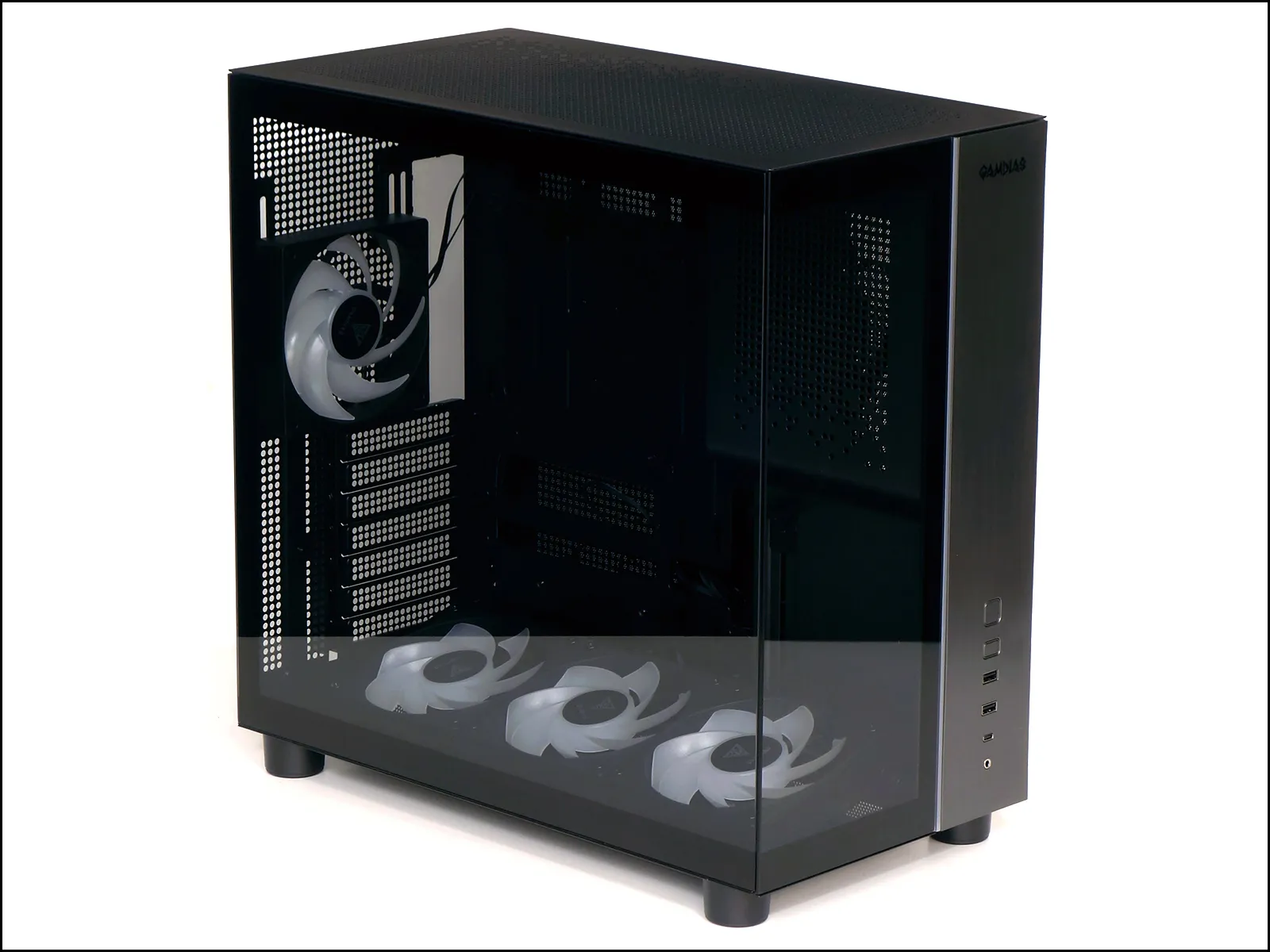
This isn’t the first case we’ve reviewed to hide its power supply behind the front panel, but it is the first to hide it so tidily as to leave 2/3 of the space for glass. One visual trick is that the black mask at the edge of the glass is wide enough to cover the most intrusive portion of the power supply shroud: An S-bend in that panel allows it to fit under a full-length graphics card after going over a full-ATX power unit. Gamdias tells us that the curved panel limits the power supply depth to only 160mm, though we measured at least 170mm of possible clearance.
An adjustable-angle bracket filled with reverse (back to front) flow ARGB fans dominates the Atlas M4’s appearance, while a metallic finish that covers the front-panel’s right side adds some show to the unlit parts.
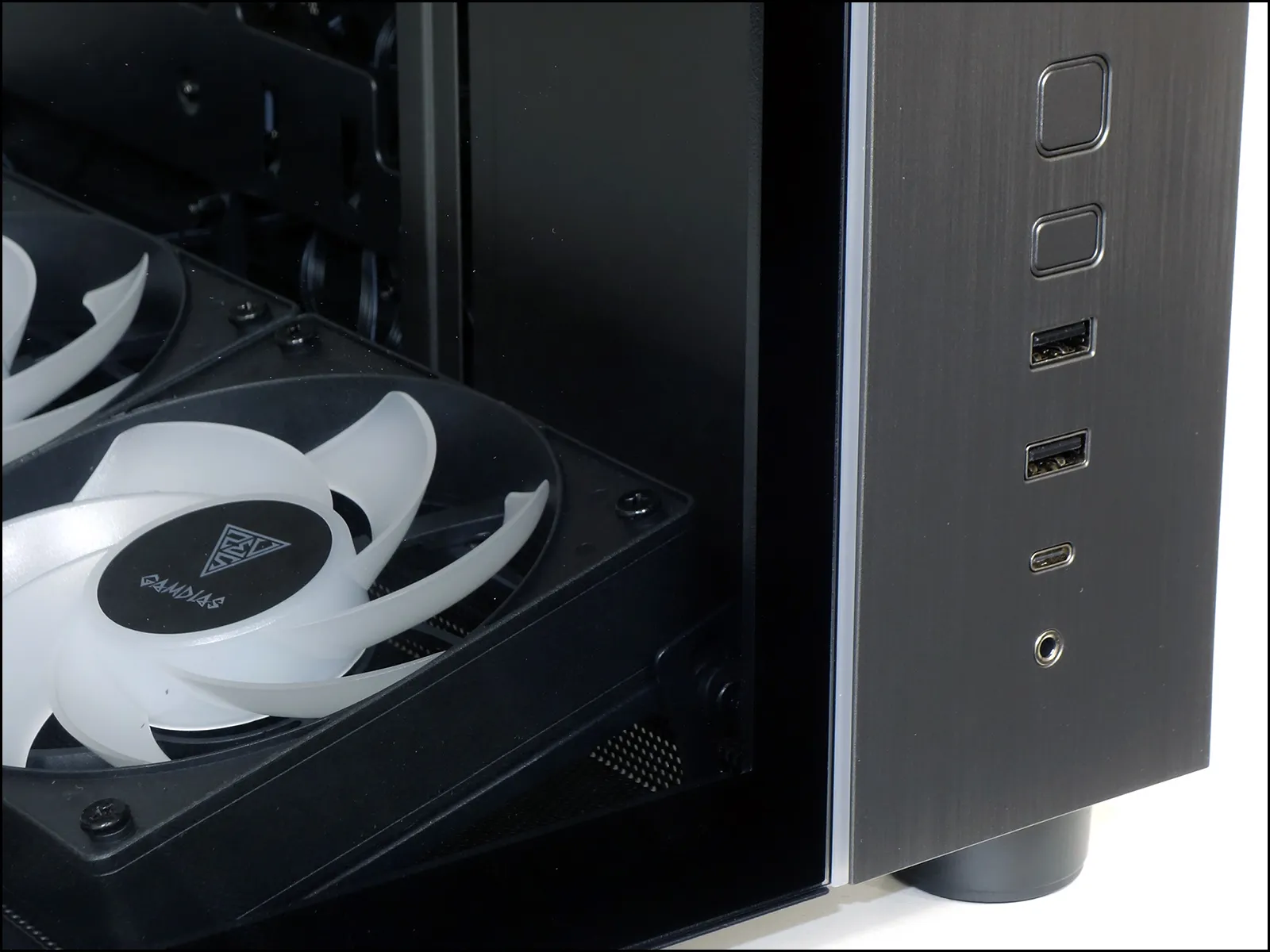
Front-panel features include power and lighting mode buttons, an audio combo jack, two Type A and one Gen2x2 Type-C USB 3.2 ports . Combo jacks of this type (3.5mm or 1/8″) add a single microphone ring to a portion of the ground ring, so that they’re equally able to accommodate either a classic stereo headphone or a combined headset, and adapters are available from various other brands to combine the headphone and microphone jacks of traditional headsets.
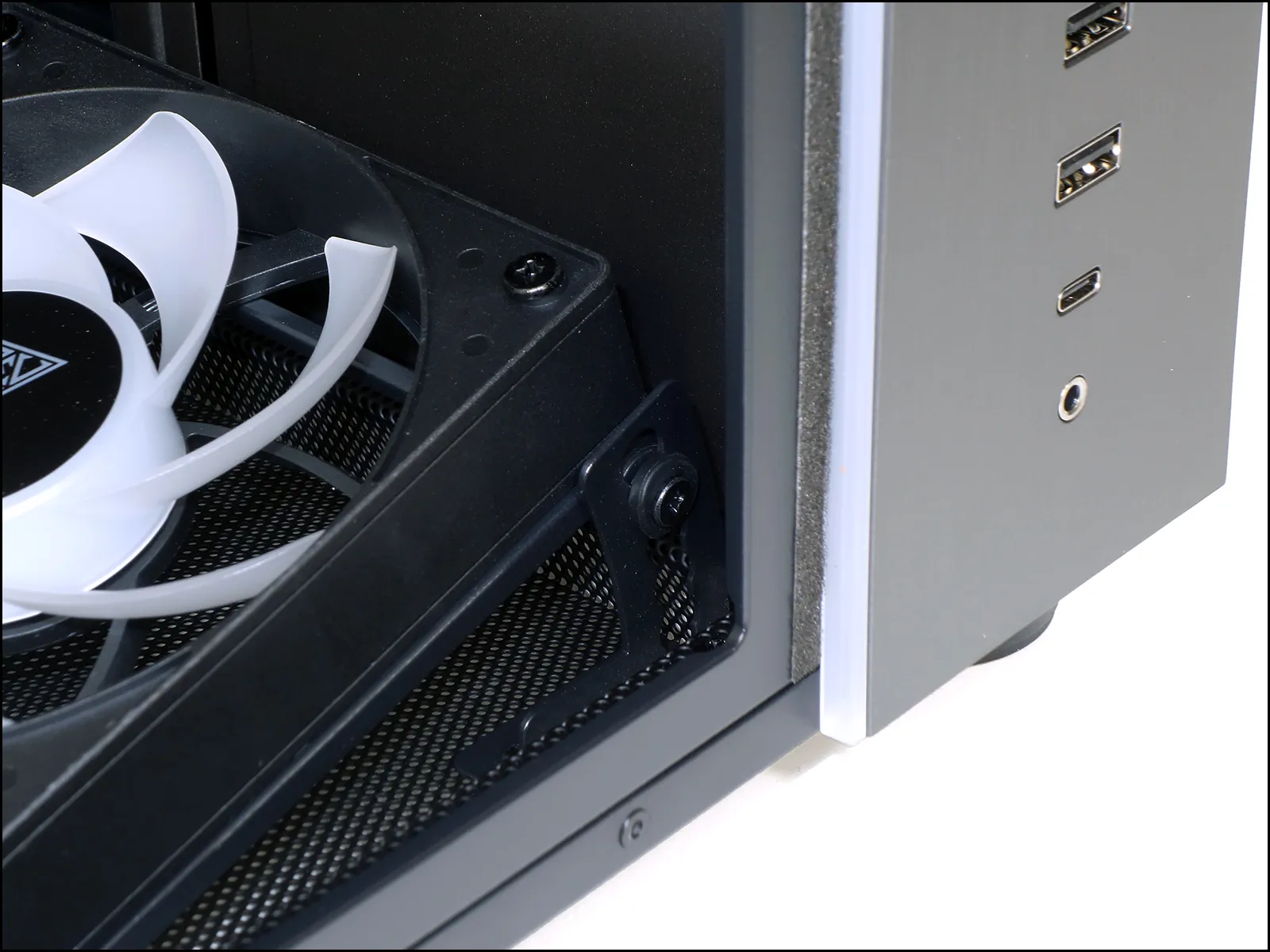
This closeup also gives us a better look at the ARGB light strip that separates the glass from the metallic portion of the front panel, as well as the front fan angle adjuster that’s located near the inner lower corner of the front glass.
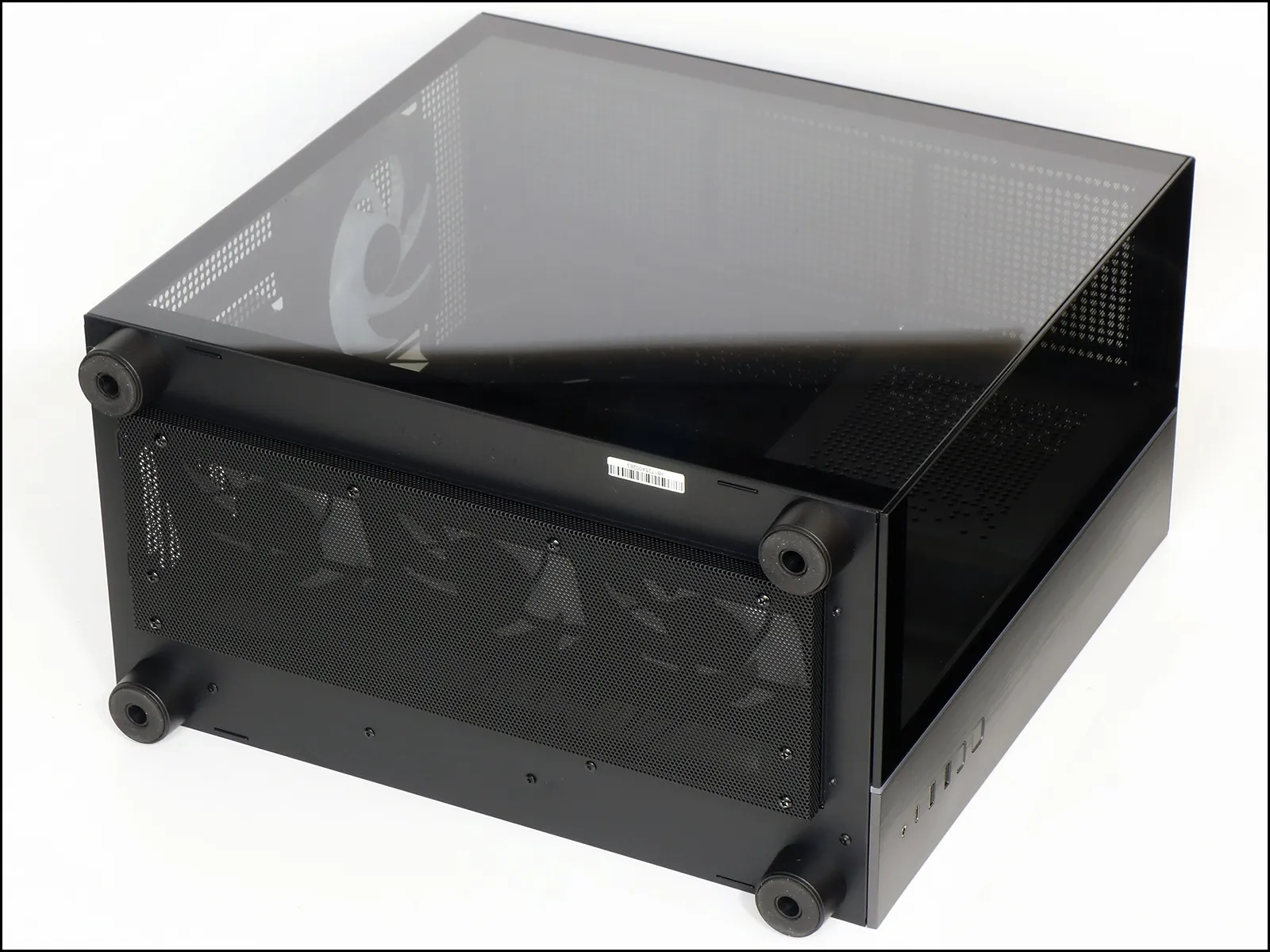
A recessed basket 15mm beneath the bottom panel hides a portion of the Atlas M4’s fan frames, whereas extra-thick foot stands provide the space for that concealment.
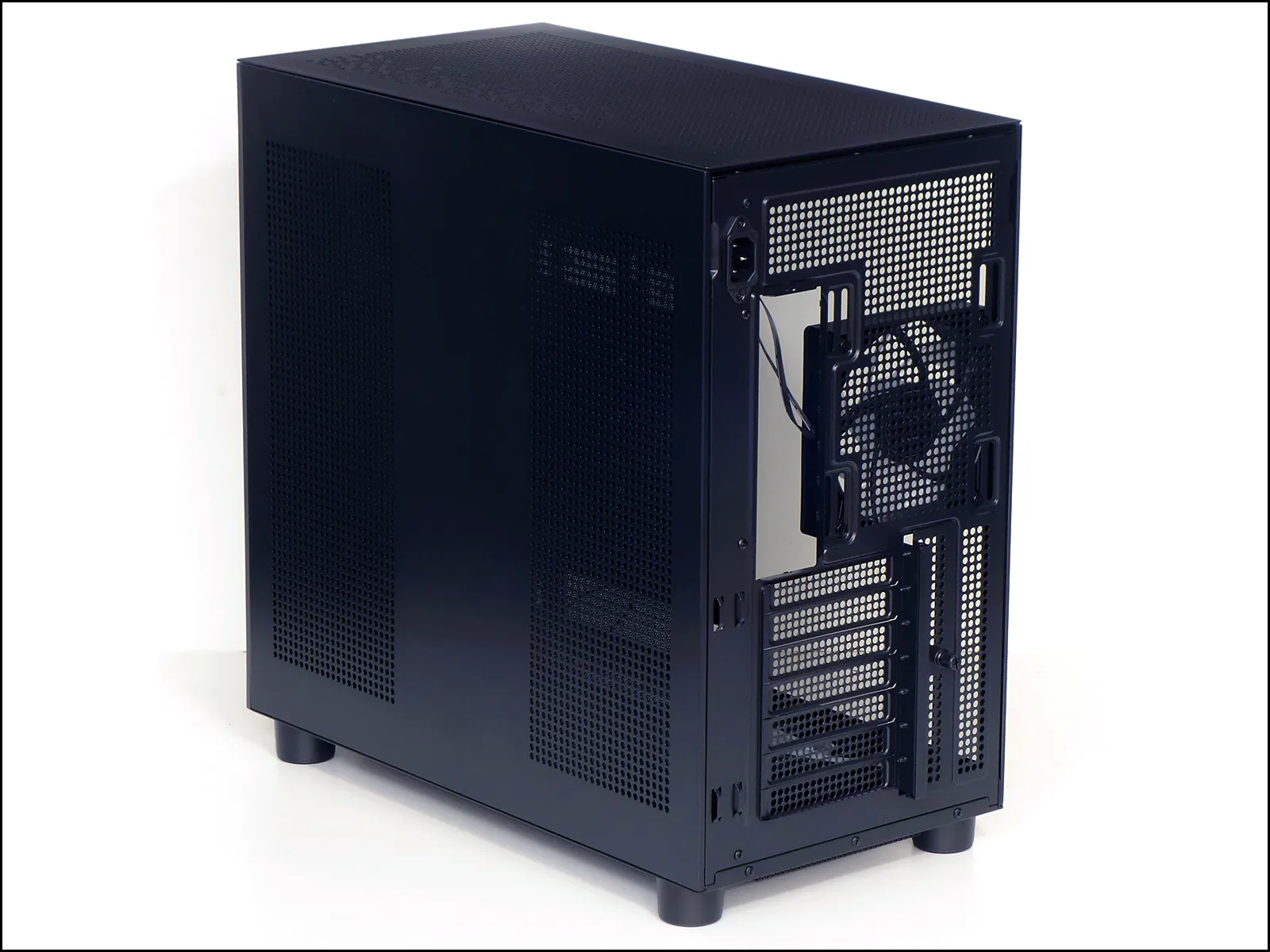
One of the two grid patterns of round holes that covers the Atlas M4’s steel side panel provides the power supply’s air inlet, while the other appears mostly decorative. Moving to the back, we find a 120mm fan and the usual seven slots required for ATX compliance. Mounting slots allow the fan position to be adjusted vertically by around 32mm, and a second set of mounting slots allows builders to substitute the original 120mm unit for their own 140mm selection.
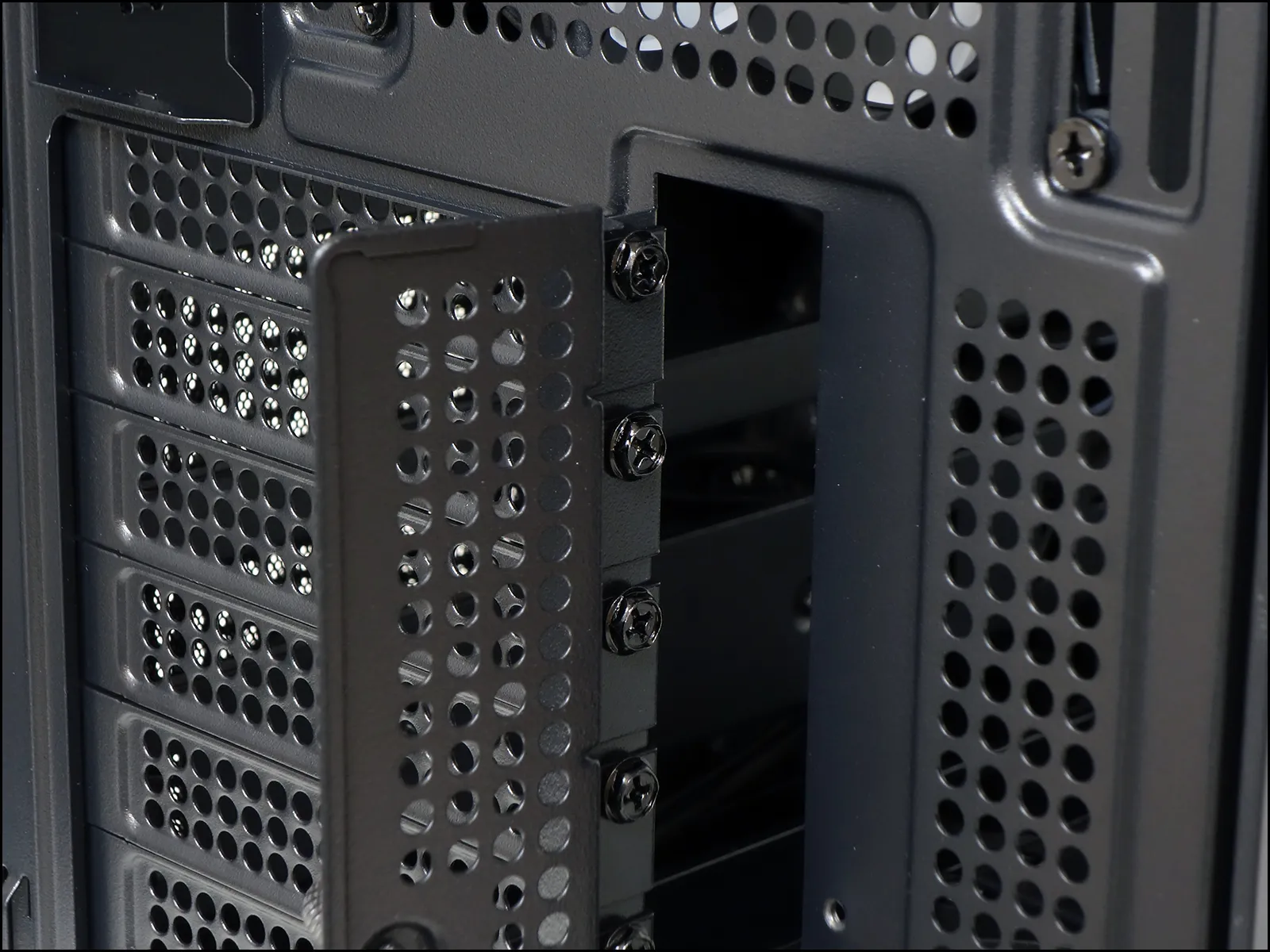
Folded-out card bracket screw tabs are always an indicator of cost-cutting in the production process, as we estimate boxed I/O panels such as the one seen on the recently-reviewed V100R Mini to add only $3 to a case’s manufacturing cost. On the other hand, the cheapest of folded-out cases use disposable knock-out slot covers, and Gamdias was at least thoughtful enough to include replaceable parts. It’s designers were equally thoughtful in making the bracket slot around 23mm wide, so that the tabs at the other end of your graphics card’s bracket is less likely to get caught on the motherboard during installation.
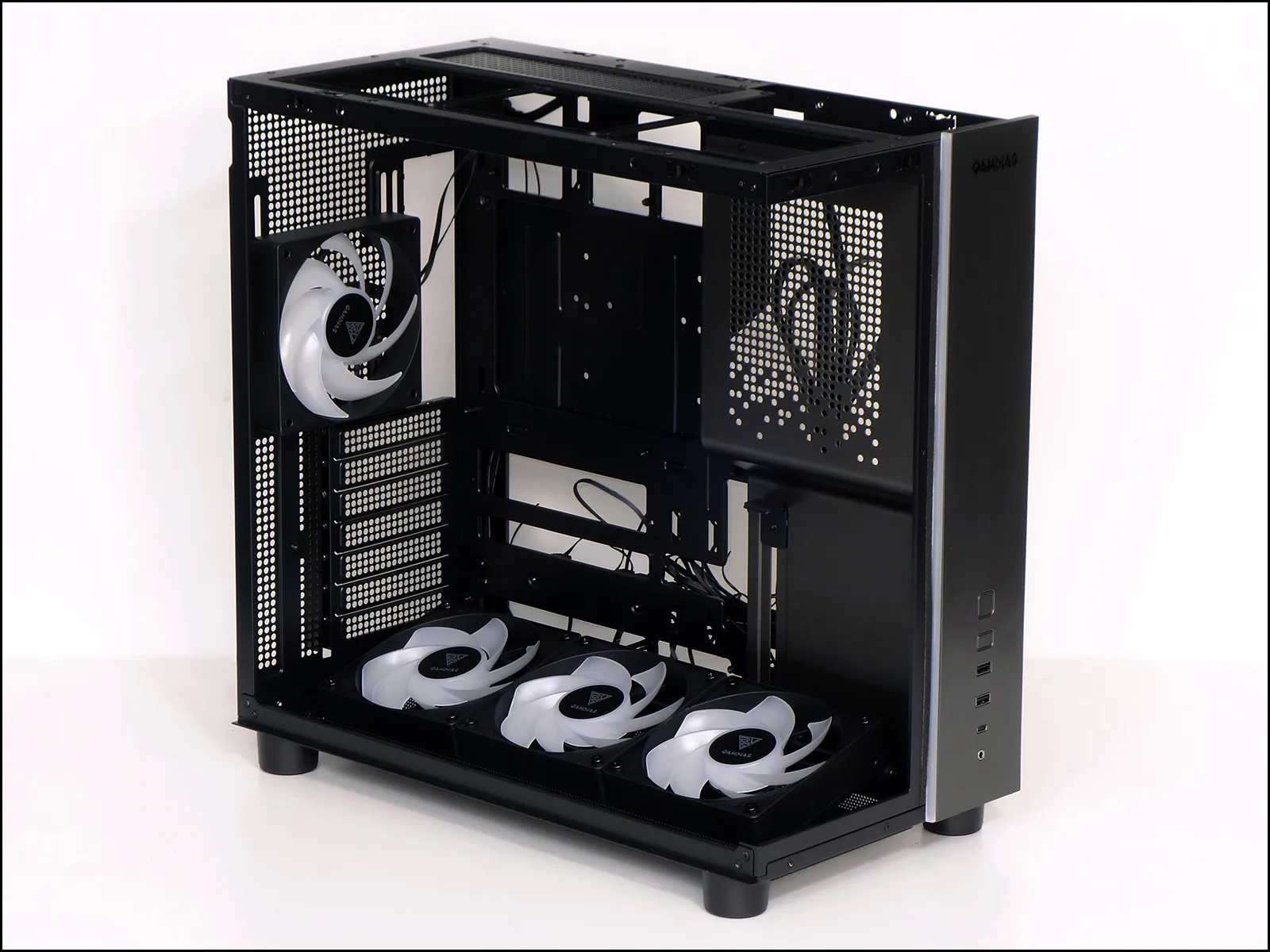
A wider view of the open case shows that its motherboard tray has cutouts for motherboards with reverse-facing connectors in both ATX and Micro ATX form factors, with additional holes above the motherboard allowing larger cables to pass over its top edge. A CPU cooler support plate access hole that’s almost as large as a Mini ITX motherboard is covered in these photos by a removable drive tray.
We had to zoom in to show the card brace: Centered around 280mm from the back panel, it’s adjustable throughout the card slot area: A knurled screw on the back to holds its position, while indented sides help to keep it from turning during adjustment.
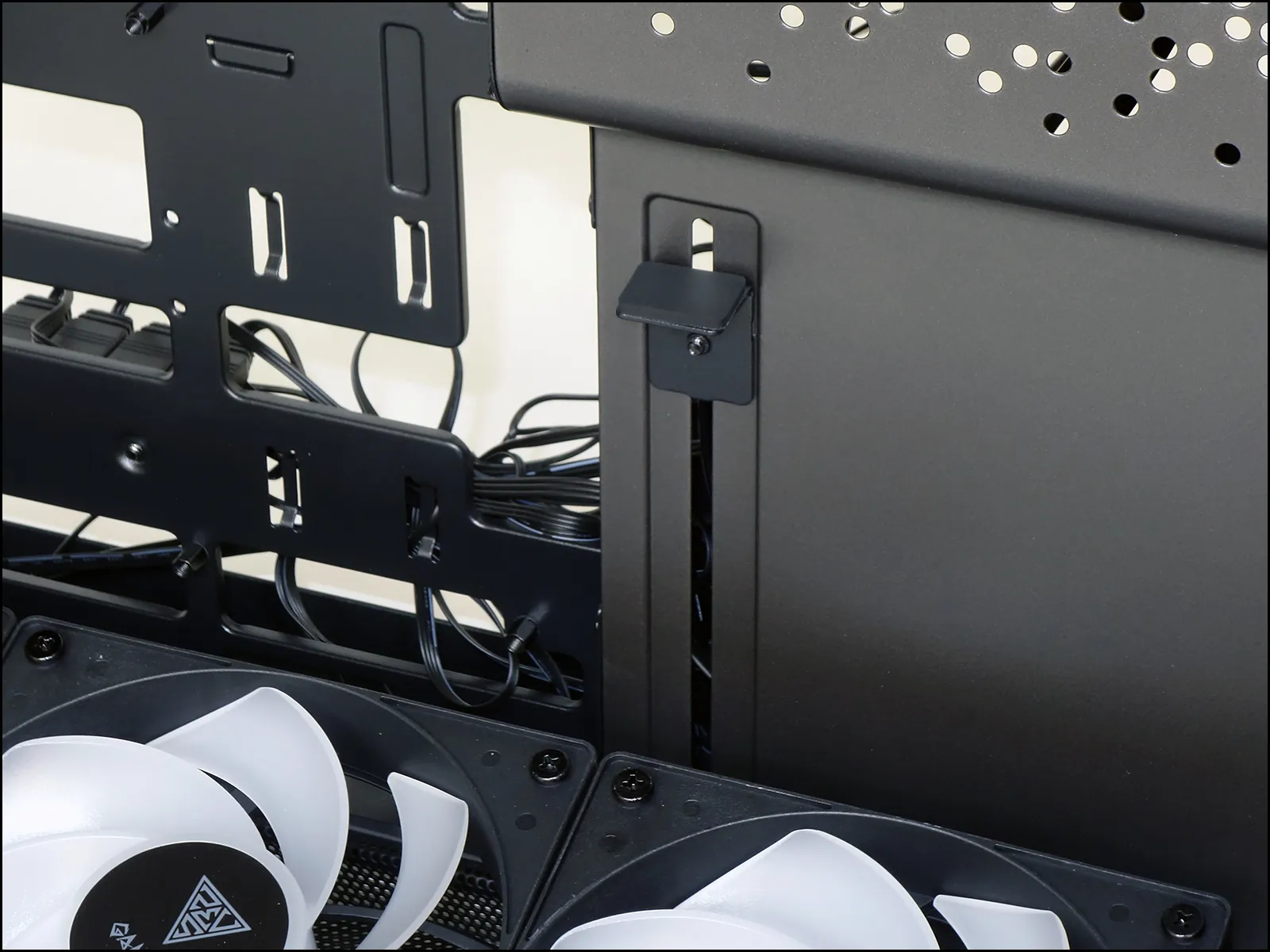
While we’re up here, we’d might as well take another look at one of the two little tabs that are designed to hold the fan’s angle. A matching tab holds the other end of the bracket at the back of the case.
The power supply bay, removable drive tray, lighting and fan hub with ARGB controller are hidden behind the Atlas M4’s right side panel: A small hinged panel near its lower front corner (image left) that’s designed to hold excess cable length is secured via a single screw.

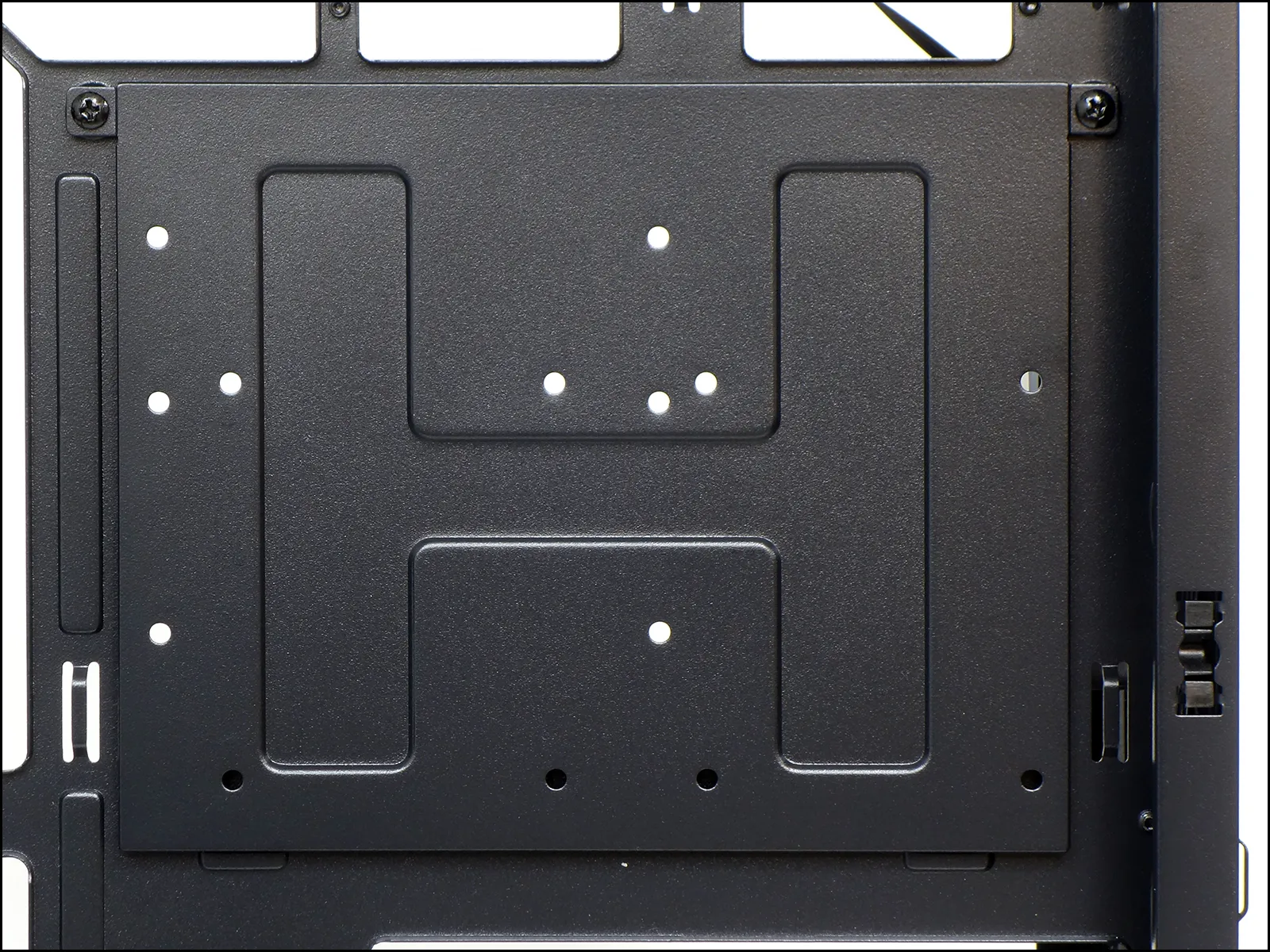
One side of the removable drive tray is drilled to hold either a 2.5” or 3.5” drive, and the other holds an additional 2.5” drive.
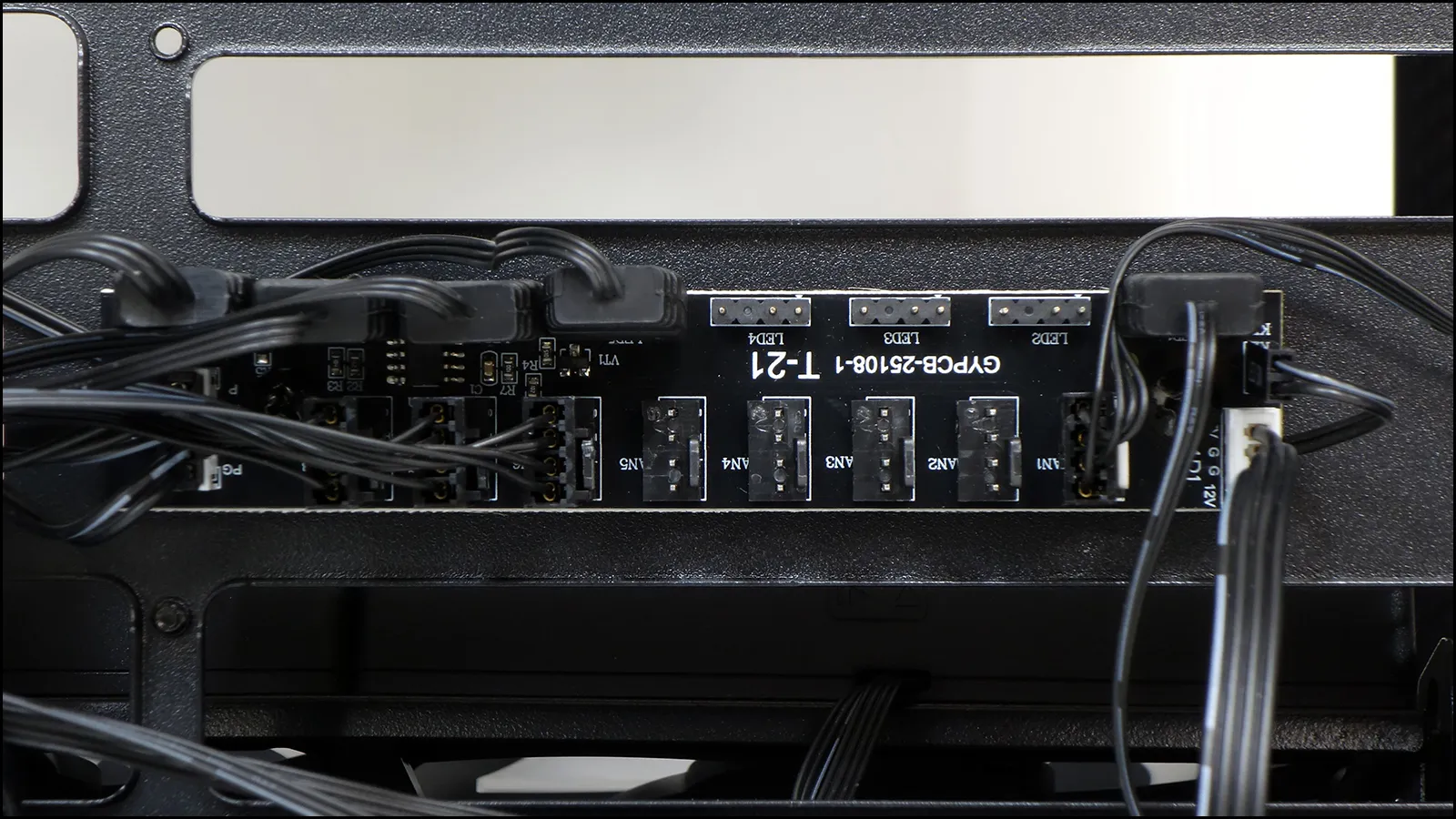
Connected via an SATA drive power cable to the finished system’s power supply, a factory installed hub spreads input signals from to motherboard headers to eight ARGB devices and eight PWM fans. A built-in ARGB controller also allows that function to operate independently of the motherboard, which is why the Altas M4 has an ARGB mode button on the front. Builders who want to switch between the ARGB patterns programmed into the hub’s controller or an ARGB input from the motherboard can do so by holding the front-panel’s RGB mode button for a couple seconds.
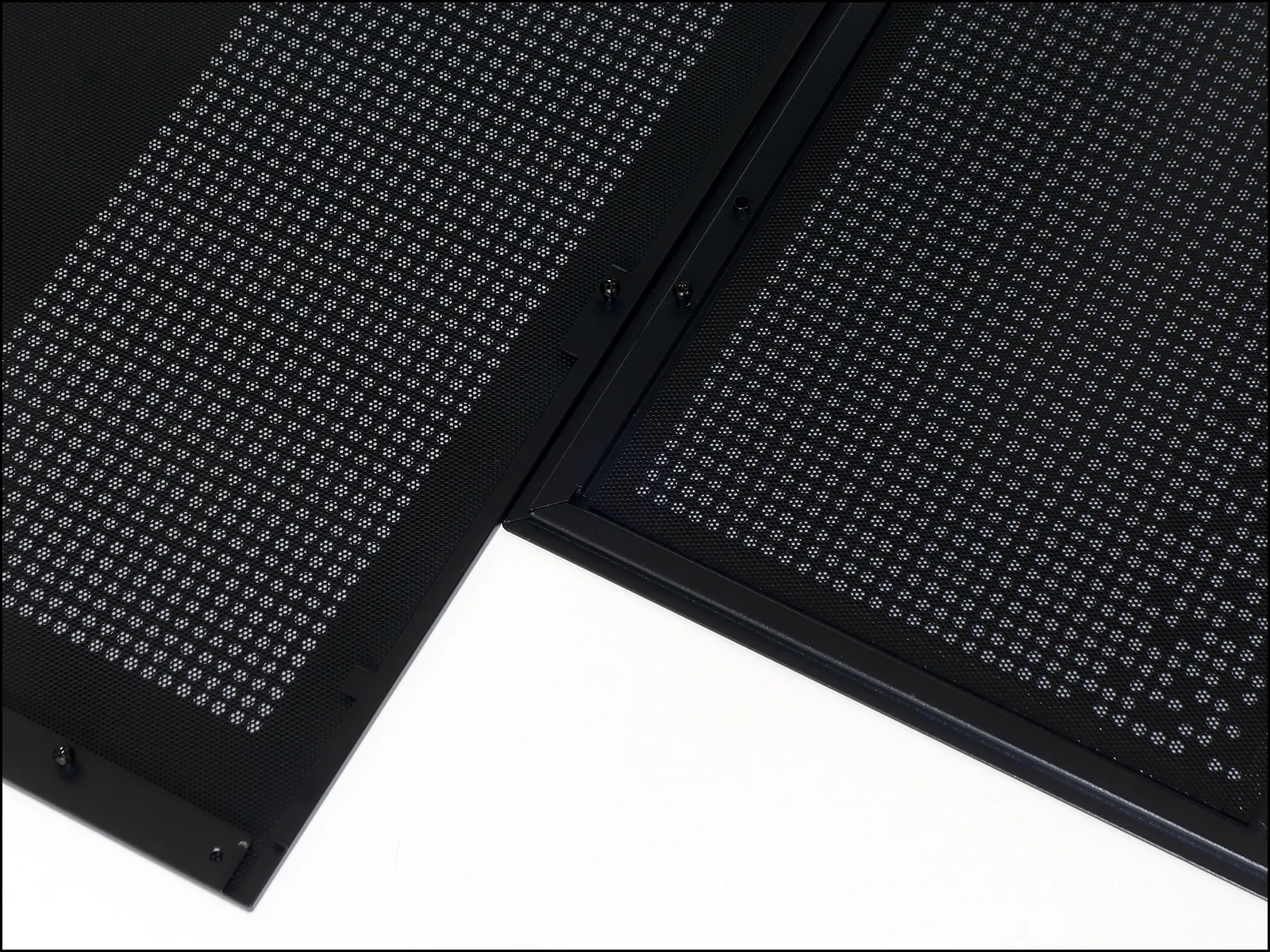
Dust control is only offered to the top panel via a stick-on sheet (it uses strip magnets along its edge) and the right side-panel via a tucked-in sheet of the same design (but without the magnets). As the three installed intake fans have no filter and the top panel is normally used for exhaust, that leaves the power supply as the greatest hope for dust avoidance.
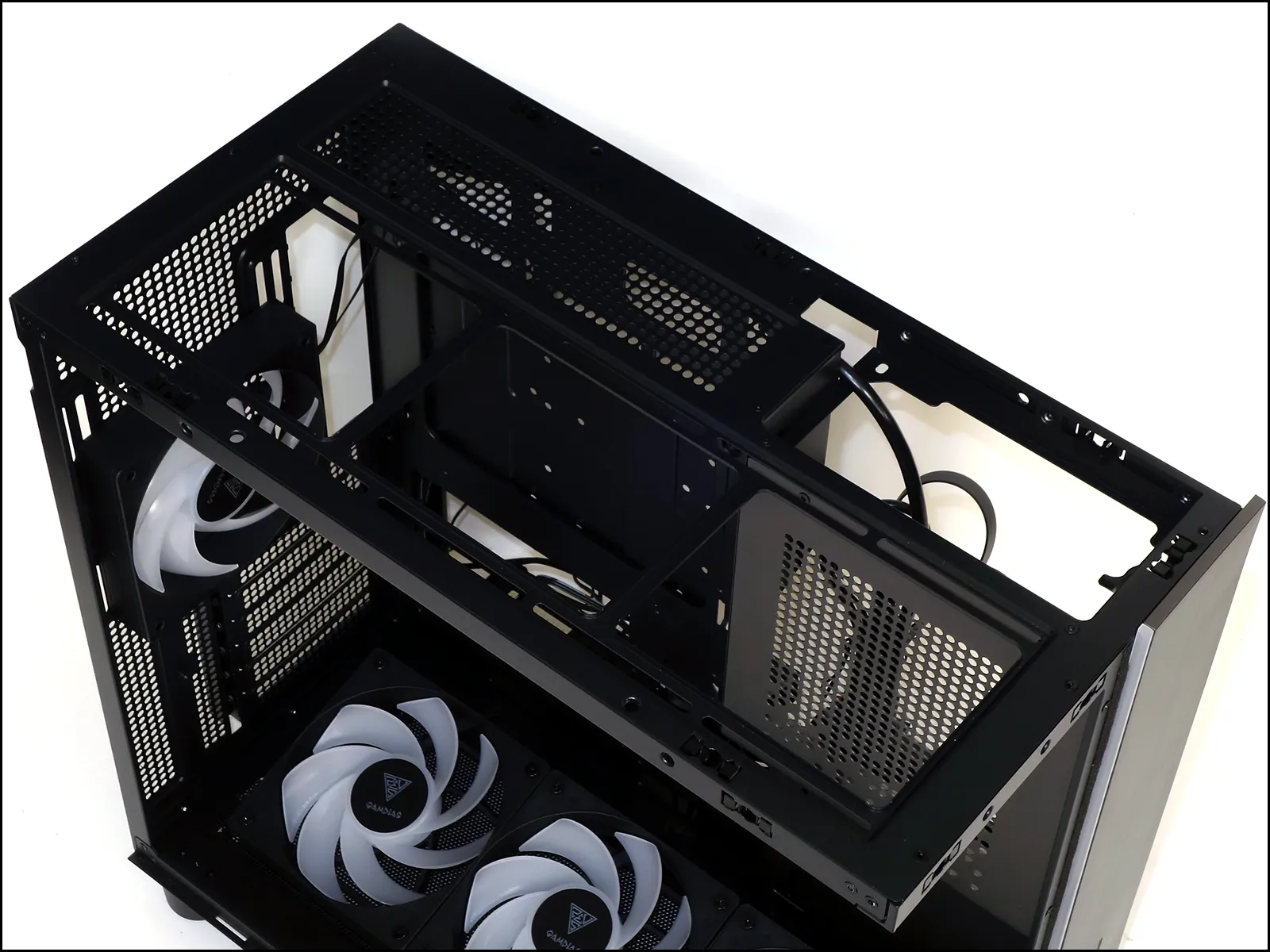
Finally, there’s the question of radiator capacity: The top panel can hold one up to around 418mm in length, with a combined thickness (with fans) of 70mm before it begins overlapping the top edge of the motherboard,. Those who are using an extra thick combination of radiator and fans will find that the Atlas M4 also has around 66mm of horizontal clearance to allow some component overlap. The bottom fan mount could similarly be used with a radiator, but the lower radiator would reduce slot availability on the motherboard, so that most users will want to focus on the top panel mount.
Building With The Atlas M4
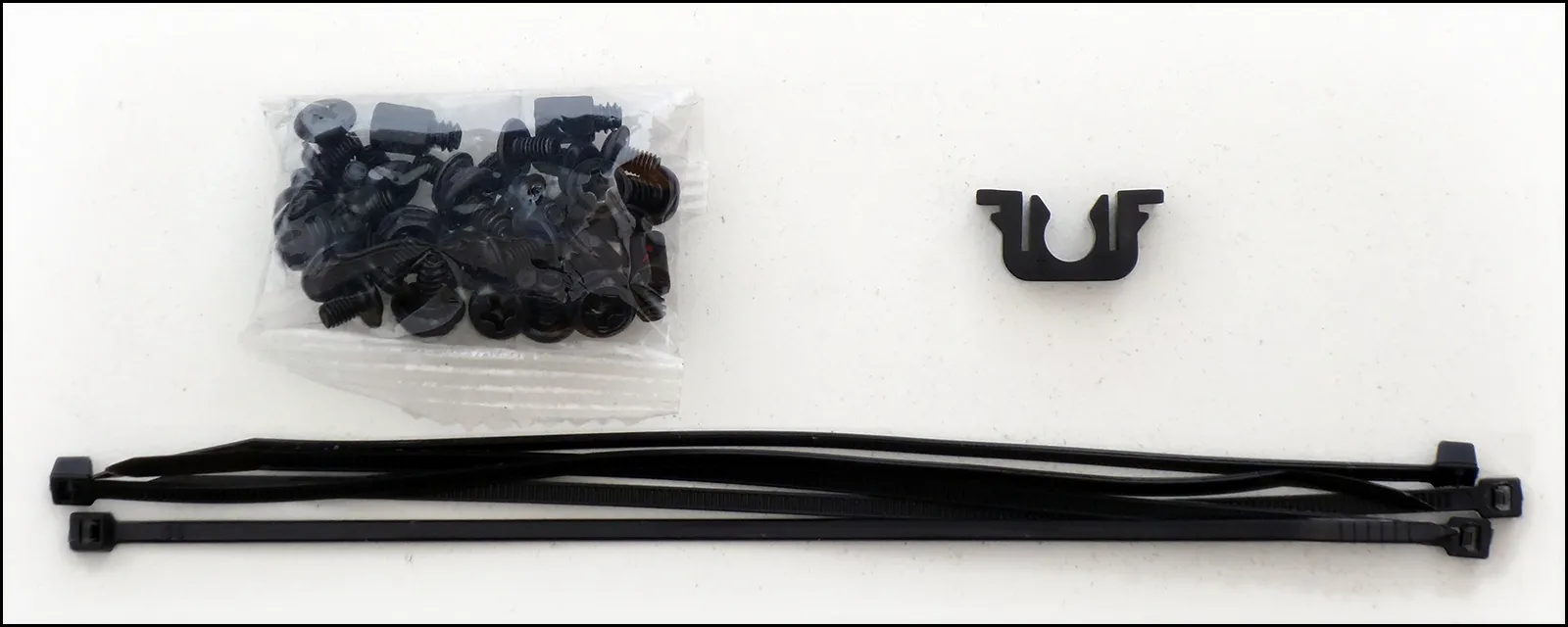
Try as we might, we could not find a paper copy of the downloadable user manual in the Atlas M4’s packaging, though we did find a bag of hardware inside the case. That bag contained a smaller bag of threaded hardware, five zip ties and a replacement panel snap. Among the threaded hardware are three additional motherboard standoffs, six #6-32 combo-head screws, nine #6-32 panhead screws, and eighteen M3 flange-head screws. The standoffs have M3 female and #6-32 male threads.
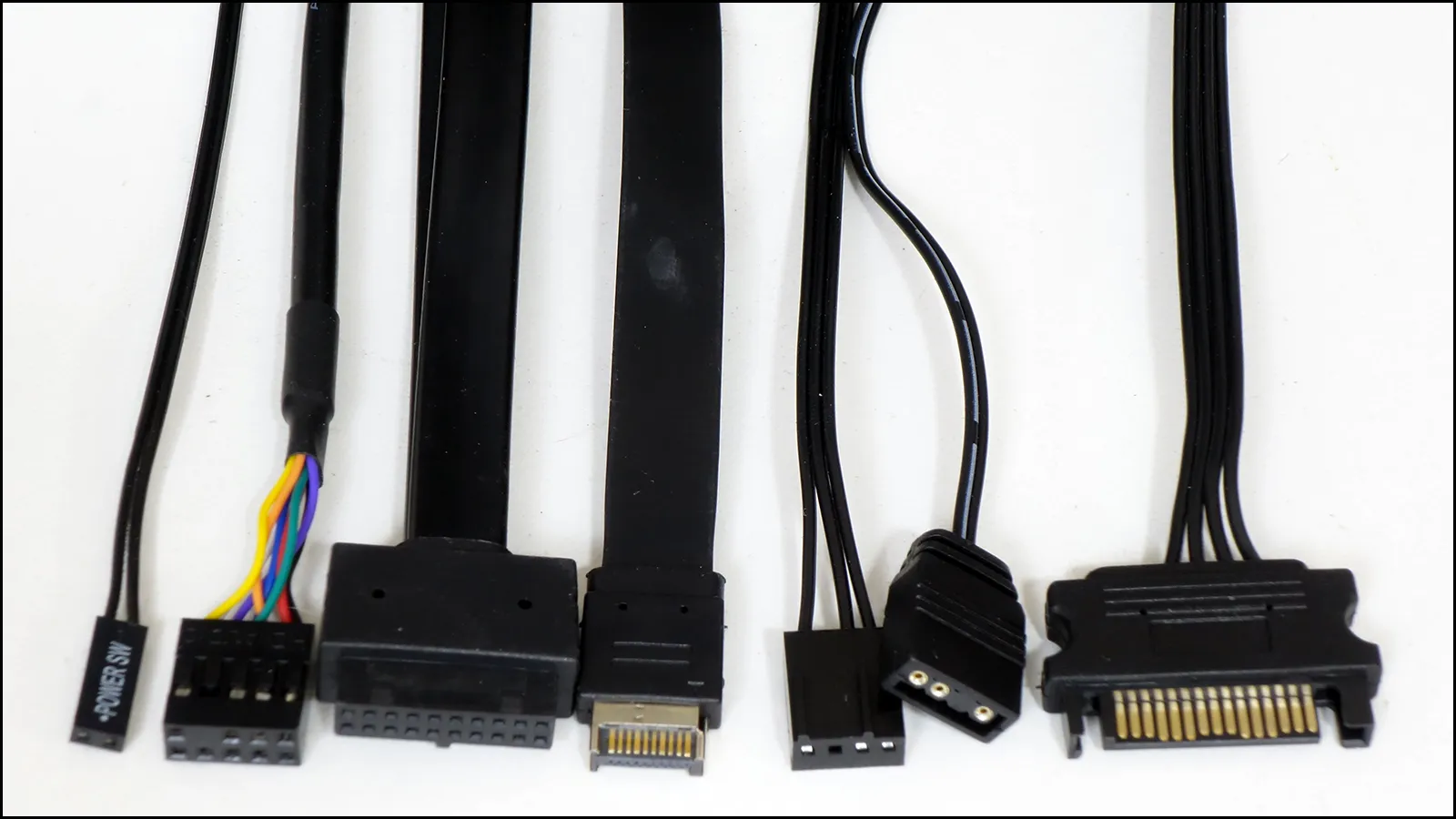
Connecting the Atlas M4’s front panel to our motherboard are a power button lead, an HD Audio connector for its headset combo jack, a first-generation USB 3.x cable for its two Type A ports and a Gen2x2 cable for its Type-C port. ARGB and PWM fan cables feed signals from our motherboard to the case’s powered hub, and our power supply provides the SATA type cable to connect the hub’s power input.
The Atlas M4 is built with an extension cable that reaches from its back panel to the internal power bay, and its right-angled end doesn’t fit any of our power supplies better than what you see here: Some of our power supplies have the ground facing the other direction, forcing the cable to bend tight at that panel, while others face the front of this case, forcing the cable to bend at a tight radius there. While we have some concerns, testing didn’t reveal any issues.

Here’s our almost-final installation, minus the power button lead: It looks good, but we were initially confused when it didn’t power on…

After rediscovering and connecting the power button lead, we were able to capture this photo of the running system with all of the case’s fans and front-panel ARGB strip lit.

Testing The Atlas M4
Here’s a list of the components we’re using to evaluate the heat expulsion and noise containment of the Atlas M4, as well as a selection of competing models:
| System Configuration | |
| CPU | Intel Core i9-12900KF: 16C/24T, 3.2-5.2 GHz, 30 MB L3 Cache, LGA 1700 Fixed at 4.9GHz (P-cores, 3.7GHz E-cores) and 1.30V |
| CPU Cooler | Cooler Master MasterLiquid 240 Atmos closed-loop |
| Motherboard | Asus B660M Plus WiFi D4, BIOS 2402 (04/20/2023) |
| RAM | G.Skill TridentZ Neo DDR4-3600 C16, 2x 8GB |
| Graphics | Gigabyte GeForce RTX 2070 Gaming OC 8G: GeForce RTX 2070 1815 MHz GPU, GDDR6-14000, Maximum Fan |
| Hard Drives | Patriot Viper VPR400 1.0 TB M.2 SSD |
| Power | Cooler Master XG 750 Plus Platinum: Fully modular, 80Plus Platinum |
We were fortunate enough to have the test results from five other solid-faced cases to compare, though one of those was steel and two were Micro ATX. Equally fortunate, then, was that we’ve been using a Micro ATX motherboard to test both ATX and Micro ATX cases all along.
Test Results
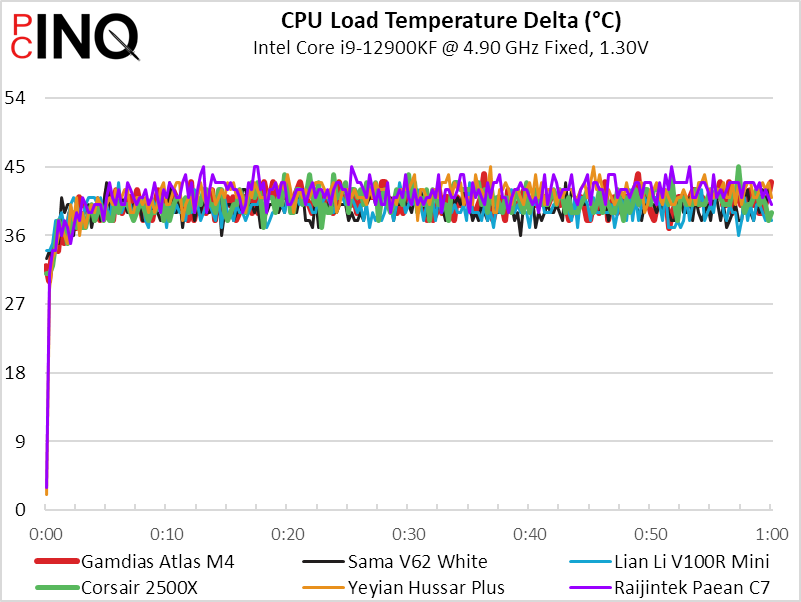
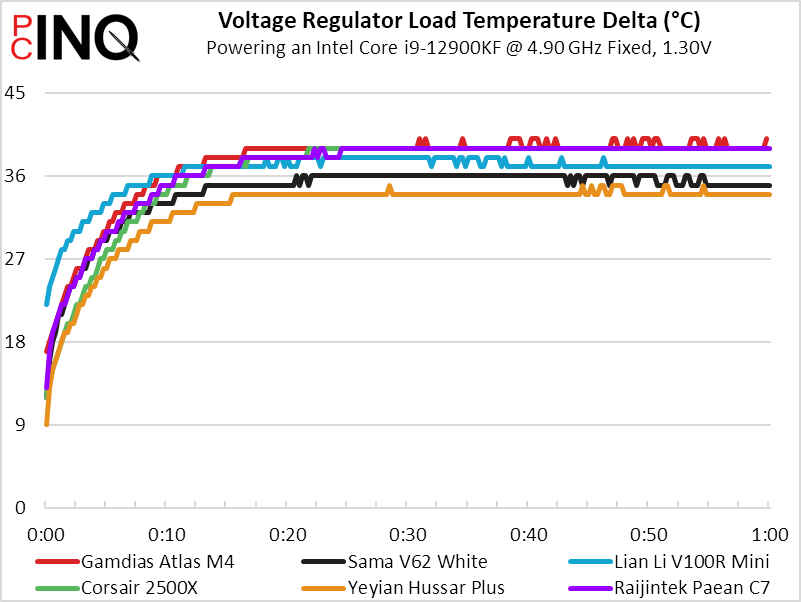
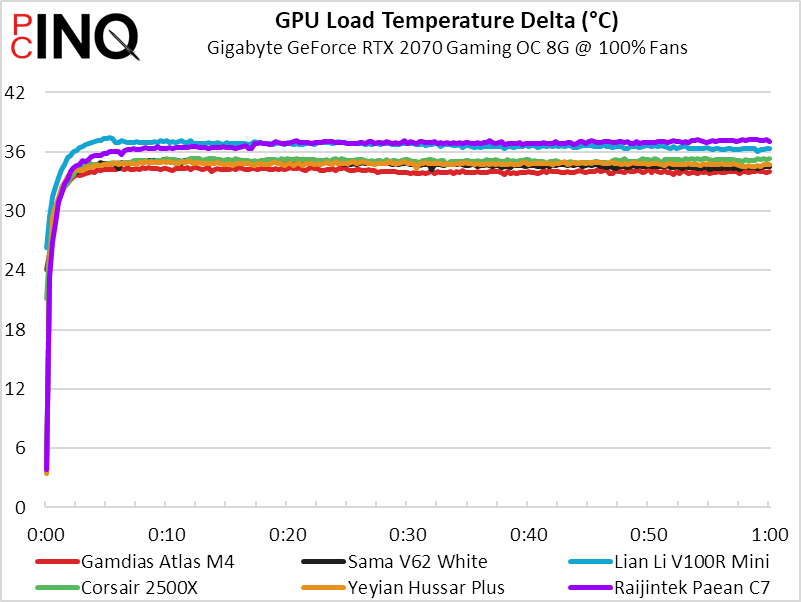
If you look to the first chart for the places where red blotches stand out, you’ll see that the Altas M4’s CPU temperature was right down the center of our compared results. Its sixth-place voltage regulator and first-place GPU temperatures align perfectly with its intake fan positions.
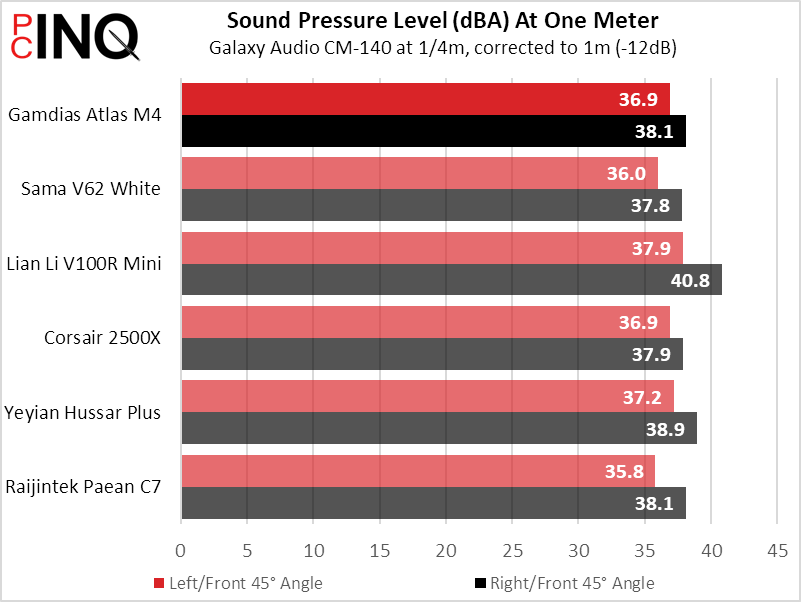
It might not be quietest, but the Atlas M4 is at least slightly less noisy (we calculate 37.5db) than the group average (we calculate 37.7db). Its performance is close enough to any of the other cases that you’ll likely select between these based on non-performance criteria, such as how it fits on your desk or whether its ports are within easy reach to your seated position.
The Atlas M4’s average performance pushes us to look at pricing for any advantages, where it undercuts the $130 Sama V62 White but gets undercut by both the $80 V100R Mini and $70 Paean C7. Of the two cheaper competitors (20% and 30% respectively!), the V100R also skips the cheap I/O panel for the pricier boxed-in version. But just as we begin to mention the Mini’s 5-slot design as a major limitation, we looked to the full ATX V100R and found it selling for the same $80 price.
Get it at Newegg
(click for availability)
Yet even those considerations don’t overcome the Paean C7’s even lower price, and that’s a case that features both a reset and an LED mode button. Unfortunately, it doesn’t have the ARGB controller to match that extra button: While we typically treat that controller as a $10 feature we don’t need, the presence of that extra button builds annoyance over the absence of its function.
All three final contenders are made of the same moderately thin material that we’ve come to expect of sub-$100 cases (including this $99.99 model), all three are built to similar quality, and while only the Atlas M4 has the extra $10 feature, it’s $20 to $30 more than its closest competitors. We’d probably pick it anyway, but only because we have a place to put it where the front-panel USB port and headset jack placement could be advantageous.
| Gamdias Atlas M4 | |
| Pros: | Cons: |
| Hidden power supply looks great Ports on front panel improve desktop ergonomics Four ARGB fans, plus controller and powered hub | Internal power cable fitment issues No dust filtration for intake fans Pricier than similar-value competitors |
| The Verdict: | |
| While the Atlas M4’s higher price excludes a value award, users who appreciate the design might be willing to pay its small premium. | |


