
MSI MAG CoreLiquid A13 240mm CPU Cooler Review
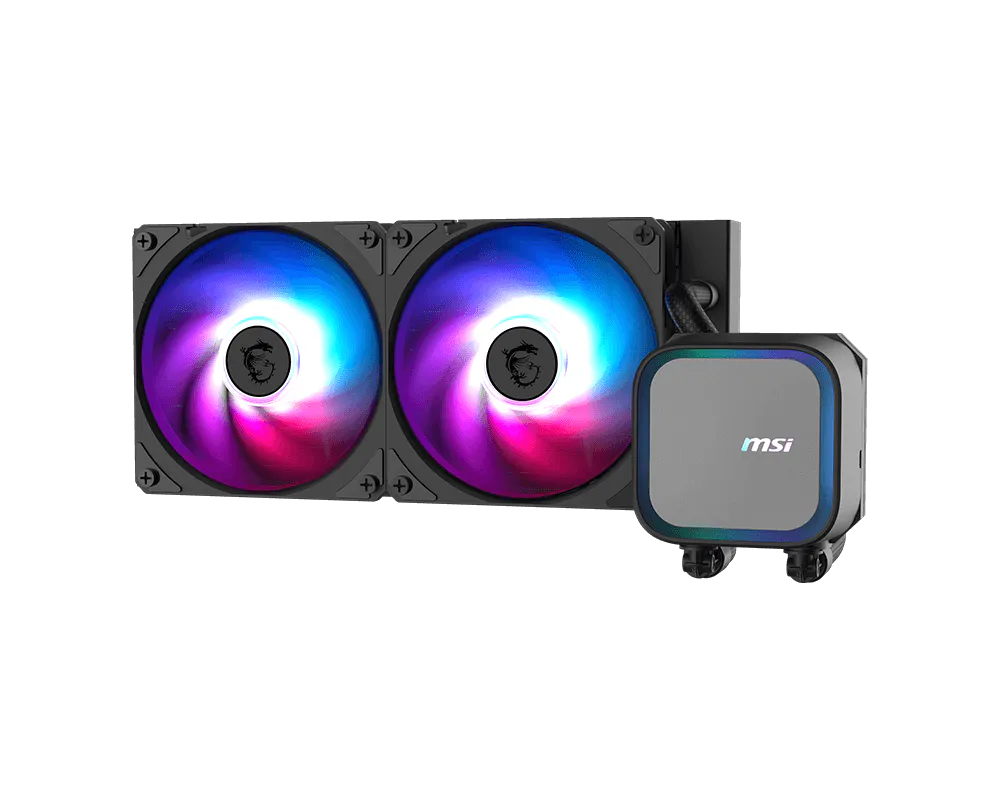
MSI’s been quietly building a reputation in cooling while we weren’t watching, so imagine our surprise when the firm’s latest mid-sized cooler started popping on our recommended lists! With prices ranging from $48 to $69, would its MAG CoreLiquid A13 240 become our new value champion?
MSI MAG CoreLiquid A13 240 | |
| Thickness | 27.4mm (54mm w/fans) |
| Width | 120mm (4.7″) |
| Depth | 277mm (10.9″) |
| Block Height | 57mm (2.25″) |
| Speed Controller | PWM (motherboard typ.) |
| Cooling Fans | (2) 120 x 25mm |
| Connectors | (1) 4-Pin PWM, (1) 3-Pin Fan, (2) ARGB in, (1) ARGB out |
| Weight | 1254g (44.25 oz) |
| Intel Sockets | LGA 1851/1700 |
| AMD Sockets | AM5/AM4 |
| Warranty | 3-Years |
| Web Price | $70 |
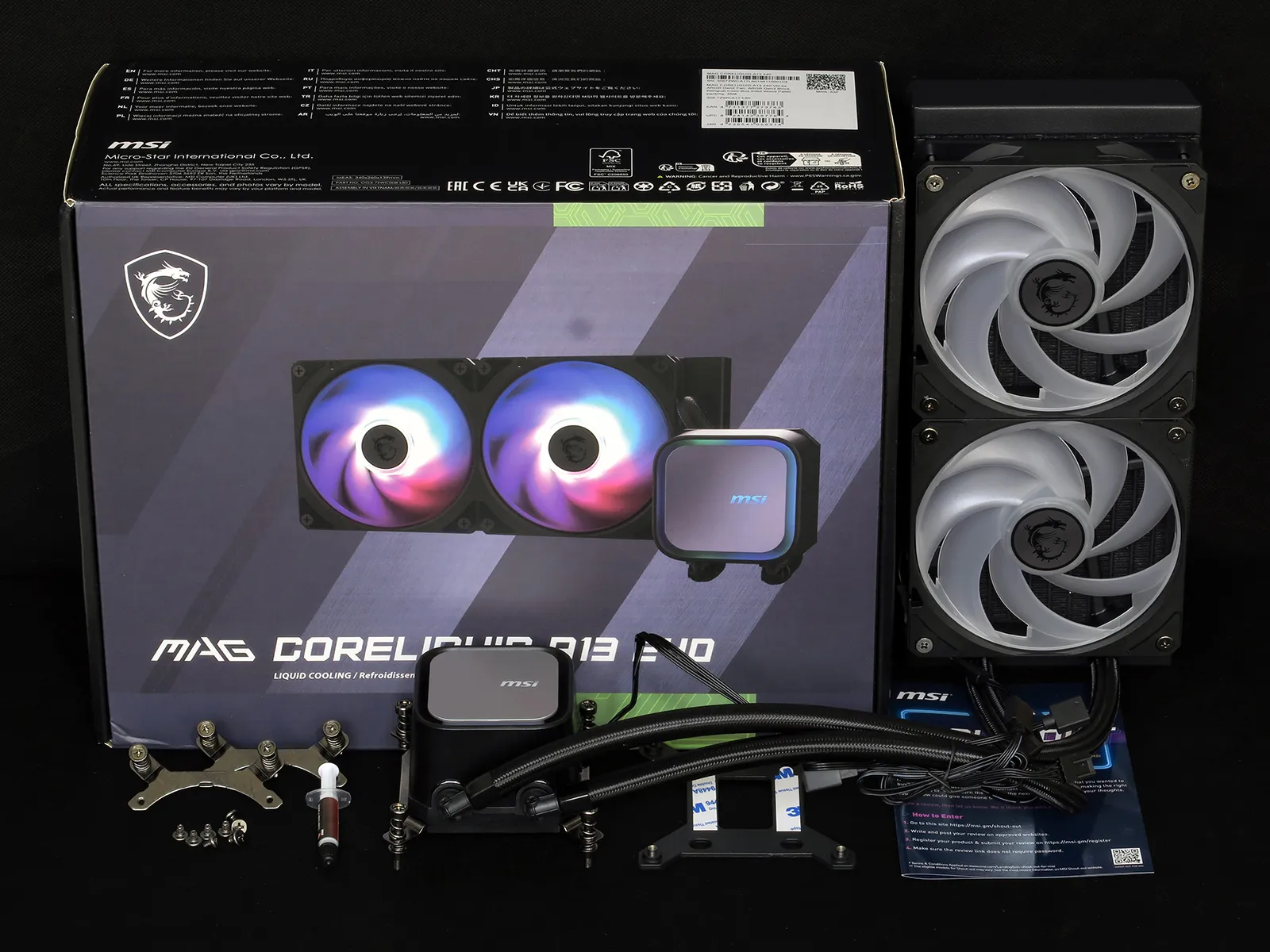
Package Contents
The MAG CoreLiquid A13 (all sizes) ships with Intel mounting brackets installed and includes AMD socket AM5/AM4 brackets for quick conversion. Also included are short #6-32 screws for securing the back of the radiator to a case, a tube of thermal paste, a CPU socket support plate for pairing its Intel mounting brackets to LGA 1851/1700 motherboards, and a printed promotion sheet. Two fans are factory installed on the
Component Design
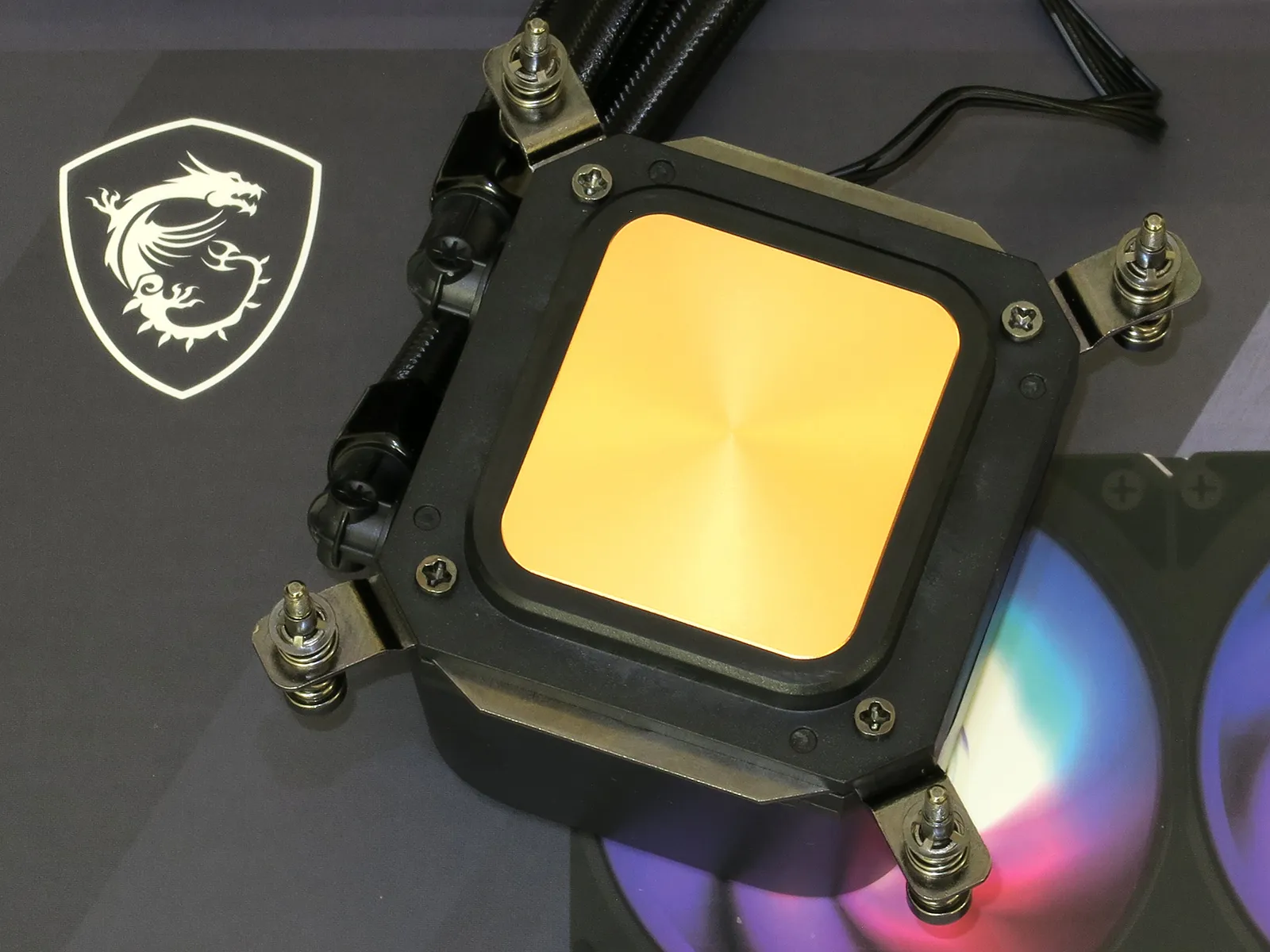
MSI says that the inside surface of its copper cold plate is covered in 0.1mm microchannels: What we see on the outside is a fine concentric finish, as if it were turned on a lathe from barstock. A rigid plastic shell that surrounds that copper also houses the pump and the top cover’s ARGB lighting, and grooves on both its sides of that shell support the pressure of the cooler’s socket mounting hardware. Four small screws secure the mounting brackets within those grooves. and must be refitted when switching from Intel to AMD brackets.
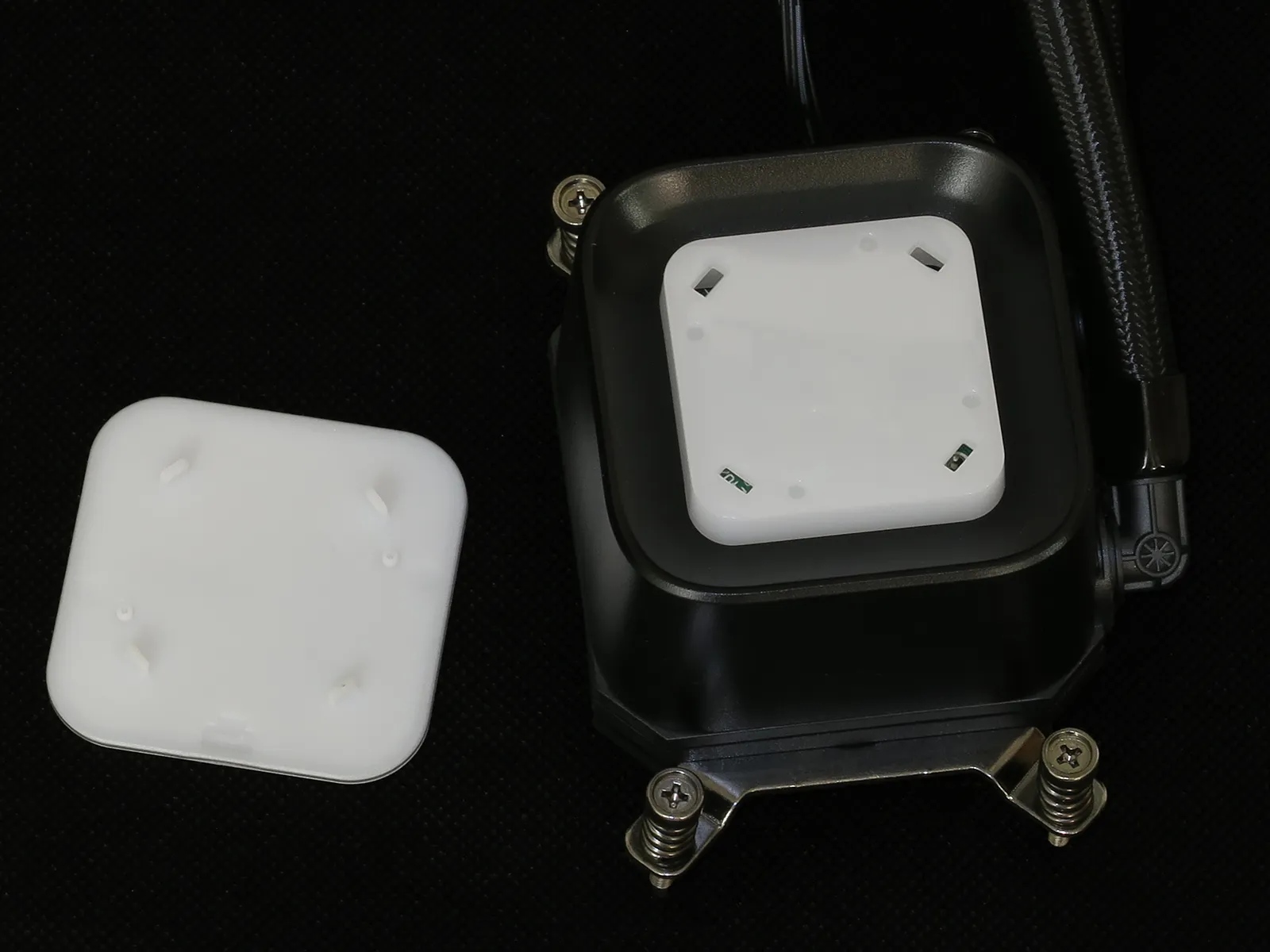
Factory assembled with the bottom of its logo facing its coolant lines, MSI’s fascia can be pulled off and rotated to fit other orientations. AMD users will find this particularly useful as cooler’s AMD brackets fit only in the shown orientation.
MSI brags that its multiple fans (two for the 240mm and three for the 360mm models) share single ARGB and PWM fan connections to the motherboard, but the design feature that the brag hides is even more significant: Proprietary interconnects mean that if one fan fails, both (or all three for the larger unit) fans must be replaced.
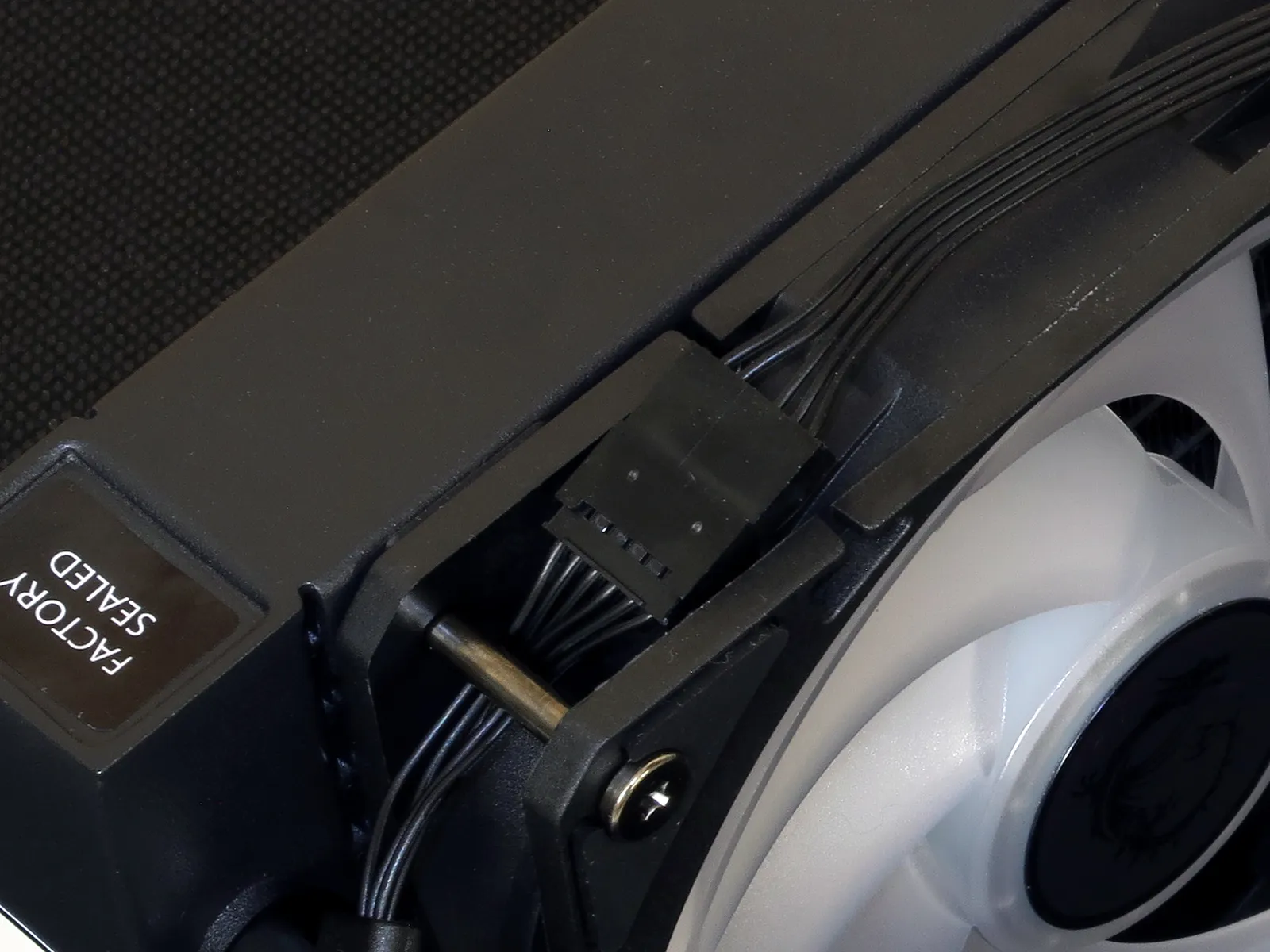
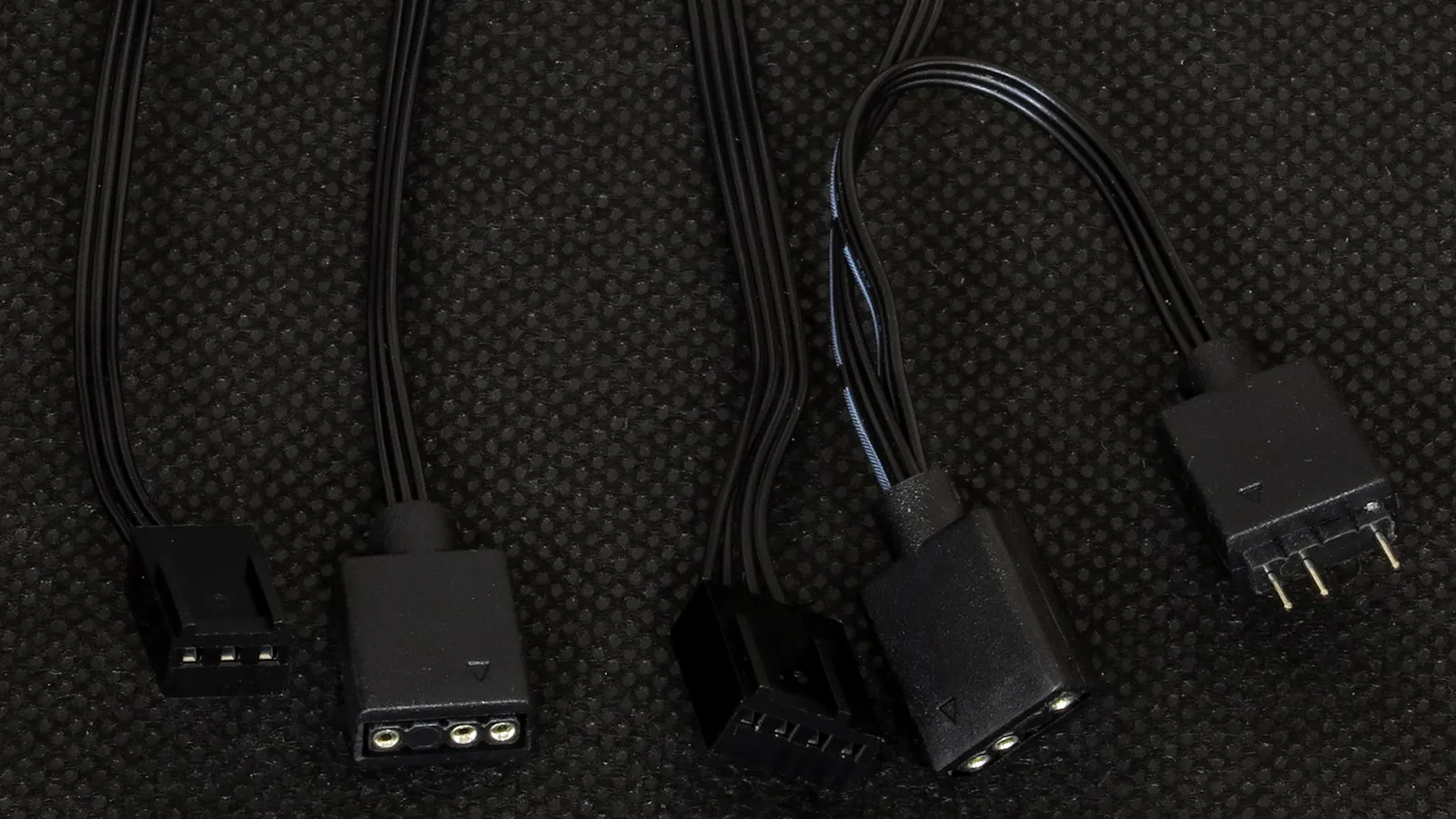
The fan’s proprietary interconnects (below, right) break out to standard PWM-fan and ARGB cables, with the ARGB cable also providing passthrough pins to connect the pump’s ARGB cable. Meanwhile, the pump’s wiring (below, left) include a three-pin fan style input and an ARGB input.
Installing The MAG CoreLiquid A13 240
The classic clip-on cooler brackets of AMD’s socket AM5 or AM4 motherboards must be removed to install the MAG CoreLiquid A13’s mounting brackets in their place.
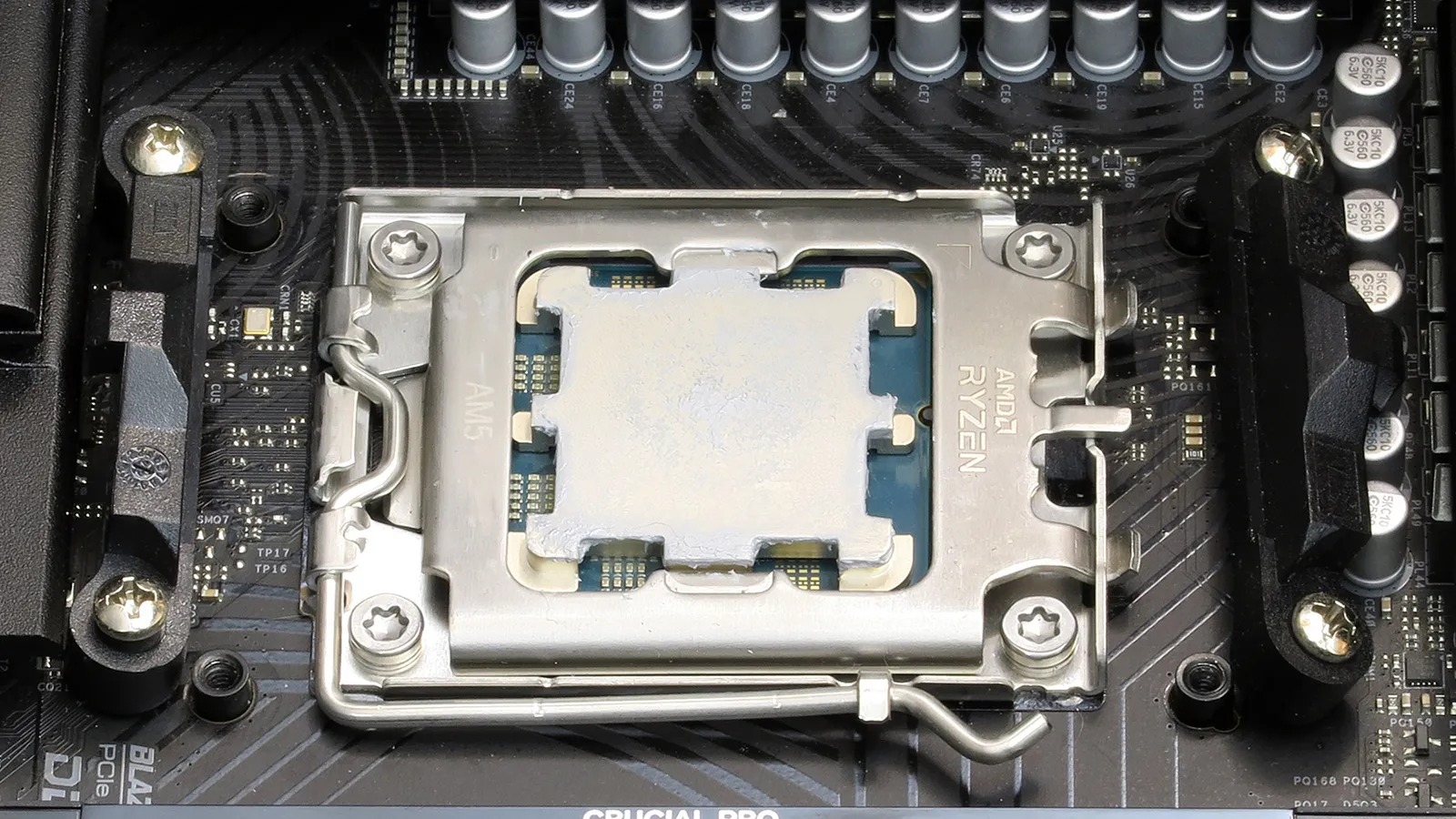
Spring-loaded captured screws press the cooler’s copper coldplate tightly against the CPU’s silvery metal lid (ie, integrated heat spreader), using the same screw holes that AMD’s clip brackets originally filled. Intel users get a similar set of threaded holes from the installation kit’s socket support plate, which sticks to the back of the motherboard with its threaded collars poking through the motherboard’s CPU cooler mounting holes.
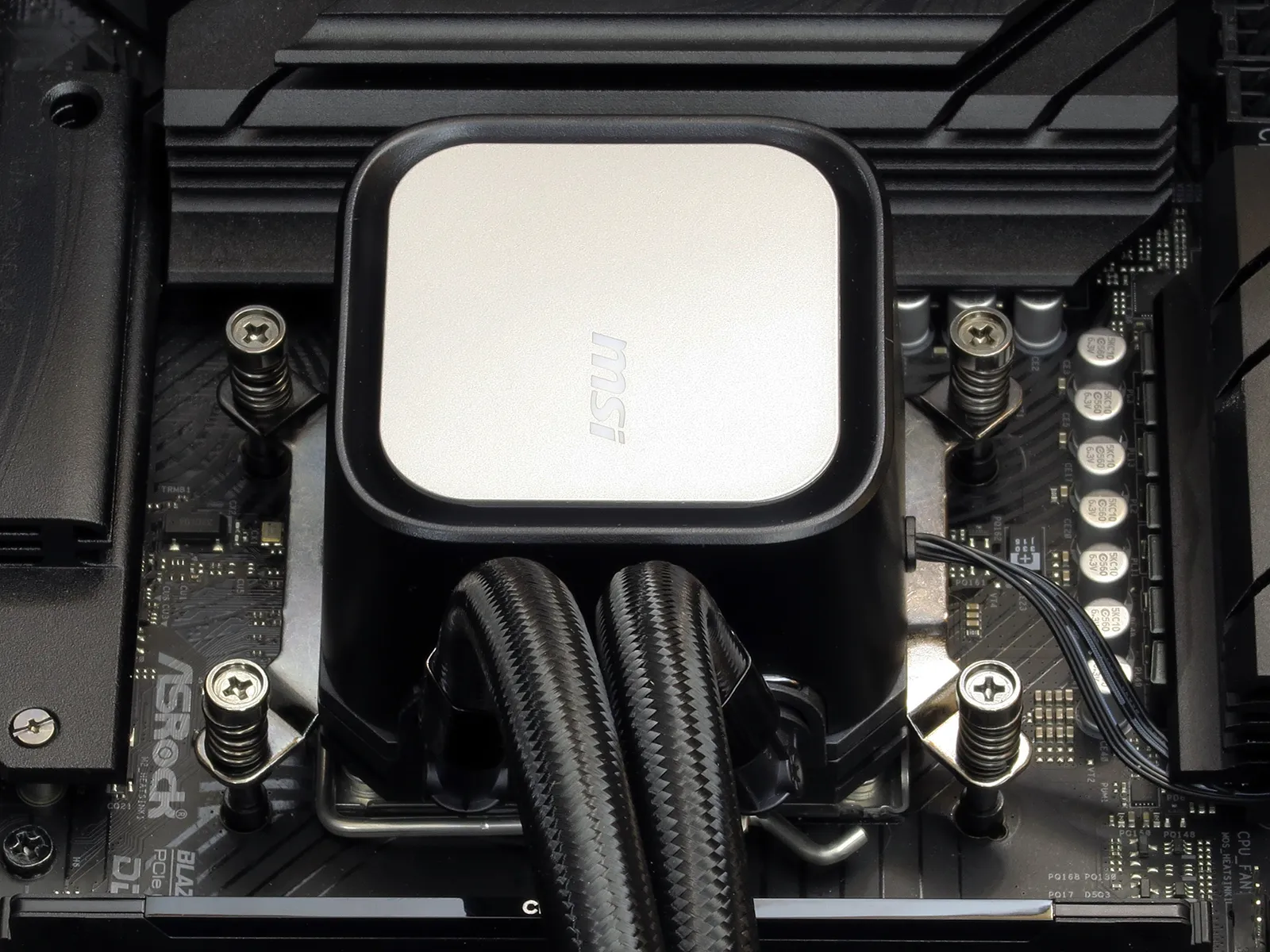
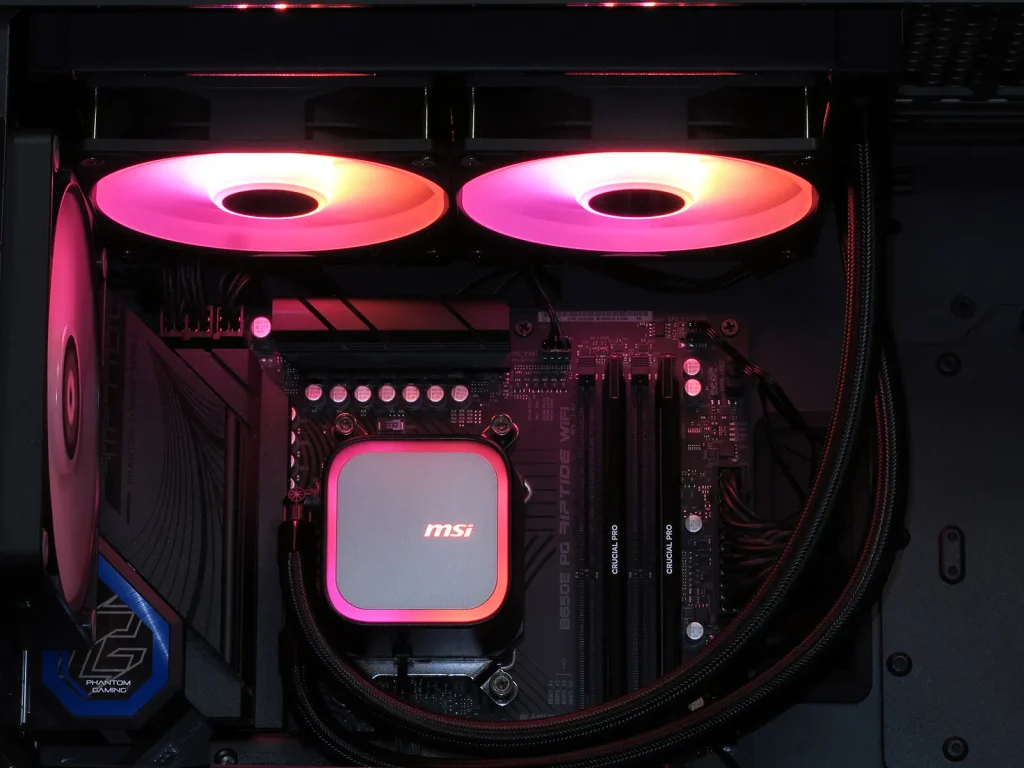
Based on the twist of the hose, we determined that the above installation would require its cooling lines to run directly in front of our case’s rear fan. Rotating the cooler 180° allowed it to fit without that potential hazard, as shown.
Testing The MAG CoreLiquid A13 240
We’ll compare the MAG CoreLiquid A13 240’s cooling and noise readings to those of its five most recently reviewed competitors on the following test platform:
| System Configuration | |
| Case | Thermaltake Ceres 500 TG ARGB |
| CPU | AMD Ryzen 9 7900X: 12 cores/ 24 threads, 64MB L3 Cache O/C to 5.00 GHz at 1.25 V Core |
| Motherboard | ASRock B650E PG Riptide WiFi, BIOS 1.18 |
| RAM | Sabrent Rocket SB-DR5U-32GX2 64GB DDR5-4800 |
| System Drive | HP SSD FX900 M.2 1TB NVMe SSD |
Cooling Performance & Noise
MSI’s $70 cooler takes third place behind pricier Cooler Master and Corsair models in our cooling test, but that still leaves it open to noise and/or value victories.
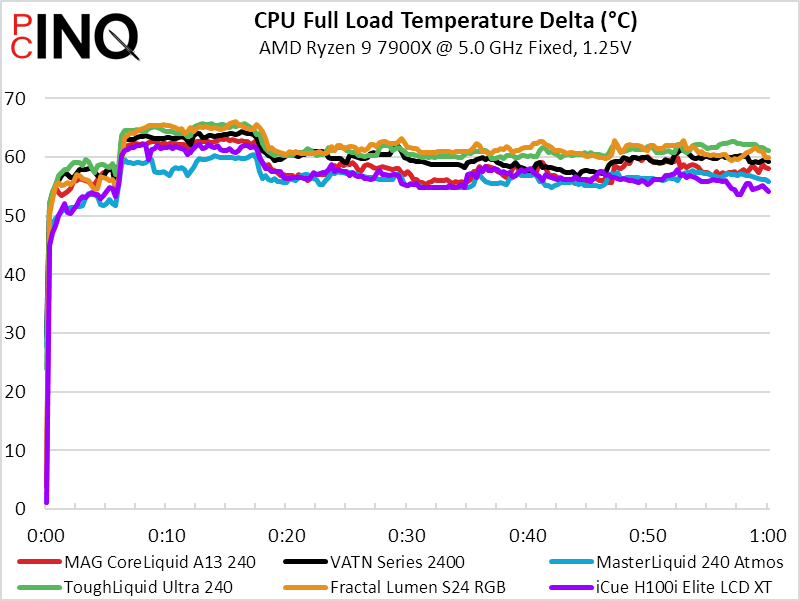
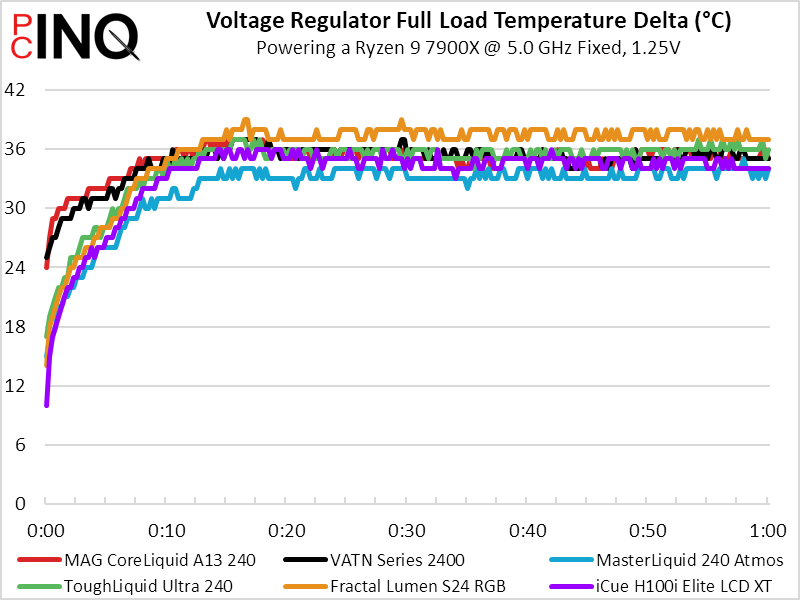
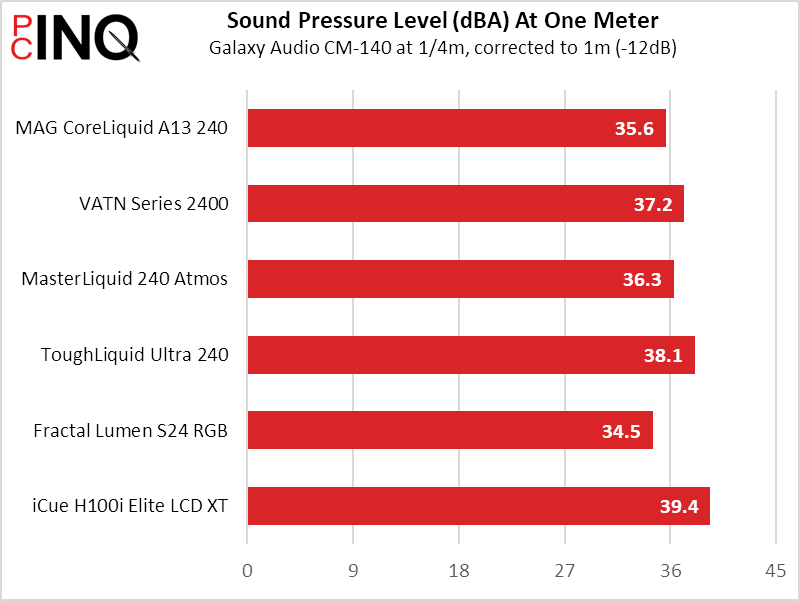
The MAG CoreLiquid A13 240 is quieter than either the MasterLiquid or iCue models that beat its cooling, so let’s see how that plays out in cooling-to-noise!
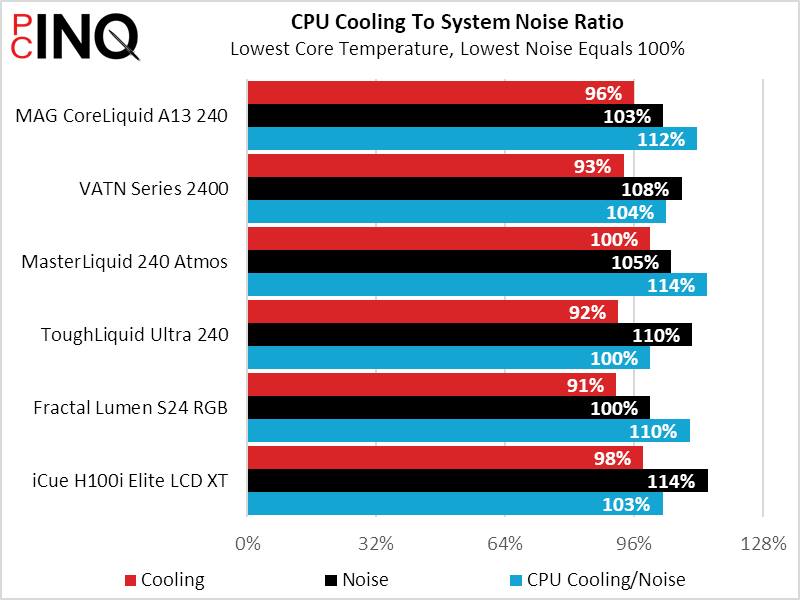
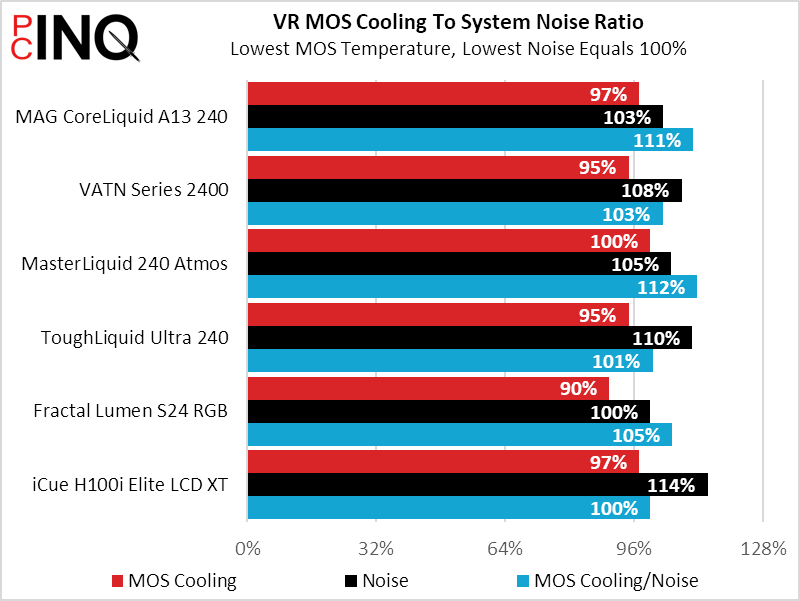
Cooler Master takes clear leadership here, though MSI’s second-place contender costs half its price.
Final Analysis
Problems with the previous “half its price” analogy come from the fact that Cooler Master no longer sells the Atmos 240 and hasn’t sent us its replacement model for evaluation. That leads us back to the MSI unit’s second-place cooling-to-noise finish, where we’ve determined that its reasonable current price makes it currently eligible for a value award. As always, we welcome any of its contemporaries to challenge its win and steal the crown for themselves.
| MSI MAG CoreLiquid A13 240 (CLA13240) | |
| Pros: | Cons: |
| Quick, Easy Installation Good cooling at low noise Low price | Fans can’t be replaced individually |
| The Verdict: | |
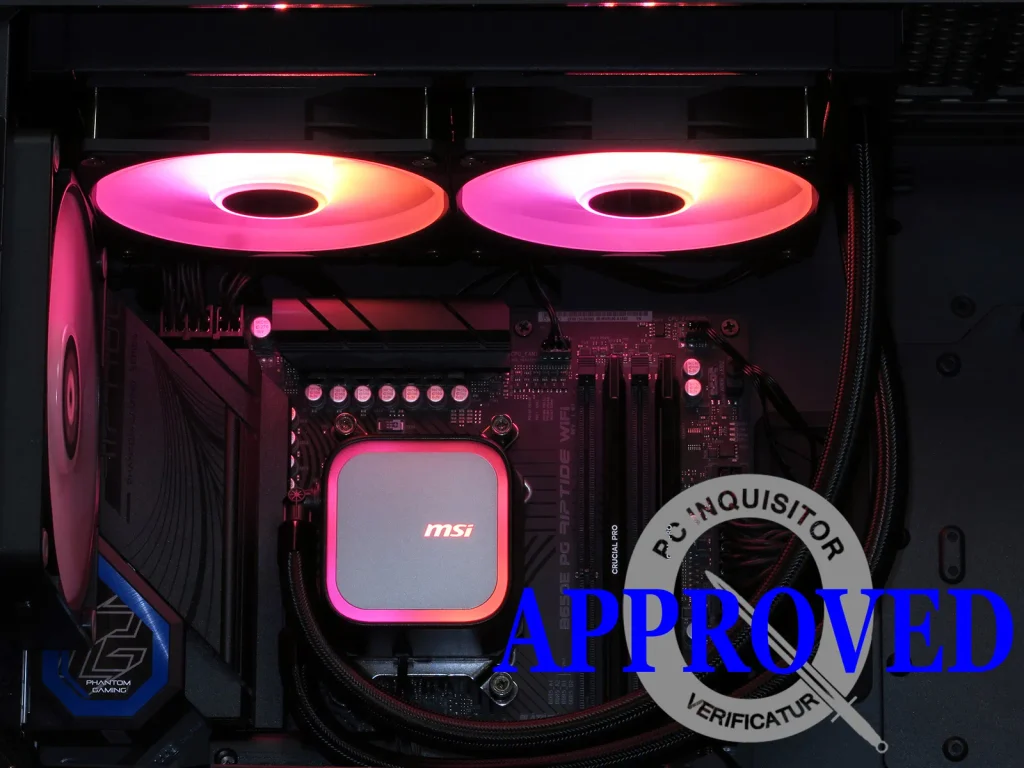
| Current pricing favors the white version for as little as $48, but good cooling at low noise makes it a solid value even at the black model’s current $69. | |


