
ASRock Challenger 360 Digital CPU Cooler Review
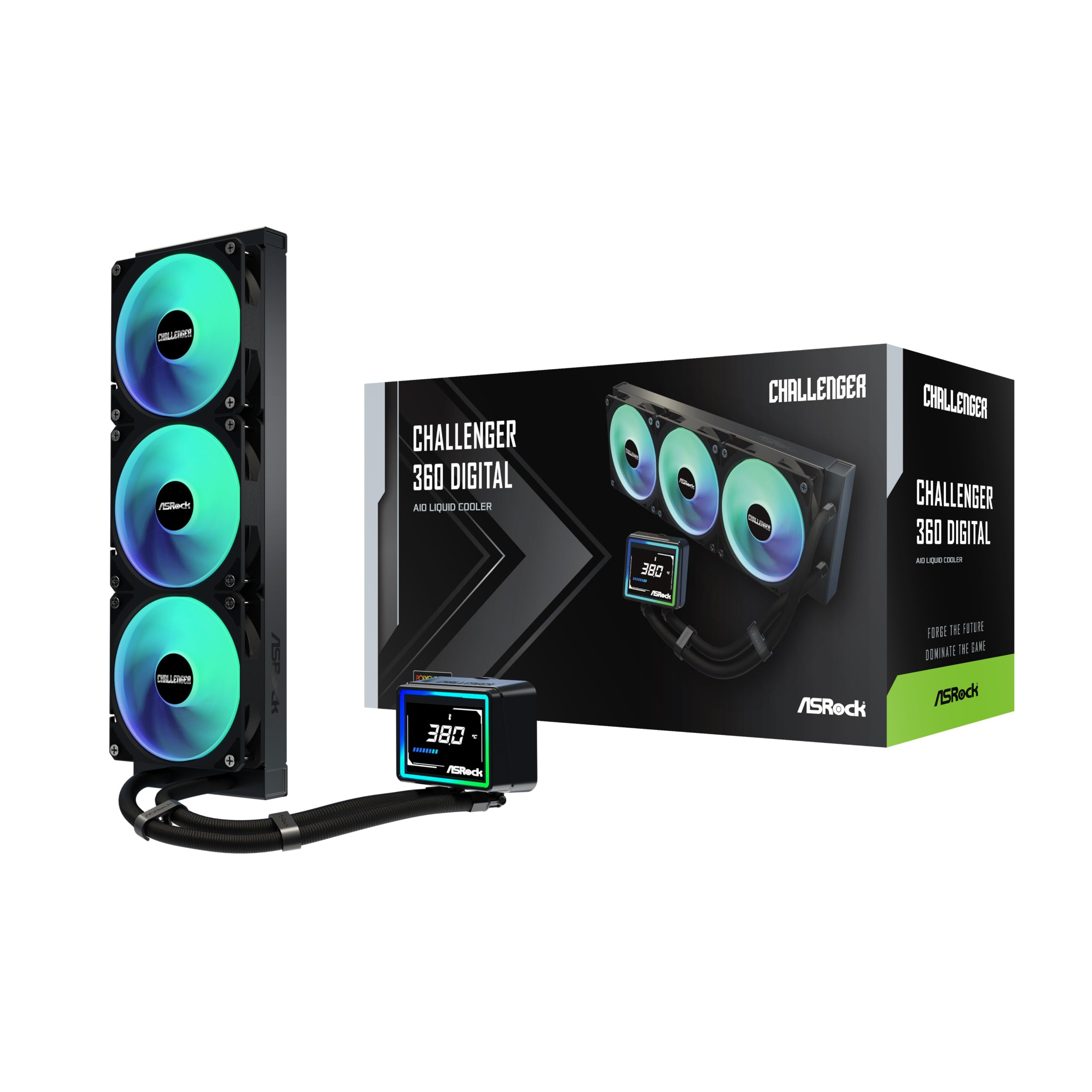
ASRock’s Phantom Gaming 360 LCD was nothing more than an opening volley for motherboard-maker: Today its Challenger 360 LCD targets the heart of the closed-loop cooling market with a 50% lower price, matching high-impact features with lower cost plus triple-fan performance.
ASRock Challenger 360 Digital Specifications | |
| Thickness | 28mm (54mm w/fans) |
| Width | 120mm (4.72″) |
| Depth | 394mm (15.5″) |
| Block Height | 53mm (2.09″) |
| Speed Controller | PWM (motherboard typ.) |
| Cooling Fans | (3) 120 x 26mm |
| Connectors | (2) 4-pin PWM, (2) ARGB (w/passthrough), (1) USB 2.0 |
| Weight | 1554g (55oz) |
| Intel Sockets | LGA 1851, 1700 |
| AMD Sockets | AM5/AM4 |
| Warranty | 2-Years |
| Web Price | $90 |
Special Features
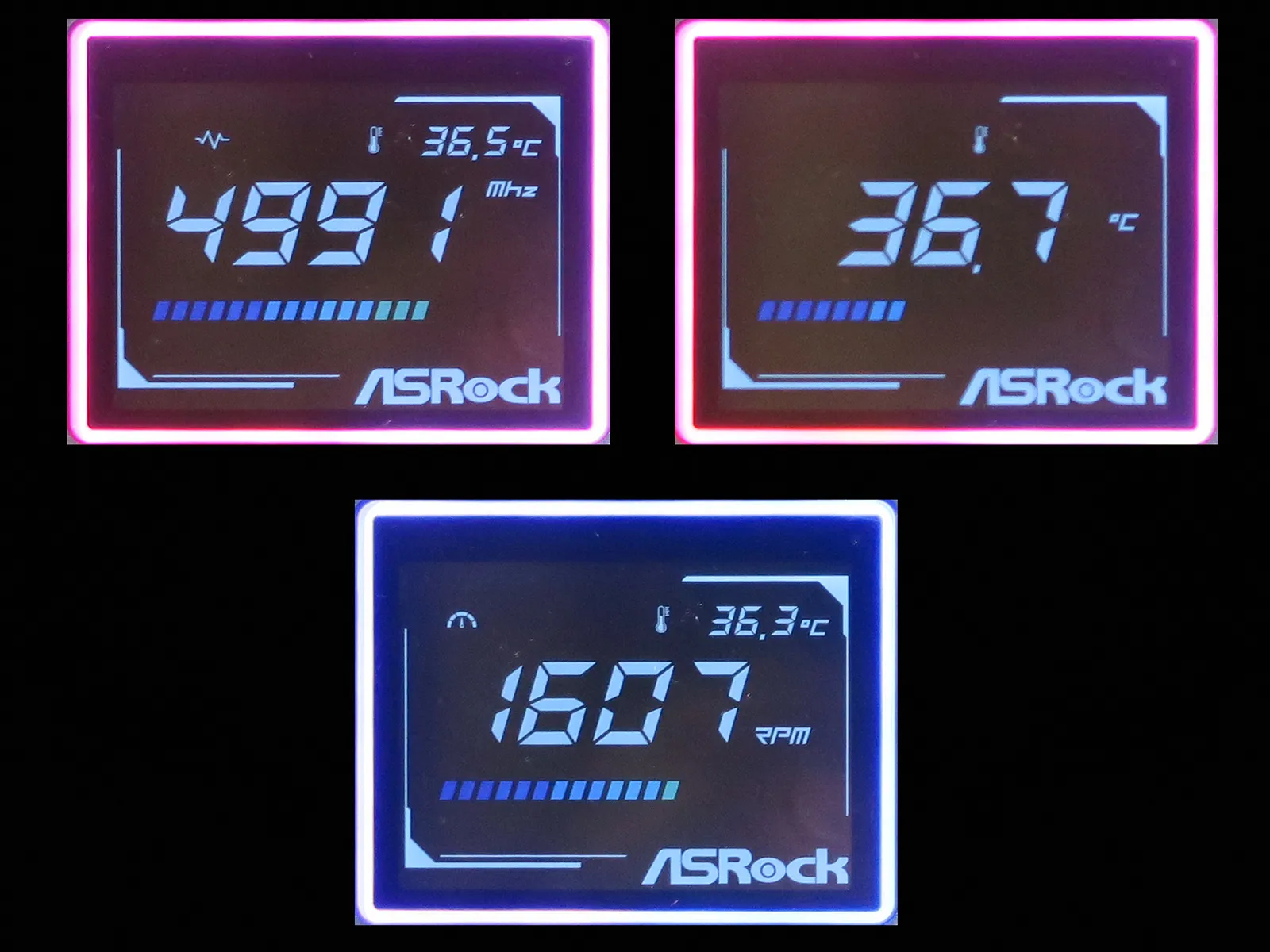
Builders who want a pump-top display for things like CPU frequency, temperature and fan speed need not splurge on a 480×480 pixel LCD like the one found on ASRock’s LCD models, as cheaper tech has been available to thriftier buyers for as long as PCs have been on desks: The LED segments behind its blacked-out mask represent enough variety for the Challenger 360 Digital to switch between displaying any of those three stats on its main (center) section.
Package Contents
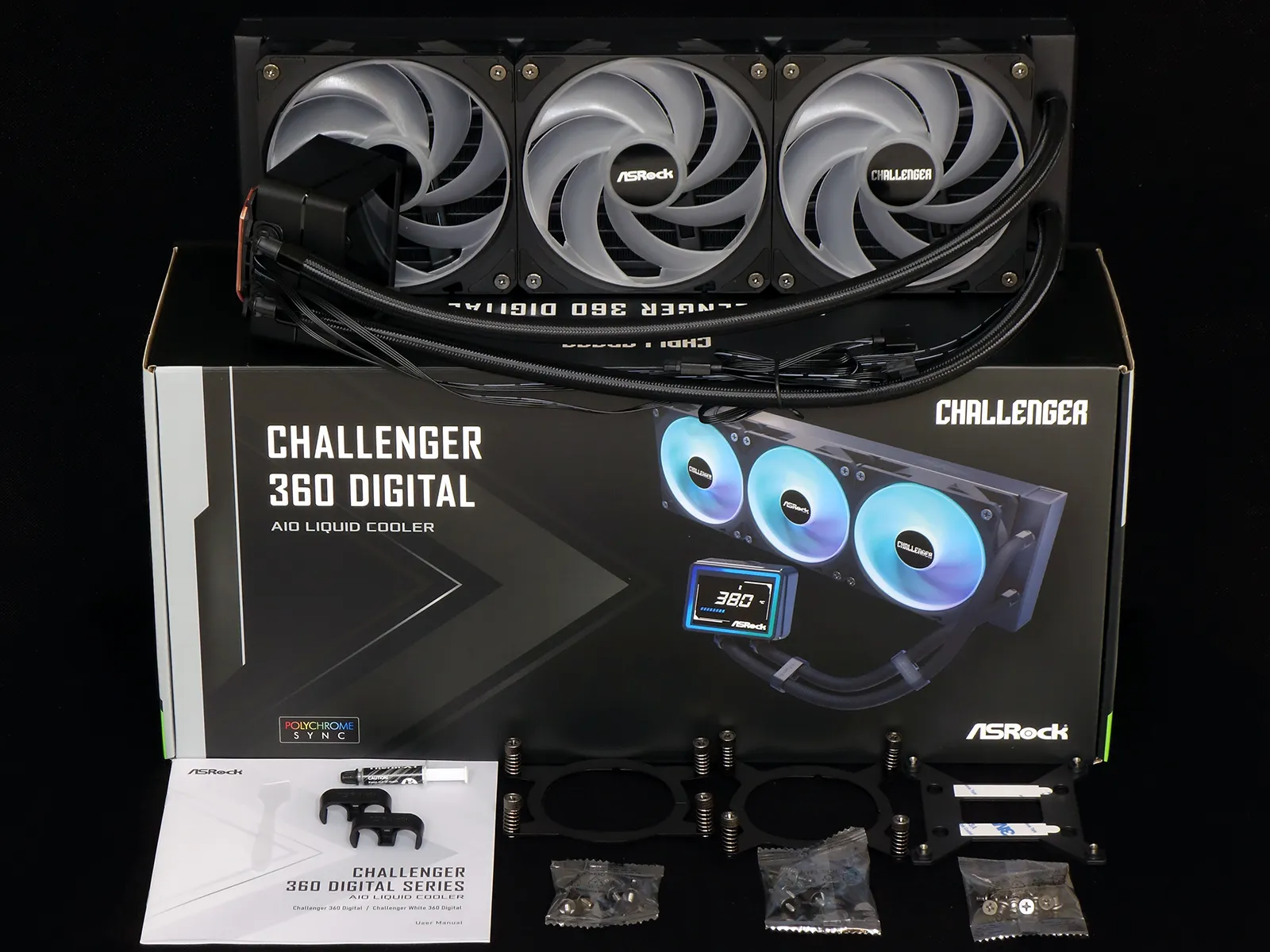
You knew that a cooler this large would be more than just a pretty face: Packed along side the 3x120mm radiator and three factory mounted ARGB cooling fans are an installation guide, thermal paste, tube spacer clips, a pair of AMD socket AM5/AM4 brackets with AMD-specific standoffs, a pair of LGA 1851/1700 brackets with Intel-specific standoffs, an Intel socket support plate and a set of screws for mounting the other side of its radiator to a case.
Component Design
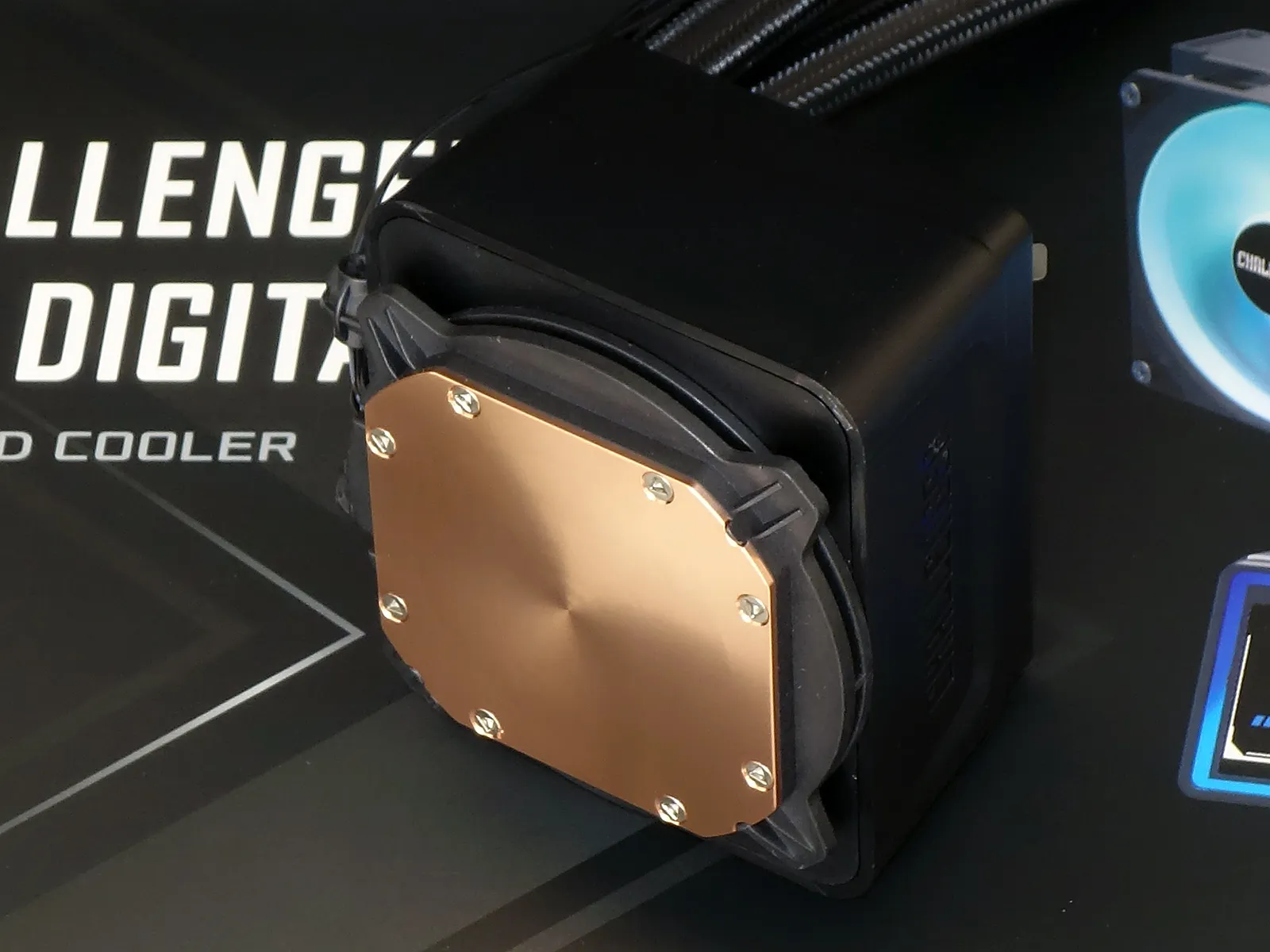
The head unit’s top may look fancy but its bottom still needs to get the work done! A classic copper coldplate interfaces a CPU’s integrated heat spreader (IHS) through a thin layer of thermal paste, and a ring cast into the pump housing above that coldplate is designed to hold the above-mentioned (AMD or Intel) mounting brackets.
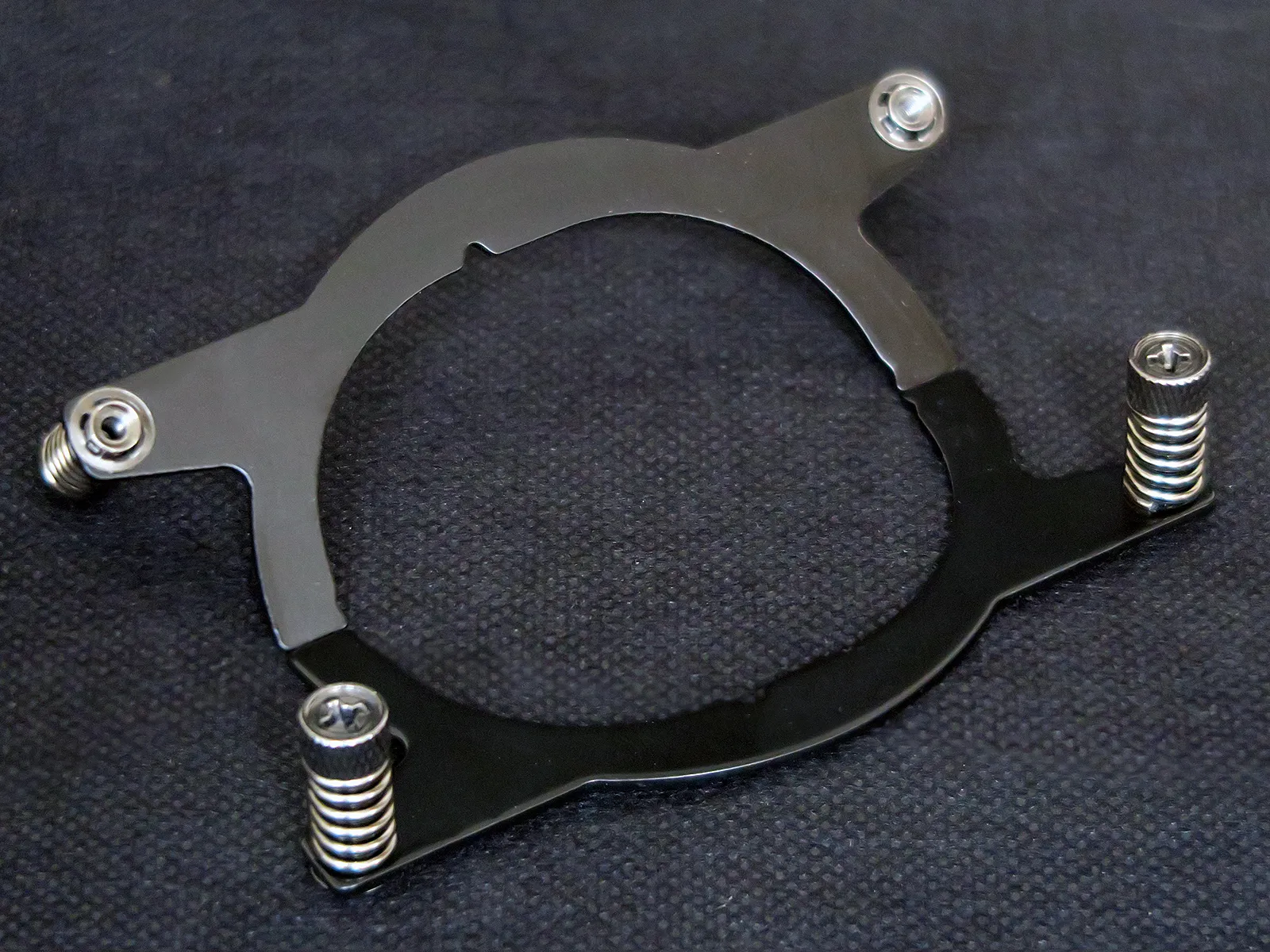
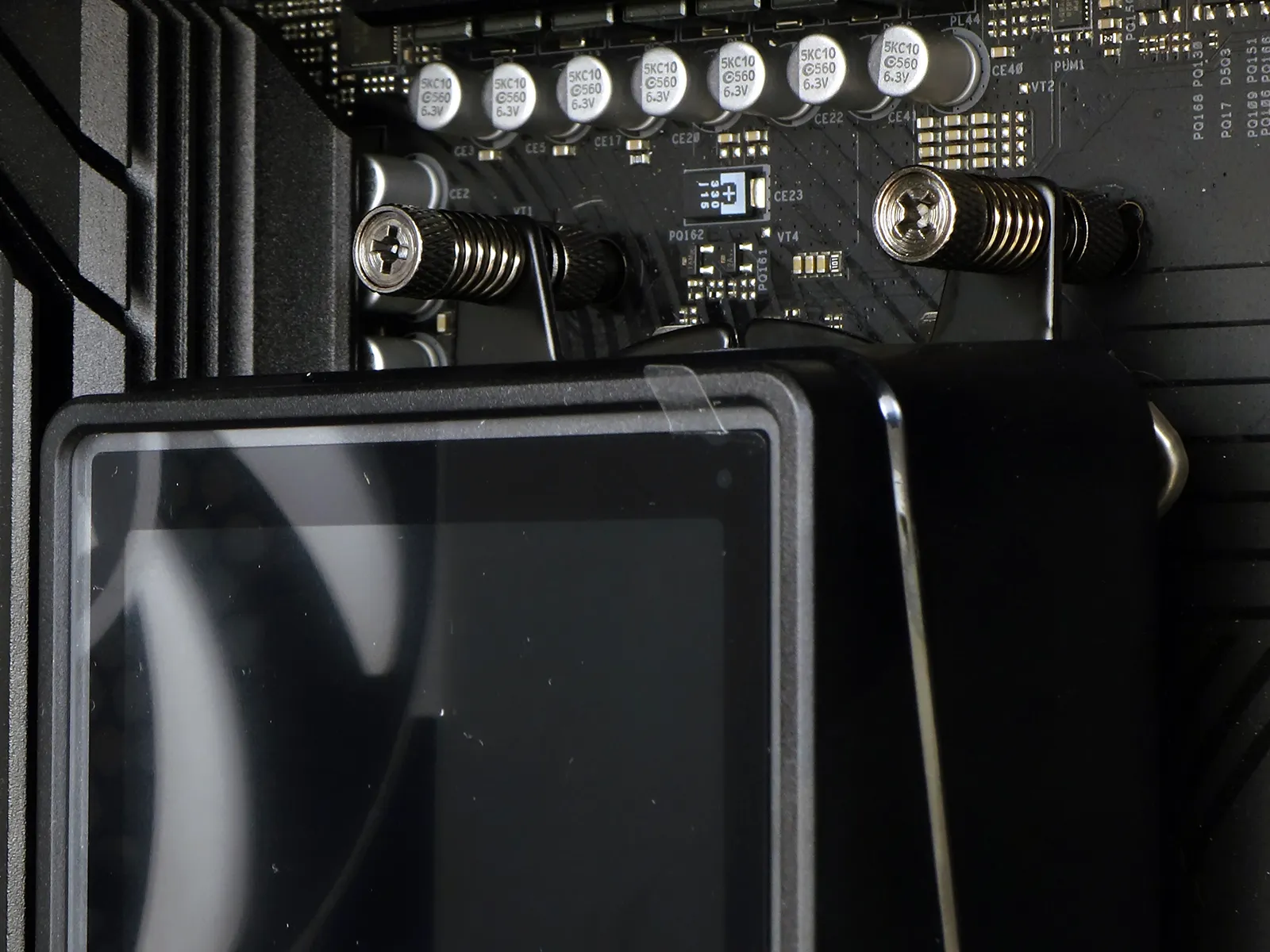
AMD-pattern brackets are designed to fit only with the narrow side above and below the socket, so that motherboards with sockets turned the other way will force the head unit to fit with its digital display reading bottom-to-top. What appeared to be captured spring screws in prior photos are shown in close up to be tube nuts…still captured to the bracket…and still loaded with springs.
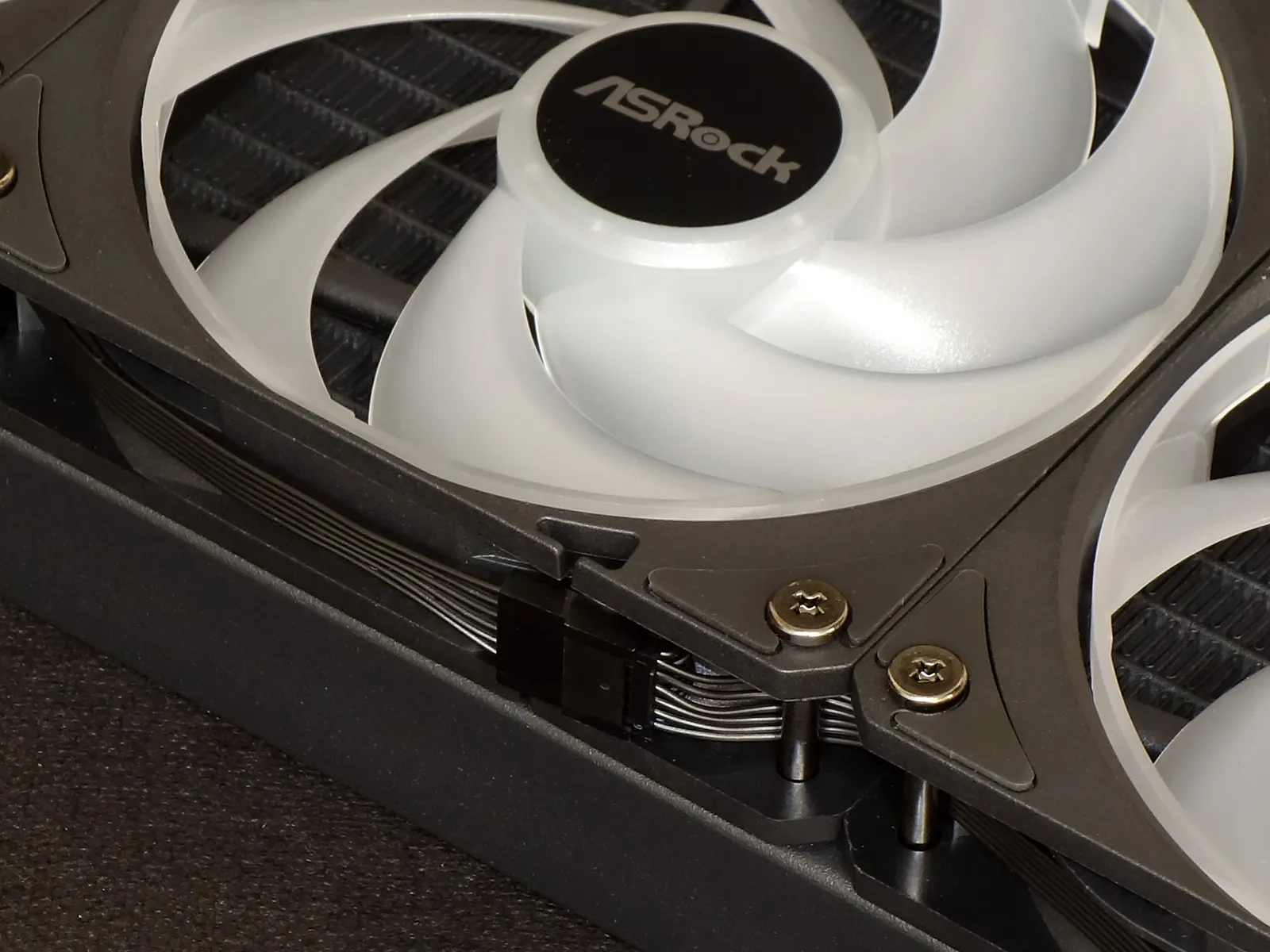
Each of the Challenger 360 Digital’s fans connects to the next via short proprietary cables, so that replacing a single fan will require either replacing all three or finding a source for an identical part. This could become somewhat important as the unit ages, since ASRock says its six-year warranty period applies only to the unit’s “AIO Cooler Module”: External parts like the fans and display are only warranted for two years.
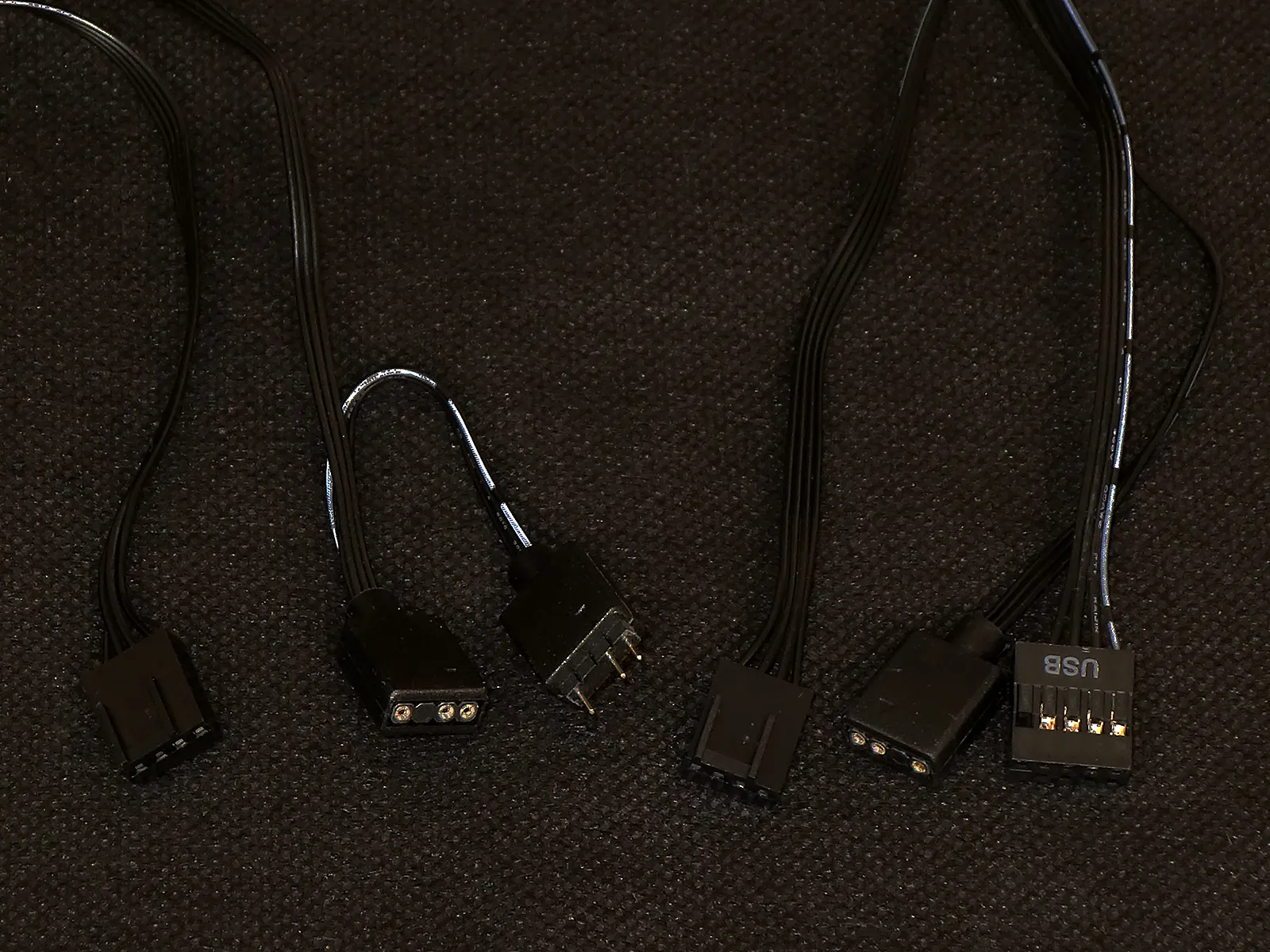
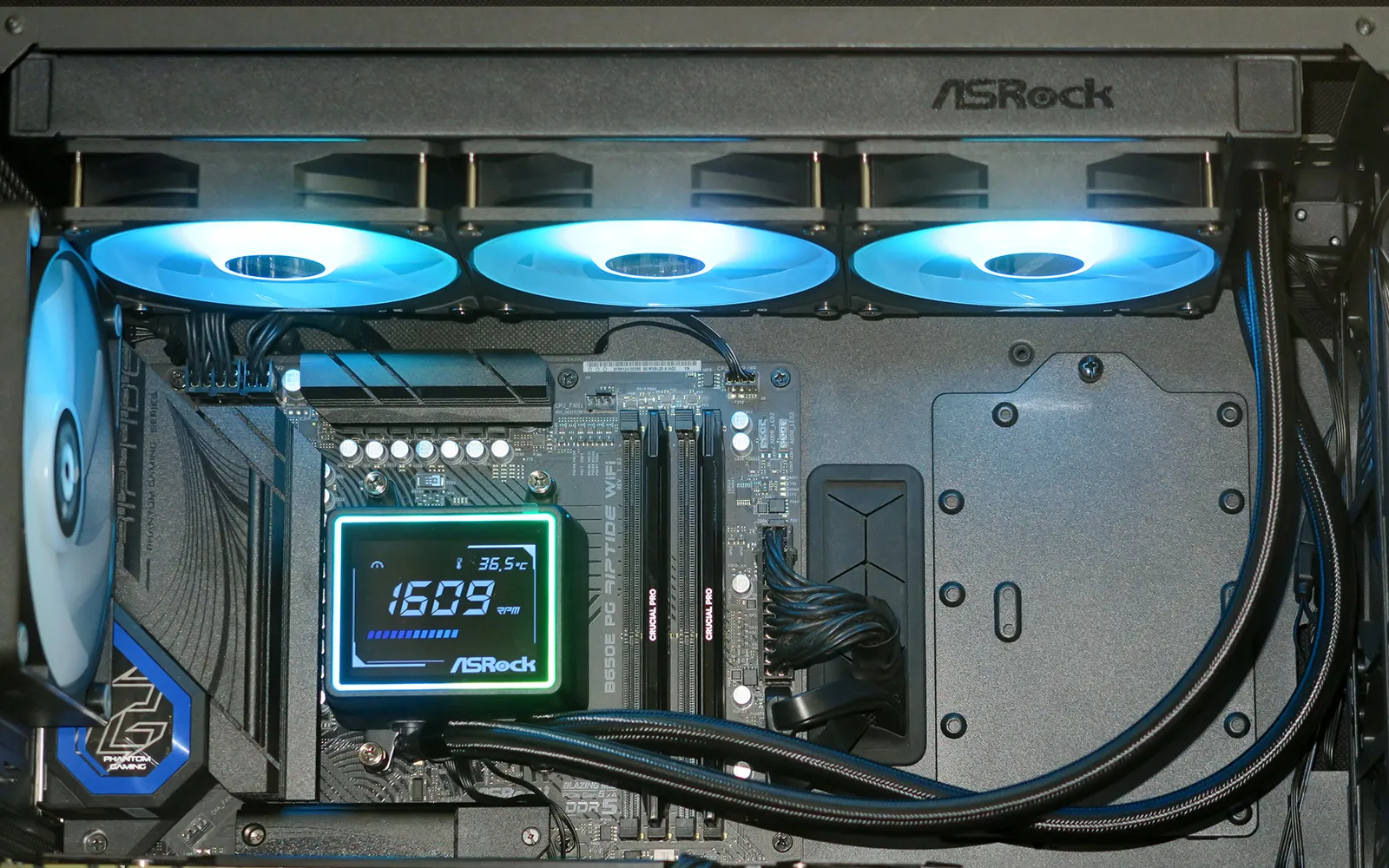
One end of that fan chain breaks out into standard PWM fan and ARGB cables to fit motherboard headers, where the ARGB side also offers a pass-through connector to feed the same signal to a fourth device (such as the pump’s ARGB trim ring). The pump is also powered by a PWM cable and lighted via an ARGB input, but it adds a USB 2.0 input for data transfer to its digital display. Only four of the USB plug’s nine pins are connected to the digital display, so that it could work with the passive splitter cables that certain other manufacturers use to merge two of their single-port devices to a single nine-pin header.
Installing on AMD and Intel Sockets
Since AMD motherboards arrive factory equipped with a clip-on cooler bracket screwed down to threaded holes in an attached backplate, adapting the Challenger 360 Digital’s AMD mounting brackets only requires the removal of factory clip brackets and replacing those screws with the cooler’s standoffs. Since Intel’s LGA 1851 and 1700 have neither the support plate nor its threaded holes, the plate included in Challenger 360 Digital’s installation kit must be added to the backs of those motherboards before installing its corresponding standoffs.
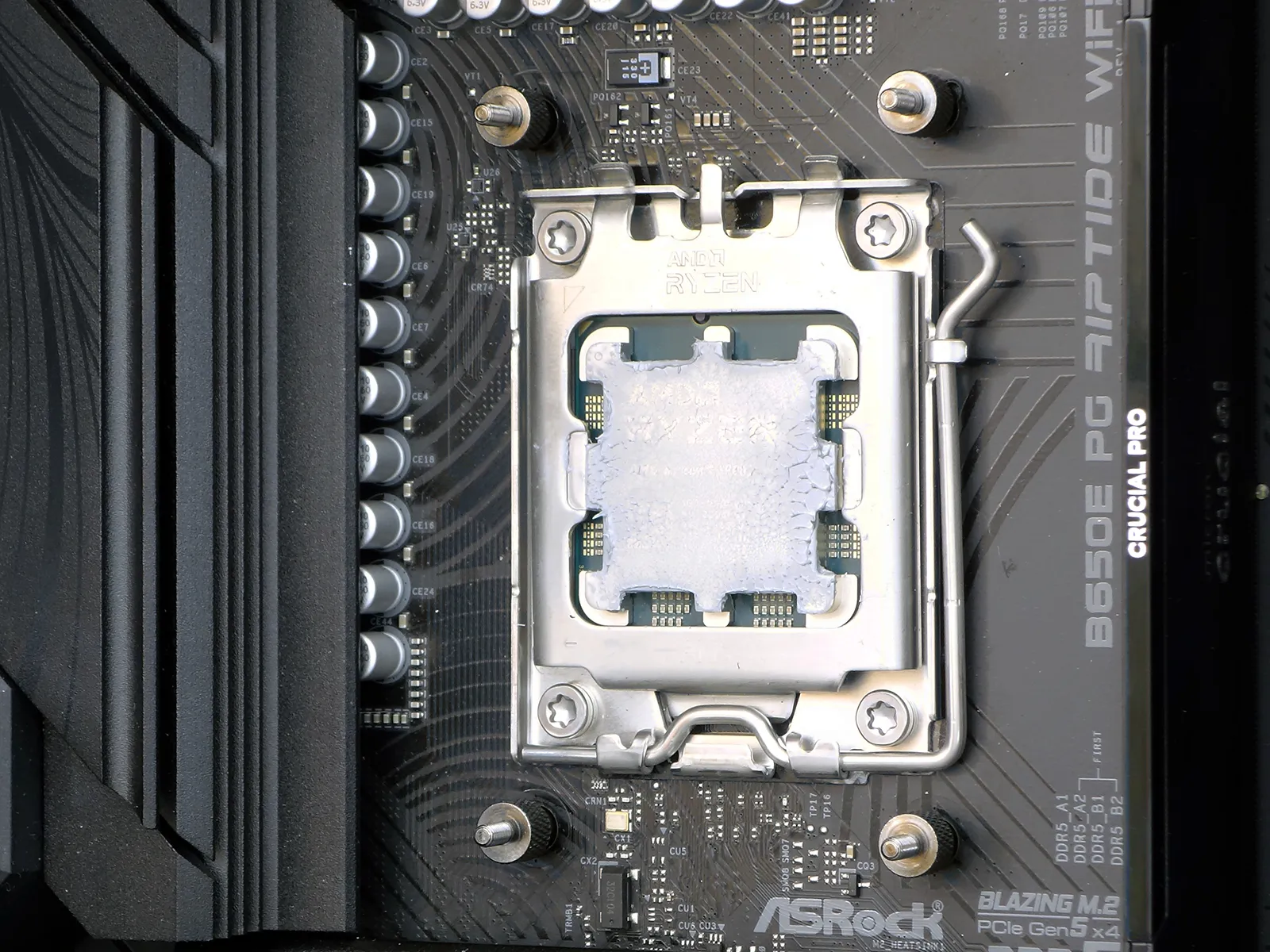
We first added a few dots of thermal compound to the top of our CPU, then slipped the AMD brackets into to the grooves above the head unit’s cold plate, and finally threaded its spring-loaded tube nuts onto the installed AMD standoffs. The springs applied the clamping force shoving its coldplate tightly against our CPU’s heat spreader.
With our installation complete we found that the Challenger 360 Digital’s display didn’t do anything until we downloaded and installed its driver. As the driver only instructs the OS on sending data to its digital display, the rest of the cooler functioned normally both with and without that driver.
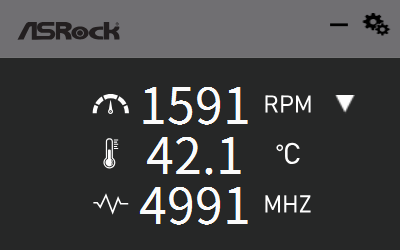
Here’s how the digital display appears with the driver installed.
Testing The Challenger 360 Digital
We’ll compare the Challenger 360 Digital to our five most recently evaluated “360mm” format closed-loop coolers using the following hardware:
| System Configuration | |
| Case | Thermaltake Ceres 500 TG ARGB |
| CPU | AMD Ryzen 9 7900X: 12 cores/ 24 threads, 64MB L3 Cache O/C to 5.00 GHz at 1.25 V Core |
| Motherboard | ASRock B650E PG Riptide WiFi, BIOS 1.18 |
| RAM | Sabrent Rocket SB-DR5U-32GX2 64GB DDR5-4800 |
| System Drive | HP SSD FX900 M.2 1TB NVMe SSD |
Cooling Performance & Noise Measurements
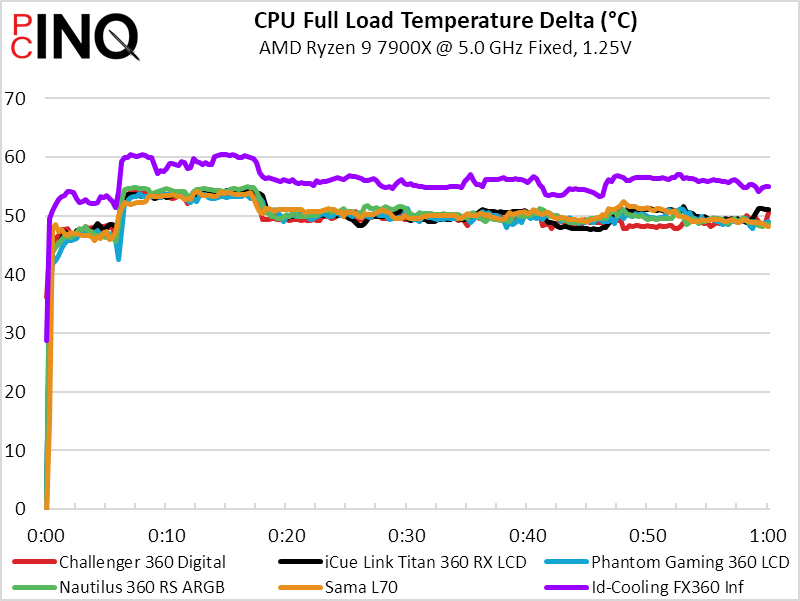
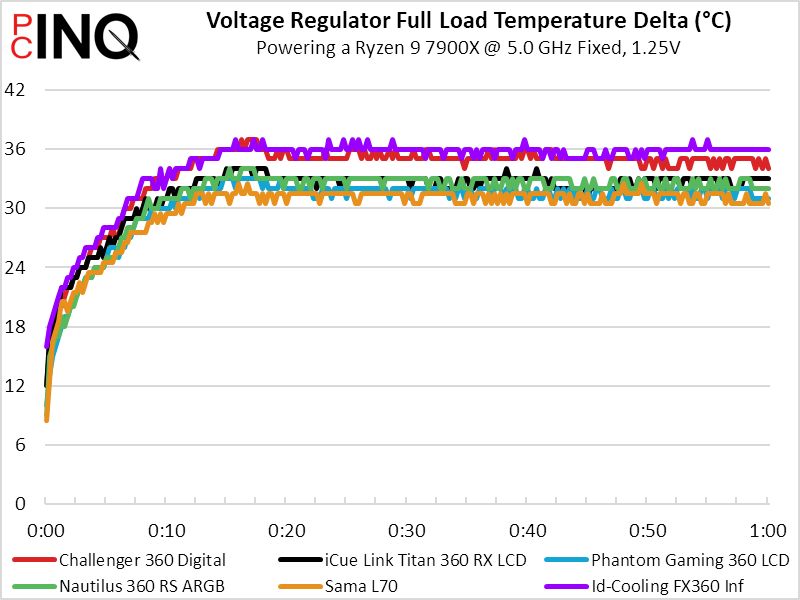
We’re not certain how the Challenger 360 Digital performed better than other coolers of similar size in our CPU test, we can only see that it did so by a fraction of a degree. Meanwhile, it fell several degrees behind competitors in voltage regulator temperature, which is really just a measure of how well its wasted airflow cool a part of the board that is designed to use that waste.
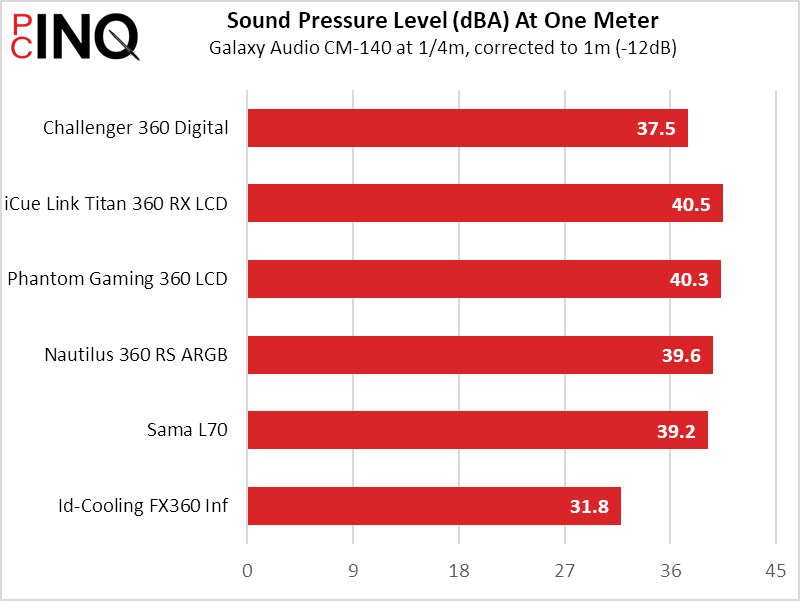
We’re likewise unsure of how the Challenger 360 Digital beat four of its rivals in our noise measurement, we merely read the meter.
Given all that data, the Challenger 360 Digital took first place in CPU cooling-to-noise but fell to fifth in VR MOS cooling-to-noise comparisons.
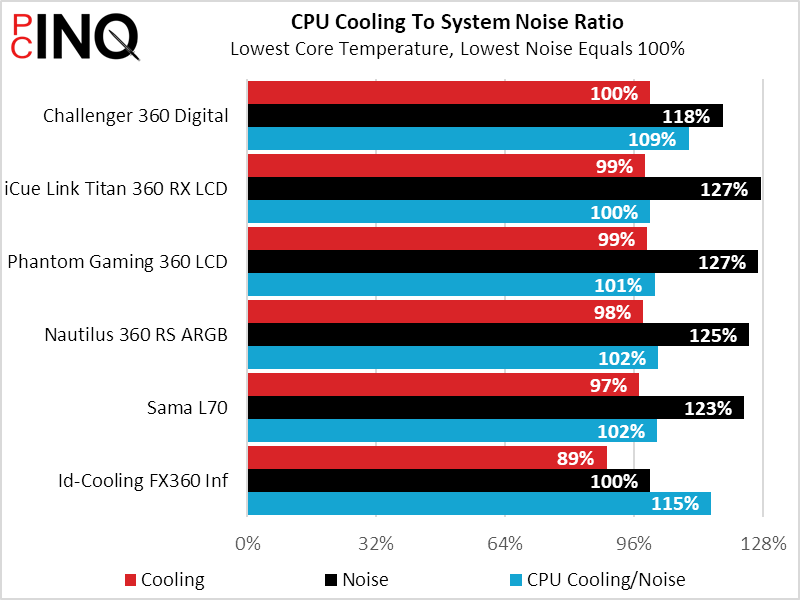
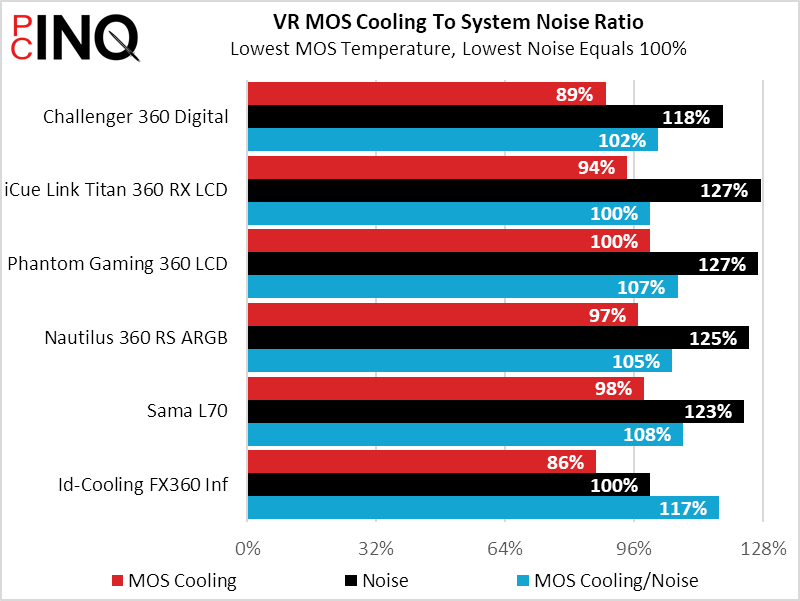
If anything were to prevent the Challenger 360 Digital from winning a value award, it could only be that one of the losing coolers was also far cheaper. And that’s true: The Sama L70 started out with an $80 MSRP but recently fell to a mere $50, and we can’t logically justify spending $40 more just to get a limited-function digital display atop our build’s water pump.
Final Value Assessment
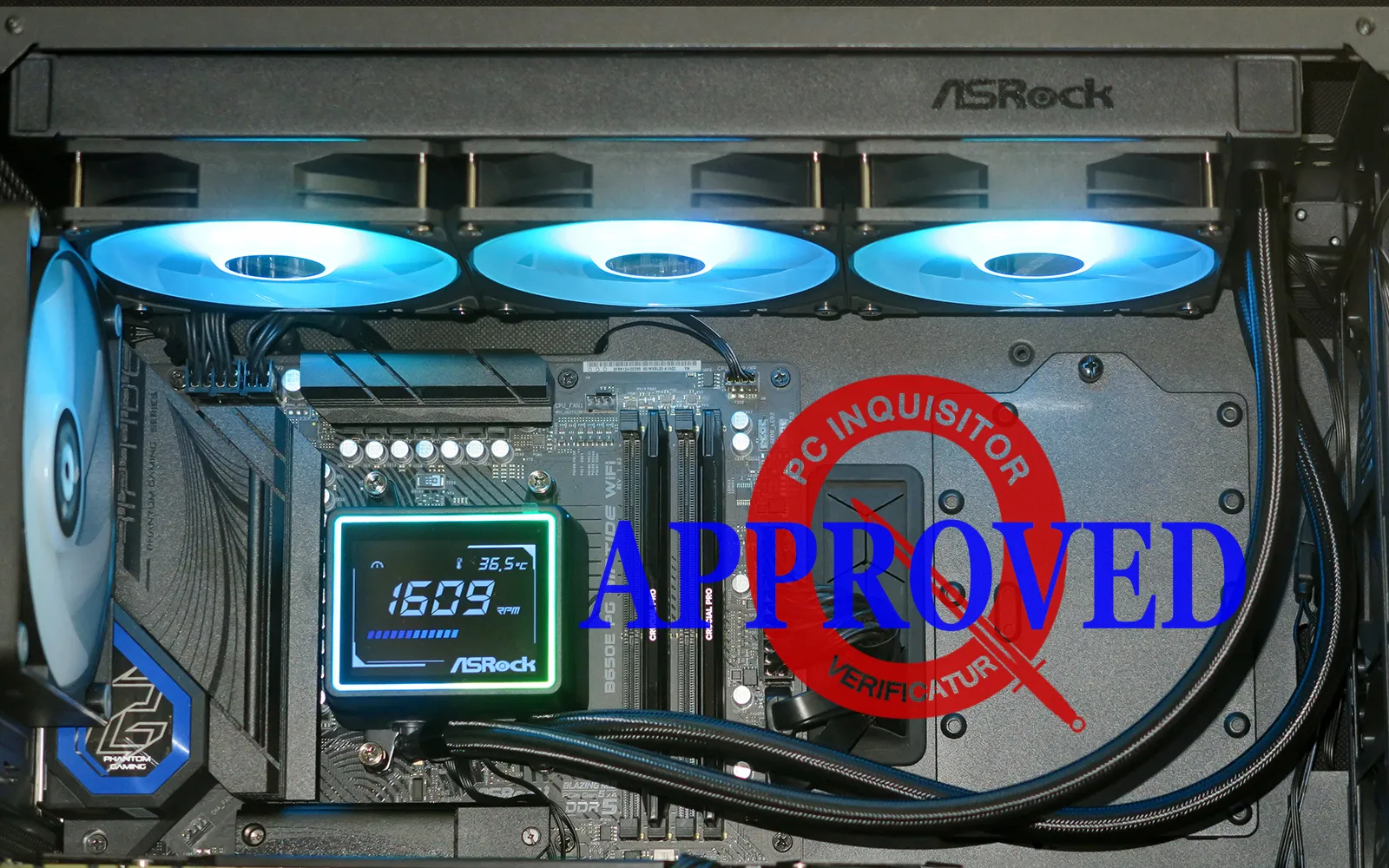
The again, aesthetic preferences occasionally override our strictest logic: We like having these kinds of features in some of our builds and have yet to test any display-topped cooler that costs less than the well-performing Challenger 360 Digital.
| ASRock Challenger 360 Digital (90-ACLA36-BAAGA6) | |
| Pros: | Cons: |
| Top CPU cooling Stylish status display Cheapest display-topped cooler we’ve tested | Short warranty on non-core parts (fans and display) |
| The Verdict: | |
| The Challenger 360 Digital brings us top-tier CPU cooling and a beautifully basic status display for a very nice price. | |


