
ASRock Phantom Gaming B860M Lightning WiFi Review
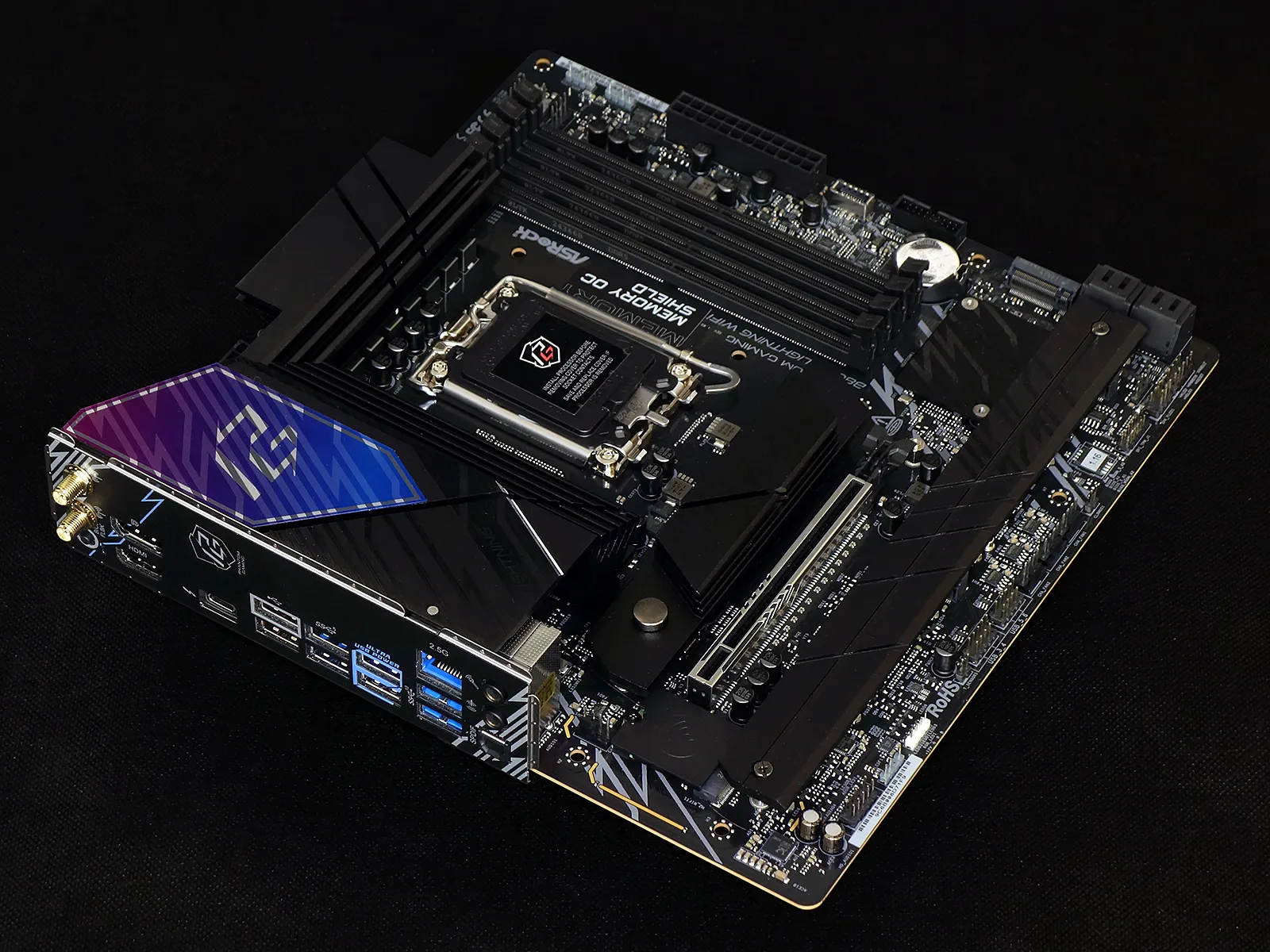
ASRock’s PG (Phantom Gaming) series B860M Lightning WiFi appears perfectly positioned to pick up where the Micro ATX game cubes left off a decade ago: As triple-slot graphics cards and a matching PCIe 5.0 NVMe drive have replaced the SLI with SATA RAID configs of yore, this new model puts the fastest NVMe slot up top and the x16 slot three spaces from the bottom. These are things that the tiny mini ITX form factor just can’t do, yet they fill all the needs of most full ATX builders.
So what’s the catch?
| ASRock Phantom Gaming B860M Lightning WiFi | |||
| Socket | LGA 1851 | Form Factor | Micro ATX |
| Chipset | Intel B860 PCH | Voltage Regulator | 16 (12+1+1+1+1) Phases |
| Rear I/O | |||
| Video Ports | (1) DisplayPort 1.4 + (1) Thunderbolt 4 (8k/60Hz x1 or 5k/120Hz each), (1) HDMI 2.1 (4k/120Hz Max) | Audio Jacks | (2) Analog, (1) Digital Out |
| Rear USB 4.x/3.x | (1) 40Gbps USB4/Thunderbolt 4, (4) 5Gb/s Type A, (2) 10Gb/s Type A | Legacy Ports/Jacks | (2) USB 2.0 |
| Network Jacks | (1) 2.5GbE, (2) Wi-Fi Antenna | I/O Panel Extras | BIOS Flashback |
| Internal Interface | |||
| PCIe x16 | (1) v5.0x16 | SATA Ports | (4) 6Gb/s |
| PCIe x8 | ✗ | USB Headers | (1) Type-E @Gen2x1 (10Gb/s), (1) v3.x Gen1, (2) v2.0 |
| PCIe x4 | ✗ | Fan Headers | (7) 4-Pin |
| PCIe x1 | ✗ | Legacy Interfaces | UART (3-pin), System (Beep-code) Speaker |
| CrossFire/SLI | ✗ / ✗ | Other Interfaces | FP-Audio, (3) ARGB LED, RGB LED, Thermistor, TPM |
| DIMM slots | (4) DDR5 | Diagnostics Panel | ✗(four indicator LEDs) |
| M.2 slots | (1) PCIe 5.0 x4, (3) PCIe 4.0 x4, (1) Key-E / CNVi2 | Internal Button/Switch | ✗ / ✗ |
| Controllers | |||
| SATA Controllers | Integrated only | HD Audio Codec | Realtek ALC1220 |
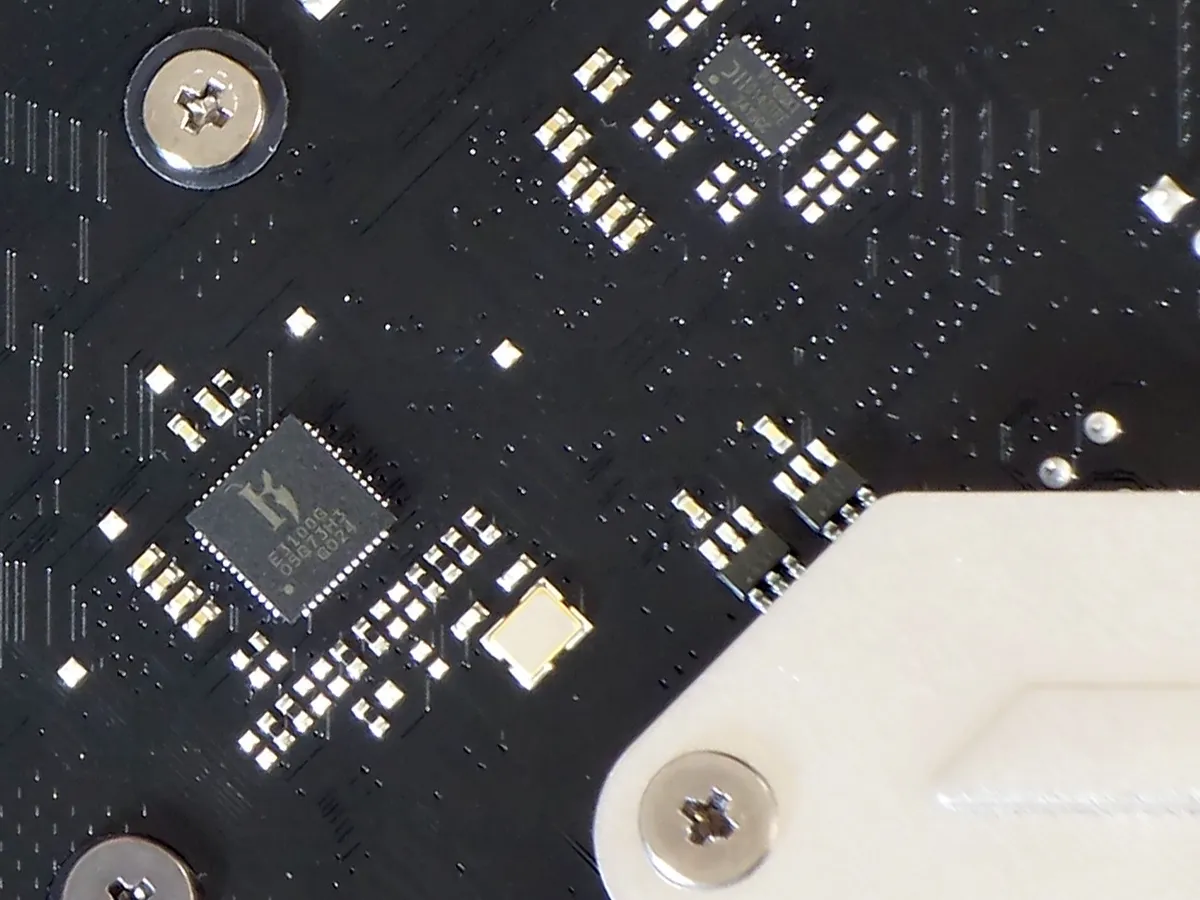
| Ethernet Controllers | Killer E3100G 2.5Gb/s PCIe | DDL/DTS Connect | ✗ |
| Wi-Fi / Bluetooth | Killer AX1675i WiFi 6E (2.4 Gb/s) / BT 5.3 Combo (CNVio2) | Warranty | 3 Years |
| USB Controllers | JHL9040R, ASM1074 & GL852G Hubs, ASM1543 MUX | Price When Tested | $190 |
Find it at Amazon

(click for availability)
We could point out that this is a B-series motherboard rather than a Z-series, but that probably only matters to you if you’re planning to split the PCIe 5.0 x16 slot across multiple devices (Z-series bifurcation allows up to three at x8/x4/x4), but the main target for Z-series chipsets—gamers—have had little use for that feature since nVidia removed SLI from its newer graphics cards. Realizing this, that’s all ASRock allotted its B860M Lightning WiFi.
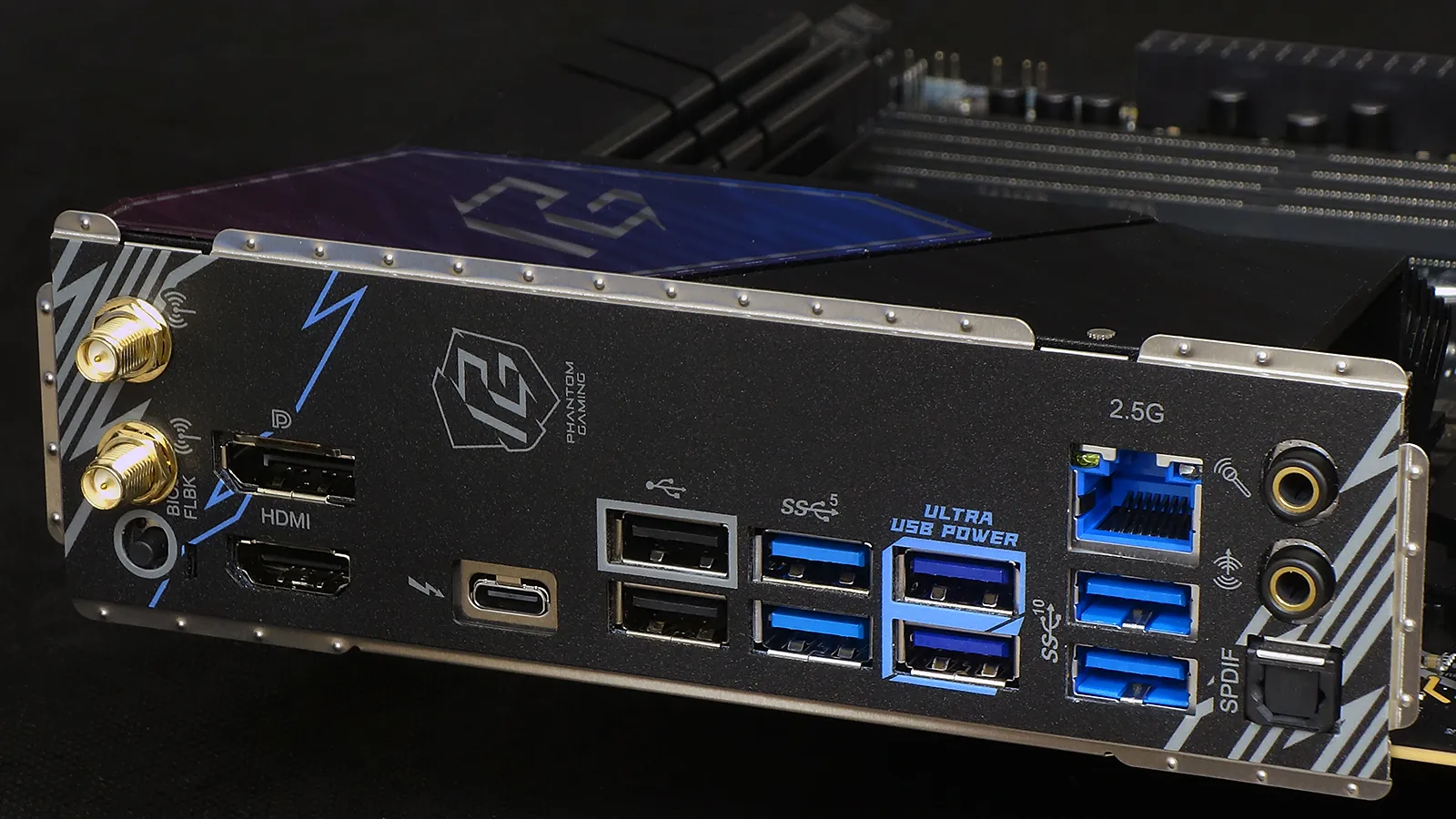
ATX and Micro ATX motherboards are the same size from the top slot to the top edge, so ASRock could have fit the B860M Lightning WiFi with the same ports as its ATX sibling: Instead, the smaller board loses one USB port and sees a placement swap for two others. It still gets two DisplayPort 1.4 outputs—one via Thunderbolt 4 protocol on USB4 Type-C—for CPU-integrated graphics, plus an HDMI 2.1, USB4 data (40Gbps) over the same Type-C connector, two 10Gbps and four 5Gbps USB3.2 Type-A ports, a 2.5GbE, two analog audio jacks, one digital optical audio output and a pair of old-fashioned USB 2.0.
Some gamers prefer USB 2.0 to optimize keyboards and mice, though the only benefit we’ve observed was earlier power-on initialization with older boards.
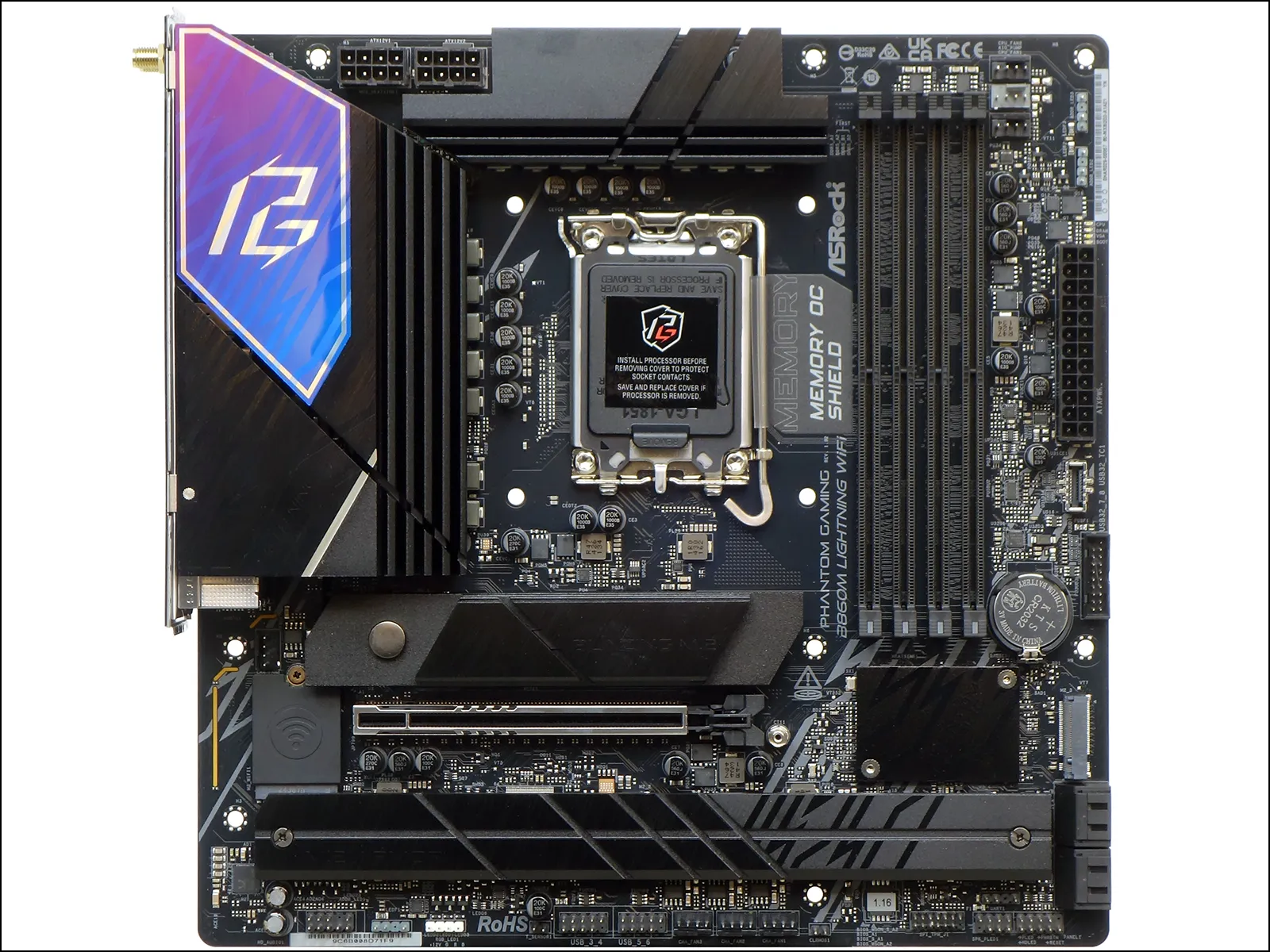
Most Micro ATX motherboards have an x16 slot where the B680M Lightning WiFi’s upper M.2 slot resides, but putting the M.2 there gives it a shorter path to the chipset-based PCIe 5.0 controller. On the other hand, most full ATX motherboards have the PCIe x16 slot exactly where it’s found on the B860M Lightning WiFi, as putting it there provides more room to manipulate DIMM latches, among other things. We’re just happy that the graphics card retains three slots of cooling space when mounted within a standard Micro ATX chassis.
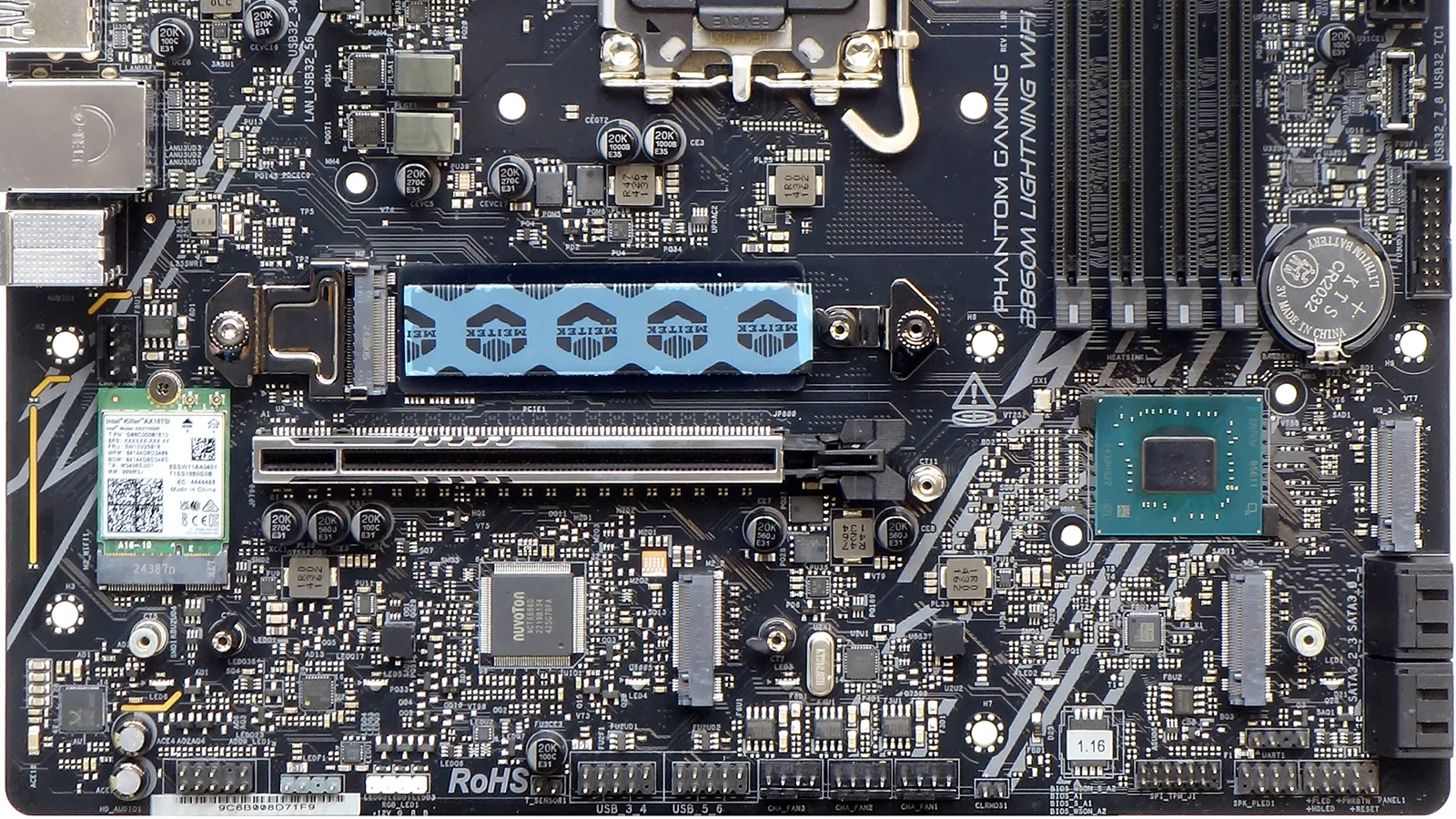
An exposed 2280 NVMe slot stands as the layout’s one oddity, as it sits between the chipset’s heat spreader and any graphics card more than 150mm in length. With only 3mm of space below and 8mm of space above the contact surface of the M.2 standoff, NVMe drive heat sinks designed for Playstation 5 compatibility should still fit.
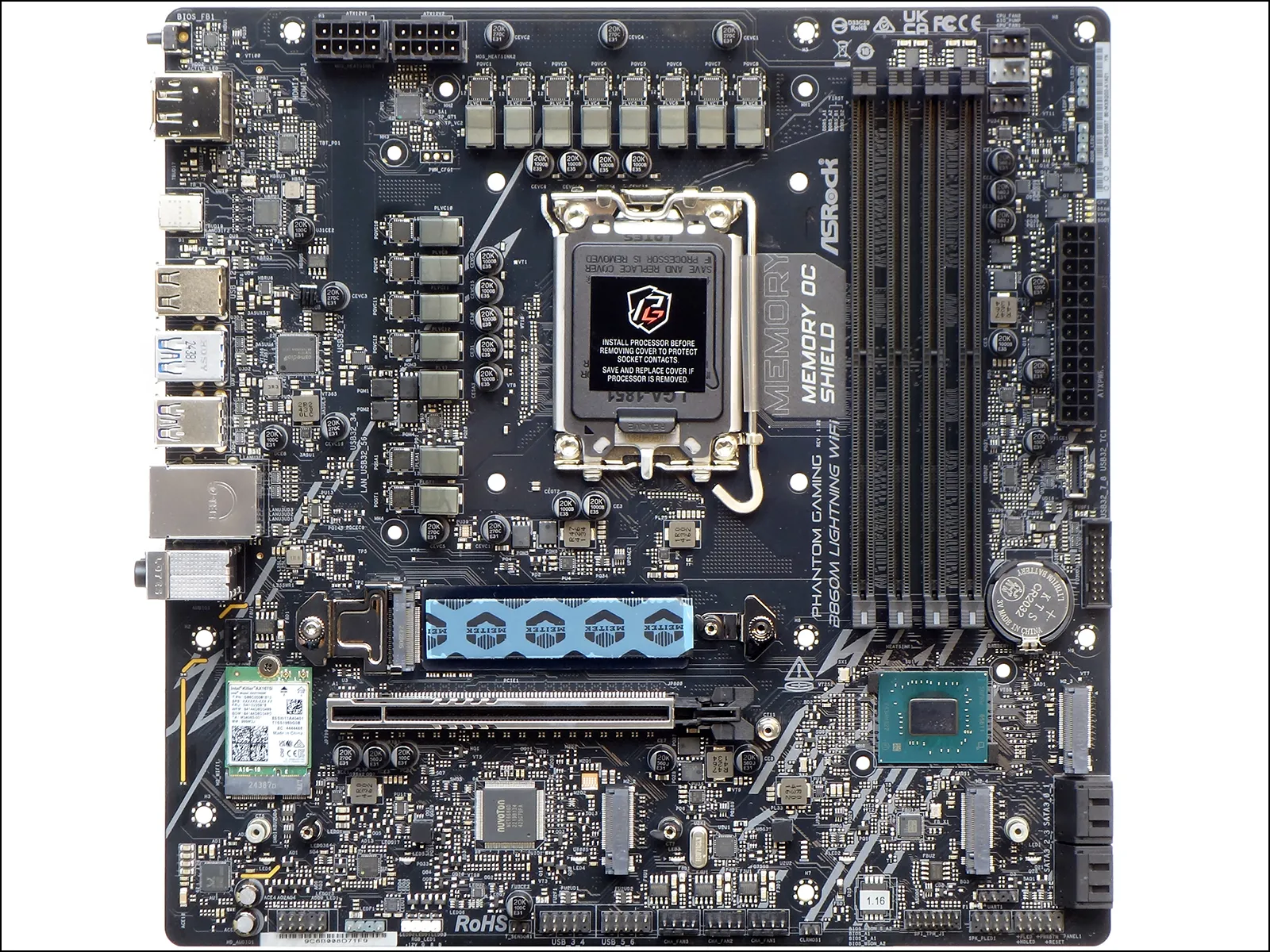
All of the B860M Lightning WiFi’s storage slots are NVMe, so that anyone who needs to keep the data from their SATA-interface M.2 drives will probably want to pick up a Gen2 USB3 adapter. And while the slot above graphics stands out as PCIe 5.0 NVMe, the other four all have classic 64Gbps PCIe 4.0 x4 connections. ASRock addresses PCIe Gen5’s reputation for high drive controller temperatures by adding an aluminum heat spreader between the board and slot: Faced with silicon oil thermal pads on both sides, it can be unscrewed from the back of the board to make room for drives that have their own heat sink.
Above the expansion and storage slots, the B860M Lighting WiFi carries a full-sized 12+1+1+1 phase voltage regulator, twin EPS12V (8-pin) CPU power inputs, three PWM fan headers of which one is specified for pump use (up to 3A), two ARGB headers, a row of four status LEDs that indicate the CPU/DRAM/VGA/Boot phases of startup, a 24-pin ATX/EPS combined power header and a Type-E internal header for Type-C front-panel ports. The Type-E connector is fed by just a single lane at USB Gen2x1 (10Gbps).
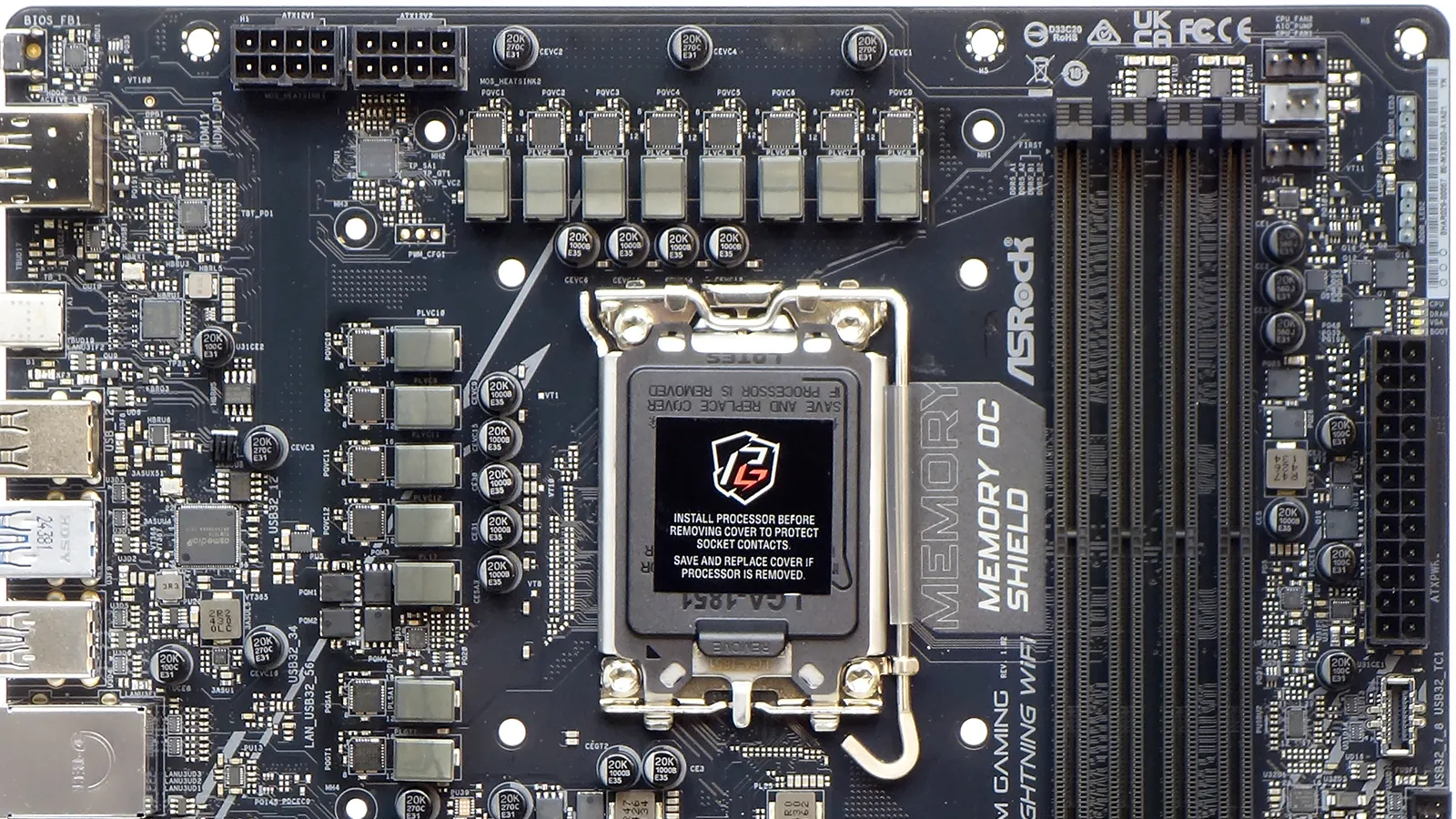
Fourteen MP87681 power stages each feed up 80A to the CPU from an MP29005-A controller, with various SM4508NHKPC 12A MOSFETs scattered about the rest of the board (including a group of four seen along the rear bank of power stages). Also visible behind the rear bank of regulators is the JHL9040R Thunderbolt 4 re-timer and a classic ASM1074 single-port to four-port USB 3.x Gen1 (5Gbps) hub. That’s right, a whole bunch of ports share a scant bit of bandwidth.
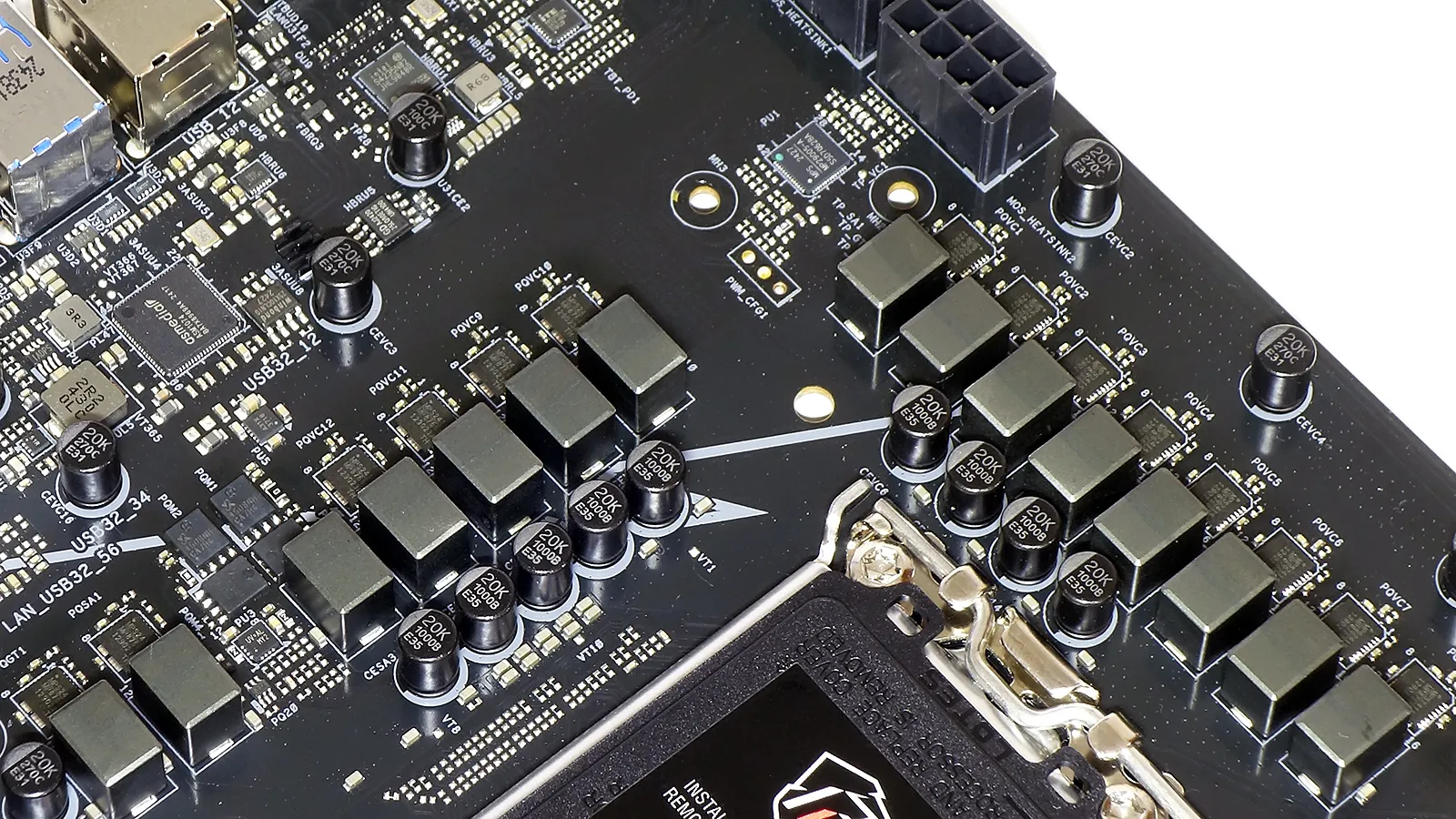
A PWM fan header that sits just above the graphics card at the board’s rear edge is almost perfectly suited for connecting a case’s rear exhaust fan, at least when the M.2 heat sink isn’t in the way of your fingers. HD-Audio, ARGB, RGB, thermistor, two dual-port USB 2.0, three PWM fan, an SPI TPM, a legacy speaker/power LED and a nine-pin front panel combo header fill the bottom row, with CLR CMOS jumper pins next to the fan headers and an undocumented UART header above the beep code speaker header. Meanwhile, the four forward-facing SATA 6Gbps port and a first-generation 19-pin USB 3 dual-power front-panel header are all places at the front of the board.
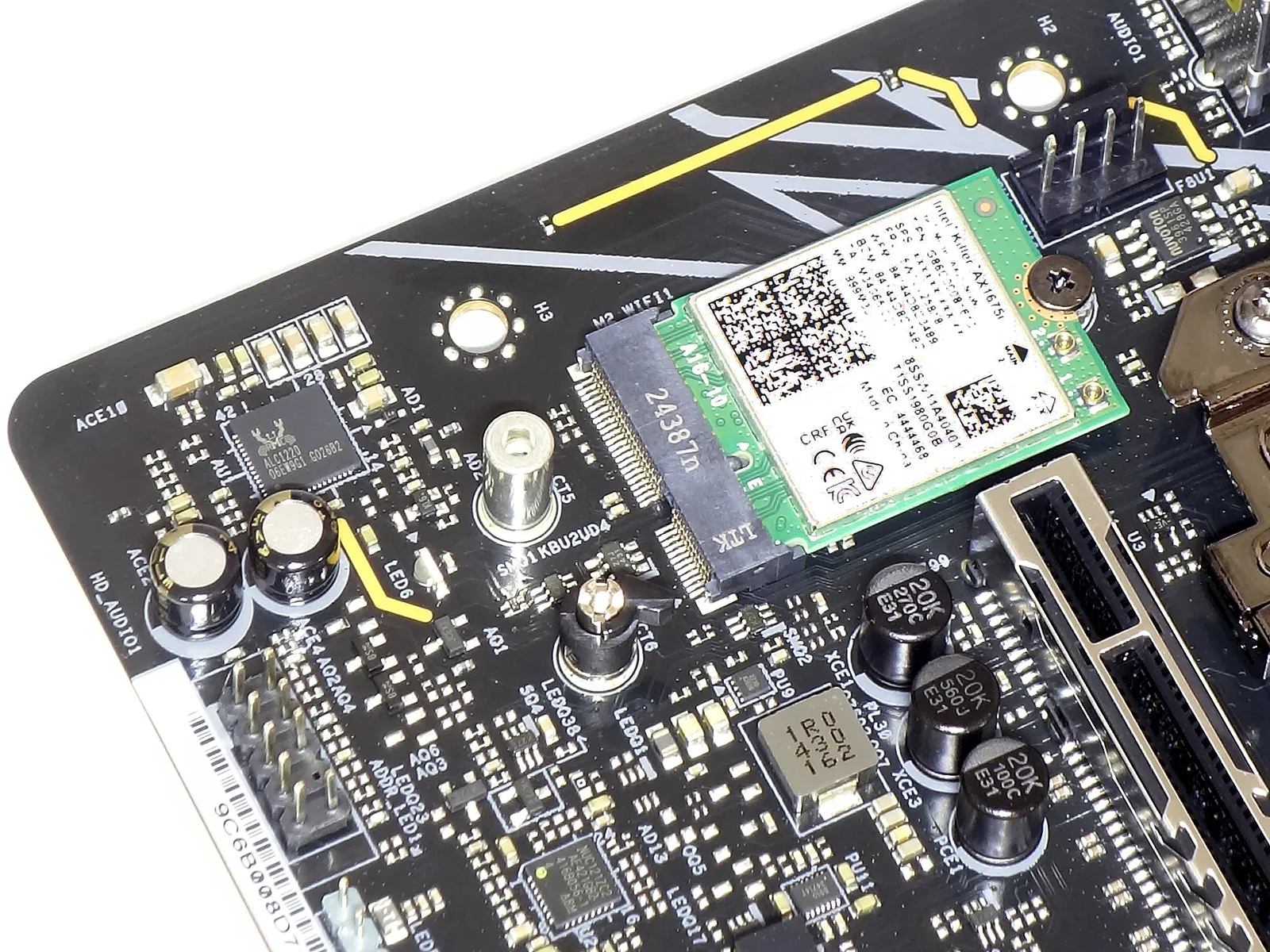
ASRock’s use of a classic ALC1220 audio codec is fine with us, as it supports more configurations at lower overhead with similar quality controls compared to the USB-based controllers found on certain higher-priced models. Next to it, the Killer AX1675i Wi-Fi 6E module uses Intel’s proprietary CNVio2 interface through a standard Key-E connector.
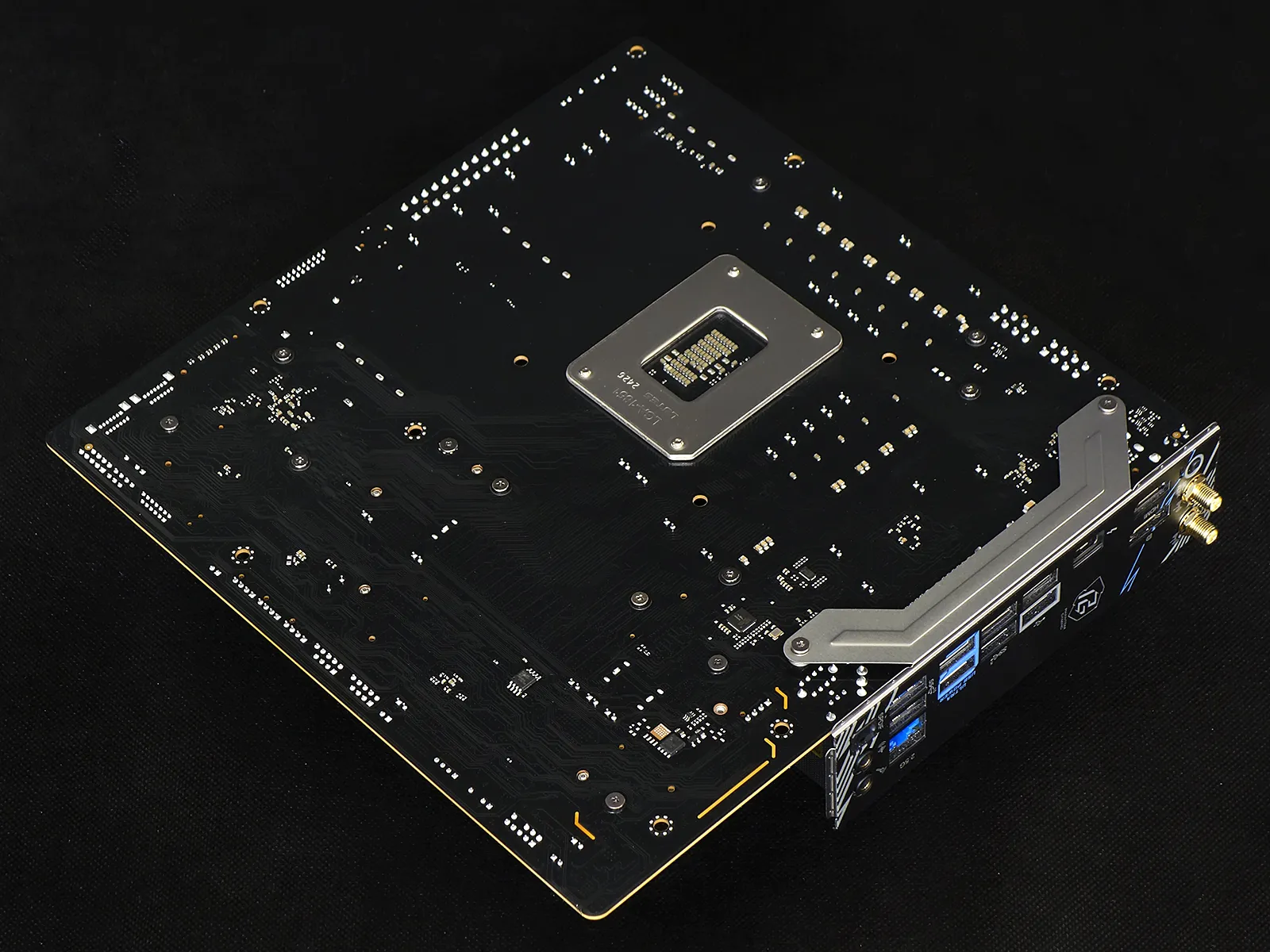
We had not yet mentioned the Killer E3100G 2.5GbE controller as it’s found on the back of the B860M Lightning WiFi.
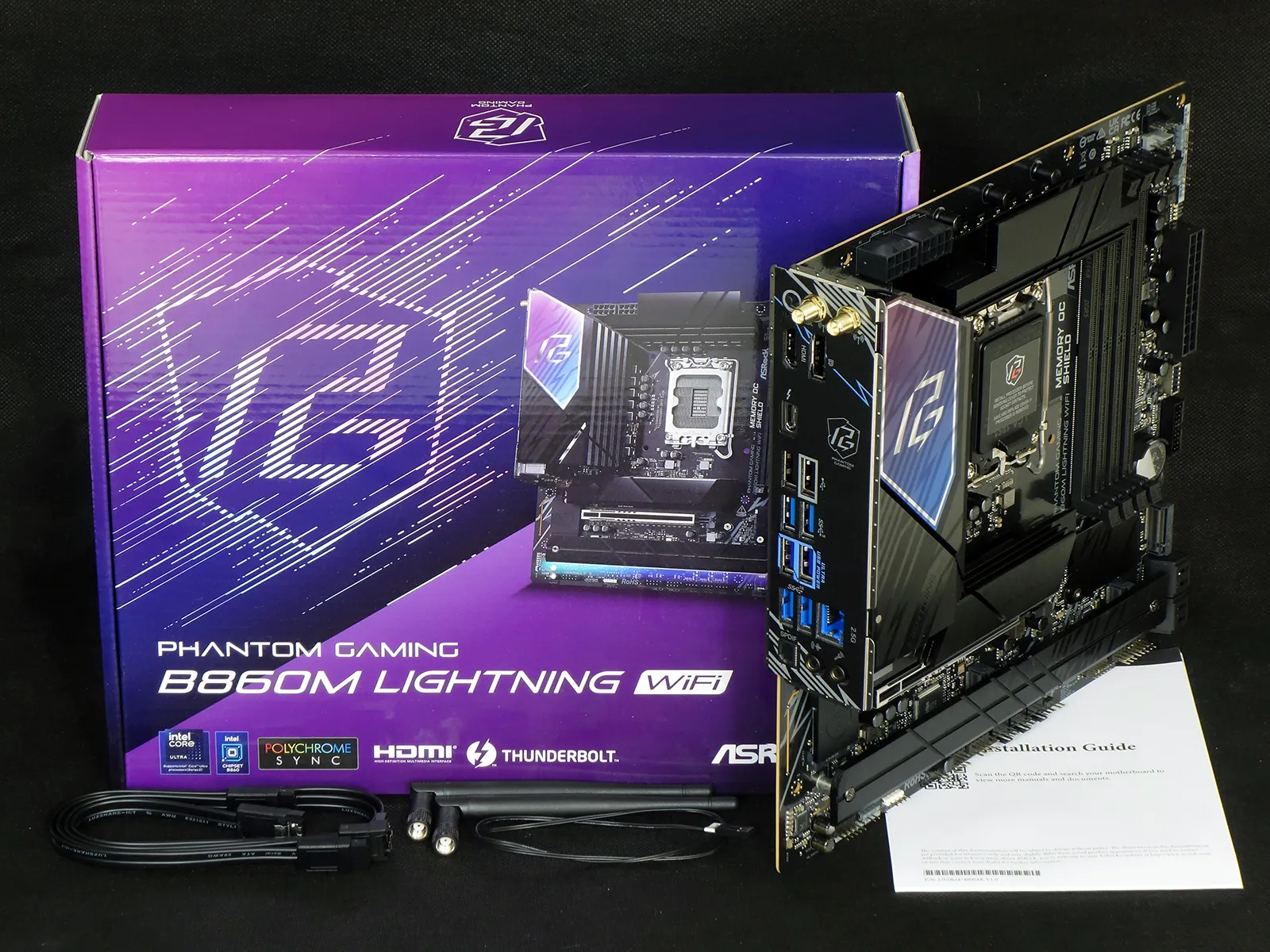
In addition to the motherboard, ASRock’s Phantom Gaming B860M Lightning WiFi includes a pair of SATA cables, a pair of WiFi antennas, a thermistor and an installation guide.
| Test Hardware | |
| CPU | Intel Core Ultra 9 285K: 24 Cores, 36M Cache, 3.2- 5.70 GHz, LGA 1851 |
| CPU Cooler | Alphacool Core 1 Aurora CPU, Eisbecher D5 150mm, NexXxoS UT60 X-Flow 240mm |
| DRAM | Crucial Pro OC Gaming Edition DDR5-6400 32GB Kit |
| Graphics Card | ASRock RX 7700 XT Phantom Gaming 12GB OC PCIe 4.0 x16 |
| Hard Drive | Crucial T700 Gen5 NVMe 2TB SSD |
B860M Lightning WiFi BIOS
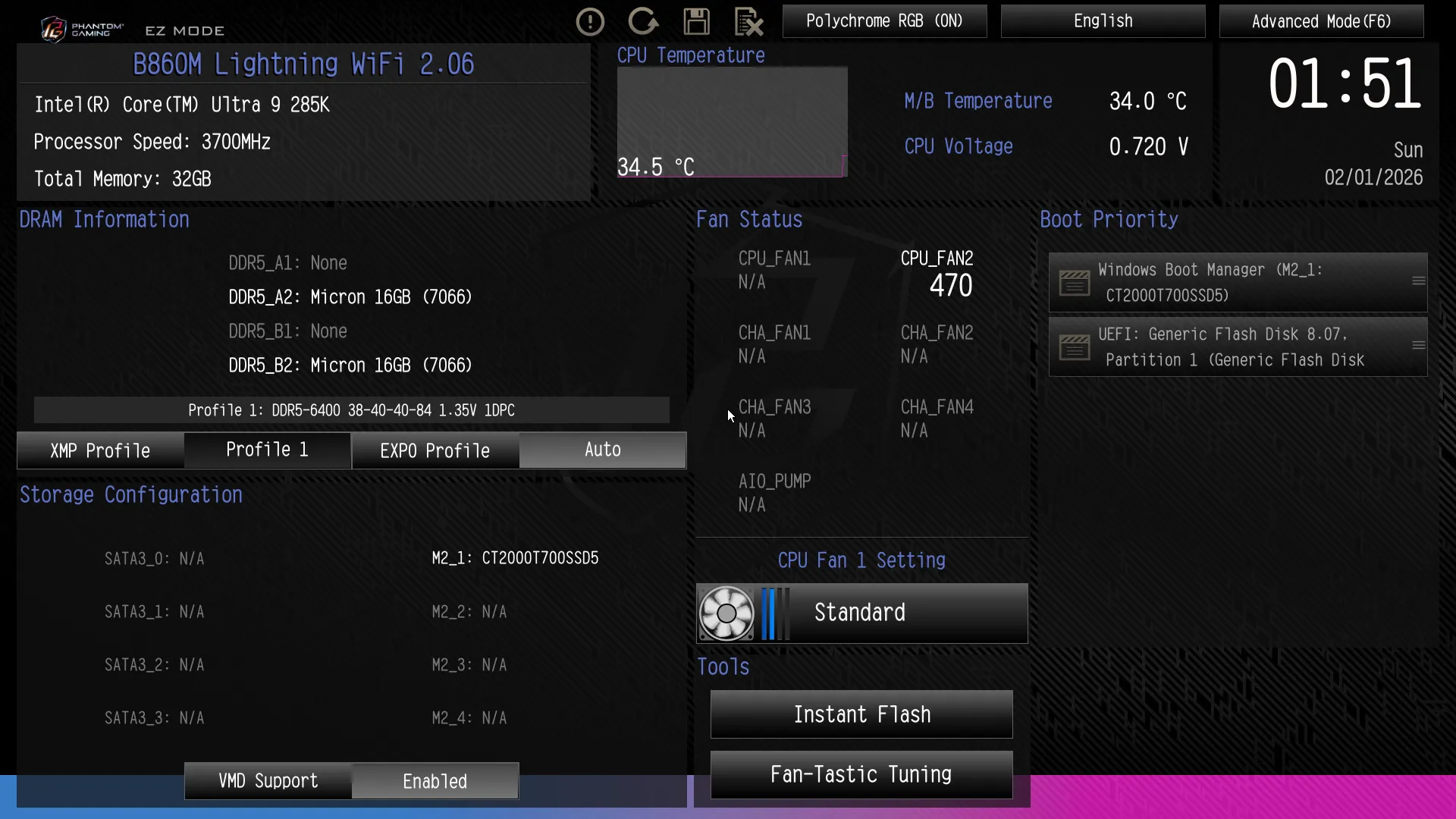
By default, the B860M Lightning WiFi’s UEFI opens to an “Easy Mode” menu where users can set an XMP profile, change boot order, chose a factory fan profile, access Instant Flash update utility and its Fan-Tastic manual fan slope adjustment popup.
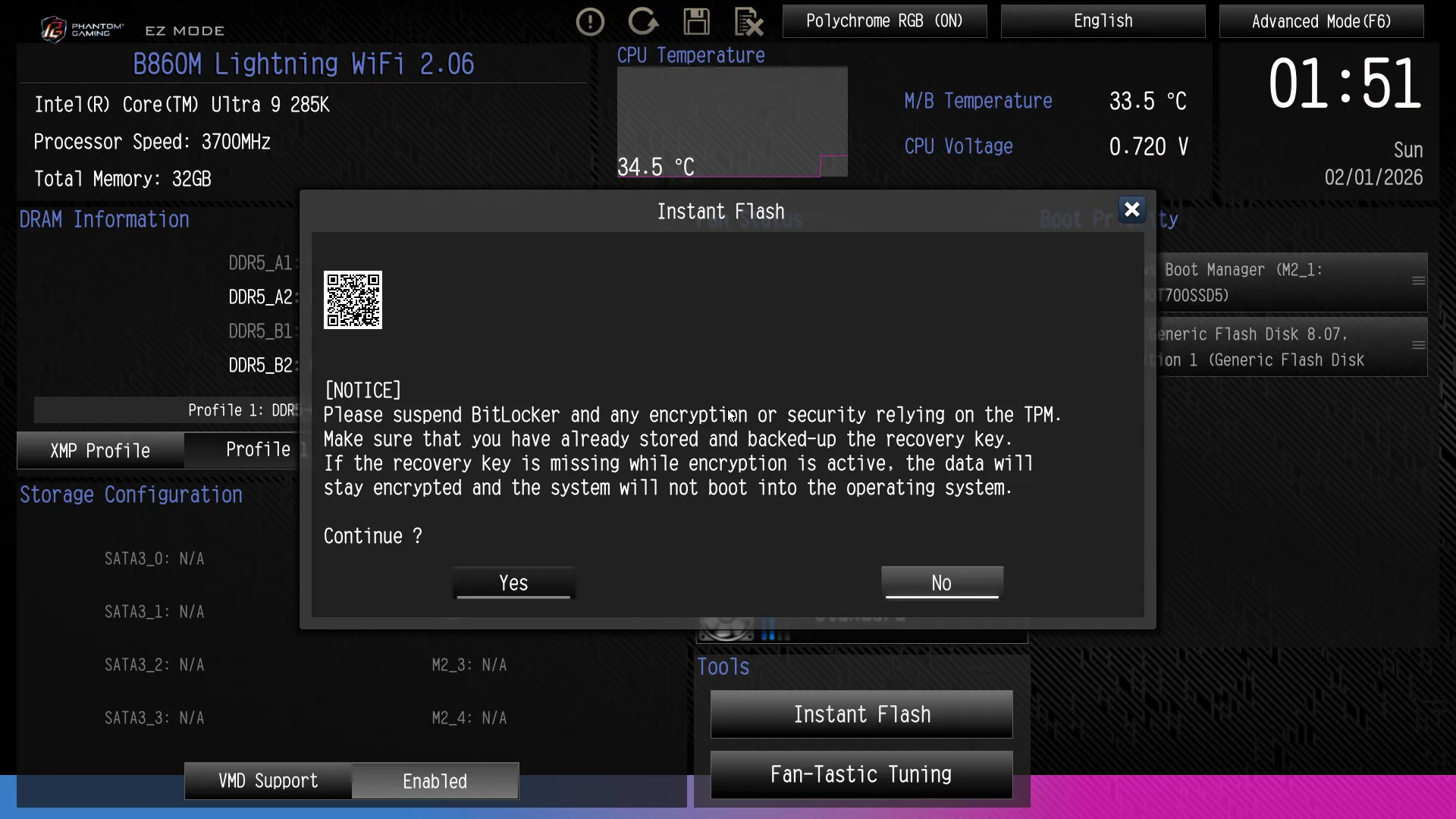
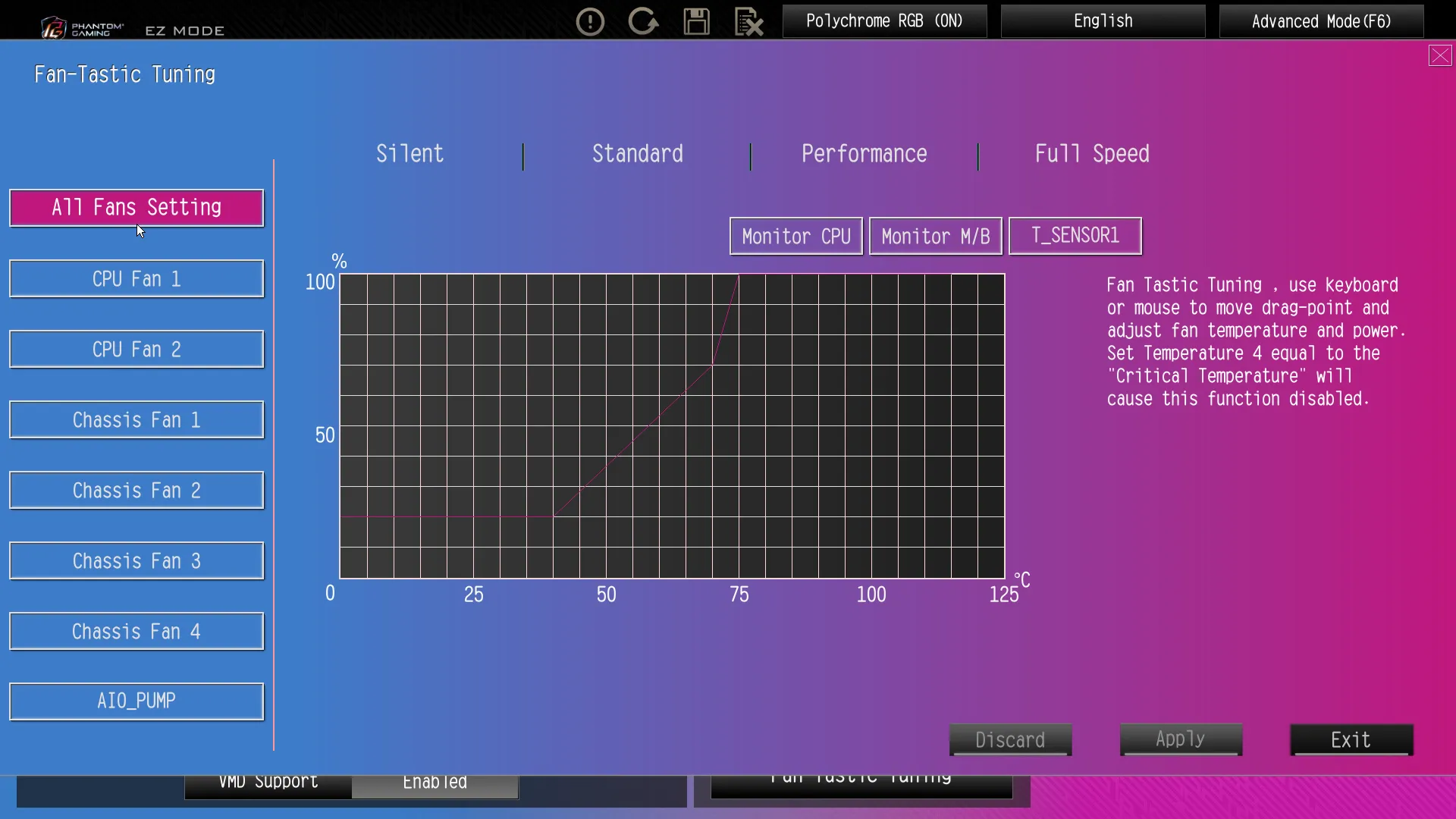
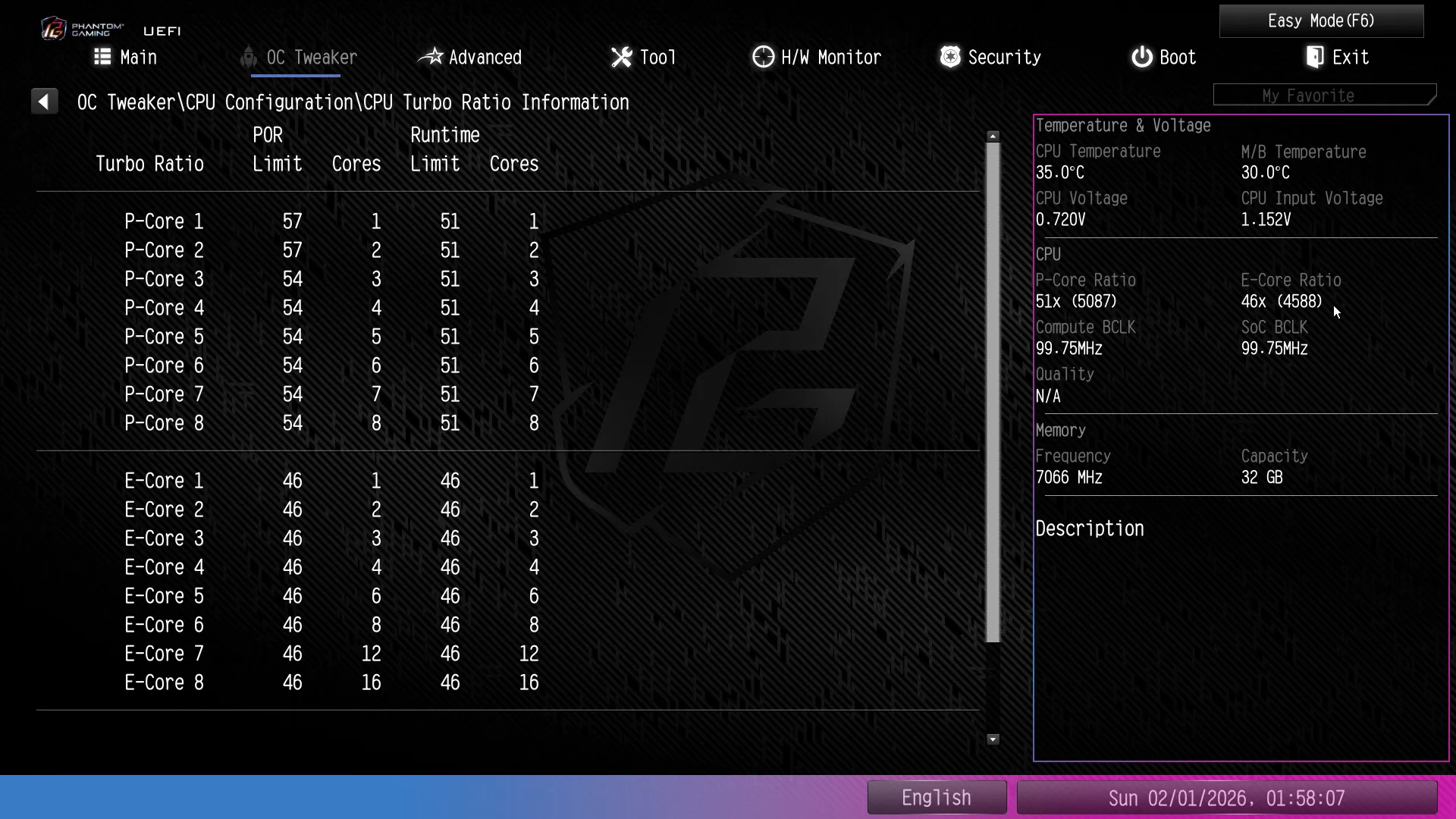
Pressing the F6 key from your keyboard’s function row switches this UEFI into a more elaborate Advanced Mode GUI. From there, we proceeded to its OC Tweaker menu to try getting higher-than-standard performance.
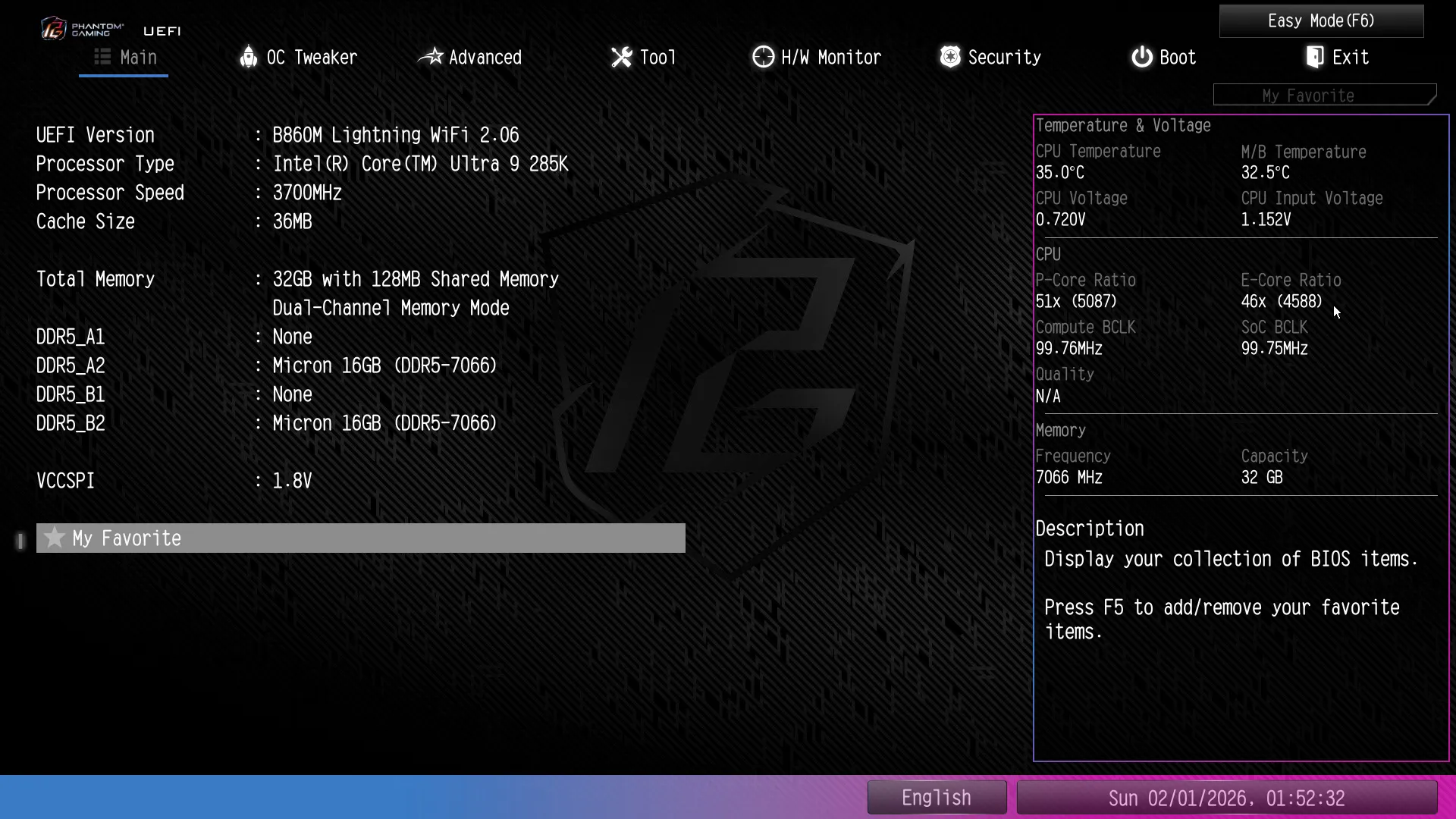
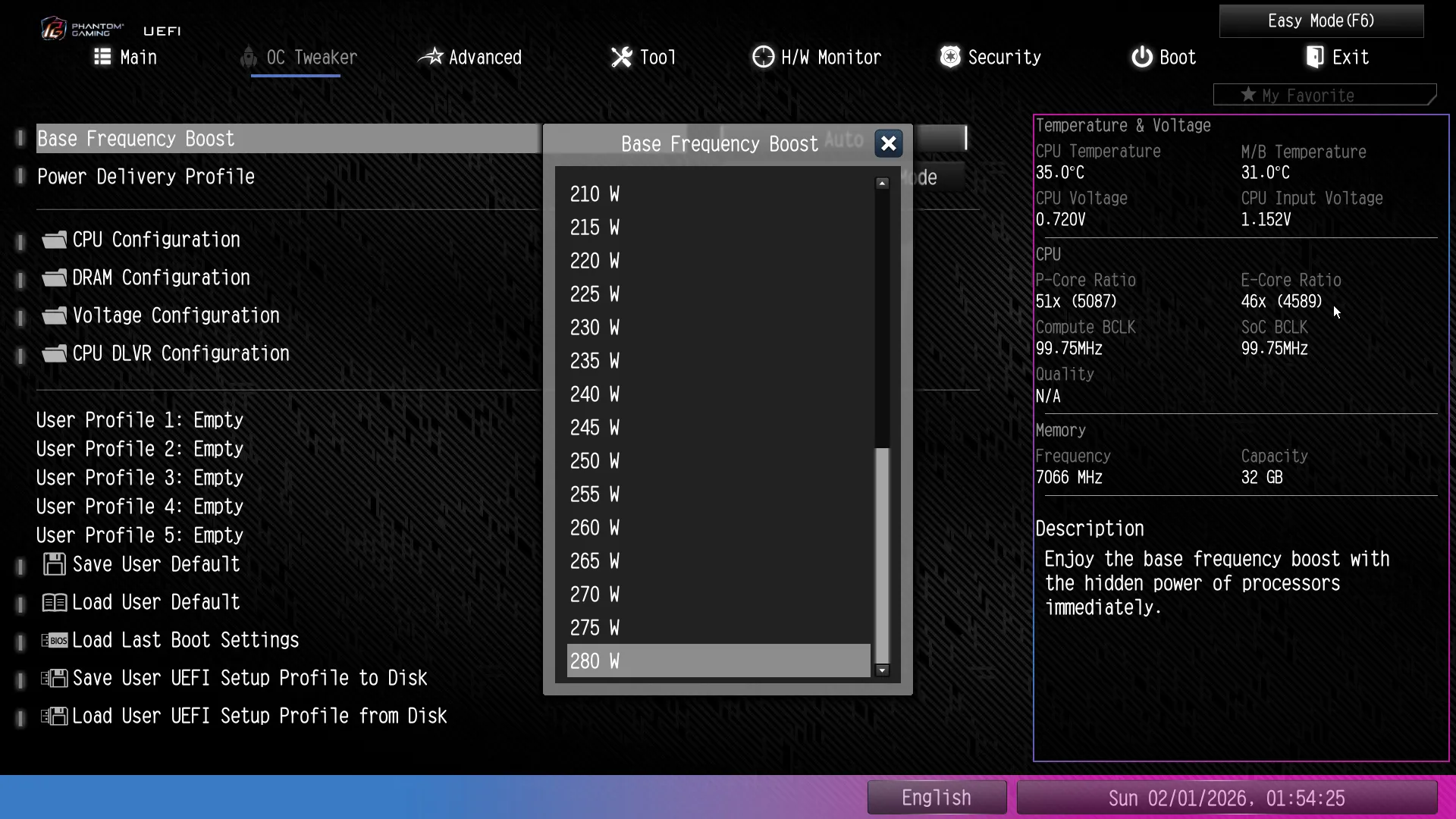
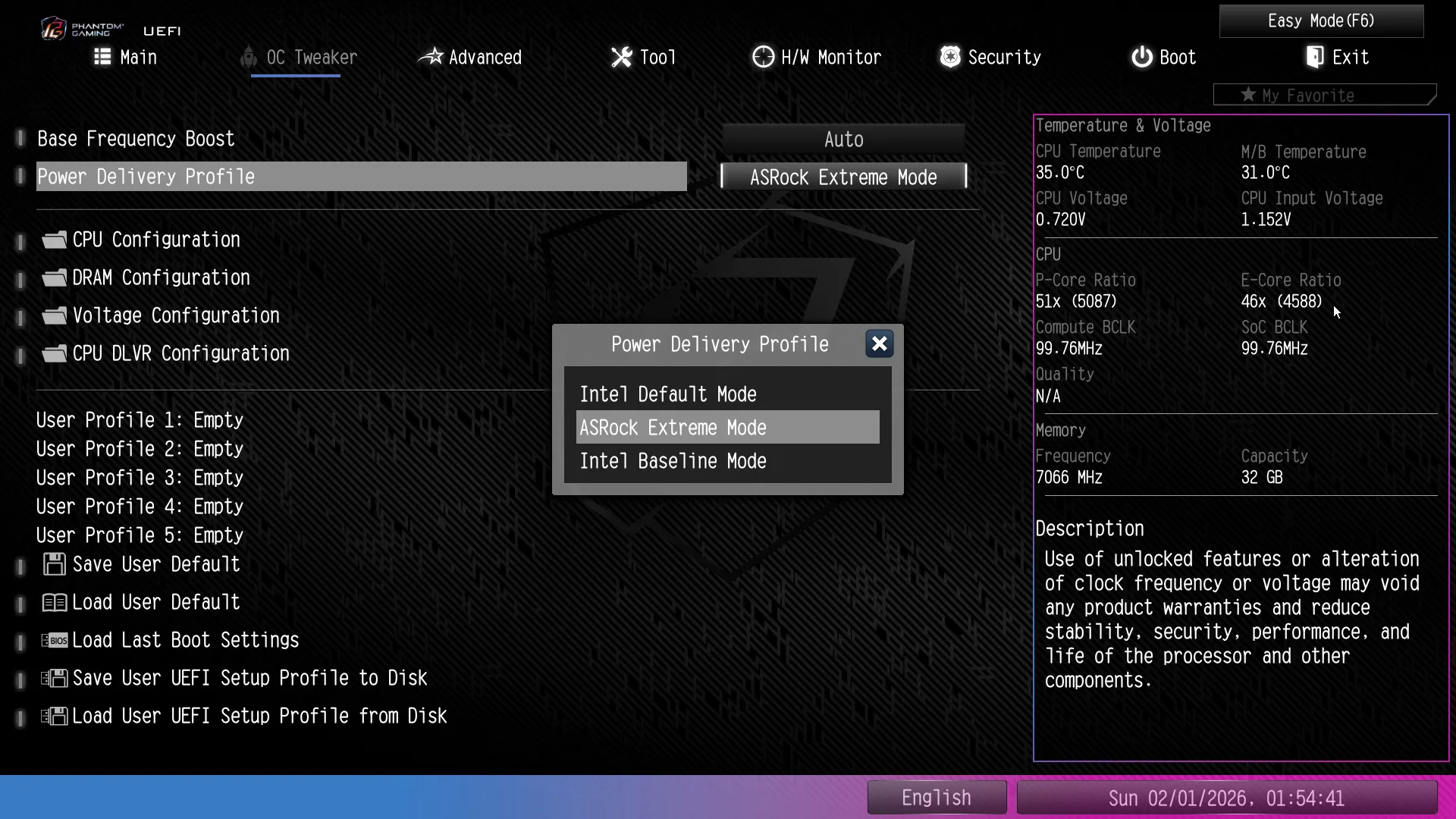
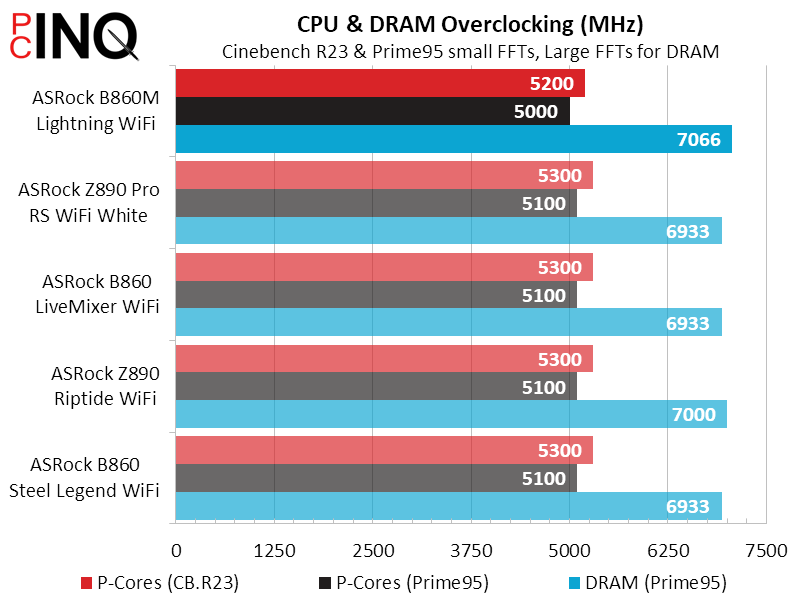
The cold reality of overclocking recent Intel high-end processors is that you really can’t, at least not without sub-ambient cooling, as they’re already overclocked by the factory and constantly throttling under heavy load to maintain the highest “Turbo Boost” possible. Intel’s overclocking lock on B860 platforms has little impact on how far we can push our system, as we’re trying to overcome thermal and power constraints that are already hitting throttle points (safety limits) at stock settings.
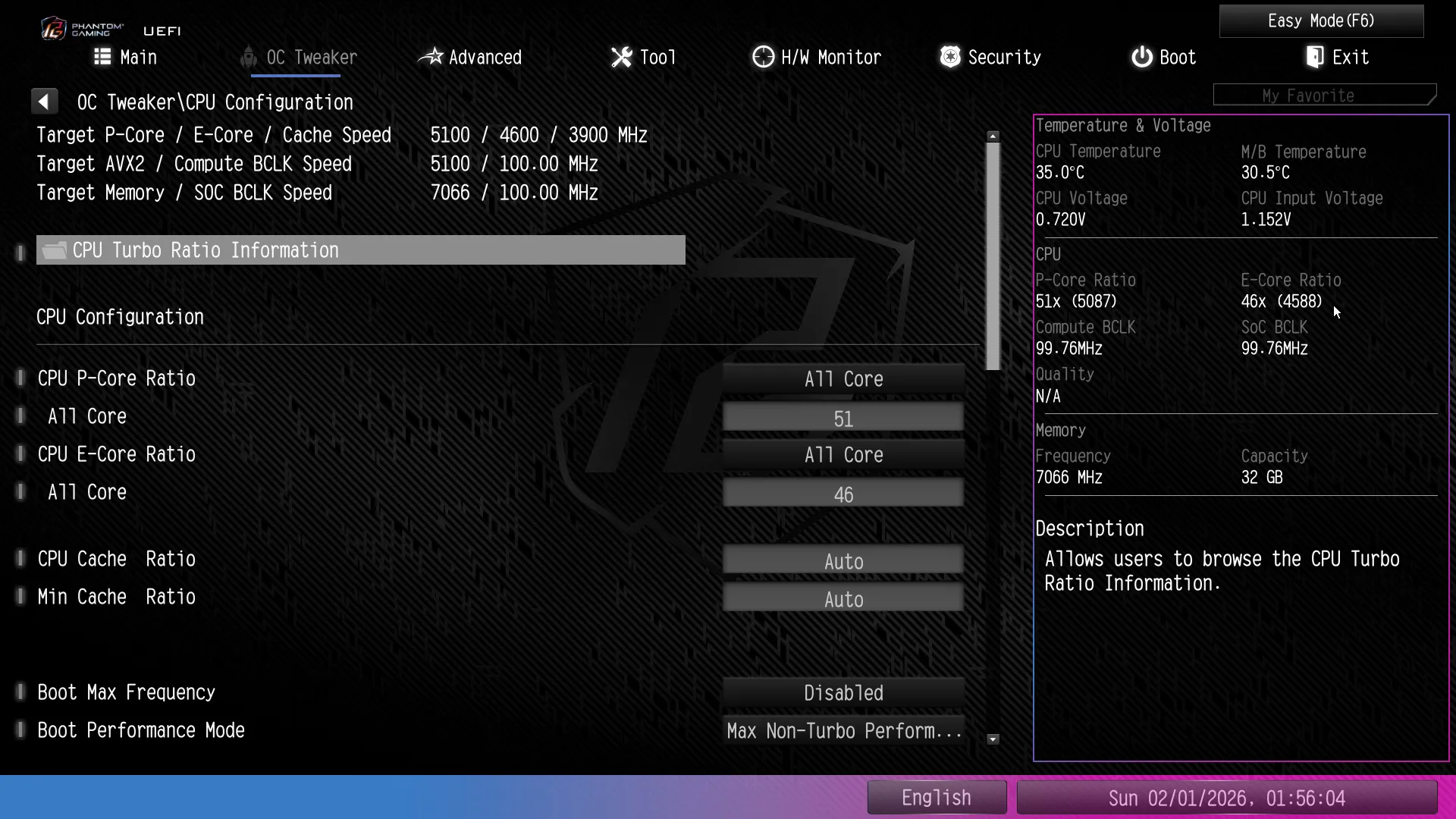
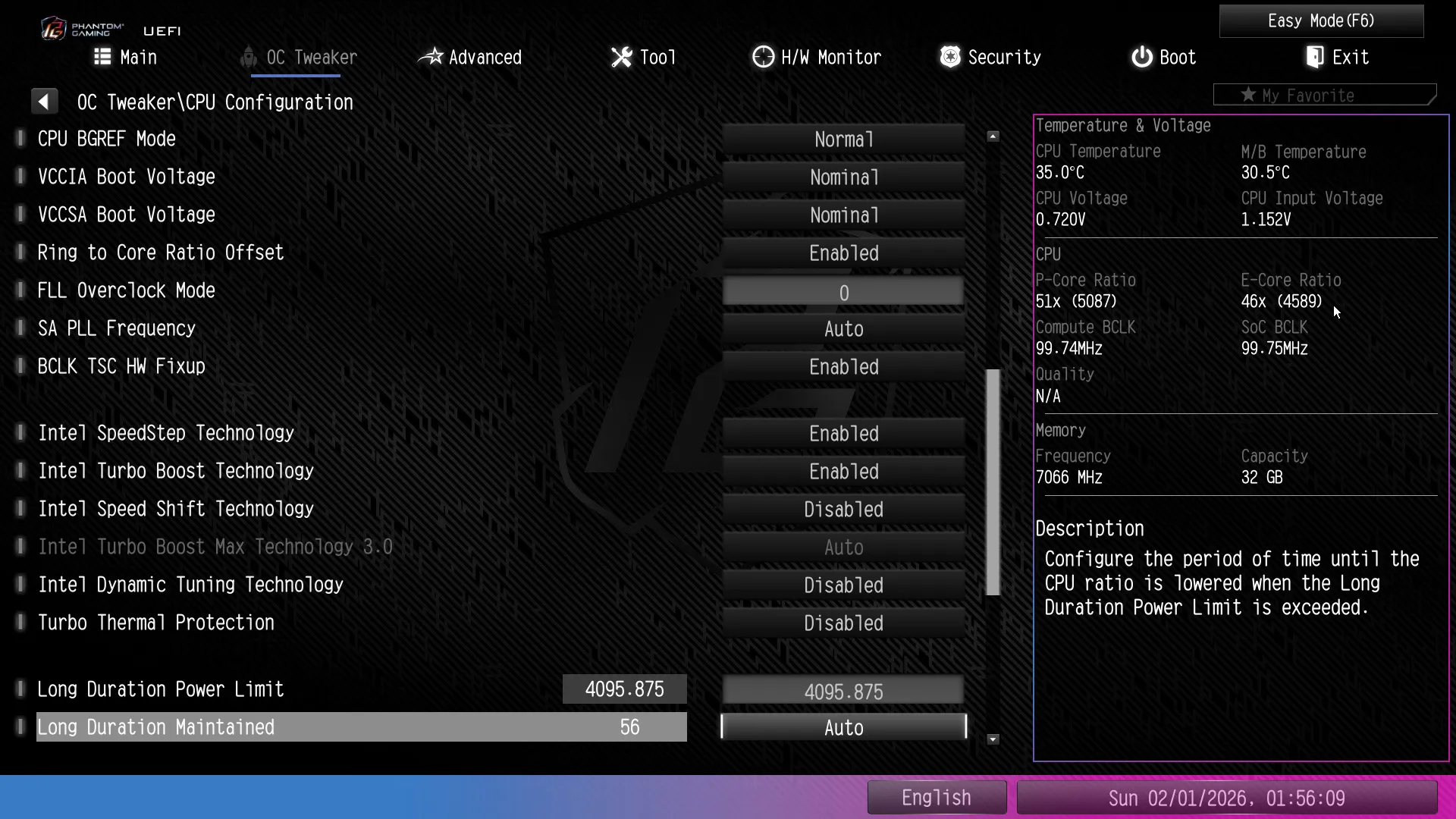
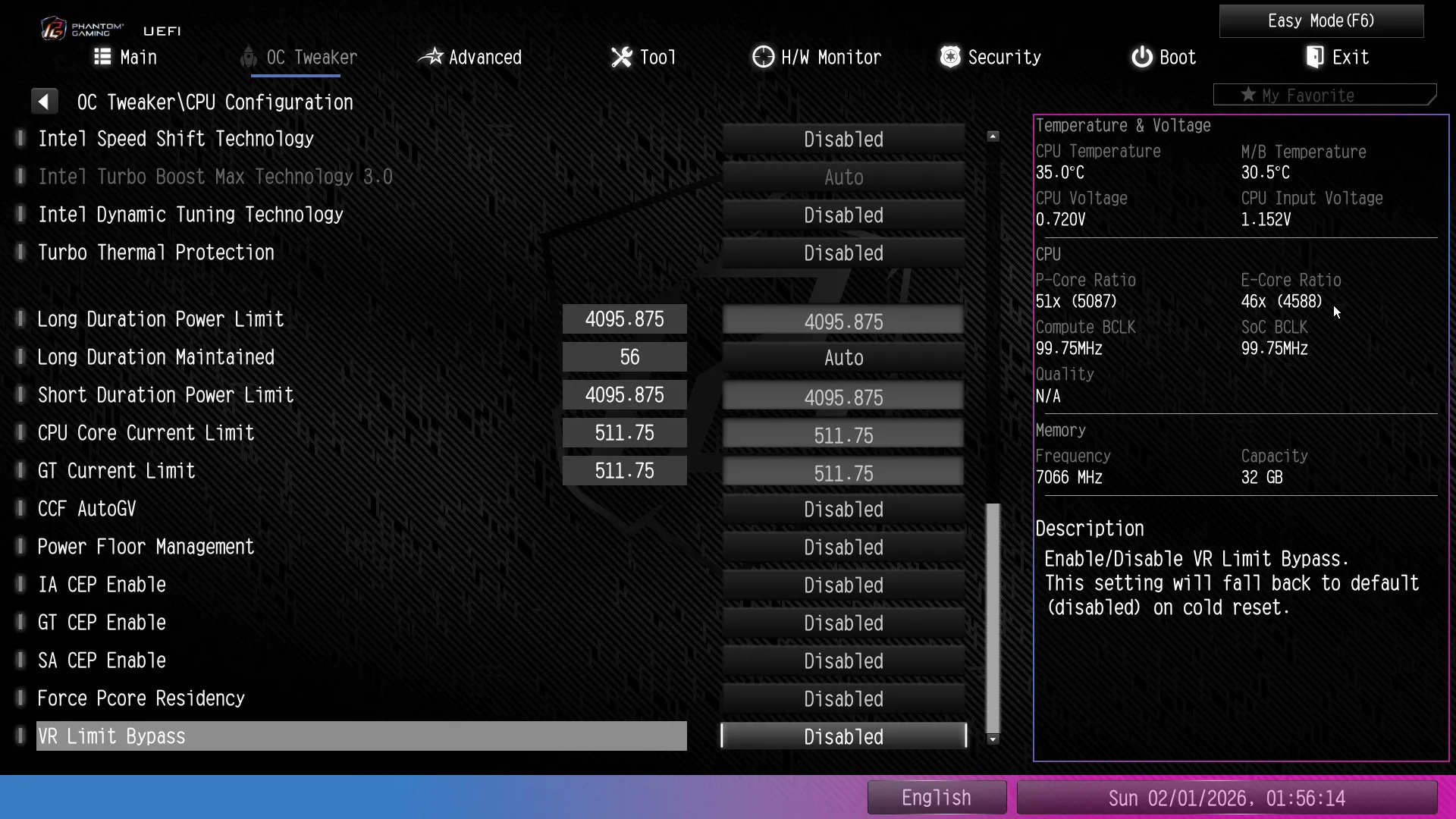
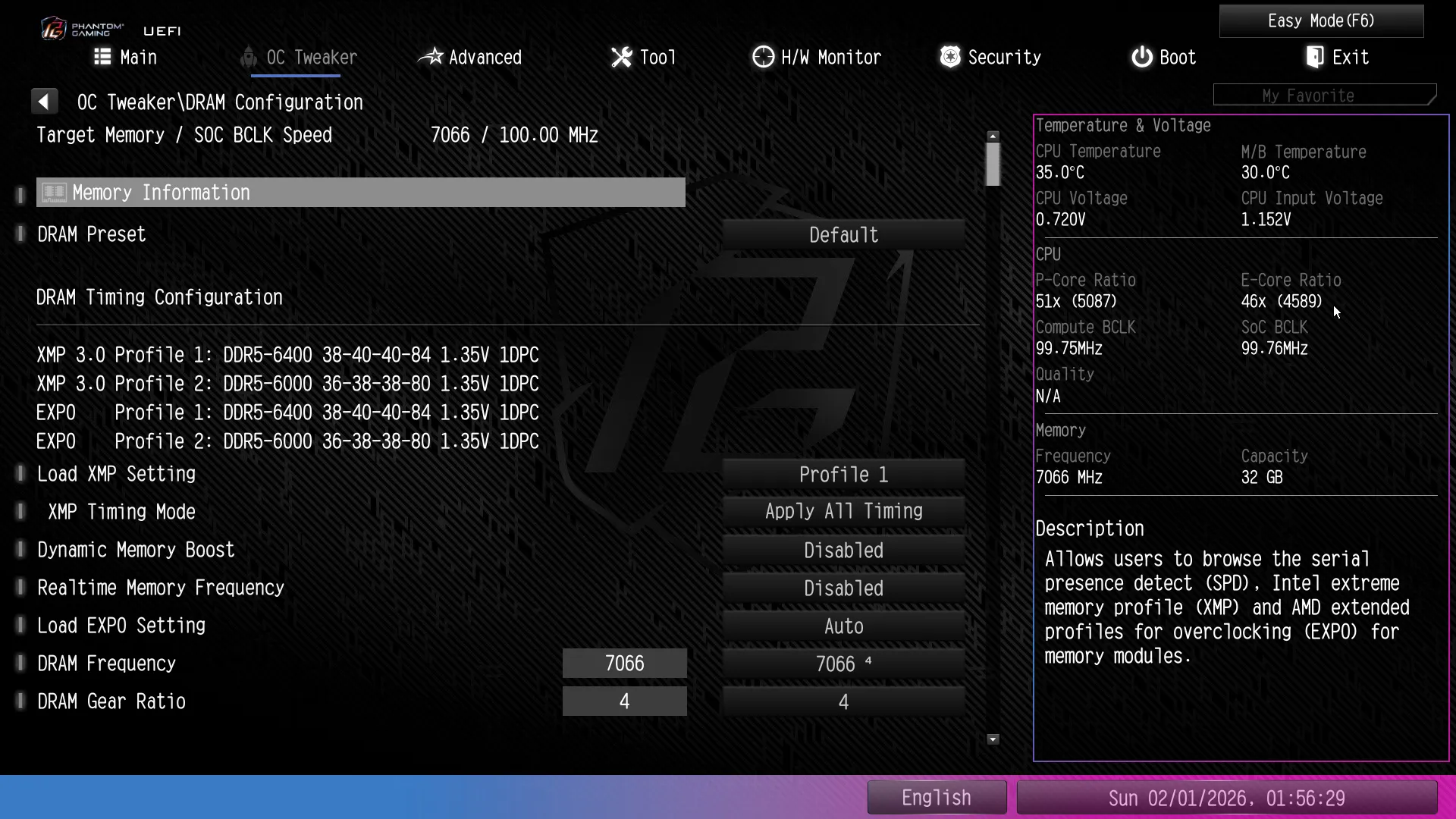
Memory is the one place users can go wild with the current crop of boards, regardless of whether those boards are unlocked “Z” or more-constrained “B” series parts. After loosening our timings from CAS 38 to CAS 42, the B860M Lightning WiFi helped us push our DDR5-6400 kit to DDR5-7066.
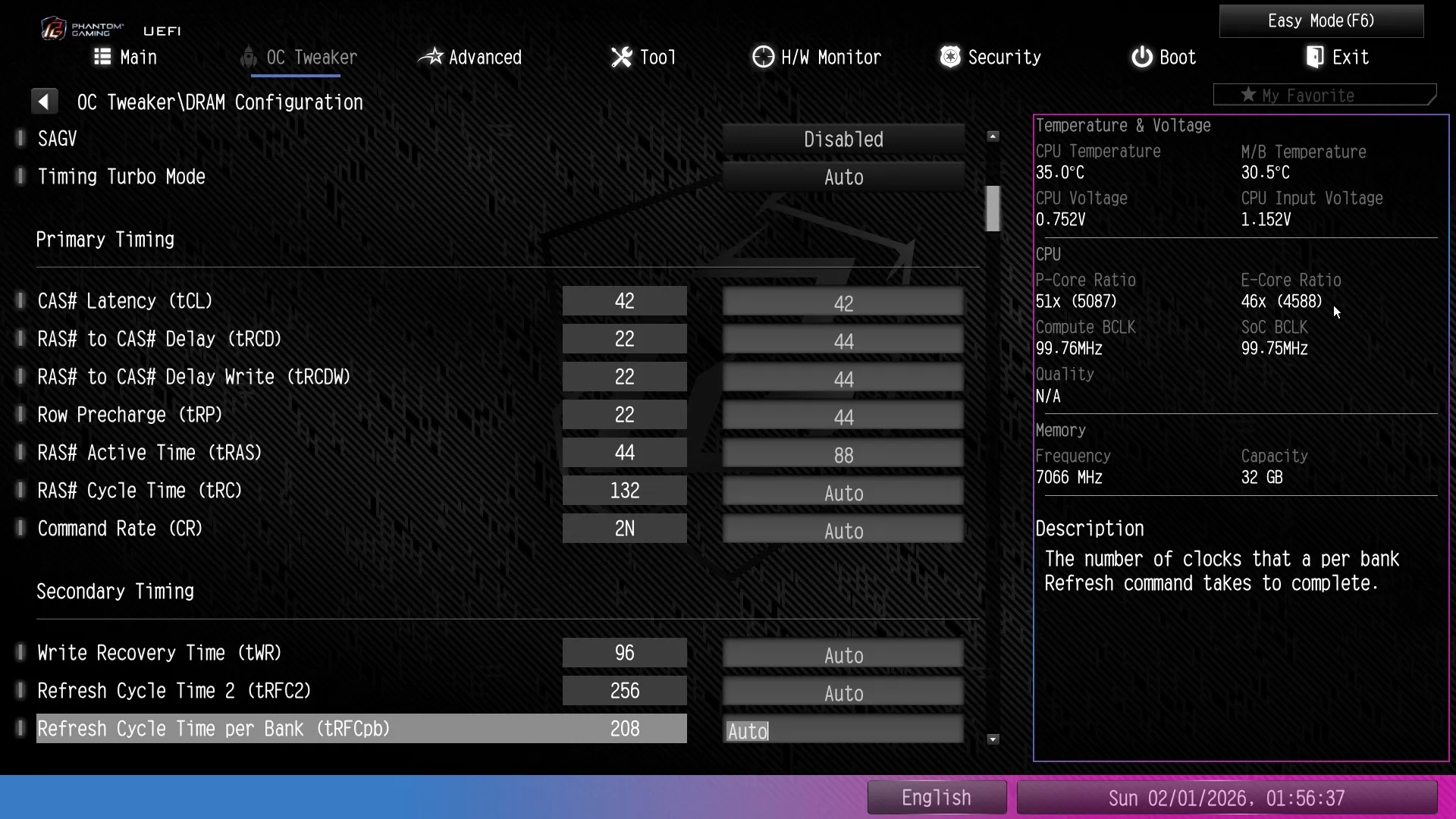
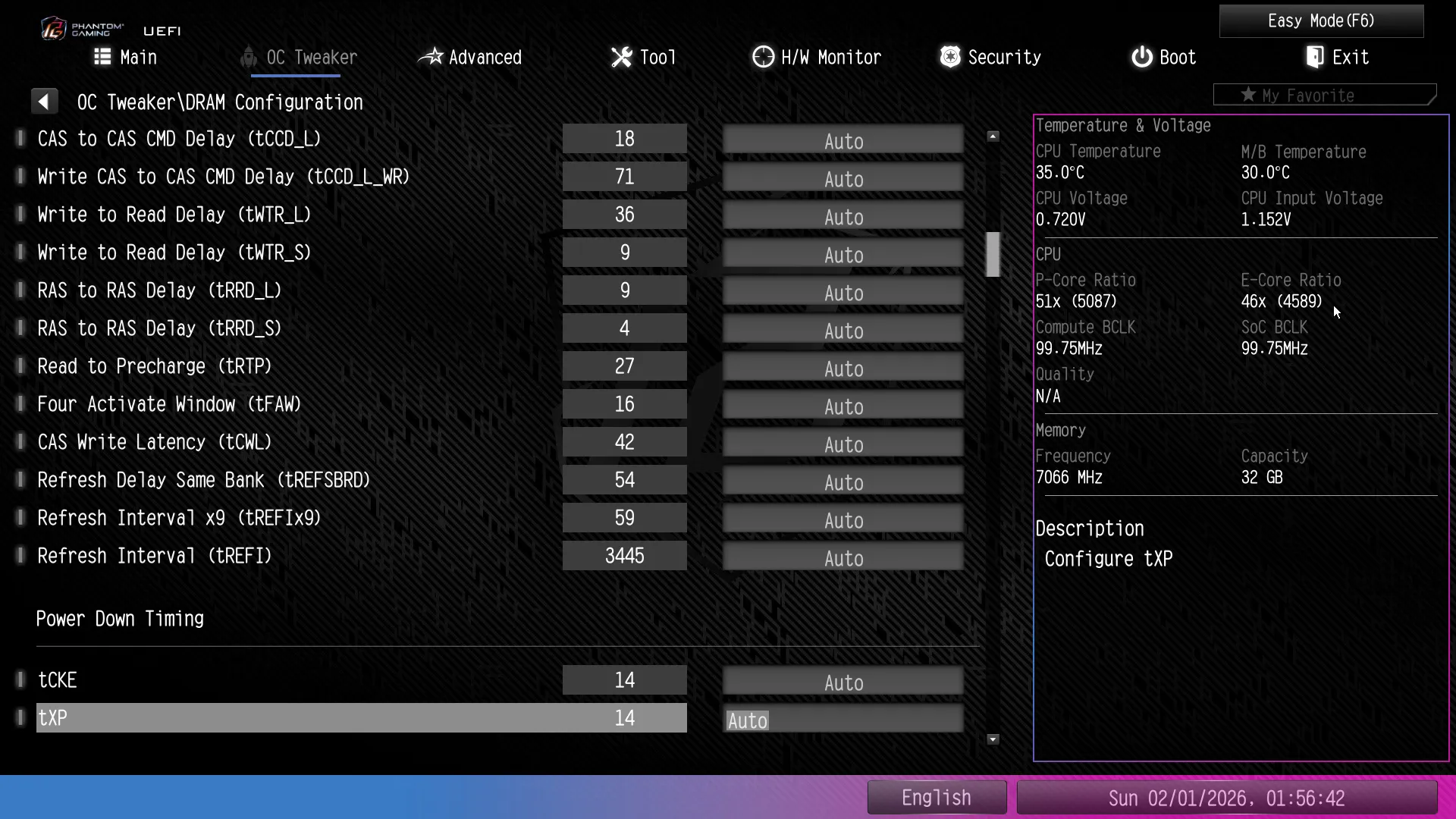
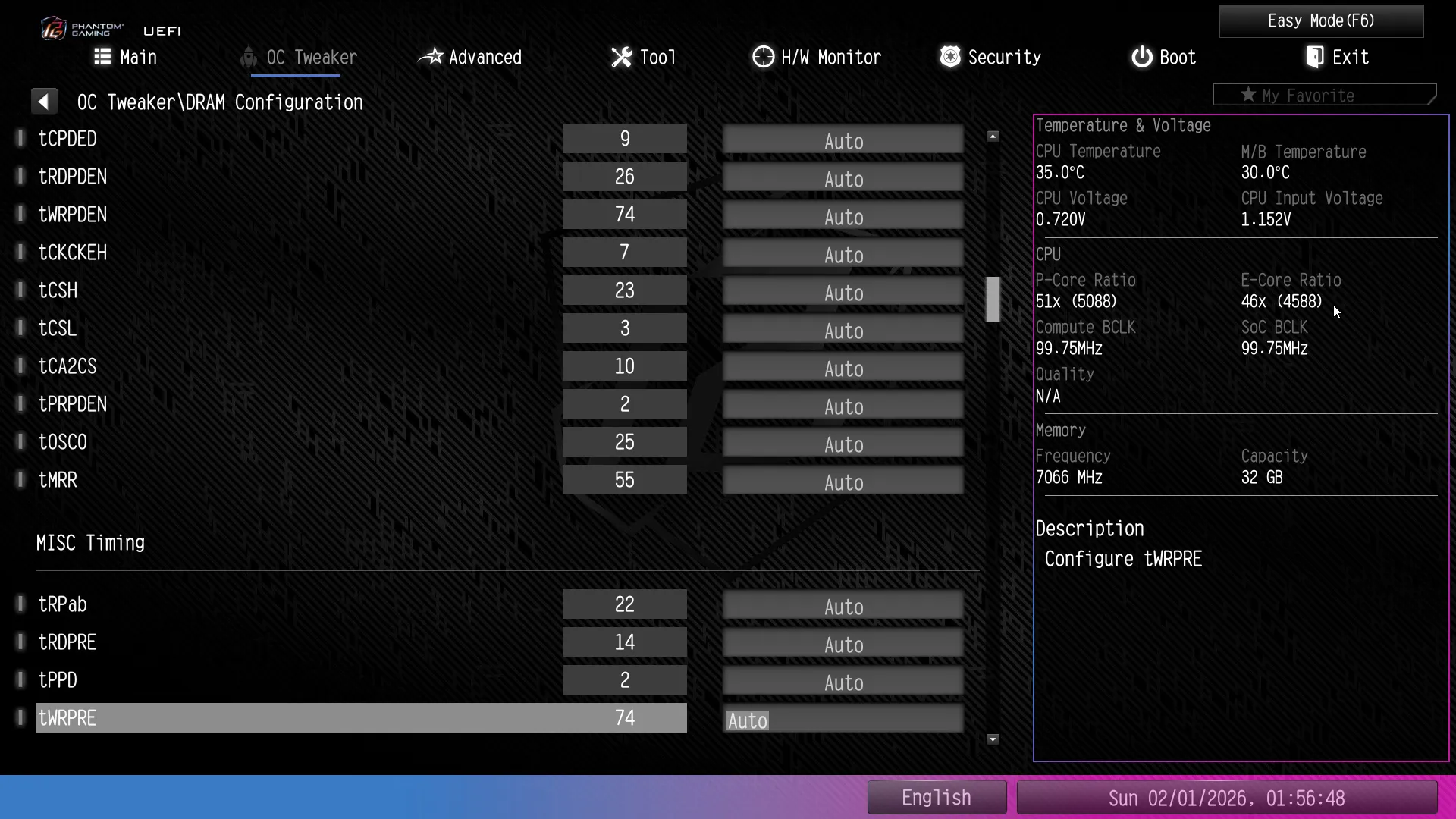
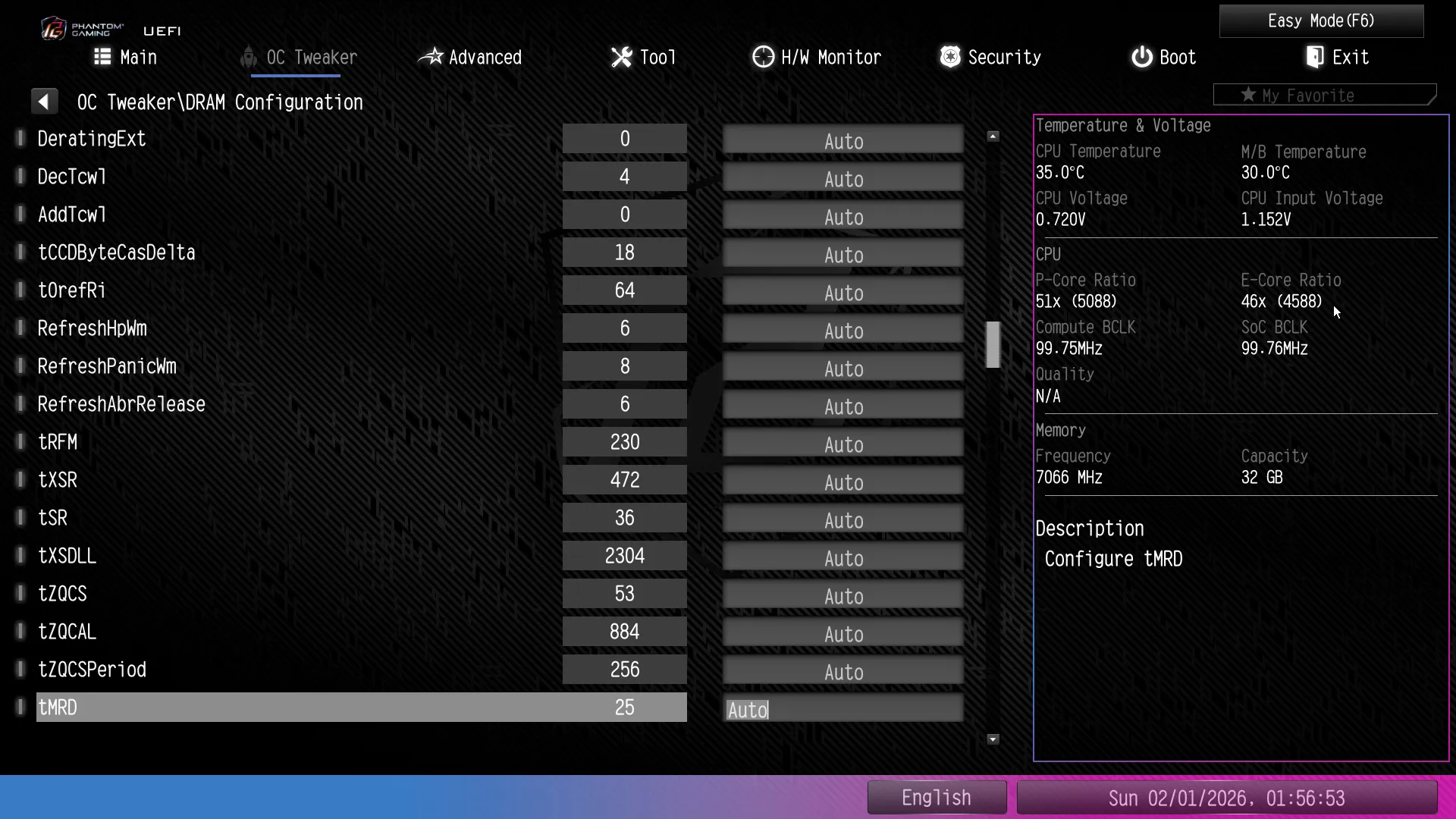
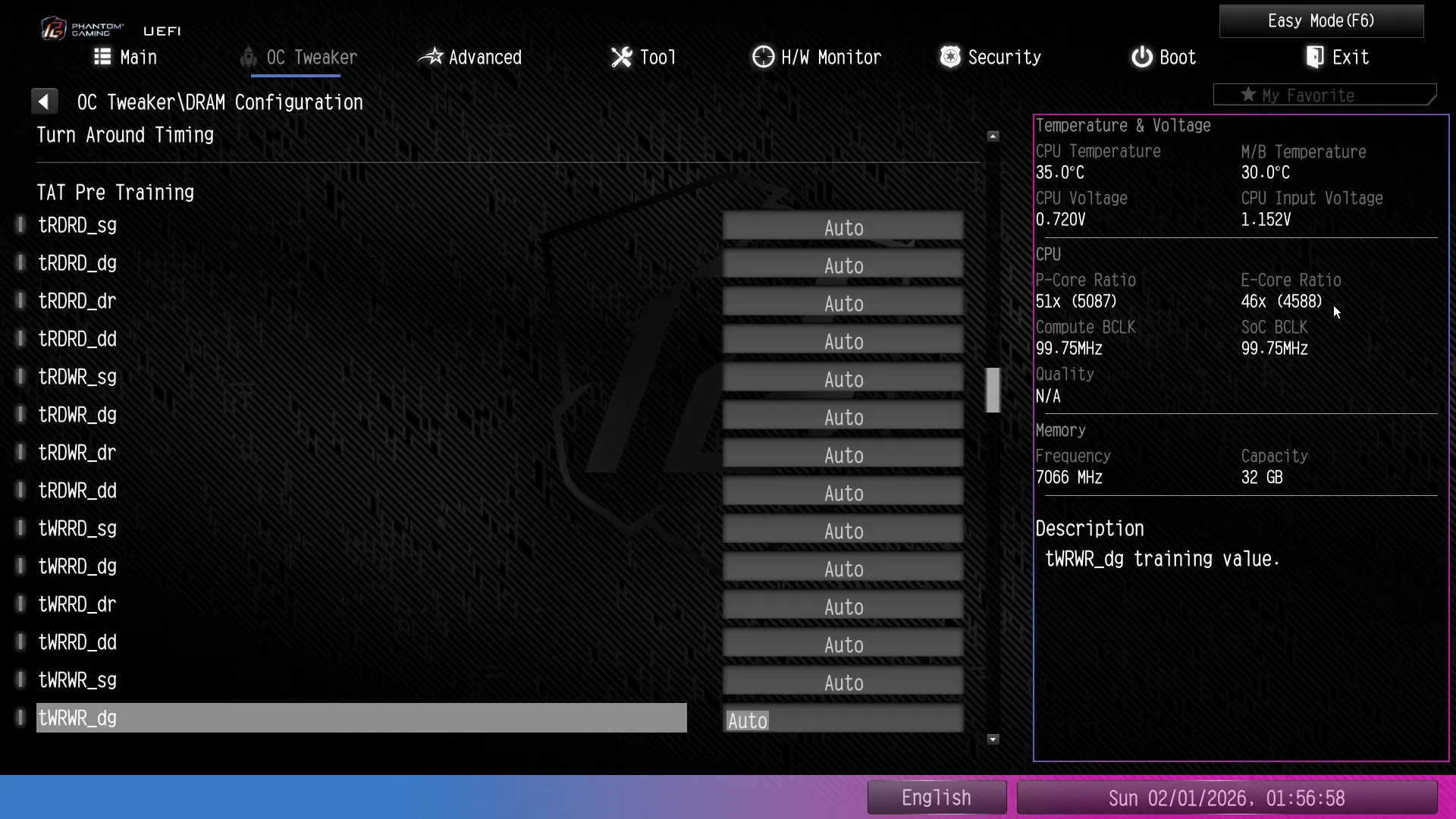
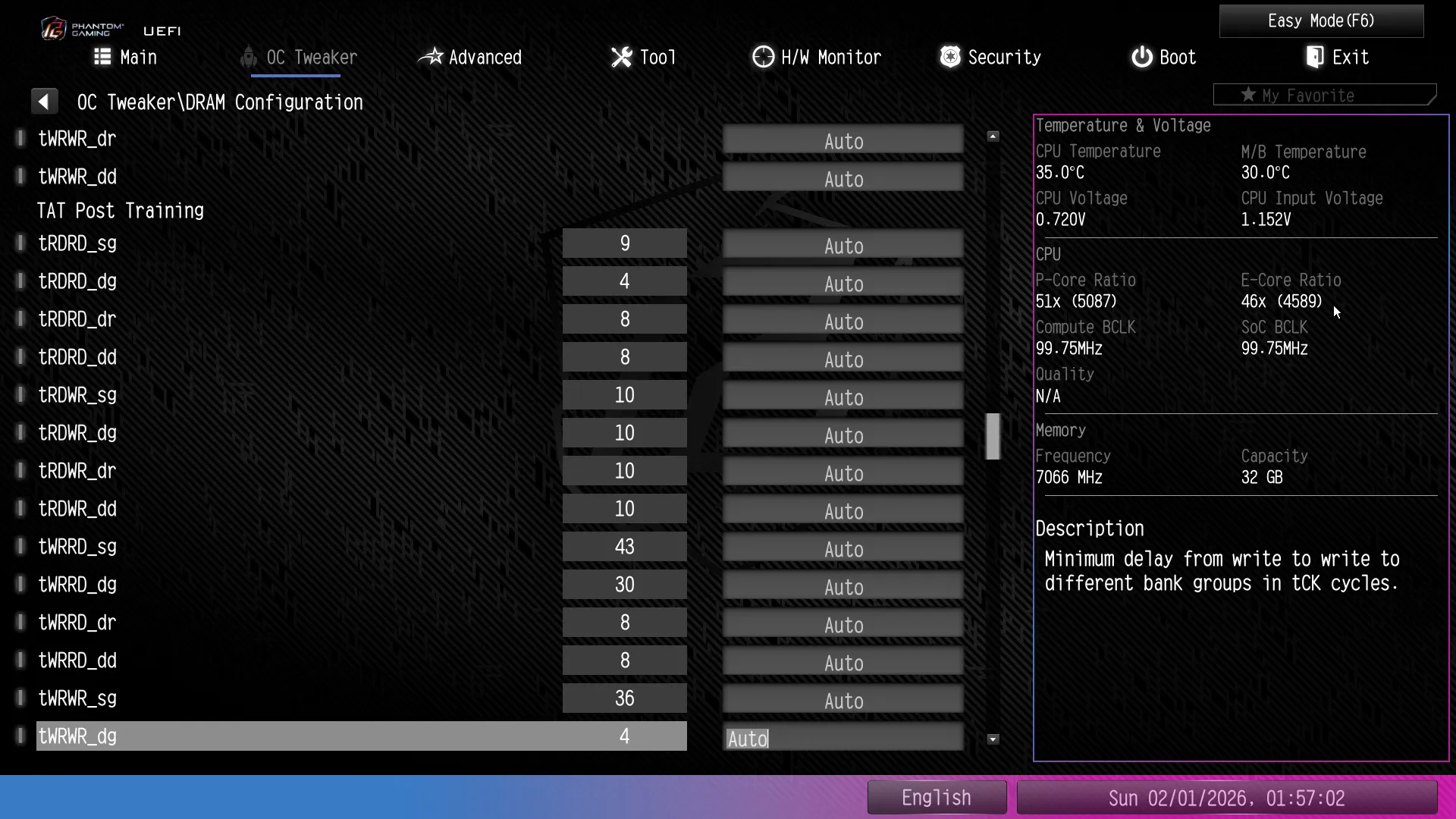
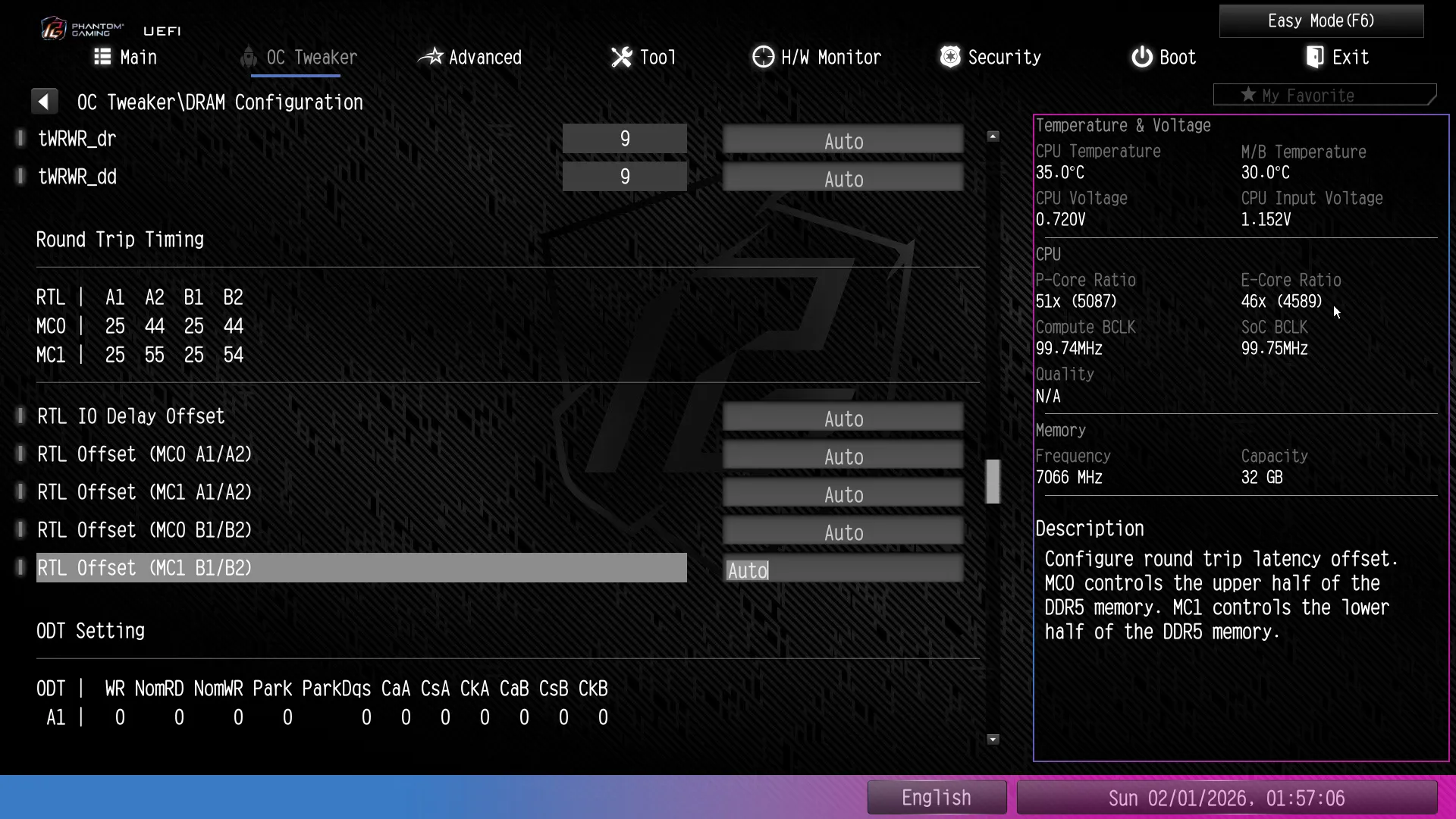
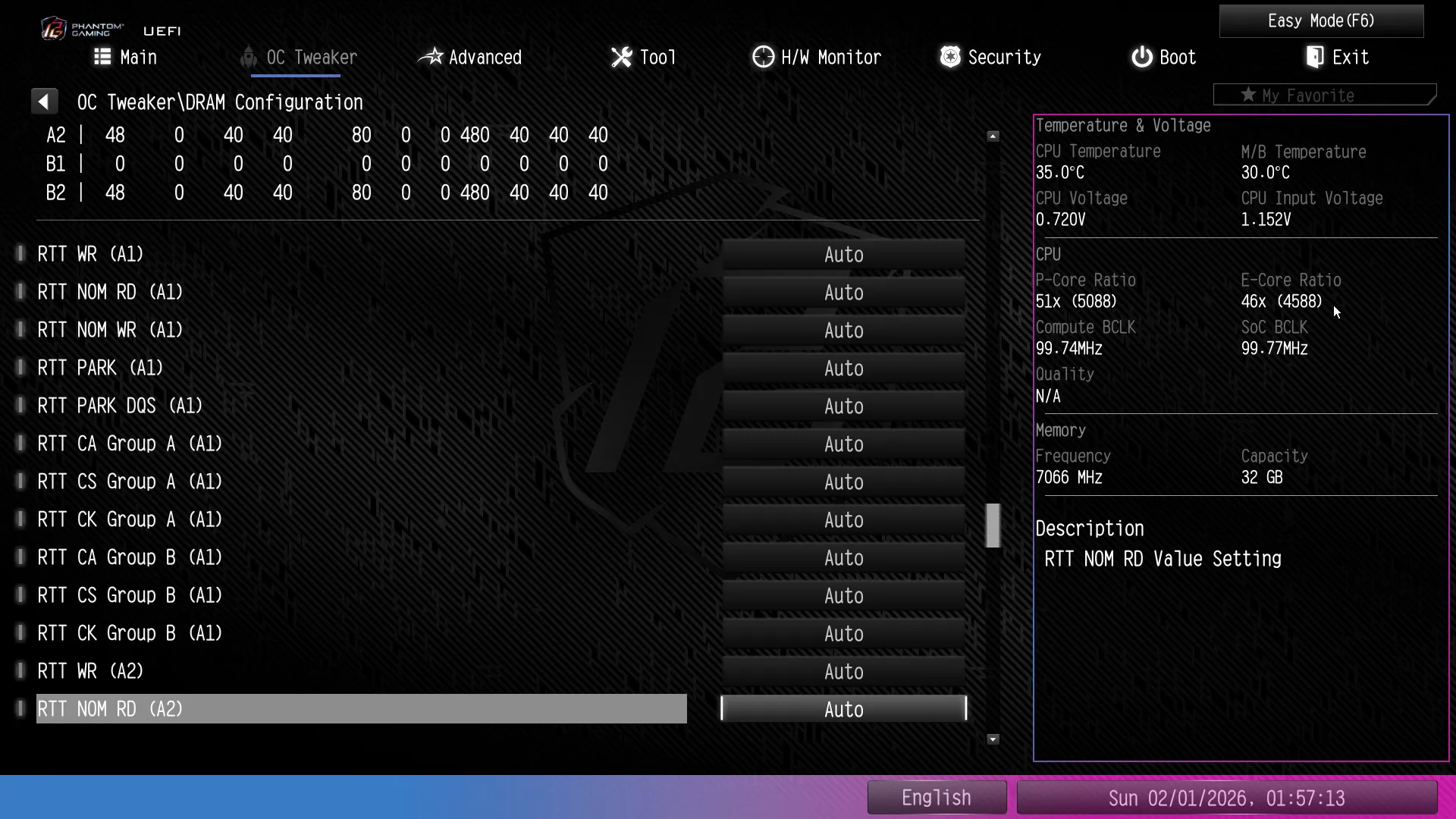
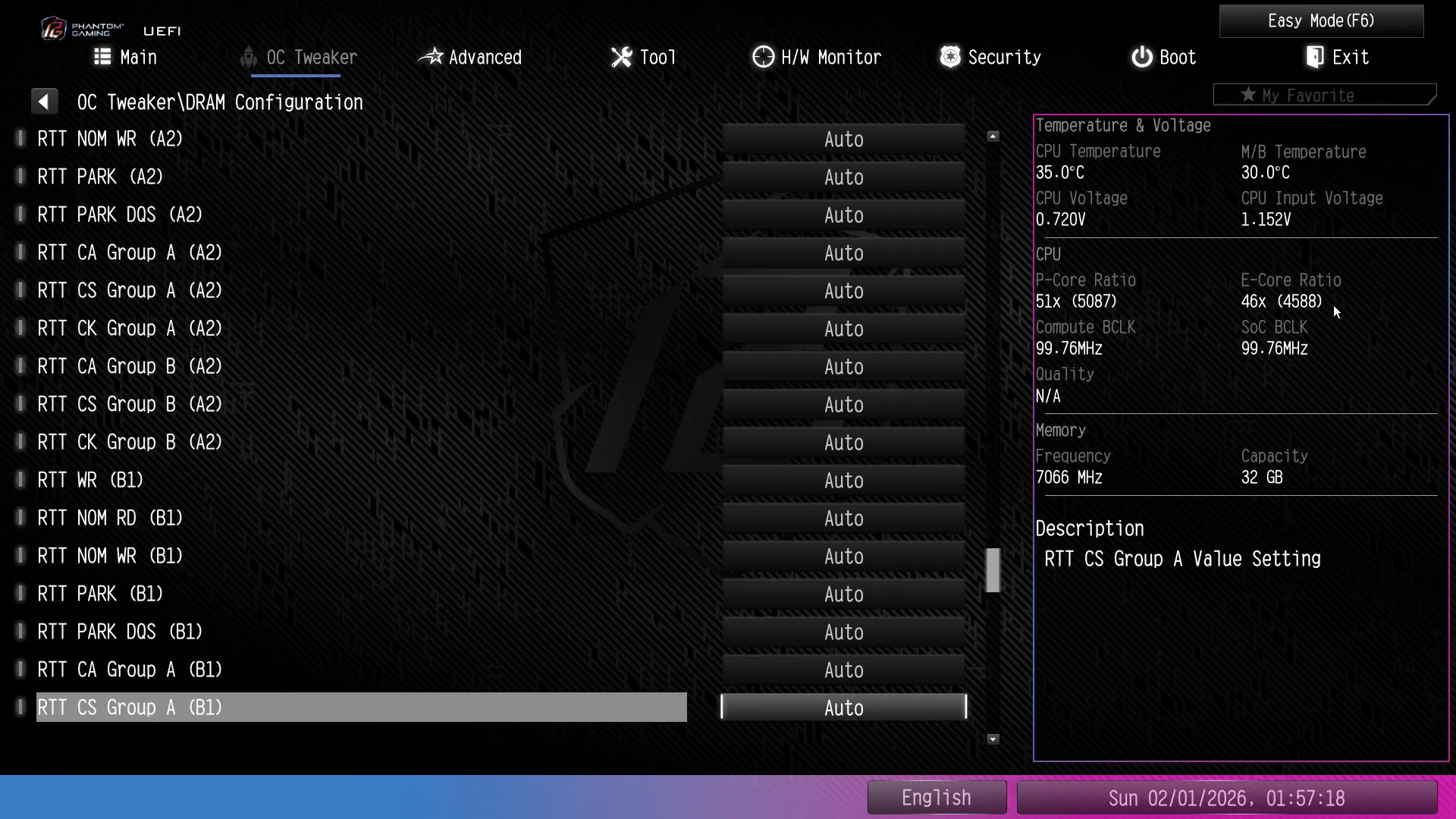
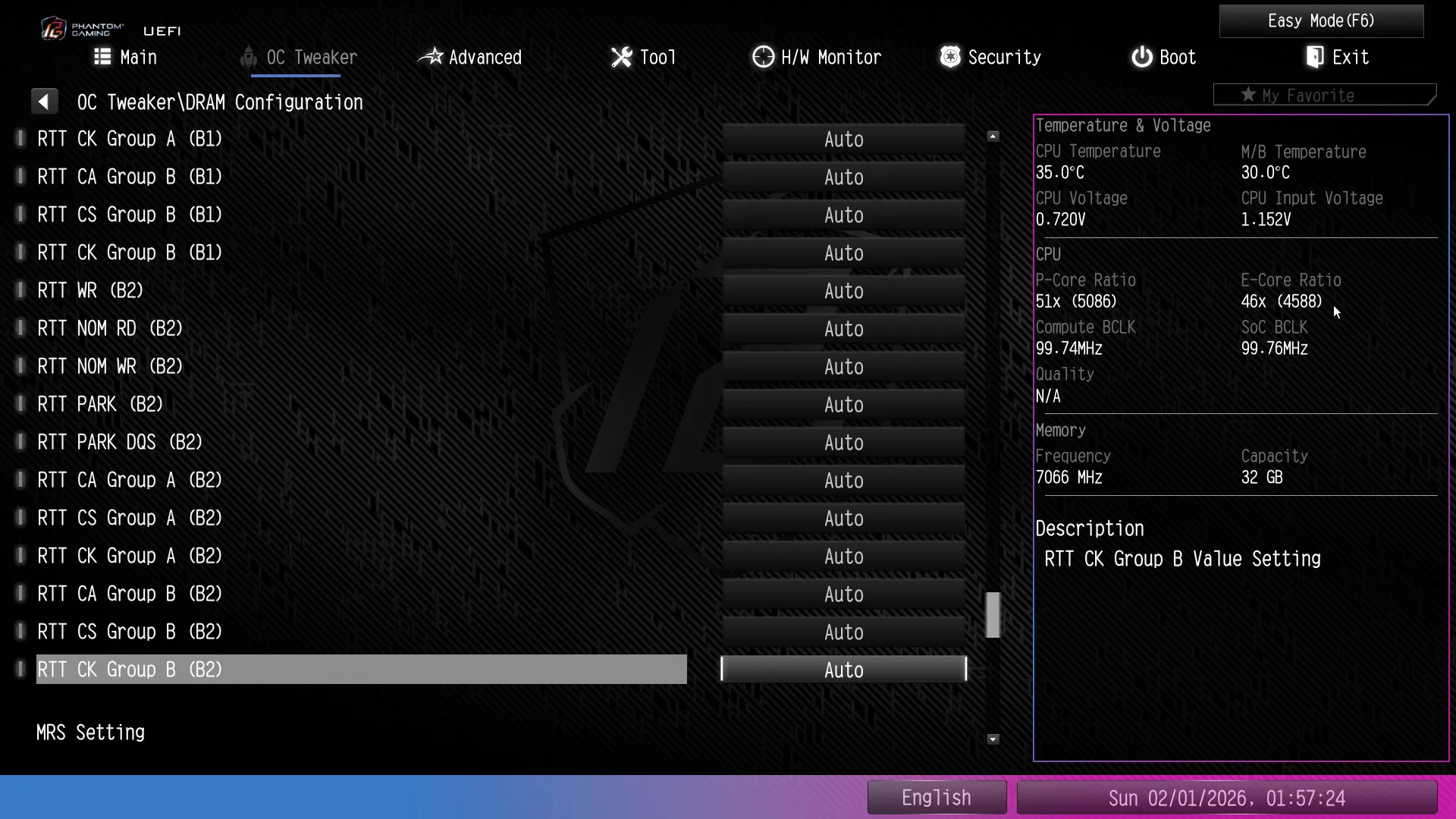
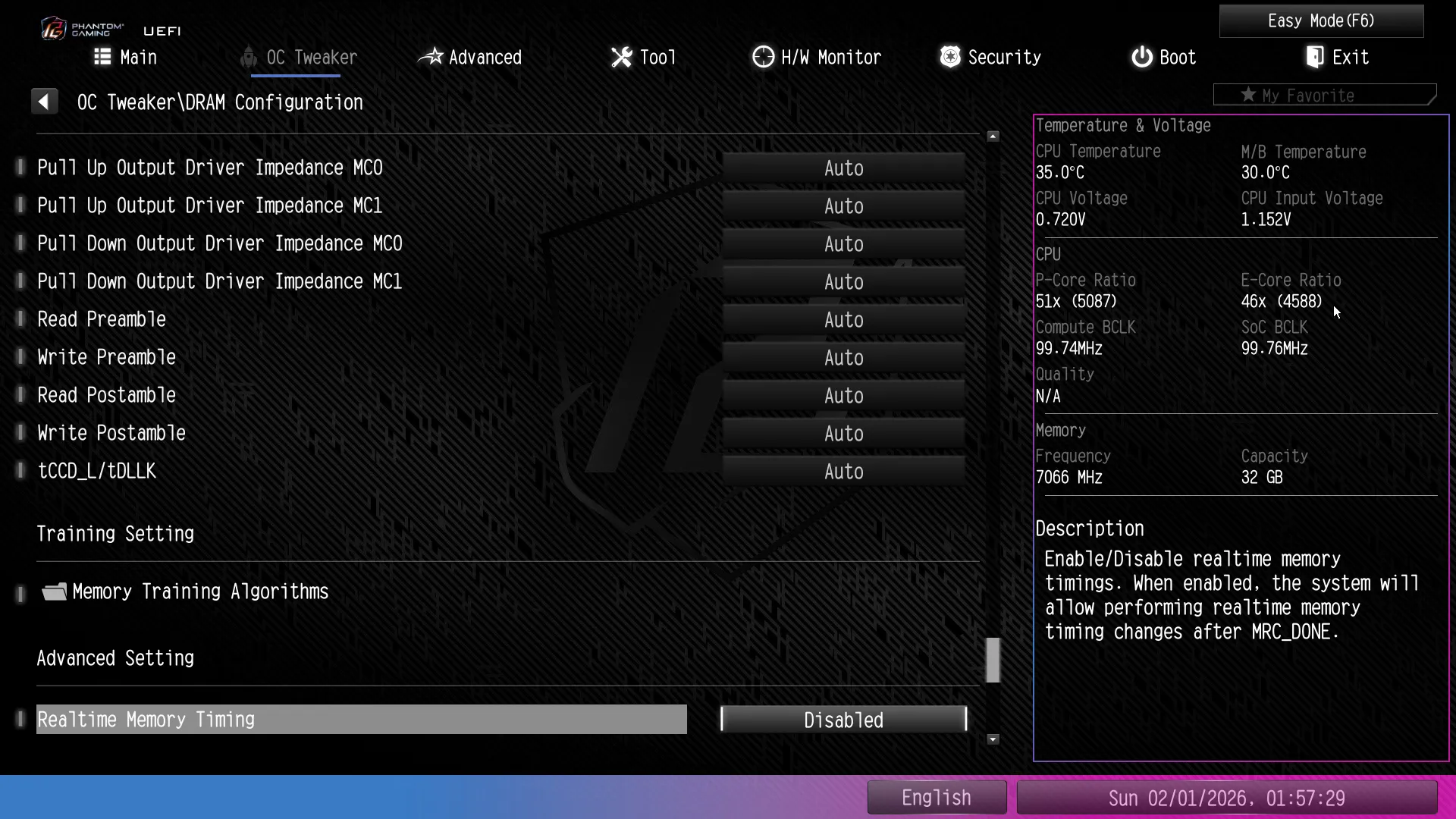
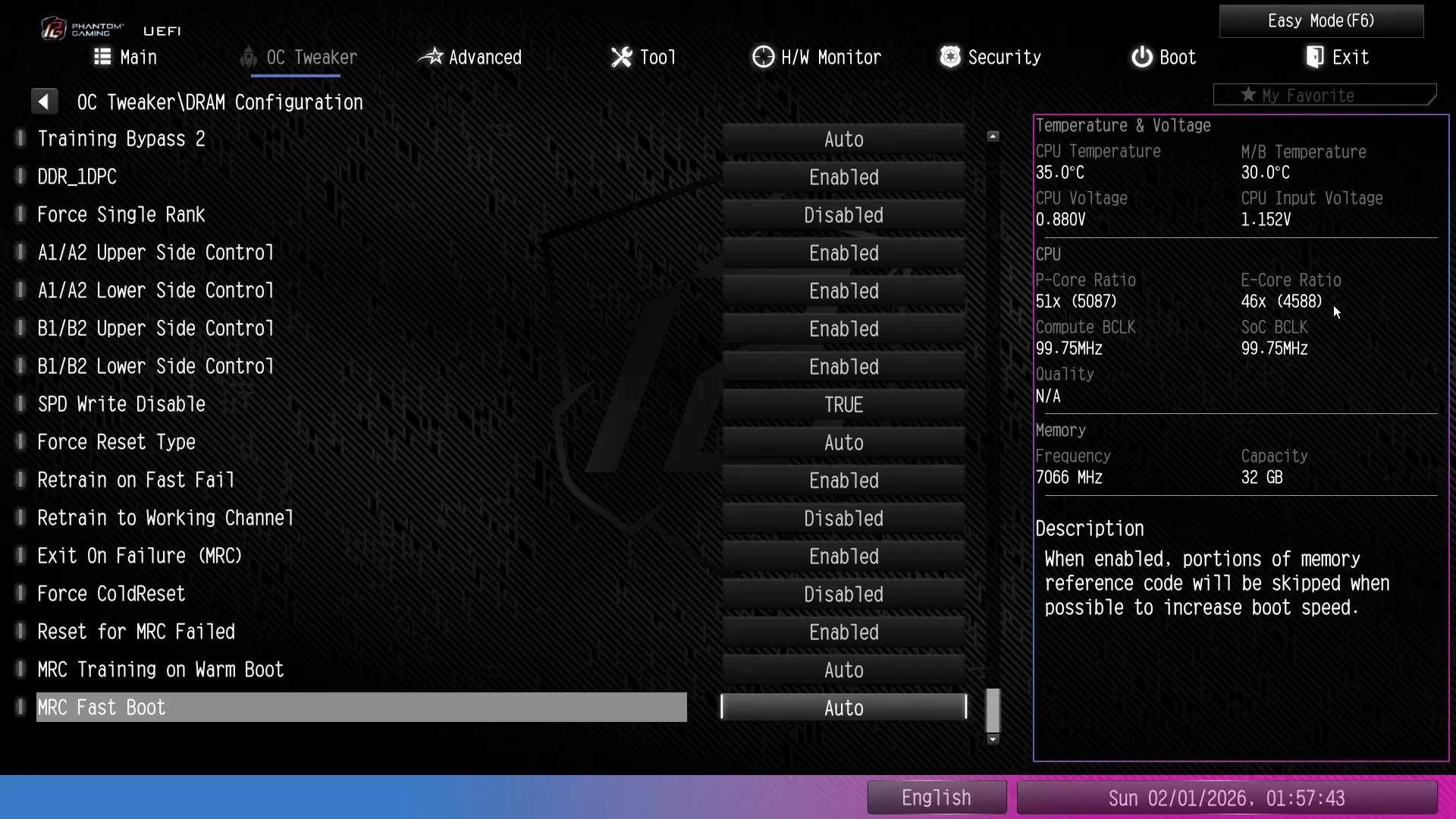
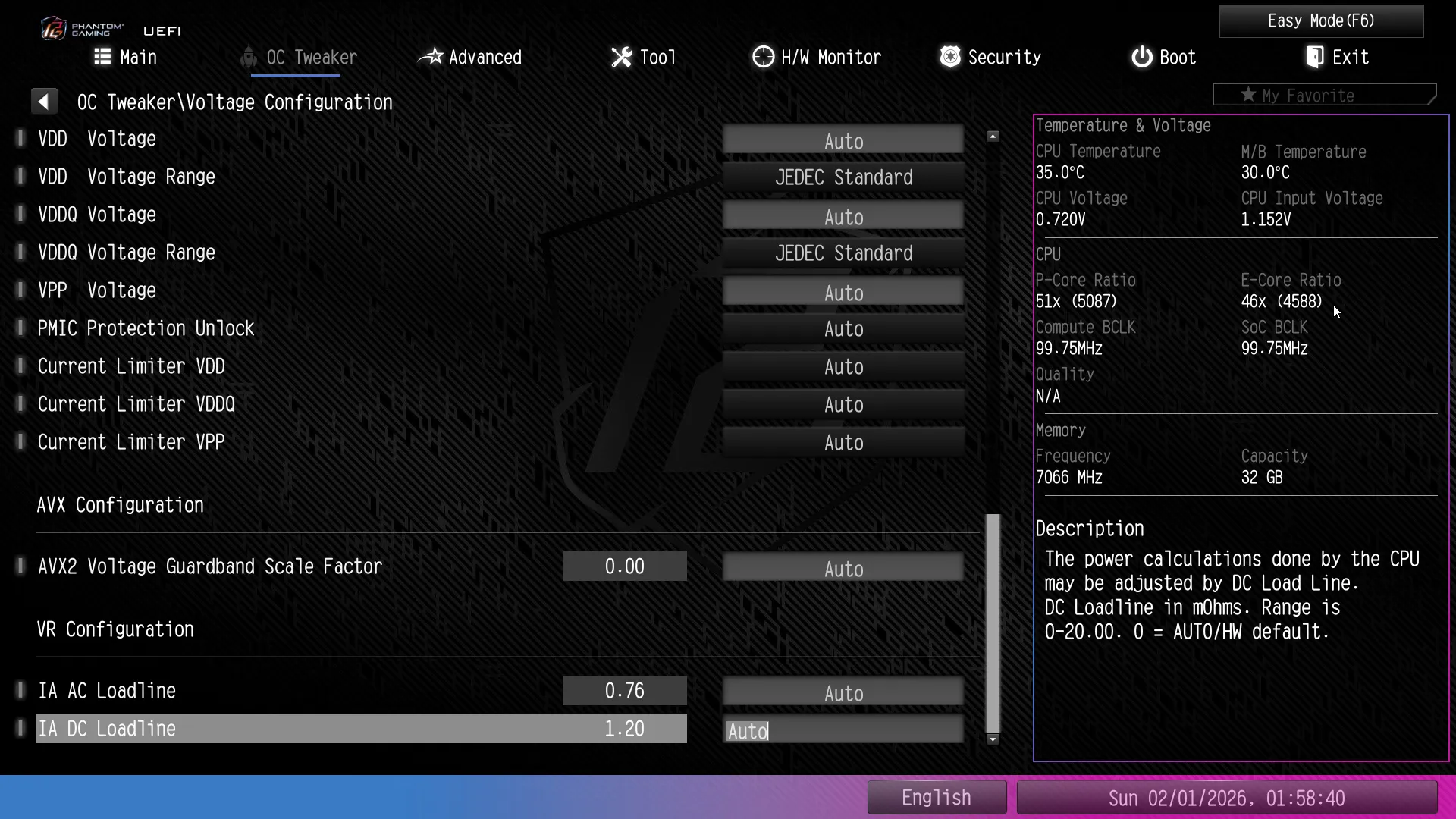
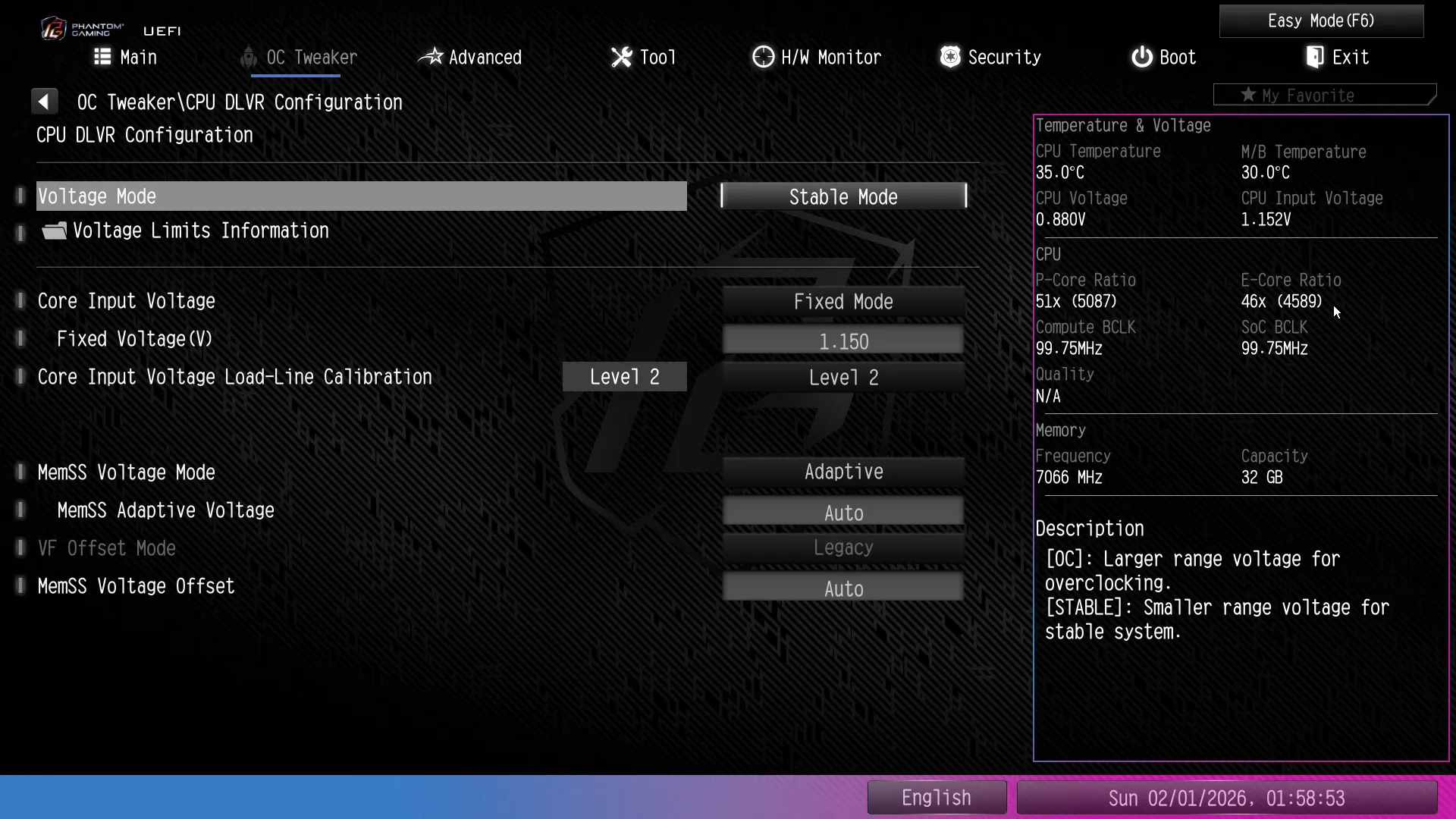
Since our Core Ultra 9 285K is constantly bouncing against thermal limits, the best way we’ve found to improve performance is to reduce our core voltage to the minimum required to maintain a given clock under a given load. But the last part in core voltage regulation is on the CPU, and Intel locks that out that access whenever it’s being hosted by a B-series board. Lowering input voltage going to the CPU’s internal voltage regulator helps a little, but not as much as we’d hoped.
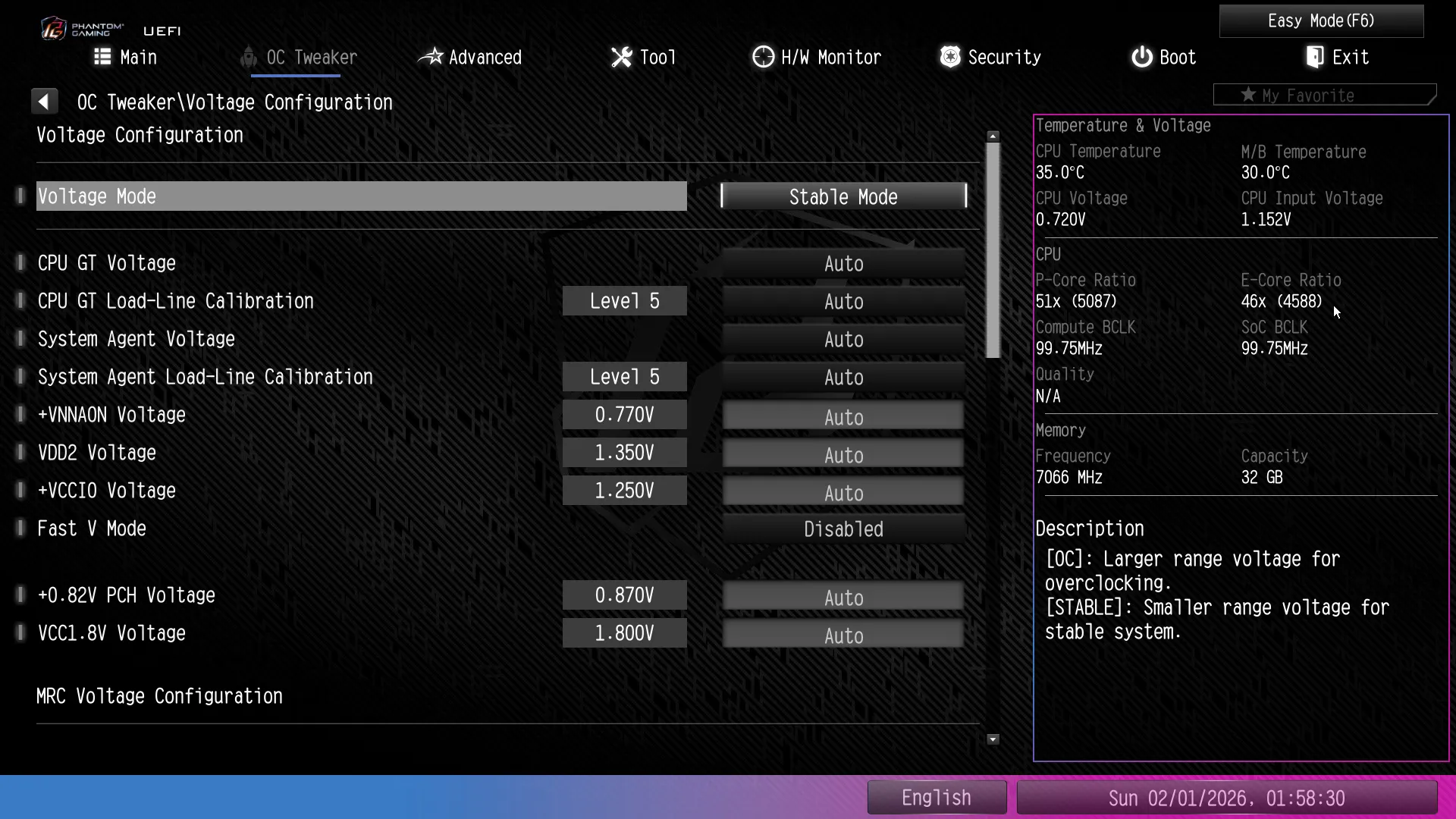
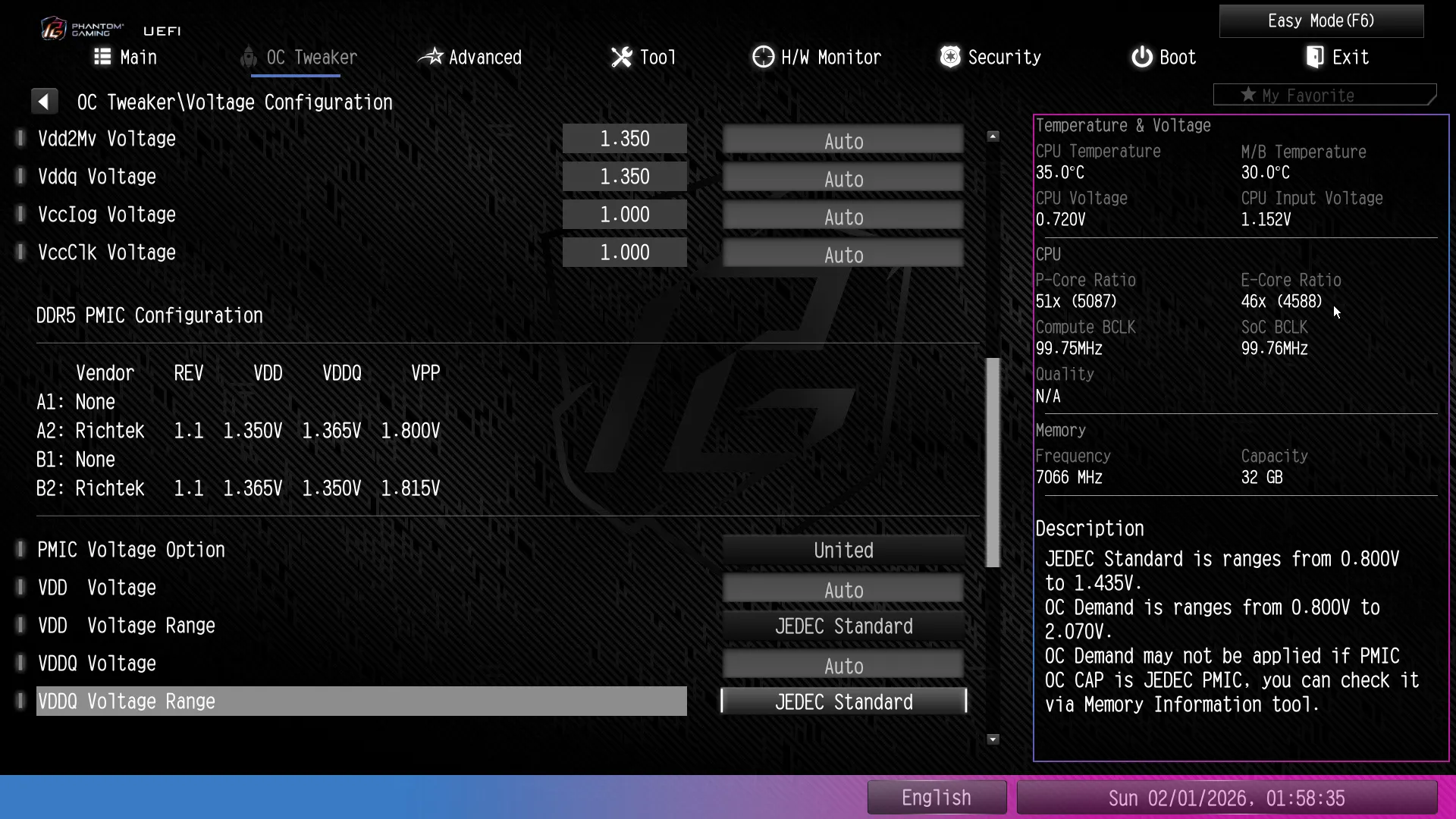
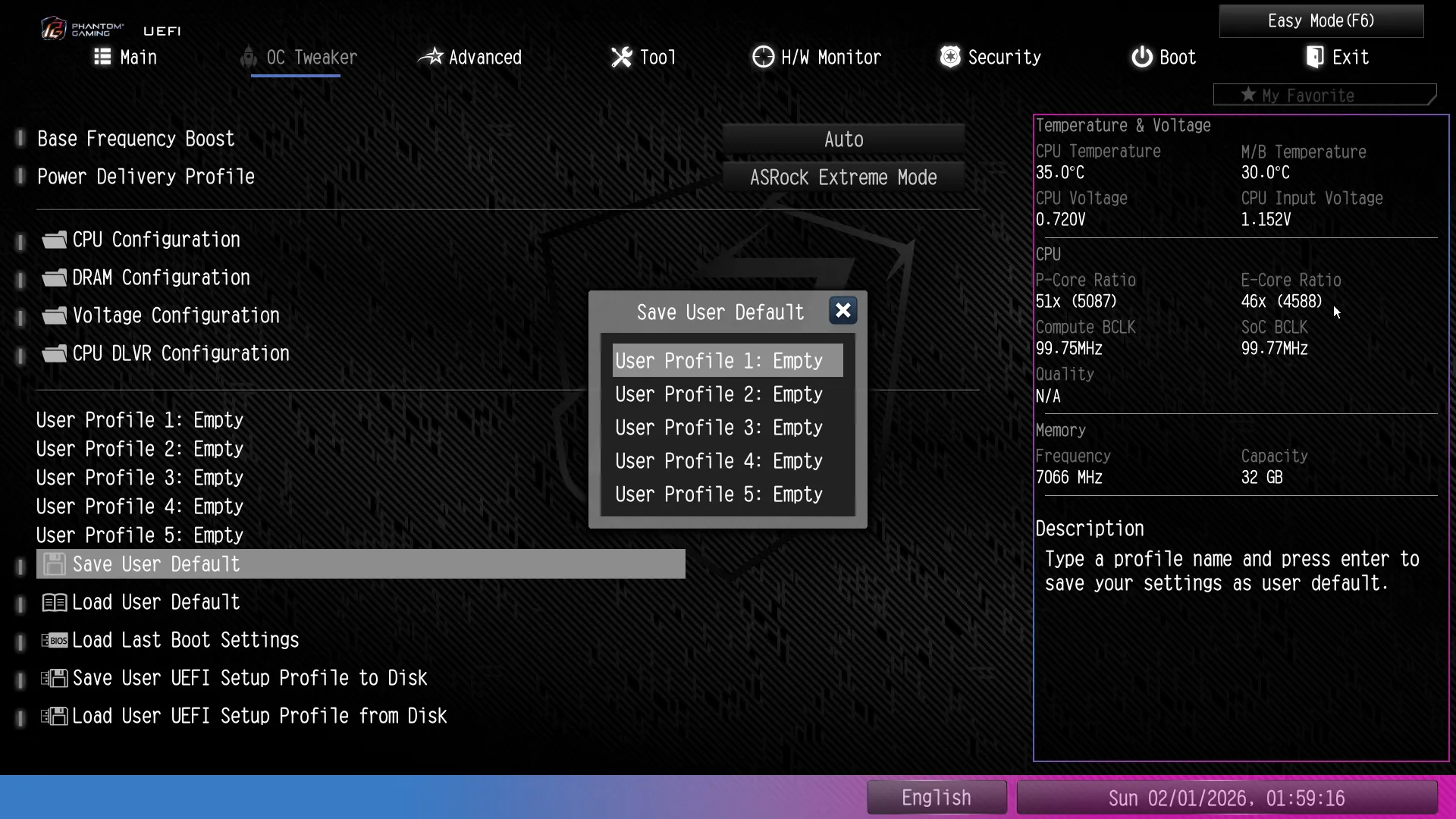
The B860M Lightning WiFi gives us five registers to store our changes as user profiles, allowing us to save something now, continue tuning until the new settings don’t work, and then return to saved settings. There’s also options to save and/or retrieve any of these “user profiles” to or from a USB drive.
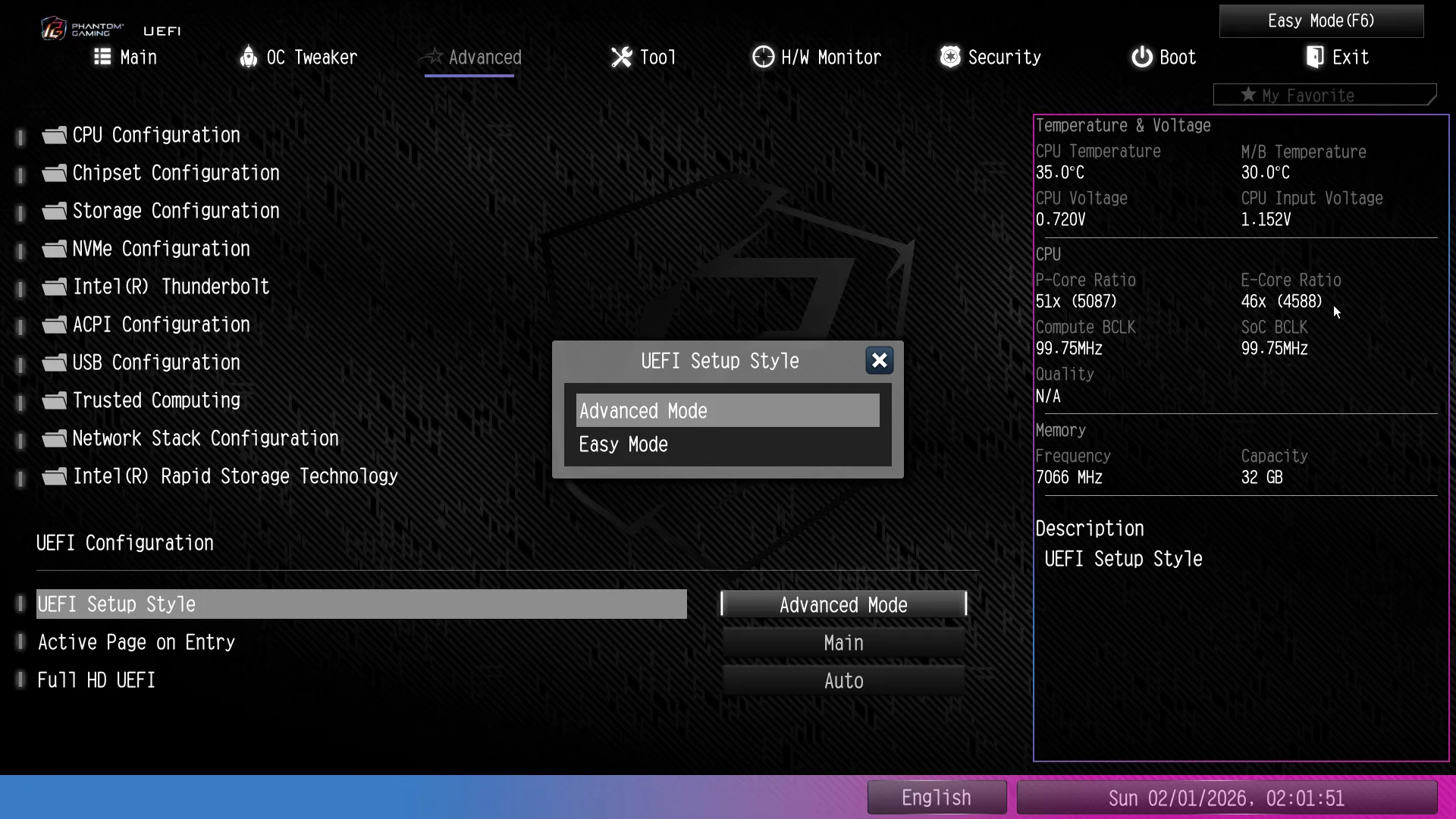
We changed the UEFI entry menu to Advanced Mode from the options of Advanced Mode’s “Advanced” menu.
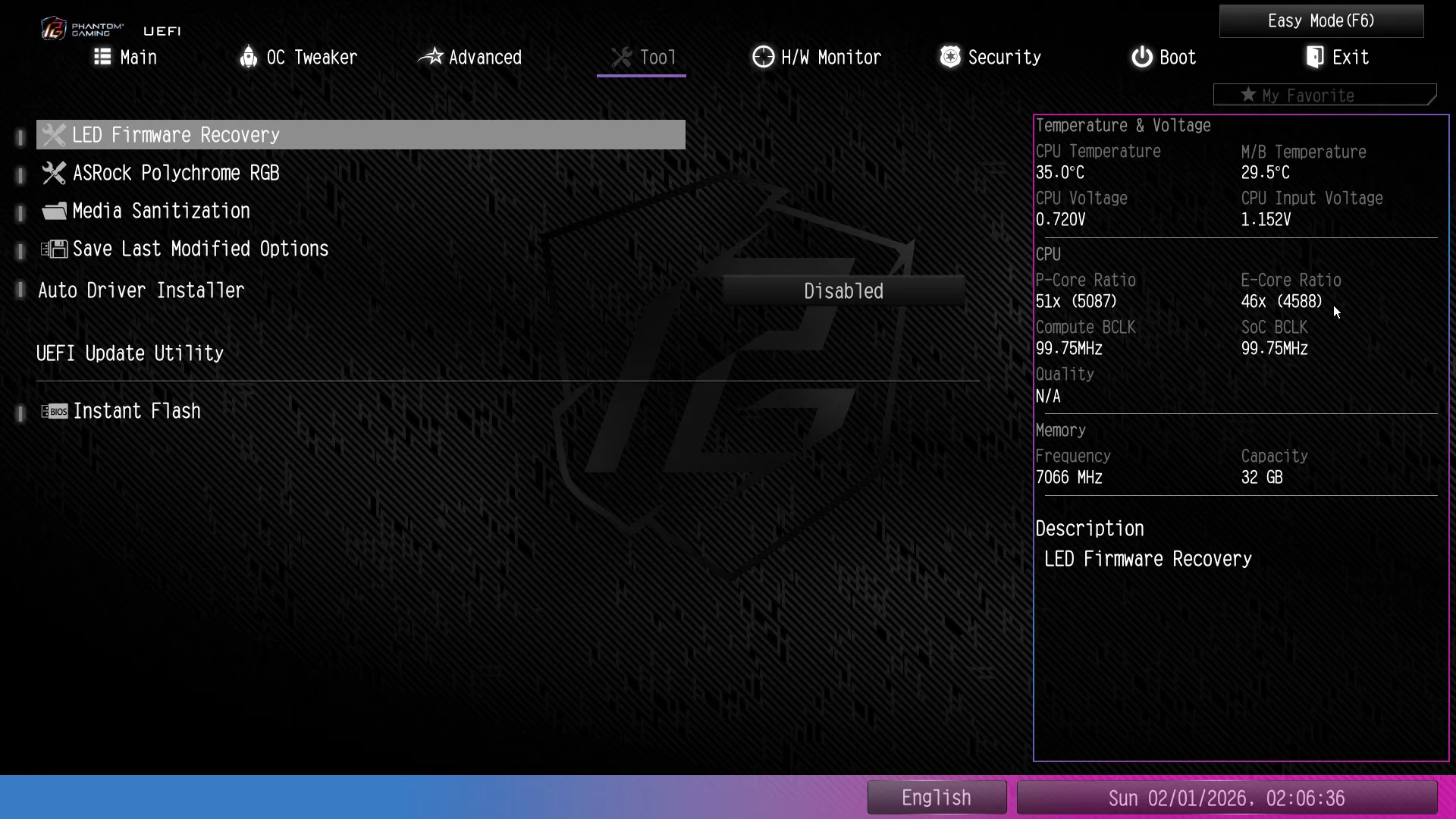
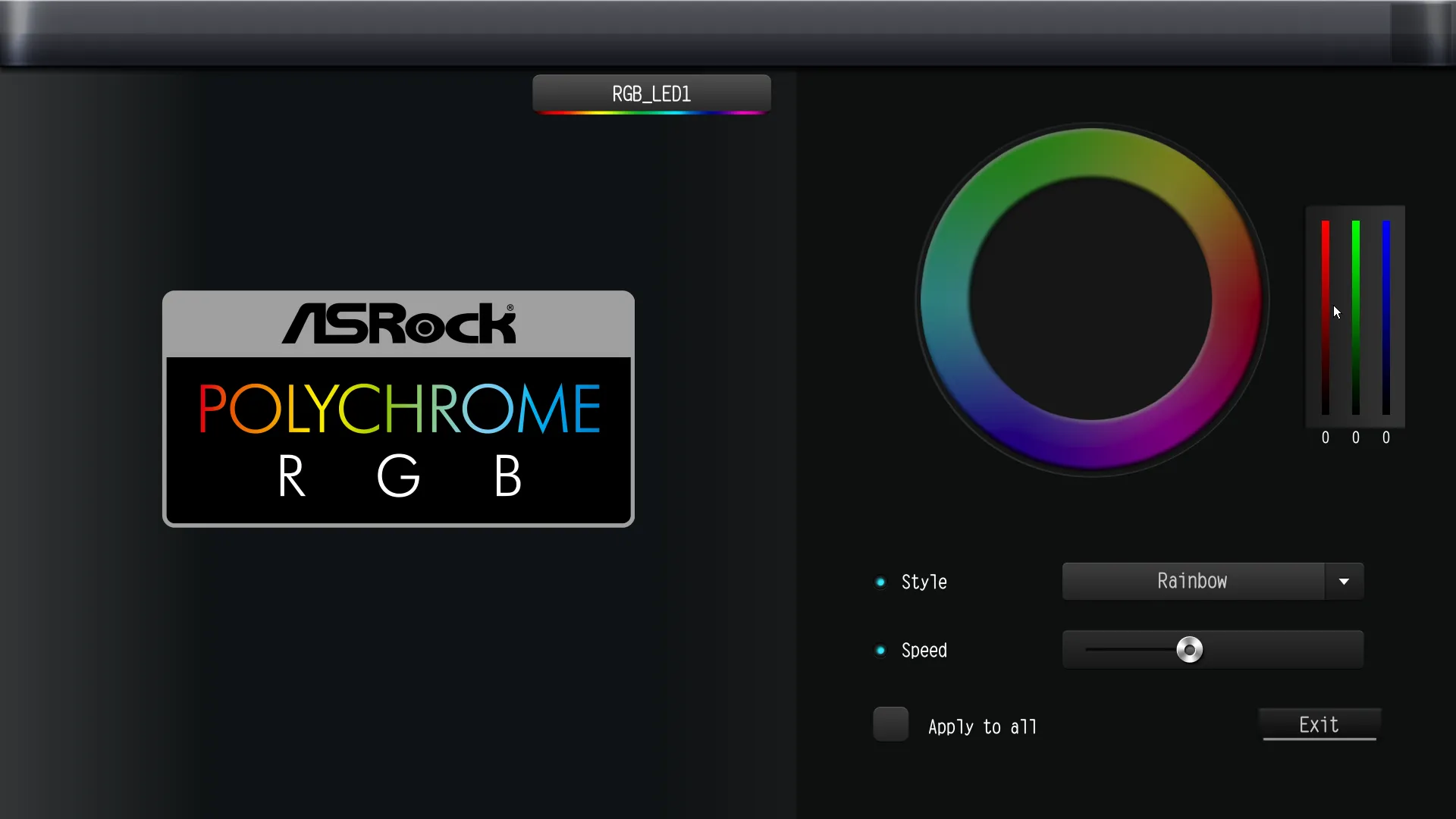
Tools from the correspondingly-named menu include a submenu for adjusting RGB settings and Instant Flash integrated firmware updating utility. Enabled by default, the “Auto Driver Installer” is designed to run once, turning itself off after offering to download drivers from the web. It waits until it detects an internet connection within Windows to execute that prompt, unless manually disabled here.
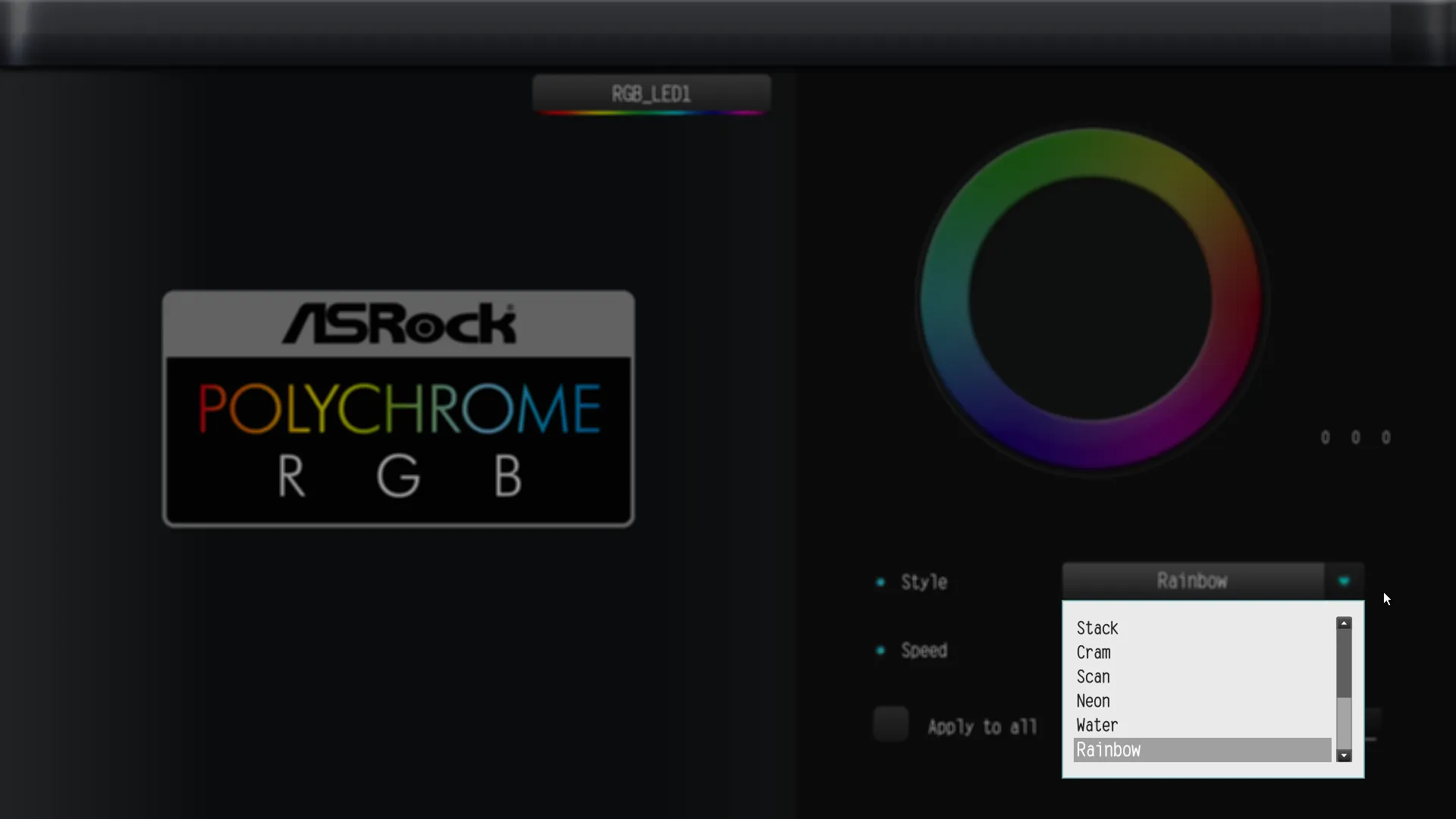
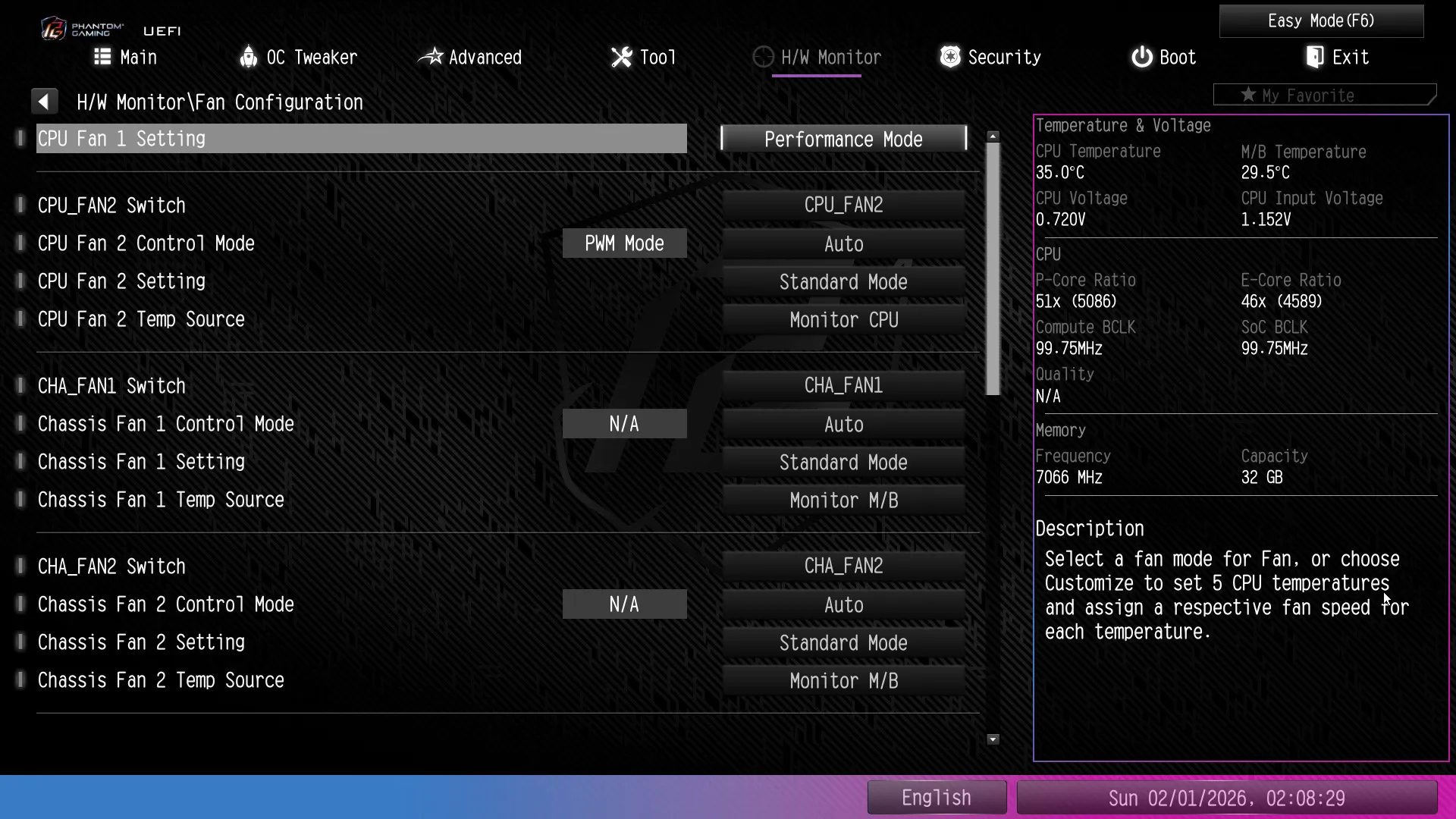
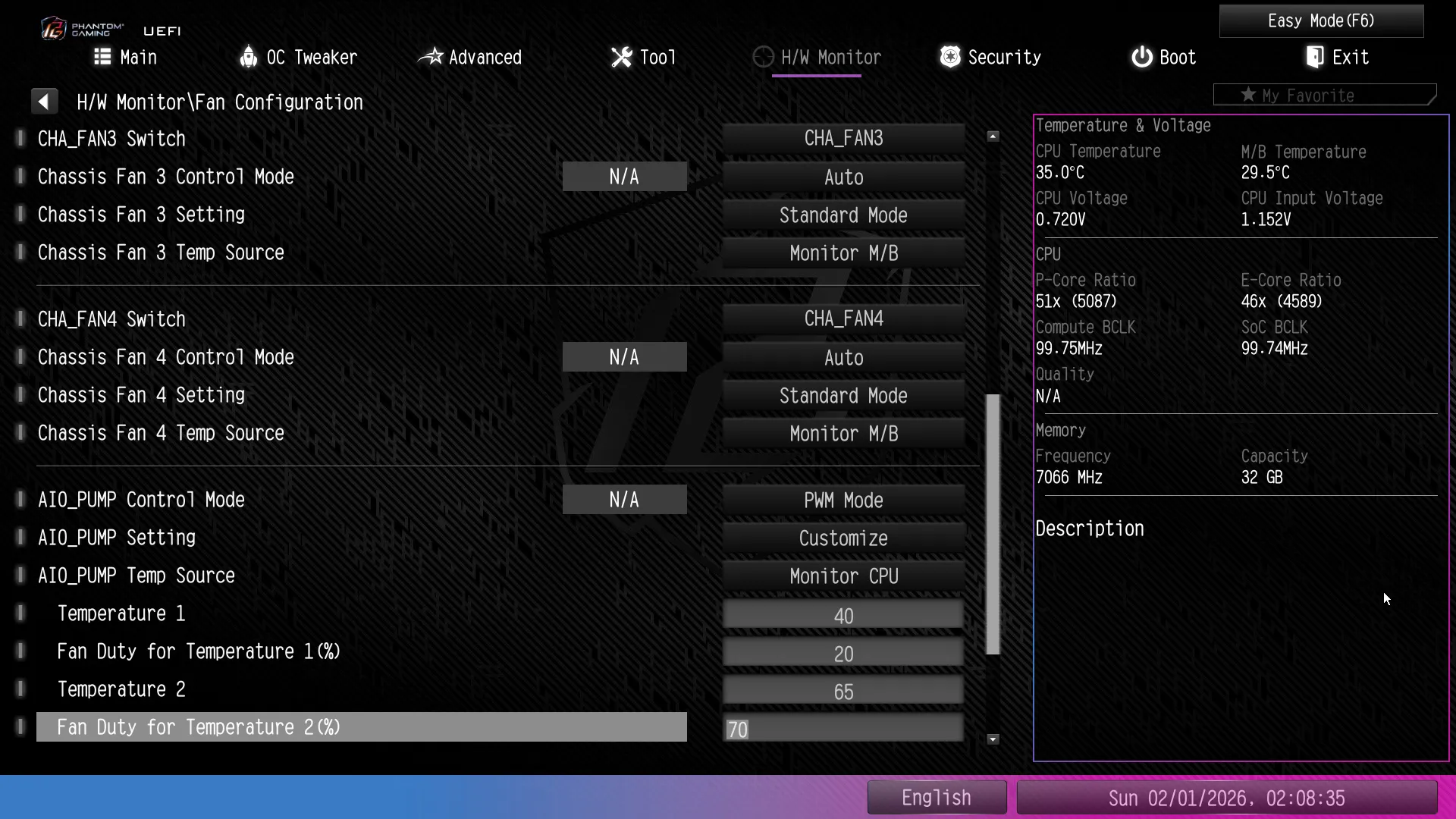
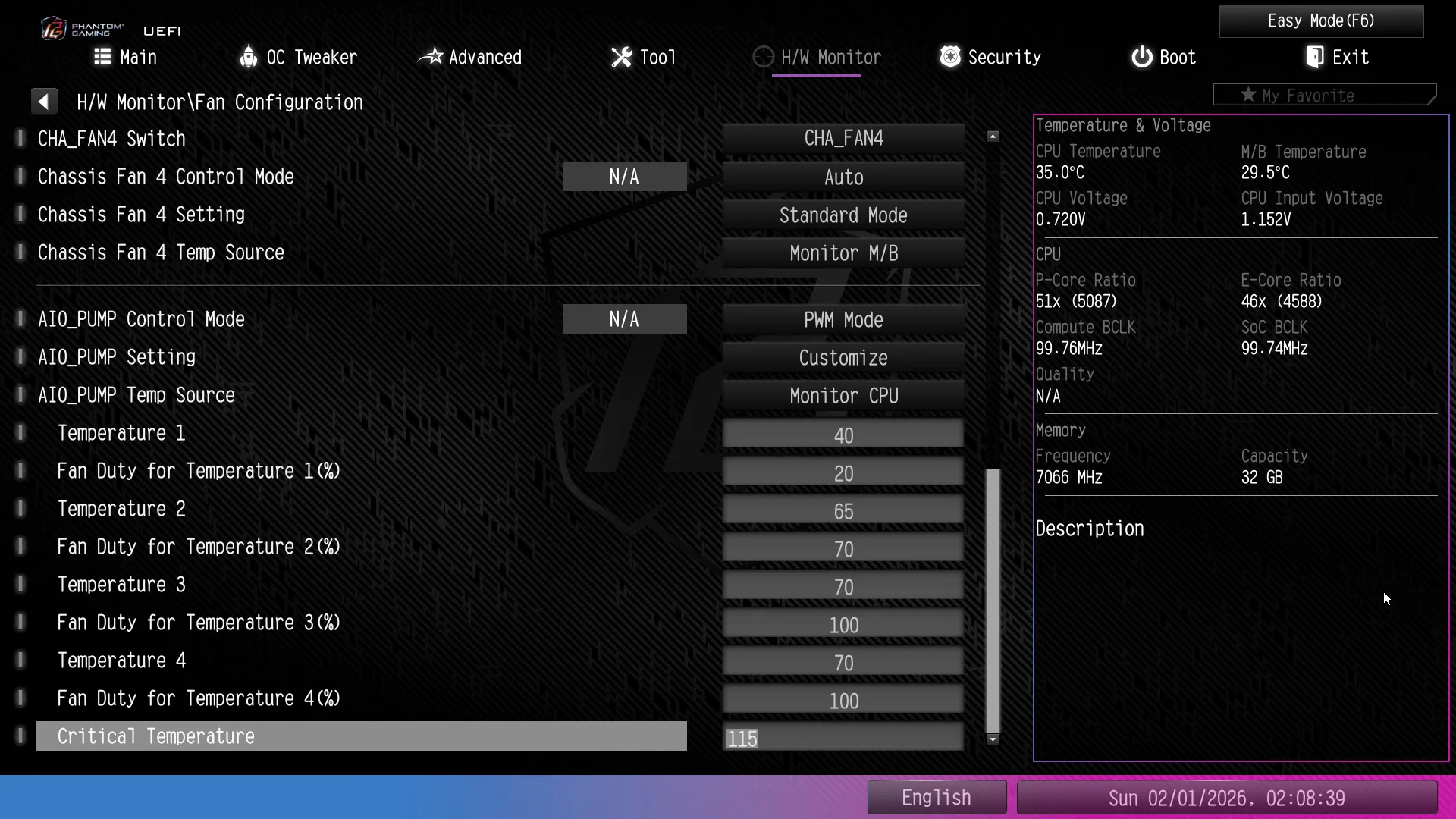
The H/W Monitor menu displays tachometer readings for all seven PWM (fan) headers (one’s labeled for pumps), along with a couple important temperature and a few more voltage readings. At the bottom it offers us the Fan Tuning testing algorithm to adjust the factory slops to match your specific fans (don’t click this unless you want to wait for it to finish), a shortcut to the previously discussed Fan-Tastic fan slope popup, and a submenu for selecting each fan’s factory profile or manually adjusting it via numeric values.
B860M Lightning WiFi Performance
We see an oddity in measured latency on two of the B860 boards, but we’ve yet to determine the cause. Retesting proved the results consistent, and all of our tools showed proper XMP timings had been deployed.
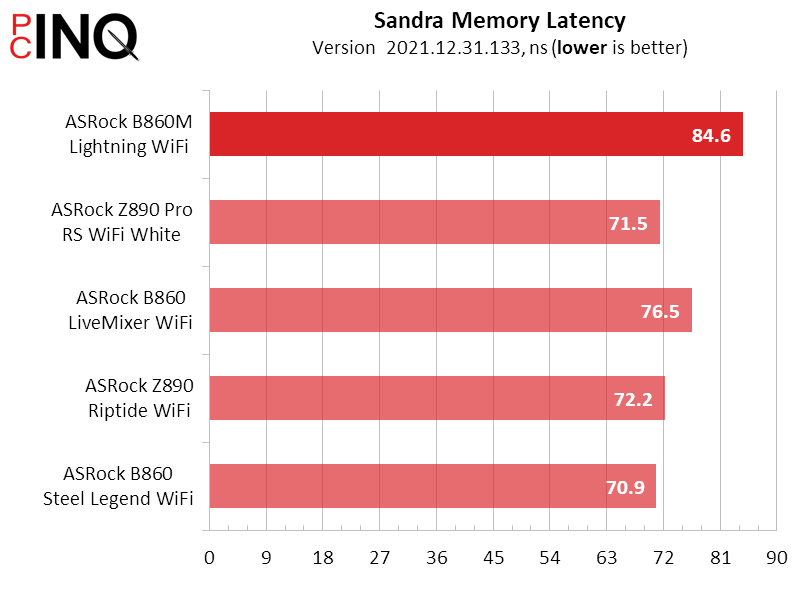
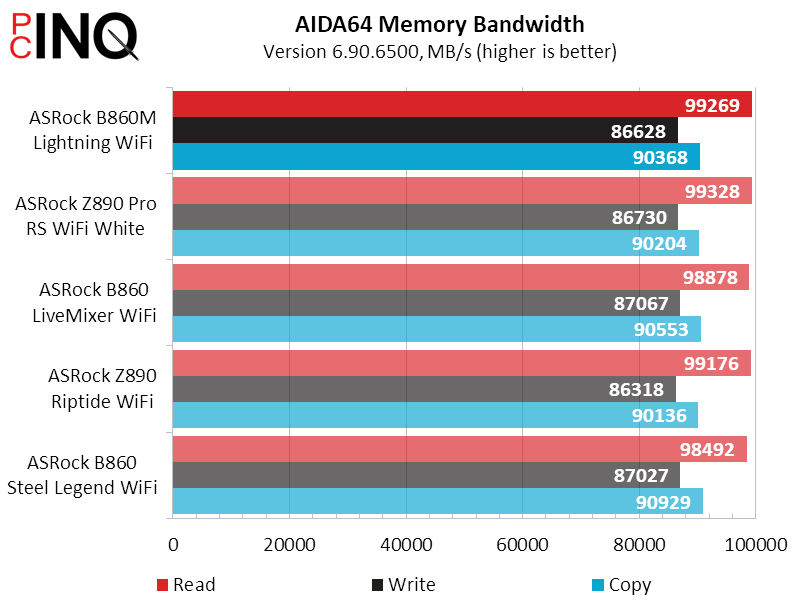
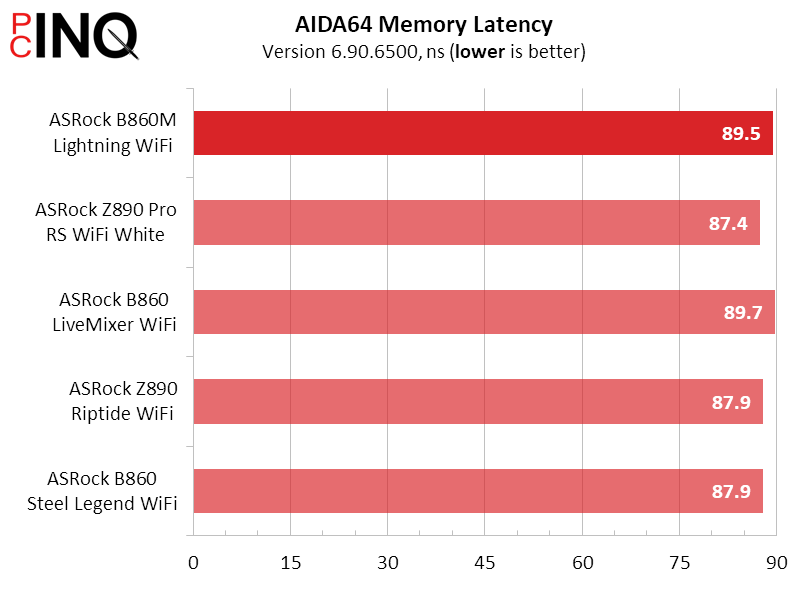
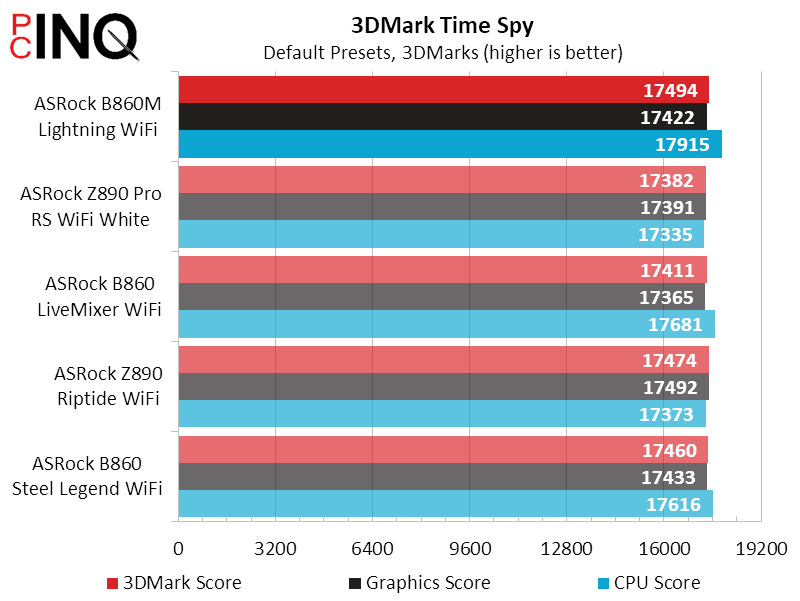
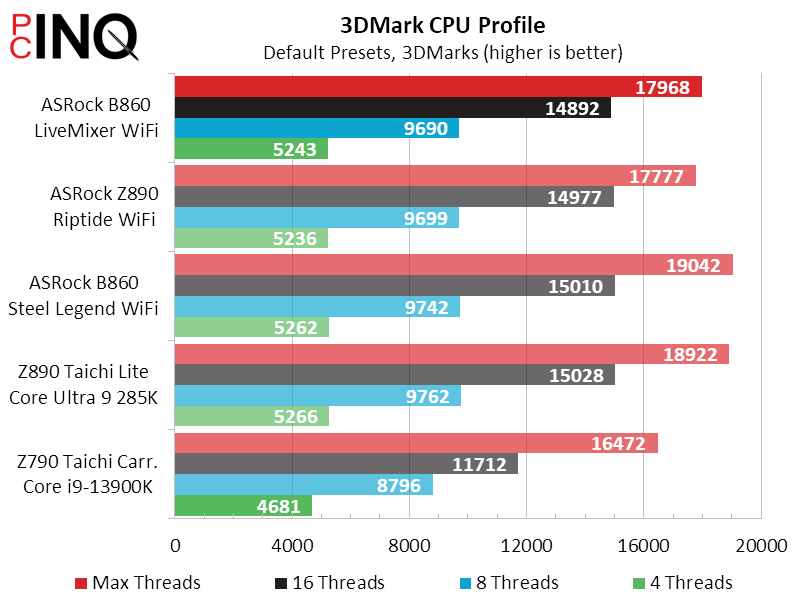
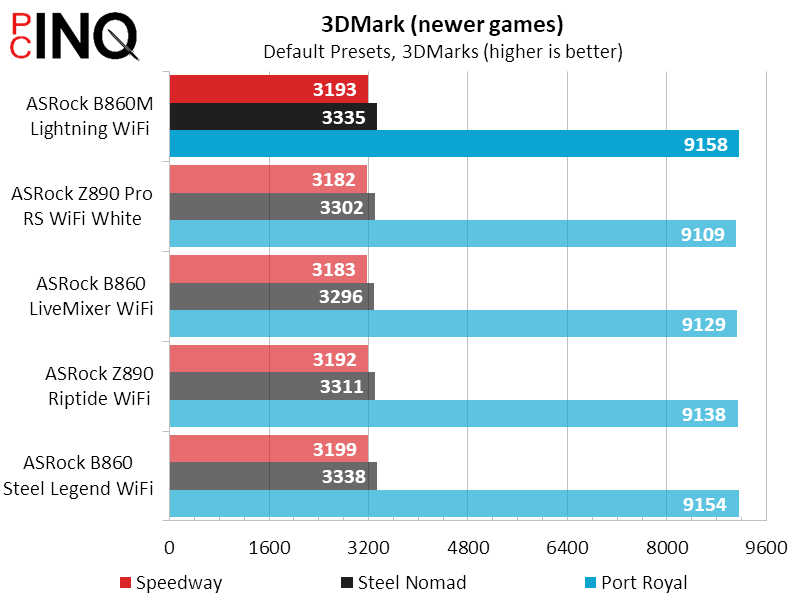
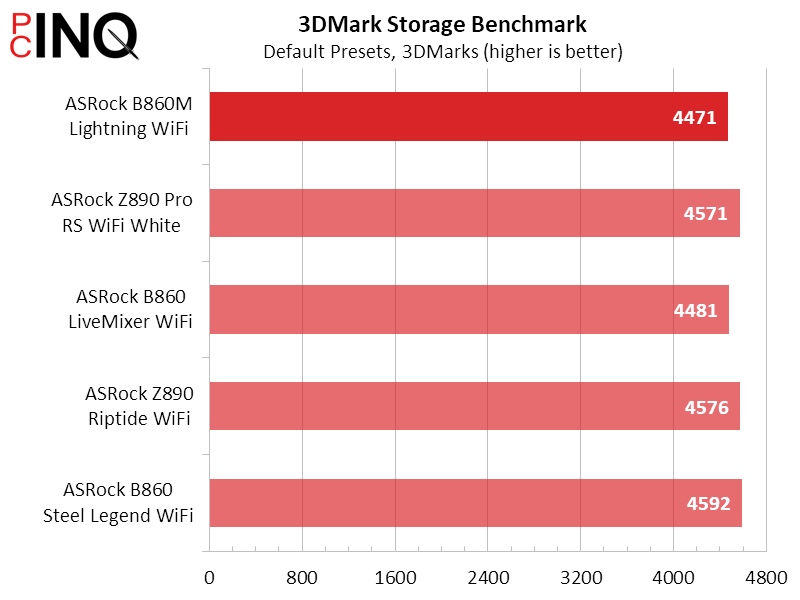
3DMark results are fairly scattered within a narrow range, the B860M Lightning WiFi winning some but losing a few more against the four most recent LGA-1851 motherboards to come before.
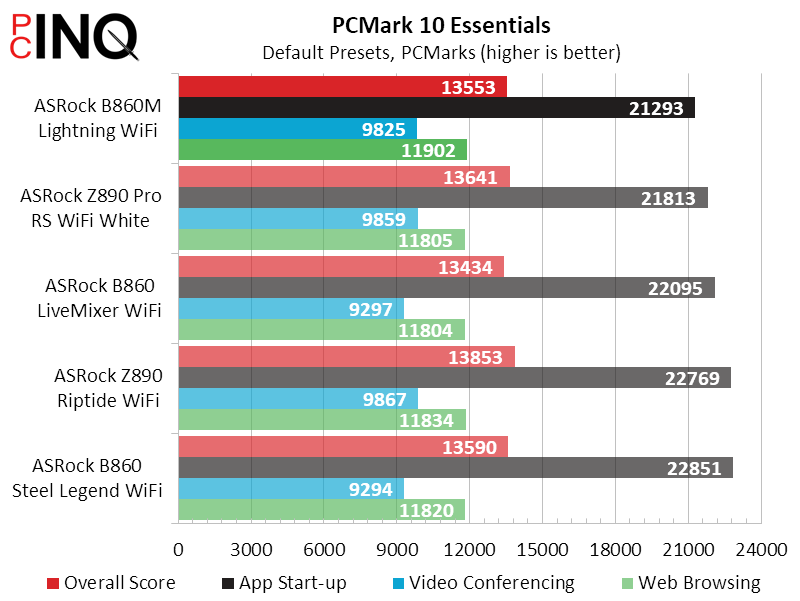
Differences between motherboards are even narrower in PCMark, where the B860M Lightning WiFi always appears near the top but never at the top.
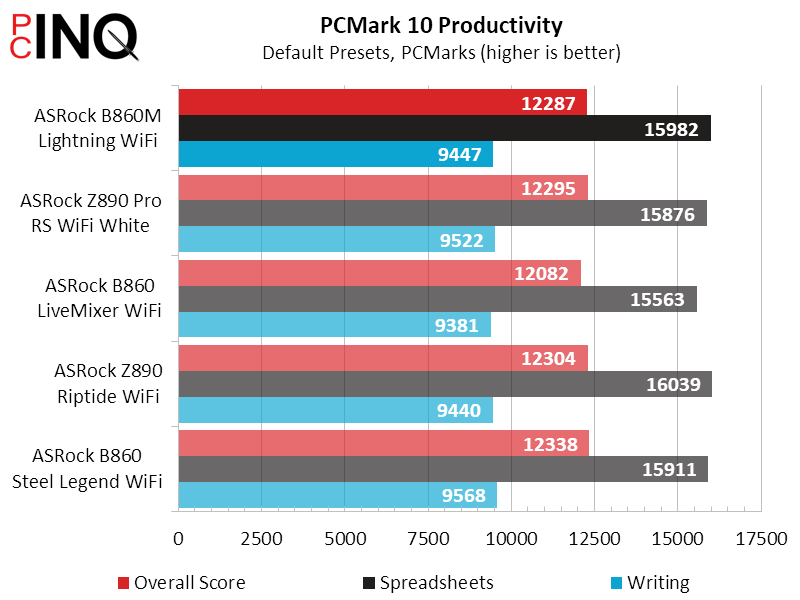
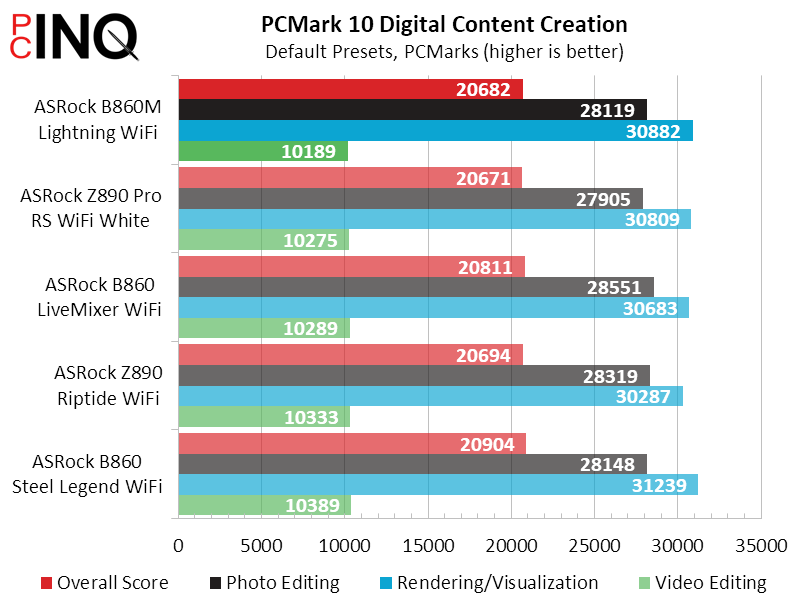
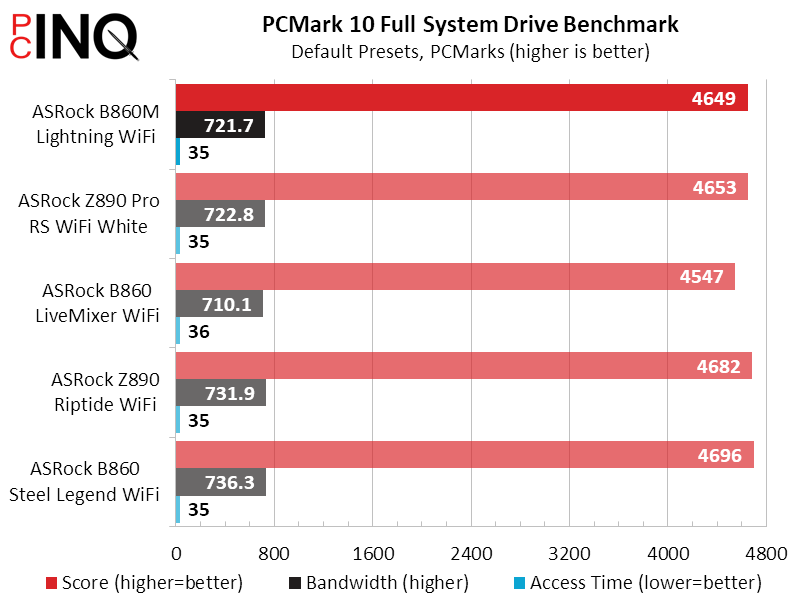
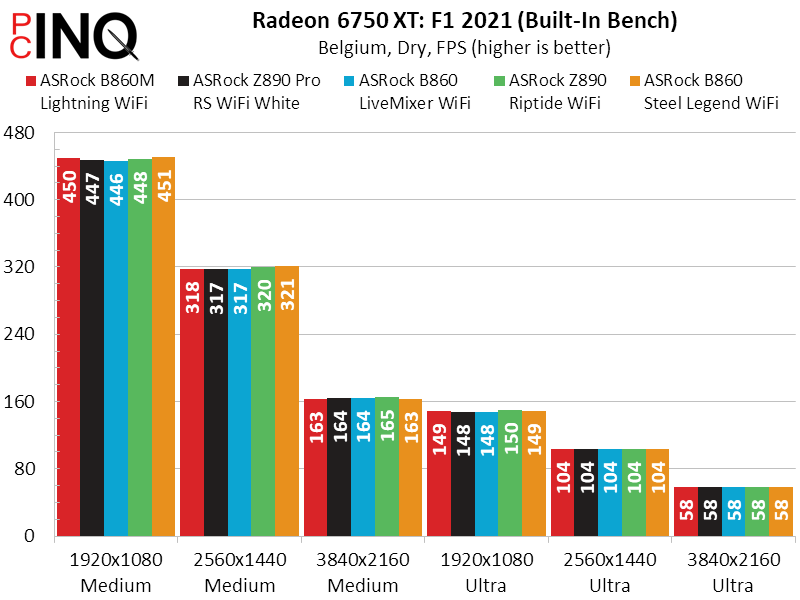
We see more of the same in F1 2021, with the B860M Lightning WiFi showing class average frame rates.
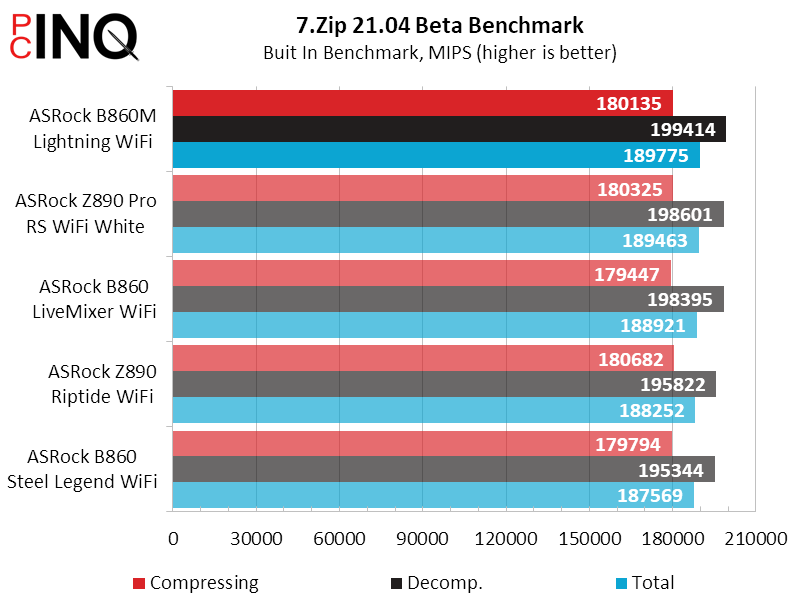
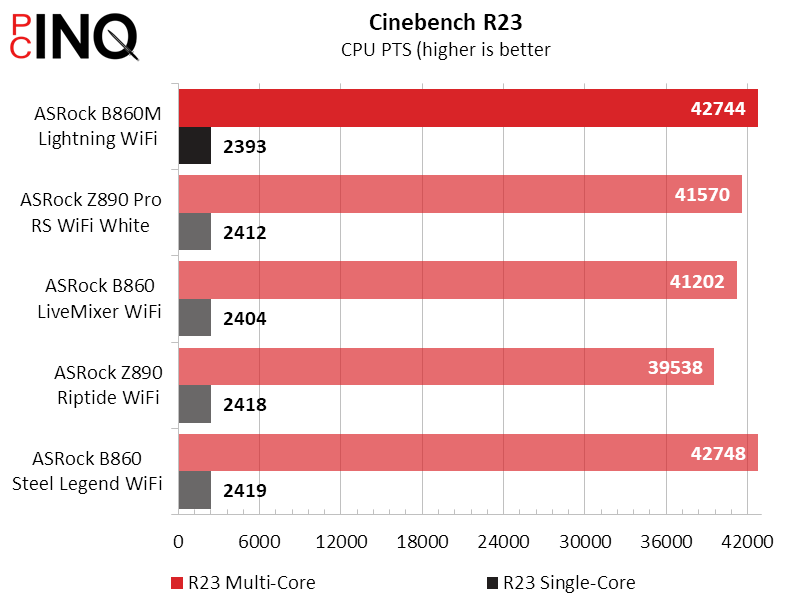
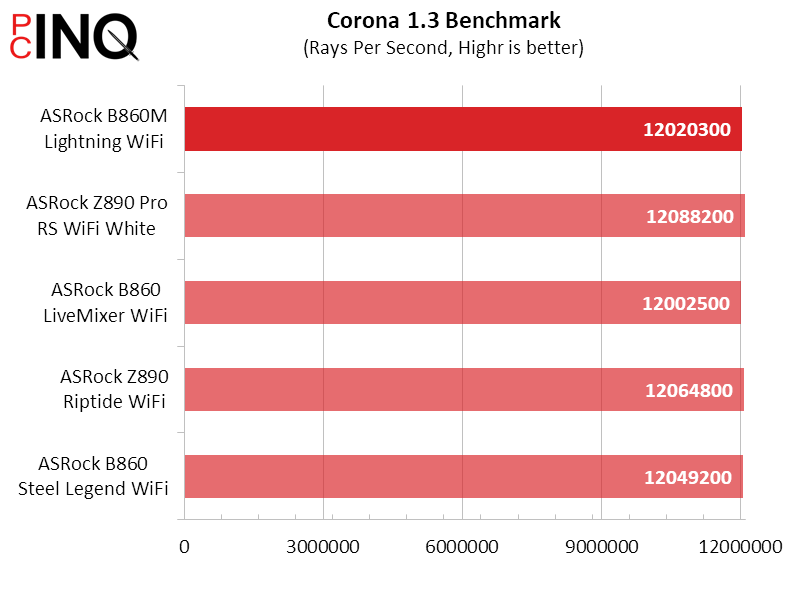
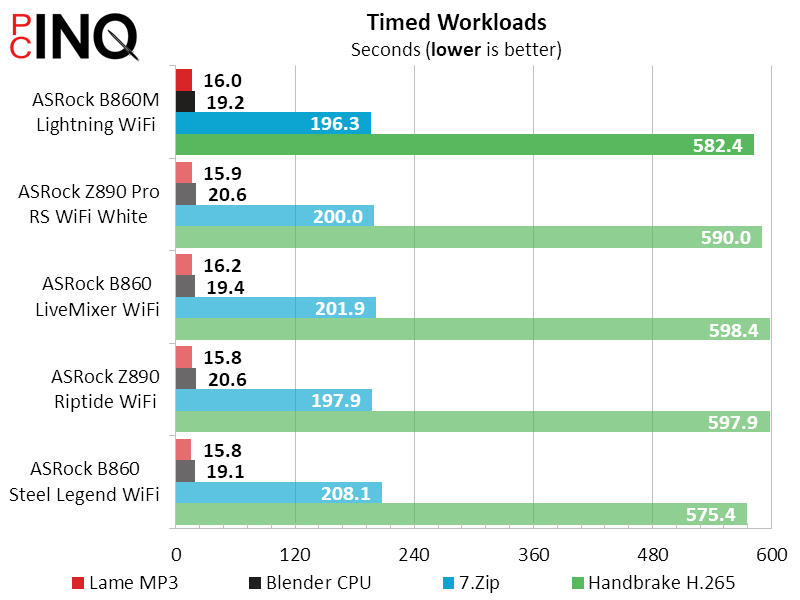
Primarily a measure of memory performance, 7.Zip’s synthetic test puts the B860M Lightning WiFi in the lead slightly, as confirmed in our real-world test in the bottom chart. The board otherwise appears to take second place to the B860 Steel Legend WiFi.
B860M Lightning WiFi Power & Efficiency
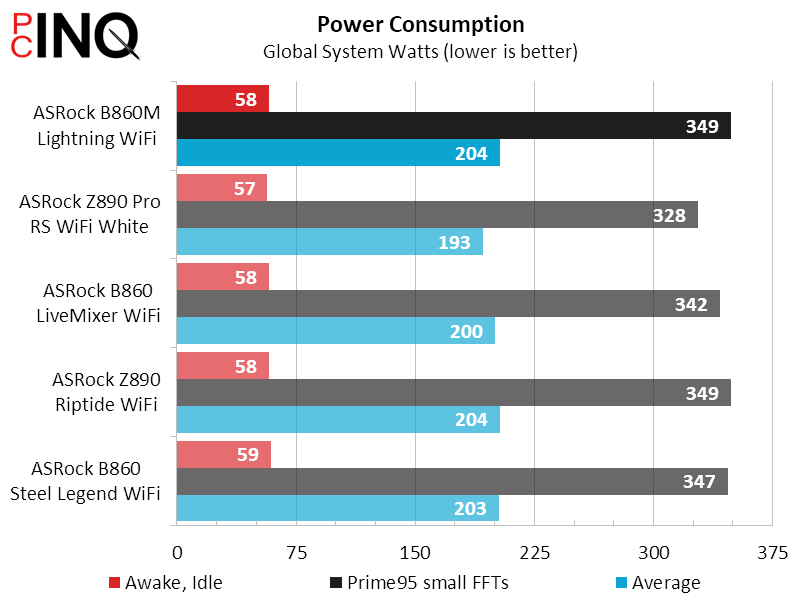
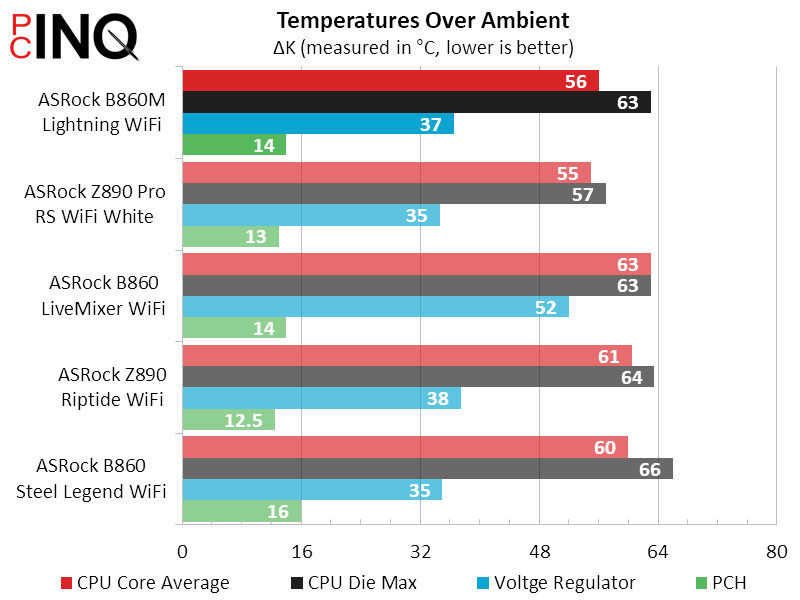
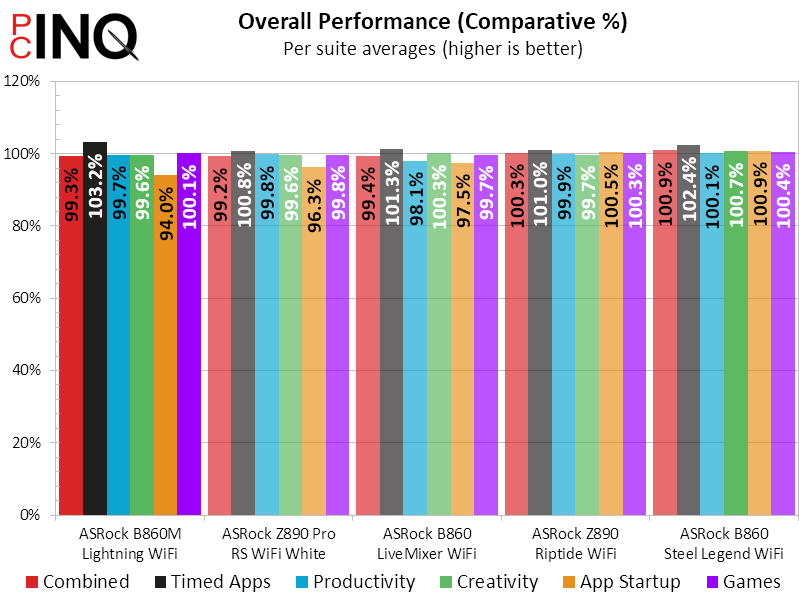
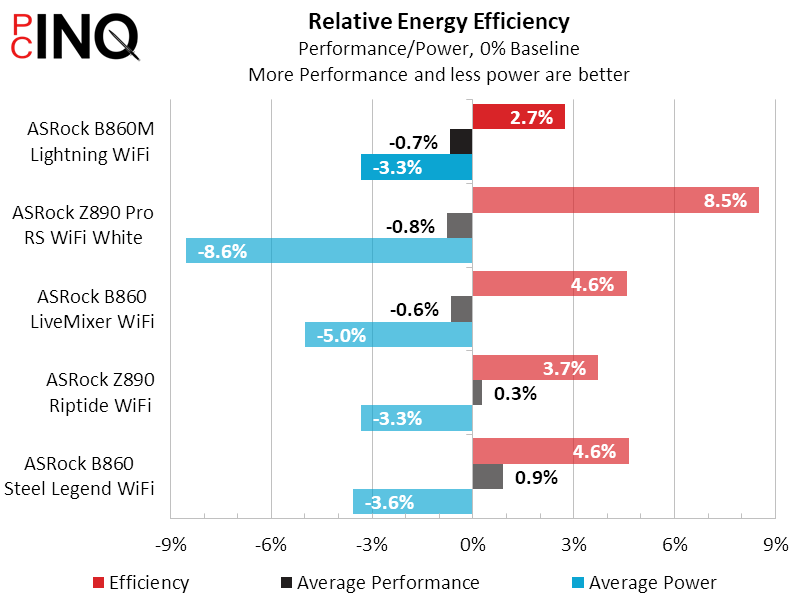
The B860M Lightning WiFi’s power consumption appears slightly high, but not by a disturbing amount. It’s matched by the Z890 Riptide WiFi. Using the first LGA-1851 board we tested as a baseline, we find the B860M Lightning WiFi having the least efficiency gained.
B860M Lightning WiFi Overclocking
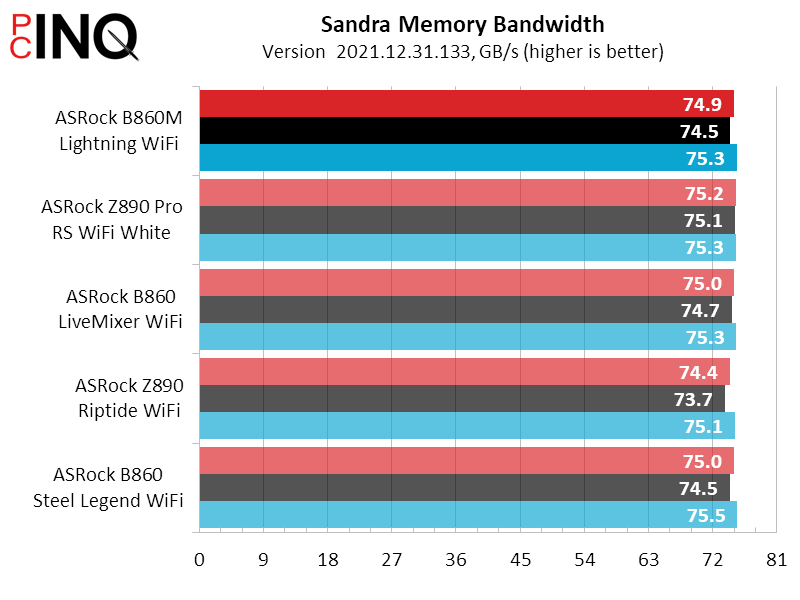
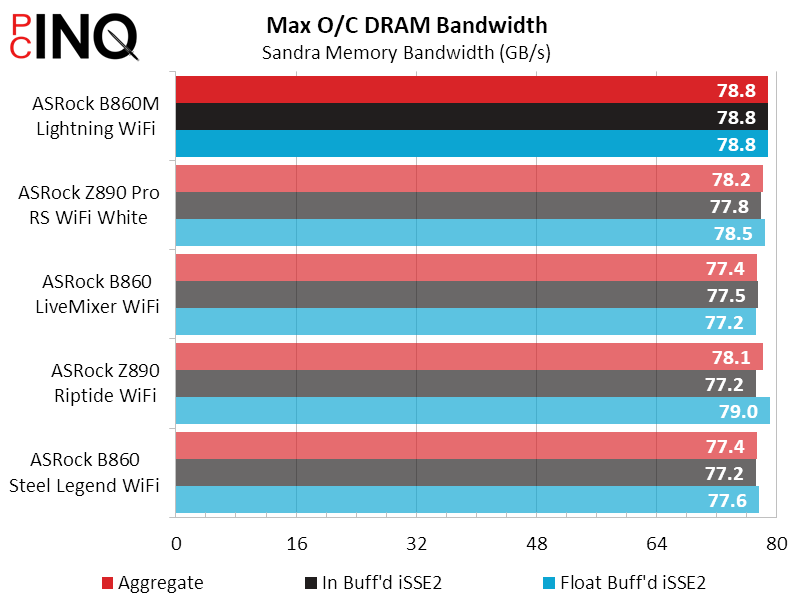
As DRAM is the only part of a B860 board that can be overclocked, we appreciate that the B860M Lightning WiFi help us push our Crucial DDR5-6400 C38 a little farther than any board that preceded it. Proving that it didn’t get there via any timing tricks, its overclocking win is reflected in Sandra’s latency-sensitive bandwidth test.
ASRock’s prices and availability are unfortunately too volatile to properly assess the B680M Lightning WiFi’s value, where its $154 to $190 range makes it a top to mediocre value, respectively.
| ASRock Phantom Gaming B860M Lightning WiFi | |
| Pros | Cons |
| Full assortment of NVMe M.2 slots Well laid out for gaming builds Chart-topping memory overclocking | Front 20Gbps connector wired as 10Gbps Odd placement of third M.2 slot No support for legacy SATA M.2 drives |
| The Verdict | |
| Providing full support for big components while fitting into a 2.4″ smaller case, ASRock’s PG B860M Lightning WiFi becomes our choice for Micro ATX gaming builds. | |
Find it at Amazon
(click for availability)


