
NZXT Kraken Elite 280 RGB Review: The $150 Wonder?
We’ll admit that NZXT’s Kraken deal slid under our radar until a different builder brought it to our attention: $150 for a 280mm-format (dual 140mm fan) cooler with a programable LCD pump cover seemed implausible when the later feature adds $80-100 to the price, so the builder handed it over for us to check out. Is it the real deal?
| NZXT Kraken Elite 280 RGB | |
| Thickness | 30mm (58 w/fans) |
| Width | 143mm (5.63″) |
| Depth | 314mm (12.38″) |
| Block Height | 58mm (2.29″) |
| Speed Controller | USB (Software) |
| Cooling Fans | (2) 140 x 28mm |
| Connectors | 3-Pin FAN, (2) USB, (2) SATA PWR |
| Weight | 1300g (46oz) |
| Intel Sockets | Intel® LGA 1851/1700, 1200/115x |
| AMD Sockets | AM5/AM4 |
| Warranty | 2-Years |
| Web Price | $150 |

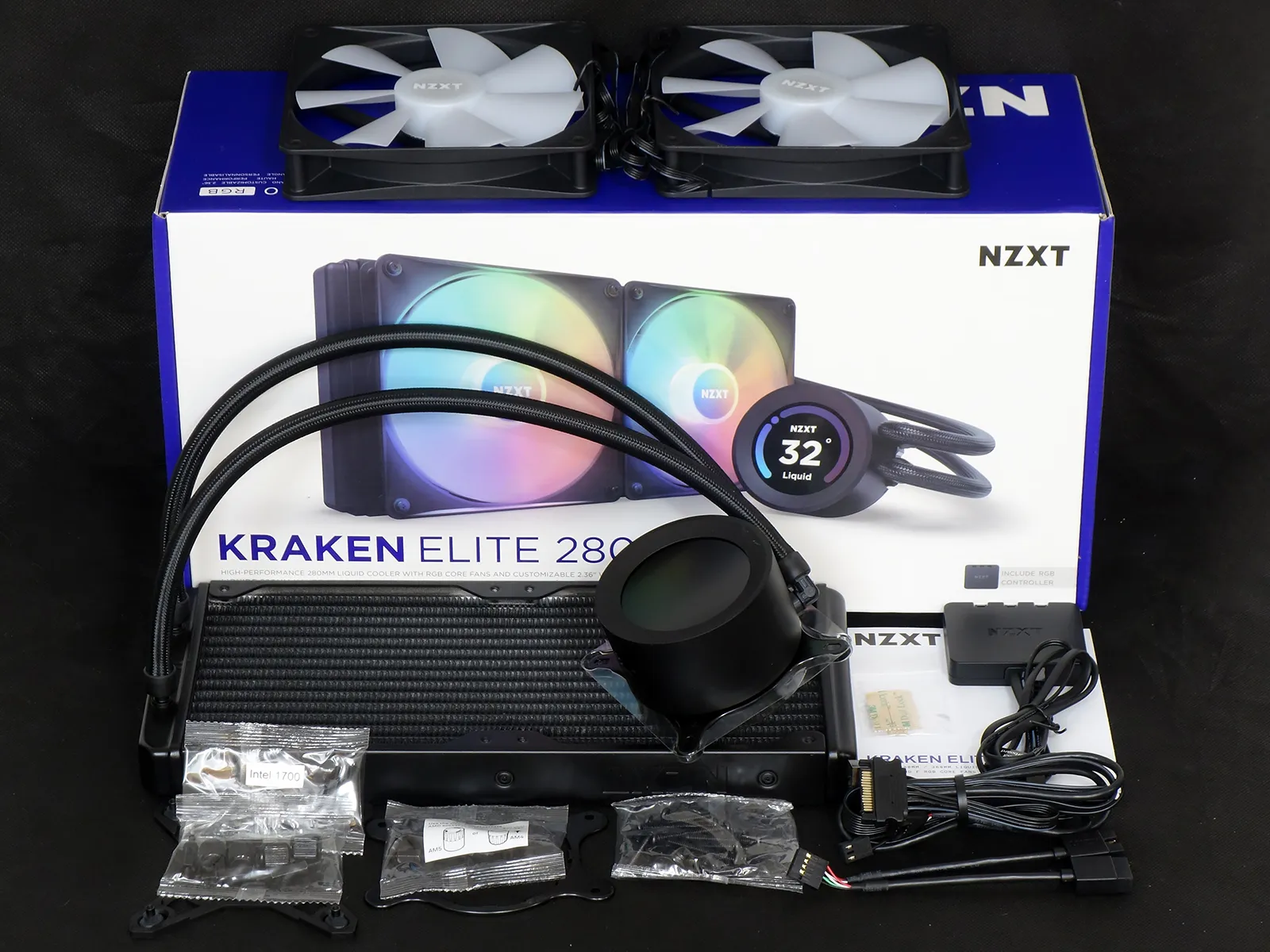
Arriving in that $150 purchase appears to be what NZXT calls its “First Generation” Kraken Elite 280 RGB, the clue being its Asetek-supplied pump bracket. For its part, NZXT adds the 140mm RGB fans, the LCD pump cover, a bundled version of its own RGB controller, some extra screws and a cable pack.
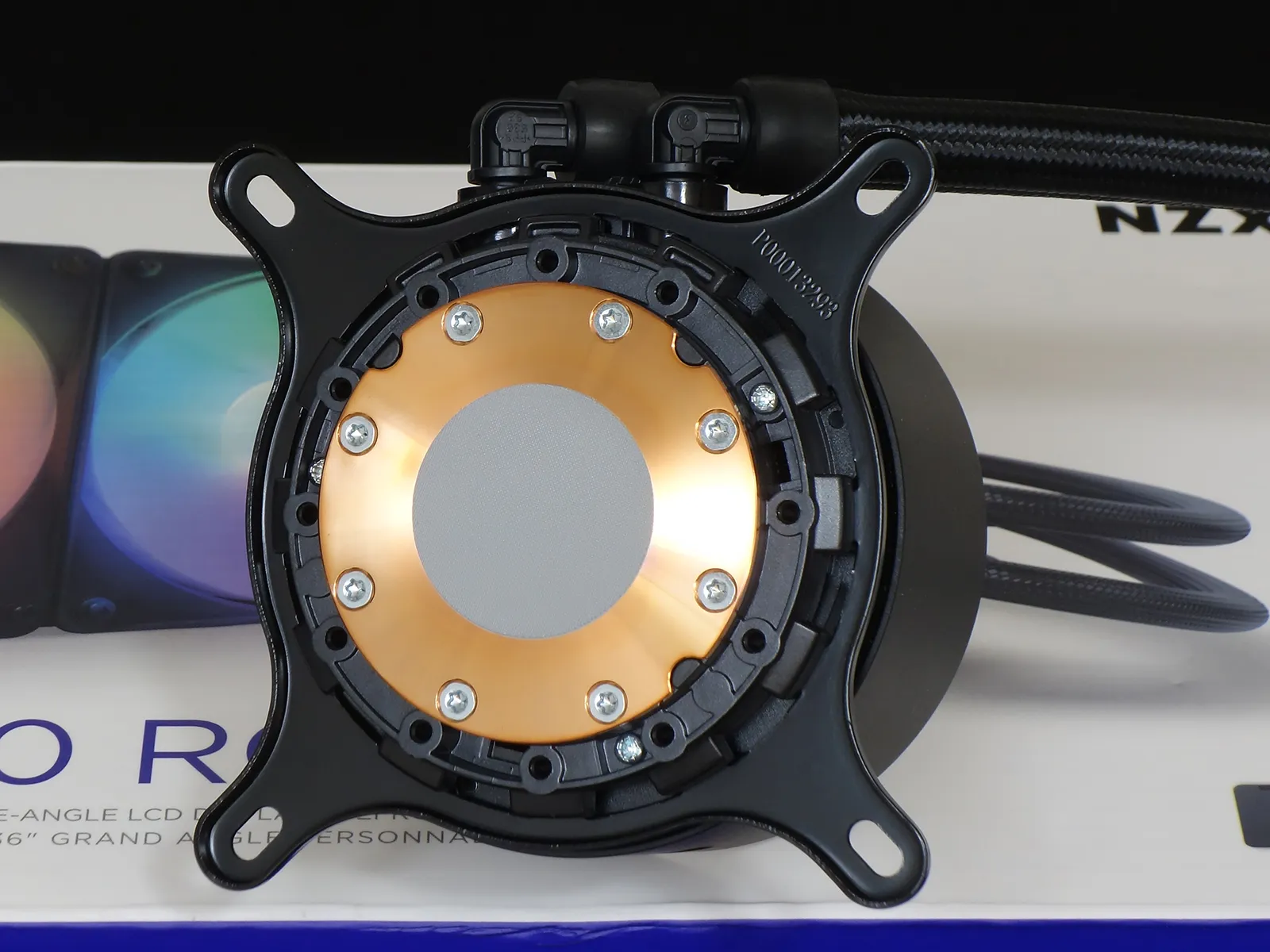
Asetek combines the pump and CPU water block under a single housing that has its motor on top and heat exchanger (aka CPU cold plate) on the bottom. Machined almost flat and with a fine finish the helps keep the thermal compound from pulling away as it ages, the firm applies a blotch of its own thermal compound to the center of that cold plate’s surface. Swapping the Intel mainstream-processor LGA bracket for the included AMD-spaced part requires only that one twist the bracket counterclockwise until its tabs align with adjacent gaps in the pump’s body.
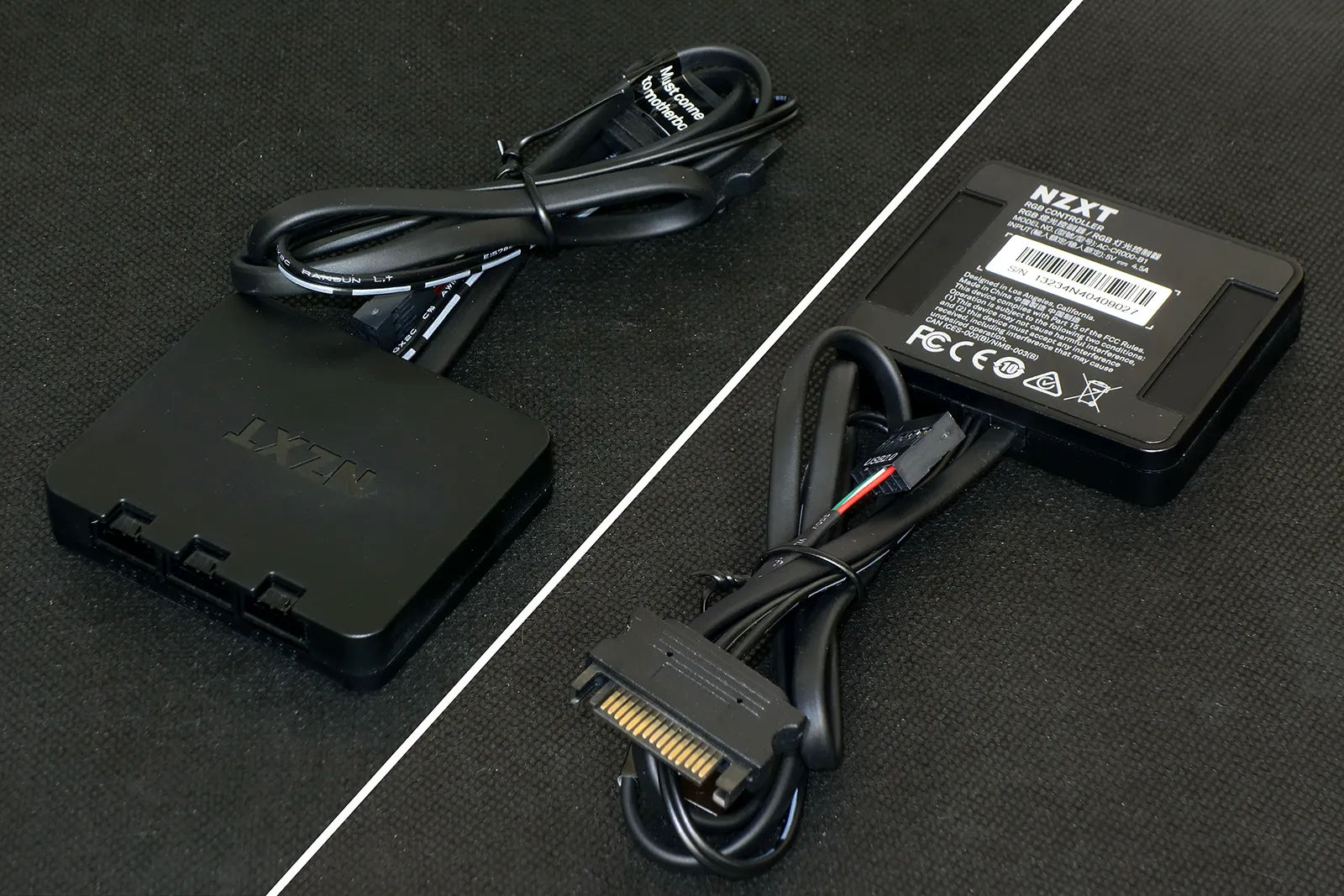
Brandishing a part number AC-CR000-B1, the bundled version of NZXT’s Controller Hub only does lighting: Functioning as ARGB through NZXT’s CAM software, its extra device ID feedback wire differs from standard ARGB to allow each fan to be addressed separately from other fans. Connected directly to the system’s power supply via an SATA drive header, the AC-CR000-B1’s three proprietary lighting headers receives software instructions from one of the motherboard’s internal USB 2.0 headers.
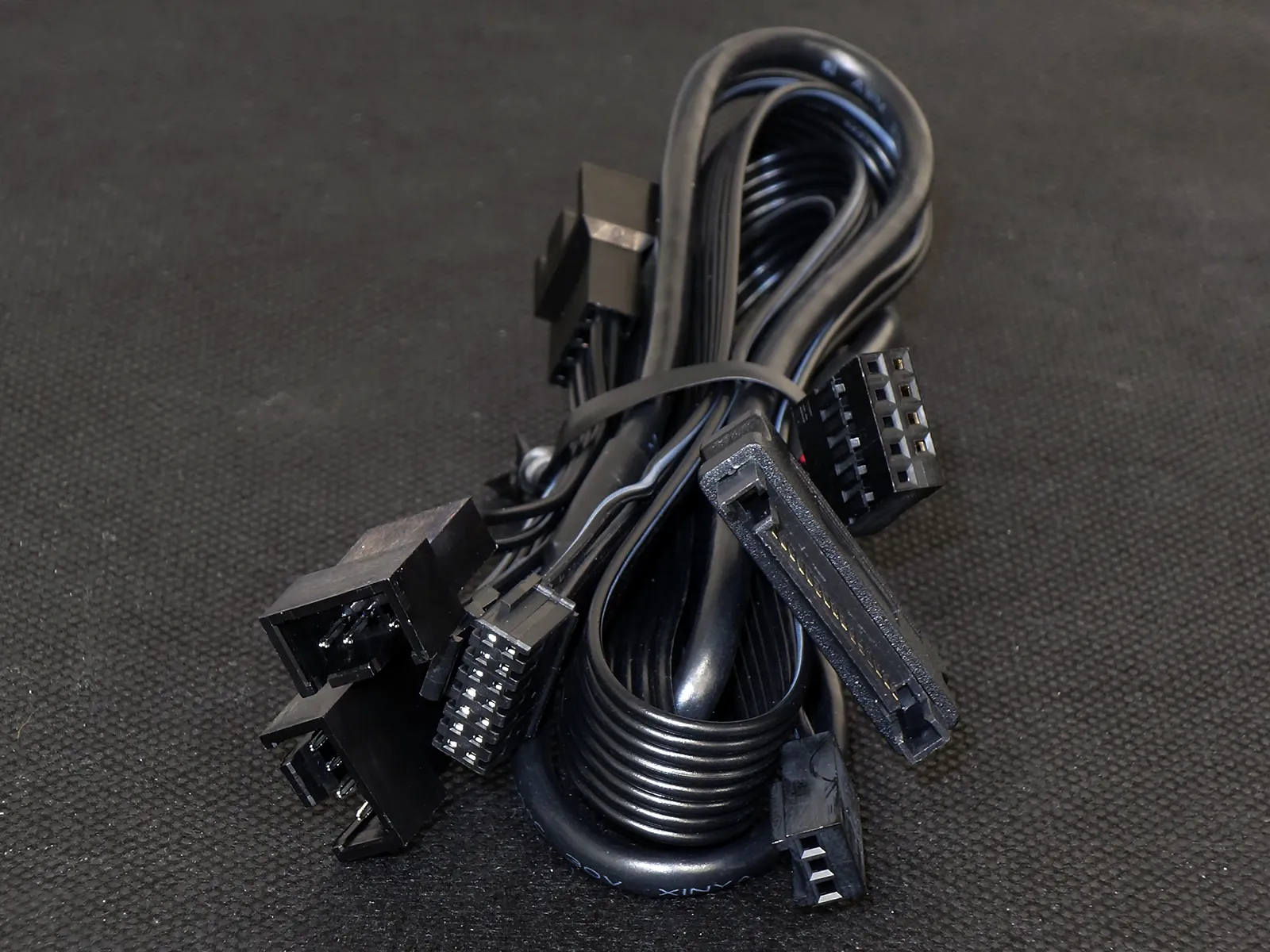
A single header connects the Kraken Elite 280 RGB’s pump body to the power supply (via an SATA power cable), a motherboard USB 2.0 header, a motherboard fan header and up to three PWM fans via multiple cable branches. Since nine-pin USB 2.0 headers provide two ports and each of NZXT’s devices require only one, a provided splitter cable allows the Kraken’s pump and RGB controller to share a single motherboard connector.
The AMD installation kit includes the previously mentioned replacement pump bracket, four standoffs and four plastic spacers. Builders are to remove the motherboard’s original clip-style cooler brackets and replace those by inserting the standoffs through the spacers and threading them into the same holes. The spacers have a stepped ledge on the inside with two different depths, along with tiny AM5 and AM4 labels on the ends to indicate whether the spacer turned right-way-around.
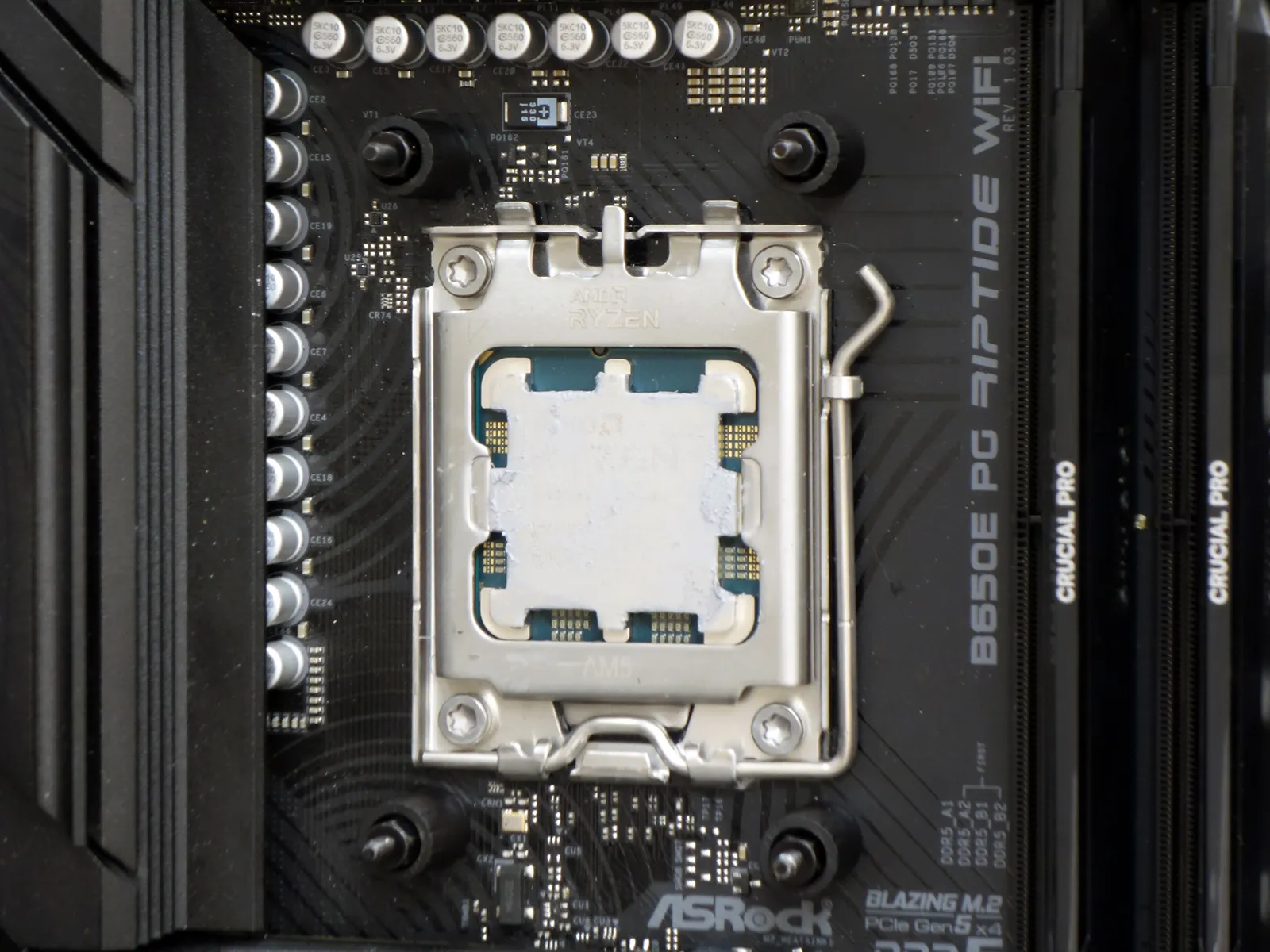
Intel users get none of that, but instead have two different length standoffs to match LGA1851/1700 or 1200/115x spacing. The installation kit’s included LGA support plate fits the back of these motherboards to provide threads for its standoffs.
Builder may then fit the pump’s bracket over the other end of the kit’s standoffs and secured it using the included knurled nuts. The big cable plugs into the side of the pump body opposite its tube connectors, loops over the top of our motherboard tray and connects to the USB 2.0 internal header at the bottom of our motherboard via the included splitter cable. The RPM signal cable that goes from the pump body to our motherboard is a far shorter branch, but we were able to rout it through our case’s cable passages over the top of the board and back to its CPU fan header.
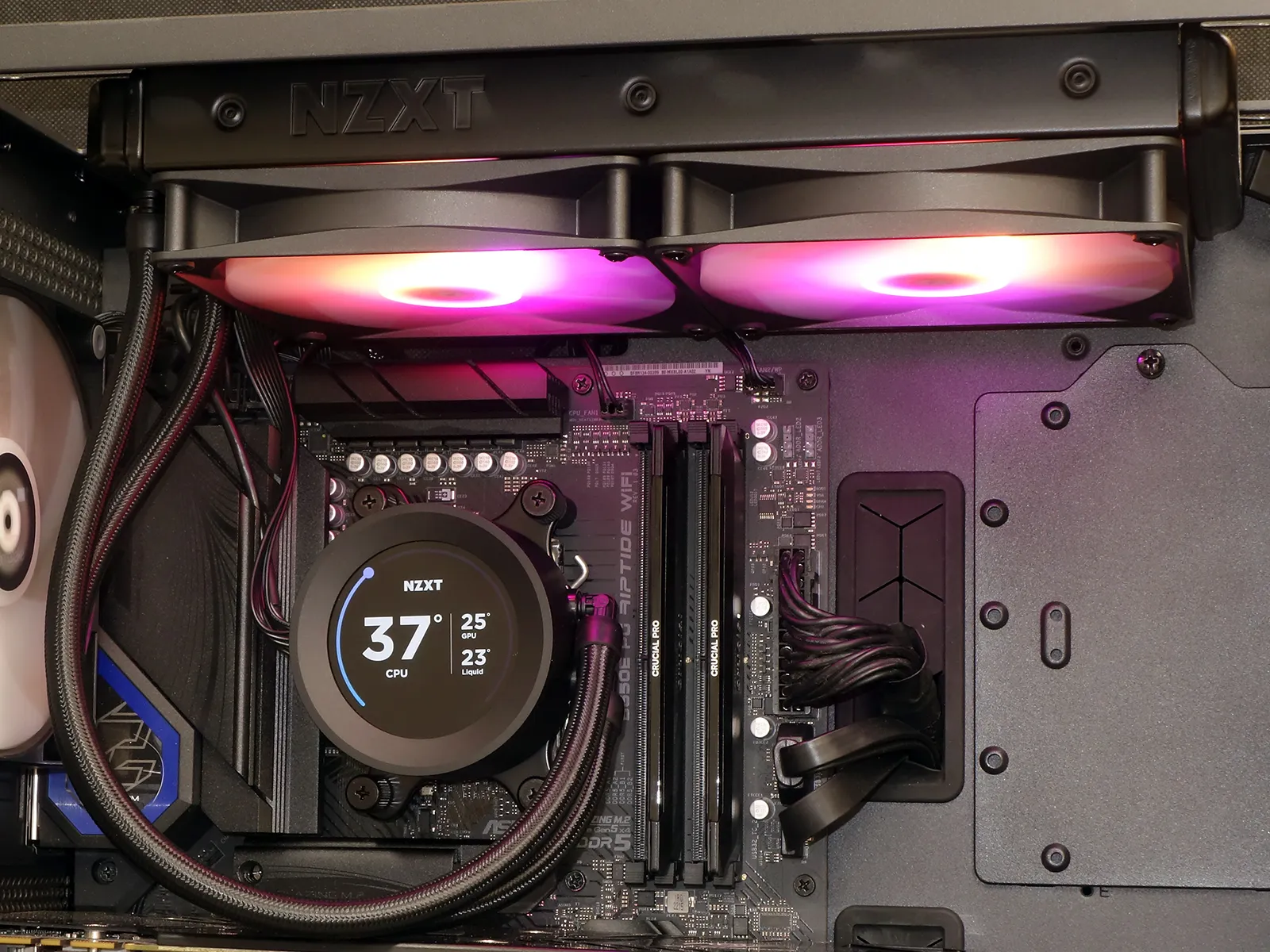
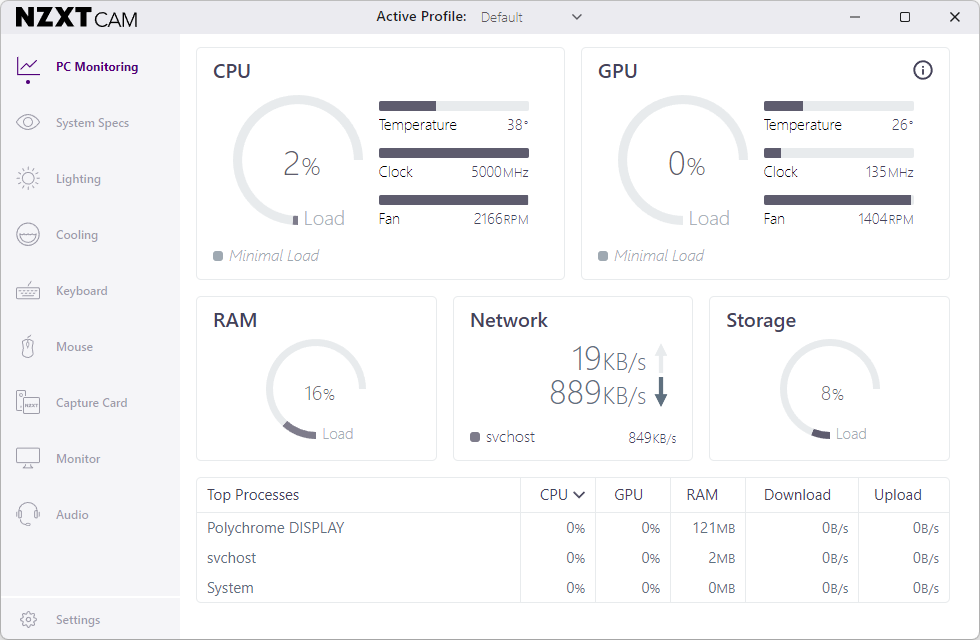
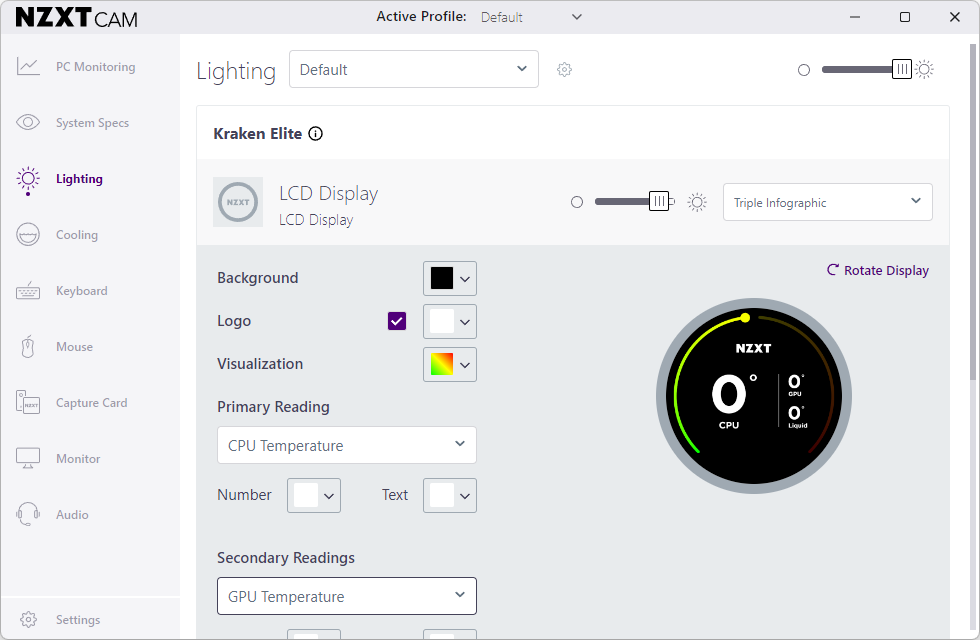
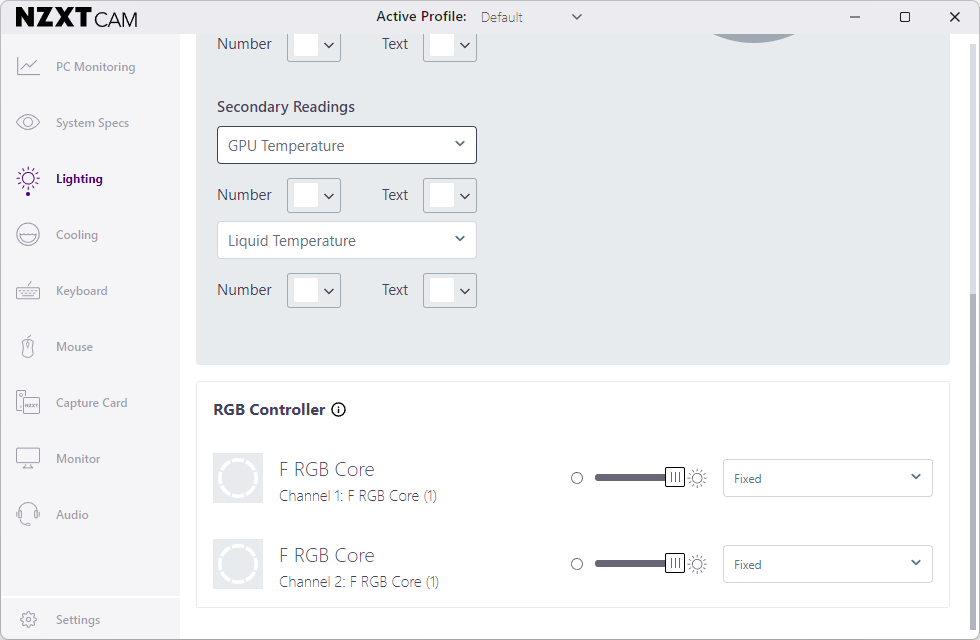
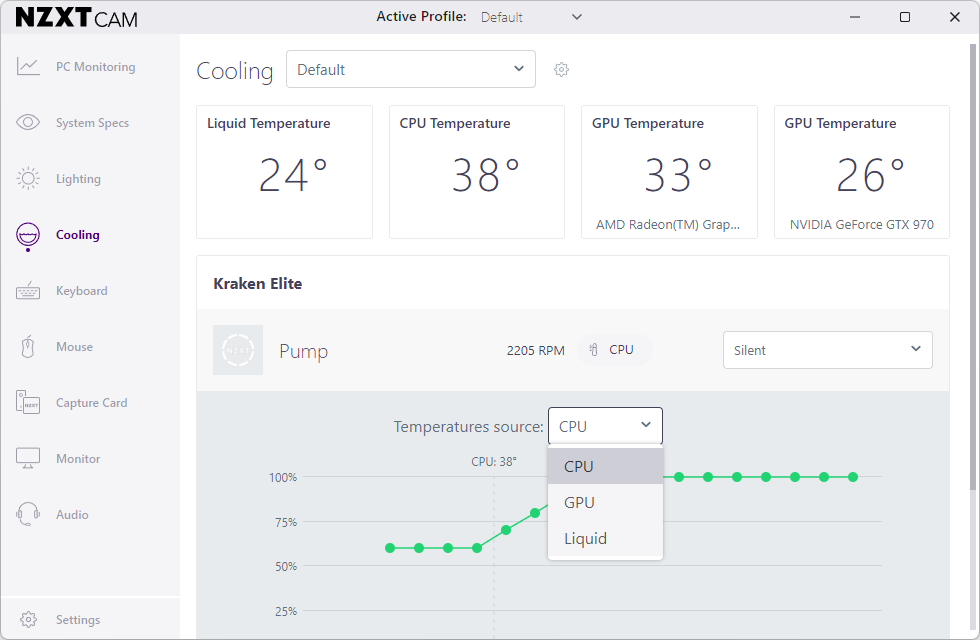
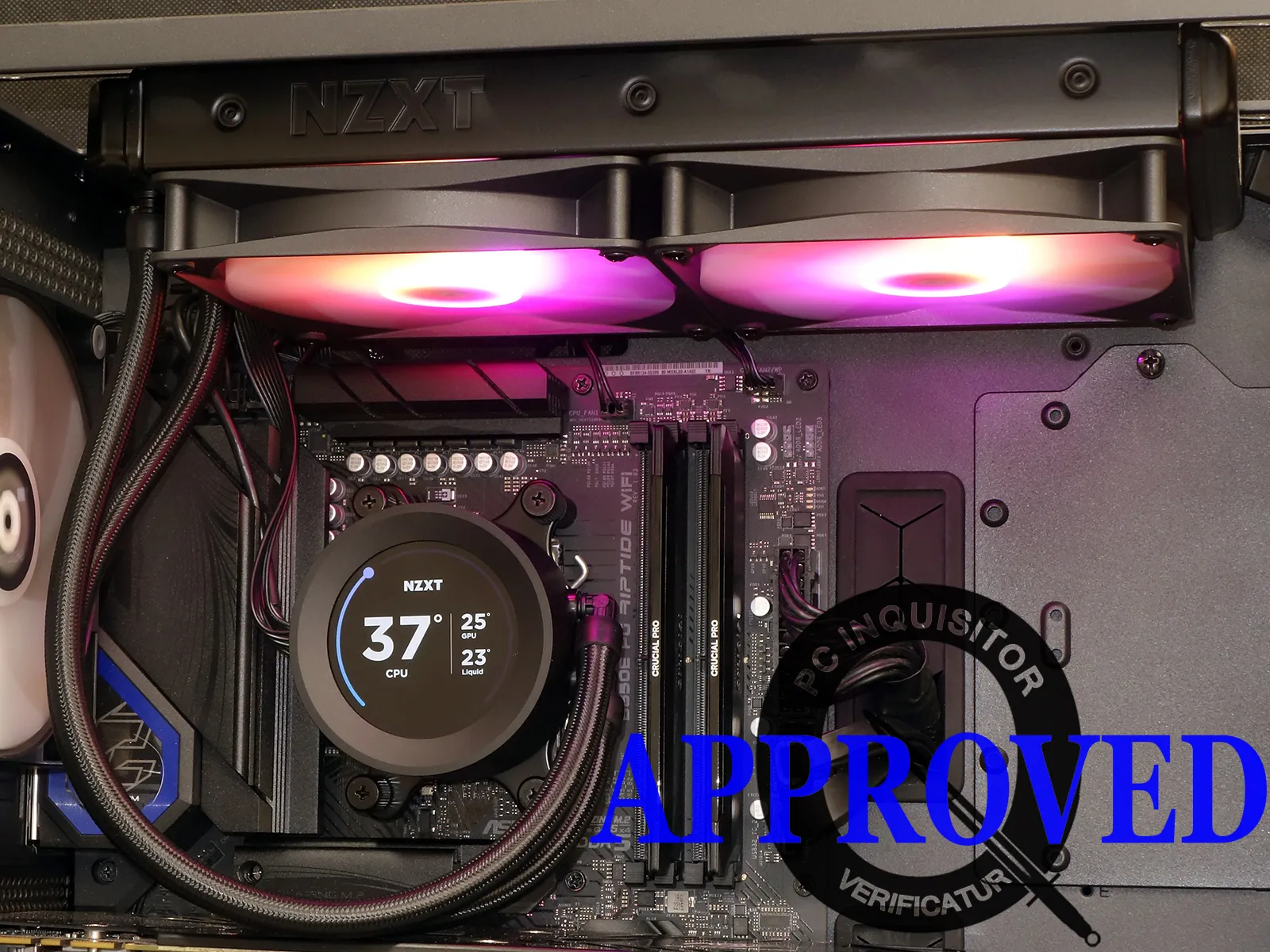
The above screen mode is not the unit’s default, as the default shows only the unit’s coolant temperature. NZXT CAM software does the CPU and GPU temperature monitoring seen above and gives us the interface to set that display mode. Other settings allow us to change the displays colors and patterns, or even add a background image (static or animated GIF), fan lighting colors/patterns and temperature source. We set its fans to 100% duty cycle (full RPM) for our tests.
Testing the Kraken Elite 280 RGB
Because we haven’t reviewed a 280mm-format CLC (closed loop cooler) yet, the Kraken Elite 280 RGB is going up against the LCD-equipped Thermaltake ToughLiqud Ultra 240 and Corsair iCue H100i Elite LCD XT as well as some non-LCD models from Yeyian, Cooler Master and Fractal Design.
| System Configuration | |
| Case | Thermaltake Ceres 500 TG ARGB |
| CPU | AMD Ryzen 9 7900X: 12 cores/ 24 threads, 64MB L3 Cache O/C to 5.00 GHz at 1.25 V Core |
| Motherboard | ASRock B650E PG Riptide WiFi, BIOS 1.18 |
| RAM | Crucial DDR5 Pro OC 6400 CL32 32GB |
| System Drive | HP SSD FX900 M.2 1TB NVMe SSD |
| Test Configuration | |
| Load Software | Prime95 Version 30.8 Torture Test, Small FFTs |
| H/W Monitoring | HWiNFO64 v7.42-5030 |
| SPL Monitoring | Galaxy CM-140 SPL Meter: Tested at 1/4 m, corrected to 1 m (-12 dB) |
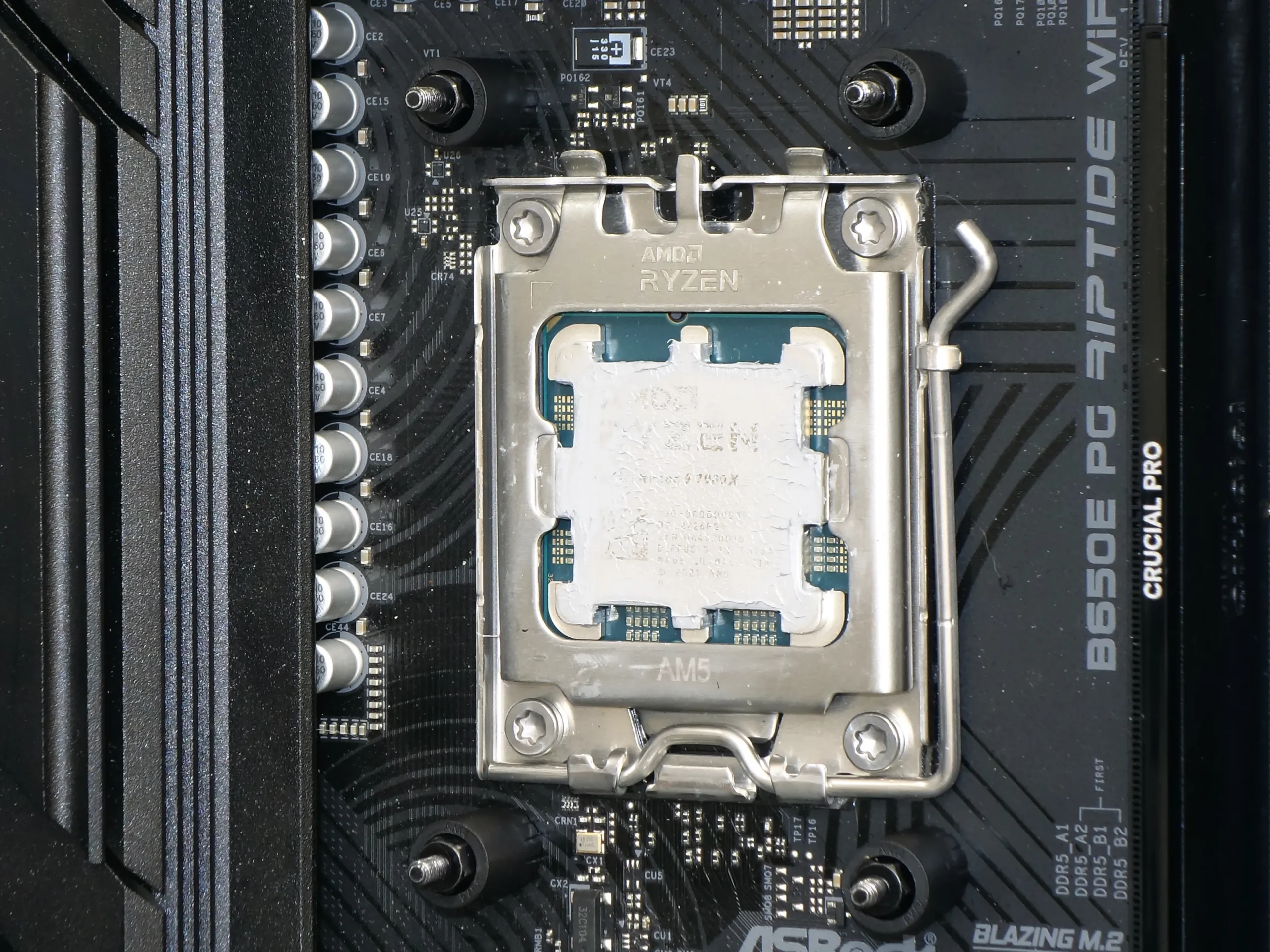
Our first test was a flop with the CPU temperatures exceeding those of competing models by over 10 °C. A pattern in the thermal compound indicated that it barely made contact with the CPU, so we reinstalled it with the plastic spacers in the AM4 position and watched temperatures drop by a similar amount.
Test Results
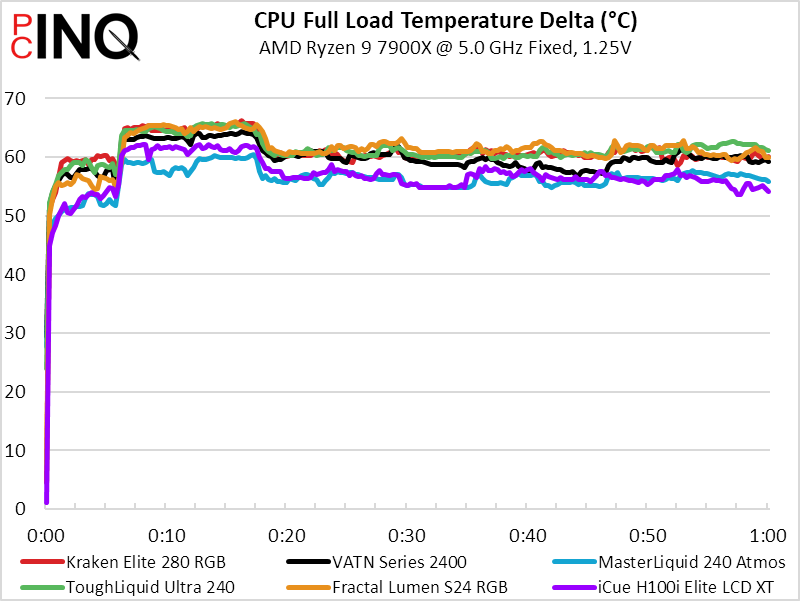
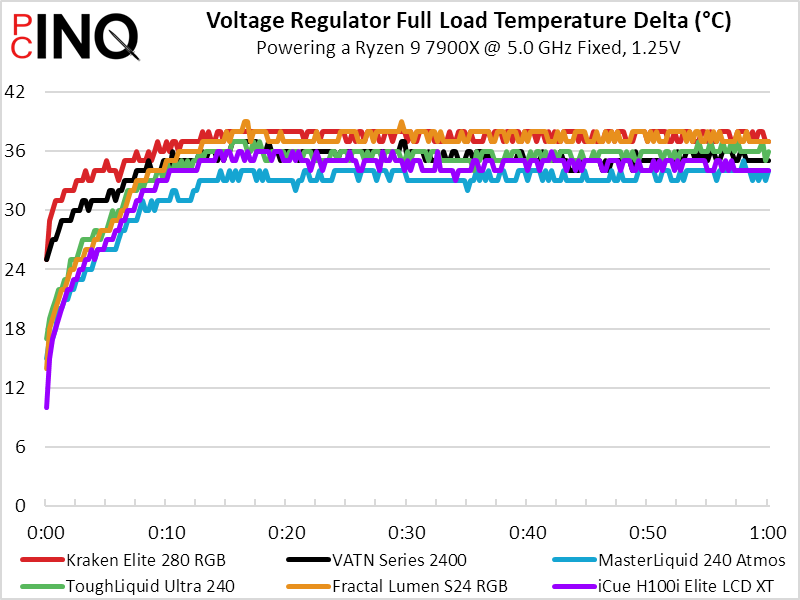
We expected NZXT’s larger 280mm radiator to bring lower CPU temperatures than its smaller 240mm rivals, but it’s positioned in roughly fourth place for that chart. The tied-for-fifth-place voltage regulator temperature makes a little more sense because its extra width conflicted with our CPU power cables, preventing us from sliding it all the to the back of our case (where it would flow more air over our voltage regulator).
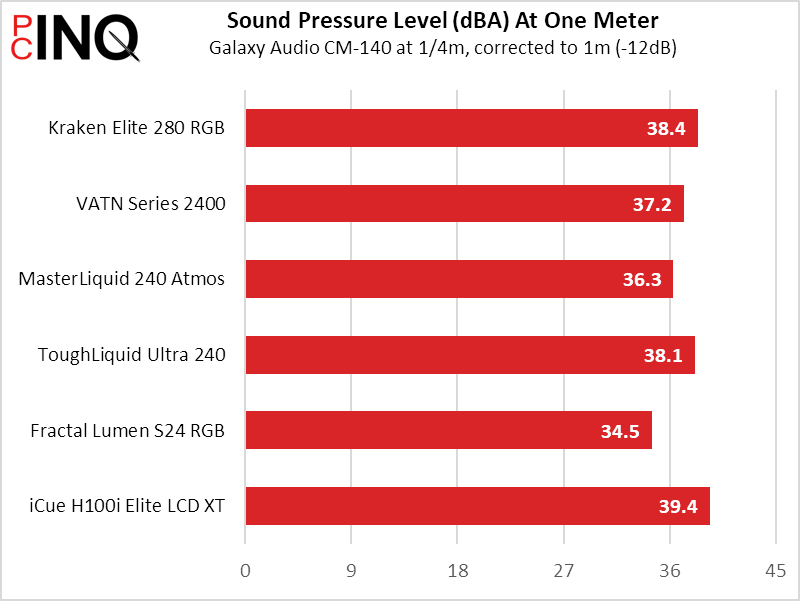
One might hope that the larger cooler’s moderate cooling would result from its use of slower, quieter fans, but that’s not the situation here: The Elite 280 RGB placed fifth once again.
The weird part is that because the coolers that lead our cooling charts weren’t the ones that lead in noise control, the Elite 280 RGB climbs to third in the comparison of cooling-to-noise.
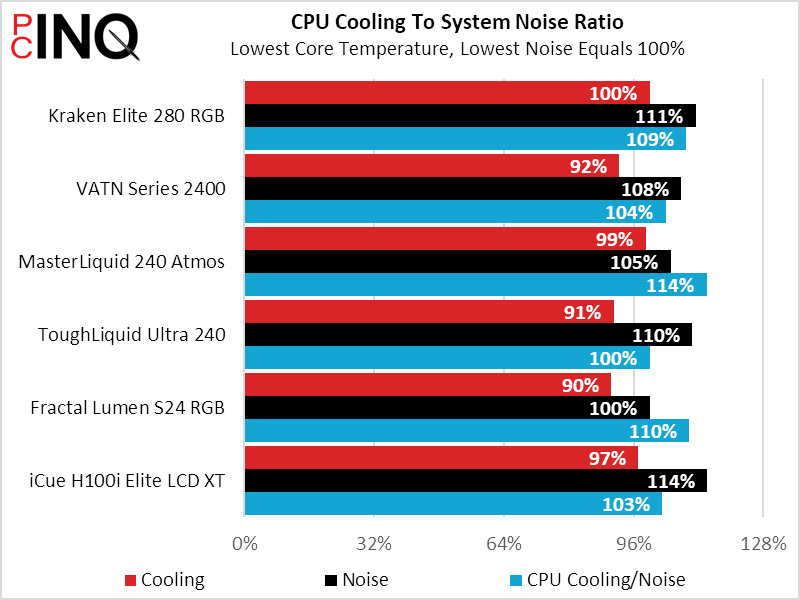
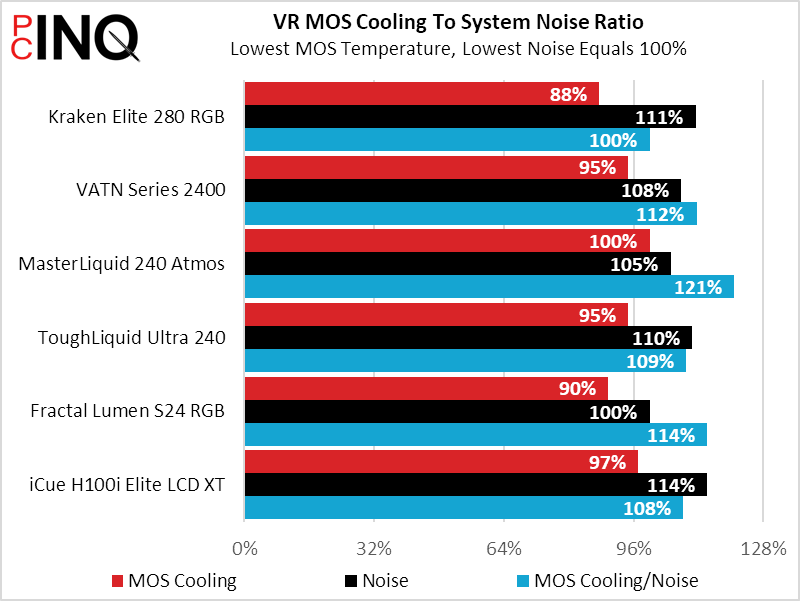
And here’s the key to its value victory, at least among the three LCD-equipped models: The Kraken Elite 280 RGB is currently $50 cheaper than the ToughLiquid Ultra 240 and $110 cheaper than the iCue H100i Elite LCD XT. The only way to get a better bargain from the parts we’ve reviewed is to go LCD-free.
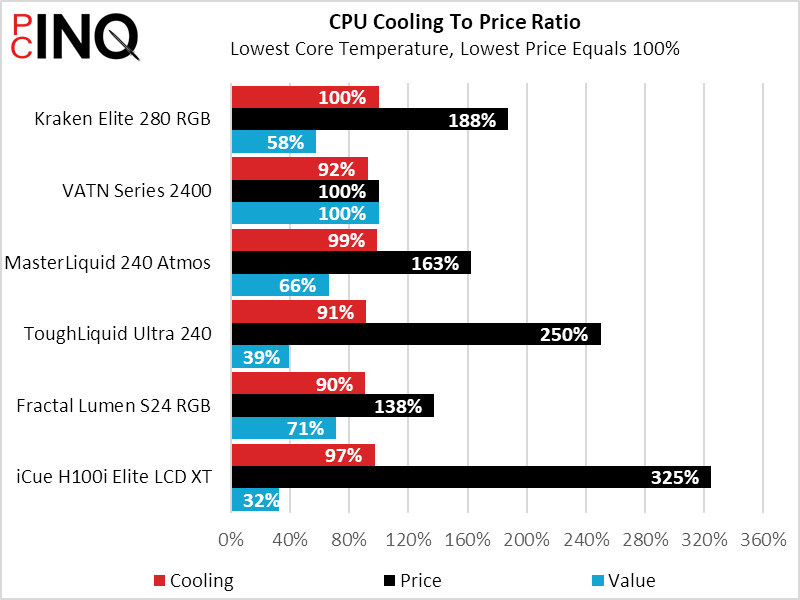
In the end we’re left perplexed by the Kraken Elite 280 RGB we received from online distribution: It’s supposedly a first-generation design that was replaced nearly two years ago, yet it was still floating around in-channel. We’ve heard that the new one produces 6.2% to 6.9% better cooling at roughly 4db less noise. NZXT could have won our Excellence award had those number proved true, but alas the only thing our sample is capable of winning is the value battle.
| NZXT Kraken Elite 280 RGB | |
| Pros: | Cons: |
| Larger fans to move more air Highly configurable LCD display cover Lowest cost for its features | Similar CPU temps to smaller units All LCD-topped coolers are pricey Two-year warranty |
| The Verdict: | |
| The Kraken Elite 280 RGB delivers unmatched value (thus far) in LCD-topped closed-loop CPU cooling, despite winning no other metrics. | |


